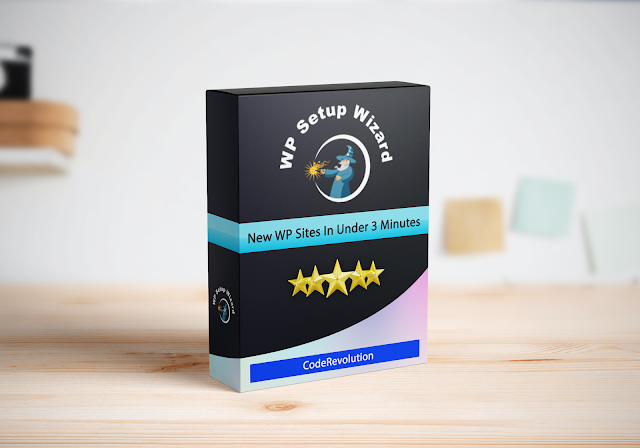
WP Setup Wizard
Live Preview Instant Demo

Instant Demo launches the full product in a live WordPress sandbox. It unlocks with your licence. Sign in if you already own it.

Video Preview Screenshots

Create Google ready sites in less than 5 minutesWP Setup Wizard features WP Setup Wizard features continued WP Setup Wizard features listing coderevolution support center support

Configure your next Google ready WordPress site in less than 5 minutes!

What if I would tell you that you could skip the most boring part of launching a new WordPress site? Configuring a WordPress installation is a repetitive and boring task you need to do each time you set up a new website Going through the same site configuration process, each time, over and over again. This can be excruciating! Here are some of the repetitive tasks that you do each time you set up a new site:

  1. Removing all sample posts, pages and comments
  2. Setting up site name, admin email, timezone, language and other site settings
  3. Setting up full site SEO settings
  4. Creating the must have pages of any modern site, like: “Contact Us”, “About Us”, “Privacy Policy”, “Terms of Service”, “Affiliate Disclaimer” and many more
  5. Making sure your site is GDPR compliant and has a cookie notice
  6. Installing and setting up plugins and the theme you are going to use on your site
  7. Setting up site security settings and making sure you are not exposed to hackers
  8. Setting up social sharing buttons for your content
  9. Setting up monetization for your site using AdSense or affiliate marketing
  10. Optimizing page load speed
  11. And the task list could go on and on…

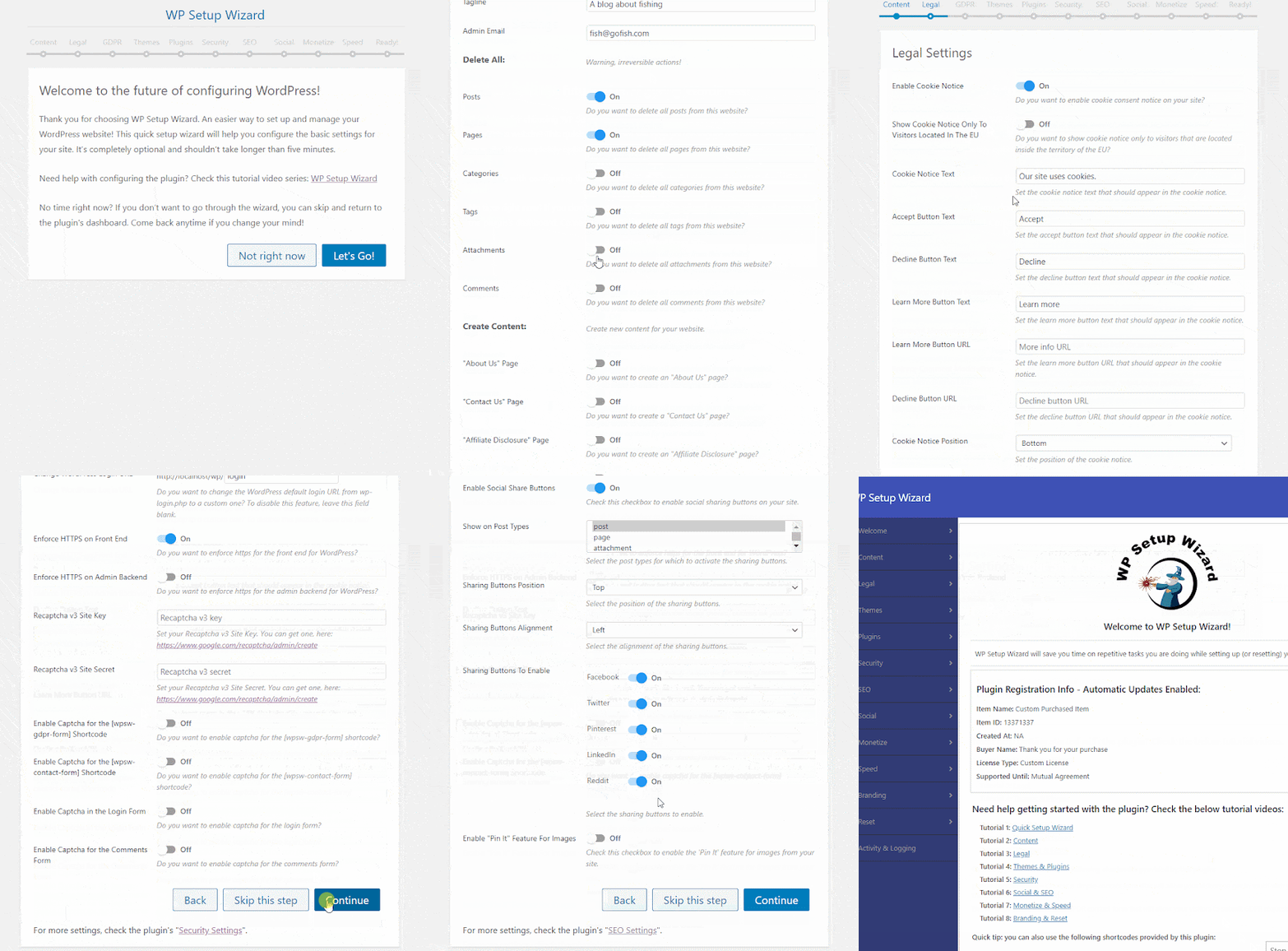
Suddenly, you realized that 2 tiresome hours have passed and you still have to start creating landing pages and content for your new site. If you would have wished for a solution that could simplify and speed up the setup process of new sites, I would fully understand you! Luckily, you are on the right place! I present to you the WP Setup Wizard plugin! This is an all-in-one plugin which is able to set up your new WordPress site using a “Quick Setup Wizard” interface. Do you remember installing Windows programs with their easy to use setup wizard installers? Start up the installer wizard, click a couple of times “Next-Next-Next” and the program is installed! Now, the same streamlined setup experience is available also while setting up your new WordPress site!

Check This 2-Minute Animated Explainer Video

video

What Can You Do With This Plugin?

  1. It will allow you to show an “Under Construction” page to visitors while you set up your site
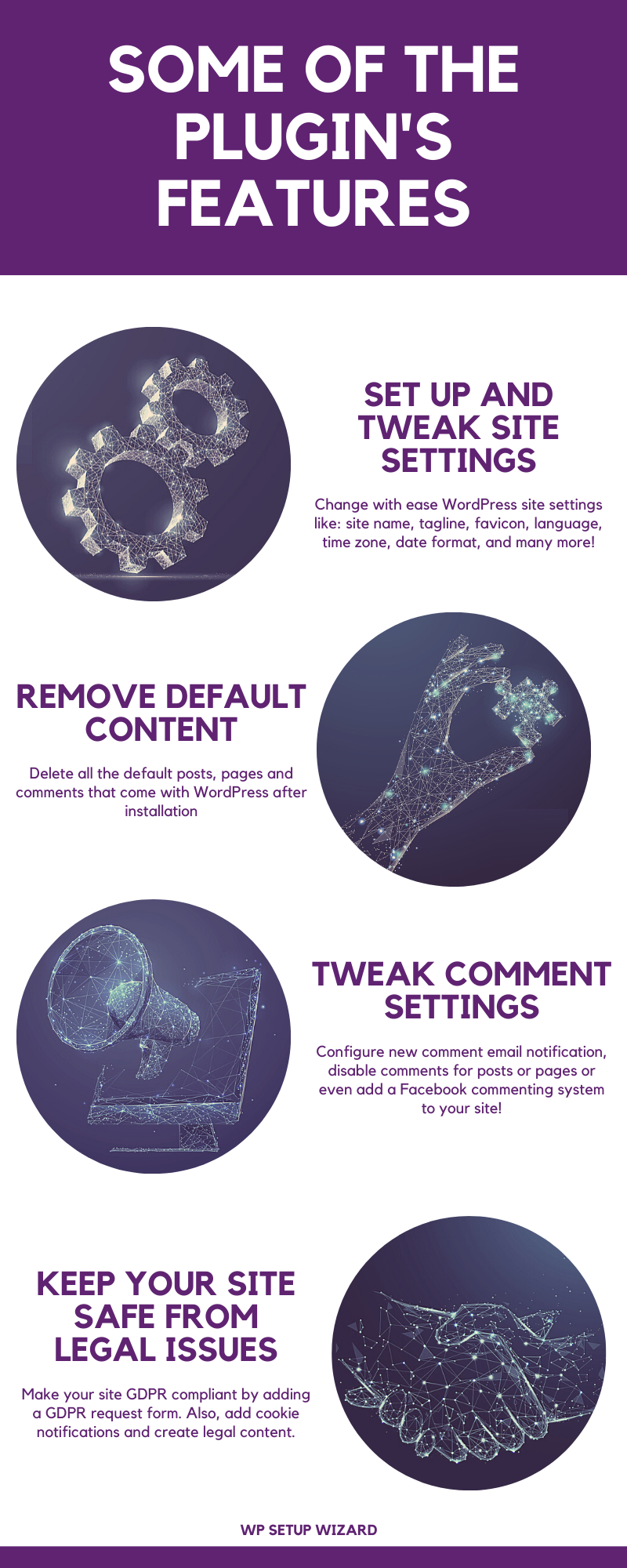
  2. Automatically remove all posts, pages, comments, tags, categories and attachments from your site
  3. Set up general site settings with ease
  4. Create required legal pages like “Contact Us”, “About Us”, “Privacy Policy”, “Terms of Service”, “Affiliate Disclaimer” pages and many more
  5. Add a contact form to your site
  6. Make your site GDPR compliant and adding a cookie notice to it
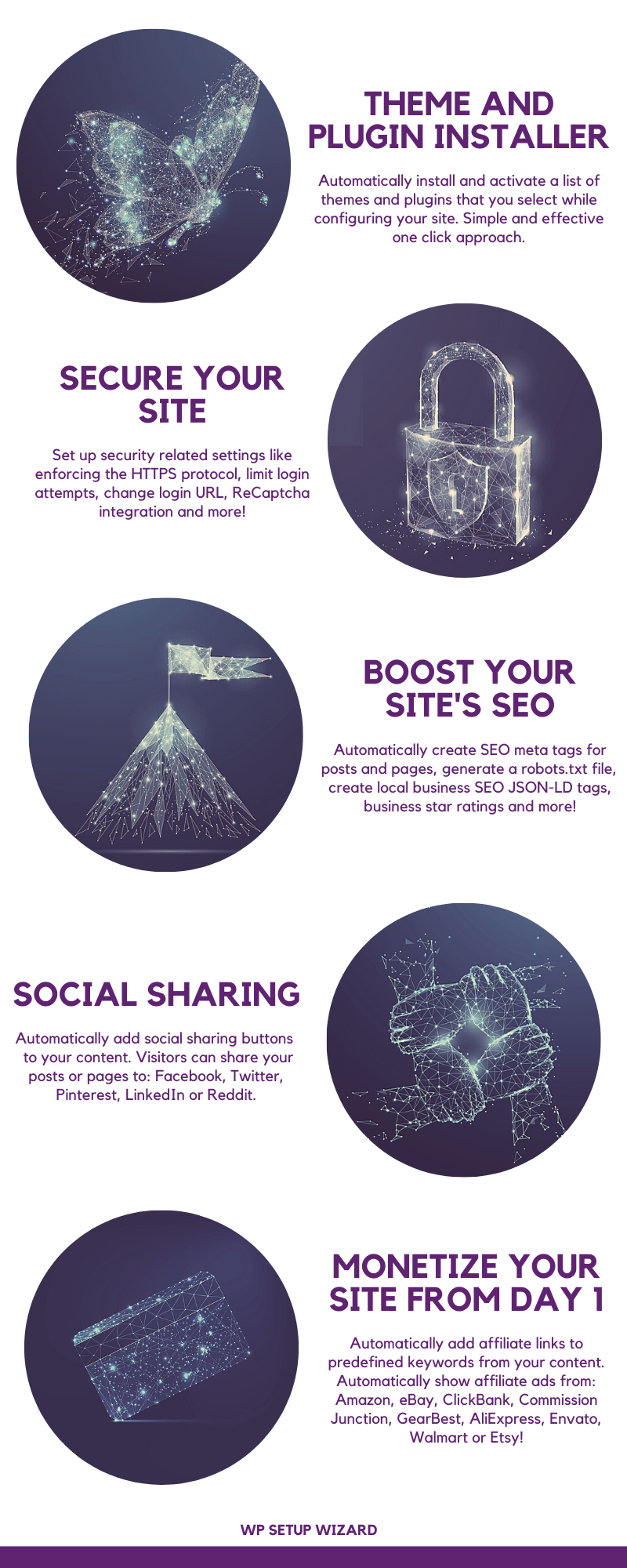
  7. Automatically install plugins and themes
  8. Set up SEO settings like site meta data, local SEO JSON-LD tags, product rating SEO meta tags, robots.txt, 404 redirect to home page and more
  9. Set up security settings like: limit login attempts, change login URL, force HTTPS, ReCaptcha integration and more
  10. Set up social sharing buttons for your content for: Facebook, Twitter, Pinterest, Reddit, LinkedIn
  11. Set up AdSense Auto Ads for your site
  12. Set up monetization for your site, using automatically displayed affiliate products from: Amazon, eBay, ClickBank, Commission Junction, Envato, GearBest, AliExpress, Walmart or Etsy
  13. Set up page speed optimizations like: minify, compress and combine HTML, JavaScript and CSS, Leverage Browser Caching, Enable GZIP Compression, Remove Query Strings from static resources and more
  14. Customize and brand your WordPress login page, admin bar and admin dashboard
  15. Database cleanup and database backup
  16. Reset any of the databases of your WordPress site to it’s original state (from day 1, when you installed your WordPress site)
  17. Make all the above settings in a user friendly “Setup Wizard” interface
  18. And the feature list could go on and on

Stop wasting your time and energy setting up new sites one by one. Do it efficiently, using the WP Setup Wizard plugin, in under 5 minutes. WP Setup Wizard - 1
Full list of plugin features:

    • Run the plugin’s built-in “Quick Setup Wizard” and configure your site in a simple and pleasant interface
    • Site Settings: change site title, tagline, favicon, admin email, permalink structure, rename the “Uncategorized” default category, set user registration options, email options, site language, time zone, date format, time format
    • Content Cleanup: delete all posts, pages, categories, tags, comments or attachments
    • Content Cleanup: cleanup unnecessary database entries
    • Content Creation: automatically create the following pages:
      • “About Us”
      • “Contact Us”
      • “Affiliate Disclosure”
      • “Amazon Affiliate Disclosure”
      • “AntiSpam Policy”
      • “Cookie Policy”
      • “GDPR Requests”
      • “Copyright Policy”
      • “Earnings Disclaimer”
      • “Medical Disclaimer”
      • “Privacy Policy”
      • “Terms of Service”
    • Content Creation: create blank posts and pages
    • Content Creation: create categories and tags
    • Content Creation: create dummy website content
    • Content Creation: “YouTube Caption Scraper” module will be able to get import any YouTube video’s closed captions and use it as your site’s unique content
    • Site Features: add a simple site banner to the top of posts and pages
    • Commenting Settings: change new comment moderation and email settings
    • Commenting Creation: disable comments for posts or pages
    • Commenting Creation: replace default WordPress commenting system with Facebook comments
    • Images: set default image upload quality
    • Images: remove EXIF data from images
    • Images: automatically watermark uploaded images
    • Code Customizations: add CSS or header/footer code to your pages
    • User Access: allow only logged in users to view your site
    • User Access: switch your site to “Under Construction” mode
    • GDPR Settings: show a cookie consent notice to visitors
    • GDPR Settings: choose to accept or redirect EU traffic
    • GDPR Settings: add a “Right to be Forgotten” form to your website
    • GDPR Settings: add a “Data Access Request” form to your website
    • GDPR Settings: add a “Unsubscribe” form to your website
    • GDPR Settings: add a “Data Rectification Request” form to your website
    • GDPR Settings: add a GDPR consent checkbox to comment forms
    • Theme Setup: automatically install a list of themes you select
    • Plugin Setup: automatically install a list of plugins you select
    • Website Security: limit login attempts
    • Website Security: change default WordPress login URL
    • Website Security: enforce SSL/HTTPS
    • Website Security: Google ReCaptcha integration to login form, comments form and contact forms generated by this plugin
    • Website Security: full database backup

Content Protection:

    disable right click on the front end
  • Content Protection: disable text selection on the front end
  • SEO: Automatically generate SEO meta tags like Facebook OG tags, Twitter meta tags or generic website meta tags
  • SEO: business JSON-LD meta information
  • SEO: automatic robots.txt generation
  • SEO: business SEO rating meta information
  • SEO: redirect 404 page not found errors to home page
  • SEO: discourage search engines from indexing your site
  • Social: automatically add social share buttons to your posts or pages for: Facebook, Twitter, Pinterest, LinkedIn, Reddit
  • Social: automatically add a “Pin It” button to all images from content
  • Monetization: automatically add your affiliate links to keywords from content (optionally, replace the keywords with other words)
  • Monetization: AdSense Automatic Ads integration
  • Monetization: automatically add affiliate products to your products from:
    • Amazon
    • eBay
    • ClickBank
    • Commission Junction
    • GearBest
    • AliExpress
    • Envato
    • Walmart
    • Etsy
  • Page Speed: minify, compress and combine HTML, CSS & JavaScript
  • Page Speed: remove query strings from static resources
  • Page Speed: enable GZIP compression
  • Page Speed: leverage browser caching
  • Website Branding: customize WordPress login page colors, background image, text, logo, form and buttons
  • Website Branding: customize WordPress admin bar logo, menus and hide it on front end
  • Website Branding: remove admin dashboard widgets
  • Website Branding: change WordPress admin header and footer text
  • Website Branding: edit admin menu entry labels and hide them for non-admin users
  • Database Wipe: reset any database from your site to it’s original state
  • And more to come soon…

wpsetupwizardfeatures Try it out now

Testing this plugin

  • You can test the plugin using the ‘Test Site Generator’. Here you can try the plugin’s full functionality. Note that the generated testing blog will be deleted automatically after 24 hours.

Learn more about this plugin Extended License

Need support?

Please check our knowledge base, it may have the answer to your question or a solution for your issue. If not, just email me at [email protected] and I will respond as soon as I can.

CodeRevolution live chat support coderevolution blog php8-compatible updated subscribe-PNG262

Changelog:

Version 1.0.0 Release Date 2020-11-20

First version released!

Version 1.0.1 Release Date 2020-11-26

Fixed Commission Junction affiliate product ads, updated to work with latest API changes

Version 1.0.2 Release Date 2020-12-12

Added the ability to add a simple site banner to the top of pages

Version 1.0.3 Release Date 2021-01-06

Added the ability to backup and restore plugin/site settings (migrate and clone plugin/site settings from one site to another)

Version 1.0.4 Release Date 2021-01-16

PHP 8 compatibility update

Version 1.0.5 Release Date 2021-01-17

Fixed a bug when the plugin could break on some multisite WordPress install configurations

Version 1.0.6 Release Date 2021-01-21

Fixed an infinite redirect loop issue on some site configs

Version 1.0.7 Release Date 2021-10-17

Fixed some performance related issues - closing session opened by the plugin

Version 1.0.8 Release Date 2021-11-17

Increased plugin performance

Version 1.0.8.1 Release Date 2023-10-18

Fixed PHP 8.2 related errors

Version 1.0.9 Release Date 2024-09-27

Update to rebrand Twitter to X.com

Version 1.1.0 Release Date 2025-06-23

Updated the Facebook commenting system to the latest version

Are you already a customer?

If you already bought this and you have tried it out, please contact me in the item’s comment section and give me feedback, so I can make it a better WordPress plugin! WordPress 7.0 and PHP 8.5 Tested!

Like this? Give it a 5 star rating! Customer Reviews  WP Setup Wizard - 2 earn money by sharing this item

Changelog:

Version 1.0.0 Release Date 2020-11-20

First version released!

Version 1.0.1 Release Date 2020-11-26

Fixed Commission Junction affiliate product ads, updated to work with latest API changes

Version 1.0.2 Release Date 2020-12-12

Added the ability to add a simple site banner to the top of pages

Version 1.0.3 Release Date 2021-01-06

Added the ability to backup and restore plugin/site settings (migrate and clone plugin/site settings from one site to another)

Version 1.0.4 Release Date 2021-01-16

PHP 8 compatibility update

Version 1.0.5 Release Date 2021-01-17

Fixed a bug when the plugin could break on some multisite WordPress install configurations

Version 1.0.6 Release Date 2021-01-21

Fixed an infinite redirect loop issue on some site configs

Version 1.0.7 Release Date 2021-10-17

Fixed some performance related issues - closing session opened by the plugin

Version 1.0.8 Release Date 2021-11-17

Increased plugin performance

Version 1.0.8.1 Release Date 2023-10-18

Fixed PHP 8.2 related errors

Version 1.0.9 Release Date 2024-09-27

Update to rebrand Twitter to X.com

Version 1.1.0 Release Date 2025-06-23

Updated the Facebook commenting system to the latest version

Reviews

There are no reviews yet.

Only logged in customers who have purchased this product may leave a review.

Loading...
WPBay support Support by CodeRevolution

CodeRevolution supports this product through WPBay

Questions are handled in WPBay's private ticket system, keeping your purchase details and support conversation together.

Go to My Downloads

After purchase, open this item in My Downloads and choose Get Support.

What support includes

  • Answers to product-related questions
  • Help with reported bugs and issues
  • Guidance for included third-party assets

What support does not include

  • Customizations or new features
  • Installation or setup services
Plugin

Maintenance snapshot

See recent updates, compatibility, support, and developer activity.

  • Updated 29 days ago
  • Developer active recently
  • WPBay support available
  • WordPress 7.1 tested

Snapshot updated 4 hours ago

View details Hide details

Maintenance details

This is maintenance data. It does not measure product quality or sales.

  • Last update Updated 29 days ago
  • Compatibility WordPress 7.1 tested · PHP 8.5 tested · WooCommerce 11 tested
  • Releases 1 release in the 238 days since listing
  • Developer activity Developer active recently
  • Support No recent support tickets to measure
  • Docs and demo Documentation available · Changelog available · Demo available

Health reflects increased activity during the last 90 days.

How this snapshot works

Plugin Health

The score is out of 100 and uses data WPBay can check. Ratings, popularity, and sales are not used.

Last update 30 points

Plugins receive full recency points under 30 days, then step down at 90, 180, 365, and 545 days.

Compatibility 20 points

WordPress, PHP, and WooCommerce (when relevant) are scored separately. The latest two PHP lines count as current. Nearby previous versions keep most of the points.

  • Current version 100%
  • One version behind 75%
  • Two versions behind 50%
  • Three versions behind 25%
  • Older or not listed 0%
Releases 15 points

One release earns 10, two or three earn 13, and four or more earn 15. Each accepted product ZIP counts once; reprocessing the same upload and listing-only edits do not count.

Developer activity 15 points

Based on WPBay login and dashboard activity. Exact last-login dates are never shown.

Support 15 points

There are no recent WPBay tickets to measure.

Docs and demo 5 points

Documentation: 2. Changelog: 1. Working demo or preview: 2.

Score ranges

  • 90–100 Excellent
  • 75–89 Healthy
  • 60–74 Fair
  • 40–59 Needs attention
  • 0–39 Limited

Long gaps

WPBay also checks for long gaps between updates, developer activity, support replies, and releases. Buyers do not see this score.

  • Time since update 35 points
  • Last developer activity 25 points
  • WordPress compatibility 15 points
  • Support replies 15 points
  • Fewer releases 10 points

Pricing Plans 

$25
1 Site

Prices are in US dollars and exclude taxes

  • Sales King
    4
  • Marketplace Pillar
    6
  • Was Featured On WPBay
  • Featured Seller
  • Years on WPBay
    2
  • Customer Favorite
    1
  • Support Hero
    2
  • Sale Amount
    1
  • Founder Seller
  • Starter Collector
    1
View Store
  • Last Updated 18 Aug 2026
  • Type Plugin
  • Version 1.1.0
Compare with similar plugins
Explore in collections

© All Rights Reserved - CodeRevolution
Contact WPBay Market's Help Team
From this seller

More by CodeRevolution

Explore more bestselling products from this creator.

View seller store