



CodeRevolution Schedule Minute/Hour Switcher

 Recently Updated
Well Documented
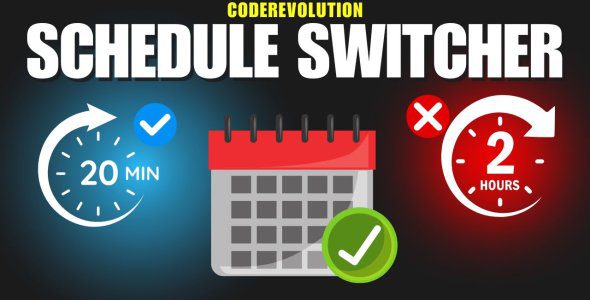
CodeRevolution Schedule Minute/Hour Switcher – Advanced Scheduling for WordPress Automation Plugins
Take greater control over your WordPress automation schedules with the CodeRevolution Schedule Minute/Hour Switcher. This lightweight utility plugin allows you to switch the scheduling interval of supported CodeRevolution plugins from hours to minutes, giving you more flexibility over how frequently your automated tasks are executed.
Many WordPress automation plugins use hour-based scheduling by default. While this is suitable for websites that only need occasional updates, it can be limiting when you want to import fresh content, generate posts, process feeds, or execute automation rules more frequently.
With this plugin, you can configure supported automation rules using minute-based intervals instead of being restricted to hourly scheduling.
Why Use the Schedule Minute/Hour Switcher?
Imagine running an automated news website that needs to check for new articles every 10 minutes instead of once per hour. Or perhaps you operate an RSS aggregator that needs to refresh its content throughout the day.
Normally, an hourly scheduling limitation would prevent you from configuring these shorter intervals directly. The CodeRevolution Schedule Minute/Hour Switcher helps overcome this limitation for compatible plugins.
Main Benefits
- Minute-Based Scheduling: Switch supported CodeRevolution plugins from hour-based to minute-based scheduling.
- More Frequent Automation: Configure shorter intervals for content importing, scheduled publishing, and other automated tasks.
- Better Content Freshness: Check supported sources more frequently to keep your WordPress website updated.
- Useful for Multiple Workflows: Suitable for RSS importers, news aggregators, social media automation tools, content generators, and web scrapers.
- Lightweight Utility: Extend the scheduling functionality of compatible plugins without replacing your existing automation setup.
- Multiple Plugin Support: Works with a wide selection of automation plugins developed by CodeRevolution.
How Does It Work?
The plugin changes the scheduling unit used by supported CodeRevolution automation plugins, allowing their scheduling intervals to be configured in minutes rather than hours.
For example, instead of scheduling an automation rule to execute every 1 hour, you can configure a shorter interval such as every 5, 10, 15, or 30 minutes, depending on your requirements.
This is particularly useful for websites that rely on frequent content updates or need more granular control over their automated publishing workflows.
Important: Actual execution times still depend on WordPress cron processing and your server configuration. Minute-based intervals do not guarantee that tasks will run at the exact scheduled second. For reliable execution, especially on low-traffic websites, a properly configured server cron job is recommended.
Supported CodeRevolution Plugins
The CodeRevolution Schedule Minute/Hour Switcher supports the following WordPress automation plugins. Click on a plugin name to view its product page on WPBay:
- Aimogen Pro – AI Content, Chatbot & Automation for WordPress (formerly AIomatic)
- Echo RSS Feed Post Generator
- Crawlomatic Multisite Scraper Post Generator
- F-omatic Automatic Post Generator
- X-omatic Automatic Post Generator
- Youtubomatic Automatic Post Generator
- iMediamatic – Instagram Importer/Exporter
- Redditomatic Automatic Post Generator
- Newsomatic – Automatic News Post Generator
- WordPressomatic WordPress to WordPress Automatic Crossposter
- Mastermind Multisite RSS Feed Post Generator
- Trendomatic – Webz.io & Google Trends Post Generator
- Movieomatic Automatic Post Generator
- Imguromatic Automatic Post Generator and Imgur Auto Poster
- Gearomatic – GearBest Affiliate Post Importer
- Linkedinomatic Auto Poster for LinkedIn
- Viralomatic – Viral News Post Generator
- Businessomatic – Google My Business Post Importer/Exporter
- Contentomatic – Article Builder & Article Forge Post Generator
- Bulletproof YouTube Videos – Automated Cloud Backup
- Quoramatic – Questions and Answers Post Generator
- URL to RSS – Custom Curated RSS Feeds
- RSS Transmute – Copy, Translate, Spin, Merge RSS Feeds
- TikTokomatic – TikTok Video Importer
- Ultimate Web Novel and Manga Scraper
- Ultimate Anime Scraper
Who Is This Plugin For?
News Website Owners: Configure shorter intervals for supported news importing plugins to discover and publish new stories more frequently.
RSS Aggregator Operators: Refresh feeds more frequently and reduce the delay between new source content and your automated imports.
Content Automation Users: Run supported content generation and importing rules on shorter schedules.
Affiliate Website Owners: Configure more frequent checks for product information, deals, and other supported affiliate data sources.
WordPress Developers: Gain finer scheduling control when building automated websites powered by CodeRevolution plugins.
Installation and Usage
Install and activate the CodeRevolution Schedule Minute/Hour Switcher alongside your supported CodeRevolution plugin.
After enabling the scheduling switcher, configure the scheduling intervals in your compatible plugin according to your preferred automation frequency.
You do not need to replace your existing CodeRevolution automation plugins or recreate your entire website configuration.
Important Information About Scheduling
Running automation rules more frequently can increase CPU usage, memory consumption, database activity, and external API requests. Always choose an interval that is suitable for your website’s hosting environment and the service limits of any third-party APIs you use.
The Schedule Minute/Hour Switcher modifies scheduling granularity. It does not accelerate the actual execution of individual tasks, bypass external API limits, or replace WordPress cron processing.
Plugin Requirements
This plugin is an add-on utility for compatible CodeRevolution WordPress plugins. At least one supported plugin must be installed and activated to benefit from its scheduling functionality.
The supported automation plugins are sold separately and are not included with this utility.
Need Help?
If you have questions about compatibility, installation, or scheduling behavior, contact CodeRevolution through the WPBay support system. We will be happy to assist you.
Take control of your WordPress automation schedules and run supported CodeRevolution plugins at the frequency your website needs.
Only logged in customers who have purchased this product may leave a review.
Loading...
WPBay support
 Support by CodeRevolution
CodeRevolution supports this product through WPBay
Questions are handled in WPBay's private ticket system, keeping your purchase details and support conversation together.
Go to My Downloads
After purchase, open this item in My Downloads and choose Get Support.
What support includes
- Answers to product-related questions
- Help with reported bugs and issues
- Guidance for included third-party assets
What support does not include
- Customizations or new features
- Installation or setup services
Plugin
Maintenance snapshot
See recent updates, compatibility, support, and developer activity.
- Updated 11 days ago
- Developer active recently
- WPBay support available
- WordPress 7.1 tested
Snapshot updated 3 hours ago
View details Hide details
Maintenance details
This is maintenance data. It does not measure product quality or sales.
- Last update Updated 11 days ago
- Compatibility WordPress 7.1 tested · PHP 8.5 tested
- Releases 1 release in the last 12 months
- Developer activity Developer active recently
- Support No recent support tickets to measure
- Docs and demo Documentation available · Changelog missing · Demo available
Health reflects recent activity during the last 90 days.
How this snapshot works
Plugin Health
The score is out of 100 and uses data WPBay can check. Ratings, popularity, and sales are not used.
- Last update 30 points
-
Plugins receive full recency points under 30 days, then step down at 90, 180, 365, and 545 days.
- Compatibility 20 points
-
WordPress, PHP, and WooCommerce (when relevant) are scored separately. The latest two PHP lines count as current. Nearby previous versions keep most of the points.
- Current version 100%
- One version behind 75%
- Two versions behind 50%
- Three versions behind 25%
- Older or not listed 0%
- Releases 15 points
-
One release earns 10, two or three earn 13, and four or more earn 15. Each accepted product ZIP counts once; reprocessing the same upload and listing-only edits do not count.
- Developer activity 15 points
-
Based on WPBay login and dashboard activity. Exact last-login dates are never shown.
- Support 15 points
-
There are no recent WPBay tickets to measure.
- Docs and demo 5 points
-
Documentation: 2. Changelog: 1. Working demo or preview: 2.
Score ranges
- 90–100 Excellent
- 75–89 Healthy
- 60–74 Fair
- 40–59 Needs attention
- 0–39 Limited
Long gaps
WPBay also checks for long gaps between updates, developer activity, support replies, and releases. Buyers do not see this score.
- Time since update 35 points
- Last developer activity 25 points
- WordPress compatibility 15 points
- Support replies 15 points
- Fewer releases 10 points
-
Quality verified by WPBay
WPBay review- Reviewed version
- 1.0.1
- Review completed
- Reviewer
- CodeRevolution
- Review type
- Initial
No unresolved approval blocker was identified during WPBay’s proportionate review of this release. This is not a security certification or a guarantee that the product contains no defects.
-
 Future updates
-
WPBay support from CodeRevolution
-
GPL code, proprietary assets
-
Covered by the WPBay refund policy
-
Plugin maintenance snapshot
Relevant picks
You may also like
Similar products selected by category, features, popularity and freshness.

From this seller
View seller store
More by CodeRevolution
Explore more bestselling products from this creator.


Reviews
There are no reviews yet.