


EcoMeter Pro: CO2 Calculator for WordPress

 Recently Updated
Well Documented
Sold Only On WPBay
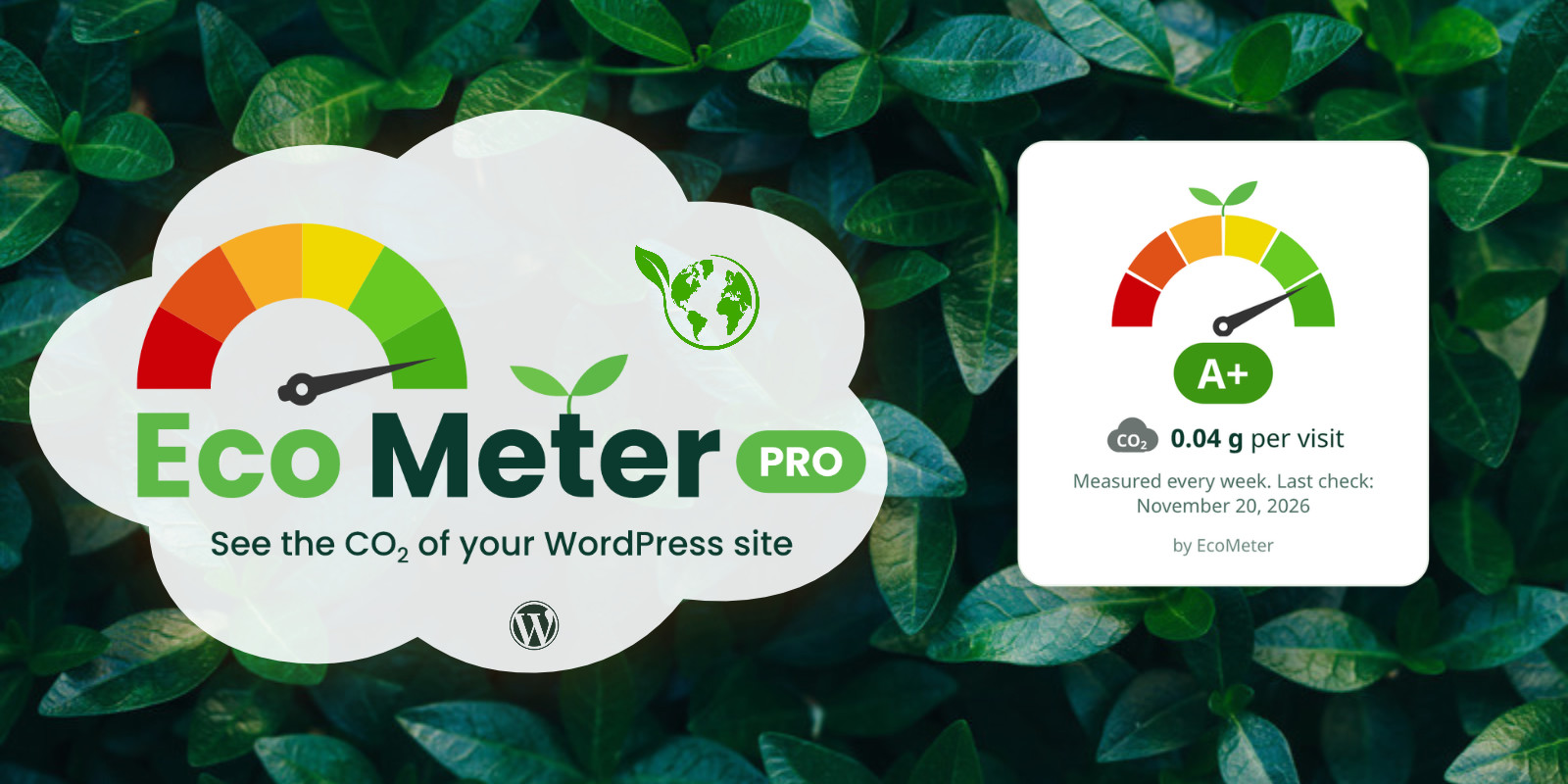
Help the planet. See the CO2 of every page of your WordPress site.
EcoMeter Pro estimates how much CO2 every page of your site emits per visit, rates it from A+ (cleanest) to F and shows you exactly what to fix to make it lighter. Lighter pages load faster, cost less to serve and are kinder to the planet.
Every page, measured
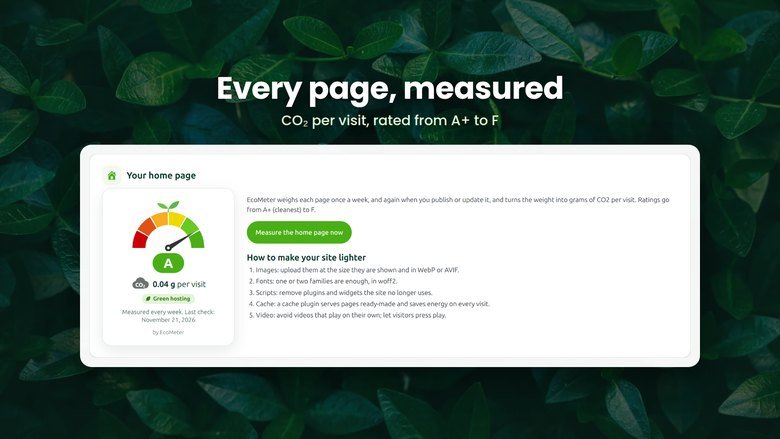
EcoMeter weighs each page the way a browser downloads it on a first visit: HTML, styles, scripts, images (including responsive images and CSS backgrounds), fonts and videos that play on their own. It turns that weight into grams of CO2 per visit with the Sustainable Web Design model of the Green Web Foundation.
Pages are measured once a week and again every time you publish or update them, one at a time, so your server never gets busy and your visitors only read a saved result. Clear tips tell you how to make each page lighter.
Find the heaviest pages
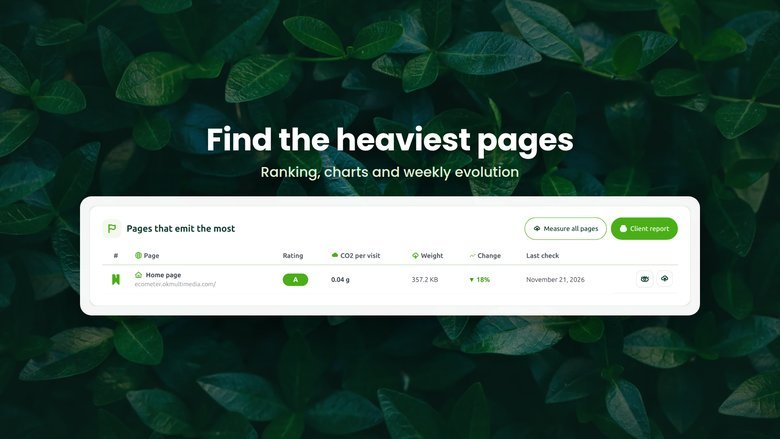
A ranking shows the pages that emit the most, with their weight and the change since the previous check. Charts show the CO2 of your whole site week by week and what it downloads by type of file, so you know where to start.
Badges for any place
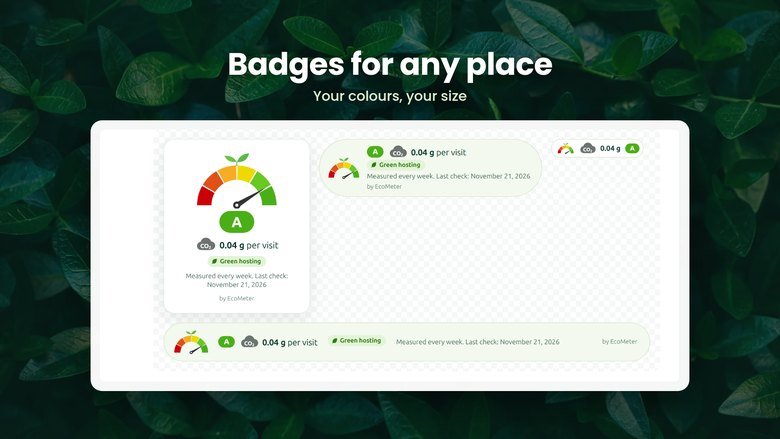
Show your visitors the CO2 of the page they are reading. Choose the style that suits your site, from a full card to a tiny label for the footer, and give it your own colours and size. A click opens a clear window that explains the result.
Add it with the block, the classic widget, the Elementor widget or the [ecometer] shortcode.
Eco mode for your visitors
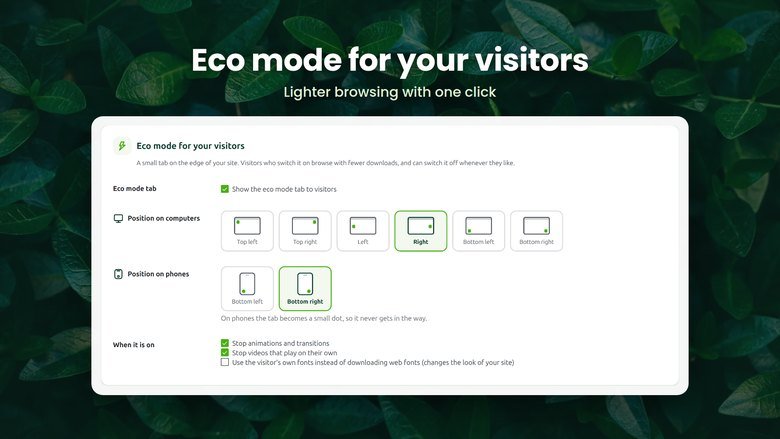
A small tab on the edge of your site lets visitors switch to a lighter page: no animations, no videos that play on their own and, if you choose, no web fonts. They can switch it off whenever they like.
Proudly display the CO2 VERIFIED seal
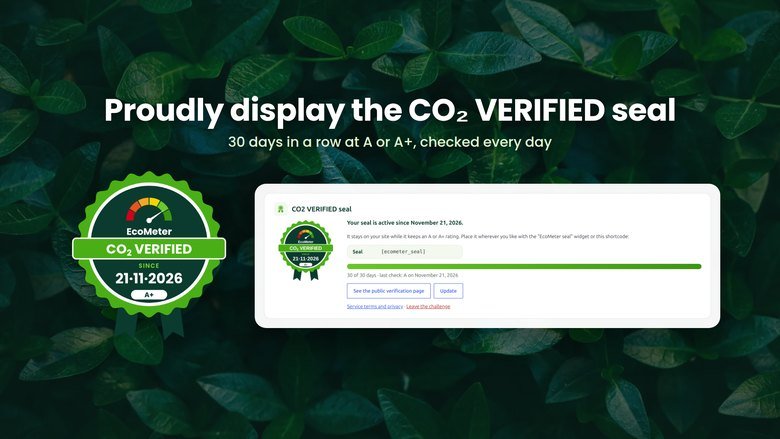
Keep your site at A or A+ for 30 days in a row and earn a seal that shows since when you have it. Our verification service checks your site every day, and visitors can click the seal to see its public verification page. Try it in the live demo.
Ready for Elementor
Drag the EcoMeter widget into any Elementor page, or use the block, the widget or the shortcode in any theme.
Made for agencies too
- Client report with your agency name and logo, ready to print or save as PDF
- Heavy page alerts in the dashboard, from the rating you choose
- Failed measurements are retried automatically and listed with a “Retry now” button
- Optional green hosting check, so your rating reflects renewable energy
- English and Spanish, no license key or activation
Honest figures
The CO2 figures are model-based estimates, not a direct measurement of energy use. They depend on the model and on what can be downloaded from each page, so they are a guide to compare and improve your pages. “Measure all pages” works in batches and keeps up to 5,000 pages; each measurement has a limit of files and time, and incomplete results are marked or not kept. More details in the guide.
Requirements
- WordPress 6.5 or later
- PHP 7.4 or later
- Elementor is optional (only for the Elementor widget)
- No other plugin is needed: the free EcoMeter is included inside EcoMeter Pro.
What is in the ZIP
The installable plugin folder with the plugin code, an English guide (documentation/index.html) with a Troubleshooting & FAQ section, readme.txt and the licensing/ folder.
Installation and setup
- Go to Plugins > Add New Plugin > Upload Plugin, choose
ecometer-pro-1.0.4.zip, install and activate. - Open EcoMeter in the dashboard menu and click “Measure all pages”.
- Add a badge with the block, the widget, the Elementor widget or the
[ecometer]shortcode. - Optional: set your colours, the eco mode tab and the report, and press “Start” to begin the CO2 VERIFIED challenge.
External services
Both are off by default and only work if you switch them on. The green hosting check sends only your domain name to the Green Web Foundation. The CO2 VERIFIED seal sends your home page address and a random code to our verification service at okmultimedia.com. No personal data is sent. Details in readme.txt and in the guide.
Support and updates
Support is included through WPBay’s support system, and updates are free.
Changelog:
1.0.4
- Fixed: visiting a page that has not been measured yet, or whose measurement failed, no longer puts it back in the queue or resets its retries. Visits only add pages never seen before; failed pages keep their attempts and retry after 10 minutes, 1 hour and 6 hours.
- Product description re-edited: the measurement paragraph and the schedule paragraph appear once, with no orphaned text.
1.0.3
- Listing text revised (no code changes).
1.0.2
- Spanish translation (es_ES) included.
1.0.1
- More accurate measuring: responsive images, picture elements and CSS backgrounds are measured as a browser picks them.
- Safer measuring: limits on files and time per page, and only one measurement at a time.
- "Measure all pages" works in batches with no post limit (up to 5,000 pages kept).
- New published content is always measured; failed measurements are retried and listed with a "Retry now" button.
- Incomplete results are flagged or not kept.
- Clearer explanation of the estimates and their limits.
- Fixes: seal block registered once; a static home page is listed once.
1.0.0
- First release.
Only logged in customers who have purchased this product may leave a review.
Loading...
WPBay support
 Support by OK Multimedia
OK Multimedia supports this product through WPBay
Questions are handled in WPBay's private ticket system, keeping your purchase details and support conversation together.
Go to My Downloads
After purchase, open this item in My Downloads and choose Get Support.
What support includes
- Answers to product-related questions
- Help with reported bugs and issues
- Guidance for included third-party assets
What support does not include
- Customizations or new features
- Installation or setup services
Plugin
Maintenance snapshot
See recent updates, compatibility, support, and developer activity.
- Updated today
- Developer active recently
- WPBay support available
- WordPress 7.1 tested
Snapshot updated 16 minutes ago
View details Hide details
Maintenance details
This is maintenance data. It does not measure product quality or sales.
- Last update Updated today
- Compatibility WordPress 7.1 tested · PHP 8.5 tested
- Releases 5 releases in the 3 days since listing
- Developer activity Developer active recently
- Support No recent support tickets to measure
- Docs and demo Documentation available · Changelog available · Demo available
How this snapshot works
Plugin Health
The score is out of 100 and uses data WPBay can check. Ratings, popularity, and sales are not used.
- Last update 30 points
-
Plugins receive full recency points under 30 days, then step down at 90, 180, 365, and 545 days.
- Compatibility 20 points
-
WordPress, PHP, and WooCommerce (when relevant) are scored separately. The latest two PHP lines count as current. Nearby previous versions keep most of the points.
- Current version 100%
- One version behind 75%
- Two versions behind 50%
- Three versions behind 25%
- Older or not listed 0%
- Releases 15 points
-
One release earns 10, two or three earn 13, and four or more earn 15. Each accepted product ZIP counts once; reprocessing the same upload and listing-only edits do not count.
- Developer activity 15 points
-
Based on WPBay login and dashboard activity. Exact last-login dates are never shown.
- Support 15 points
-
There are no recent WPBay tickets to measure.
- Docs and demo 5 points
-
Documentation: 2. Changelog: 1. Working demo or preview: 2.
Score ranges
- 90–100 Excellent
- 75–89 Healthy
- 60–74 Fair
- 40–59 Needs attention
- 0–39 Limited
Long gaps
WPBay also checks for long gaps between updates, developer activity, support replies, and releases. Buyers do not see this score.
- Time since update 35 points
- Last developer activity 25 points
- WordPress compatibility 15 points
- Support replies 15 points
- Fewer releases 10 points
-
Quality verified by WPBay
WPBay review- Reviewed version
- 1.0.4
- Review completed
- Reviewer
- CodeRevolution
- Review type
- Initial
No unresolved approval blocker was identified during WPBay’s proportionate review of this release. This is not a security certification or a guarantee that the product contains no defects.
-
 Future updates
-
WPBay support from OK Multimedia
-
Fully GPL licensed
-
Covered by the WPBay refund policy
-
Plugin maintenance snapshot
Relevant picks
You may also like
Similar products selected by category, features, popularity and freshness.


From this seller
View seller store
More by OK Multimedia
Explore more bestselling products from this creator.



Reviews
There are no reviews yet.