


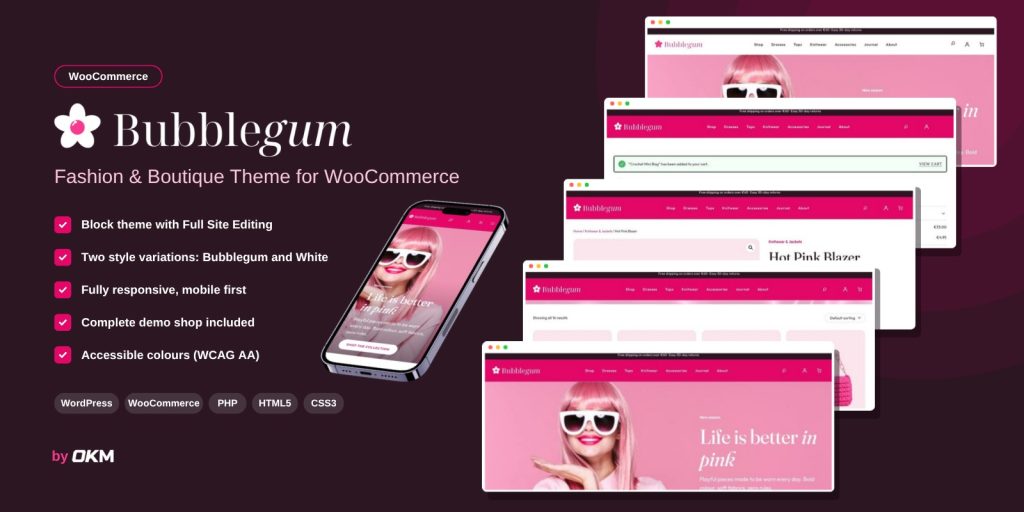
Gamersland – Gaming Affiliate System – WooCommerce

 Recently Updated
Well Documented
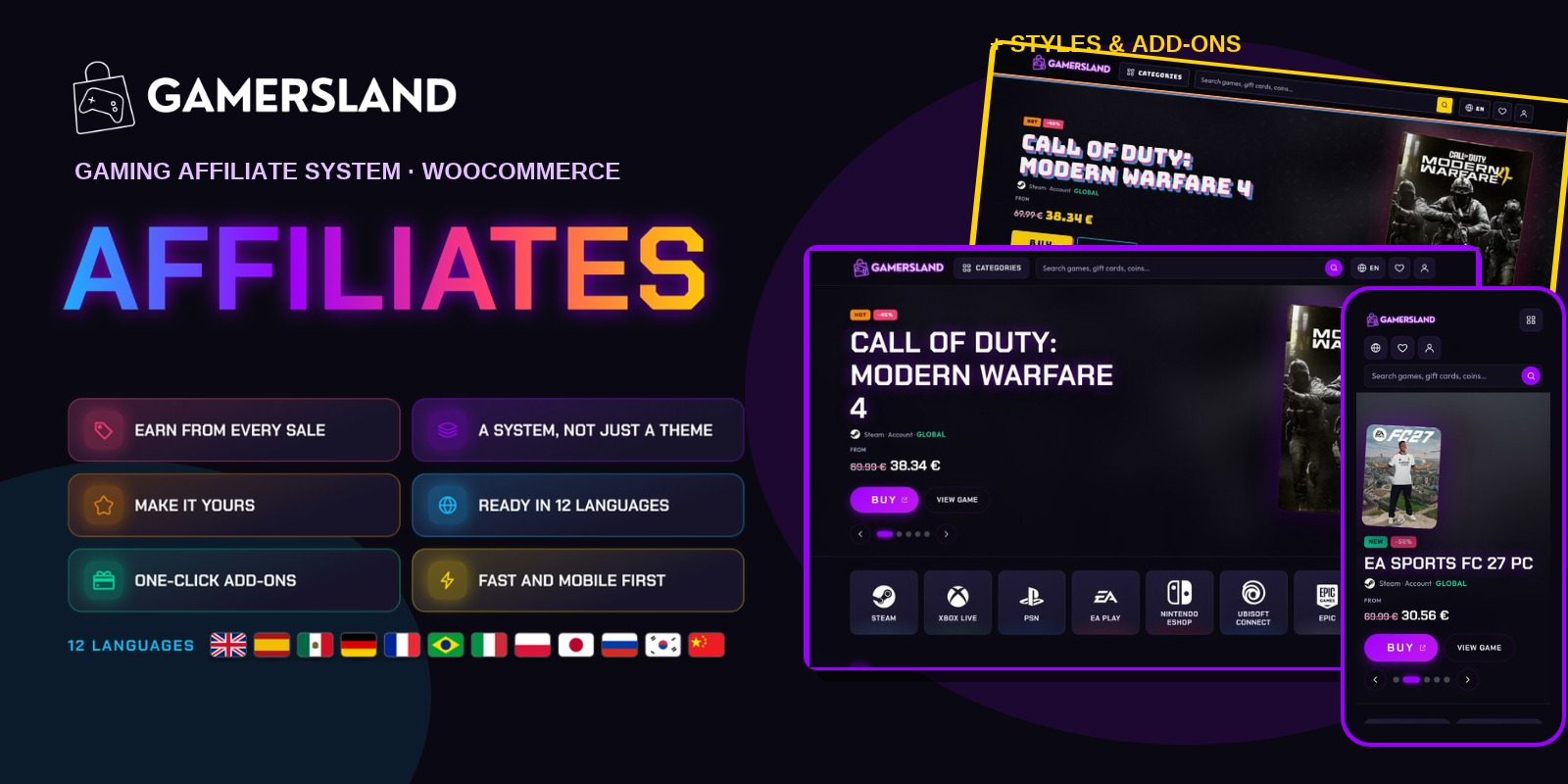
Your own video game store that earns from every sale
Gamersland is a WooCommerce theme for gaming affiliate stores. List games, gift cards and game coins, add your affiliate link to each one, and your visitors buy them at the big key stores while you earn the commission. You never handle stock, keys, payments or refunds.
Every game is a standard WooCommerce External/Affiliate product, so you work with the tools you already know. The theme turns them into a dark neon store made for gamers, with a mega menu, platform pages, deals, bestsellers and a price comparison between stores.
A store that builds itself
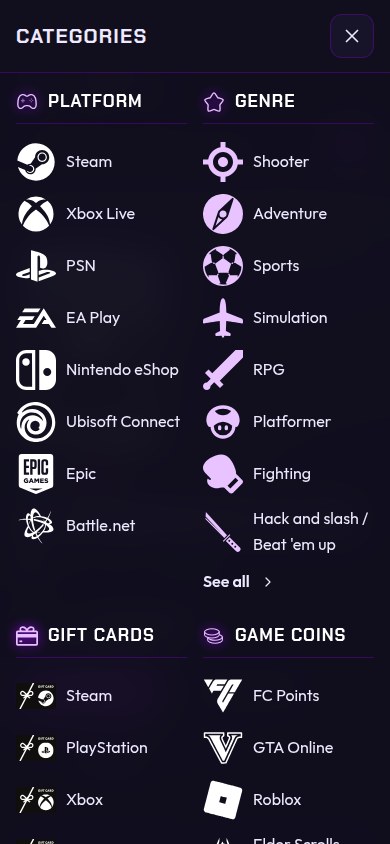
The home page and the mega menu are built automatically from your products. Add a game and it appears in the right places: its platform, its genres, the deals when it has a sale price, the bestsellers when you tick it, and the featured slider when you mark it with the star.
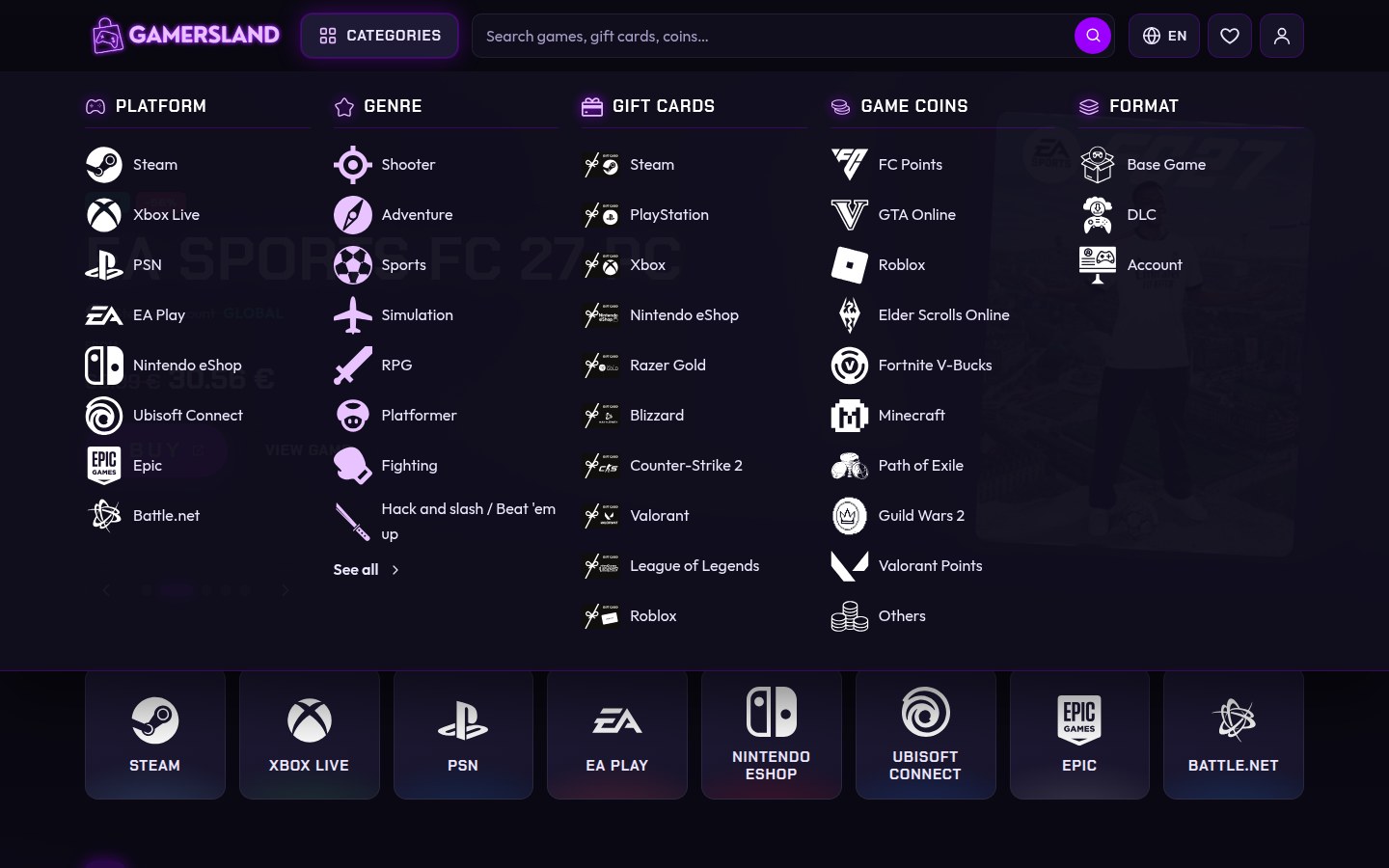
- Mega menu with platforms, genres, gift cards, game coins and formats, each with its icon.
- Home page sections you switch on or off: featured slider, platforms, deals, bestsellers, formats, genres, gift cards and coins, and the latest games.
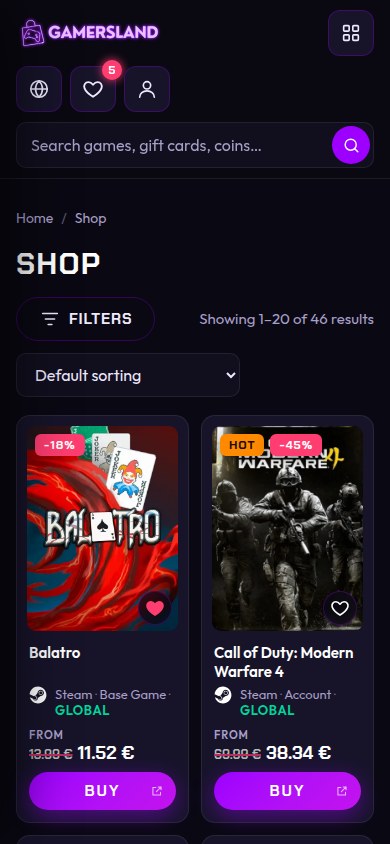
- Badges on the covers: New, Hot and Pre-order.
- Covers at the stores’ standard size, so they are never cut.
Platforms, genres, formats and regions
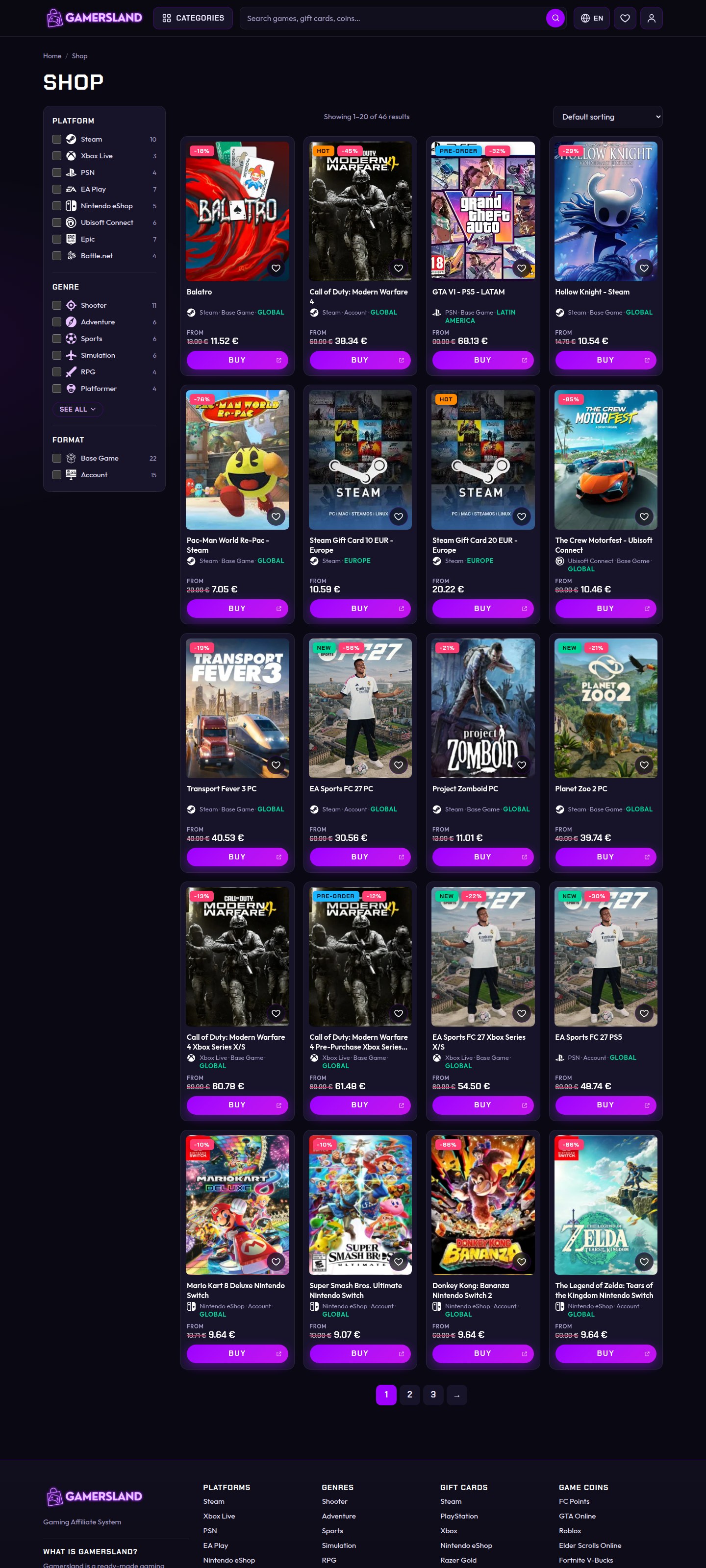
Organise your catalogue the way gamers search: by platform, genre, format (base game, DLC, account) and region. Each one has its own page, its own icon and brand colour, and its own filter in the shop.
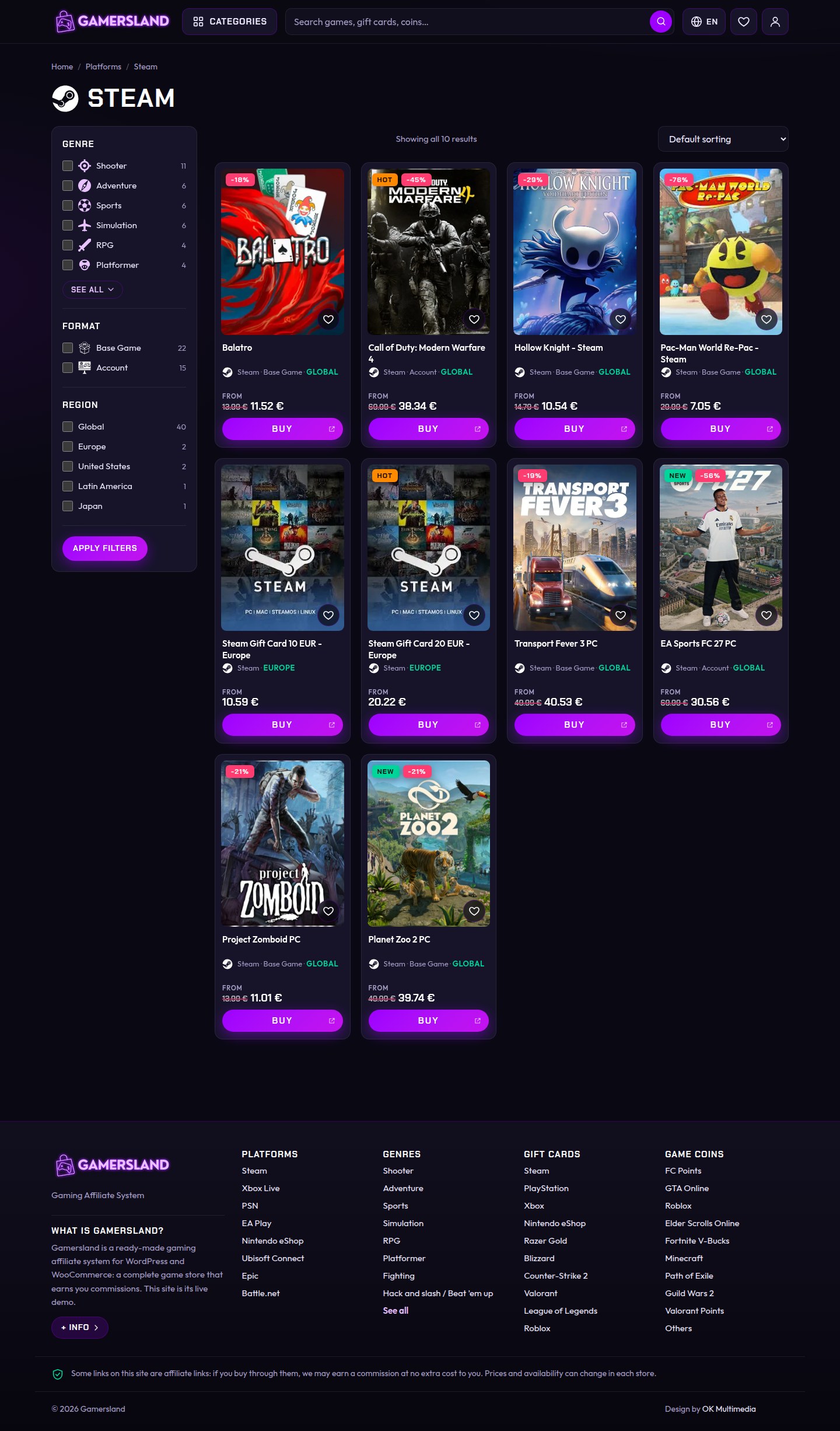
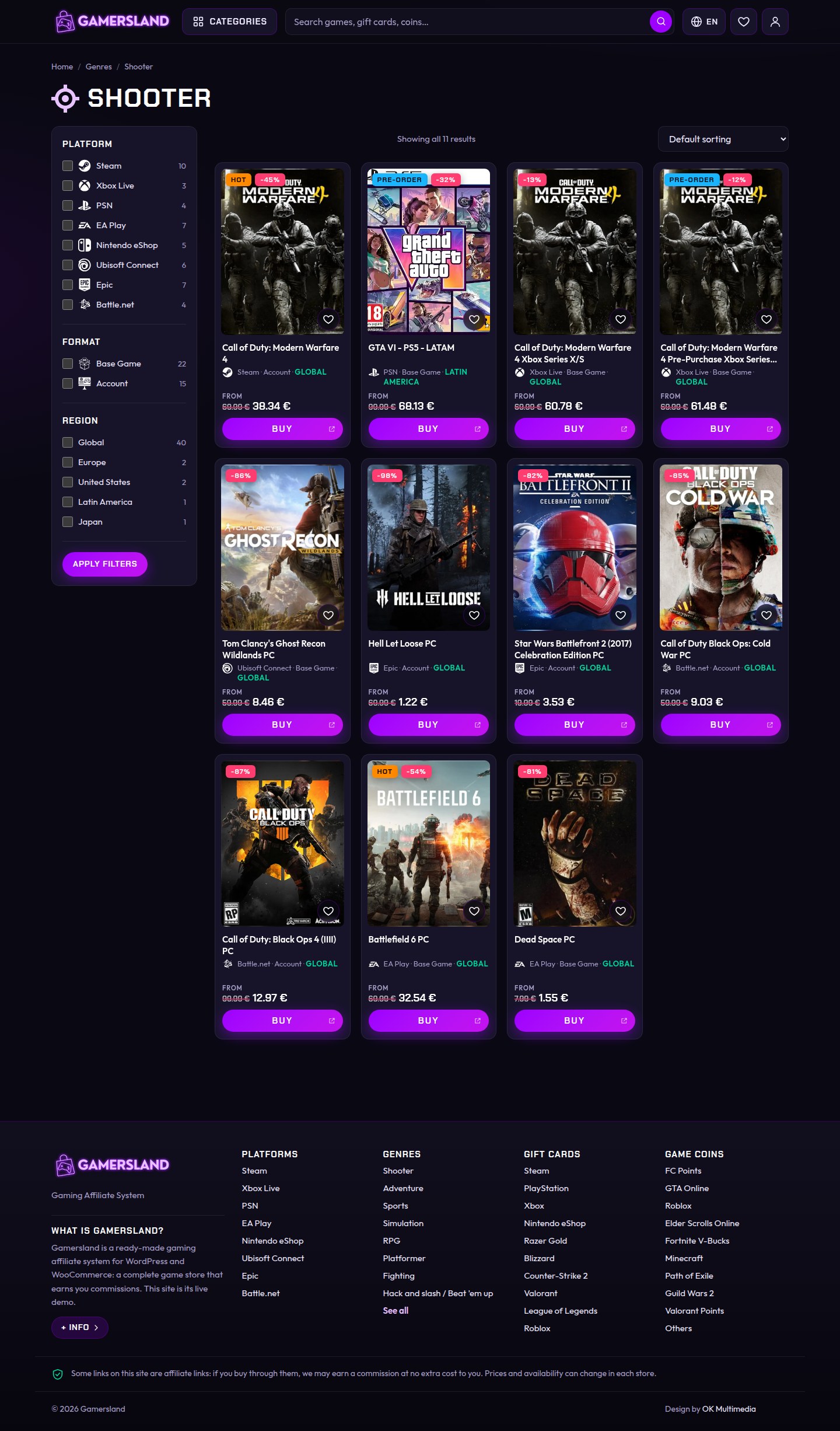
The shop filters combine platforms, genres, formats and regions, and long lists fold so the sidebar stays tidy.
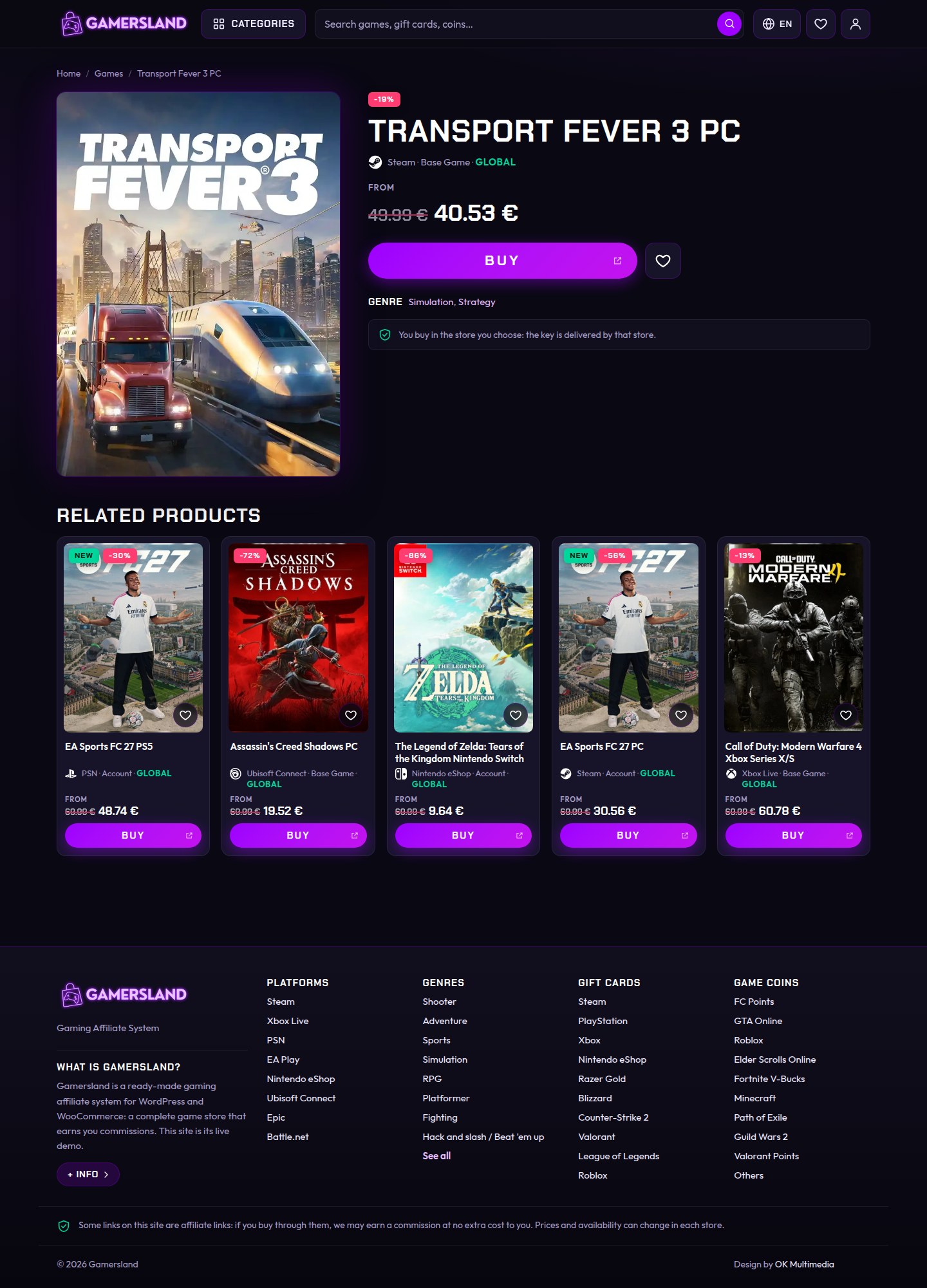
Game pages made to sell
A big, clear Buy button takes the visitor straight to the store through your affiliate link. Add more stores to a game and the page shows a price comparison that marks the best price.
- Links open in a new tab, go directly to the store and keep the referrer, as affiliate programmes require.
- Links are marked
rel="sponsored nofollow", as search engines ask for paid links. - The store name on the button is optional, so you decide whether visitors see where they buy.
- An affiliate notice in the footer, editable from the Customizer, helps you meet the disclosure rules of many countries.
Gift cards and game coins
Sell gift cards and in-game currencies next to your games. They have their own columns in the mega menu and their own section on the home page, each one with its icon.
Ready for your language
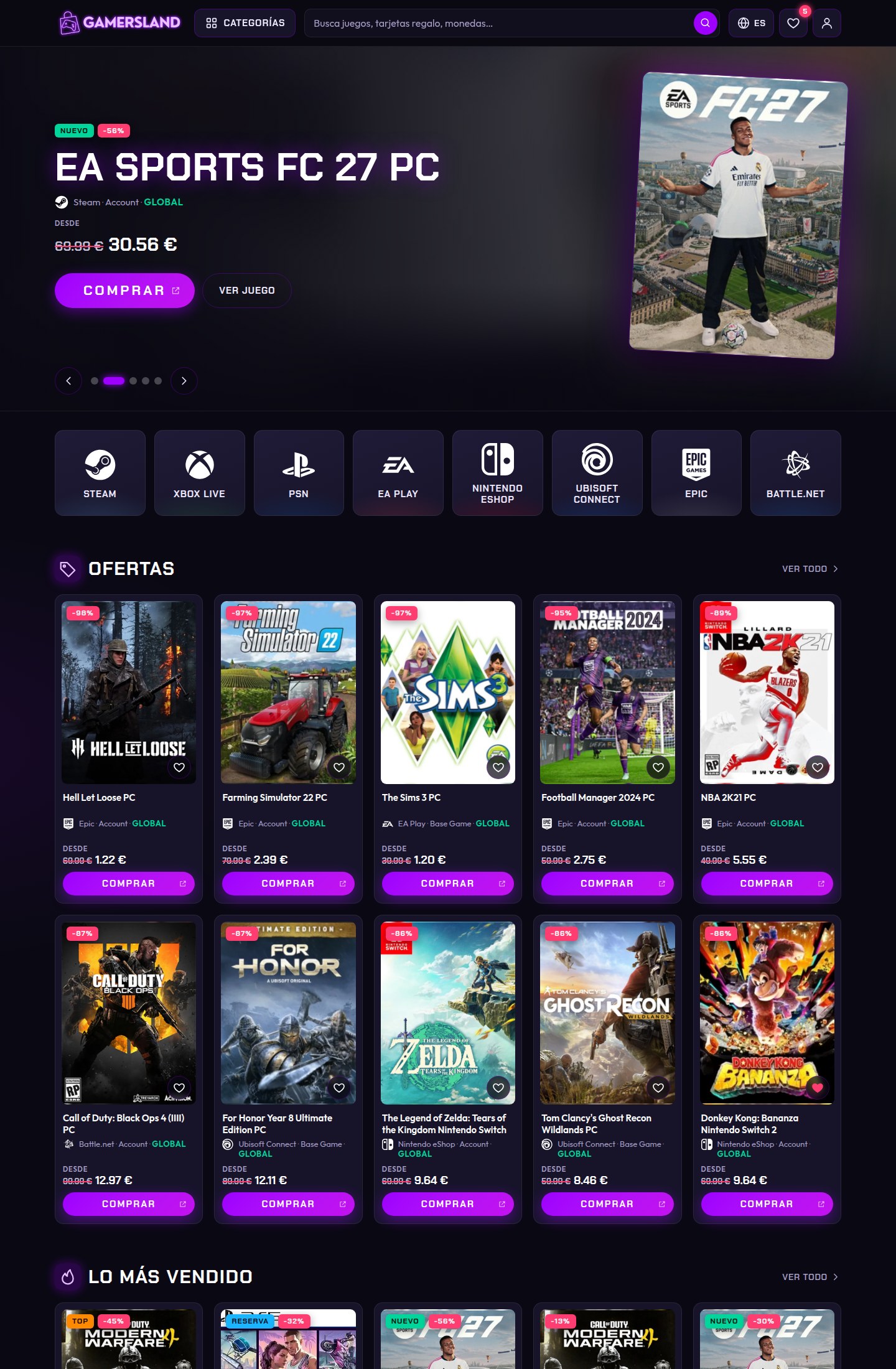
Gamersland follows the language of your WordPress and comes translated into Spanish, German, French, Italian, Portuguese (Brazil), Polish, Russian, Japanese, Korean and Chinese, besides English. With the free Polylang plugin you can run the store in several languages at once, with a language switcher in the header.
Perfect on mobile
The menu, the filters and the game pages are designed for phones, where most gamers shop.
Customise it without code
Everything is in Appearance > Customize > Gamersland: the neon colour, the style of the whole store, the home page sections, the header buttons, the gift card and coin categories, the affiliate notice and the footer. The blog has its own pages with comments and threaded replies.
Add-ons
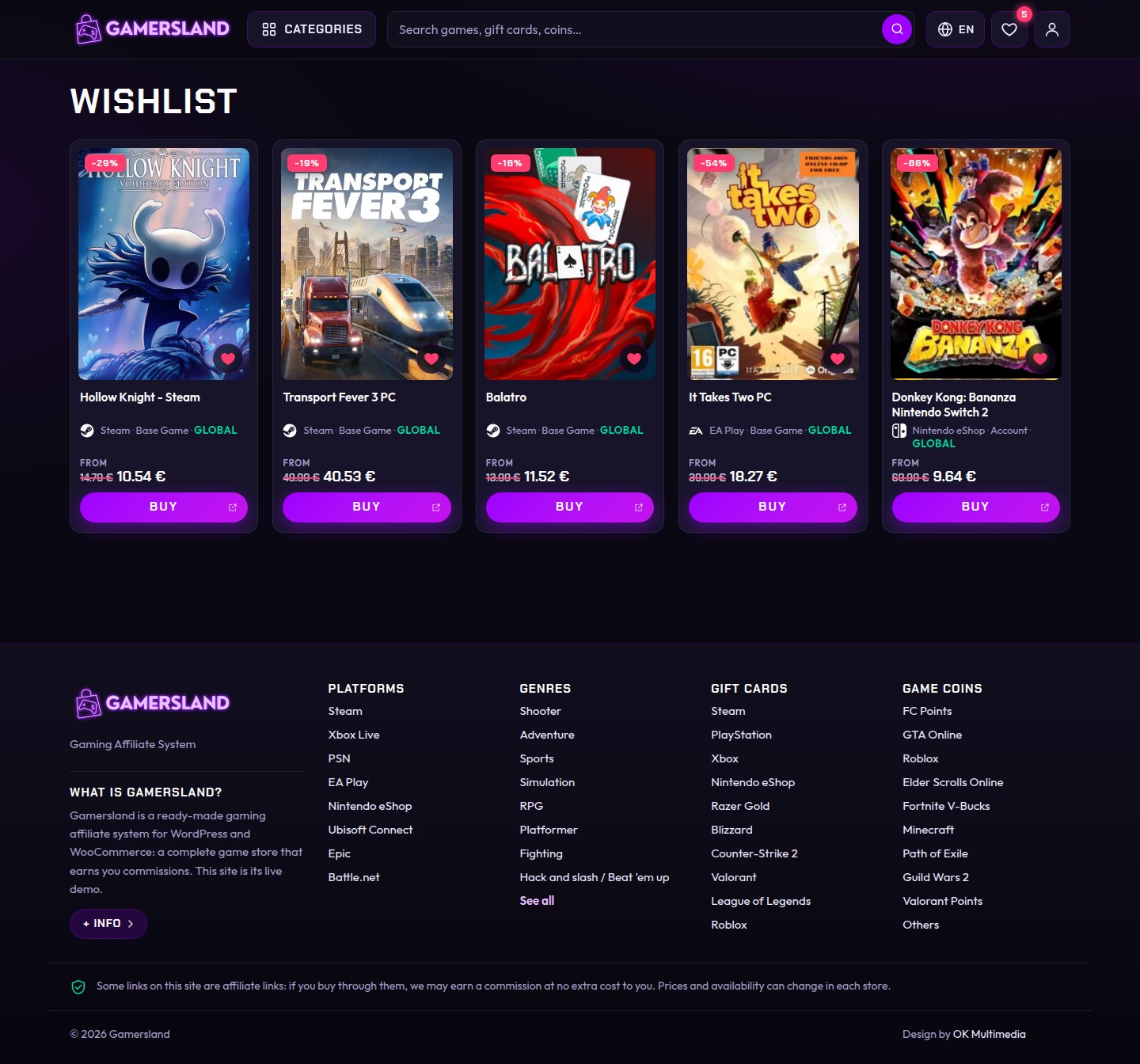
Gamersland is a system that keeps growing. The Gamersland > Add-ons screen in your dashboard lists the add-ons made for it. Free add-ons, like Demo Content (your store looks like the live demo in one click) and Wishlist, install from that screen. Paid add-ons are optional, are not part of this theme and are sold at the OK Multimedia store.
Requirements
- WordPress 7.0 or higher.
- PHP 7.4 or higher.
- WooCommerce 10.0 or higher (free). After activating the theme, a notice asks you to install it in one click.
What is inside the zip
- The Gamersland theme, ready to upload in Appearance > Themes > Add New Theme > Upload Theme.
documentation/index.html: the full guide in English, with a Troubleshooting & FAQ section.licensing/: the licences of the theme (GPL v2 or later) and of the fonts and icons it includes.readme.txtwith the changelog.- Translations into the languages above.
Installation and setup
- Upload the zip in Appearance > Themes > Add New Theme > Upload Theme and activate it.
- Install and activate WooCommerce from the notice at the top of the dashboard.
- Go to Settings > Permalinks and click Save Changes once.
- Import the demo with the free Demo Content add-on, or create your categories, platforms and genres by hand.
- Add your games as External/Affiliate products with your affiliate link. The guide explains every step.
External services
The theme works on its own: fonts, icons and scripts are inside the theme folder. Only the Gamersland > Add-ons screen in the dashboard connects to okmultimedia.com, to load the add-on list and, when you click Install, to download a free add-on. No data about your site is sent, and your visitors never connect to okmultimedia.com.
Support and updates
Support through WPBay for one year, for any problem with the theme itself, and free updates. The documentation covers installation, setup and the most common questions.
Changelog:
1.2.1
- Fixed: PHP 7.4 compatibility.
- Fixed: works without the mbstring extension.
- Fixed: filters stay visible when no games match.
- Requires Gamersland Core 1.0.1.
1.2.0
- New: Gamersland Core plugin, required and installed from the theme notice. Platforms, genres, formats, regions, icons and the Game tab now live in it, so your data stays if you change theme. Nothing to redo when updating.
- New: comments on posts and pages, with threaded replies.
- New: documentation, licences and readme inside the theme folder.
- Improved: search form, alignment and caption styles.
- Documentation: Troubleshooting & FAQ, external services and support sections.
1.1.1
- New: comments on posts and pages, with threaded replies.
- New: documentation, licences and readme inside the theme folder.
- Improved: search form, alignment and caption styles.
- Documentation: Troubleshooting & FAQ, external services and support sections.
1.1.0
- New: the Add-ons screen marks new add-ons.
- Improved: light sweep on the Buy button and stronger glow on game cards.
1.0.0
- First release: mega menu, featured slider, platforms, genres, formats and regions, shop filters, affiliate Buy buttons, price comparison and 12 languages.
Only logged in customers who have purchased this product may leave a review.
Loading...
WPBay support
 Support by OK Multimedia
OK Multimedia supports this product through WPBay
Questions are handled in WPBay's private ticket system, keeping your purchase details and support conversation together.
Go to My Downloads
After purchase, open this item in My Downloads and choose Get Support.
What support includes
- Answers to product-related questions
- Help with reported bugs and issues
- Guidance for included third-party assets
What support does not include
- Customizations or new features
- Installation or setup services
Theme
Maintenance snapshot
See recent updates, compatibility, support, and developer activity.
- Updated today
- Developer active recently
- WPBay support available
- WordPress 7.1 tested
Snapshot updated 2 hours ago
View details Hide details
Maintenance details
This is maintenance data. It does not measure product quality or sales.
- Last update Updated today
- Compatibility WordPress 7.1 tested · PHP 8.5 tested · WooCommerce 11 tested
- Releases 2 releases in the 1 days since listing
- Developer activity Developer active recently
- Support No recent support tickets to measure
- Docs and demo Documentation available · Changelog available · Demo available
How this snapshot works
Theme Health
The score is out of 100 and uses data WPBay can check. Ratings, popularity, and sales are not used.
- Last update 25 points
-
Themes receive full recency points under 60 days, then step down at 120, 240, 365, and 545 days.
- Compatibility 20 points
-
WordPress, PHP, and WooCommerce (when relevant) are scored separately. The latest two PHP lines count as current. Nearby previous versions keep most of the points.
- Current version 100%
- One version behind 75%
- Two versions behind 50%
- Three versions behind 25%
- Older or not listed 0%
- Releases 10 points
-
Themes often update less frequently: one release earns 7, two earn 9, and three or more earn 10. Each accepted product ZIP counts once; reprocessing the same upload and listing-only edits do not count.
- Developer activity 15 points
-
Based on WPBay login and dashboard activity. Exact last-login dates are never shown.
- Support 15 points
-
There are no recent WPBay tickets to measure.
- Docs and demo 15 points
-
Documentation: 4. Changelog: 1. Working demo or preview: 10.
Score ranges
- 90–100 Excellent
- 75–89 Healthy
- 60–74 Fair
- 40–59 Needs attention
- 0–39 Limited
Long gaps
WPBay also checks for long gaps between updates, developer activity, support replies, and releases. Buyers do not see this score.
- Time since update 35 points
- Last developer activity 25 points
- WordPress compatibility 15 points
- Support replies 15 points
- Fewer releases 10 points
-
Quality verified by WPBay
WPBay review- Reviewed version
- 1.2.1
- Review completed
- Reviewer
- CodeRevolution
- Review type
- Initial
No unresolved approval blocker was identified during WPBay’s proportionate review of this release. This is not a security certification or a guarantee that the product contains no defects.
-
 Future updates
-
WPBay support from OK Multimedia
-
Fully GPL licensed
-
Covered by the WPBay refund policy
-
Theme maintenance snapshot
Relevant picks
You may also like
Similar products selected by category, features, popularity and freshness.


From this seller
View seller store
More by OK Multimedia
Explore more bestselling products from this creator.
Reviews
There are no reviews yet.