



Sabriel AI
$19/mo+

 Recently Updated
Well Documented
Sold Only On WPBay
Recently Updated
Well Documented
Sold Only On WPBay

Point Echo RSS at a feed, tell it how often to check and what the posts should look like, and it keeps your site filling itself while you sleep.
This is the free edition of the Echo RSS Feed Post Generator — and it is a complete autoblogging engine, not a teaser. There is no purchase code, no activation step, no limit on rules, no limit on posts per run, and no attribution injected into your content. Nothing phones home.
0 and it imports everything new it finds.%%item_title%%, %%item_content%%, %%item_url%%, %%author%%, %%feed_title%% and more, including custom XML tags you define yourself.nofollow, target and custom attributes on internal and external links independently.Echo also runs in reverse. The built-in RSS Feed Generator turns your own posts into unlimited named RSS 2.0 or Atom 1.0 feeds, each with its own post count, update period and optional WP_Query filter — ideal for syndicating a single category to a partner.
Two shortcodes and two Gutenberg blocks, searchable in the block inserter under “echo”:
[echo-display-posts posts_per_page="5" include_excerpt="true" include_date="true"][echo-list-posts type="post" posts="20" orderby="title" order="ASC" ruleid="0"]Use ruleid to show only what one import rule produced, and link_to_source="true" to point headlines at the original article — the usual choice for an aggregator page. A third shortcode, [echo-display-input], renders a front-end form so visitors can submit a URL for import.
Full documentation ships inside the plugin, in the docs/ folder — open docs/index.html in any browser.
This free edition covers importing from end to end. The full version is for a different job: finding sources you do not have yet, and handling sites that fight back.
To get the full version, visit: Echo RSS Feed Post Generator Plugin for WordPress
HeadlessBrowserAPI is a separate hosted service and may require its own account or API credentials.
https:// feeds when cURL is unavailable.A built-in system check lives at Activity & Logging → System Info, so you can confirm all of the above from inside WordPress.
My name is Szabi, from CodeRevolution. We are a small team working on WordPress plugins full time, which is why our items come with real support rather than an autoresponder. Questions before you buy are always welcome — reach us through our knowledge base or support desk.
rss-feed-post-generator-echo-free folder to /wp-content/plugins/.0 = unlimited), a post status, an item type and an author. Tick Active, then Save Settings.A step-by-step walkthrough of every field is in docs/first-import.html inside the plugin folder.
wp-content/echo_info.log. Note that re-running a rule normally imports the next batch rather than reporting “no change”: already-imported items are skipped, and the rule keeps reading further down the feed until it reaches its Max # Posts allowance.0 to import everything new on each run.wp-content/plugins/rss-feed-post-generator-echo-free folder with the new version, then reactivate it. Your settings and rules are stored in the database and survive the swap.echo_Main_Settings and echo_rules_list options, so they share configuration. Activating one never overwrites settings the other already created — but run only one at a time.
Changelog:
= 4.9.6.2 =
* Fixed a fatal error on PHP 8 that aborted an entire import run when a fetched image could not be decoded (imagesx() received false from imagecreatefromstring()). The size probe now returns false, which both callers already handle by falling back to getimagesize().
* Added full documentation in the plugin's docs/ folder, including a first-import walkthrough, an installation tutorial, a configuration reference and a free-versus-paid comparison.
* Replaced the placeholder Installation section and corrected the update instructions, which described an automatic update mechanism this build does not wire up.
* Declared Requires PHP in the readme header.
= 4.9.6.1 =
* Added a dedicated, transparent comparison page for the Echo RSS full version.
* Added contextual upgrade paths for feed discovery, JavaScript extraction, live RSS display, and Gutenberg publishing workflows.
* Added a direct full-version link on the Plugins screen without limiting or interrupting free features.
= 4.9.6.0 =
* Removed purchase-code registration and made automatic update checks available without activation.
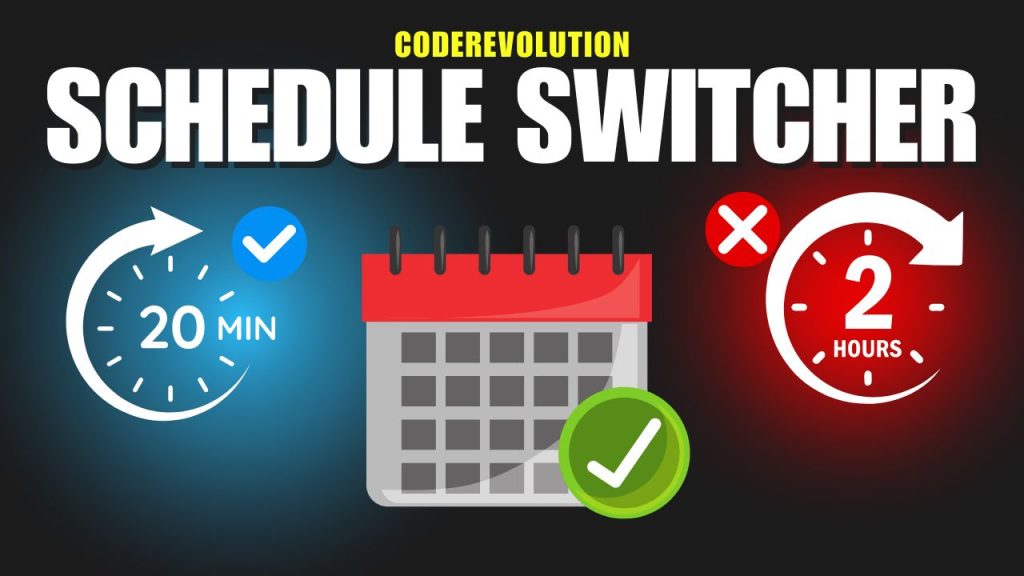
* Added a visible hours/minutes schedule-unit setting while preserving existing schedules.
* Added unlimited per-run imports by setting a rule's maximum post count to 0.
* Removed forced plugin attribution and intrusive promotional admin surfaces.
* Made the XML-RPC throttle configurable and fixed matching feed-rule lookup.
* Made cURL optional at activation and improved PHP 8 compatibility.
= 1.0 =
For a detailed changelog, please check the plugin's CodeCanyon page, from here (search for the plugin, from our portfolio): //codecanyon.net/user/coderevolution/portfolio
Only logged in customers who have purchased this product may leave a review.
 Support by CodeRevolution
Questions are handled in WPBay's private ticket system, keeping your purchase details and support conversation together.
After purchase, open this item in My Downloads and choose Get Support.
See recent updates, compatibility, support, and developer activity.
Snapshot updated 11 hours ago
This is maintenance data. It does not measure product quality or sales.
Health reflects increased activity during the last 90 days.
The score is out of 100 and uses data WPBay can check. Ratings, popularity, and sales are not used.
Plugins receive full recency points under 30 days, then step down at 90, 180, 365, and 545 days.
WordPress, PHP, and WooCommerce (when relevant) are scored separately. The latest two PHP lines count as current. Nearby previous versions keep most of the points.
One release earns 10, two or three earn 13, and four or more earn 15. Each accepted product ZIP counts once; reprocessing the same upload and listing-only edits do not count.
Based on WPBay login and dashboard activity. Exact last-login dates are never shown.
There are no recent WPBay tickets to measure.
Documentation: 2. Changelog: 1. Working demo or preview: 2.
Score ranges
WPBay also checks for long gaps between updates, developer activity, support replies, and releases. Buyers do not see this score.
No unresolved approval blocker was identified during WPBay’s proportionate review of this release. This is not a security certification or a guarantee that the product contains no defects.
 Future updates
WPBay support from CodeRevolution
GPL code, proprietary assets
Covered by the WPBay refund policy
Plugin maintenance snapshot
Future updates
WPBay support from CodeRevolution
GPL code, proprietary assets
Covered by the WPBay refund policy
Plugin maintenance snapshot
Similar products selected by category, features, popularity and freshness.
Explore more bestselling products from this creator.


 1 month free


Reviews
There are no reviews yet.