Checked November 15, 2026. You can’t open a new ThemeForest or CodeCanyon author account right now. Envato’s notice, last updated November 6, 2026, says Envato author applications are paused across Envato Elements and Envato Market, and it gives no reopening date. WordPress plugin and theme developers need the Theme and Code categories, and those aren’t in the current reopening plans. If your plugin or theme is finished, plan to launch it somewhere else now and leave Envato out of your schedule.
Envato author applications are paused: current status
| Question | What Envato’s pages say |
|---|---|
| Are open author applications accepted? | No. Open applications are paused across Elements and Market. |
| Can I create a new Market author account? | No. New Market author accounts can’t be created right now. |
| Is there a reopening date? | No date has been confirmed. |
| Are Theme and Code part of the reopening plans? | No. Theme, Code, Photo and Audio are excluded from current plans, and Envato says those plans may change. |
| Can existing authors add a content type or category? | Not during the pause. |
| Why is this happening? | Envato points to changes in how it reviews applications, onboards authors and plans its categories. |
A buyer account and author access are two different things. You can still register an Envato Market account to buy items and manage your purchases, as Envato Market Support describes. Author access, meaning the right to upload items for sale on ThemeForest or CodeCanyon, needs a separate approval, and that’s the part that’s closed. Envato’s Market Support article on becoming an author on Envato Market (updated September 25, 2026) calls new-author entry invitation only. It doesn’t say invitations are going out for WordPress themes or plugins, and it doesn’t explain how to ask for one. With Theme and Code outside the reopening plans, assume no invitation is coming.
The only reason Envato gives for the pause is changes to application review, onboarding and category strategy. If you saw reopening months mentioned earlier, the November 6 notice supersedes them: it confirms no date. Envato’s How to apply page says that when applications reopen, it will post an application link, the content types it’s recruiting and an estimated wait time. That’s the page to watch.
What the pause means for your account
| Your situation | What the pause means | What to do |
|---|---|---|
| First-time applicant with a plugin or theme | You can’t create an author account or apply for Theme or Code. | Launch elsewhere and check the How to apply page from time to time. |
| Already approved for Theme or Code | The notice covers intake. It doesn’t say existing approvals are withdrawn, but it doesn’t confirm what any individual account can upload either. | If an upload fails, or you’re not sure your access covers a new item, ask support before you plan a release. |
| Existing author in another category (for example, graphics or video) | You can’t apply to add Theme or Code to your account during the pause. | Don’t count on getting the category added. Pick another channel for the WordPress product. |
| Unfinished onboarding, incomplete verification or a deactivated account | The public notice doesn’t cover individual cases. | Open a request with Envato author support and get the answer in writing. |
When you submit a request to Envato author support, include your Envato username, any category you’re already approved for, how far you got in onboarding (for example, identity verification started but not finished) and the exact text of any error message. Then ask a direct question, such as “Is my existing access still valid, and can I complete onboarding during the pause?”
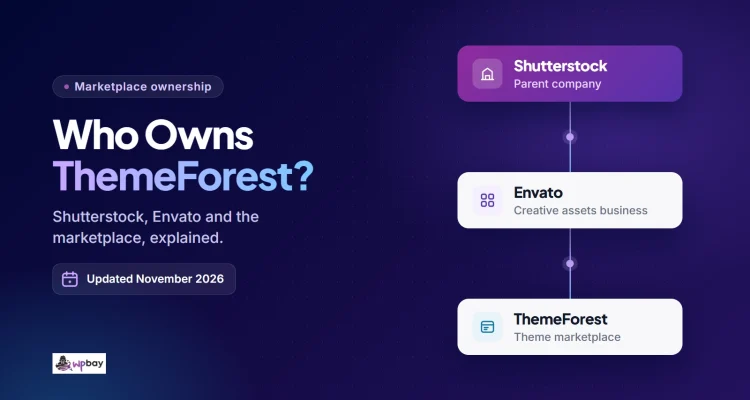
Don’t read Envato’s status page as a sign that intake is open. On the day we checked, it showed all systems operational, including Market and Author Tools, but that page tells you whether the systems are up, not who’s allowed to join. The intake notice also doesn’t announce a marketplace closure, and it doesn’t say existing authors will stop selling or shipping updates. For the ownership and marketplace background, see who owns ThemeForest in 2026.
Choose a launch route for your plugin or theme
Disclosure: WPBay publishes this article and runs one of the marketplaces discussed below.
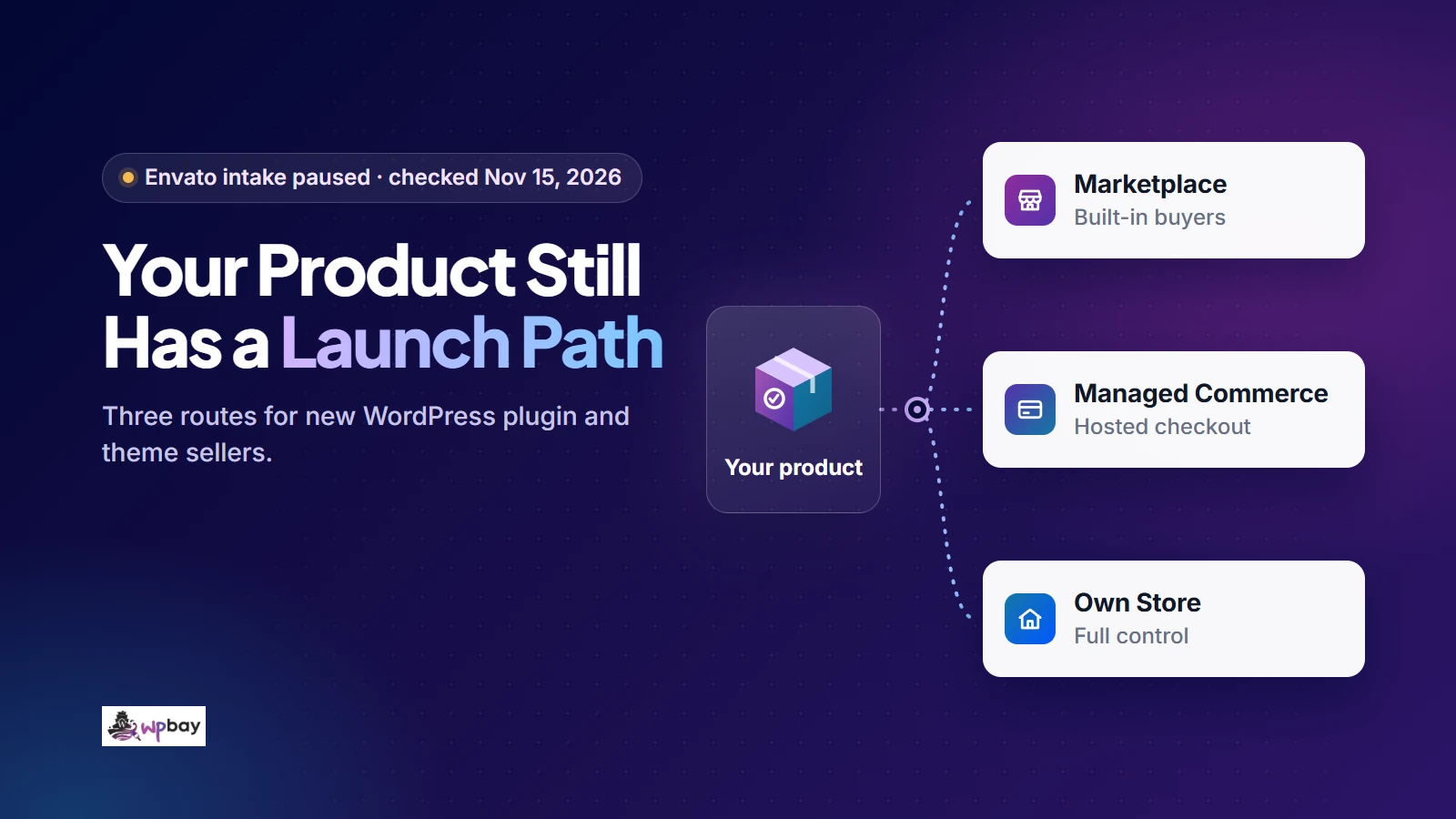
WPBay reviews and lists the product; Freemius supplies commerce behind your own site; EDD leaves you running the store.
| Attribute | Curated marketplace (WPBay) | Managed commerce (Freemius) | Own store (EDD + Software Licensing) |
|---|---|---|---|
| Checkout and buyer tax | WPBay, as Merchant of Record for standard marketplace sales | Freemius, as Merchant of Record and reseller | You, through your payment gateway, tax settings and accountant |
| Licensing and updates | WPBay SDK, once you integrate it | Freemius SDK, once you integrate it | Software Licensing extension on your own site, plus client integration in the product |
| Refunds | WPBay administers refunds under its platform policies | Freemius issues refunds. You can initiate and administer refund requests from its dashboard, subject to Freemius policies and discretion (section 11.5 of the vendor terms) | You |
| Product support | You, at the level your listing advertises | You | You |
| Customer acquisition | Marketplace catalog plus your own marketing | Mostly you | Entirely you |
| Approval dependency | Product review before publication | Freemius eligibility and acceptable-use terms | No marketplace product review, though payment-provider eligibility and applicable business requirements still apply |
A marketplace earns its commission only if buyers who want your kind of product actually browse its catalog, and if you’d rather pay for commerce services than run them. Before you decide, search the catalog for products like yours and look at what’s listed, how it’s priced and how recently it’s been updated. Then factor in the review step before launch and the commission at your expected price. If you already bring buyers to your own site through a free version, search content or a customer list, compare managed checkout with running EDD yourself. EDD swaps marketplace commission for annual license fees, hosting, gateway charges and your own time on maintenance and tax administration, so whether it works out cheaper depends on your sales volume and setup. A marketplace listing may bring buyers, but don’t budget around traffic you haven’t verified. Write down how you’ll reach your first prospective buyers before you pick a channel, and test that plan whichever route you take.
Submit to a curated marketplace
WPBay reviews your product before it can appear in the catalog. You can start a WPBay seller submission for plugins, themes, scripts and services, with no registration or listing fee. Because every new software product is reviewed before publication, your launch date depends on the review. Don’t announce a date until you’re approved.
WPBay’s standard seller share starts at 70% and goes up with your lifetime sales, according to the current seller shares and affiliate deductions (checked November 2026).
| Lifetime sales | Your share of a standard sale |
|---|---|
| From $0 | 70% |
| From $500 | 75% |
| From $2,000 | 80% |
| From $10,000 | 85% |
| From $50,000 | 88% |
Here’s a hypothetical example. A plugin priced at $49 before buyer tax earns you $34.30 on an organic sale at the 70% tier ($49 × 0.70), and $36.75 once the 75% tier applies. Organic sales carry no affiliate deduction, and that includes sales from your own referrals and from WPBay’s own marketing.
Orders that come through outside affiliates carry an additional deduction: 25% for a standard first-tier referral, and up to 30% when a qualifying second-tier affiliate is involved. The Details for WPBay Sellers page describes this as coming from your earnings, but as of this review none of the published pages state whether the percentage is calculated on the sale price or on your share. Ask WPBay which base applies before you price a product you expect affiliates to sell.
Your earnings aren’t the same as cash you can withdraw. The pricing page currently lets you request a withdrawal once your eligible balance reaches $50, and refunds, disputes or account reviews can reduce or delay eligible funds. WPBay is Merchant of Record for standard marketplace purchases, so it handles checkout, processing, customer invoices and the applicable buyer transaction taxes. Under the Seller Agreement, your own accounting and the taxes on your earnings stay with you.
WPBay is non-exclusive by default, so you can run your own store alongside it, with two conditions. The selling page says you can’t offer the product elsewhere at a lower regular price. The Seller Guidelines add that if you also sell through other marketplaces, your product demo must link to the WPBay product page. The Seller Agreement doesn’t guarantee minimum sales or any particular placement, so budget for your own marketing as well.
Sell from your site with managed commerce
With managed commerce, the product site and brand are yours, and a service runs checkout behind them. Freemius is one documented option for WordPress products. It provides Merchant of Record checkout, subscriptions and tax handling, plus licensing and update tools for plugins and themes. Under its vendor terms, Freemius acts as the reseller and product support stays with you.
You still integrate the SDK and test purchases, renewals and update delivery, and the marketing site, onboarding and documentation are your job. Your site also needs a source of qualified visitors. Check the acceptable-use policy, which lists prohibited products and categories that need prior approval, and see what current Freemius pricing charges for WordPress products. Before you commit to any provider, find out how you’d move existing license keys, subscriptions and update access if you ever left.
Operate your own WordPress store
With EDD, the storefront and the update endpoint run on your own WordPress installation. The Software Licensing extension generates, activates and validates license keys, handles renewals and delivers updates for WordPress plugins and themes once you add the updater client to your product. Automatic recurring billing also needs Recurring Payments. As of November 2026, the EDD pricing page includes Software Licensing only in the Professional and All Access plans. You also take on hosting, core and extension updates, payment gateway setup, refunds and accounting. You configure tax yourself (EDD documents its EU VAT features), and your registration obligations depend on where you and your buyers are. For implementation detail, see our guide on how to build an independent plugin sales channel.
WordPress.org can work alongside any of these routes, because a genuinely useful free version introduces people to the paid product. The Detailed Plugin Guidelines prohibit trialware (features that lock or expire inside the free plugin), so how you split the product depends on what you’re charging for. If the paid part is local code, ship it as an externally hosted add-on: that means two release packages, though they can share one source codebase (Freemius, for example, documents generating both from one codebase), and each package needs its own testing. If the paid part is a genuine external service, the free plugin can act as the connector under the serviceware rules, as long as the service does real work and doesn’t just unlock code already in the plugin. Your listing gets a public support forum, and WordPress.org doesn’t require you to offer free support, though it strongly recommends saying so clearly in your readme. Themes follow separate requirements maintained by the Themes Team in the Theme Review Guidelines.
Release checklist for a first commercial product
Define the release around one specific workflow, for example “find WooCommerce products without images and fix them in bulk.” A workflow like that gives you something concrete to test, demonstrate and describe on a listing, which “an all-in-one store toolkit” doesn’t. Most of the items below also appear on the WPBay list you’ll use to check your final submission package, and they apply on any channel.
- Install the exact release ZIP on a separate WordPress site with
WP_DEBUGenabled. If your product depends on other plugins (WooCommerce, a page builder), run two tests. Without the dependency, the product should show a clear admin notice and not cause a fatal error. With the documented dependencies installed, the core workflow should work from start to finish. - Test updates. If you have an earlier version, upgrade from it and confirm settings and stored data survive. For a first release, install the build, save representative settings and data, then install a later build over it and check the migration and update behavior before customers depend on it.
- List the WordPress and PHP versions you’ve actually tested, plus the required plugins and server extensions.
- Match authorization to each operation. Use capability checks for privileged actions and nonces for cookie-authenticated forms and AJAX. Register every REST route with an explicit
permission_callbackthat enforces real authorization for privileged operations; an intentionally public endpoint can use__return_true. Validate and sanitize the parameters each endpoint accepts, and escape output for its context. The REST endpoint handbook, authentication docs and WordPress security APIs cover each of these. - Confirm you have redistribution rights for every bundled library, font, image and demo asset.
- Remove private API keys, access tokens, developer secrets and test credentials from the archive, along with
.gitfolders,node_modulesand local configuration files. Leave in the identifiers your licensing SDK needs in distributed code, such as the product ID. - Write setup documentation and a changelog, and state your support scope: what you help with, through which channel, and for how long.
- Write down what happens when a license or subscription expires or is cancelled, one entitlement at a time. Does the installed product keep working? Do updates stop? Can the buyer still download the last version they paid for? Does support end? Expiration doesn’t have to disable installed software. Whatever policy you choose, put it on the listing and test the product against it, including what happens after renewal.
Selling on more than one channel needs a plan for updates. Suppose you sell on WPBay and on your own EDD store. The WPBay build includes the WPBay SDK, so its licenses validate against WPBay and its updates come from there. The EDD build includes the EDD updater, which checks keys against your store and pulls updates from your endpoint. Generate both packages from the same source, but make sure each one carries only its own updater, because a WPBay key entered into the EDD build will simply fail validation. Tell buyers which build they have and where to find its updates.
Themes and plugins need different demos. A theme listing should show setup from a fresh install, the main templates and responsive layouts, with screenshots that match what the buyer actually gets. A plugin listing should show the core task done once from start to finish, plus what happens when something goes wrong, such as a missing API key, an inactive dependency or an empty result.
How to submit to WPBay and respond to review
Create a product draft before you integrate licensing, because saving the draft assigns the numeric Product ID the integration needs, and you can use it before approval. The complete guide to selling WordPress products walks through each screen.
- Register, fill in your seller profile and read the seller responsibilities and distribution conditions.
- Create the draft with an accurate title, description, screenshots, compatibility information, documentation links and pricing (one-time, monthly or yearly).
- If you want WPBay licensing and automatic updates, integrate the SDK; uploading a ZIP alone doesn’t configure updates. Since an unpublished product can’t be bought, test with Developer Mode, following the full procedure in the WPBay SDK integration documentation: the slug-specific Developer Mode and Developer Secret Key constants, the slug added under Allowed Testing Slugs, and the Developer Testing Purchase Code configured locally in
wp-config.php. The testing screen is under Tools > WPBay Developer Mode, and sandbox activations expire after 24 hours. Sandbox licenses use the default internal plan,wpbay, so this test proves activation and deactivation work, not that every paid plan’s entitlements, checkout or renewals do. - Remove the Developer Mode constants, secret and testing purchase code, take the slug off Allowed Testing Slugs, and build the production ZIP. Install that exact ZIP on a clean site and rerun the checklist items that apply before you submit it. Repeat this rebuild and retest after every round of review corrections.
- Once the listing is live, check a real transaction from start to finish: purchase, license activation on a production plan, and delivery of a new version as an update.
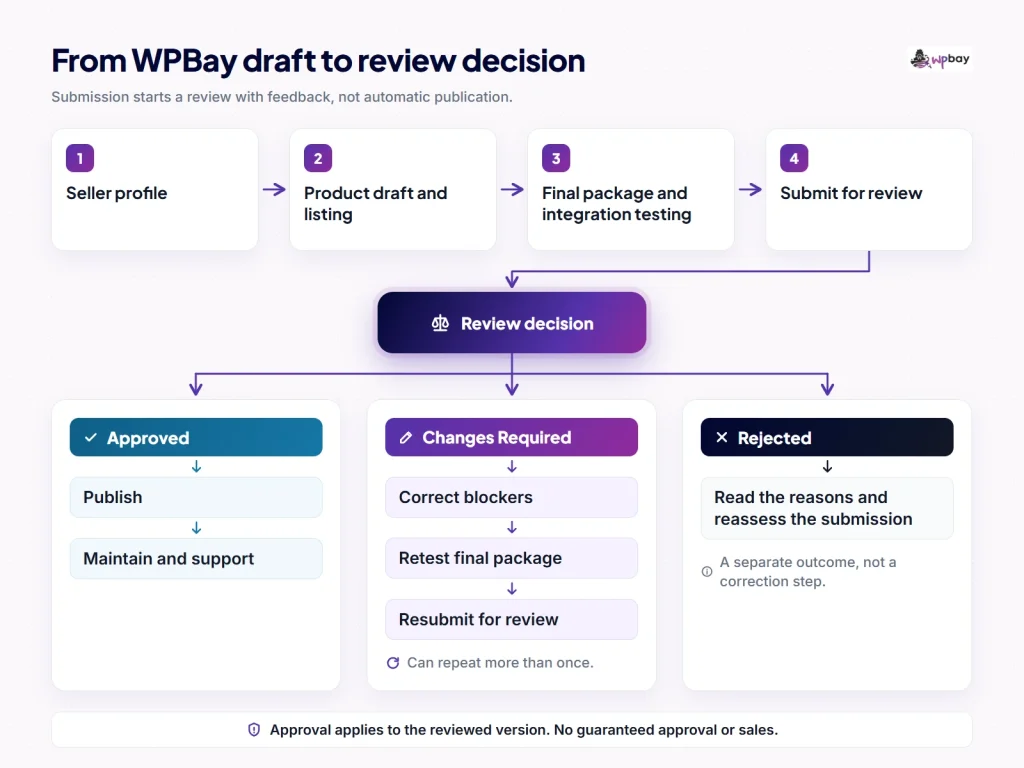
Our page on what WPBay reviewers check describes the process. New software products go through automated analysis, manual inspection and practical testing, scaled to the product’s risk, so a display widget gets less scrutiny than a plugin that handles payments or makes remote requests. There are three outcomes: Approved, Changes Required and Rejected. Changes Required means there are fixable blockers; you correct them and resubmit, and that can happen more than once. Rejected is a separate outcome, not a step in the correction loop. Approval covers the version that was reviewed. It isn’t a permanent security certification, and later updates can get a targeted or full review. We don’t promise a turnaround time, because complexity, queue volume and the number of correction rounds all affect it.
The Seller Guidelines allow AI-assisted and AI-generated code, provided you understand it well enough to maintain it and it meets the same quality, security and licensing standards as anything else you ship. Your listing can offer support through platform tickets, an external support URL or email, or say that no product support is offered, and you have to deliver whatever the listing promises.
A practical plan for the next seven days
If your product is mostly finished, you can do the preparation in a week. Review may take longer than that, so treat this as a work plan, not a launch date.
| Days | Work | Completion check |
|---|---|---|
| 1 and 2 | Choose a primary channel and show the core workflow to a few people who match your buyer. | You’ve named the channel and how you’ll reach your first prospective buyers, and listed what confused your testers. |
| 3 and 4 | Work through the release checklist and integrate licensing. | The checklist passes and your expiration policy is written down. |
| 5 and 6 | Prepare the listing, demo, support arrangements and launch messages. | Screenshots match the release, the support channel and response window are published, and announcements are drafted for your existing contacts. |
| 7 | Submit for review, or complete the checkout test available on your chosen channel. | The retested production ZIP is submitted, or a test purchase has gone through to license activation. |
Bookmark the official intake notice and check it every month or so.
Frequently asked questions
When will Envato author applications reopen for ThemeForest and CodeCanyon?
No date has been announced, and Theme and Code aren’t in the current reopening plans. If that changes, Envato says its How to apply page will carry the application link, the content types it’s recruiting and estimated wait times.
Can I reserve author access by creating an Envato account now?
No. An account you create today is a buyer account, and new Market author accounts can’t be created during the pause. Nothing on Envato’s pages suggests that an existing buyer account gets priority when applications reopen.
Does invitation-only entry mean I can request admission?
Envato’s Market Support page calls new-author entry invitation only, but it doesn’t explain how to request an invitation or promise one to WordPress sellers. With Theme and Code outside the current reopening plans, don’t build a launch around getting invited.
Can selling elsewhere affect a future Envato application?
The Envato Market Author Terms allow non-exclusive distribution, though separate written arrangements can apply. Accepting items is still at Envato’s discretion, so nobody can promise that a sales history elsewhere will help or hurt a future application. Read whatever terms are current when you apply.
Does registering with WPBay guarantee my product is approved?
No. Registration is free, but every product is reviewed and can come back Approved, Changes Required or Rejected. Submitting a production ZIP you’ve already installed and tested on a clean site usually means fewer correction rounds.
Can a free WordPress.org version accompany a paid product?
Yes, as long as it follows the directory rules. The free plugin has to be useful on its own with no trialware; paid local code ships as a separately hosted add-on, while a real external service can use the free plugin as its connector. Free forum support is optional, and WordPress.org strongly recommends stating your support policy in the readme. Themes follow the Themes Team’s own requirements.
Last reviewed: November 15, 2026. Envato’s intake policy, WPBay’s commission tiers and third-party terms may change, so check the linked primary sources before you commit.