


Most WordPress SEO plugins are pretty good at telling you that you have work to do. That is also part of the problem.
You run an audit and receive a long collection of warnings: missing descriptions, weak headings, images without alt text, broken links, internal linking problems and pages that could be improved. Then the plugin waits for you to go through the list and actually do the work. On a small website, that may be manageable. On a site with hundreds of pages, products or older articles, it gets old very quickly.
SEO SAM approaches this from another direction. It still audits the site, but the audit is only the beginning. The plugin is designed to turn those findings into actual jobs, automatically handle changes it considers safe, ask for approval when a decision is needed, and then check the site again to see whether the problem was really resolved. That distinction is important.
SEO SAM is less about giving you another SEO checklist and more about reducing the amount of SEO maintenance that has to be done manually.
What is SEO SAM?
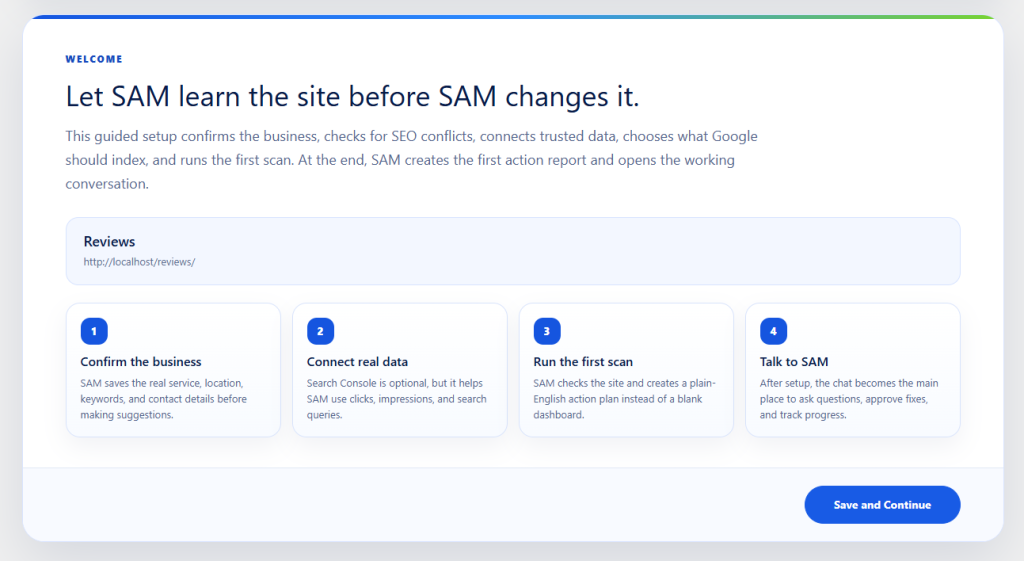
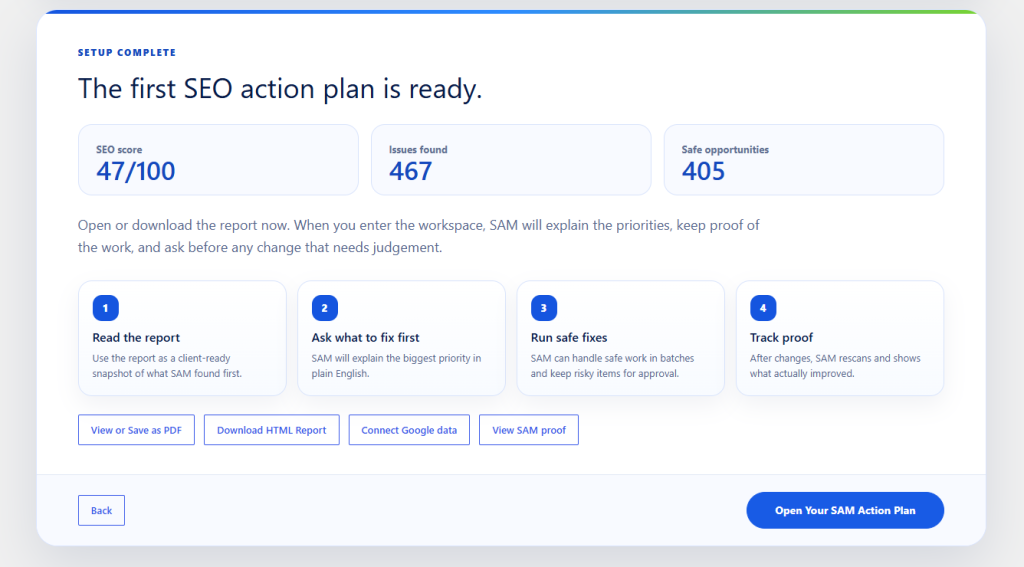
SEO SAM stands for Search Analysis & Marketing. It is a WordPress SEO plugin built around an agent-style workflow. You give SAM information about the business behind the website, it scans the actual site, identifies problems, builds an action plan and can then carry out supported SEO fixes from inside WordPress. Some of the usual SEO plugin features are there: titles, meta descriptions, headings, internal links, image SEO, crawlability, schema and indexing signals.
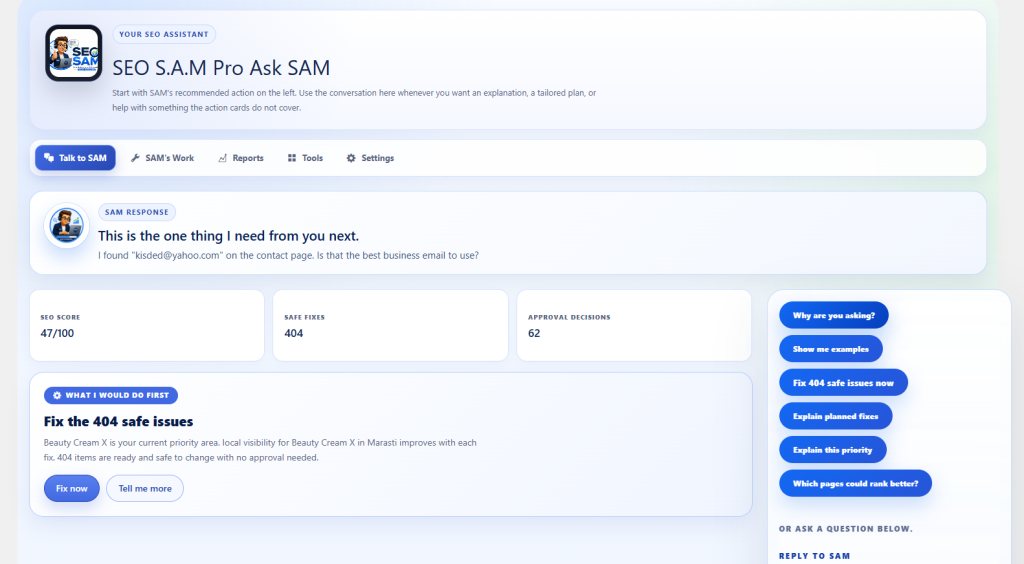
Where SAM starts to separate itself is what happens after it finds something. An issue is not simply added to a report and forgotten. SAM decides whether there is enough evidence to fix it safely. If there is, the change can be processed automatically. If changing something could affect the meaning of a page, its indexing or an important part of the business, the task is held for approval. That gives you something between completely manual SEO and an automation system that is allowed to rewrite the site however it wants. For WordPress, that middle ground makes quite a lot of sense.
The interesting part is not the audit. It is what happens next.
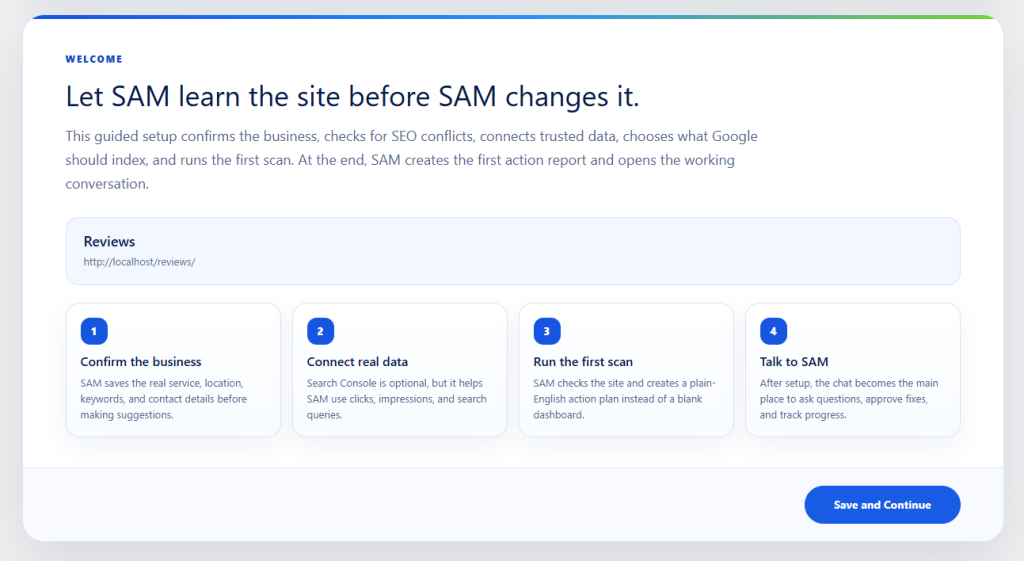
There is no shortage of WordPress SEO audit tools. Install almost any serious SEO plugin and it will find something wrong with your website.
Missing meta descriptions. Bad heading structure. Images without useful alt text. Thin pages. Broken links. Poor internal linking. Canonical issues. Indexing settings. You can easily end up with a dashboard full of red and orange indicators. Finding these problems is useful, but finding a problem and fixing it are two completely different jobs.
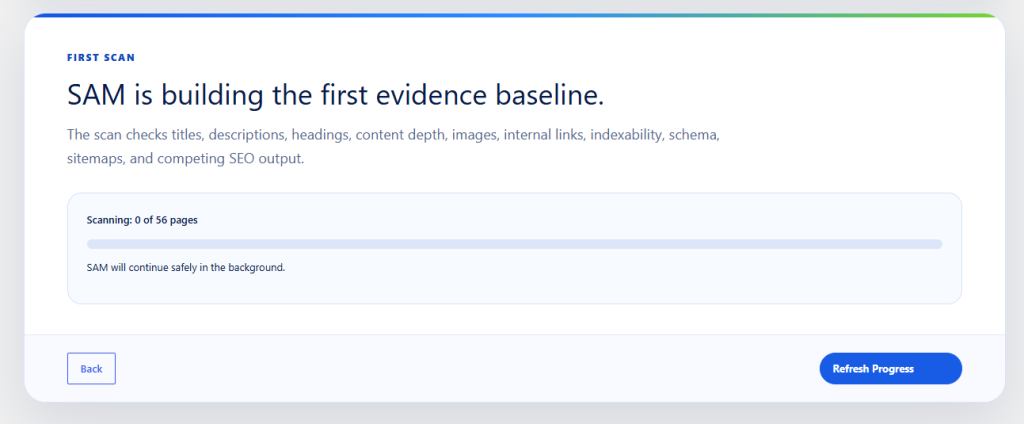
SEO SAM can turn supported findings into background jobs and process them in batches. Depending on what it finds and how confident it is about the solution, SAM can work on missing or overlong metadata, heading structure, image alt text, missing image dimensions, broken links and other on-page SEO issues. This becomes more interesting as the website grows.
Fixing ten missing image attributes manually is not a big deal. Fixing 200 of them, while also reviewing titles, descriptions, internal links and old pages, is different. SAM is built around reducing that repetitive part of SEO.
Safe automation is a better idea than “fix everything”
Giving an SEO plugin permission to make changes across a website should make anyone slightly uncomfortable. It should. A page title can affect search visibility. A heading can affect the meaning of a landing page. An indexing mistake can make an important URL disappear from search. Automatically rewriting commercial content without understanding what the business actually sells is not something I would want running unchecked.
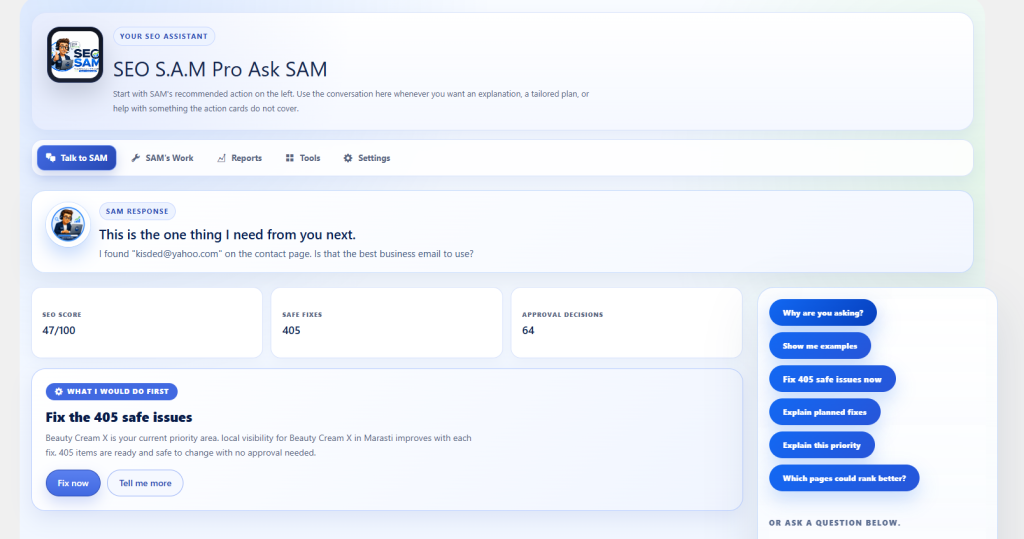
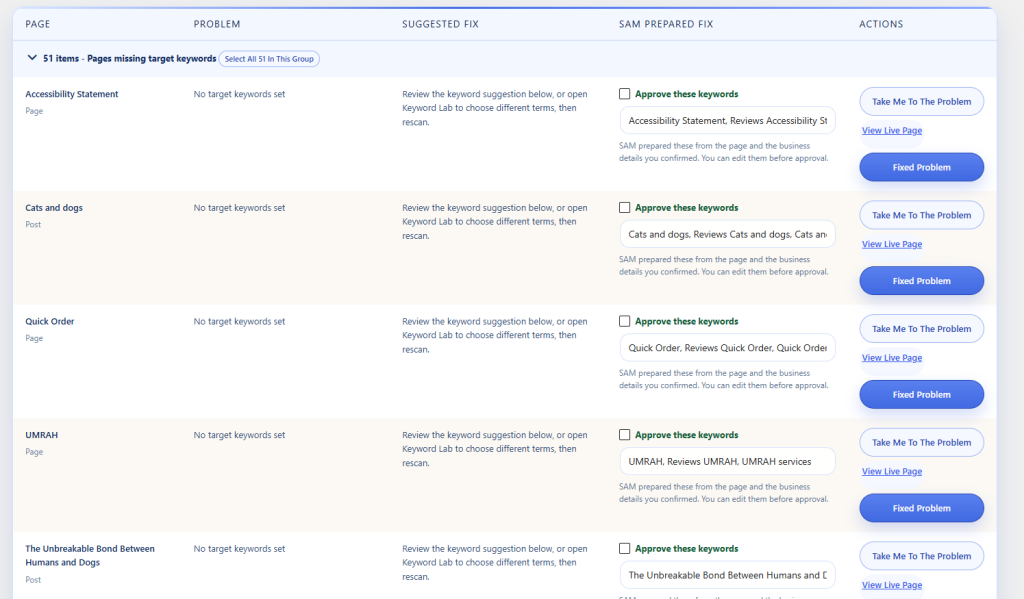
SEO SAM tries to solve this with a confidence and approval system. A change is only treated as an automatic fix when SAM believes it has enough evidence to identify both the problem and an appropriate solution. Other changes are flagged for review.
For example, correcting a straightforward technical issue can be very different from changing the main message on a sales page. SAM’s documentation specifically separates supported safe work from decisions involving important wording, indexing, business focus or larger content changes. If it cannot make that decision safely, it asks. This is one of the more sensible parts of the plugin because automation is useful only while you can still trust what it is doing.
Note: You can also run it in a more conservative mode
Not every website owner wants a plugin automatically making live SEO changes. SAM provides different levels of control. You can allow supported safe fixes to run automatically, or use a review-focused workflow where SAM identifies issues and prepares the work while you retain final control. Tasks that need attention move through an approval system rather than being mixed into a huge audit report.
There is also a dedicated risk and agreement step before SAM is allowed to start making live changes. That may sound like an extra click during setup, but I would rather see an SEO automation plugin make its permissions obvious than bury them somewhere in the settings.
Every change has a history
Automation without a history is difficult to trust. If a plugin changed 40 pages overnight, you should be able to answer a very basic question the next morning: What did it change? SEO SAM records its fixes and keeps previous values where supported. The Fix History gives you a record of the work performed, and jobs can be rolled back. There is an additional safeguard in the undo process as well. Before restoring an older value, SAM checks whether that value has since been changed by something else.
That matters more than it might seem. Imagine SAM updates a meta description on Monday. On Tuesday, somebody on your team manually edits it again. A basic rollback system could blindly restore Monday’s original value and wipe out Tuesday’s manual work. SAM is designed to check for that situation before restoring a previous value. For larger jobs, the complete run can also be treated as a single rollback operation instead of forcing you to undo changes one at a time.
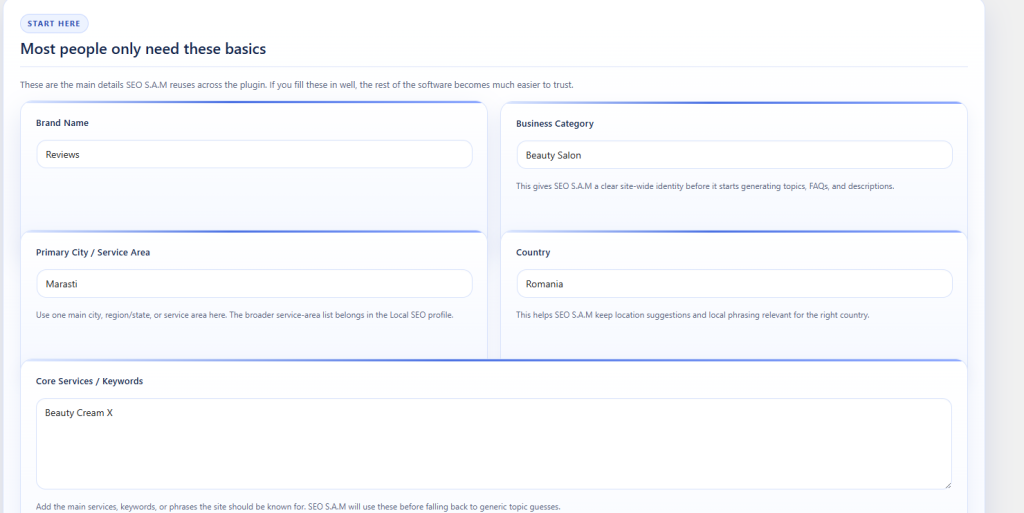
SAM tries to understand the business before judging the website
Another problem with automated SEO auditing is context. SEO rules are not equally useful on every page. A contact page should not be judged like a 2,000-word article. A legal page does not need to target a commercial keyword. A service page has a different job from a photo gallery. A local plumber’s website has different priorities from a software marketplace. During setup, SEO SAM asks for information such as the business name, services, location, target areas, categories and other relevant details.
That information becomes part of the context SAM uses later. This also extends to websites covering several different areas of a business. Instead of assuming the entire site has one identical purpose, SAM can keep separate page and business context for different services or divisions. That should reduce one of the worst habits of automated optimization tools: trying to force every page on a site toward the same handful of keywords.
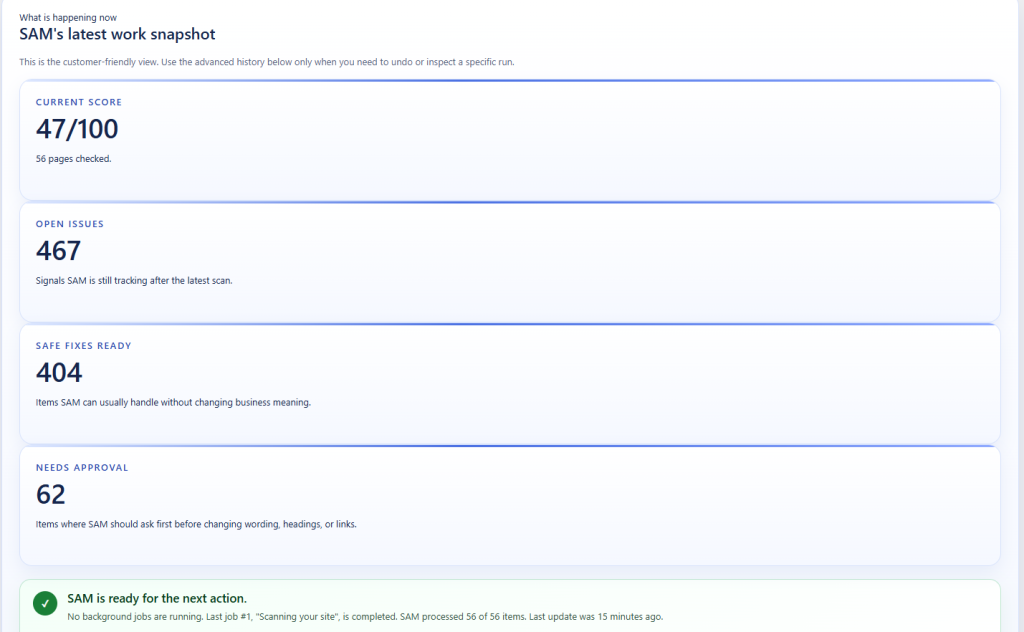
Titles and meta descriptions get most of the attention in SEO plugins because they are easy to understand, but a site-wide audit needs to look at considerably more than that. SEO SAM analyses areas including crawlability, titles and descriptions, content structure, internal linking, images, broken links, canonical directives, robots settings, sitemap signals and other page-level issues. The site health score is split into several areas rather than reducing everything to one unexplained number. There is also a scan confidence indicator.
I like this concept because an SEO score can look far more authoritative than it actually is. If a scanner could inspect only part of the website, a score of 92 does not mean quite the same thing as a score based on a complete crawl. Exposing how complete the scan was gives the number some useful context.
And importantly, SAM itself does not treat a better plugin score as proof that Google rankings will improve. It is a measurement of the things the plugin can verify. Rankings, search traffic, leads and conversions still have to be measured separately. That is a much healthier way to use an SEO score.
It checks whether the fix actually worked
There are three separate events in SAM’s workflow: A problem was detected. A change was made. A later scan confirmed that the problem disappeared. Those sound similar, but they are not.

If a plugin writes a new value into the WordPress database and immediately labels the SEO issue “fixed,” it is assuming the front end now reflects that change. WordPress sites are often more complicated than that. Themes can output their own metadata. Another SEO plugin may override a value. Caching may be involved. A page builder or custom integration may control what visitors actually receive. SAM can run another scan after the work is completed and move an issue to confirmed fixed only when the new scan no longer detects it. That creates a much cleaner audit → fix → verify loop.
Google Search Console makes the recommendations more useful
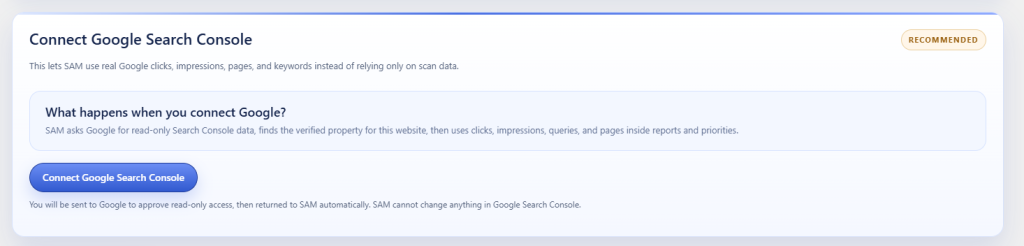
SEO audits usually work from rules. Rules are useful, but they do not tell you everything. A theoretically imperfect page receiving thousands of impressions from Google deserves different attention from an equally imperfect page that receives no search visibility at all. SEO SAM can connect to Google Search Console and use actual search performance as another source of evidence.
Once connected, SAM can work with information such as impressions, clicks, click-through rate, average search position, leading queries and page performance. This gives the plugin something more useful than a purely theoretical SEO checklist. A page with growing impressions may deserve further optimisation. A page losing visibility may need attention. A result getting impressions but very few clicks might have a title or description worth reviewing. The Search Console connection is read-only, so SAM does not need permission to modify your Google account.
For anyone uncomfortable connecting third-party tools to Google services, that is worth knowing.
SEO SAM is also clearly aimed at local businesses, not only blogs and content-heavy websites. It includes tools around business citations, directory discovery, NAP consistency, business schema, location-based optimisation and promotion opportunities. NAP simply refers to the consistency of your business Name, Address and Phone number across the web. For local businesses, inconsistent details spread across old directories and profiles can become surprisingly messy.
SAM’s local SEO workflow can help track these citations and find relevant places where a business might reasonably be listed. There is also a broader Promote Your Site area.
Instead of promising hundreds of automated backlinks, it focuses on finding legitimate opportunities such as relevant directories, suppliers, partners, associations and local media. It can also be used to keep track of known backlinks and potential content that other websites may find worth referencing. That restraint is a good thing.
Automatically submitting a site to hundreds of unrelated directories or creating artificial reciprocal-link networks is not a shortcut I would want an SEO plugin taking.
SEO is maintenance, not a one-time setup
One of the easiest mistakes with SEO is treating it as something you finish. Install a plugin, configure the homepage, add a sitemap, optimise a few pages and move on. Meanwhile the website keeps changing. New posts are published. Products disappear. Internal links break. Pages become outdated. Competitors publish new material. Search demand shifts. An old article that once performed well starts losing impressions.
SEO SAM includes monitoring around content growth, content decay, page opportunities and competitor activity, which makes more sense when you think of the plugin as an ongoing SEO worker rather than simply an initial setup assistant. This is probably where automation has the most value.
You do not necessarily need software to tell you that the homepage of a brand-new five-page website needs a meta description. You might need it six months later when there are 350 URLs and nobody remembers which 47 pages were added since the last proper SEO review.
SEO work across hundreds of pages should not happen in one enormous PHP request. That is an easy way to hit memory limits, execution timeouts or hosting restrictions. SAM processes larger scans and fix operations through smaller background batches. WordPress cron, or a server cron configuration, keeps those jobs moving after they have been created.
The job tracker shows whether a task is queued, running, waiting for an answer, completed, paused or stalled. This sounds like a technical detail, but it has practical value. If a large optimization job stops halfway through, you can see that it stopped. You are not left staring at a spinner wondering whether the plugin is still doing anything. There are also recovery options for stalled jobs.
For site owners running heavily cached WordPress installations, aggressive security plugins or restrictive hosting environments, it is worth checking that WordPress cron and loopback requests work properly before starting a large automated job.
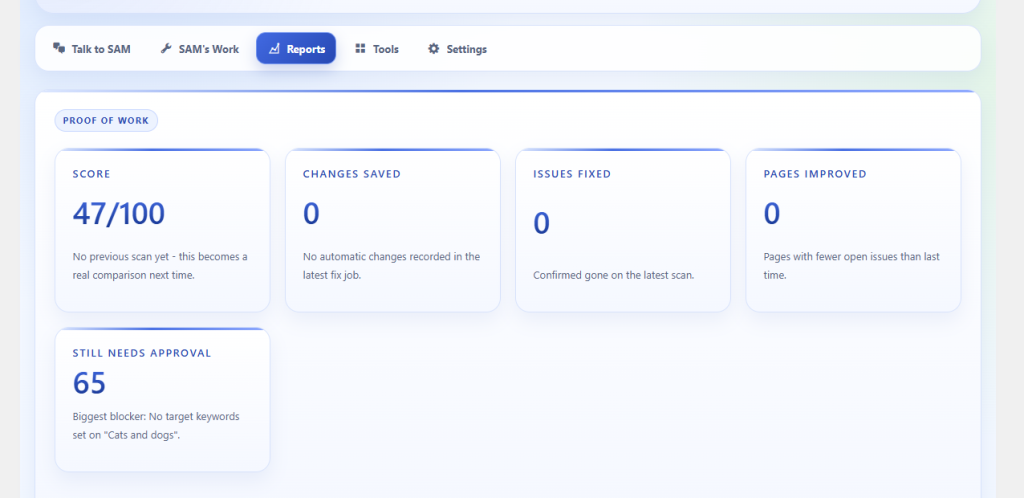
SAM’s reporting system can combine site health, completed work, remaining priorities and Search Console information into reports. This is particularly useful when the person doing the SEO is not the person paying for it. A client usually does not care that you corrected twelve heading hierarchy problems and repaired fourteen image attributes.
They want to know what was wrong, what was done and whether anything changed. SAM can generate reports around those questions, including current and previous results, completed fixes, items still waiting for approval and search-performance movement when Search Console is connected. PDF and email reporting are available as well. For freelancers and small agencies managing WordPress sites, that may save almost as much time as the automatic fixes themselves.
No separate ChatGPT, Claude or Gemini subscription is required
This is one of the simpler advantages to explain. SEO SAM does not require the site owner to buy a separate ChatGPT, Claude, Gemini or similar AI subscription just to use the plugin. There is no separate API account that a normal customer has to configure before SAM can start doing its job. For technical users, adding an API key is not particularly difficult.
For everybody else, it is another account, another bill, another set of credentials and another thing that can stop working. SEO SAM is designed as a standalone product, which keeps that part of the setup much simpler.
SEO automation still deserves some care. If another plugin or your theme is already outputting SEO titles, descriptions, canonical URLs or robots directives, do not simply activate a second system and assume they will cooperate. Two plugins trying to control the same metadata can create duplicate or conflicting output. SEO SAM includes conflict detection, but the correct solution is still to decide which system should be responsible for a particular piece of SEO output and disable the duplicate output where necessary.
A backup before making substantial changes is also sensible. And if you enable automatic fixes, spend some time reviewing the first few jobs and the Fix History. You will quickly get a feel for what SAM considers safe and which changes it prefers to send for approval. That is a better approach than giving any automation tool unlimited control on day one.
Who is SEO SAM for?
The strongest case for SAM is not someone who enjoys manually working through every SEO field on every page. It is the opposite. It makes sense for WordPress site owners who know SEO needs regular attention but do not want it to become another weekly job. It also fits local businesses that need more than basic title and sitemap controls, sites with enough content that manual audits are becoming tedious, and freelancers or agencies looking after several WordPress installations.
The larger or older the website becomes, the more interesting the automation side gets. For a five-page brochure site, manually correcting a handful of issues may still be faster. For a site with hundreds of pages, accumulated content, broken links, old metadata and ongoing publishing, having an SEO system that can identify the repetitive work and carry out the safe parts starts to make considerably more sense.
It is worth keeping expectations realistic. No WordPress plugin can guarantee rankings.
Google does not rank a site because an SEO dashboard reached 100%, and automatically adding metadata will not turn weak content into a successful website. You still need a useful site. You still need pages people want to visit. Search intent matters. Competition matters. Authority matters. Products and services have to be worth finding in the first place. What software can do is remove a surprising amount of maintenance from the process.
That is where SEO SAM is interesting. It can keep scanning, identify problems, prioritise them, handle supported fixes, ask when it needs a human decision, record what happened and then check whether the result actually changed. That is a much more useful job than simply putting another red warning beside a WordPress page.
Final thoughts
The WordPress SEO plugin market is already crowded, so another plugin needs a good reason to exist. For SEO SAM, that reason is automation with some restraint.
It does not stop after the audit, but it also does not assume every recommendation should be pushed live without supervision. The combination of automatic fixes, approvals, business context, fix history, rollback, Search Console data and local SEO tools makes SAM feel closer to an SEO worker inside WordPress than a traditional settings panel. And that is probably the simplest way to understand it.
You tell SAM about the business.
- It scans the site.
- It works out what needs attention.
- It handles the safe work.
- It asks about the rest.
- Then it checks its work.
For website owners who are tired of SEO plugins telling them what they should fix next, that is a useful change.



