
When someone buys three entries on your website, they should be able to come back on draw day and find all three. They should understand how the winner will be chosen and where the result will appear. Getting those details right is part of running the competition.
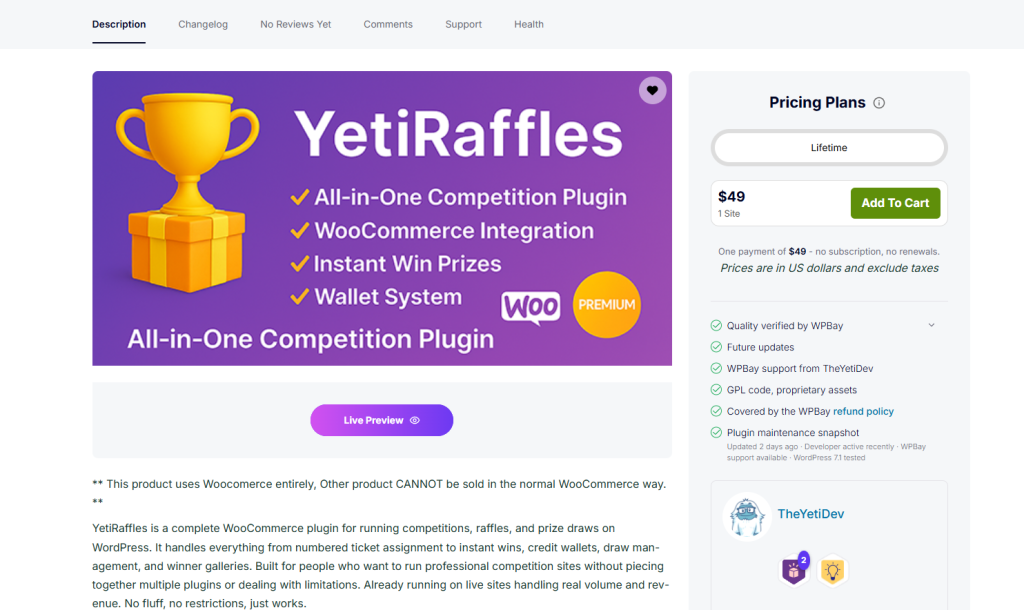
YetiRaffles is TheYetiDev’s WooCommerce competition plugin on WPBay, combining tickets, accounts, wallets and draw administration. The appeal is having a place to manage the competition as it progresses, with fewer separate records to reconcile afterwards.
The seller specifies a dedicated competition website: ordinary WooCommerce retail products cannot be sold normally alongside it. If your plan includes a conventional retail catalog, discuss that requirement with the developer before purchasing.
At the time of checking, WPBay lists a $49 one-site lifetime plan, excluding tax. Add-ons cost extra.
Start with the competition you intend to run
Write a complete description of your first competition before installing anything. Choose the actual prize, establish who can enter and decide when entries close. Put the draw arrangements and delivery commitment in writing. Work out what happens if you need to cancel or refund an entry.
This exercise tends to expose the decisions a plugin cannot make for you. A product page needs a specific closing time and timezone. A winner needs a way to claim the prize. Someone outside your delivery area needs to know whether they are eligible before paying.
Take a camera competition as an example. “Win a professional camera” leaves plenty of room for disagreement. The model, lens, condition, included accessories and delivery territory all belong in the description. If the photographs show equipment that is excluded from the prize, make that obvious beside the images.
At WPBay, our recommendation is to get this first competition right before building out a large catalog. One thoroughly prepared campaign gives you something useful to test and a working format to improve.
Settle the legal format and payment arrangements early
The terms “raffle,” “competition” and “prize draw” have different legal implications depending on the activity and jurisdiction. In Great Britain, the Gambling Commission explains the distinction between qualifying free draws, prize competitions and lotteries. A qualifying paid-and-free draw has requirements for the availability, prominence and treatment of its free entry route. A genuine skill competition has a substantive threshold; an easy multiple-choice question rarely meets it.
Have the proposed format and terms reviewed for the places where you intend to operate. A plugin feature labelled “free entry” cannot settle that classification by itself.
Get the payment arrangements agreed at the same stage. Technical integration with WooCommerce says nothing about whether a processor accepts your business model. For example, Stripe’s prohibited and restricted businesses policy expressly addresses gambling, contests and lotteries, with separate provisions for certain charitable fundraising activities. Confirm eligibility with your provider before building around a gateway. Wallet credit also needs to be disclosed as part of the business model.
What to expect from a WooCommerce raffle plugin
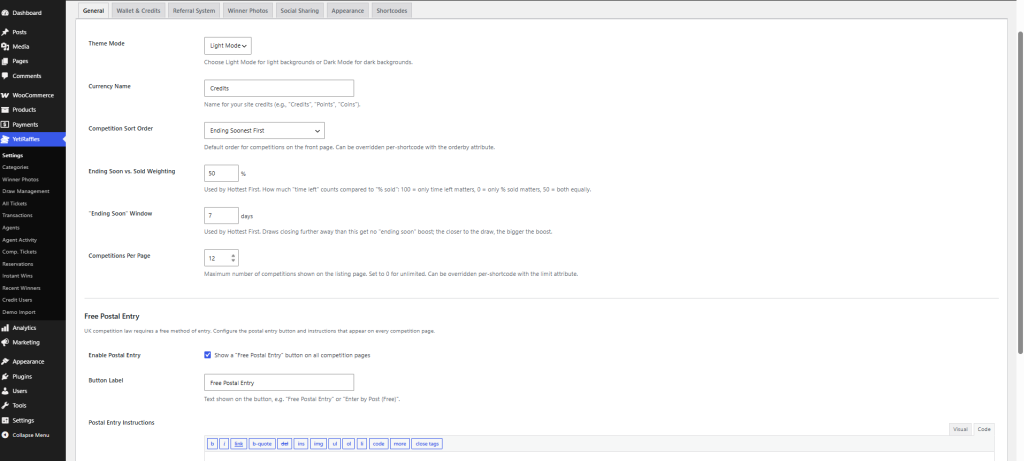
The listed tools include instant wins, referrals, agents, promotional competitions, reservations, complimentary tickets, winner galleries and shortcodes. Tickets appear in My Account; competition purchases require accounts and main draws are manual.
Introduce those tools at a pace your team can support. Each option you turn on needs a clear explanation for the customer and someone responsible for managing it.
Customers need a clear ticket record
A ticket number gives a customer a concrete reference when they contact support. Design the account journey around that moment. After placing a test order, leave the website, return through the login page and find the entry again without using the order confirmation email.
If the route is hard to follow, fix the navigation before adding more promotional sections to the homepage. Keep the language consistent across the competition page, confirmation and account area. Calling the same thing an entry, a reservation and an order in different places creates avoidable questions.
Also decide how your team will answer a ticket query. Staff should be able to trace an entrant’s reference back to the corresponding transaction. Write down how a cancelled or refunded purchase should be handled, then verify the actual behavior during testing.
Wallet credit needs clear terms
If you offer credit packages, explain what the balance buys, any applicable expiry conditions and how refunds are handled. Put that information close to the purchase decision. Customers should understand the commitment before loading their accounts.
It helps to distinguish money received from entries purchased. Someone who adds £20 to a wallet and later spends £6 on a competition has made two different actions. Your reporting process should be able to explain both without counting the same money twice as new sales.
Start with straightforward package values. Complicated bonus structures make reconciliation and customer support harder, especially when credits can arise from several sources. Ask your accountant how purchased balances and promotional credits should be recorded for your business.
Promotions, reservations and agent sales
Promo competitions offer free new-customer entry; Reserve Mode collects contacts; complimentary grants are audited. Agents use prepaid float.
Those tools suit different operating arrangements. A reservation should have a clear confirmation message explaining what the customer has secured and what happens next. A promotional entry should state which promotion it belongs to. A discretionary ticket grant needs a reason your team can understand later.
Keep a legally required free entry process distinct in your planning. Its rules must work for the relevant competition; the existence of another free promotion elsewhere on the website does not establish that.
For an agent-led business, agree how customers will receive support and how the agent’s records will be reconciled. Settle responsibility for mistakes, refunds and unused float before inviting agents. These are operating decisions to resolve alongside the software setup.
What happens after an instant win?
Instant wins attach additional prizes to designated ticket numbers. Before offering them, decide how quickly you can deliver each prize and what information the recipient needs to provide.
A customer who sees a win should understand the next step without opening a support ticket. Explain whether they will receive a message, need to confirm delivery details or hear from your team within a stated period. Test that journey with the same care as the main competition.
Include every additional prize in the campaign budget. Several small prizes can create a surprising amount of fulfilment work, particularly when they need separate shipping or individual contact.
Build the first competition on a staging site
Use a staging copy with payment methods in their supported test mode and outgoing messages directed to test inboxes. Keep it separate from real customer transactions. You need room to make mistakes without issuing genuine entries or sending misleading emails.
Install the purchased plugin through WordPress and use the documentation supplied with your download for its current settings and shortcodes. Build with your intended theme from the beginning. A page that works in an empty test installation still needs checking with your own layouts, checkout extensions and caching configuration.
Create one sample competition, then work through it as a customer and as the person administering it. Keep notes on anything that requires an explanation. Those notes become useful copy for the website and instructions for your team.
Give the prize page enough detail to support a decision
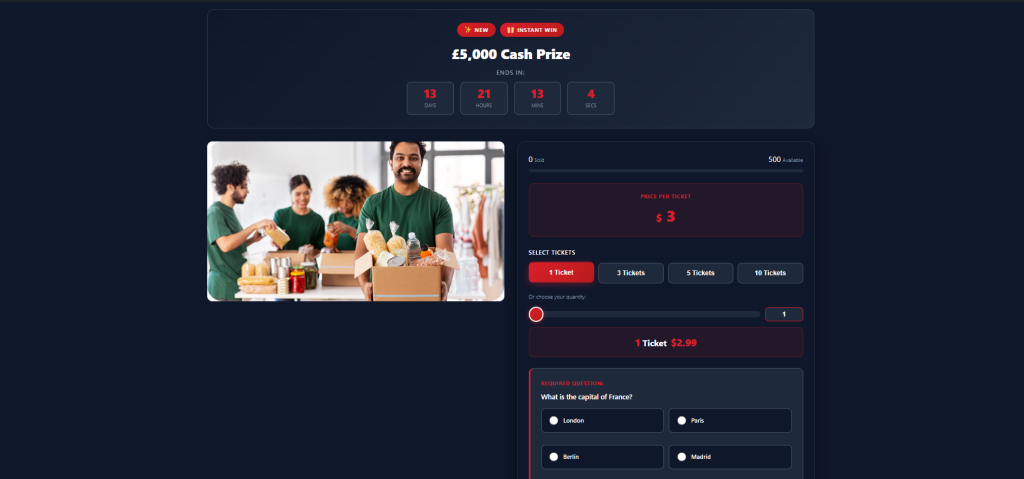
The first screen should make the prize and entry price understandable. Further down, explain the entry limit, closing arrangements, eligibility and draw process in ordinary language. Use a direct link to the full terms beside the purchase area.
Write about the specific prize. For a bicycle, that could mean frame size, model year, condition and collection arrangements. For an experience, state booking restrictions, expiry and what the winner must pay themselves. These details help a visitor decide whether the prize is useful to them.
Use your own photographs where possible and check that the page remains readable on a phone. Test long prize names and large text settings. An attractive desktop layout can become awkward when the entry control, important conditions and purchase button are spread across several mobile screens.
Before publishing, ask someone unfamiliar with the business to read the page. Their questions will tell you more than another pass through the design settings.
Test the awkward transactions
A successful purchase is one test case. You also need to see what happens when a payment fails, an order remains pending, a customer refreshes the confirmation page or the final entries are being purchased at the same time.
For each case, compare the payment result, order record, allocated tickets and customer-facing message. Define the expected outcome first, using the plugin documentation and the seller’s guidance. Save any discrepancy with enough detail for support to reproduce it.
Run a refund exercise too. Establish what happens to the entry and any credit balance, what the customer is told and whether staff need to take further action. A refund should leave a record your team can explain later.
These checks are especially valuable around a sold-out competition. Agree how to handle a payment that arrives too late for allocation. The customer should get a clear resolution, and staff should know who owns the follow-up.
Check messages and account access
Read every test email on a phone. Confirm that the sender identity is recognizable, links lead to the correct site and the support address reaches someone who can answer. Check the password-reset journey as carefully as checkout.
Avoid making email the only place an entrant can find essential information. Someone may lose a message, change devices or miss a notification. The website should give them a dependable route back to their purchase and the relevant competition.
Treat customer-specific pages carefully when configuring caching. Ask your host to verify the exclusions required for checkout, accounts and any balance or ticket views. Confirm that one test customer never sees another customer’s information.
Plan draw day before opening entries
Choose a draw procedure your team can repeat, with a named person responsible for closing entries, checking the records, conducting the draw and contacting the winner. Decide what you will publish afterwards and how you will handle a technical interruption.
If you announce a livestream, make sure the published terms explain how the result will be available to people who cannot watch. Keep the competition page useful after entries close. A visitor arriving from an old social post should be able to find the outcome.
Record prize delivery as a separate task. Contacting a winner, confirming the delivery address and dispatching the prize happen at different times. Assign responsibility for completing them and retain the appropriate records.
Winner photographs can make the site more personal when the winner agrees to their use. Be specific about where an image will appear, and avoid including unnecessary personal details in public posts.
Where the optional add-ons fit
The following products are sold separately. Choose them according to the service you intend to operate.
| Product | Role in the website |
|---|---|
| Yeti Live Draw | A livestream draw interface with published inputs and browser verification. Requires YetiRaffles. |
| YetiAware | Customer spending limits, breaks, self-exclusion and checkout confirmation. |
| YetiExport | Customer CSV exports, including order statistics and YetiRaffles promotional signup information. |
Yeti Live Draw: let entrants check the result
Yeti Live Draw’s documentation describes a process that locks the entry list, publishes a commitment to a secret seed and selects a future round of public randomness from drand. Once the draw runs, the seed is revealed so visitors can reproduce the result in their browser. The add-on also provides a full-screen animated presentation for streaming.
The scope of that verification matters. It checks the published draw against the locked inputs; it does not establish that every sale was included in the entry list. Entrants should have an opportunity to check their tickets beforehand. Cancelled draws remain visible, and a manually supplied seed has different verification limits from public randomness.
For a business planning regular draw nights, this is worth evaluating alongside the base plugin. Rehearse the complete process, including closing sales and preparing the draw, before announcing the first live event. The documentation is available from the Yeti Live Draw listing.
YetiAware: put customer controls into the account journey
YetiAware lets customers set daily, weekly and monthly spending limits, take breaks or self-exclude. Lower limits apply immediately; loosening protection requires confirmation and a waiting period. Spending through YetiRaffles wallet credit is included in its checks.
Its age-and-terms checkbox records a declaration. It does not verify someone’s identity or replace any age checks your operation requires. Likewise, the account controls support your procedures while leaving the operator responsible for legal and licensing requirements.
Make sure support staff understand how these controls work. A customer asking to resume purchasing during a restriction needs a considered response, consistent with the policy you have published.
YetiExport: make customer data useful without losing context
YetiExport combines customer information and order statistics into a CSV, with filtering and YetiRaffles promotion-related fields. That can help when reconciling campaigns or preparing records for another business system.
Decide what the receiving system actually needs before exporting everything. An email address in a customer file does not, on its own, tell you whether that person should receive a promotional campaign. Carry the relevant consent and suppression information through your process, and keep exports accessible only to the people who need them.
Give each competition a useful search landing page
Think about the question a potential entrant is asking. Someone interested in a particular camera wants to know exactly which model is offered, what entry costs and whether they can participate. A page that answers those questions has more value than a paragraph of repeated phrases about winning prizes.
Use a descriptive page title, a short readable URL and a distinct description for each competition. Link to relevant campaigns from your main competition page and make the terms, organizer details and contact information easy to reach. For a smaller catalog, a few useful categories will usually be easier to navigate than dozens of nearly empty archives.
Keep old links useful as well. When a competition finishes, consider retaining a clear result page explaining that entries have closed and showing the outcome you are entitled to publish. That gives previous entrants a reference and helps visitors understand why the entry button has gone.
Write social captions and preview text with the same care as the page itself. The prize, closing arrangements and eligibility should agree wherever the campaign appears. Check preview images after changing a page, especially when reusing a template.
Measure the journey after launch. Look at visits to competition pages, progress into checkout, completed purchases and the questions reaching support. If visitors repeatedly ask about delivery or entry confirmation, improve those explanations before assuming the answer is more traffic.
What does it cost to get started?
Budget separately for hosting, the prize, delivery, payment costs, professional advice and the time needed to run the competition. The software purchase is one line in that budget.
For an illustration, suppose a campaign has 400 paid entries at £2 each. Selling all of them would produce £800 in gross receipts. A £500 prize, £25 delivery charge and £120 in combined payment and promotion costs would leave £155 before other overheads and tax. These are hypothetical figures; they show why you should model a partially sold competition too.
Write down the commitment you are making if sales fall short. Any cancellation, extension or alternative-prize arrangements need to be settled and disclosed before entries open. Avoid building a plan that depends on changing the deal after people have paid.
Compatibility and support before launch
HPOS and Checkout Blocks support is declared; WooCommerce version labels stop at 8. Confirm your release with the seller. Support is through WPBay; setup and customization are excluded.
Give the seller a useful description of your intended installation when asking a compatibility question. Include your WordPress, WooCommerce and PHP versions, theme and checkout extensions. Ask about any requirement central to your business before committing the build around it.
Keep a record of the versions you have tested. After an update, repeat the purchase, account and draw journeys on staging before applying it to the live site. Take particular care with database restores: replacing live records with an older copy can discard entries and transactions received since that backup.
Is YetiRaffles right for your competition website?
We would put YetiRaffles on the shortlist for a dedicated competition project, particularly when the same team will look after customer enquiries, draws and prize delivery. Being able to follow an entry through that process is worth paying attention to during the evaluation.
It is a sensible product to evaluate once you have a dedicated site planned, a defined competition format and an accepted payment arrangement. Bring one real campaign specification to the evaluation. Work through the customer journey, rehearse the draw and decide how prize delivery will be recorded.
Start with the YetiRaffles product page on WPBay, review the current download and ask the developer about your intended setup. A well-run first competition gives you a much firmer foundation for the next one.