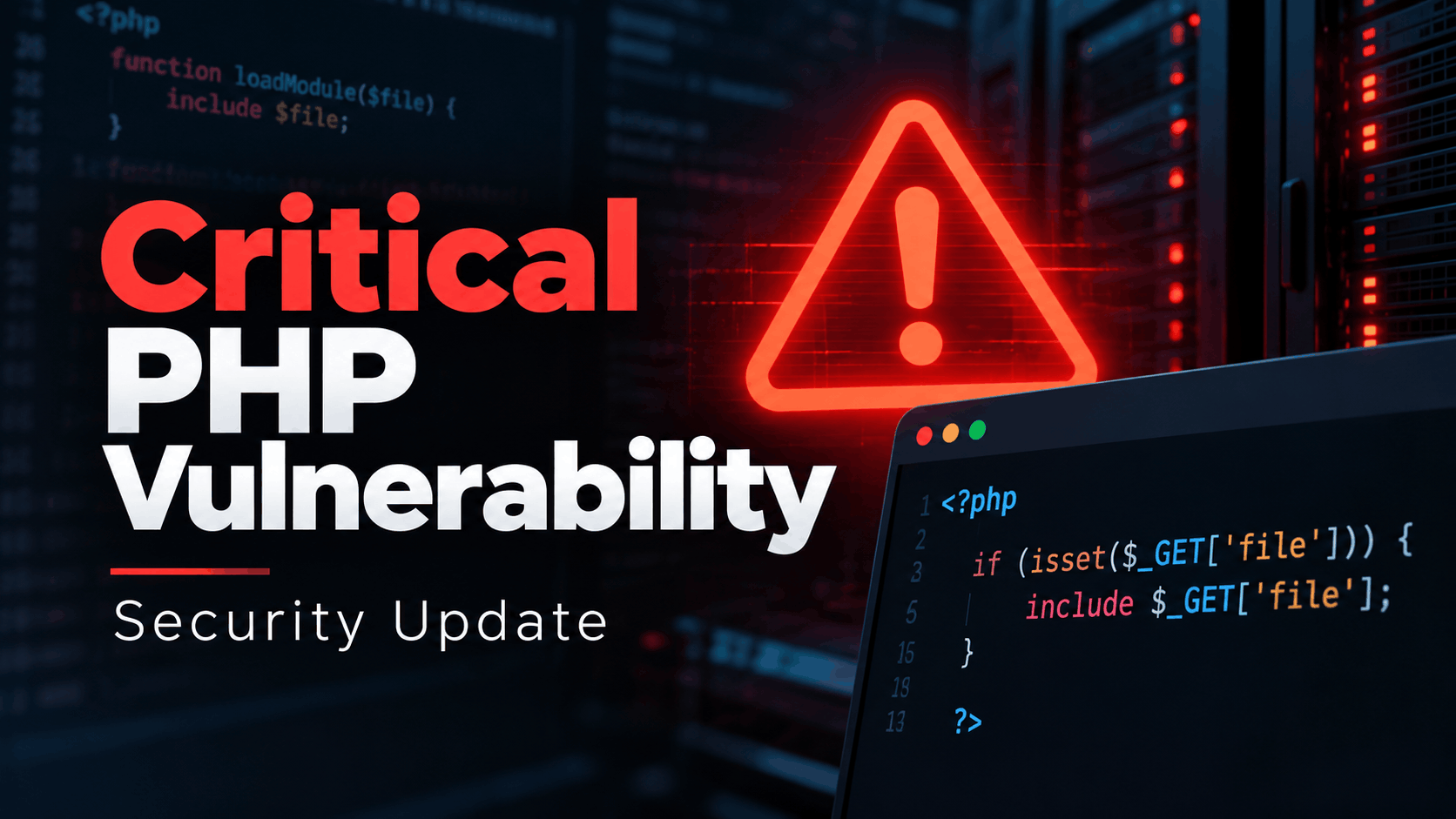
Two critical vulnerabilities in PHP have put WordPress websites and other PHP-powered applications at risk. The vulnerabilities, collectively known as PHP2Shell, can potentially allow attackers to execute malicious code on vulnerable servers without logging in.
The PHP development team released emergency security updates on October 21, 2026, addressing both vulnerabilities, CVE-2026-109618 and CVE-2026-109619. Each carries a critical CVSS 9.2 severity rating.
If you own or manage a WordPress website, you should check your PHP version and confirm that your hosting provider has installed the security fixes.
Updating WordPress, WooCommerce, or your plugins will not resolve these vulnerabilities. The fixes must be applied to PHP itself.
This guide explains how to check your website, what to ask your hosting company, how to update a self-managed server, and what to look for if you suspect your site was already compromised.
What Is PHP2Shell, and Why Does It Matter?
PHP is the programming language that powers WordPress. Whenever someone visits your website, submits a form, logs in, or places a WooCommerce order, PHP helps process the request.
PHP2Shell refers to two vulnerabilities discovered in PHP’s internal memory and request-handling mechanisms.
The vulnerabilities are:
CVE-2026-109618 – Out-of-memory corruption: A flaw involving memory allocation failures and cleanup operations that can lead to remote code execution.
CVE-2026-109619 – Stale internal state: A flaw in which request-specific information can remain accessible after its underlying memory has been released, potentially allowing code execution during subsequent requests.
Both issues are particularly serious because an attacker does not necessarily need a WordPress account or administrator privileges to exploit them.
The PHP team confirmed that Apache installations using mod_php are especially exposed, with demonstrated exploitation occurring before application code executes. Other PHP environments, including PHP-FPM, LiteSpeed, FrankenPHP, and php-cgi, also require updates.
This is not a vulnerability in WordPress itself. Even a fully updated WordPress installation can remain vulnerable if its PHP environment has not been patched.
Which PHP Versions Are Safe?
Official security updates became available on October 21, 2026.
| PHP branch | Minimum fixed PHP release |
|---|---|
| PHP 8.5 | 8.5.12 |
| PHP 8.4 | 8.4.27 |
| PHP 8.3 | 8.3.36 |
| PHP 8.2 | 8.2.35 |
| PHP 8.1 and older | Requires verified vendor backports or migration |
For example, if your website runs PHP 8.3.31, it is older than the officially fixed PHP 8.3.36 release.
However, there’s an important exception.
Some hosting providers and Linux distributions apply security patches to older PHP builds without changing the upstream PHP version displayed by WordPress.
This is called backporting.
An Ubuntu server might display a PHP version that appears vulnerable while actually using a distribution package containing the security fix.
For this reason, don’t rely exclusively on the version number. Check the security status of the exact PHP package installed on your server, or ask your hosting provider to confirm that both CVEs are addressed.
PHP 8.1 and earlier are no longer officially supported by the PHP project. Although some vendors provide security backports, websites still using these versions should plan to migrate to a supported PHP branch.
Official PHP releases and advisories are available at PHP.net.
How to Check Your WordPress PHP Version
You don’t need to install a plugin or have technical knowledge to perform the initial check.
Log in to your WordPress administrator dashboard and navigate to:
Tools → Site Health → Info → Server
Expand the Server section and find the field labeled PHP version.
Compare it with the fixed releases listed above.
If your website displays an older version, the next step depends on how your website is hosted.
If You Use Shared or Managed WordPress Hosting
Your hosting provider usually manages PHP updates.
Changing the PHP version in cPanel does not necessarily install a security patch. It may simply switch your website to another PHP version already available on the server.
Contact your hosting company and request confirmation that the actual PHP runtime serving your website has been patched.
You can copy this message:
Hello,
I’m checking whether my WordPress website is protected against the PHP2Shell vulnerabilities (CVE-2026-109618 and CVE-2026-109619).
My website currently reports PHP version [YOUR VERSION].
Can you confirm whether both security fixes have been deployed to the PHP environment serving my website, including any vendor-backported patches?
If the update is still pending, when do you expect it to be installed, and what temporary protections are currently active?
Thank you.
If your host responds that firewall protection is enabled, that’s useful, but ask whether PHP itself has been patched.
A firewall rule and a patched PHP installation are not equivalent.
If You Use a VPS or Dedicated Server
If you manage your own server, PHP updates may be your responsibility.
Connect through SSH and check your command-line PHP version:
php -vThis is a starting point, not definitive proof of the version serving your website. PHP-FPM, Apache, and command-line PHP can use different installations.
On Ubuntu or Debian, you can also inspect installed packages:
dpkg -l 'php*'Check the repository security notices and available package updates:
sudo apt update
apt list --upgradable
Install the security updates from your trusted OS or PHP package provider, following its advisory and upgrade instructions.
After installing PHP packages, restart the relevant PHP-FPM service or Apache service as appropriate for your server.
For example, on a system using PHP 8.3 FPM:
sudo systemctl restart php8.3-fpmOn a system using Apache:
sudo systemctl restart apache2These commands are examples. Confirm which PHP version and service your website actually uses before restarting services on a production server.
Finally, revisit WordPress Site Health and verify the web-serving PHP environment. If you are relying on a vendor-backported release, verify its installed package revision against the vendor’s security advisory.
Important: Updating packages without restarting the processes running the old PHP code may leave your website exposed.
If You Use Docker
Updating the PHP installation on the host does not automatically update PHP running inside a Docker container.
Use an official or trusted image that contains the security fixes, then recreate the affected containers.
Simply downloading an updated image will not replace containers that are already running.
Make sure your deployment uses the patched image and verify the PHP version inside the replacement container.
PHP2Shell Hosting Provider Status: Where to Check
Hosting providers began announcing emergency protections and PHP update rollouts on October 21.
The following table links to provider announcements or status resources. The statuses describe announcements made during the initial response and should not be interpreted as a guarantee that every server has completed patching.
| Hosting provider | Reported response on October 21 | Official information |
|---|---|---|
| Kinsta | Temporary protections and rollout of patched PHP builds | Kinsta Community |
| WP Engine | CDN-level protections with PHP security updates rolling out | WP Engine Status |
| SiteGround | Announced server-side protective measures | SiteGround |
| Cloudways | Temporary protections while PHP fixes were being prepared | Cloudways Status |
| DreamHost | Protective measures deployed while preparing updated PHP | DreamHost Status |
| Namecheap | PHP security updates being installed across managed infrastructure | Namecheap |
| OVHcloud | Firewall protections and PHP deployment underway | OVHcloud Status |
| Pantheon | Patched PHP versions made available for deployment | Pantheon Status |
| Pressable | Reported protections covering PHP versions offered on its platform | Pressable Status |
| Rocket.net | PHP security maintenance reported | Rocket.net Status |
If your hosting company isn’t listed, that doesn’t mean it is vulnerable. It means you should contact the provider directly or check its current security announcements.
For cPanel, Plesk, CloudLinux, and Linux distribution packages, follow the security guidance provided by the relevant vendor.
Please note: This table is a snapshot of the initial October 21 announcements, not a live monitoring feed. Deployment can vary by server, plan, PHP version, and region.
If your hosting provider confirms the exact patch status, consider sharing the information in our WPBay PHP2Shell community discussion.
Can Cloudflare Protect Your Website?
Cloudflare deployed WAF protections targeting known PHP2Shell exploitation techniques as the incident developed.
These protections can help reduce the risk of attack, and Cloudflare reported making protections available to customers on its free plan as well.
But they should be considered temporary defenses, not a replacement for installing the actual PHP security updates.
A web application firewall cannot guarantee protection against every possible exploit variation.
There is also an important configuration issue: if attackers can reach your server’s public IP address directly, they may be able to bypass Cloudflare entirely.
Ensure your origin server accepts web traffic only from appropriate trusted sources wherever your infrastructure allows it.
What About Wordfence, Patchstack, or Other WordPress Security Plugins?
WordPress security plugins remain useful for detecting suspicious activity, protecting login pages, monitoring files, and identifying vulnerable extensions.
However, PHP2Shell exists inside the PHP runtime itself.
Some exploitation scenarios can occur before WordPress or its security plugins begin executing.
That means installing another WordPress security plugin is not a reliable way to patch PHP2Shell.
Keep your existing security tools updated, but prioritize the server-level PHP fix.
What If You Cannot Update PHP Immediately?
If patched packages are temporarily unavailable, ask your hosting provider about emergency mitigation measures.
The official PHP guidance includes configuration changes that may reduce exposure to known exploit techniques. These include disabling session.upload_progress and reviewing related PHP memory and error-handling settings.
For administrators specifically instructed by their vendor to disable session upload progress, the PHP directive is:
session.upload_progress.enabled = OffThe setting must be changed in the relevant PHP server configuration and applied to the actual runtime handling web requests.
Do not assume that adding arbitrary PHP directives to .htaccess will work with PHP-FPM or other server configurations.
Also, disabling session upload progress alone does not fix both vulnerabilities. Follow the complete current PHP advisory rather than relying on a single setting circulated online.
If your website cannot be patched or adequately protected, especially if it processes customer accounts, sensitive information, or payments, consider temporarily restricting public access at the web server, hosting, or network level.
A WordPress maintenance-mode plugin is not sufficient protection against vulnerabilities in PHP itself.
For urgent remediation guidance, consult the NCSC-NL PHP2Shell technical resource.
How to Tell Whether Your WordPress Website Was Hacked
Updating PHP closes the known vulnerabilities, but it does not automatically remove malicious files, stolen credentials, or backdoors that attackers may have installed before patching.
Not every website running an affected PHP version was necessarily compromised. Still, given the reported attack activity, checking for suspicious changes is worthwhile.
Check WordPress Administrator Accounts
Open Users → All Users and review every account with the Administrator role.
Look for unknown accounts, unexpected changes to administrator email addresses, or accounts created recently without your knowledge.
An attacker with server-level access may be able to create administrator accounts or bypass WordPress authentication entirely.
Check Installed Plugins and Themes
Go to Plugins → Installed Plugins and look for unfamiliar extensions.
Also inspect your theme directory for unexpected files or modifications if you have server access.
A malicious plugin or PHP backdoor may remain active after the vulnerable PHP runtime has been updated.
Inspect Your Uploads Directory
The wp-content/uploads directory normally stores images, documents, and other uploaded media.
Unexpected executable PHP files in this location deserve investigation, especially files with random names or recent modification times.
Some legitimate applications can place PHP-related files in unexpected locations, so investigate before deleting anything.
Check Your Website in Google
Search Google for:
site:yourdomain.comLook for unfamiliar indexed pages, spam content, gambling pages, pharmaceutical advertisements, or suspicious foreign-language URLs.
Attackers sometimes inject spam pages into compromised WordPress installations without making obvious changes to the homepage.
If you use Google Search Console, also check the Security issues report.
Look for Suspicious Behavior
Unexpected redirects, altered checkout pages, unexplained outgoing emails, abnormal resource usage, or hosting-provider malware alerts can indicate compromise.
Some malicious redirects are shown only to mobile visitors or users arriving through search engines, making them harder for administrators to notice.
Keep in mind that a compromised website may show no visible symptoms at all.
What to Do If You Suspect Your Website Was Compromised
If you discover evidence of unauthorized access, don’t assume that installing the PHP update is sufficient.
Restrict access to the affected system if necessary, preserve relevant server logs and evidence, and contact your hosting provider or an experienced incident-response professional.
Investigate unknown administrator accounts, modified files, scheduled tasks, startup services, database changes, and potentially stolen credentials.
If you need to restore a backup, use one from a verified point before the compromise. Avoid restoring an old WooCommerce database over legitimate orders placed since that backup.
Review and rotate potentially exposed WordPress administrator passwords, hosting credentials, database credentials, SSH keys, and application secrets. Update WordPress security salts where appropriate.
Payment-processing websites may require additional investigation of checkout integrity, sensitive data exposure, and applicable incident-reporting obligations.
The most important point is that a security update prevents future exploitation of the patched vulnerabilities, but does not establish that an already compromised server is clean.
What Does PHP2Shell Mean for WooCommerce Stores?
WooCommerce stores deserve particular attention because their websites may process customer records, orders, addresses, and payment-related information.
If an attacker obtains sufficient server access, they might be able to extract stored customer data, manipulate order processing, change payment integrations, or inject malicious JavaScript into checkout pages.
These are possible consequences of a serious server compromise, not evidence that every vulnerable WooCommerce store has experienced them.
After applying the PHP security updates, verify that checkout works correctly, payment gateway callbacks still function, transactional emails are delivered, and background tasks process normally.
Also test critical integrations such as subscriptions, invoices, shipping providers, and inventory synchronization.
A PHP security update should not require restoring your database. Be particularly careful with unnecessary database rollbacks on stores receiving live orders.
What Should WordPress Developers and Agencies Do?
If you maintain several WordPress websites, it’s worth creating an inventory rather than checking each one randomly.
Record the domain, hosting provider, PHP version, PHP package source, patch confirmation, and date of verification for each installation.
Prioritize self-managed servers, outdated PHP environments, publicly accessible staging sites, and websites processing sensitive information.
Check CLI workers, scheduled jobs, separate API services, and Docker containers independently, since they may use different PHP runtimes.
For plugin and theme developers, this is another reason to maintain compatibility with supported PHP versions. Extensions that prevent customers from upgrading PHP can turn an ordinary compatibility problem into a security risk.
PHP2Shell Frequently Asked Questions
Is every WordPress website vulnerable?
Not necessarily. Exposure depends on the installed PHP runtime, whether vendor security fixes have been applied, and the hosting environment.
Because PHP2Shell affects PHP itself, the risks extend beyond WordPress to other PHP applications.
Can updating WordPress fix PHP2Shell?
No. The vulnerabilities exist in PHP. WordPress core and plugin updates are still important, but they don’t replace a server-level PHP security update.
Will the update appear inside my WordPress dashboard?
Normally not. PHP is managed by your hosting provider or server administrator.
Your hosting dashboard may allow you to select a PHP version, but that is different from installing updated PHP packages.
My website runs PHP 8.3. Is that safe?
PHP 8.3 is a branch, not a specific patched release.
The upstream fix is included in PHP 8.3.36 and later releases in the branch. Earlier builds require a verified vendor backport or upgrade.
My hosting company says it applied security patches, but WordPress still shows an old PHP version. Am I protected?
Possibly. Linux distributions and hosting vendors sometimes backport security fixes without changing the upstream version number.
Ask your hosting provider to confirm the installed package revision and whether both CVE-2026-109618 and CVE-2026-109619 are resolved.
Do I need to take my website offline?
Not automatically.
If your hosting provider confirms that the PHP security fixes have been deployed, you generally don’t need to take your website offline because of this incident alone.
If your server is unpatched, exposed, and cannot be adequately protected, temporarily restricting access may be an appropriate precaution until remediation is available.
I use Cloudflare. Am I safe?
Cloudflare can block known attack patterns, but firewall protections are not a guarantee against all exploitation paths. Update PHP even when Cloudflare protection is active.
Is PHP2Shell the same as WP2Shell?
No. Similar names can refer to different security issues.
PHP2Shell describes vulnerabilities in the PHP runtime, while WordPress-specific vulnerabilities involve different components and remediation procedures.
Does PHP2Shell mean my website has already been hacked?
No. A vulnerable version indicates possible exposure, not confirmed compromise.
Reported attack attempts also don’t prove that every targeted website was successfully breached.
However, it’s prudent to review your website and available logs for suspicious activity.
Will updating PHP break my WordPress plugins?
A security update within the same PHP branch is generally less disruptive than a major PHP version upgrade.
Nevertheless, test critical website functionality after patching, particularly checkout, forms, payment gateways, and background processing.
If you’re moving from PHP 7.x or 8.1 to a newer supported version, test plugin and theme compatibility on staging when possible.
PHP2Shell Timeline: October 20–21, 2026
The incident developed rapidly as technical information became public and hosting providers rushed to apply temporary protections and security updates.
| Date | Development |
|---|---|
| October 20 | Information about the PHP vulnerabilities leaked before the planned coordinated release |
| October 21, early UTC | Cloudflare and other providers began deploying emergency protections |
| October 21, 07:43 UTC | Cloudflare reported observing early attack attempts |
| October 21, 13:57 UTC | Patchstack reported probing activity in its telemetry without conclusive evidence of successful breaches in that dataset |
| October 21, 14:00 UTC | PHP released the official patched versions |
| October 21, later | Linux vendors and hosting companies continued releasing updates and confirming deployments |
The situation is still developing. Readers should use the official PHP security announcements and their hosting provider’s latest advisories for current deployment information.
What You Should Do Right Now
For most WordPress website owners, the process is straightforward.
First, open WordPress Site Health and check which PHP version your website uses.
Second, confirm with your hosting provider that both PHP2Shell vulnerabilities have been patched, or install the appropriate security packages yourself if you manage your server.
Third, verify that the patched PHP runtime is actually serving your website and that important functionality still works.
Finally, perform a quick security review for suspicious administrators, unknown plugins, unexpected PHP files, redirects, or other signs of compromise.
Don’t assume a WordPress update, Cloudflare rule, or security plugin has resolved the underlying PHP issue.
Follow PHP2Shell Updates on the WPBay Community Forum
We’re tracking this security incident on the WPBay community forum, with PHP release information, relevant security advisories, and updates affecting WordPress websites.
Follow the PHP2Shell security discussion on WPBay
If your hosting provider has confirmed deploying the security patches, feel free to share the provider name, PHP version, and confirmation details in the discussion. Other website owners may find that information useful.
Official Sources and Further Reading
PHP.net – Official PHP Announcements
NCSC-NL – PHP2Shell Security Information
CERT-EU – European Cybersecurity Advisories
Patchstack – WordPress Security Research
WPBay Community – PHP2Shell Incident Updates
WPBay will continue following this security issue and reporting developments relevant to WordPress website owners, developers, and hosting administrators.