Getting files from your users, clients or event guests can be a massive headache. If you have ever tried to collect photos after a wedding, gather assignments from students or receive documents from clients, you know the struggle. Sending emails clogs up inboxes, messaging apps compress image quality and forcing users to register for a WordPress account just to upload a file kills conversion rates immediately.
People want to use their phones and they want the process to take less than ten seconds.
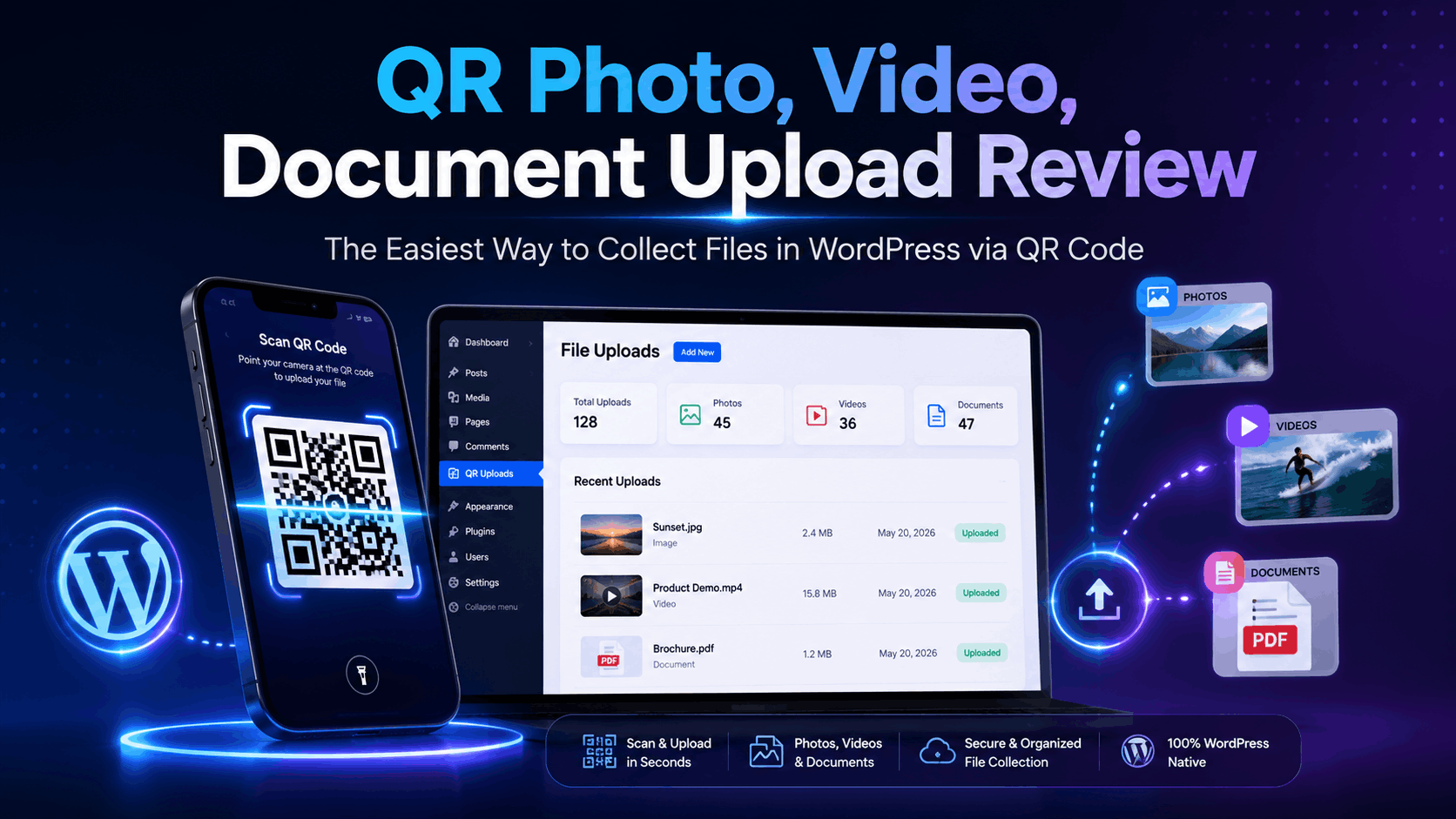
This is exactly where the QR Photo, Video, Document Upload plugin by panstudio comes into play. It solves the file collection problem by turning your WordPress site into a streamlined, QR-powered upload station. Instead of dealing with links and logins, your users just scan a code with their smartphone camera and immediately upload their files straight to your media library or server.
Let’s dive into this full review to see how this plugin works, what features the full version brings to the table and whether it is worth adding to your WordPress tool belt.
What is QR Photo, Video, Document Upload?
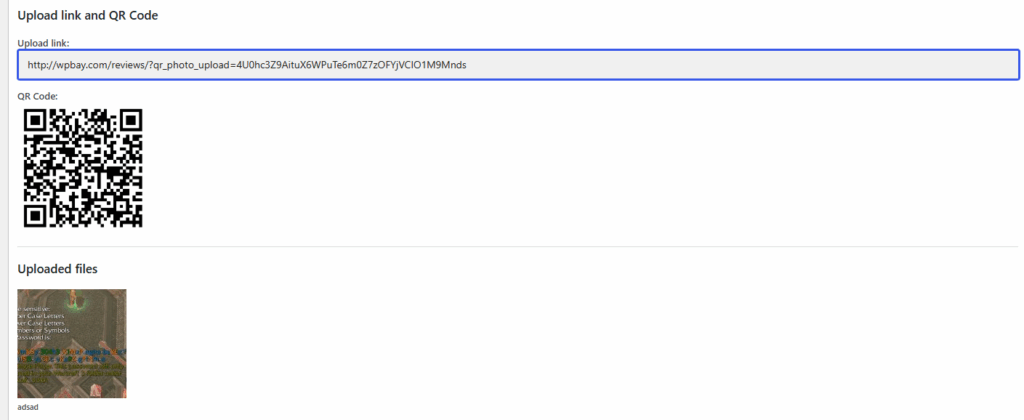
At its core, this plugin allows you to create individual upload sessions inside your WordPress admin dashboard. Every single session you create automatically generates its own unique QR code.
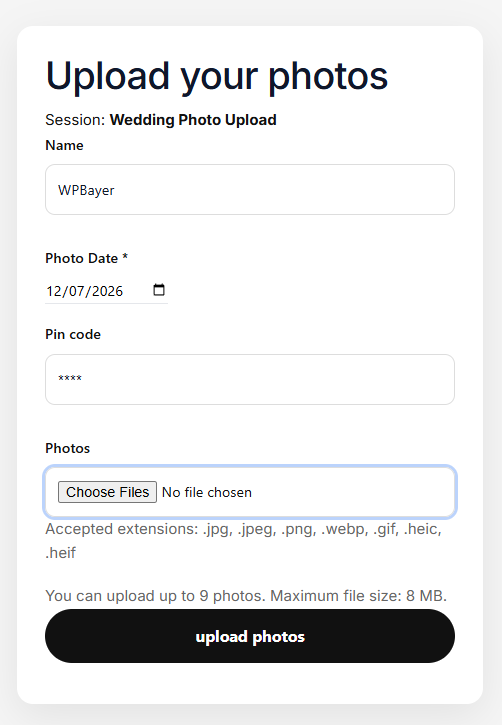
When someone scans that QR code using their phone, they are taken directly to a clean, mobile-optimized landing page on your website where they can instantly drag and drop or select files (photos, videos, audio clips, PDFs or word documents) from their device.
The beauty of this setup is that the user does not need an account, does not need to log in and does not need to follow complex instructions. They scan, they pick their files and they hit upload.
Core Features Breakdown: Why the Full Version Matters
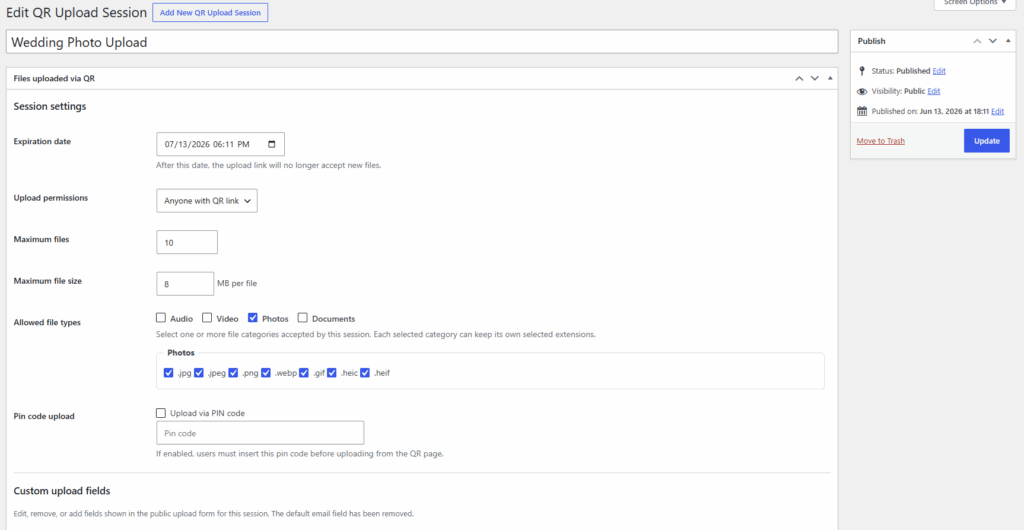
While simple file uploads are great, real-world scenarios require control. If you leave an upload form completely open, people will upload files that are too large, the wrong format or completely irrelevant. The full version of the plugin gives you granular control over every single upload session.
1. Unlimited Upload Sessions with Custom Rules
You are not restricted to just one global QR code. You can create completely separate sessions for different projects, clients or events. For example, if you run a marketing agency, you can have one session for “Client A Logo Assets” and another for “Client B Video Testimonials.” Each session functions independently with its own strict set of rules.
2. Strict File Type and Extension Control
Security and organization are vital when accepting user-generated files. This plugin lets you define your own broad file categories (like Images, Videos, Audio or Documents) and then drill down into specific extensions.
If you only want high-resolution JPEG and PNG images for a photography contest, you can check those boxes and block everything else. If you are collecting resumes, you can restrict the session to PDF files only.
3. Extra Security with PIN Protection
What happens if you display a QR code at a private corporate meeting, but you do not want random people outside the room uploading files? The plugin includes an optional PIN-code protection feature. When enabled, users can scan the QR code, but they must type in a short PIN (which you define) before they can access the upload form.
4. Custom Fields for Rich Data Collection
A file by itself is not always useful if you do not know who sent it. The plugin allows you to add custom fields to your frontend upload form. You can request the user’s name, email address, phone number or a brief description of the file. This data stays attached to the submission, making sorting and identification simple.
The Frontend Gallery System: Displaying Your Collected Content
Collecting the files is only half the battle. Often, you want to show off what people have submitted. This plugin comes built-in with an advanced shortcode gallery system that lets you display uploaded files dynamically on any page or post.
Instead of a generic, ugly grid, panstudio built several professional layout options directly into the tool:
- Masonry Layout: Perfect for photo contests, wedding galleries or art submissions where images have different aspect ratios.
- List and Table Layouts: Great for documents, download sheets or corporate file sorting.
- File-Type Browsing & Filtering: If a session collects multiple types of media, your website visitors can filter through them easily using dropdown menus, clean tabs or accordion style toggles.
No-Code Shortcode Generator
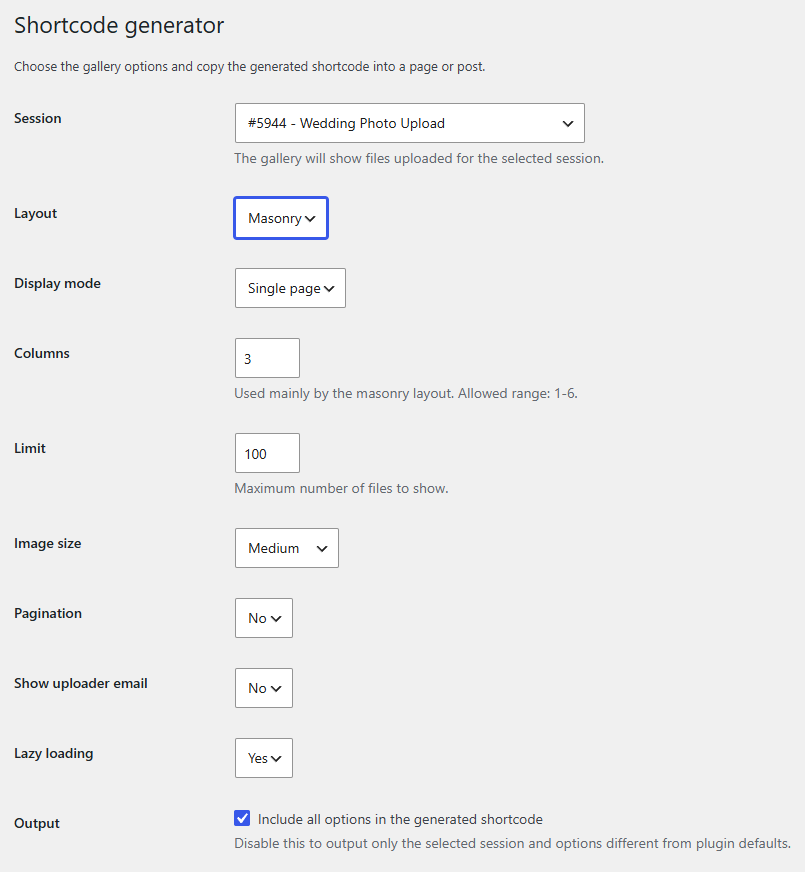
You do not need to memorize complex code arguments or parameters to display these galleries. The plugin includes a built-in shortcode generator inside the WordPress backend. You simply select the session you want to display, choose your layout style, pick your filtering system via user-friendly checkboxes and the plugin spits out a clean shortcode that you can paste directly into Gutenberg, Elementor, Divi or any other page builder.
Real-World Use Cases: Who Is This For?
This plugin is incredibly versatile because it bridges the gap between the physical world and your digital WordPress site. Here are a few places where it completely changes how you work:
Weddings and Private Events
Instead of chasing down guests for months trying to get their phone photos, event planners or couples can print out the generated QR code and place it on reception tables. Guests scan the code, upload their candid photos during the party and they immediately populate in your WordPress library.
Classrooms and Workshops
Teachers and instructors can create a session for an assignment, project or workshop file submission. Project the QR code onto the classroom screen or hand it out on a syllabus. Students scan it and upload their work from their phones or tablets in seconds.
Client Asset Onboarding
If you build websites, manage social media or design print graphics for local businesses, getting assets from clients is notoriously slow. You can send them a dedicated page with their unique upload QR code. They can pull up the page on their phone and instantly upload the smartphone photos of their storefront, team or products directly to your workspace.
Public Contests and Community Boards
Whether it is a local pet photo competition or a community feedback drive, you can print the QR codes on posters or flyers. Passersby scan the flyer, fill out their name and submit their entry right on the street.
Pricing and Value Assessment
The full version of QR Photo, Video, Document Upload is available on WPBay for just $20 for a Lifetime license (1 Site).
Let’s put that price into perspective. If you look at standalone SaaS platforms that handle file collection or digital guestbooks for events, they regularly charge anywhere from $15 to $49 per month. With this WordPress plugin, a one-time payment of $20 gives you unlimited sessions, unlimited uploads (restricted only by your hosting space) and future updates with no recurring fees.
If you build sites for clients, this is an incredibly cheap asset to add to your toolkit that you can upsell as a premium feature for local business sites, event venues or restaurants.
Pros and Cons
Pros
- Zero Friction for Users: No registration, apps or logins required for uploaders.
- Excellent Mobile Optimization: The frontend upload page feels like a native phone app.
- Highly Cost-Effective: At $20 lifetime, it pays for itself after a single event or project.
- Granular File Control: Prevent server clutter by limiting extensions, file sizes and total upload counts.
- Built-in Display Galleries: You do not need a second plugin to show the uploaded files on the frontend.
Cons
- Hosting Dependent: Because files upload straight to your WordPress site, huge video files can fill up cheap shared hosting accounts quickly. You will need to make sure your server’s max upload sizes are configured correctly to handle larger media.
Final Verdict: Should You Buy It?
If you need a fast, reliable and entirely frictionless way to collect media or documents from people in the physical world, QR Photo, Video, Document Upload is an exceptional choice. It is well-documented, clean, fast and does exactly what it promises without unnecessary bloat.
The combination of strict upload rules, data collection fields and frontend display galleries makes it a complete, self-contained system. For a single $20 bill, it removes a major headache for both you and your users.
Get the QR Photo, Video, Document Upload Plugin on WPBay Now