



Wpcomomatic WordPress.com To WordPress Automatic Cross-Poster Plugin for WordPress

 Recently Updated
Well Documented
Recently Updated
Well Documented

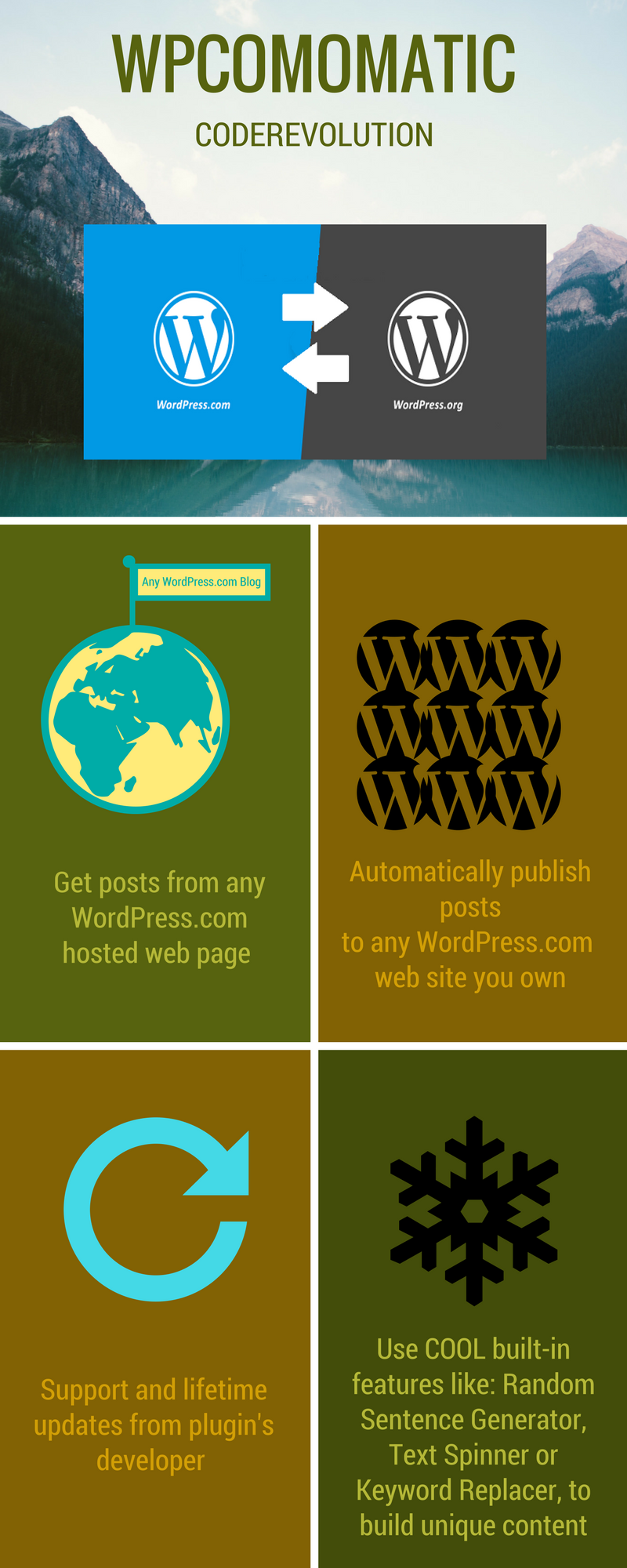

What Can You Do With This Plugin?
Wpcomomatic WordPress.com To WordPress Automatic Cross-Poster is a breaking edge WordPress.com From WordPress and WordPress.com To WordPress post importer plugin (WordPress.com crossposter) that is ideal for auto blogging and automatic WordPress.com post publishing. It uses the WordPress.com REST API to turn your website into a auto blogging or even a money making machine!
This plugin can also be used to automatically publish WordPress.com posts every time you publish a new post to your blog.
Are you looking for a self hosted WordPress blog auto poster?
Than you should check out this plugin: WordPressomatic WordPress To WordPress Automatic Crossposter Plugin for WordPress
Using this plugin, you can automatically generate posts based on a set of predefined rules. These rules can generate posts from:
- Any public WordPress.com website
Other plugin features:
- Automatic WordPress.com Post generator every time you publish a new post to WordPress.com
- Google Translate support – select the language in which you want to post your articles
- a wide range of post search query options
- a wide range of autoposting options
- Text Spinner support – automatically modify generated text, changing words with their synonyms – great SEO value!
- customizable generated post status (published, draft, pending, private, trash)
- automatically generate post categories or tags from marketplace items
- manually add post categories or tags to items
- import comments for generated posts
- generate post or page
- define publishing constrains: do not publish posts that do not have images, posts with short/long title/content
- automatically generate a featured image for the post
- enable/disable comments, pingbacks or trackbacks for the generated post
- customize post title and content (with the included wide variety of relevant post shortcodes)
- ‘Keyword Replacer Tool’ – It’s purpose is to define keywords that are substituted automatically with your affiliate links, anywhere they appear in the content of your site. For example, you can define a keyword ‘codecanyon’ and have it substituted by a link to https://www.codecanyon.net/?ref=user_name anywhere it appears in your site’s content.
- ‘Random Sentence Generator Tool’ (relevant sentences – as you define them)
- detailed plugin activity logging
- scheduled rule runs
- Maximum/minimum title length post limitation
- Maximum/minimum content length post limitation
- Add post only if predefined required keywords found in title/content
- Add post only if predefined banned keywords are not found in the title/content

Testing this plugin
- You can test the plugin’s functionality using the ‘Test Site Generator’. Here you can try the plugin’s full functionality. Note that the generated testing blog will be deleted automatically after 24 hours.
Plugin Requirements
- PHP DOM -> how to install it (if you don’t have it, but probably you already have it): https://php.net/manual/en/dom.setup.php
- PHP curl


Need support?
Please check our knowledge base, it may have the answer to your question or a solution for your issue. If not, just email me at [email protected] and I will respond as soon as I can.


Changelog:
Version 1.0 Release Date 2017-10-13
First version released!
Version 1.0.1 Release Date 2018-03-17
Removed console error
Version 1.0.2 Release Date 2018-12-16
Added nested importing support - import mixed content into a single post, from multiple plugins created by CodeRevolution
Version 1.0.3 Release Date 2019-01-20
Added Gutenberg block and sidebar widget support
Version 1.0.4 Release Date 2019-04-19
Security update
Version 1.0.5 Release Date 2019-11-15
WordPress 5.3 compatibility update
Version 1.0.6 Release Date 2020-05-11
New features added for content templates
Bugfix update
Version 1.0.7 Release Date 2021-01-16
PHP 8 compatibility update
Version 1.0.8 Release Date 2022-04-20
Fixed Google Translator problem caused by a recent Google API update
Version 1.0.8.1 Release Date 2023-10-18
Fixed PHP 8.2 related errors
Are you already a customer?
If you already bought this and you have tried it out, please contact me in the item’s comment section and give me feedback, so I can make it a better WordPress plugin!
WordPress 7.0 and PHP 8.5 Tested!
Disclaimer
Through this plugin you are able to grab content from WordPress.com that does not necessary belong to you or which are not under your control. If you grab copyrighted material without the author’s permission, the plugin’s developer does not assume any responsibility for your actions. Also, the plugin’s developer has no control over the nature, content and availability of grabbed material.

Changelog:
Version 1.0 Release Date 2017-10-13
First version released!
Version 1.0.1 Release Date 2018-03-17
Removed console error
Version 1.0.2 Release Date 2018-12-16
Added nested importing support - import mixed content into a single post, from multiple plugins created by CodeRevolution
Version 1.0.3 Release Date 2019-01-20
Added Gutenberg block and sidebar widget support
Version 1.0.4 Release Date 2019-04-19
Security update
Version 1.0.5 Release Date 2019-11-15
WordPress 5.3 compatibility update
Version 1.0.6 Release Date 2020-05-11
New features added for content templates
Bugfix update
Version 1.0.7 Release Date 2021-01-16
PHP 8 compatibility update
Version 1.0.8 Release Date 2022-04-20
Fixed Google Translator problem caused by a recent Google API update
Version 1.0.8.1 Release Date 2023-10-18
Fixed PHP 8.2 related errors
Only logged in customers who have purchased this product may leave a review.
Loading...
WPBay support
 Support by CodeRevolution
Support by CodeRevolution
CodeRevolution supports this product through WPBay
Questions are handled in WPBay's private ticket system, keeping your purchase details and support conversation together.
Go to My Downloads
After purchase, open this item in My Downloads and choose Get Support.
What support includes
- Answers to product-related questions
- Help with reported bugs and issues
- Guidance for included third-party assets
What support does not include
- Customizations or new features
- Installation or setup services
Plugin
Maintenance snapshot
See recent updates, compatibility, support, and developer activity.
- Updated 71 days ago
- Developer active recently
- WPBay support available
- WordPress 7.1 tested
Snapshot updated 13 hours ago
View details Hide details
Maintenance details
This is maintenance data. It does not measure product quality or sales.
- Last update Updated 71 days ago
- Compatibility WordPress 7.1 tested · PHP 8.5 tested · WooCommerce 11 tested
- Releases 1 release in the 279 days since listing
- Developer activity Developer active recently
- Support No recent support tickets to measure
- Docs and demo Documentation available · Changelog available · Demo available
Health reflects increased activity during the last 90 days.
How this snapshot works
Plugin Health
The score is out of 100 and uses data WPBay can check. Ratings, popularity, and sales are not used.
- Last update 30 points
-
Plugins receive full recency points under 30 days, then step down at 90, 180, 365, and 545 days.
- Compatibility 20 points
-
WordPress, PHP, and WooCommerce (when relevant) are scored separately. The latest two PHP lines count as current. Nearby previous versions keep most of the points.
- Current version 100%
- One version behind 75%
- Two versions behind 50%
- Three versions behind 25%
- Older or not listed 0%
- Releases 15 points
-
One release earns 10, two or three earn 13, and four or more earn 15. Each accepted product ZIP counts once; reprocessing the same upload and listing-only edits do not count.
- Developer activity 15 points
-
Based on WPBay login and dashboard activity. Exact last-login dates are never shown.
- Support 15 points
-
There are no recent WPBay tickets to measure.
- Docs and demo 5 points
-
Documentation: 2. Changelog: 1. Working demo or preview: 2.
Score ranges
- 90–100 Excellent
- 75–89 Healthy
- 60–74 Fair
- 40–59 Needs attention
- 0–39 Limited
Long gaps
WPBay also checks for long gaps between updates, developer activity, support replies, and releases. Buyers do not see this score.
- Time since update 35 points
- Last developer activity 25 points
- WordPress compatibility 15 points
- Support replies 15 points
- Fewer releases 10 points
-
Quality verified by WPBay
WPBay review- Reviewed version
- 1.0.8.5
- Review completed
- Reviewer
- CodeRevolution
- Review type
- Initial
No unresolved approval blocker was identified during WPBay’s proportionate review of this release. This is not a security certification or a guarantee that the product contains no defects.
-
 Future updates
-
WPBay support from CodeRevolution
-
GPL code, proprietary assets
-
Covered by the WPBay refund policy
-
Plugin maintenance snapshot
Relevant picks
You may also like
Similar products selected by category, features, popularity and freshness.


From this seller
View seller store
More by CodeRevolution
Explore more bestselling products from this creator.



Reviews
There are no reviews yet.