


 1 month free

 Recently Updated
Well Documented
Recently Updated
Well Documented

Titles, Schema, Sitemaps, Redirects and Site Audits
Give your WordPress site the on-page basics search engines and social networks read — titles, descriptions, structured data, sitemaps, breadcrumbs and redirects — plus Suite tools for larger content sites: five focus keywords, extra schema types, a 404 log, pattern redirects, image SEO, local SEO, audits and more. Everything runs on your own site.
Status checks and every settings tab in one Rankwise SEO screen.
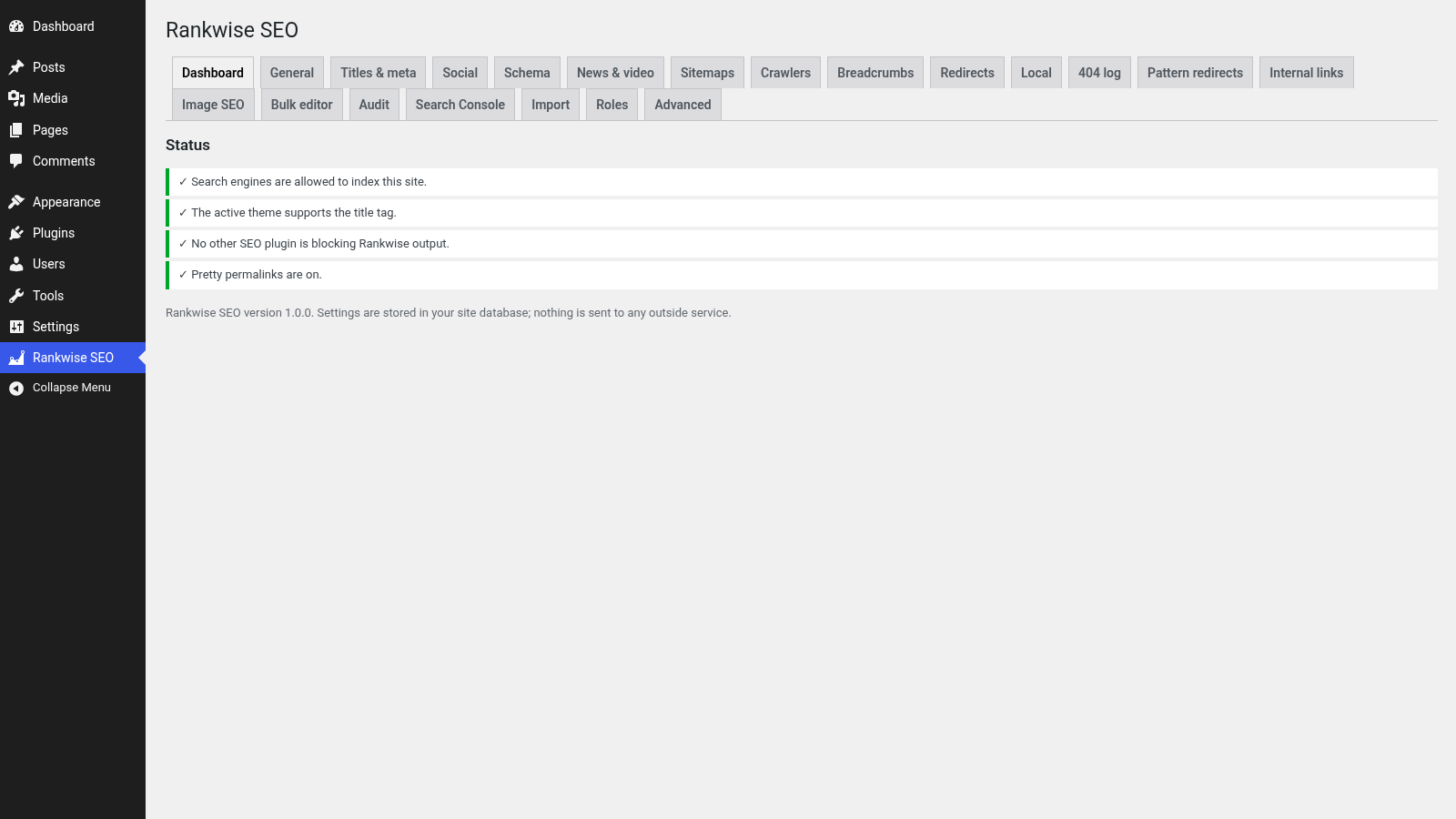
Titles, social cards, structured data, sitemaps, breadcrumbs, redirects and an importer — the shared Rankwise toolkit, included in Suite.
Templates with variables for every kind of page, plus a Rankwise SEO box on posts and pages (and fields on terms, optional on author profiles). SERP and social previews sit next to the fields while you write.
Social title, description and image tags for sharing. Default image and Twitter card type are set once for the site.
Organisation or person, website, page, article and breadcrumb nodes. Suite also adds FAQ, how-to, product, local business, recipe, event and video — only when the required fields are filled in.
Settings for the XML sitemap built into WordPress. A robots.txt editor with a safety check, optional AI crawler rules, and an optional /llms.txt file.
A block, the [rwst_breadcrumbs] shortcode, or a template function. Separator and home label are yours to set.
301, 302, 307, 410 and 451 redirects with loop detection, CSV import and export, and an offer to add a redirect when you change a published post address.
Bring titles, descriptions and other SEO fields across with a preview and an undo button.
Per-page canonical links, noindex / nofollow controls and site verification tags for Google, Bing and others.
Search title, meta description, focus keyword, robots and social fields, with SERP preview, readability and keyword checks.
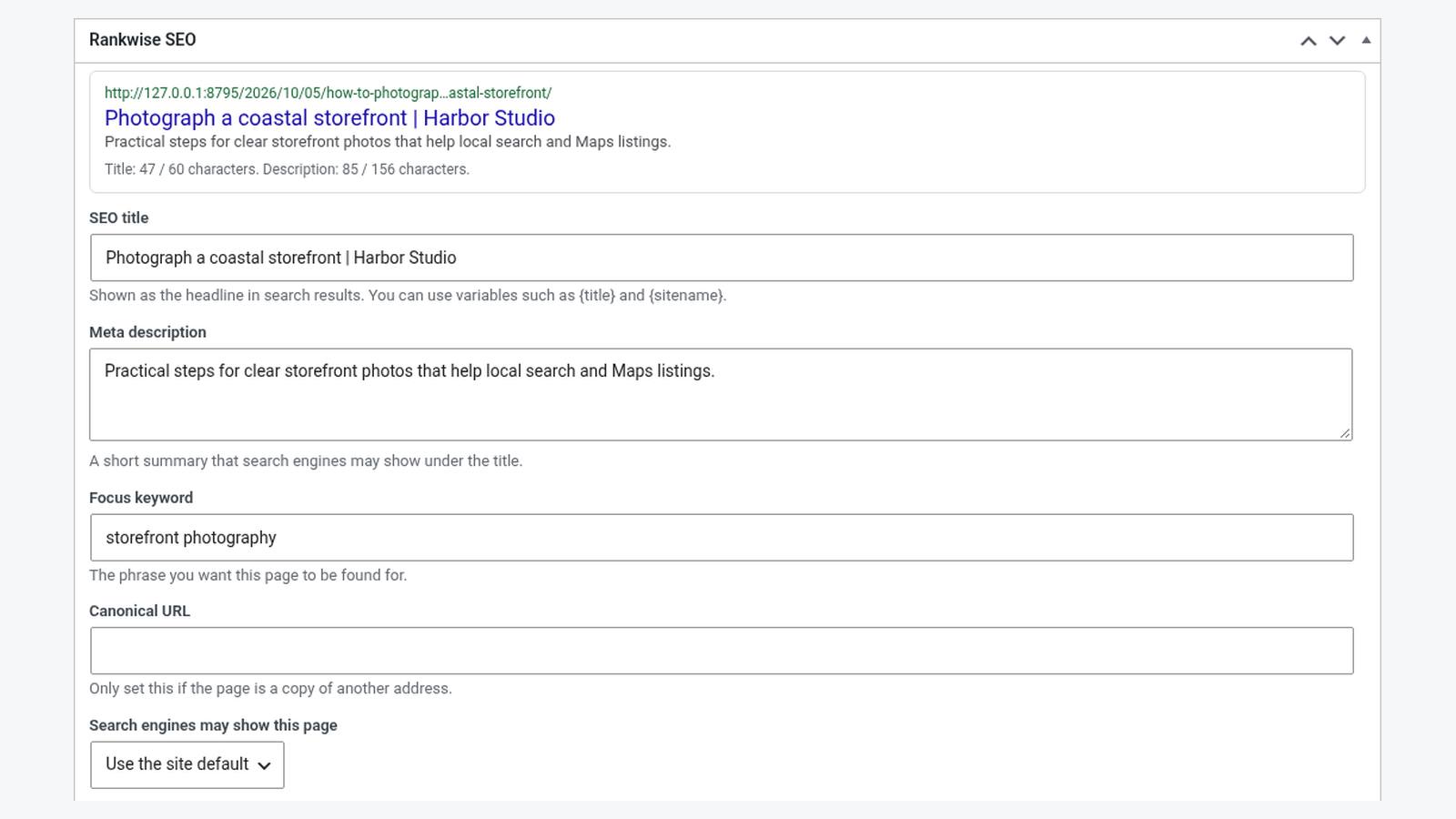
Five focus keywords, richer schema, 404 logging, pattern redirects, image and local SEO, audits, bulk edits and more.
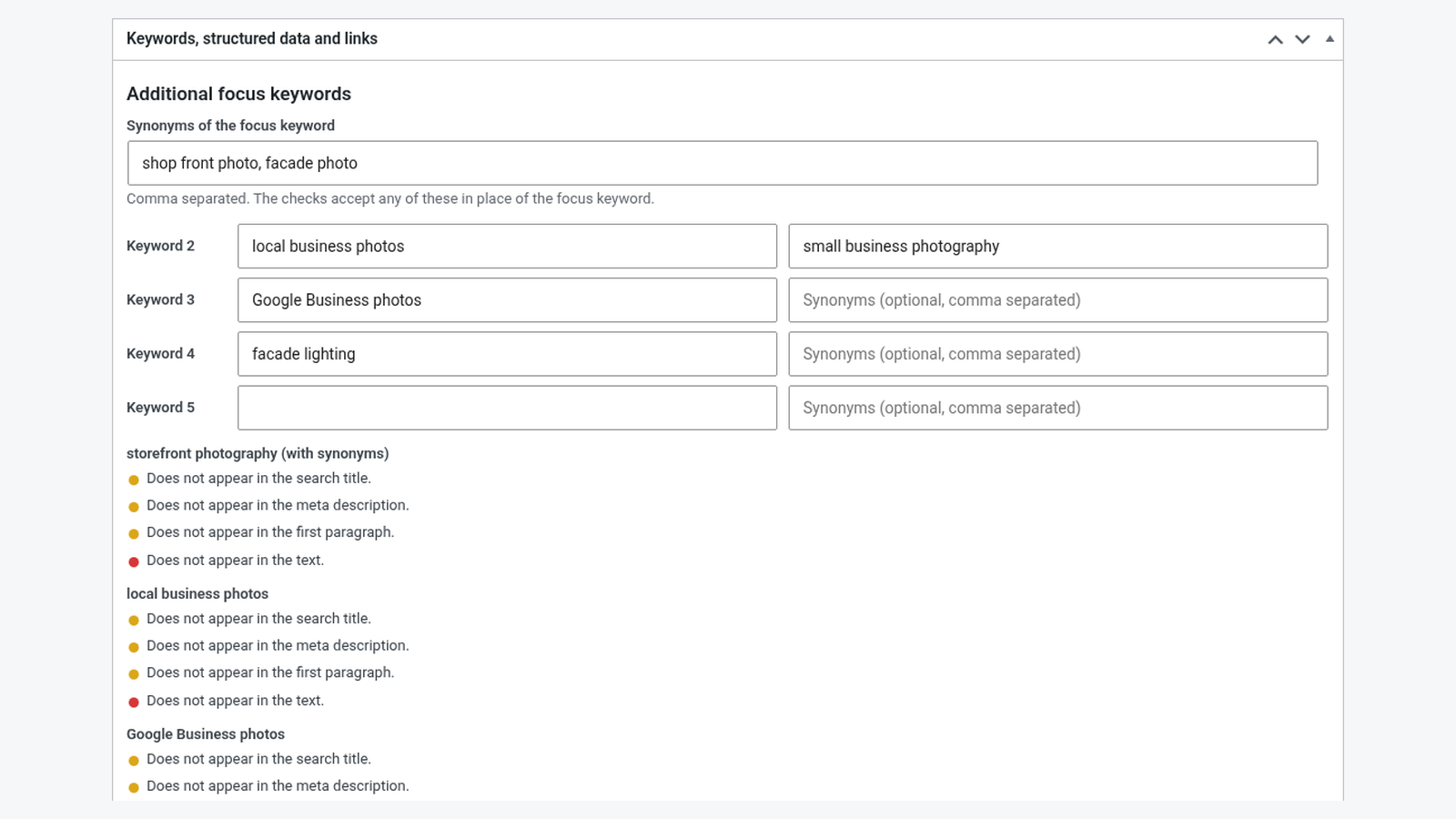
The main focus keyword plus up to four more, each with optional synonyms, checked while you write.
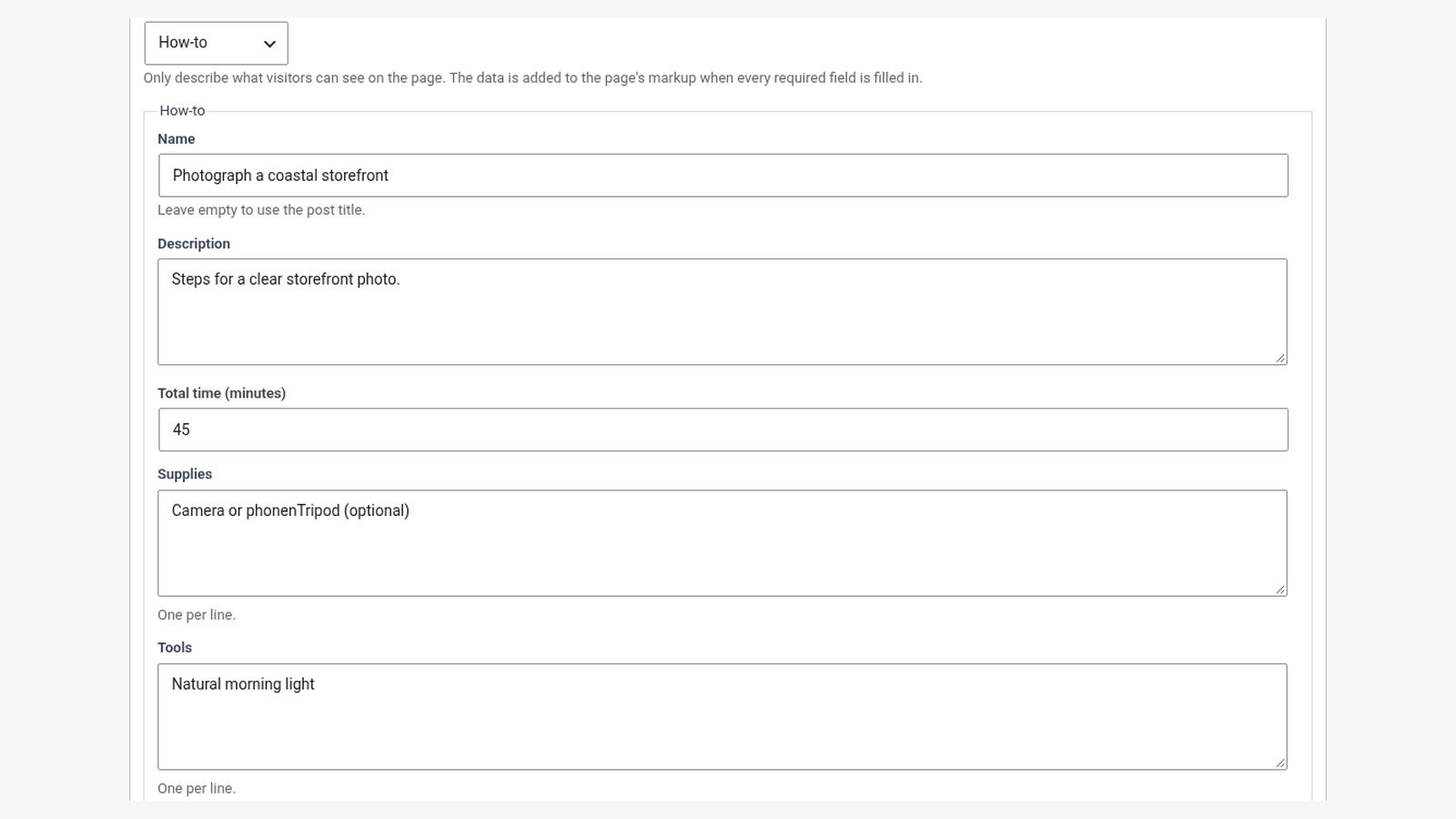
FAQ, how-to, product, local business, recipe, event and video. Missing required fields are listed in the editor; nothing is printed until they are filled.
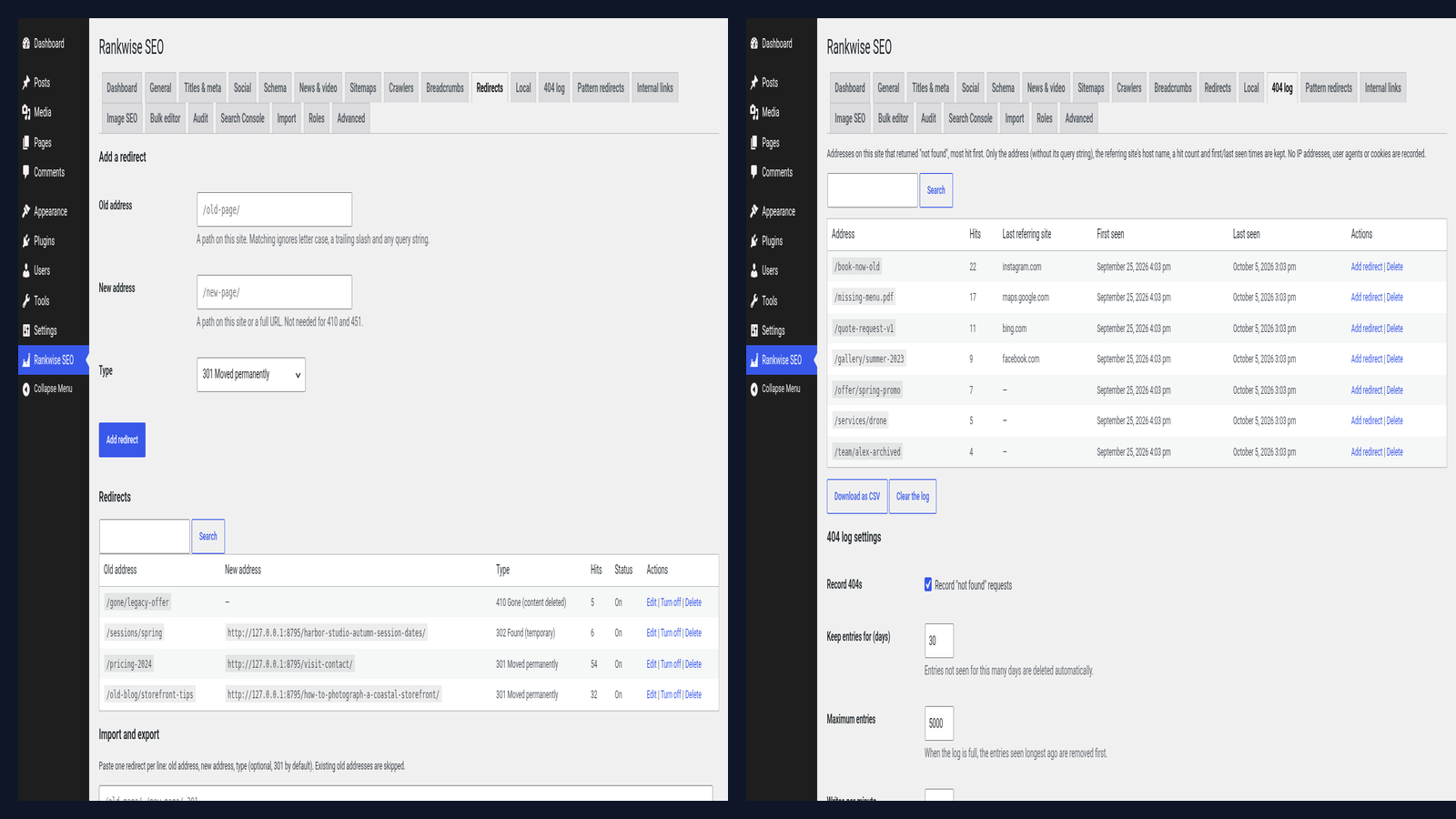
Addresses that returned not found, with hit counts and the referring host. CSV download and a one-click link to add a redirect. Entries prune automatically.
Regular-expression redirects with a tester, safety checks against slow patterns, CSV import and export, and bulk changes to exact redirects.
Related posts from your own site that the text does not link to yet, from an index kept in your database. Nothing is sent outside.
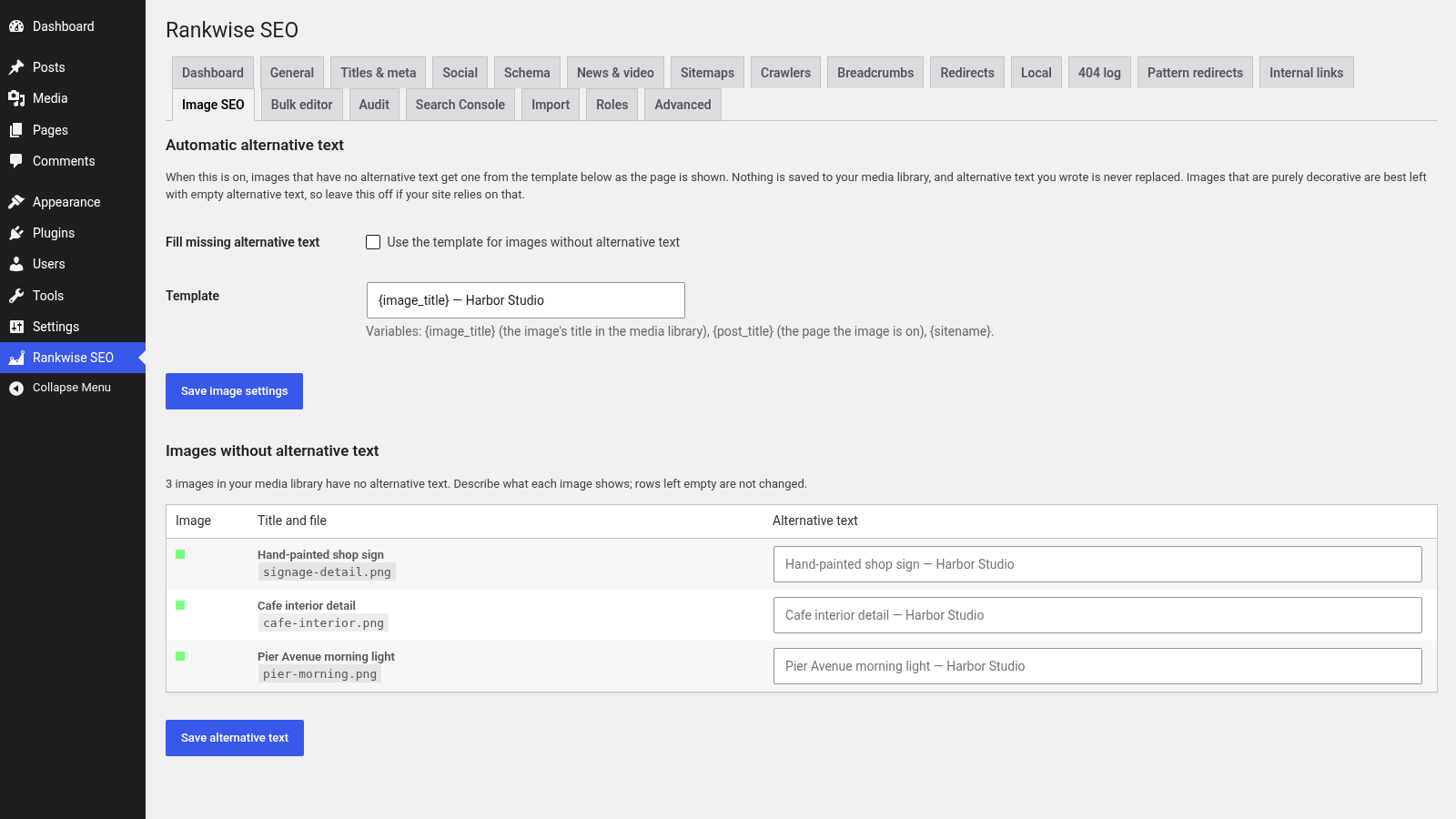
A list of media library images without alternative text, plus an optional template that fills empty alt text when a page is shown (without changing the media library).
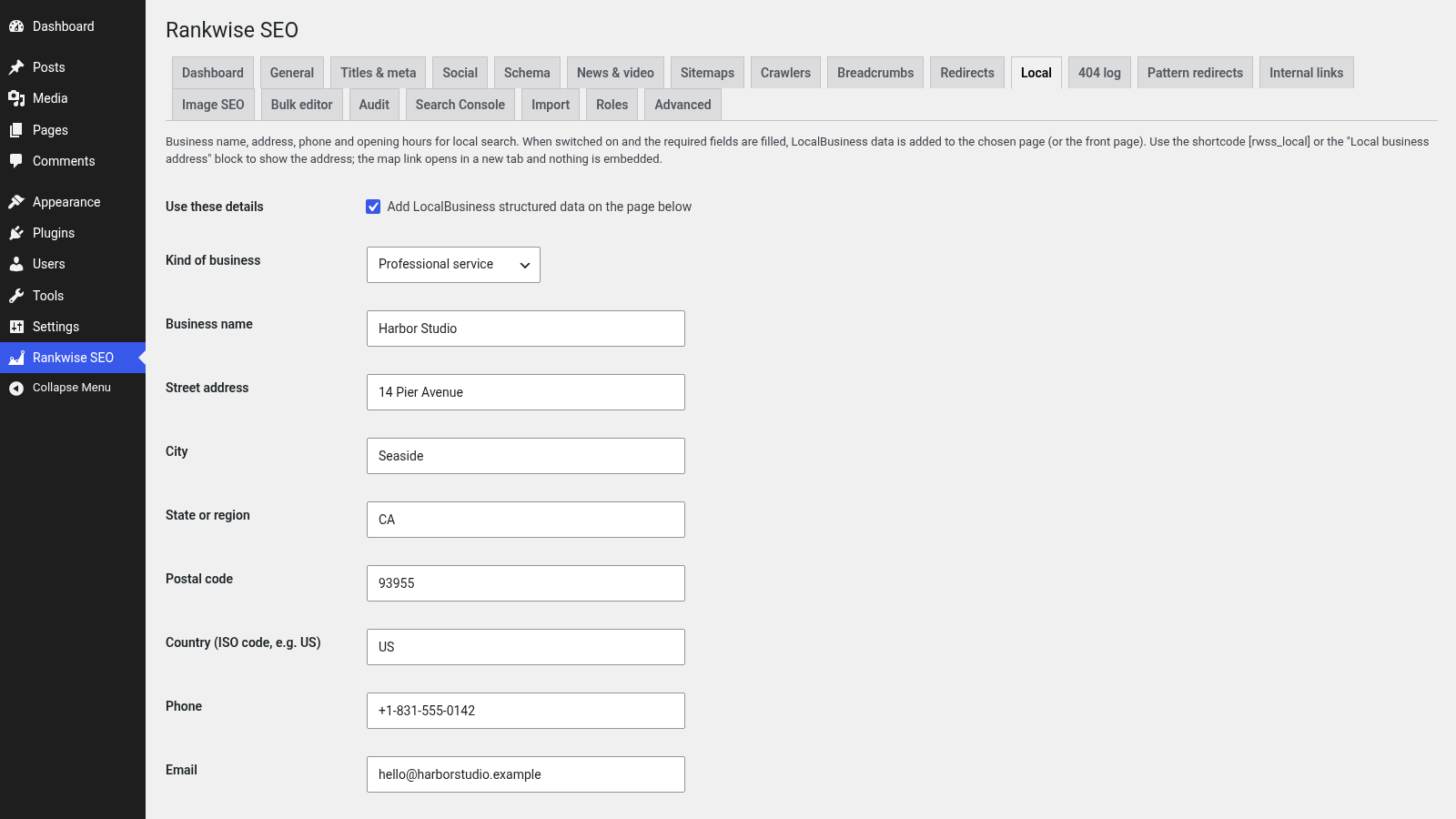
Business name, address, phone and opening hours, LocalBusiness structured data on a chosen page, and an address shortcode/block with a map link (nothing is embedded).
Built on WordPress sitemap engine when you switch them on.
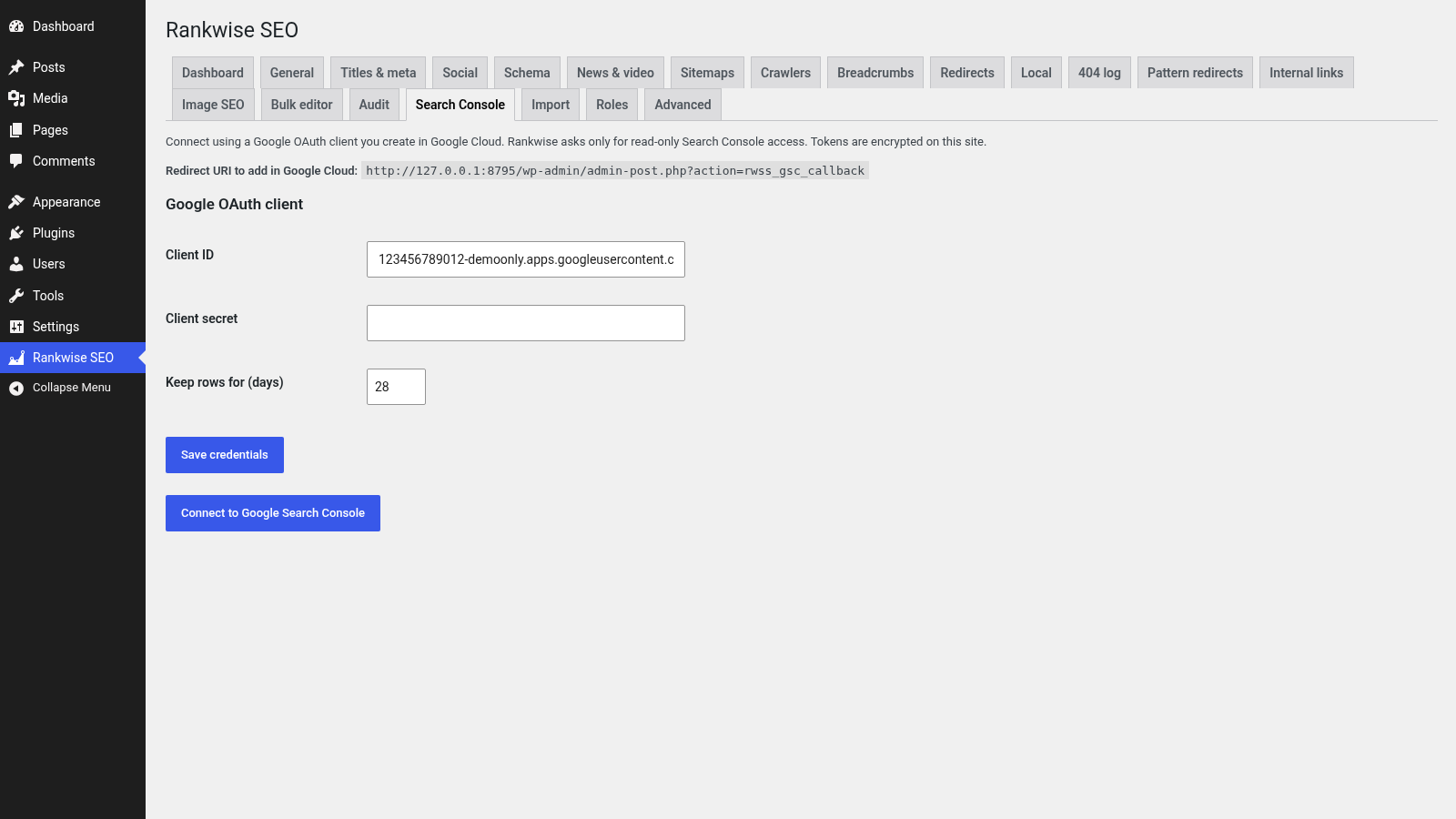
Your own Google OAuth client, read-only scope, encrypted tokens and cached clicks / impressions / queries. Off by default; no connection was made in the demo screenshots.
Titles, descriptions, noindex, duplicates and a few site checks, plus a Site Health test for critical findings. One check fetches only your own front page.
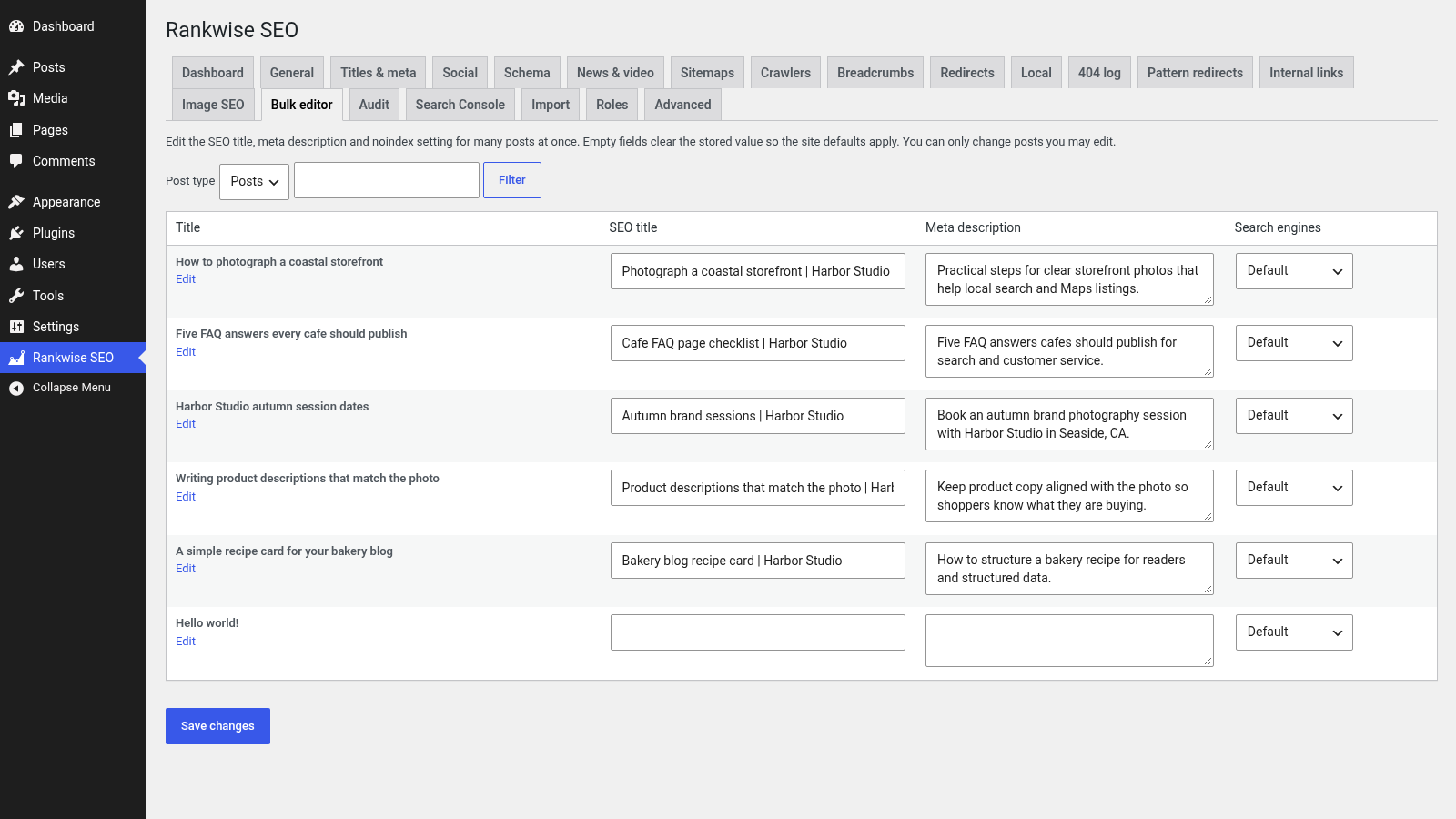
Edit SEO titles, descriptions and noindex across many posts. Assign SEO capabilities by role (administrators cannot be locked out).
Audit, redirects, 404 prune, settings export/import, sitemap flush and link reindex from the command line.
The main keyword plus four more, each with optional synonyms, checked against the title, description and text while you write.
FAQ, how-to, product, local business, recipe, event and video — chosen per post. Markup is added only when required fields are complete.
Exact redirects with CSV, plus a 404 log that stores paths and referring hosts — never visitor IP addresses or user agents.
Titles, descriptions, noindex, duplicates, thin content and a few site checks. One check fetches only your own front page.
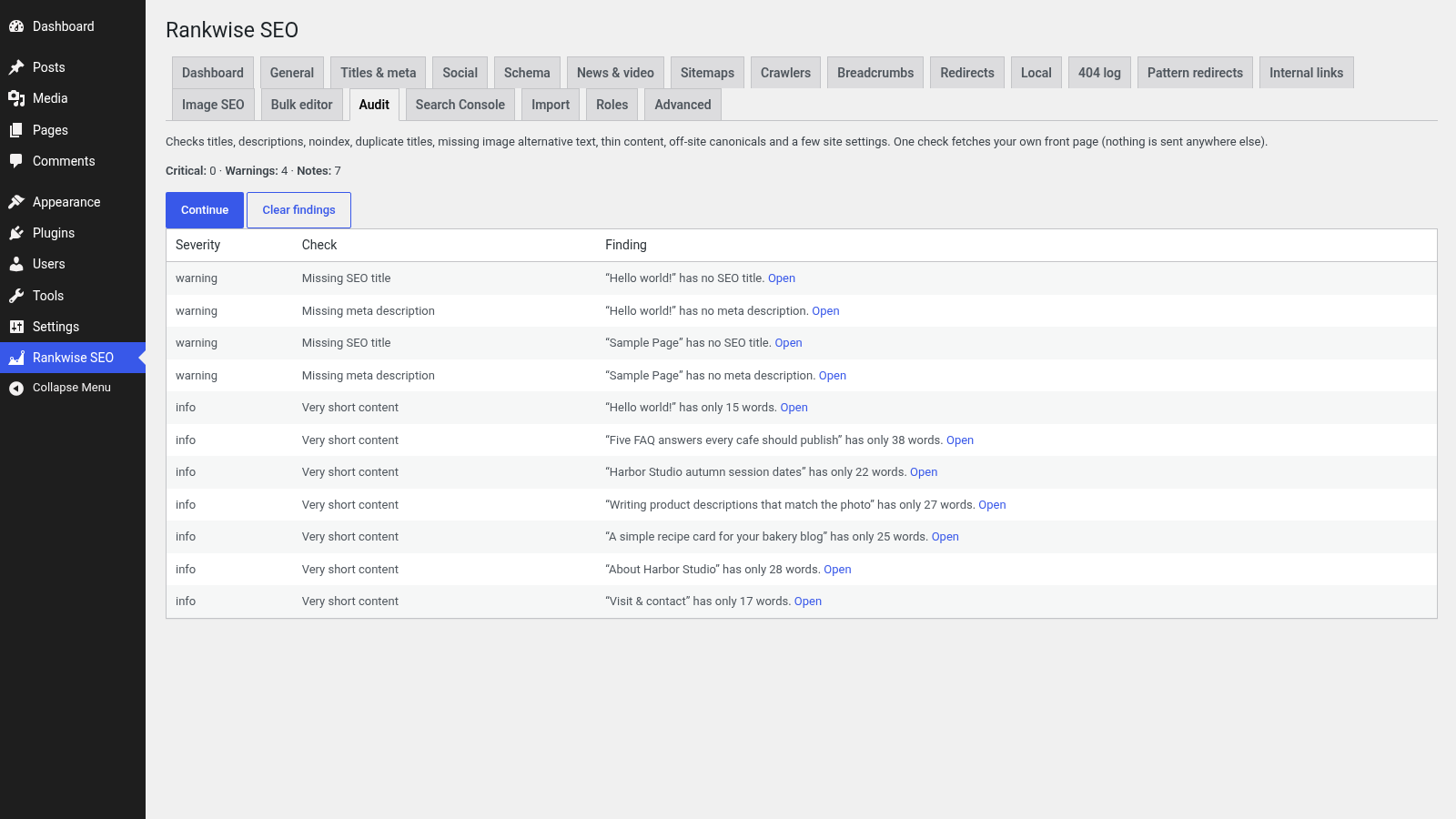
Edit many titles and descriptions at once, publish local business details, and fill missing alternative text from a list or a template.
Connect with an OAuth client you create in Google Cloud. Read-only access; tokens encrypted on your site. The demo shows the settings UI only — no live Google connection was made.
Readability checks, WooCommerce helpers when Woo is active, and a clear split between Suite and its sibling Toolkit edition.
English readability and focus-keyword presence in the block editor and the classic editor.
Product structured data with price and availability, noindex for cart/checkout/account, product category breadcrumbs and product images in the sitemap. WooCommerce was not installed in the demo screenshots.
By default the plugin makes no requests to any outside service. Google Search Console is the only optional outbound path, and it is documented under External Services.
Suite is a full edition on its own. Rankwise SEO Toolkit is a sibling edition that reads the same settings and SEO fields. Only one edition should be switched on at a time.
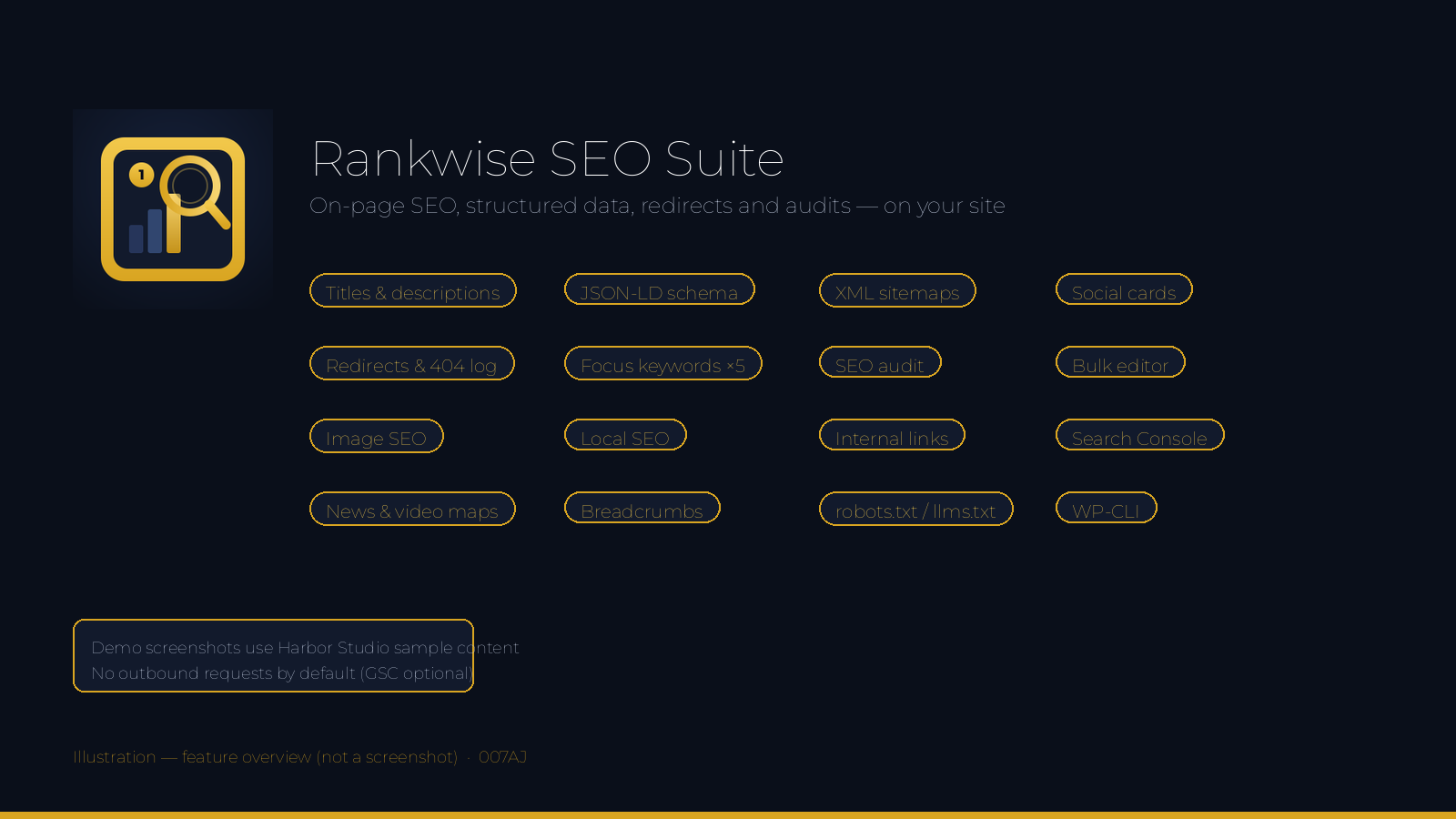
From install to a working SEO setup in four steps.
Upload the plugin folder, switch it on, and open Rankwise SEO in the admin menu. The dashboard shows site status at a glance.
Choose title templates, organisation details, social cards and sitemap options. Edit robots.txt or llms.txt only if you need to.
On each post, set the search title, description and focus keywords. Add FAQ, how-to or other structured data when the page really contains it.
Run an SEO audit, add redirects or pattern rules, fill missing image alt text, and connect Search Console only if you want that optional data.
Use it wherever titles, structured data and redirects need to stay under your control.
Fully licensed version — use on your own sites. You get the complete Suite edition, with every feature described on this page.
Each purchase is a fully licensed copy of the plugin for use on your own sites.
Suite is a full edition. It includes the shared on-page tools plus the Suite extras listed on this page. Toolkit is a sibling edition that shares the same settings and SEO fields. Switch only one edition on at a time; if both are on, the second pauses itself and says so.
By default, no. The only optional outbound path is Google Search Console, using an OAuth client you create, with read-only access. Tokens are encrypted on your site. Disconnecting revokes the token and deletes cached rows.
FAQ, how-to, product, local business, recipe, event and video, chosen per post. Only describe what visitors can see on the page. Search engines decide for themselves whether to show rich results.
Patterns are limited to 200 characters and checked when you save them. Slow patterns are refused. While a page loads, pattern rules run only after exact redirects, with a short time budget and a cap on how many switched-on rules are used.
From an index of your published content stored in your own database. Password-protected and noindex posts are left out. Nothing is sent to any outside service.
No. It is off by default. When switched on, empty alt text is filled from a template as the page is shown; nothing is saved, and alt text you wrote is never replaced.
No. Multisite is not supported.
Nothing is removed unless you first tick Delete all data when the plugin is deleted. If Toolkit is still installed, data is kept so it continues to work.
Yes. Text is prepared for translation and a languages folder is included.
Rankwise SEO Suite covers the on-page basics and the extras larger sites need. Fully licensed version — use on your own sites.
007AJ
Only logged in customers who have purchased this product may leave a review.
 Support by 007AJ.com
Questions are handled in WPBay's private ticket system, keeping your purchase details and support conversation together.
After purchase, open this item in My Downloads and choose Get Support.
See recent updates, compatibility, support, and developer activity.
Snapshot updated 17 seconds ago
This is maintenance data. It does not measure product quality or sales.
The score is out of 100 and uses data WPBay can check. Ratings, popularity, and sales are not used.
Plugins receive full recency points under 30 days, then step down at 90, 180, 365, and 545 days.
WordPress, PHP, and WooCommerce (when relevant) are scored separately. The latest two PHP lines count as current. Nearby previous versions keep most of the points.
One release earns 10, two or three earn 13, and four or more earn 15. Each accepted product ZIP counts once; reprocessing the same upload and listing-only edits do not count.
Based on WPBay login and dashboard activity. Exact last-login dates are never shown.
There are no recent WPBay tickets to measure.
Documentation: 2. Changelog: 1. Working demo or preview: 2.
Score ranges
WPBay also checks for long gaps between updates, developer activity, support replies, and releases. Buyers do not see this score.
No unresolved approval blocker was identified during WPBay’s proportionate review of this release. This is not a security certification or a guarantee that the product contains no defects.
 Future updates
WPBay support from 007AJ.com
GPL code, proprietary assets
Covered by the WPBay refund policy
Plugin maintenance snapshot
Future updates
WPBay support from 007AJ.com
GPL code, proprietary assets
Covered by the WPBay refund policy
Plugin maintenance snapshot
Similar products selected by category, features, popularity and freshness.
Explore more bestselling products from this creator.



Reviews
There are no reviews yet.