



007AJ Security Scanner and Firewall Suite

 Recently Updated
Well Documented
Recently Updated
Well Documented
SPECIAL LIMITED-TIME PRICE

007AJ
007AJ Security Scanner & Firewall Suite
Login lockout, request firewall, integrity scan, repair and live traffic
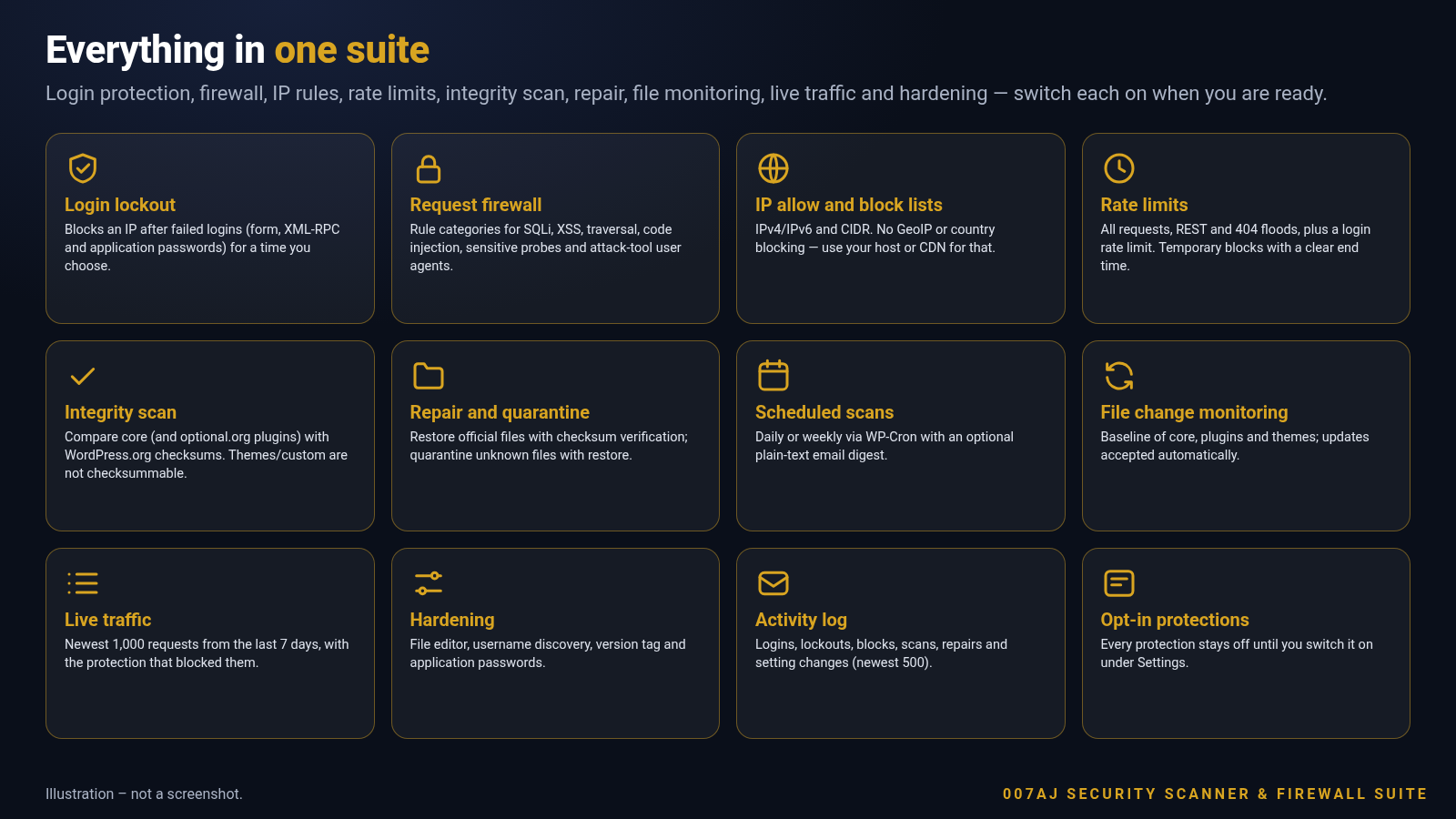
A standalone WordPress security suite by 007AJ. Switch on login lockout, a request firewall with rule categories, IP allow and block lists, rate limits, scheduled integrity scans against WordPress.org checksums, file change monitoring, repair with quarantine, live traffic and hardening — every protection stays off until you turn it on.
Fully licensed version — use on your own sites

Fully licensed
use on your own sites
Opt-in protections
off until you switch them on
No GeoIP service
CIDR lists only
WordPress 6.3+
PHP 7.4+
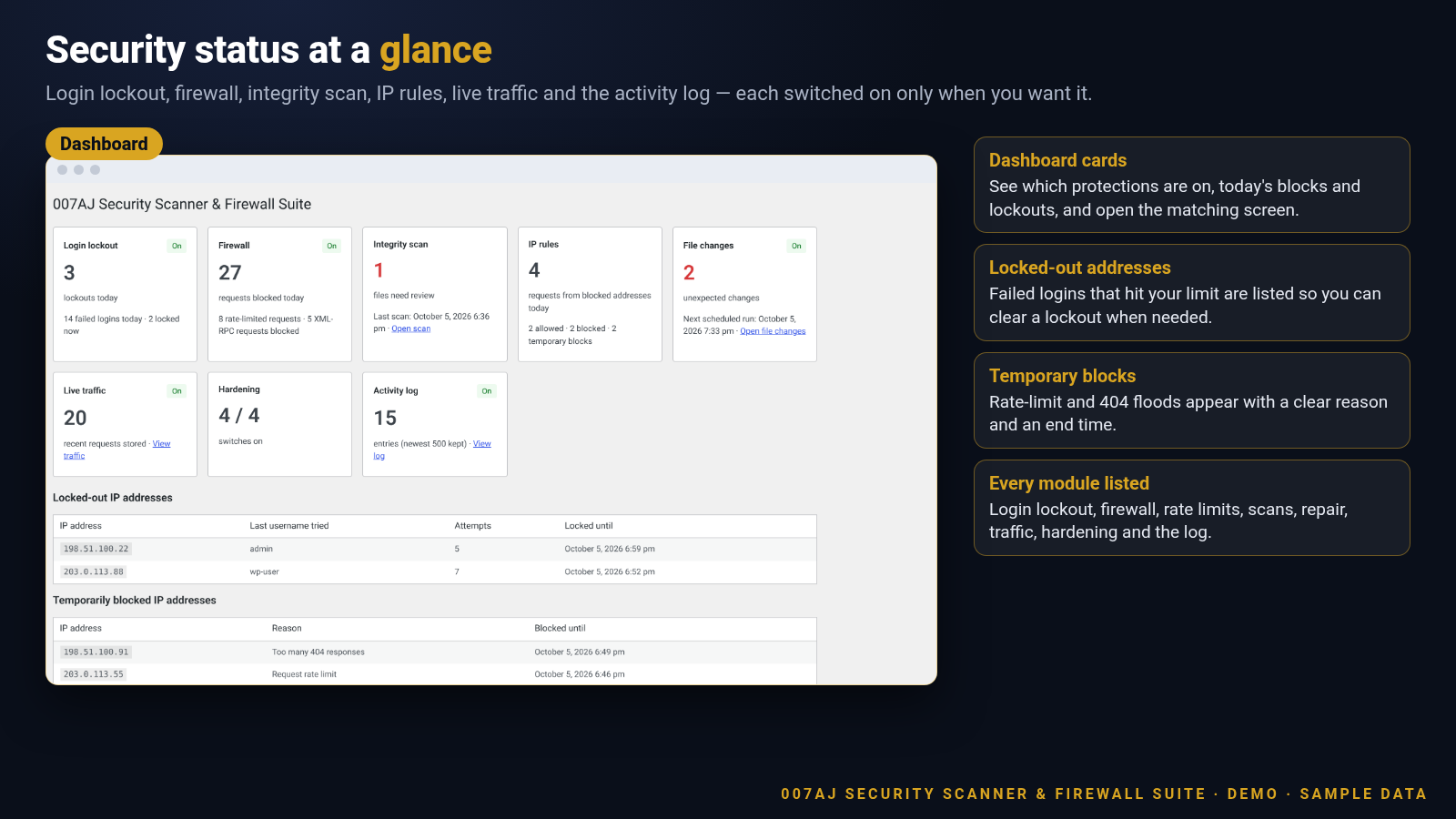
Security status at a glance
The dashboard shows which protections are on, today’s lockouts and blocks, locked-out addresses, temporary blocks and a module list.
Protections you switch on
A full suite that does not need the free sibling plugin. If both are active, the free plugin pauses itself.
Login lockout and login rate limit
After a number of failed logins (form, XML-RPC and application passwords) an IP is locked for a time you choose. Optional email alert. Locked addresses appear on the Dashboard so you can clear a lockout. A separate login rate limit returns HTTP 429 on wp-login.php.
Request firewall with rule categories
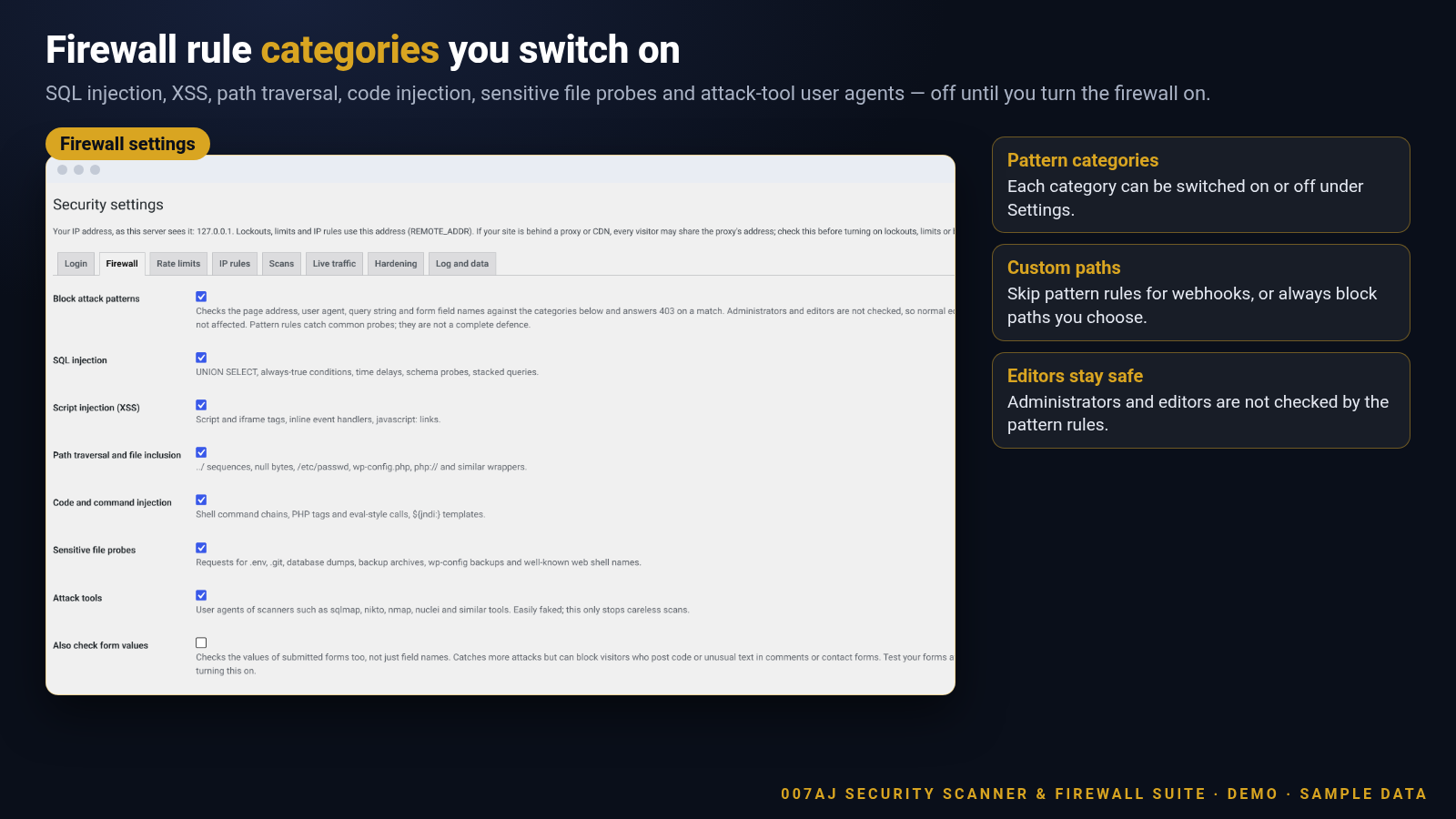
Switch categories on or off: SQL injection, script injection (XSS), path traversal and file inclusion, code and command injection, sensitive file probes (.env, .git, dumps, backup archives, wp-config backups, known web shell names) and attack-tool user agents. Administrators and editors are not checked by the pattern rules.
Custom skip and block paths
Paths that skip the pattern rules (for webhooks that legitimately receive code) and paths that are always blocked. Patterns that would cover wp-login.php or wp-admin are refused so you do not lock yourself out.
XML-RPC switch
Refuse all xmlrpc.php requests and turn off pingbacks when you switch this on.
IP allow and block lists
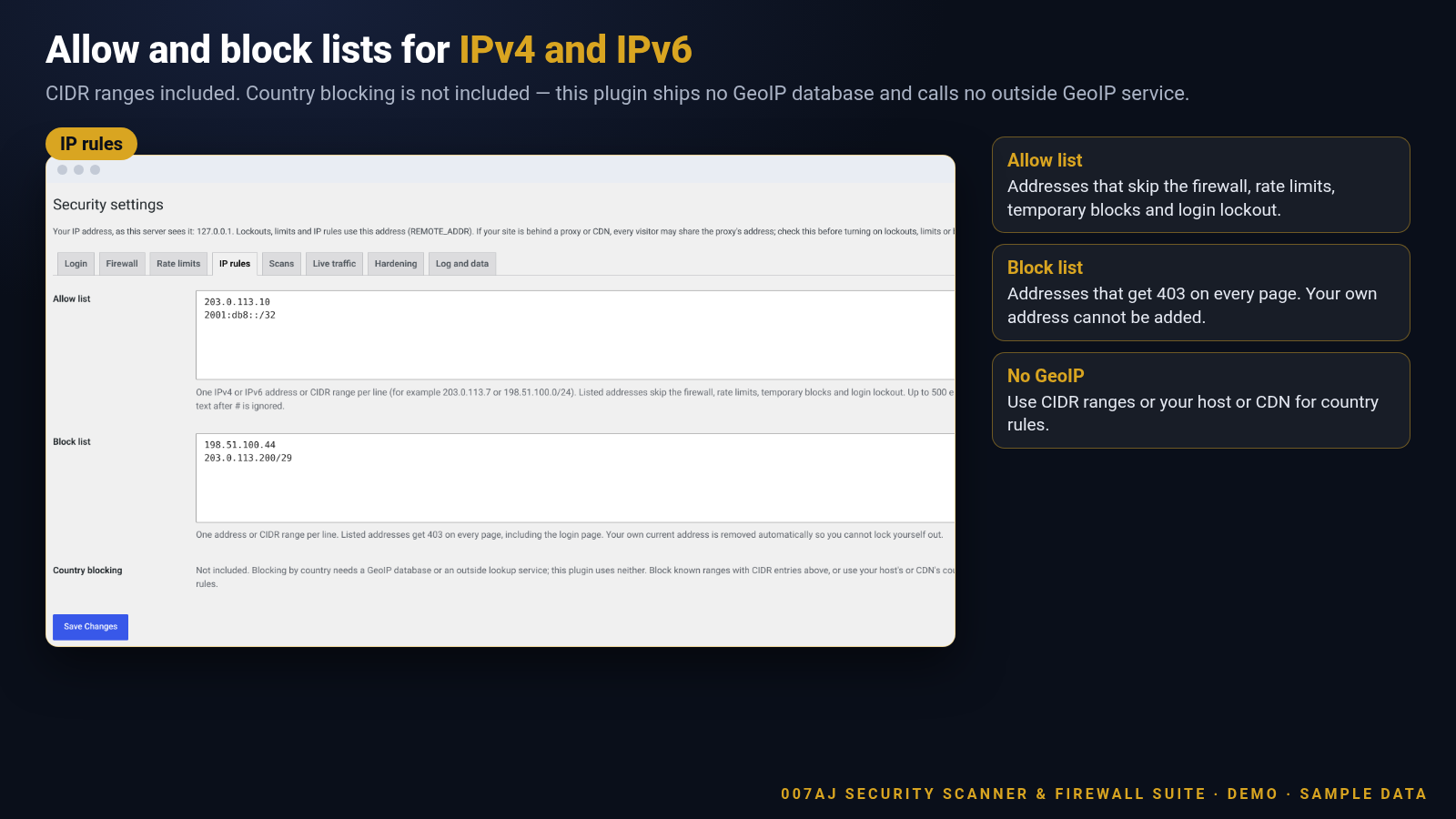
IPv4 and IPv6 addresses and CIDR ranges. Allowlisted addresses skip the firewall, rate limits, temporary blocks and login lockout. Block-listed addresses get 403 on every page. Your own current address cannot be added to the block list. Country blocking is not included — this plugin ships no GeoIP database and calls no outside GeoIP service.
Rate limits and temporary blocks
Limits per IP for all requests, REST requests and “not found” floods. An address that hits the 404 limit is blocked temporarily on the whole site. Temporary blocks are listed on the Dashboard so you can release them.
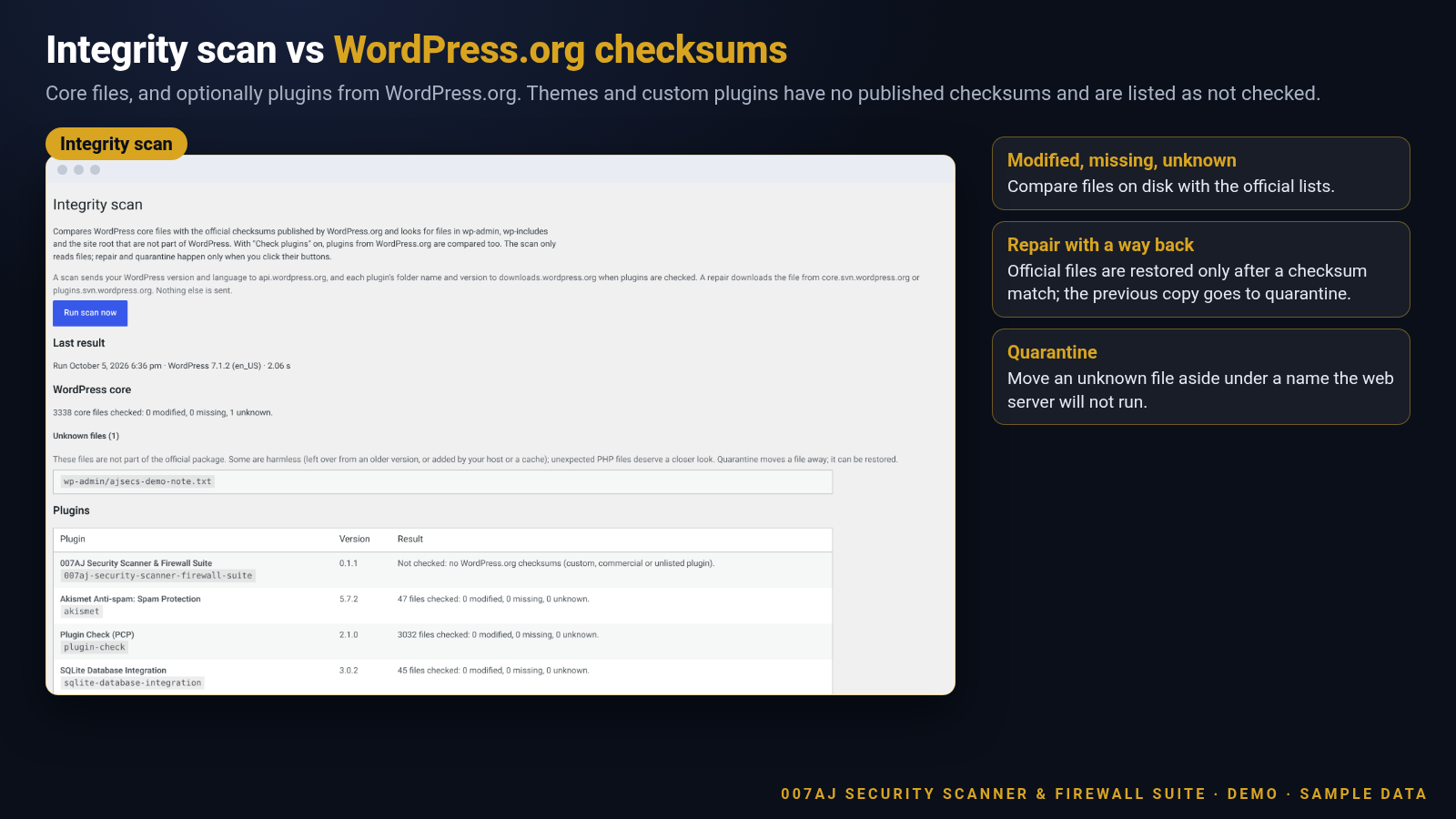
Integrity scan vs WordPress.org checksums
Compares WordPress core with the official checksums and finds unknown files in wp-admin, wp-includes and the site root. Optionally compares plugins from WordPress.org. Custom and commercial plugins have no published checksums and are listed as not checked. Themes cannot be checked — WordPress.org publishes no theme checksums.
Repair with quarantine undo
Repair restores a modified or missing core or WordPress.org plugin file from WordPress.org. The download is written only if it matches the official checksum, and the current copy is saved in quarantine first so every repair can be undone. Quarantine moves an unknown file into a protected uploads folder under a name the web server will not run.
Scheduled scans and email digest
Run the integrity scan daily or weekly with WP-Cron and email a plain-text summary: only when something needs review, after every run, or never. Quiet sites may need a real system cron that hits wp-cron.php.
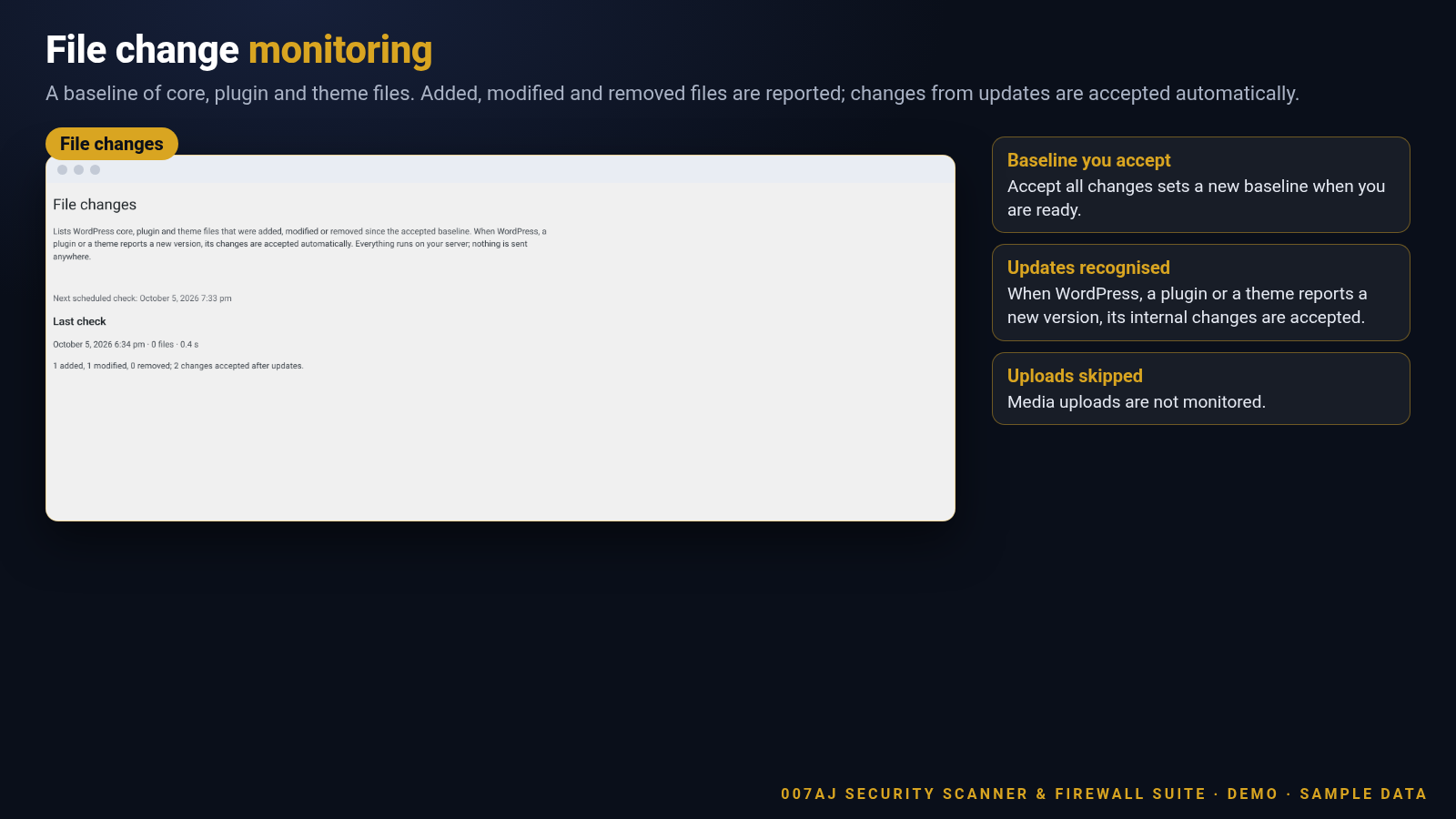
File change monitoring
Keeps a baseline of core, plugin and theme files (size, mtime, MD5) and reports files added, modified or removed. When WordPress, a plugin or a theme reports a new version, changes inside it are accepted automatically. “Accept all changes” sets a new baseline. Uploads are not monitored.
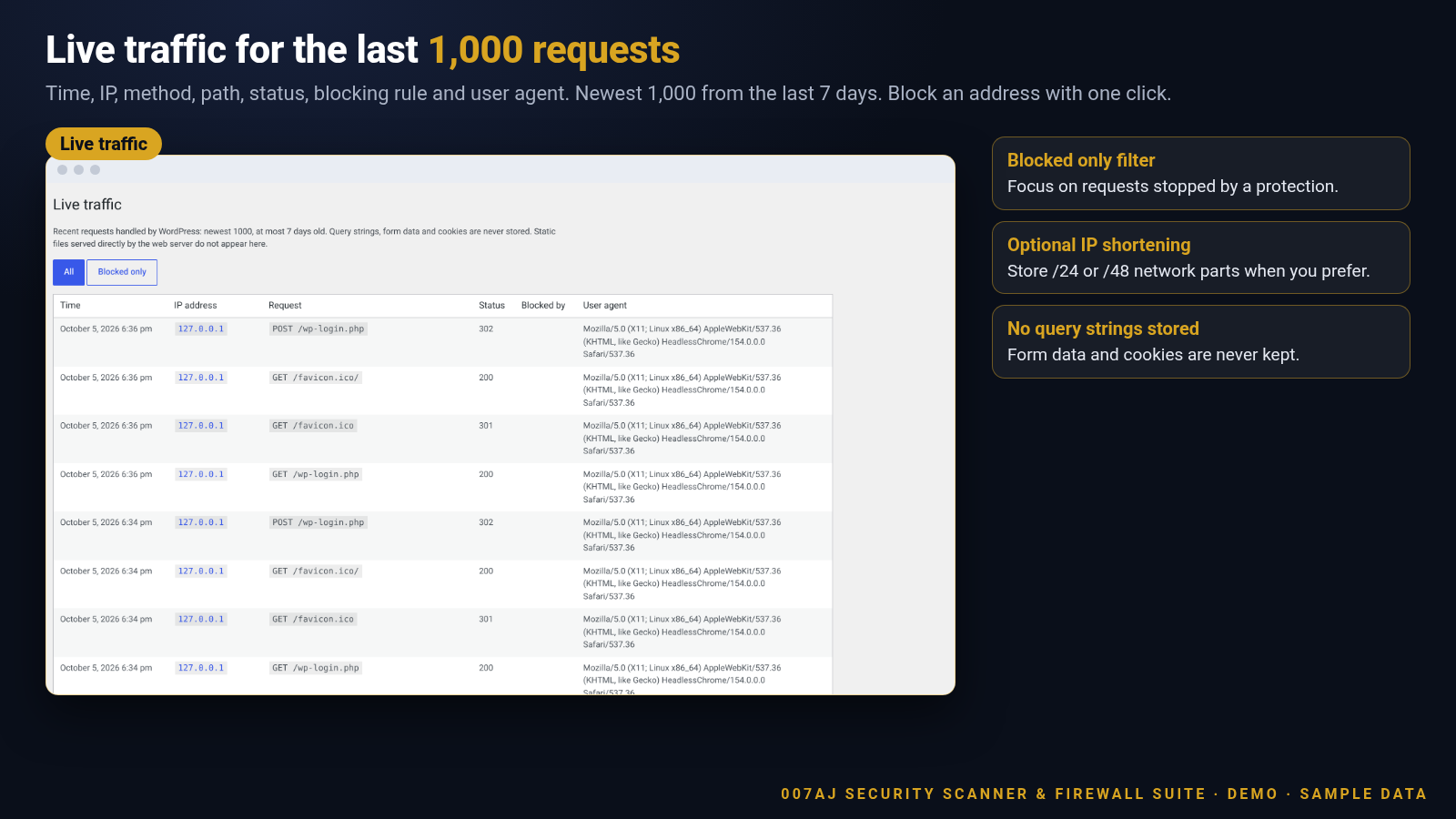
Live traffic
A short record of recent requests handled by WordPress: time, IP (optionally shortened), method, path without query string, status, user ID, the protection that blocked it and the user agent. Only the newest 1,000 requests from the last 7 days are kept. Block an address with one click.
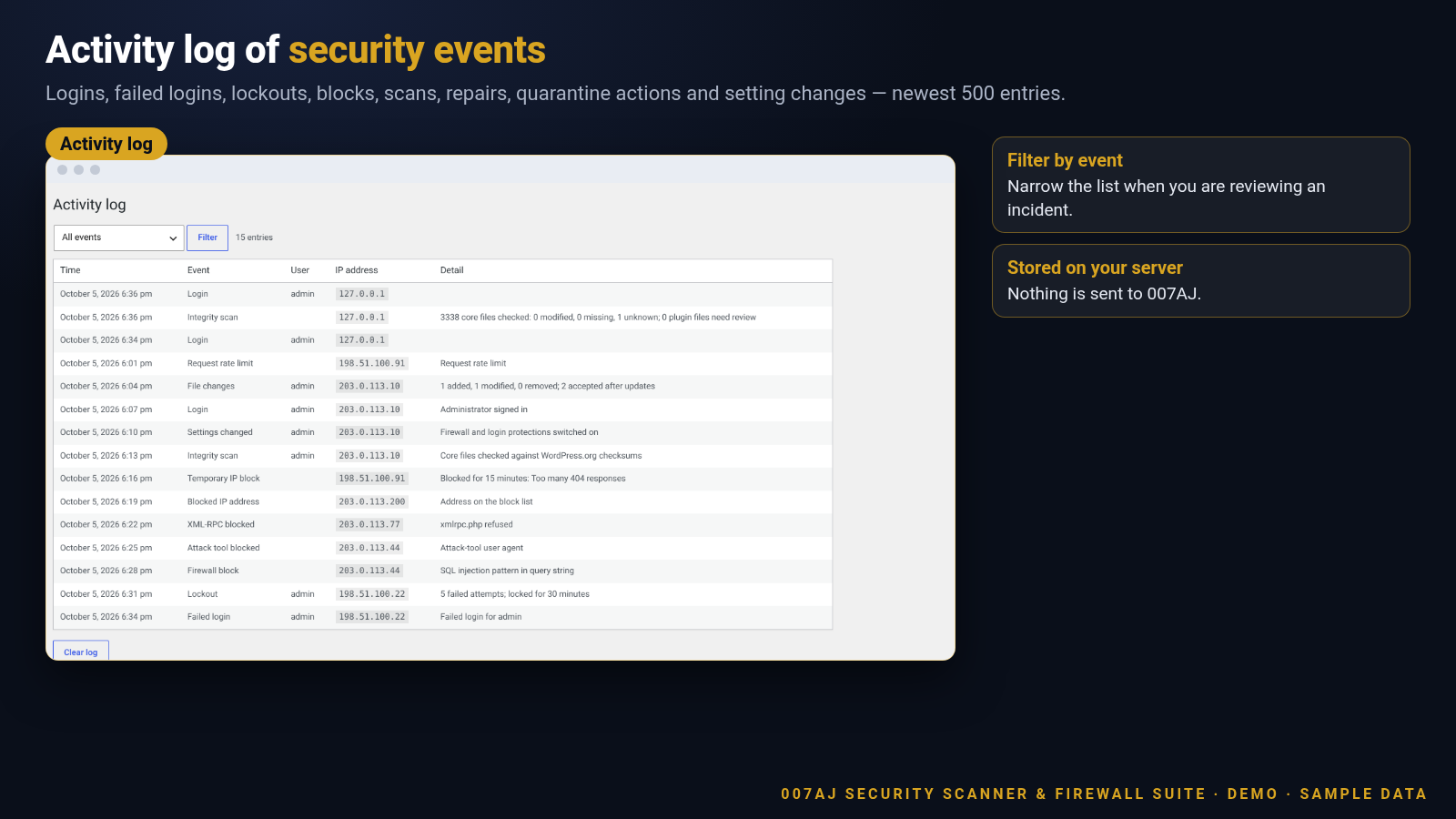
Hardening and activity log
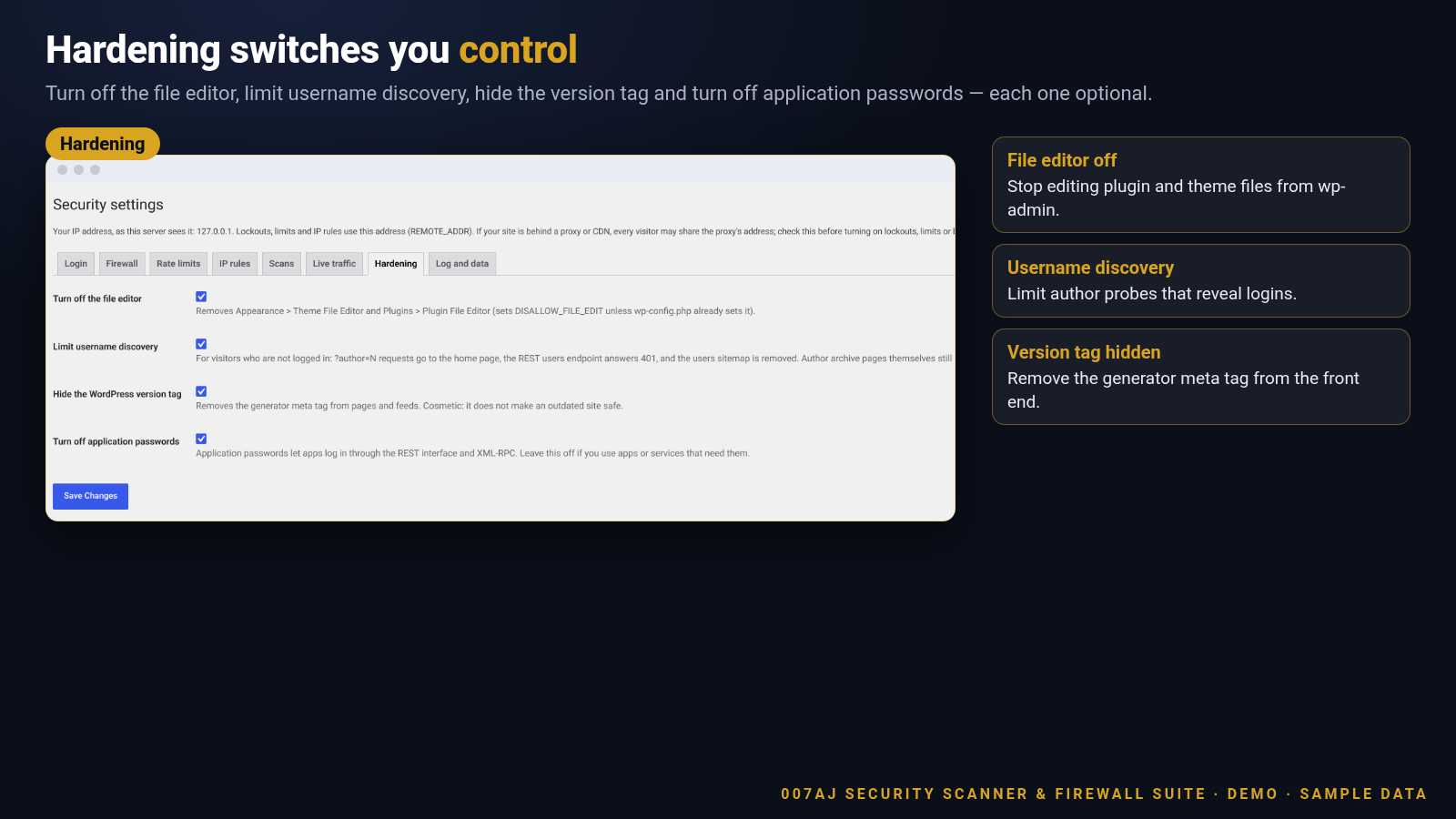
Turn off the file editor, limit username discovery, hide the version tag and turn off application passwords. The activity log keeps logins, failed logins, lockouts, blocks, scans, repairs, quarantine actions and setting changes (newest 500 entries).
Firewall and login settings
Rule categories, custom paths, XML-RPC and login lockout — each on its own Settings tab.
IP allow and block lists
IPv4, IPv6 and CIDR. Country blocking is not included — no GeoIP database and no outside GeoIP lookup.
Integrity scan results
Core files compared with WordPress.org checksums. Optional plugin checks. Themes and custom plugins are listed as not checked.
File change monitoring
Baseline of core, plugins and themes. Unexpected adds and edits are listed; updates are accepted automatically.
Live traffic
Newest 1,000 requests from the last 7 days, with the protection that blocked them when a request was stopped.
Activity log and hardening
Security events in one place, plus optional hardening switches for the file editor, username discovery, version tag and application passwords.
Plus the details that keep you in control
Opt-in design, local processing and clear limits.
Opt-in by design
Every protection starts off. Open Settings and switch on only what you need, one tab at a time.
Runs on your server
Everything runs on your server. The plugin sends no data to 007AJ. Firewall rules change only through plugin releases.
Honest about REMOTE_ADDR
IP addresses are read from REMOTE_ADDR only. Forwarded headers are not trusted. Behind a proxy or CDN that does not restore the visitor address, check the address shown on Settings before turning on lockouts or blocks.
Privacy tools included
Suggested privacy policy text, plus a personal data exporter and eraser for activity log and live traffic of logged-in users.
How it works
From install to a protection set you chose.
1
Install and open Settings
Upload the suite plugin and switch it on. It is standalone — you do not need the free sibling. Open 007AJ Security > Settings.
2
Switch on what you need
Turn on login lockout, the firewall, rate limits, IP lists, scans, live traffic and hardening one tab at a time.
3
Run a scan and watch traffic
Run an integrity scan, optionally schedule daily or weekly digests, and review live traffic and the activity log.
4
Repair or quarantine when needed
Repair official files from WordPress.org with a quarantine backup, or quarantine unknown files you do not recognise.
Made for real WordPress sites
Use it wherever you want opt-in, on-server protections without a GeoIP dependency.
Agency client sitesBusiness and brochure sitesOnline shopsMembership sitesDocumentation sitesStaging and productionLocal business sitesBlogs and magazines
Fully licensed version
Fully licensed version — use on your own sites. You get the complete plugin, with every feature described on this page.
Requirements
- WordPress 6.3 or newer (shown working on a current WordPress 7.1 install)
- PHP 7.4 or newer
- A single WordPress site (the suite is built for standard installs)
- Integrity scan and repair contact WordPress.org only (checksums and official file downloads) — nothing is sent to 007AJ
- No GeoIP database and no outside GeoIP or malware-signature cloud service
- If DISABLE_WP_CRON is true, configure a real system cron that requests wp-cron.php for scheduled scans
Frequently asked questions
What licence do I get?
Each purchase is a fully licensed copy of the plugin for use on your own sites.
Do I need the free 007AJ Security plugin too?
No. This suite is standalone and includes everything the free plugin does. If both are active, the free plugin pauses itself.
Are protections on by default?
No. Every protection stays off until you switch it on under Settings.
Can I lock myself out?
The plugin tries to prevent it: your current IP cannot be added to the block list, custom block paths cannot cover wp-login.php or wp-admin, and administrators are exempt from the pattern rules and most rate limits. If you still get locked out, rename the plugin folder over FTP or your host’s file manager.
Does repair change files without asking?
No. Scans only read files. Repair and quarantine run only when you click their buttons, and each one keeps a copy you can restore.
Does the plugin include country blocking?
No. Country blocking would need a GeoIP database or an outside lookup service. This plugin uses neither. Use CIDR ranges or your host’s or CDN’s country rules instead.
Does it scan for malware signatures in the cloud?
No. Integrity checks compare files with WordPress.org checksums. There is no outside malware-signature service and no cloud scanning beyond WordPress.org checksum and repair downloads.
What does the integrity scan cover?
WordPress core, and optionally plugins from WordPress.org. Themes and custom or commercial plugins have no published checksums and are listed as not checked.
How do I clear a login lockout or temporary block?
Locked-out addresses and temporary blocks are listed on the Dashboard. Use the clear-lockout control for a locked IP, or release a temporary block from the same screen.
Does the plugin contact other sites?
Only WordPress.org, and only for integrity scans and repairs. It sends no visitor data and nothing to 007AJ.
Can I remove all data when I delete the plugin?
Yes. A setting under Log and data lets you delete settings, logs, traffic, the file baseline and the quarantine folder when the plugin is deleted. It is off by default.
Is it translation-ready?
Yes. Text is prepared for translation and a languages folder is included.
Security you switch on when you are ready
Login lockout, a request firewall, IP lists, rate limits, integrity scan with repair, file monitoring and live traffic — fully licensed version for your own sites.
007AJ
007AJ Security Scanner & Firewall Suite by 007AJ. Screenshots are from a demo install with sample data; the graphic labelled “Illustration” is not a screenshot. WordPress is a trademark of the WordPress Foundation; this plugin is not affiliated with it.
Only logged in customers who have purchased this product may leave a review.
Loading...
WPBay support
 Support by 007AJ.com
Support by 007AJ.com
007AJ.com supports this product through WPBay
Questions are handled in WPBay's private ticket system, keeping your purchase details and support conversation together.
Go to My Downloads
After purchase, open this item in My Downloads and choose Get Support.
What support includes
- Answers to product-related questions
- Help with reported bugs and issues
- Guidance for included third-party assets
What support does not include
- Customizations or new features
- Installation or setup services
Plugin
Maintenance snapshot
See recent updates, compatibility, support, and developer activity.
- Updated today
- Developer active recently
- WPBay support available
- WordPress 7.1 tested
Snapshot updated 1 hour ago
View details Hide details
Maintenance details
This is maintenance data. It does not measure product quality or sales.
- Last update Updated today
- Compatibility WordPress 7.1 tested · PHP 8.5 not marked as tested
- Releases 2 releases in the 1 days since listing
- Developer activity Developer active recently
- Support No recent support tickets to measure
- Docs and demo Documentation available · Changelog missing · No demo listed
How this snapshot works
Plugin Health
The score is out of 100 and uses data WPBay can check. Ratings, popularity, and sales are not used.
- Last update 30 points
-
Plugins receive full recency points under 30 days, then step down at 90, 180, 365, and 545 days.
- Compatibility 20 points
-
WordPress, PHP, and WooCommerce (when relevant) are scored separately. The latest two PHP lines count as current. Nearby previous versions keep most of the points.
- Current version 100%
- One version behind 75%
- Two versions behind 50%
- Three versions behind 25%
- Older or not listed 0%
- Releases 15 points
-
One release earns 10, two or three earn 13, and four or more earn 15. Each accepted product ZIP counts once; reprocessing the same upload and listing-only edits do not count.
- Developer activity 15 points
-
Based on WPBay login and dashboard activity. Exact last-login dates are never shown.
- Support 15 points
-
There are no recent WPBay tickets to measure.
- Docs and demo 5 points
-
Documentation: 2. Changelog: 1. Working demo or preview: 2.
Score ranges
- 90–100 Excellent
- 75–89 Healthy
- 60–74 Fair
- 40–59 Needs attention
- 0–39 Limited
Long gaps
WPBay also checks for long gaps between updates, developer activity, support replies, and releases. Buyers do not see this score.
- Time since update 35 points
- Last developer activity 25 points
- WordPress compatibility 15 points
- Support replies 15 points
- Fewer releases 10 points
-
Quality verified by WPBay
WPBay review- Reviewed version
- 0.1.2
- Review completed
- Reviewer
- CodeRevolution
- Review type
- Initial
No unresolved approval blocker was identified during WPBay’s proportionate review of this release. This is not a security certification or a guarantee that the product contains no defects.
-
 Future updates
-
WPBay support from 007AJ.com
-
GPL code, proprietary assets
-
Covered by the WPBay refund policy
-
Plugin maintenance snapshot
Relevant picks
You may also like
Similar products selected by category, features, popularity and freshness.

From this seller
View seller store
More by 007AJ.com
Explore more bestselling products from this creator.

Reviews
There are no reviews yet.