


Drive Upload For Elementor Forms

 Well Documented
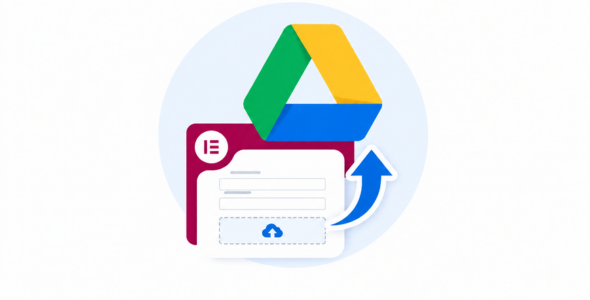
Stop wasting expensive server storage.
Drive Upload for Elementor Forms allows you to automatically offload high-resolution photos, PDFs, and documents directly to your Google Drive. No more worrying about disk space limits or slow site backups due to heavy media folders.
Why choose this plugin?
-
Keep Your Hosting Fast: Our unique Auto-Purge feature deletes files from your local server immediately after they sync to Google Drive.
-
Total Privacy: Built with Native OAuth2 security. Your data moves directly from your site to Google—no third-party middle-men or extra subscription fees (like Zapier).
-
Reliable Uploads: Engineered with a robust, resumable upload client to handle large attachments with 100% completion reliability even on slower connections.
Key Features:
-
Dynamic Folder Mapping: Route different form fields to specific Google Drive folder IDs.
-
Customizable UI: Beautiful, styleable Drag & Drop field that integrates perfectly with Elementor.
-
Smart Validation: Real-time client-side checks for file type and size.
Only logged in customers who have purchased this product may leave a review.
Loading...
Seller support site
 Support by WP Prism
Support by WP Prism
WP Prism provides support on their own website
The seller uses an external help center for product questions, bug reports, and support requests.
Visit support site
Opens the seller's support website in a new tab.
What support includes
- Answers to product-related questions
- Help with reported bugs and issues
- Guidance for included third-party assets
What support does not include
- Customizations or new features
- Installation or setup services
Plugin
Maintenance snapshot
See recent updates, compatibility, support, and developer activity.
- Updated 177 days ago
- Developer active
- Developer-site support available
- WordPress 6.9 tested
Snapshot updated 17 hours ago
View details Hide details
Maintenance details
This is maintenance data. It does not measure product quality or sales.
- Last update Updated 177 days ago
- Compatibility WordPress 6.9 tested, two versions behind · PHP 8.5 not marked as tested
- Releases 1 release in the 184 days since listing
- Developer activity Developer active
- Support Support is offered on the developer's site, not through WPBay tickets
- Docs and demo Documentation available · Changelog missing · Demo available
Health reflects increased activity during the last 90 days.
How this snapshot works
Plugin Health
The score is out of 100 and uses data WPBay can check. Ratings, popularity, and sales are not used.
- Last update 30 points
-
Plugins receive full recency points under 30 days, then step down at 90, 180, 365, and 545 days.
- Compatibility 20 points
-
WordPress, PHP, and WooCommerce (when relevant) are scored separately. The latest two PHP lines count as current. Nearby previous versions keep most of the points.
- Current version 100%
- One version behind 75%
- Two versions behind 50%
- Three versions behind 25%
- Older or not listed 0%
- Releases 15 points
-
One release earns 10, two or three earn 13, and four or more earn 15. Each accepted product ZIP counts once; reprocessing the same upload and listing-only edits do not count.
- Developer activity 15 points
-
Based on WPBay login and dashboard activity. Exact last-login dates are never shown.
- Support Not scored
-
WPBay cannot measure response times for email or support on another site, so support is not scored.
- Docs and demo 5 points
-
Documentation: 2. Changelog: 1. Working demo or preview: 2.
Score ranges
- 90–100 Excellent
- 75–89 Healthy
- 60–74 Fair
- 40–59 Needs attention
- 0–39 Limited
Long gaps
WPBay also checks for long gaps between updates, developer activity, support replies, and releases. Buyers do not see this score.
- Time since update 35 points
- Last developer activity 25 points
- WordPress compatibility 15 points
- Support replies Not scored
- Fewer releases 10 points
-
Quality verified by WPBay
WPBay review- Reviewed version
- 1.0.0
- Review completed
- Reviewer
- CodeRevolution
- Review type
- Initial
No unresolved approval blocker was identified during WPBay’s proportionate review of this release. This is not a security certification or a guarantee that the product contains no defects.
-
 Future updates
-
Support through the seller website
-
Fully GPL licensed
-
Covered by the WPBay refund policy
-
Plugin maintenance snapshot
Relevant picks
You may also like
Similar products selected by category, features, popularity and freshness.


 1 month free

Reviews
There are no reviews yet.