


Looking for a jaw-dropping image slider that goes far beyond the tired carousel? You’ve landed in the right place.
If you’ve been researching premium WordPress slider plugins lately, chances are you’ve already stumbled across two standout products from FWDesign on WPBay: Organic Slider and Izubizu Slider. Both are powered by WebGL, Three.js and custom GLSL shaders. Both are built for WooCommerce. Both will make your visitors stop scrolling and start staring.
But they are not the same plugin. They serve different creative ambitions, different technical needs and different types of websites. Choosing the wrong one could mean settling for an experience that doesn’t match your vision or paying for features you’ll never use.
This in-depth comparison breaks down everything you need to know: core technology, feature sets, ideal use cases, performance considerations and a final verdict for different types of WordPress users. By the end, you’ll know exactly which slider deserves a place on your site.
To check another similar review post, but where we reviewed a broad list of 12 slider plugins, check Best WordPress Slider Plugins in 2026: 12 WebGL & Media Sliders Compared.
Table of Contents
- Quick Overview: The Two Contenders
- Technology Under the Hood
- Visual Effects & Transitions
- Responsive Design & Layout Modes
- Caption & Text Animation Support
- Performance & Lazy Loading
- Customization Depth
- WooCommerce Integration
- Ease of Use & Documentation
- Feature Comparison Table
- Who Should Choose Organic Slider?
- Who Should Choose Izubizu Slider?
- Side-by-Side Use Cases
- Final Verdict
- Where to Get Them
1. Quick Overview: The Two Contenders
Before diving into the granular details, let’s set the stage.
Organic Slider – The Feel-Good, Motion-First Slider
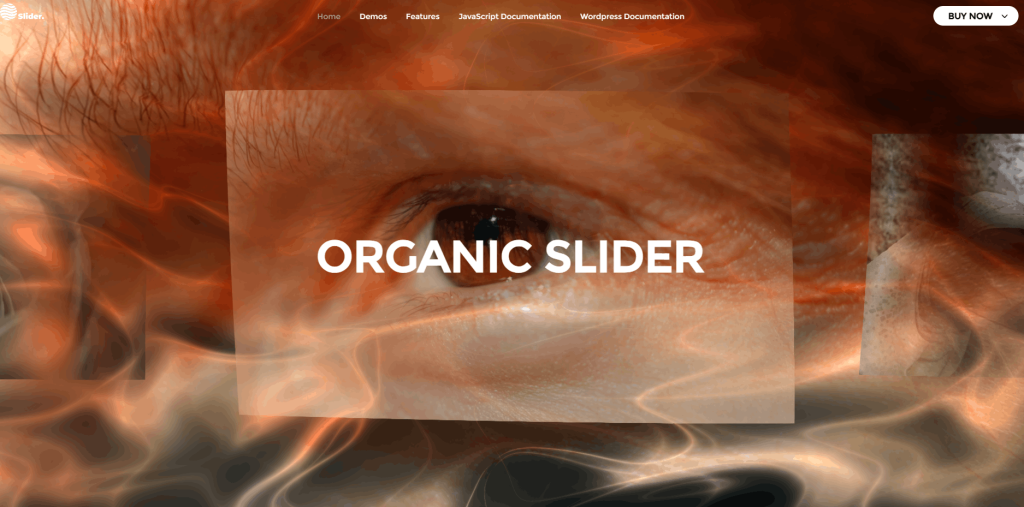
Organic Slider is exactly what its name promises: a slider that moves like it’s alive. Built with GLSL shaders and Three.js, it creates fluid, tactile distortion effects that feel biological like rippling water or shifting fabric. It’s not just a plugin that shows images one after another. It’s a visual experience engine.
This is the slider you reach for when you want your homepage to feel like a piece of interactive art. It’s designed to be immersive, emotionally resonant and visually unforgettable with all without requiring a single line of shader code from you.
Izubizu Slider – The Cinematic, Feature-Rich Powerhouse
Izubizu Slider is the more structured, production-focused sibling. Where Organic Slider leans into natural motion and organic feel, Izubizu leans into cinematic control. It supports MP4 video alongside images, offers 19 distinct transition types, 16 animated text effects, a built-in GUI for real-time tuning and an extraordinary depth of post-processing controls.
If Organic Slider is an art installation, Izubizu Slider is a director’s cut film reel with precise, polished and built for storytelling.
Both plugins are sold on WPBay, developed by the same studio (FWDesign) and are fully compatible with WordPress and WooCommerce. That said, they couldn’t feel more different in practice.

2. Technology Under the Hood
Understanding what powers these sliders will help you appreciate why they look the way they do and predict how they’ll perform on your specific site.
Both Use Three.js + GLSL Shaders
Here’s where both plugins start from the same foundation: WebGL rendering via Three.js, enhanced with custom GLSL (OpenGL Shading Language) shaders. This is significant. Traditional CSS or jQuery sliders animate DOM elements indeed which means they’re limited by what the browser’s layout engine can do and are notoriously slow on complex transitions.
WebGL shaders, by contrast, run directly on the GPU. Every pixel of every transition is calculated in parallel by your graphics card. The result? Silky smooth animations at 60fps that CSS animations simply cannot replicate. Complex distortions, chromatic aberrations, fluid simulations by all rendered in real time without dropping a frame.
This is the same category of technology used in high-end creative agency websites and interactive digital art installations. The fact that both Organic Slider and Izubizu Slider bring this technology into a WordPress plugin is genuinely impressive.
Organic Slider: Pure Shader Art
Organic Slider’s technical identity is entirely built around its shader-driven distortion engine. The “organic” in its name refers to the way the GLSL shader bends, warps and breathes through image transitions. These aren’t canned effects with fixed keyframes really the distortions respond to velocity, proximity and cursor input, making every interaction feel slightly different from the last.
The plugin doesn’t add layer upon layer of JavaScript logic. It keeps things focused: get the WebGL canvas up, make the mesh respond beautifully to user input and let the shader do the heavy lifting. This results in a plugin that’s conceptually pure and extraordinarily good at what it does.
Izubizu Slider: Layered Rendering Pipeline
Izubizu Slider’s technical architecture is more ambitious. On top of the Three.js + GLSL foundation, it adds a full post-processing pipeline that can stack multiple real-time effects simultaneously. Think of it like non-destructive image editing, but applied to a live 3D rendering scene in motion.
Beyond images, Izubizu supports MP4 video files as slide media which is a feature Organic Slider does not offer. This means your “slides” can be full motion video with cinematic transitions on top, opening up possibilities for product showcases, showreels and video-first storytelling.
3. Visual Effects & Transitions
This is where the two plugins diverge most dramatically and where your creative direction will likely make your choice for you.
Organic Slider: Distortion is the Experience
Organic Slider doesn’t give you a dropdown of “transition types” to pick from. Instead, it gives you a single, deeply developed distortion effect that you tune rather than select. The effect is physics-inspired: think fluid dynamics, mesh deformation and light refraction and it’s meant to feel like there’s no hard cut between slides, just a beautiful morphing of one image into the next.
The customization levers include:
Mouse Distortion – The slider reacts to cursor movement in real time. As your mouse glides across the canvas, the mesh distorts beneath it, creating an interactive layer of depth that makes the slider feel alive even when it’s not actively transitioning. This alone is the kind of effect that stops website visitors in their tracks.

Snap Behavior – You can choose whether the slider snaps to the nearest slide (like most carousels) or lets the content flow freely and continuously, with no hard stopping point. The “flow” mode in particular creates a meditative, gallery-like experience.
Black & White Effect – Non-centered slides can be desaturated automatically, pulling the viewer’s eye to the active slide. When combined with the depth distortion, this creates a sophisticated focus effect that feels very editorial.
Opacity Strength – Control how much non-centered slides fade based on their distance from center. This adds dimensional depth to the layout, reinforcing the sense that you’re looking through a physical space.
Parallax Scrolling – An optional parallax layer adds another dimension of depth as the user scrolls. The slider and its elements shift at different rates, reinforcing the sense that this is not a flat image gallery.
Post-Processing Effects: Mouse ripple, fluid distortion, grid effect, afterimage, bulge and more. These are layered on top of the core transitions and can be combined for unique visual signatures.

Izubizu Slider: A Director’s Toolkit
Where Organic Slider gives you one beautifully crafted experience, Izubizu gives you a full production toolkit with 19 distinct media transition types. This is a major difference. You’re not tuning a single effect as you’re choosing from a library of cinematically distinct transitions, each with its own visual language.
The 19 Transition Types include:
- Linear – Clean, directional slides. Minimal distortion, maximum clarity.
- Sinusoidal – Wave-based warping across the transition frame.
- Radial – Circular reveal that expands outward from the center.
- Noise – Grain-textured dissolve with a filmic, analog quality.
- Pickaboo – A playful, peek-a-boo style reveal with a spatial twist.
- PageFlip – Simulates the physical action of turning a page.
- Ripple – Water surface simulation through the transition.
- Pixelation – Digital fragmentation that reassembles into the new slide.
- Whater (sic) – Liquid-surface distortion variant.
- And 10 more additional types with distinct shader behaviors.

This range means you can match your transition style to your brand personality precisely. A luxury fashion brand might choose Sinusoidal or Radial for their editorial feel. A tech startup might choose Pixelation or Linear. A creative studio might layer Noise with RGB shift for a cinematic aesthetic.
The 16 Text Transition Types include:
- Flicker-Effect – Each character flickers in like an old neon sign warming up.
- Blur – Text materializes from a defocused state into sharp clarity.
- Opacity – Simple but elegant fade-in for maximum readability.
- Slide – Text enters from a directional offset.
- Words-Slide – Each word enters in sequence, left to right.
- Scramble-then-Lock – Characters randomize and then lock into place, one by one.
- Words-Clip-Reveal – Words are revealed sequentially from behind a clipping mask.
- Neon-Flicker-On – Mimics the sputter and glow of neon tube lights.
- Pulse-Tunnel – Text appears to fly toward the viewer from a vanishing point.
- And 7 additional text animation variants.
These are not simple CSS transitions. They’re GLSL-powered animations that run on the same rendering pipeline as the slide transitions, ensuring complete visual cohesion between your media and your messaging.
4. Responsive Design & Layout Modes
Both plugins are built to work across screen sizes, but they approach responsive design differently.
Organic Slider: Fluid and Adaptive
Organic Slider is fully responsive by default. It adapts to any screen size, whether you’re viewing on an iPhone SE, a wide ultramon desktop or a tablet in landscape orientation. The plugin handles iOS, Android and all major desktop browsers.
You can set custom width and height values and define the item aspect ratio to suit your content. The “afterparent” display mode is particularly useful as it allows the slider to expand or contract based on the width of its parent container, making it easy to embed inside columns, sidebars or custom layouts without breaking the proportions.
Izubizu Slider: Precision Scaling with Auto-Scale
Izubizu Slider offers similar responsiveness but adds a more explicit auto-scale system. You can define a max width and max height and the plugin will preserve the stage proportions across all breakpoints. This is critical for a slider that uses complex post-processing effects, if the canvas proportions shift unexpectedly, it could break the visual math behind shader-based transitions.
The auto-scale start width control lets you define exactly the viewport width at which the scaling behavior activates, giving you pixel-level control over how the experience shifts between mobile and desktop.
Izubizu also supports a drag interaction model on both desktop and mobile, with configurable drag speed and drag friction. On mobile, this feels very natural swipe to navigate and on desktop, the drag friction gives the slider a weight and inertia that premium motion design demands.
Display modes for Izubizu include full-width, boxed and embedded anywhere as an element within a parent container by covering all major layout scenarios you’ll encounter in real-world WordPress site building.
5. Caption & Text Animation Support
Captions are where your message lives. A visually stunning slider that can’t deliver readable, beautifully animated text is an incomplete solution.
Organic Slider: Clean Caption Styling
Organic Slider includes optional caption support. The caption system is intentionally lean, you get the text overlay and you control the styling entirely through CSS. This is a design-first approach: rather than giving you a preset caption builder, it trusts you to match the caption’s visual design to your site’s overall aesthetic using the tools you already know.
For developers and designers comfortable with CSS, this is a feature, not a limitation. You can style captions exactly how you want without fighting against predefined templates.
Izubizu Slider: Rich HTML Captions with 16 Animation Types
Izubizu goes significantly further. Caption support in Izubizu includes:
- HTML caption content: Full HTML inside captions, meaning you can use any markup, custom tags and structured formatting.
- Title/Description structure: A built-in hierarchy for caption content with separate styling for headline and body text.
- CTA (Call-to-Action) links: Clickable buttons or links embedded directly in the caption, making this slider production-ready for marketing and e-commerce slides.
- 16 animated text transition types: As described above, each caption can animate in with a distinct GLSL-powered effect.
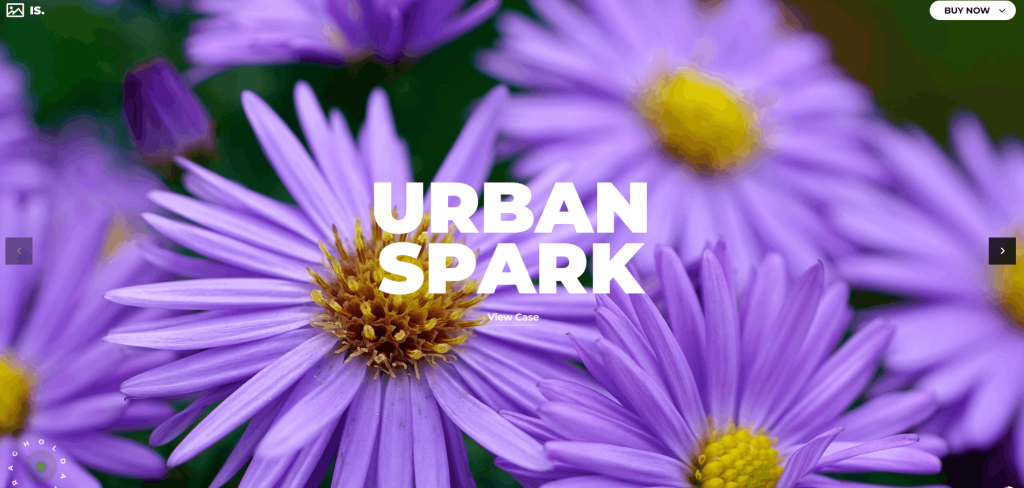
For WooCommerce stores running promotional slides, product hero sections or seasonal campaign banners, Izubizu’s caption system is a significant competitive advantage. You’re not just showing images , you’re delivering a complete marketing message with visual storytelling and a clear call to action, all within the slider itself.
6. Performance & Lazy Loading
Both plugins offer lazy initialization: a feature that’s increasingly important for performance-conscious WordPress sites, especially as Google’s Core Web Vitals have made page speed a ranking factor.
What Lazy Initialization Means
Both Organic Slider and Izubizu Slider can be configured to initialize only when the slider is visible in the viewport. If your slider is placed below the fold, in a section the user hasn’t scrolled to yet as the WebGL context doesn’t initialize, no GPU resources are allocated and no network requests are made for slider assets.
This is smart engineering. WebGL contexts are resource-intensive and initializing five sliders on page load (even if three of them are below the fold) would significantly impact Time to Interactive and Total Blocking Time, two critical Core Web Vitals metrics.
With lazy initialization enabled, each slider initializes precisely when it becomes relevant to the user, spreading the rendering load across the user’s scroll journey rather than front-loading it on page load.
Organic Slider: Focused and Lightweight
Because Organic Slider’s feature set is more tightly scoped, its JavaScript payload is correspondingly leaner. The plugin does one thing – the organic distortion experience and it does it with minimal overhead. This makes it a strong performer for pages where load speed is paramount.
The preloader option (which shows an animated loading indicator while WebGL initializes) ensures users never see a blank space where the slider will appear, even on slower connections.
Izubizu Slider: Feature-Rich but Optimized
Izubizu Slider’s broader feature set: video support, 19 transition types, post-processing pipeline, GUI system, means a larger JavaScript footprint. However, the architecture is built with performance in mind. Post-processing effects are only applied when configured, keeping the rendering pipeline as lean as possible for simpler setups.
The preloader and lazy initialization options in Izubizu provide the same user experience benefits as Organic Slider, ensuring a polished startup experience across all network conditions.
7. Customization Depth
Organic Slider’s Customization Options
Organic Slider gives you meaningful control over the core experience without overwhelming you with options:
- Width and height – Set to any value. Works at any size.
- Items ratio – Control the aspect ratio of individual slides (portrait, landscape, square, custom).
- Infinite loop – Enable or disable.
- Parallax – Enable or disable the parallax scrolling layer.
- Snap – Toggle snapping behavior on or off.
- Opacity strength – How aggressively non-centered items fade.
- Black & white effect – Desaturate non-centered items.
- Scroll speed strength – Fine-tune how fast the slider responds to scroll input.
- Scroll scale strength – Fine-tune the scale animation tied to scrolling.
- Mouse distortion – Enable or disable the cursor-reactive distortion layer.
- Post-processing effects – Mouse ripple, fluid distortion, grid effect, afterimage, bulge.
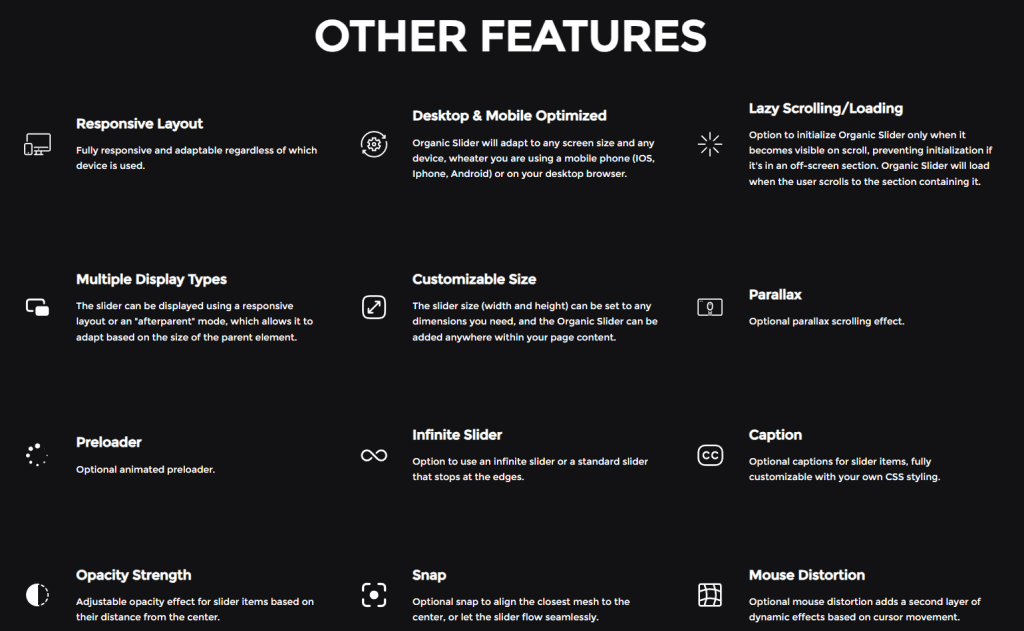
This is a curated control set. Every knob does something meaningful. Nothing is buried three levels deep. For designers who want to move fast and produce something beautiful without getting lost in settings panels, this is a very appealing approach.
Izubizu Slider’s Customization Options
Izubizu’s customization depth is considerably more extensive. The built-in GUI (which can be turned on for live tuning and turned off for production) lets you adjust parameters in real time and see the results immediately.
Beyond the standard layout and loop controls, Izubizu exposes:
Flowmap Distortion Controls:
- Flowmap amount, strength, radius, sensitivity, force and falloff – six independent parameters for controlling the fluid-like distortion effect.
RGB Shift Controls:
- Chromatic separation intensity during movement and at transition peaks, for that glitchy, high-end aesthetic.
Noise Pass Controls:
- Noise size, fade, blur and fade color, for controlling the grain and texture of the cinematic noise post-process.
Hand Cursor Helper:
- Custom text, colors, radius, appearance delay and repeat behavior for the hold-and-drag affordance shown to users.
Drag Controls:
- Drag speed and drag friction for fine-tuning the physical feel of navigation.
Background and Mask Controls:
- Adjust background color and mask visibility for different art directions.
Intro Animation:
- Optional first-slide reveal animation that matches the cinematic motion language of the selected transition type.
Presets:
- Four bundled presets covering the most common configurations: Preset 1 (Flowmap + RGB shift), Preset 2 (Non-infinite), Preset 3 (Noise post-processing), Preset 4 (Embed anywhere at any size).
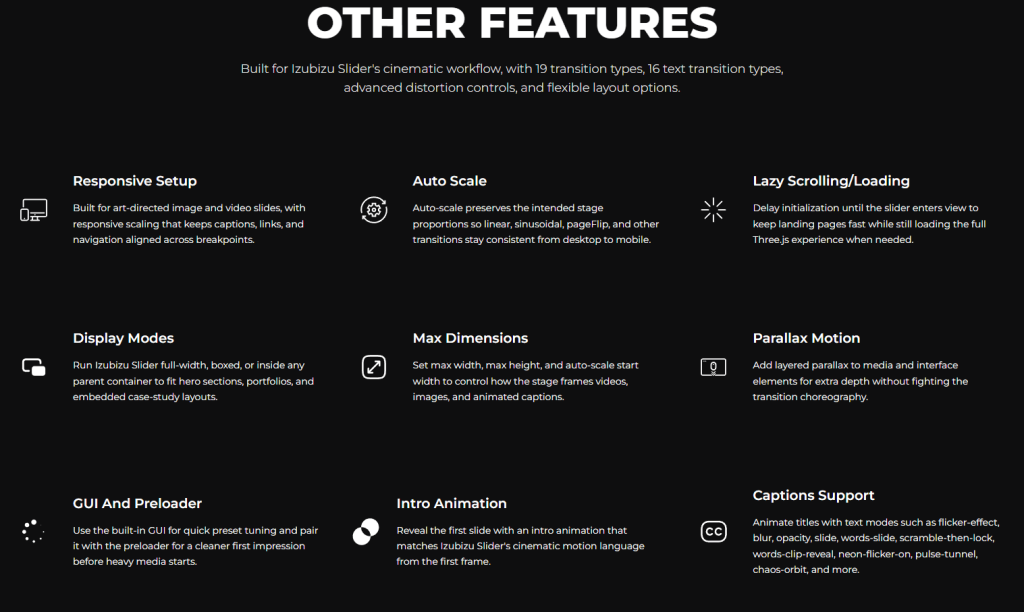
For agencies and advanced developers who want granular control over every aspect of the visual experience, Izubizu’s depth is unmatched in its category.
8. WooCommerce Integration
Both plugins are built for WordPress and WooCommerce. But what does WooCommerce integration actually mean in practice for each?
Organic Slider + WooCommerce
Organic Slider works beautifully as a product showcase slider. You can populate it with your product photography, place it on a product category page, a custom landing page or the WooCommerce shop page. The organic distortion effect creates a tactile, gallery-like browsing experience that elevates product photography far beyond a standard product grid.
For fashion, art, photography, jewelry or any product category where visual quality is the primary purchase driver Organic Slider creates an immersive shopping environment that encourages lingering and discovery.
Izubizu Slider + WooCommerce
Izubizu Slider extends WooCommerce capability further with its built-in CTA link support inside captions. This means you can build a full promotional slide deck: hero image (or product video), animated headline, product description and a “Shop Now” button: all within a single slide, all polished to a cinematic standard.
Seasonal sales banners, new product announcements, featured collection showcases as Izubizu handles all of these with the kind of visual production value typically associated with brand-level marketing.
9. Ease of Use & Documentation
Organic Slider: Well-Documented
Organic Slider is described as “Well Documented” on its WPBay listing. The plugin follows a focused design philosophy, which means the documentation mirrors the plugin’s simplicity and you’re not navigating a 50-page manual to find the setting you need. The options are clear, the defaults are sensible and the result is a plugin that skilled WordPress users can have running beautifully within an afternoon.
Izubizu Slider: Recently Updated, Well-Documented, Dual-Mode Docs
Izubizu Slider carries both “Well Documented” and “Recently Updated” badges on WPBay, a meaningful combination. The documentation is split into two paths:
- JavaScript Documentation – For developers embedding Izubizu directly in custom JavaScript environments, headless WordPress setups or non-WP projects.
- WordPress Documentation – For standard WordPress plugin workflow, covering setup, shortcode usage, parameter configuration and WooCommerce integration.
Additional resources include a Main Page, Live Demos and a Features reference page – a complete documentation ecosystem that reflects the plugin’s complexity.
The built-in GUI (toggleable in production) is worth highlighting again as a usability feature. Being able to tune slider parameters visually in real time and see changes reflected immediately dramatically reduces the iterative cycle of adjust → save → preview → repeat.
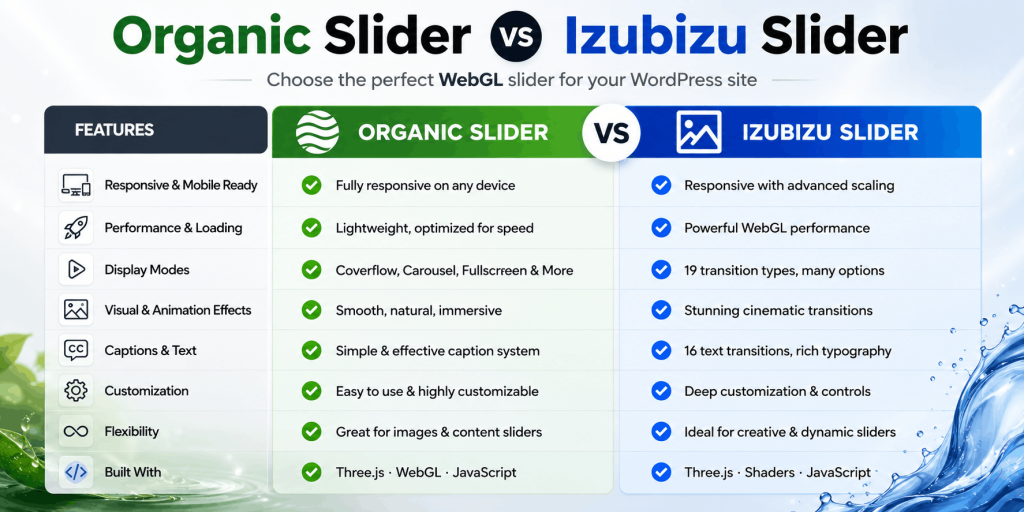
10. Feature Comparison Table
| Feature | Organic Slider | Izubizu Slider |
|---|---|---|
| Core Technology | Three.js + GLSL | Three.js + GLSL |
| Post-Processing Pipeline | ✅ (6 effects) | ✅ (Advanced, layered) |
| Media Support | Images | Images + MP4 Video |
| Transition Types | 1 (organic distortion) | 19 distinct types |
| Text Transition Types | – | 16 animated types |
| Mouse Distortion | ✅ | – |
| RGB Shift | – | ✅ |
| Flowmap Distortion | – | ✅ (6 controls) |
| Noise Post-Processing | – | ✅ (4 controls) |
| Caption Support | ✅ (CSS-styled) | ✅ (Rich HTML + CTA) |
| Parallax | ✅ | – |
| Black & White Effect | ✅ | – |
| Snap Control | ✅ | – |
| Drag Interaction | ✅ | ✅ (Speed + Friction) |
| Lazy Initialization | ✅ | ✅ |
| Infinite Loop | ✅ | ✅ |
| Preloader | ✅ | ✅ |
| Built-in GUI | – | ✅ |
| Presets | – | ✅ (4 presets) |
| Intro Animation | – | ✅ |
| Hand Cursor Helper | – | ✅ (Configurable) |
| Responsive Layout | ✅ | ✅ (Auto-scale) |
| Display Modes | 2 | 3+ (Full-width, Boxed, Embedded) |
| WooCommerce Compatible | ✅ | ✅ |
| Dual Documentation | – | ✅ (JS + WordPress) |
| Recently Updated Badge | – | ✅ |
| Developer: FWDesign | ✅ | ✅ |
11. Who Should Choose Organic Slider?
Organic Slider is the right choice when:
You want a signature visual effect, not a feature list. Organic Slider does one thing at an extraordinarily high level. If your creative direction is already defined: immersive, tactile, gallery-like. You want a slider that embodies that direction completely, Organic Slider is your answer. You’re not navigating menus; you’re curating a feeling.
Your audience leads with emotion, not information. Photography portfolios, fashion brands, interior design studios, creative agencies, luxury product e-commerce and these are categories where the feeling of a visit matters as much as the information conveyed. Organic Slider creates a sense of wonder and discovery that is uniquely suited to audiences who respond to beauty and craft.
You prioritize clean code and lightweight implementation. Organic Slider’s focused architecture means a leaner JavaScript payload and a simpler codebase to reason about. For sites where performance is a top-tier concern, Organic Slider’s simplicity is an asset.
You want maximum CSS styling freedom. Because Organic Slider’s captions are CSS-styled without predefined templates, you have complete creative control. If you have a strong brand system and want the slider to conform to it rather than working around the slider’s built-in aesthetic, this open approach is a better fit.
Your content is image-only. If you’re not showcasing video content, you don’t need Izubizu’s video support. Organic Slider handles still images with a degree of craft and intention that makes them look more dynamic than video in lesser sliders.
12. Who Should Choose Izubizu Slider?
Izubizu Slider is the right choice when:
You need video support. This is a clear differentiator. If your content strategy includes MP4 video slides – product demos, brand films, event highlights, Izubizu Slider is the only option between the two. It handles video as a first-class slide media type, with all transitions and post-processing effects applied on top.
You want to choose from multiple distinct transition styles. With 19 transition types and 16 text animation types, Izubizu gives you the creative flexibility to match the slider’s visual language to your brand, your campaign or your content type. A noise-pass cinematic vibe for a film production company. A clean linear transition for a corporate services firm. A ripple effect for a wellness brand. The library is broad enough to find exactly the right fit.
You’re building for clients with varying creative briefs. Agencies and freelance developers who build sites for multiple clients will get enormous mileage from Izubizu’s preset system and GUI. You can quickly demonstrate different looks to clients in real time, save configurations and deploy with confidence knowing the documentation covers both WordPress and JavaScript workflows.
You want full-featured marketing slides. If your slider is doing conversion work announcing a sale, showcasing a product collection, driving traffic to a product page: Izubizu’s CTA-enabled caption system is essential. The combination of cinematic transitions, animated captions and embedded call-to-action buttons turns the slider from a design element into a revenue-driving asset.
You want deep post-processing control. The RGB shift, flowmap distortion and noise pass controls in Izubizu create visual effects that are associated with high-budget creative work. If you want your site to feel like it was built by a digital agency with a six-figure budget, these controls let you achieve that look without the budget.
Your workflow benefits from real-time GUI tuning. Iterating on slider parameters through a live GUI is dramatically faster than the edit-save-preview loop of most WordPress settings pages. For complex setups with multiple post-processing layers, the GUI isn’t a convenience as it’s a workflow necessity.
13. Side-by-Side Use Cases
To make this even more concrete, here’s how both plugins would serve specific real-world website types:
Photography Portfolio
Organic Slider wins. The continuous, flowing, organic distortion creates a gallery experience that honors the photographs. Viewers are encouraged to linger. The parallax and black-and-white effects add editorial depth without competing with the images themselves.
WooCommerce Fashion Store
Both are strong, with different approaches. Organic Slider creates an aspirational, gallery-like browsing experience for product photography. Izubizu Slider enables full promotional slide creation with animated headlines, product descriptions and “Shop the Look” CTAs. Choose based on whether your priority is immersive product browsing (Organic) or driving specific product conversions (Izubizu).
Creative Agency Website
Izubizu Slider edges ahead. Agencies need to demonstrate range and polish. Izubizu’s 19 transition types, post-processing depth and cinematic video support give agency sites the variety and production value to showcase creative capability. The ability to switch between visual aesthetics on different pages of the same site is a significant advantage.
Film Production / Video Content Company
Izubizu Slider is the clear choice. MP4 video support is non-negotiable in this category. Being able to use cinematic noise-pass post-processing on top of video content is exactly the kind of detail that earns trust from filmmakers and video producers.
Luxury Real Estate
Organic Slider is exceptional here. Property photography presented through the organic distortion effect creates a premium, gallery-like quality that elevates listing photography to fine art. The mouse distortion interaction adds an element of tactile engagement that encourages visitors to explore.
SaaS / Tech Startup
Izubizu Slider is a stronger fit. Clean linear or radial transitions with animated text headlines and CTAs drive the conversion-focused homepage experience tech startups need. The precision control over interaction feel (drag speed, friction) enables a polished UX that reflects well on product quality.
Artist / Illustrator Portfolio
Organic Slider is built for this. Art deserves a presentation layer that doesn’t compete with it. Organic Slider’s fluid transitions, parallax depth and black-and-white focus effect create a showcase environment that elevates artwork without imposing a visual style of its own.
E-Commerce with Seasonal Promotions
Izubizu Slider is purpose-built for this. Seasonal sales banners, holiday collections, new arrivals; all benefit from Izubizu’s CTA-enabled captions, multiple transition types for variety across campaigns and video support for promotional content.
14. Final Verdict
After this deep dive, the conclusion is clear: both Organic Slider and Izubizu Slider are exceptional plugins and they just operate in different registers.
Choose Organic Slider if:
You want a singular, beautifully crafted visual experience that prioritizes feel over feature count. You want your slider to move like it’s alive. You’re building a portfolio, a gallery or an aspirational brand environment. You value clean implementation, CSS styling freedom and a focused set of controls that do exactly what they promise. You want something that feels artisanal rather than toolbox-like.
Choose Izubizu Slider if:
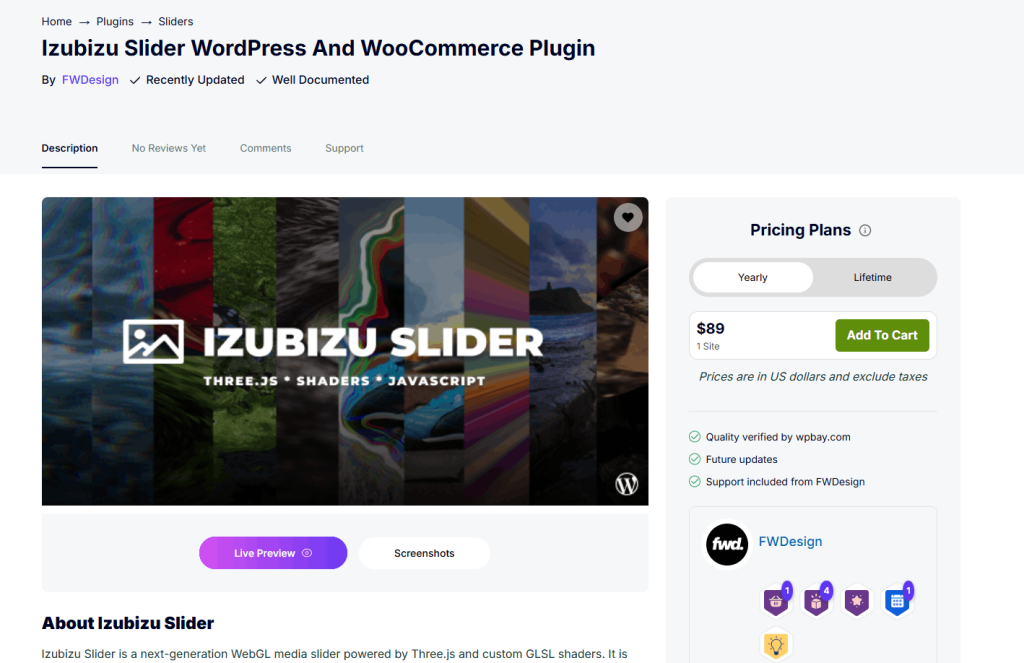
You want cinematic control at scale: 19 transition types, 16 text animations, video support, a real-time GUI, a layered post-processing pipeline and a CTA-enabled caption system. You’re building for clients with diverse briefs, running conversion-focused marketing campaigns, showcasing video content or need the flexibility to match the slider’s visual language to different brand identities.
The Broader Point
Both plugins represent a new category of WordPress slider: WebGL-native, GPU-rendered and built with the same technology used in interactive digital art and premium brand websites. If you’ve been tolerating sluggish CSS carousels and predictable jQuery fades, either of these plugins will feel like a revelation.
The question isn’t which one is better, it’s which one is right for you. Let your creative direction, your content type and your workflow needs make that call.
15. Where to Get Them
Both plugins are available exclusively through WPBay, the curated WordPress marketplace for premium plugins and themes. WPBay ensures all products are vetted, documented and supported. You’re not gambling on an abandoned plugin from a developer who moved on three years ago.
Both Organic Slider and Izubizu Slider are developed and maintained by FWDesign, a developer with a proven track record of building high-quality WebGL-powered WordPress plugins. Ongoing maintenance, active support and documentation updates are part of the package.
Get Izubizu Slider on WPBay: https://wpbay.com/product/izubizu-slider-wordpress-and-woocommerce-plugin/
Get Organic Slider on WPBay: https://wpbay.com/product/organic-slider-wordpress-and-woocommerce-plugin/
Explore all FWDesign plugins: https://wpbay.com/store/fwdesign/
Frequently Asked Questions
Q: Are both plugins compatible with the latest version of WordPress? A: Both Organic Slider and Izubizu Slider are actively maintained by FWDesign and are designed for compatibility with current WordPress and WooCommerce versions. Izubizu Slider carries the “Recently Updated” badge on WPBay, indicating active development.
Q: Do I need coding knowledge to use either plugin? A: Neither plugin requires you to write GLSL or JavaScript from scratch. Organic Slider is configured through its WordPress settings panel. Izubizu Slider adds a real-time GUI for visual tuning and includes comprehensive WordPress documentation. Basic WordPress familiarity is sufficient for both.
Q: Can I use both sliders on the same site? A: Yes. If your site has sections with different visual needs… for example, an immersive portfolio section and a promotional product section – you could use Organic Slider for the former and Izubizu Slider for the latter. Both are self-contained plugins.
Q: Which slider is better for SEO? A: Both plugins support lazy initialization, which protects Core Web Vitals scores by preventing WebGL contexts from loading until they’re needed. Always ensure your slide images use descriptive alt text and consider whether your hero slider content can be crawled by search engines (static caption text is indexable; GPU-rendered text is not).
Q: What happens on devices that don’t support WebGL? A: Both plugins are built on WebGL via Three.js. For the small percentage of devices or browsers that don’t support WebGL (very uncommon in 2025), you should configure a fallback in your WordPress theme. Check each plugin’s documentation for specific fallback guidance.
Q: Is Izubizu Slider’s video support streaming or file-based? A: Izubizu Slider supports MP4 video files. For production sites with large video files, host videos on a CDN or use optimized, compressed MP4 files to ensure fast load times.
Q: Can Organic Slider’s effects work on mobile? A: Yes. Organic Slider is optimized for iOS, Android and all major mobile browsers. The mouse distortion effect adapts to touch input on mobile devices.
Q: Which plugin is better for a page builder like Elementor or Divi? A: Both plugins include “embed anywhere” functionality and can be placed inside page builder layouts. Izubizu Slider’s Preset 4 is specifically designed for embedding at any size within any parent container, making it particularly flexible for page builder workflows.
This article was produced by WPBay – the curated marketplace for premium WordPress and WooCommerce plugins. All plugin information is sourced from the official product listings. Screenshots of both plugins in action can be seen above.



)