


FBS Secure Optimize Pro – WAF Firewall, Bot Rate Limiter & Malware Remediation

 Recently Updated
Well Documented
Sold Only On WPBay
Fortress Security & Next-Gen Performance Optimization Suite for WordPress & WooCommerce.
Developed by FBS Fusion — creators of high-performance WordPress & WooCommerce engineering solutions. Explore live demos and full documentation at our official product hub: fbsfusion.com/plugins/fbs-secure-optimize/.
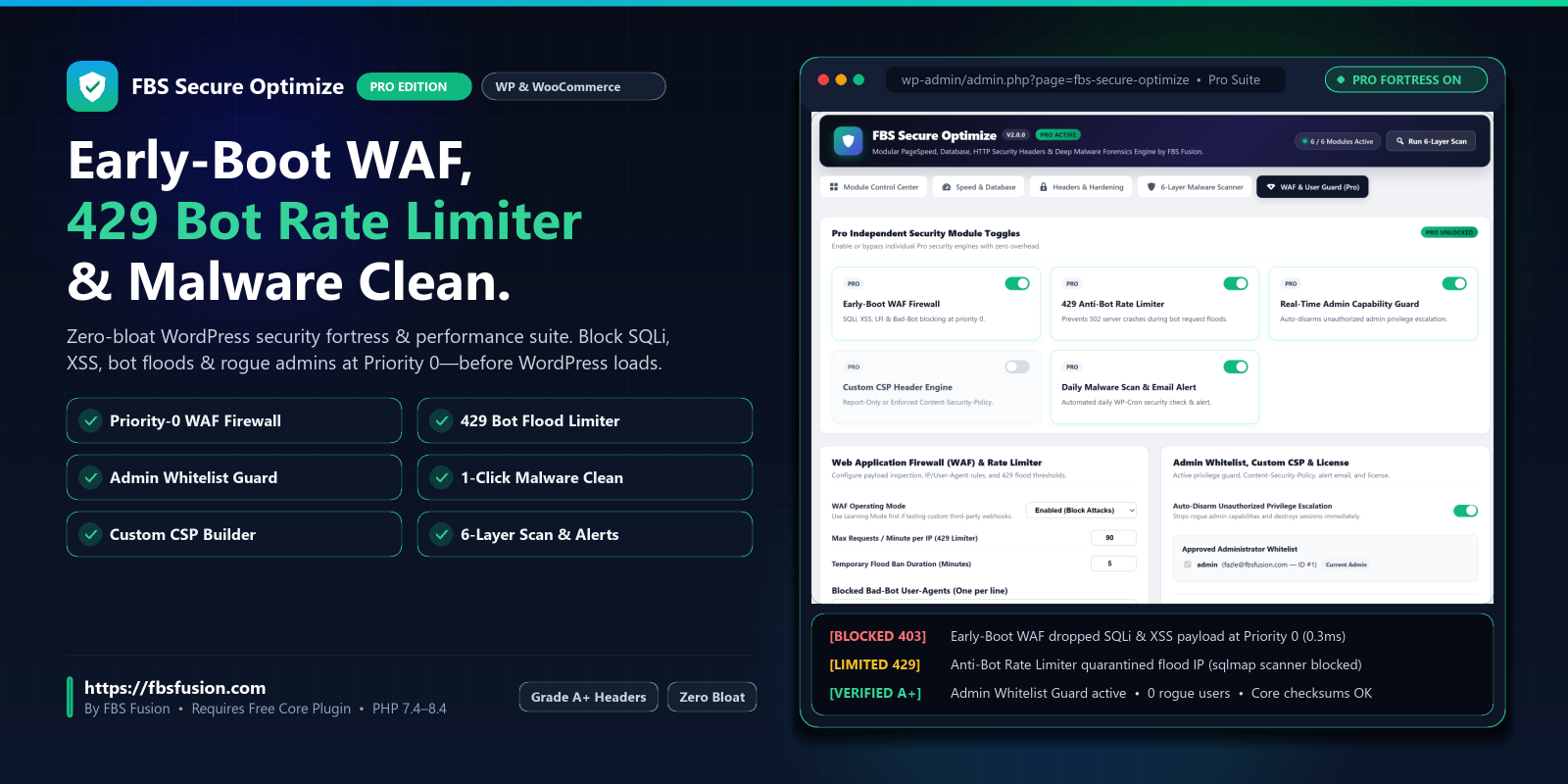
Stop bloated security plugins that slow down your server with hundreds of heavy database queries on every page request. FBS Secure Optimize Pro is an ultra-fast, modular security fortress engineered with zero-bloat architecture. It inspects and blocks malicious traffic at Priority 0 before WordPress executes your theme, while keeping your database tuned and lightning-fast.
⚠️ IMPORTANT REQUIREMENT: FBS Secure Optimize Pro is a premium security extension. It requires the free core plugin FBS Secure Optimize installed and activated on your website. Pro unlocks all active firewall modules, bot rate limiting, and 1-click remediation tools.
🛡️ Exclusive Pro Security Modules
1. Early-Boot Web Application Firewall (Priority 0 WAF)
- Inspects incoming HTTP payloads, query strings, headers, and request bodies before core WordPress hooks execute.
- Automatically halts SQL Injection (SQLi), Cross-Site Scripting (XSS), Remote File Inclusion (RFI), and Directory Traversal attacks.
- Instantly drops bad actors, malicious bots, and zero-day exploit attempts with zero server CPU overhead.
2. 429 Anti-Bot Flood & IP Rate Limiter
- Prevents scrapers, brute-force bots, and DDoS flooding from overwhelming your checkout, login screens, or server resources.
- Configurable thresholds (e.g. 90 requests/minute) with automated temporary IP quarantine (HTTP 429 Too Many Requests).
- Custom IP & URL Allowlist to ensure payment gateways (Stripe/PayPal), Webhooks, and trusted staff are never throttled.
3. Real-Time Admin Capability Whitelist Guard
- Sophisticated backdoors often grant administrator rights to rogue users behind the scenes.
- The Admin Capability Guard enforces an immutable whitelist of authorized admin user IDs.
- Any unauthorized user attempting privilege escalation or rogue admin creation is instantly stripped of capabilities and disarmed in real-time.
4. 1-Click Malware Quarantine & Remediation
- While the free version pinpoints malicious files and modified WordPress core files, Pro gives you 1-click automated remediation.
- Quarantine suspicious scripts, neutralize unauthorized backdoor files, and remove rogue administrator entries from MySQL with a single click.
5. Custom Content Security Policy (CSP) Builder
- Build, test, and deploy strict Content-Security-Policy headers directly from your WordPress dashboard.
- Toggle between Report-Only Mode (safe testing) and Enforced Mode to eliminate clickjacking, code injection, and rogue third-party tracking scripts.
6. Automated Daily Scans & Security Email Alerts
- Runs scheduled daily background scans across all 6 diagnostic layers.
- Instantly notifies site owners via email whenever file integrity is breached, a brute-force spike occurs, or rogue activity is detected.
⚡ Included Free Core Features (from FBS Secure Optimize)
- 6-Layer Forensic Diagnostic Scanner: Base64 pattern detection, eval/obfuscated shells, official WordPress.org core checksum validation, uploads folder PHP execution blocker, and stealth backdoor detection.
- Database & Autoload Optimizer: 1-click cleanup of revisions, auto-drafts, orphaned metadata, transient garbage, and inspection of heavy autoloaded options.
- Grade A+ HTTP Security Headers: Preload-ready HSTS, X-Frame-Options DENY, X-Content-Type-Options nosniff, and Referrer-Policy.
- Login Brute-Force Shield: IP lockout after repeated failed attempts, XML-RPC disabler, and admin file-editor lockout.
- Asset & Bloat Optimizer: Script deferring, WooCommerce cart-fragments throttle, WebP image serving, and inline CSS tuning.
- 100% Modular Control Center: Every module has an independent toggle with zero overhead when disabled.
🚀 Quick 3-Step Installation
- Install and activate the free core plugin FBS Secure Optimize from WordPress.org (
Plugins ➔ Add New). - Upload and activate
fbs-secure-optimize-pro.zip. - Go to
FBS Optimize ➔ License, paste your WPBay Purchase Code, and click Register. Your Pro fortress modules and automated updates will unlock instantly!
💼 Bespoke Engineering & Ecosystem by FBS Fusion
Need tailor-made WooCommerce performance tuning, custom enterprise plugin development, or a white-glove security audit? The engineering team behind FBS Secure Optimize is available for bespoke engagements.
- Official Website: https://fbsfusion.com/
- All Plugins & Tools: https://fbsfusion.com/plugins/
- Speed & Security Audits: https://fbsfusion.com/speed-security/
- Hire Our Engineering Team: https://fbsfusion.com/hire-us/
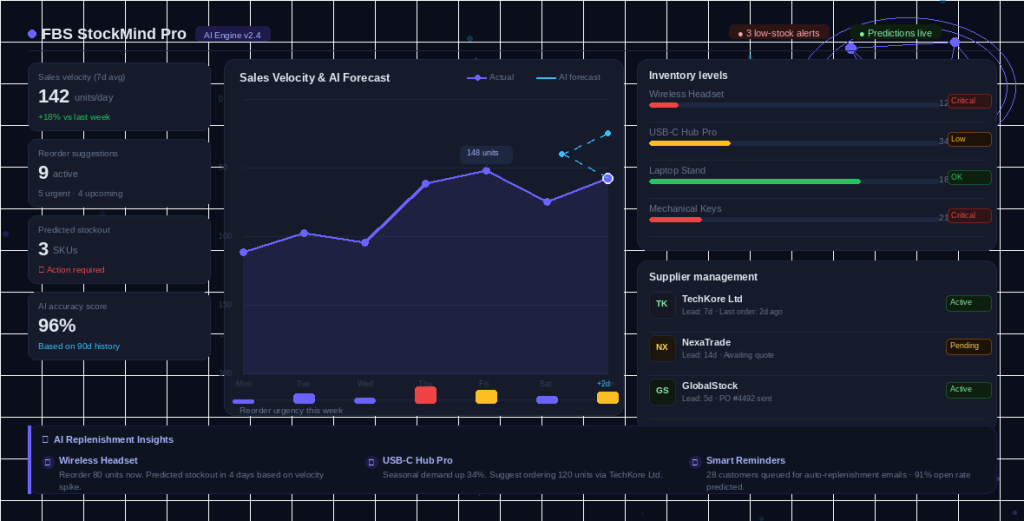
- Explore Our Flagship Plugins: Check out Product FAQ for WooCommerce Pro and FBS StockMind Pro on WPBay!
Changelog:
= 1.0.0 =
* Initial commercial release for FBS Secure Optimize Pro
Only logged in customers who have purchased this product may leave a review.
Loading...
WPBay support
 Support by FBS Fusion
FBS Fusion supports this product through WPBay
Questions are handled in WPBay's private ticket system, keeping your purchase details and support conversation together.
Go to My Downloads
After purchase, open this item in My Downloads and choose Get Support.
What support includes
- Answers to product-related questions
- Help with reported bugs and issues
- Guidance for included third-party assets
What support does not include
- Customizations or new features
- Installation or setup services
Plugin
Maintenance snapshot
See recent updates, compatibility, support, and developer activity.
- Updated today
- Developer active recently
- WPBay support available
- WordPress 7.1 tested
Snapshot updated 2 hours ago
View details Hide details
Maintenance details
This is maintenance data. It does not measure product quality or sales.
- Last update Updated today
- Compatibility WordPress 7.1 tested · PHP 8.5 tested · WooCommerce 11 tested
- Releases 1 release in the 1 days since listing
- Developer activity Developer active recently
- Support No recent support tickets to measure
- Docs and demo Documentation available · Changelog available · No demo listed
How this snapshot works
Plugin Health
The score is out of 100 and uses data WPBay can check. Ratings, popularity, and sales are not used.
- Last update 30 points
-
Plugins receive full recency points under 30 days, then step down at 90, 180, 365, and 545 days.
- Compatibility 20 points
-
WordPress, PHP, and WooCommerce (when relevant) are scored separately. The latest two PHP lines count as current. Nearby previous versions keep most of the points.
- Current version 100%
- One version behind 75%
- Two versions behind 50%
- Three versions behind 25%
- Older or not listed 0%
- Releases 15 points
-
One release earns 10, two or three earn 13, and four or more earn 15. Each accepted product ZIP counts once; reprocessing the same upload and listing-only edits do not count.
- Developer activity 15 points
-
Based on WPBay login and dashboard activity. Exact last-login dates are never shown.
- Support 15 points
-
There are no recent WPBay tickets to measure.
- Docs and demo 5 points
-
Documentation: 2. Changelog: 1. Working demo or preview: 2.
Score ranges
- 90–100 Excellent
- 75–89 Healthy
- 60–74 Fair
- 40–59 Needs attention
- 0–39 Limited
Long gaps
WPBay also checks for long gaps between updates, developer activity, support replies, and releases. Buyers do not see this score.
- Time since update 35 points
- Last developer activity 25 points
- WordPress compatibility 15 points
- Support replies 15 points
- Fewer releases 10 points
-
Quality verified by WPBay
WPBay review- Reviewed version
- 1.0.0
- Review completed
- Reviewer
- CodeRevolution
- Review type
- Initial
No unresolved approval blocker was identified during WPBay’s proportionate review of this release. This is not a security certification or a guarantee that the product contains no defects.
-
 Future updates
-
WPBay support from FBS Fusion
-
GPL code, proprietary assets
-
Covered by the WPBay refund policy
-
Plugin maintenance snapshot
Relevant picks
You may also like
Similar products selected by category, features, popularity and freshness.

Reviews
There are no reviews yet.