


Maintain Hero Monitor Pro

 Recently Updated
Well Documented
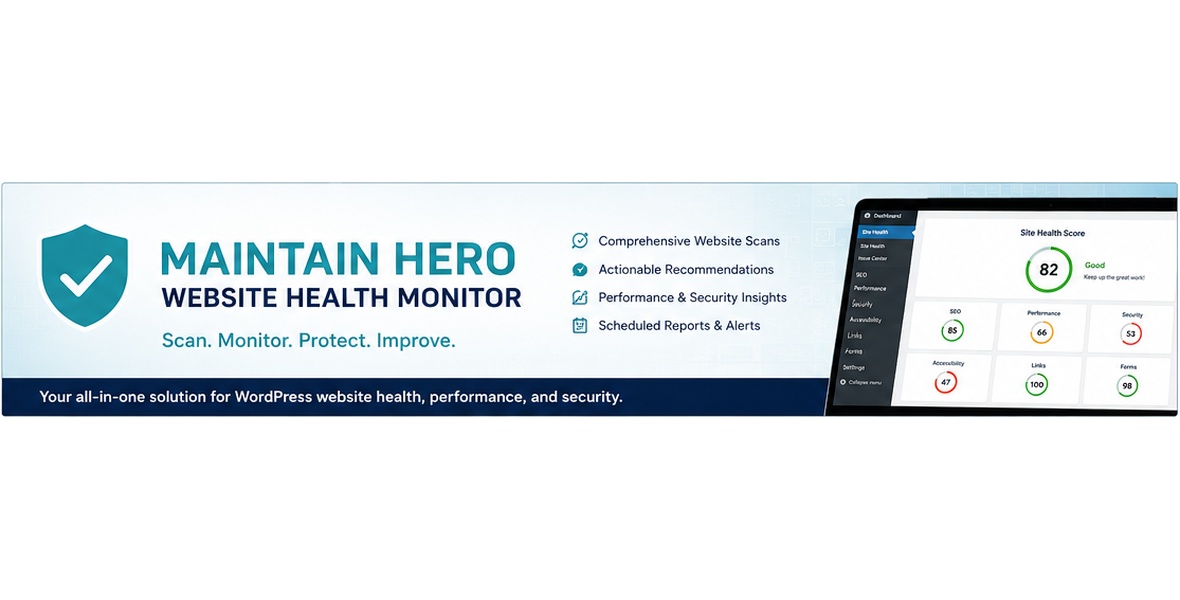
Remote scoring and automatic Cloud synchronization. Site Scan sends your WordPress home URL to WP Maintain Hero for remote scoring. With an eligible active Pro license, Maintain Hero Cloud automatically attempts hourly synchronization through WP-Cron. Full and event syncs can include issue titles and page titles. Manual-only controls local scanning and does not disable Cloud sync. Disconnect Cloud clears the stored token, but subsequent provisioning or license recovery can restore the connection. Deactivate the plugin to stop its scheduled requests.
Remote scoring and automatic Cloud monitoring
Know what’s wrong with your WordPress site before your visitors do. Maintain Hero Monitor Pro gives WordPress site owners, agencies, and developers a centralized website health dashboard for finding issues that can affect usability, search visibility, performance, security, and overall site quality. Website Health Monitoring Scan your WordPress site and get an easy-to-understand health score with actionable recommendations. Accessibility Checks Identify accessibility issues throughout your site, including common problems with labels, links, images, forms, and other page elements. SEO Analysis Find common on-page SEO problems that may be hurting your site’s visibility. Performance Monitoring Identify performance-related issues and opportunities to improve your WordPress site. Performance analysis may use Google PageSpeed Insights, which receives your site’s public URL in order to perform performance testing. Security & Vulnerability Checks Review important WordPress security concerns and detect known vulnerabilities. Vulnerability checks use Maintain Hero Cloud and transmit installed WordPress component information needed to identify known vulnerabilities. Broken Link Detection Find broken links that create a poor visitor experience and can negatively affect SEO. Quality Checks Catch website-quality issues before they become problems for visitors or clients. Professional Reports Generate website health reports that make it easy to understand your site’s condition and what should be addressed. Built for WordPress Maintain Hero Monitor Pro is managed from your WordPress dashboard, giving you one place to monitor the health of your website. Many checks are performed within WordPress, while certain features use external services such as Maintain Hero Cloud and Google PageSpeed Insights as described above. Ideal for: WordPress site owners, freelancers, agencies, developers, businesses, nonprofits, and anyone responsible for keeping a WordPress website healthy. Stop juggling multiple tools just to figure out what’s happening with your website. Maintain Hero Monitor Pro brings your essential WordPress health checks together in one dashboard.Minimum requirements
- WordPress 6.2 or later and PHP 7.4 or later. Use a PHP version supported by your installed WordPress release.
- WordPress administrator access to install the plugin and manage settings and licensing.
- A valid WPBay purchase code for premium features and scheduled Pro monitoring.
- Outbound HTTPS connections to WPBay and https://wpmaintainhero.com/cloud/ for license verification, automatic Cloud provisioning and service requests.
- A publicly reachable site URL for external Google PageSpeed analysis; local/private URLs may not be measurable.
Included downloads
A complete standalone installable Pro plugin ZIP containing PHP source, CSS, JavaScript, translation resources, the official WPBay SDK, readme/changelog and bundled guide. A separate documentation ZIP contains the guide in PDF, HTML and Markdown. The free Maintain Hero Monitor plugin is not required. WordPress, themes, hosting and a Google API key are not included.Installation and WPBay activation
- In WordPress, go to Plugins > Add New Plugin > Upload Plugin. Upload the plugin ZIP, choose Install Now, then Activate Plugin. Use the replacement workflow when updating. Do not install the documentation ZIP as a plugin.
- Open Maintain Hero > WPBay Activation and register the purchase code from your WPBay order through the official SDK license-registration interface.
- Confirm the license is valid. Activating the WordPress plugin alone does not activate the paid license.
- Allow automatic Maintain Hero Cloud provisioning and confirm Cloud connection status separately.
Cloud provisioning — no second purchase required
The valid WPBay purchase code provisions the included Cloud connection for licensing and vulnerability-intelligence features. A second Maintain Hero Cloud license purchase is not required. Provisioning requires a valid code registered for the correct site URL and working outbound HTTPS. Expired or revoked purchase codes, expired developer sandbox codes, a site-registration mismatch or blocked connections can prevent authorization. A saved token alone does not prove current service authorization. Premium features and scheduled Pro monitoring pause while activation is invalid; saved monitoring preferences are retained.Optional Google PageSpeed key and quotas
Built-in performance checks work without a Google API key. For Google speed scores and available Core Web Vitals data, open Maintain Hero > Settings, follow the linked Google setup guide, obtain your own key, save it and use Test Google PageSpeed. A key is not included. Google supports keyless API requests, but a configured key is recommended for dependable automated results and project-specific quota. Both keyed and keyless requests are subject to Google quotas, rate limits, availability and applicable terms. No unlimited API usage or guaranteed metrics are included. Google requires a publicly reachable URL. Built-in checks remain available if Google is unavailable or quota-limited.Scheduling and external services
Scheduled scans use traffic-driven WP-Cron and may run after the selected minute. Email delivery depends on your WordPress mail/SMTP configuration. Cloud requests may transmit the site URL, licensed-site identifiers and installed component identifiers/versions for authentication and vulnerability checks. PageSpeed requests send the public site URL and any configured Google API key to Google. Review the included guide before enabling these integrations. Site Scan finalization sends an HTTPS GET to https://wpmaintainhero.com/wp-json/maintain-hero/v1/score with your WordPress home URL in the url query parameter. The User-Agent also identifies the Pro version and home URL. The remote public scanner may fetch publicly accessible pages to calculate the headline score; this request does not upload the local issue list or page content. If the scoring service fails, the plugin uses its internal score. Running Site Scan triggers this request; there is currently no separate end-user switch for remote headline scoring. Avoid running Site Scan if you do not want this transfer. Developers can change the endpoint with mhm_canonical_score_endpoint. With an active eligible Pro license, WordPress cron automatically attempts Cloud check-in hourly (first scheduled about two hours after plugin activation). This is separate from Daily/Weekly/Manual-only local monitoring: choosing Manual-only does not disable Cloud synchronization. Traffic-driven WP-Cron can delay execution. Test Cloud Connection manually sends a heartbeat. After a scheduled local scan, an event check-in may also be sent when the urgent-issue hash changes. Default destination: https://wpmaintainhero.com/cloud/wp-json/maintain-hero-cloud/v1/site/check-in. A provisioned/configured Cloud endpoint can change the destination. Compatibility transports send the same JSON to the Cloud base URL with ?mhc_api=checkin, or its /wp-admin/admin-ajax.php?action=mhc_api&mhc_route=checkin endpoint. The request uses a Bearer site token and a User-Agent containing the plugin version. If a license key is stored, the request also includes a recovery object (_mhm_auth) with the license key, site ID and site URL. These credentials are sent to the Cloud service, not displayed publicly. Every heartbeat, full and event payload contains sync_mode; site id/fingerprint, URL, name, WordPress version, PHP version and plugin version; health score, last scan timestamp, priority counts, broken-link count, accessibility issue/review counts, confirmed-vulnerability count, total issue count and issue hash; and sent_at timestamp. Full synchronization is selected initially and when six hours have elapsed since the last successful full sync. In addition to the common fields it includes category scores and up to 150 open issue summaries: issue id, title (up to 140 characters), category (50), priority and page title (100). Event synchronization is selected when the urgent-issue hash changes (or has no prior value), unless a full sync is due; it adds up to 50 critical/high-priority issue summaries with the same fields. Otherwise a heartbeat is selected, without detailed issue summaries or category scores. Monitoring summaries do not include page HTML, page URLs for individual issues, form submissions, user passwords or the configured PageSpeed key; issue and page titles can still contain identifying text. Controls: Disconnect Cloud removes the stored token and prevents authenticated check-ins until a token is provisioned again. A subsequent eligible admin page load can automatically provision Cloud again. A Cloud request can also attempt to recover a missing or rejected token using an active stored license. Disconnect therefore does not provide a persistent opt-out. There is currently no independent switch for heartbeat versus full/event synchronization. Deactivating this plugin stops its scheduled hooks and requests. Local monitoring frequency and email settings control local scans/emails only. PageSpeed remains an optional separate Google workflow as described above. Make these choices before activating the licensed Cloud workflow or running Site Scan.Local storage
Reader-safe chunk storage requires MySQL/MariaDB GET_LOCK and RELEASE_LOCK support.
Changelog:
1.0.158
Clarify remote scoring, automatic Cloud synchronization, transmitted data and control limitations in the listing, readme and guides.
Only logged in customers who have purchased this product may leave a review.
Loading...
WPBay support
 Support by Maintain Hero
Maintain Hero supports this product through WPBay
Questions are handled in WPBay's private ticket system, keeping your purchase details and support conversation together.
Go to My Downloads
After purchase, open this item in My Downloads and choose Get Support.
What support includes
- Answers to product-related questions
- Help with reported bugs and issues
- Guidance for included third-party assets
What support does not include
- Customizations or new features
- Installation or setup services
Plugin
Maintenance snapshot
See recent updates, compatibility, support, and developer activity.
- Updated today
- Developer active recently
- WPBay support available
- WordPress 7.1 tested
Snapshot updated 3 hours ago
View details Hide details
Maintenance details
This is maintenance data. It does not measure product quality or sales.
- Last update Updated today
- Compatibility WordPress 7.1 tested · PHP 8.5 tested
- Releases 17 releases in the 36 days since listing
- Developer activity Developer active recently
- Support No recent support tickets to measure
- Docs and demo Documentation available · Changelog available · No demo listed
Health reflects increased activity during the last 90 days.
How this snapshot works
Plugin Health
The score is out of 100 and uses data WPBay can check. Ratings, popularity, and sales are not used.
- Last update 30 points
-
Plugins receive full recency points under 30 days, then step down at 90, 180, 365, and 545 days.
- Compatibility 20 points
-
WordPress, PHP, and WooCommerce (when relevant) are scored separately. The latest two PHP lines count as current. Nearby previous versions keep most of the points.
- Current version 100%
- One version behind 75%
- Two versions behind 50%
- Three versions behind 25%
- Older or not listed 0%
- Releases 15 points
-
One release earns 10, two or three earn 13, and four or more earn 15. Each accepted product ZIP counts once; reprocessing the same upload and listing-only edits do not count.
- Developer activity 15 points
-
Based on WPBay login and dashboard activity. Exact last-login dates are never shown.
- Support 15 points
-
There are no recent WPBay tickets to measure.
- Docs and demo 5 points
-
Documentation: 2. Changelog: 1. Working demo or preview: 2.
Score ranges
- 90–100 Excellent
- 75–89 Healthy
- 60–74 Fair
- 40–59 Needs attention
- 0–39 Limited
Long gaps
WPBay also checks for long gaps between updates, developer activity, support replies, and releases. Buyers do not see this score.
- Time since update 35 points
- Last developer activity 25 points
- WordPress compatibility 15 points
- Support replies 15 points
- Fewer releases 10 points
-
Quality verified by WPBay
WPBay review- Reviewed version
- 1.0.159
- Review completed
- Reviewer
- CodeRevolution
- Review type
- Initial
No unresolved approval blocker was identified during WPBay’s proportionate review of this release. This is not a security certification or a guarantee that the product contains no defects.
-
 Future updates
-
WPBay support from Maintain Hero
-
Fully GPL licensed
-
Covered by the WPBay refund policy
-
Plugin maintenance snapshot
Relevant picks
You may also like
Similar products selected by category, features, popularity and freshness.


Reviews
There are no reviews yet.