


EcoMeter Script – Website CO2 Analyzer for Any Site

 Recently Updated
Well Documented
See the CO2 of every page of any website. No WordPress needed.
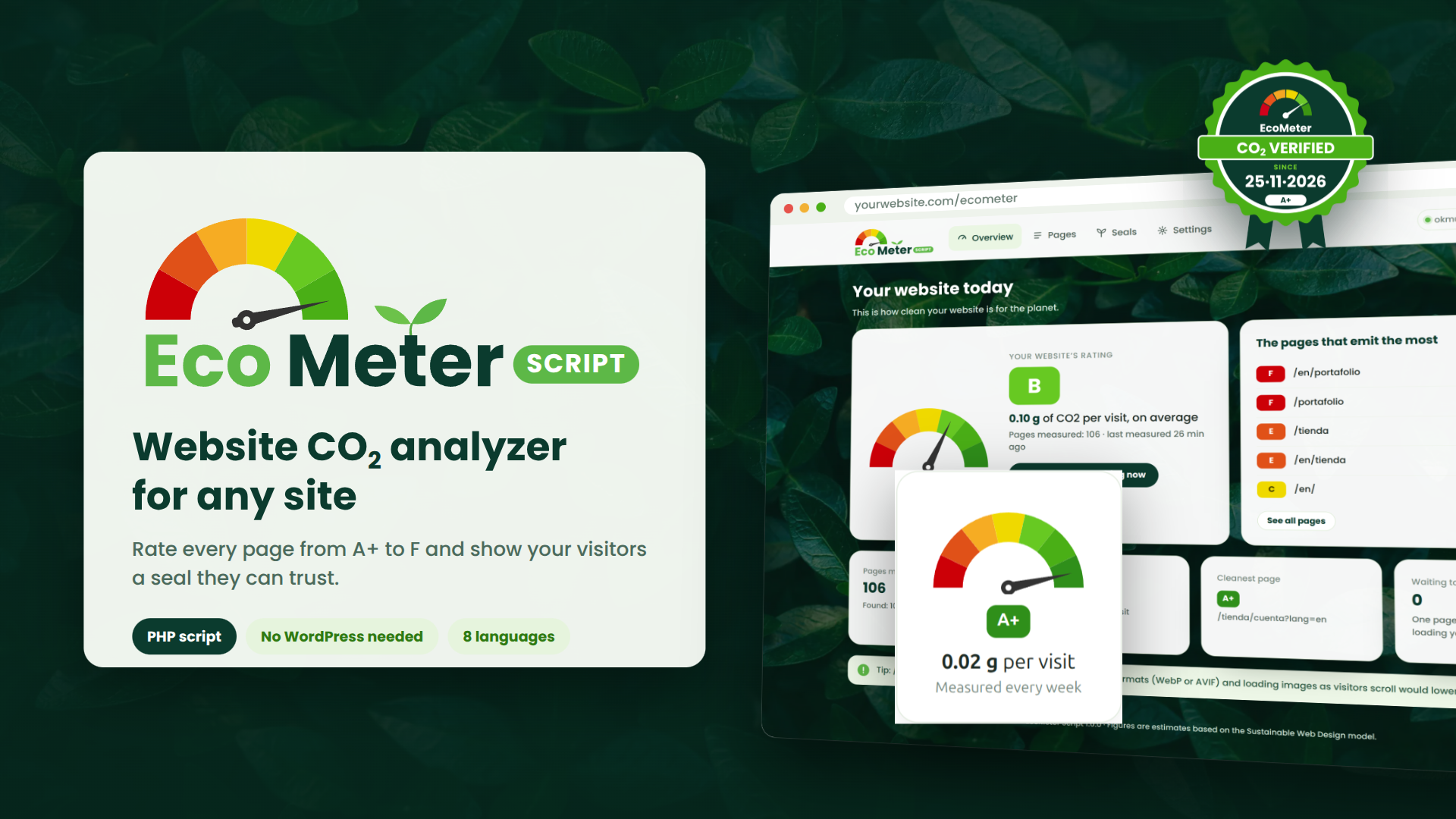
EcoMeter Script is a self-hosted PHP script that estimates how much CO2 every page of your website produces per visit, rates it from A+ (cleanest) to F and shows your visitors a seal with the real result of the page they are reading. It works with plain HTML sites, PHP sites, Laravel and other frameworks, and custom CMSs.
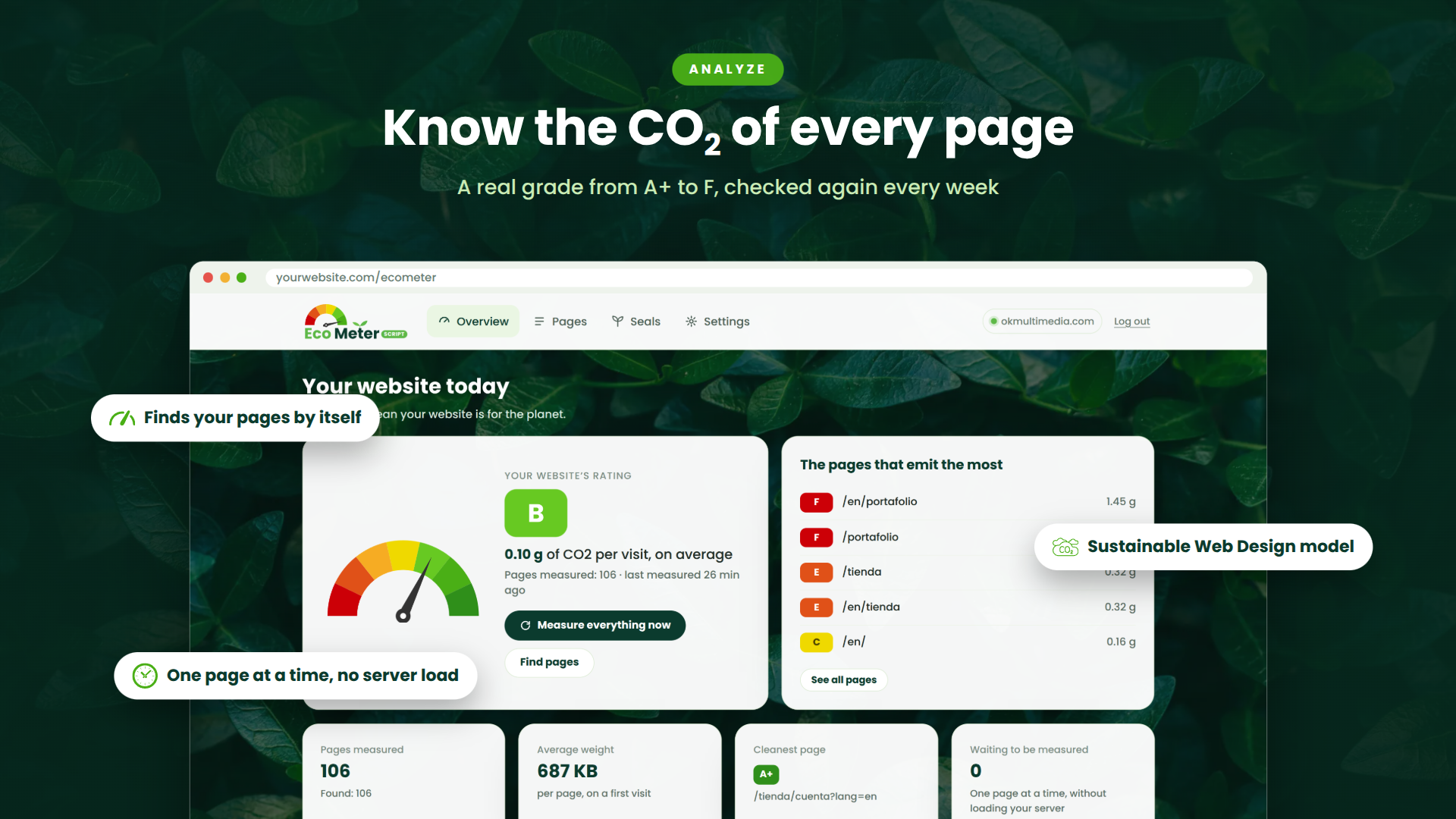
Know the CO2 of every page
EcoMeter finds your pages by itself (from your sitemap or by following your links) and loads each one the way a browser does on a first visit: HTML, styles, scripts, images (including responsive images), fonts and video. It turns that data into grams of CO2 per visit with the Sustainable Web Design model of the Green Web Foundation, and checks every page again each week, one page at a time, so your server never gets busy.
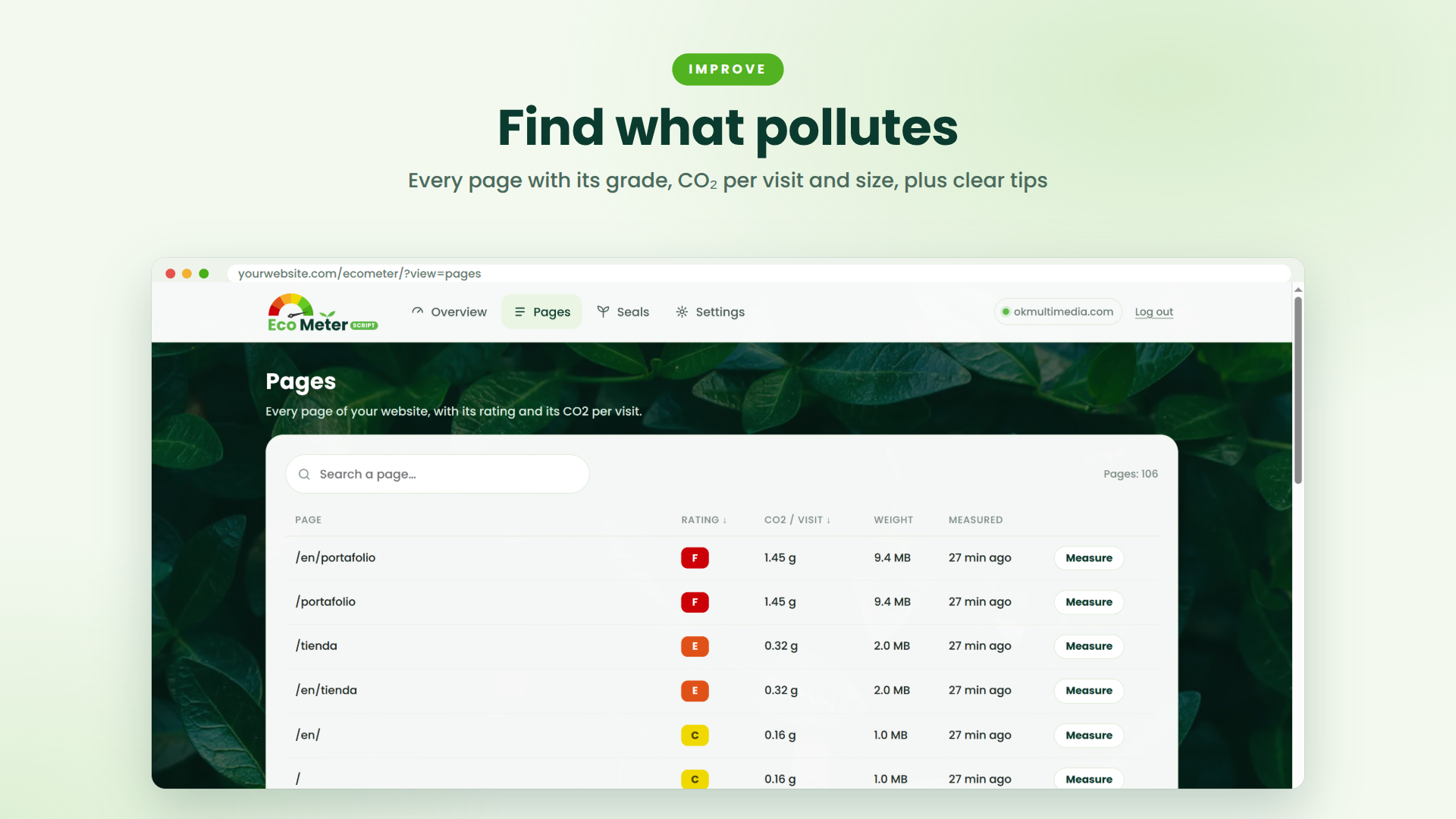
Find what pollutes
Every page appears with its grade, its CO2 per visit and its size. Sort and search the list, measure a page again, add or remove pages, and follow clear tips that tell you what to improve first.
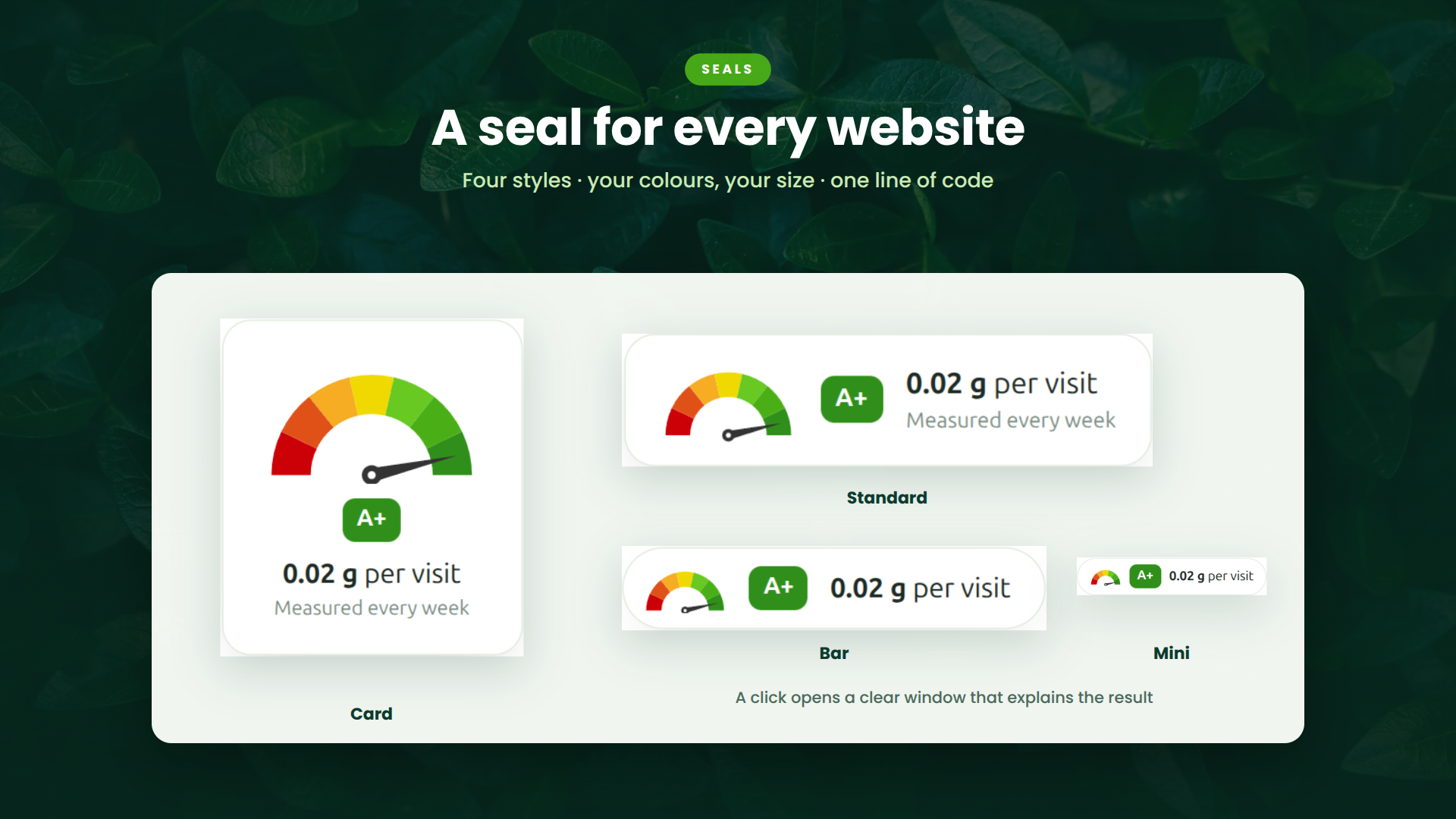
A seal for every website
Show your visitors the CO2 of the page they are reading with a single line of code. Choose between four styles (card, standard, bar and mini), set your own colours and size, and a click opens a clear window that explains the result. On PHP sites you can also use a one-line include.
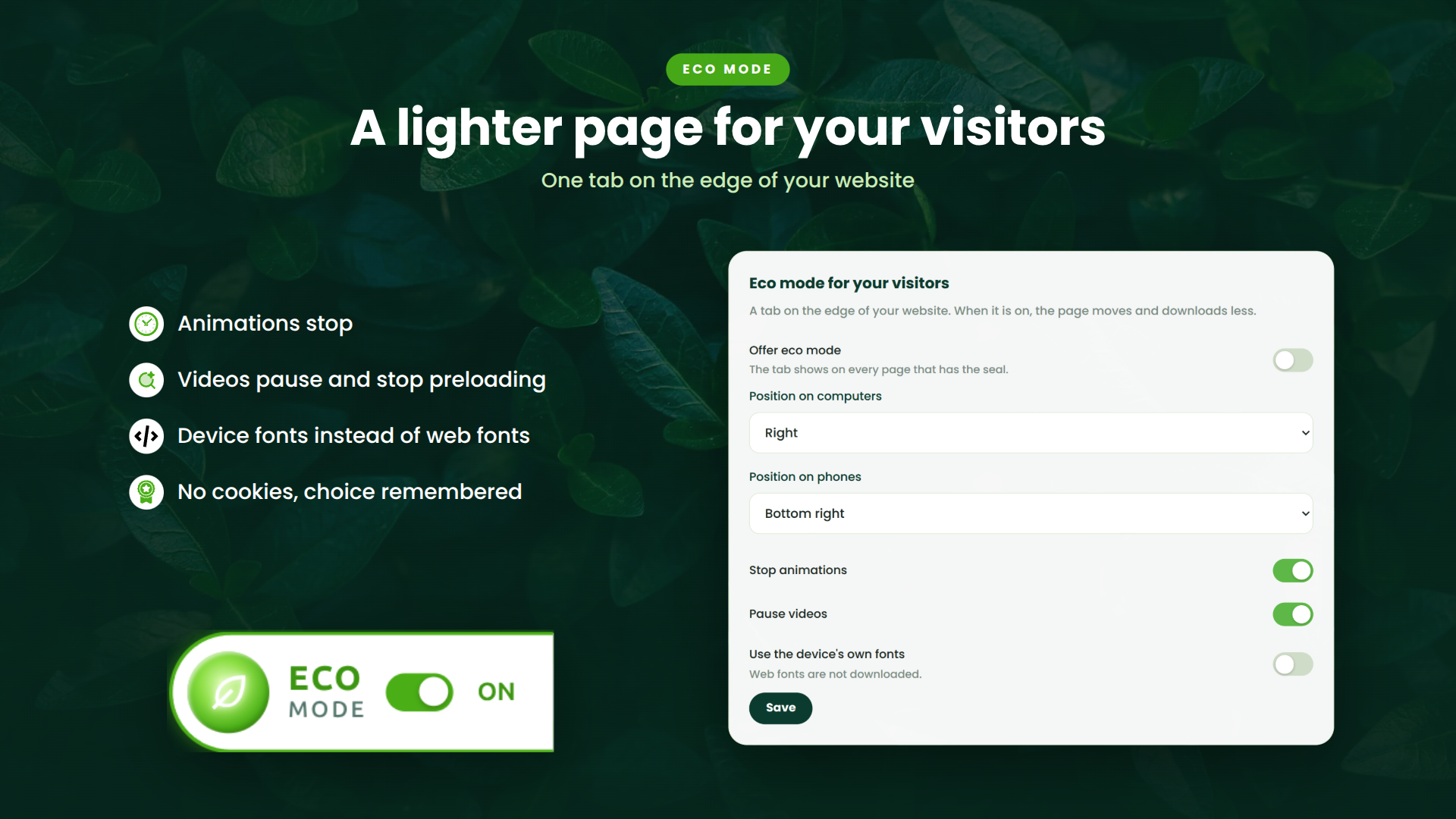
A lighter page for your visitors
Eco mode adds a small tab on the edge of your website. When a visitor switches it on, animations stop, videos pause and, if you choose, the device’s own fonts are used instead of web fonts. No cookies: the choice is remembered in the visitor’s browser.
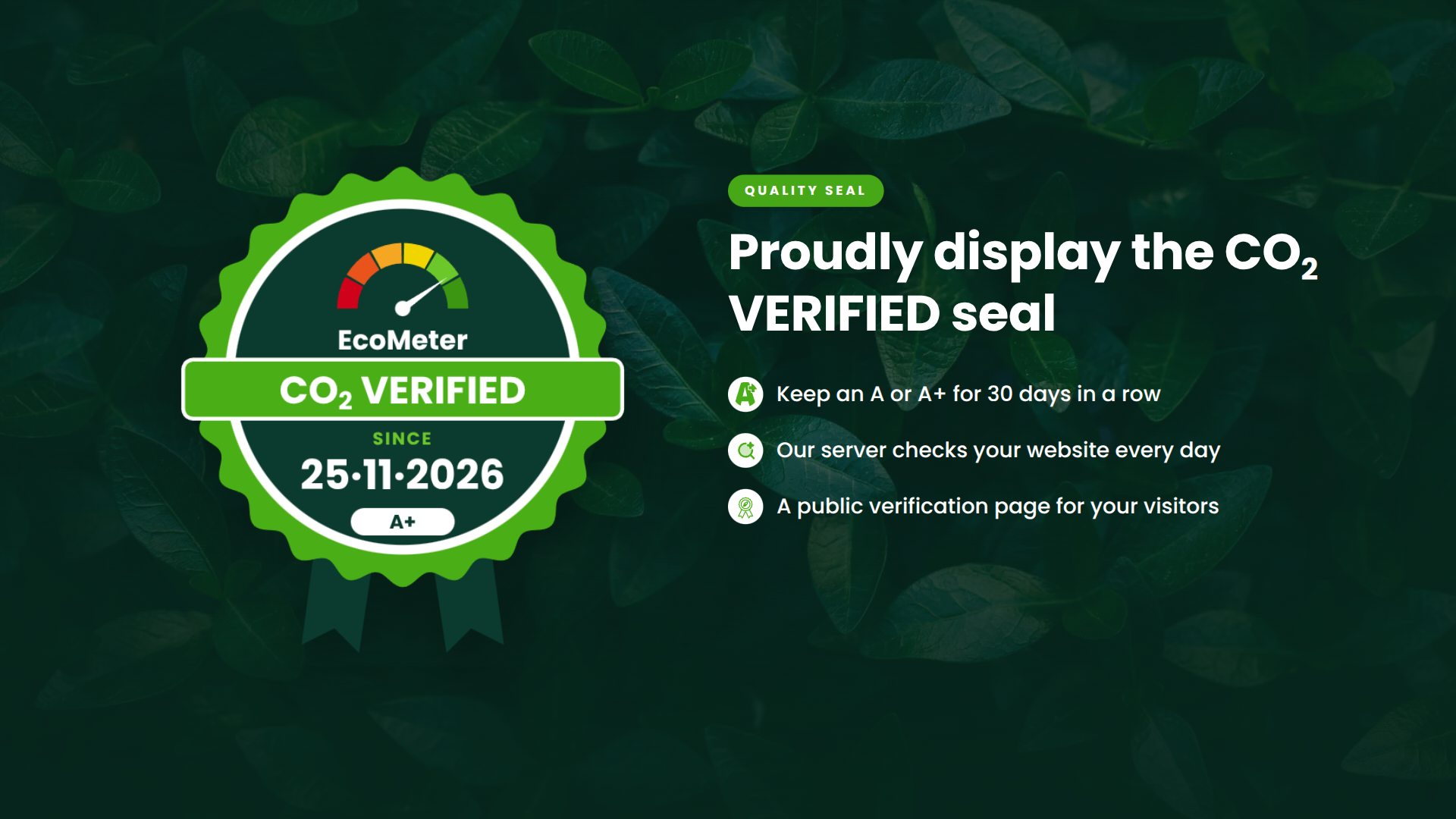
Proudly display the CO2 VERIFIED seal
Keep your website at A or A+ for 30 days in a row and earn a seal that shows since when you have it. Our verification service checks your website every day, and visitors can click the seal to see its public verification page. See it live in the demo.
Features
- CO2 estimate and A+ to F rating for every page, re-checked every week
- Automatic page discovery, up to 5,000 pages per website
- Four seal styles with your colours and size, in 8 languages
- Eco mode tab for your visitors
- CO2 VERIFIED seal with a public verification page
- Dashboard in English, Spanish, French, Portuguese, German, Russian, Arabic and Chinese
- Four-step installer that checks your server; built-in SQLite database, no MySQL needed
- Failed measurements are retried automatically and listed with a “Retry” button
- Secure by default: the installer locks itself, hashed passwords, sign-in lockout, CSRF tokens and a private key for the scheduled task
- No license key or activation
Honest figures
The CO2 figures are model-based estimates, not a direct measurement of energy use, so they are a guide to compare and improve your pages. Each page is measured with a limit of 120 files and 60 seconds, results with more than 10% of failed files are not kept, and pages are measured one at a time. More details in the guide.
Ready in 3 steps
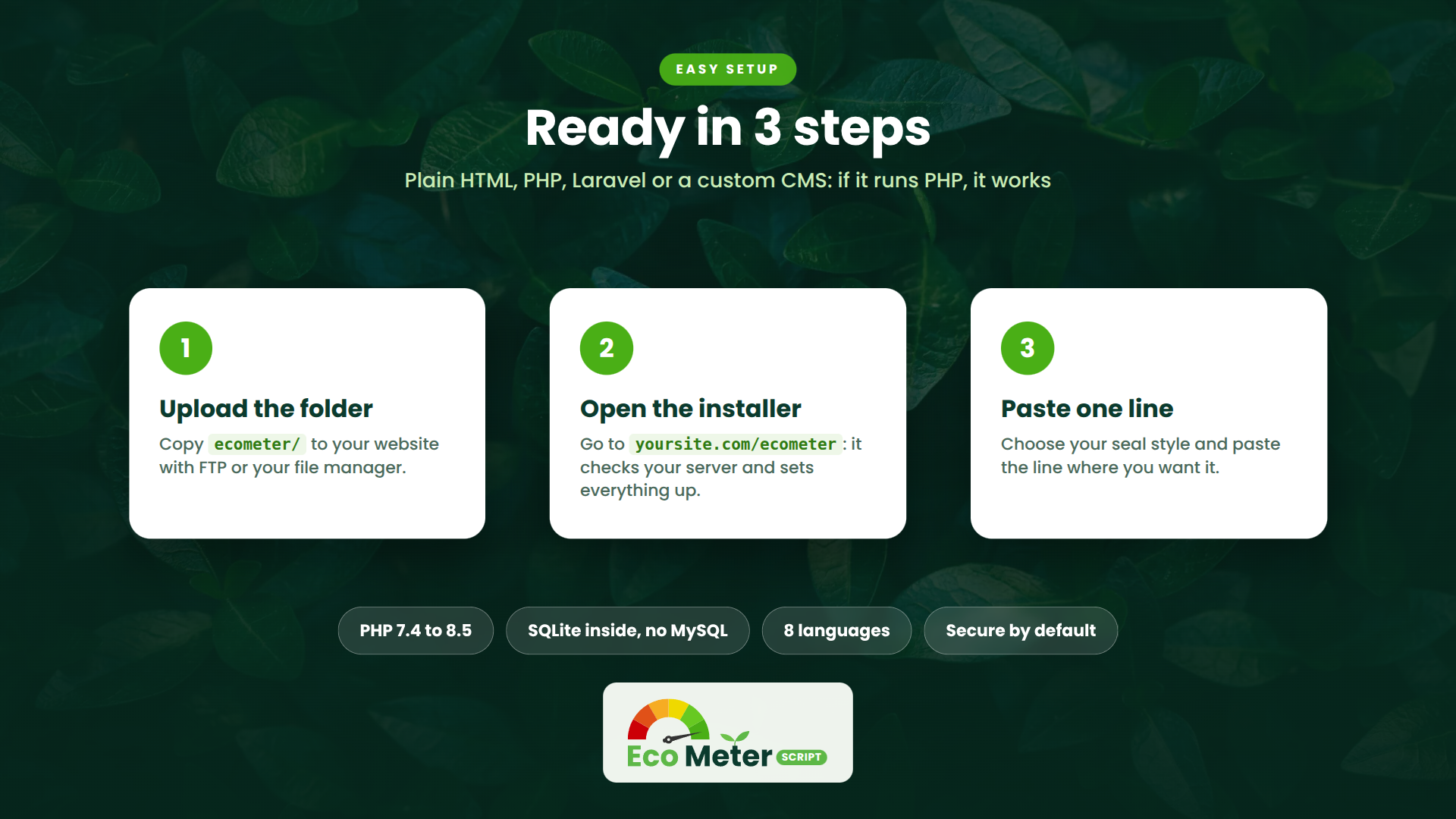
- Upload the
ecometerfolder to the root of your website. - Open yourwebsite.com/ecometer/ and follow the four steps of the installer.
- Copy the line from the dashboard (Seals) and paste it where you want the seal.
Optional: add the cron job shown in Settings, turn on eco mode and press “Start” to begin the CO2 VERIFIED challenge.
Requirements
- PHP 7.4 or later (tested up to PHP 8.5)
- PHP extensions PDO SQLite, cURL, DOM and JSON (usually enabled)
- Optional: a cron job for fully automatic measurements (without one, it measures while the dashboard is open and after visits)
What is in the ZIP
The ecometer/ folder you upload to your website, an English guide (documentation/index.html) with a Troubleshooting & FAQ section, README.txt and the licensing/ folder.
External services
EcoMeter only loads the pages of your own website, from your own server. The optional CO2 VERIFIED seal is off by default: when you press “Start”, it sends your home page address and a random code to our verification service at okmultimedia.com, which then checks your home page and two random pages once a day. No personal data is sent. Details in the guide.
Support and updates
Support is included through WPBay’s support system, and updates are free.
EcoMeter measures each page from your server: it reads the HTML and downloads the files it references (styles, scripts, images, fonts and video). It does not run the page in a real browser, so files that scripts load later are not counted. Results that may be incomplete are clearly marked in the dashboard.
Changelog:
1.0.2
Security and reliability fixes from the marketplace review.
Measurement limits corrected; incomplete results marked.
1.0.1
Fix: the widgets now show their result when a visitor arrives from a referral or affiliate link (?ref=, ?aff=...). Before, they could stay on "Measuring".
Only logged in customers who have purchased this product may leave a review.
Loading...
WPBay support
 Support by OK Multimedia
OK Multimedia supports this product through WPBay
Questions are handled in WPBay's private ticket system, keeping your purchase details and support conversation together.
Go to My Downloads
After purchase, open this item in My Downloads and choose Get Support.
What support includes
- Answers to product-related questions
- Help with reported bugs and issues
- Guidance for included third-party assets
What support does not include
- Customizations or new features
- Installation or setup services
Script
Maintenance snapshot
See recent updates, compatibility, support, and developer activity.
- Updated today
- Developer active recently
- WPBay support available
- Documentation available
Snapshot updated 4 hours ago
View details Hide details
Maintenance details
This is maintenance data. It does not measure product quality or sales.
- Last update Updated today
- Compatibility Not used for scripts
- Releases 3 releases in the 1 days since listing
- Developer activity Developer active recently
- Support No recent support tickets to measure
- Docs and demo Documentation available · Changelog available · Demo available
Health reflects increased activity during the last 90 days.
How this snapshot works
Script Health
The score is out of 100 and uses data WPBay can check. Ratings, popularity, and sales are not used.
- Last update 35 points
-
Scripts receive full recency points under 45 days, then step down at 120, 240, 365, and 545 days.
- Compatibility Not scored
-
Scripts do not use WordPress or PHP, so compatibility is not scored.
- Releases 20 points
-
One release earns 14, two or three earn 18, and four or more earn 20. Each accepted product ZIP counts once; reprocessing the same upload and listing-only edits do not count.
- Developer activity 20 points
-
Based on WPBay login and dashboard activity. Exact last-login dates are never shown.
- Support 15 points
-
There are no recent WPBay tickets to measure.
- Docs and demo 10 points
-
Documentation: 3. Changelog: 1. Working demo or preview: 6.
Score ranges
- 90–100 Excellent
- 75–89 Healthy
- 60–74 Fair
- 40–59 Needs attention
- 0–39 Limited
Long gaps
WPBay also checks for long gaps between updates, developer activity, support replies, and releases. Buyers do not see this score.
- Time since update 45 points
- Last developer activity 30 points
- WordPress compatibility Not scored
- Support replies 15 points
- Fewer releases 10 points
-
Quality verified by WPBay
WPBay review- Reviewed version
- Current release
- Review completed
- Reviewer
- CodeRevolution
- Review type
- Initial
No unresolved approval blocker was identified during WPBay’s proportionate review of this release. This is not a security certification or a guarantee that the product contains no defects.
-
 Future updates
-
WPBay support from OK Multimedia
-
GPL code, proprietary assets
-
Covered by the WPBay refund policy
-
Script maintenance snapshot
Relevant picks
You may also like
Similar products selected by category, features, popularity and freshness.




From this seller
View seller store
More by OK Multimedia
Explore more bestselling products from this creator.




Reviews
There are no reviews yet.