



Client Lockbox Membership – WordPress Membership & Client Portal Plugin

 Recently Updated
Well Documented
Recently Updated
Well Documented
SPECIAL LIMITED-TIME PRICE
 Client Lockbox Membership Plugin
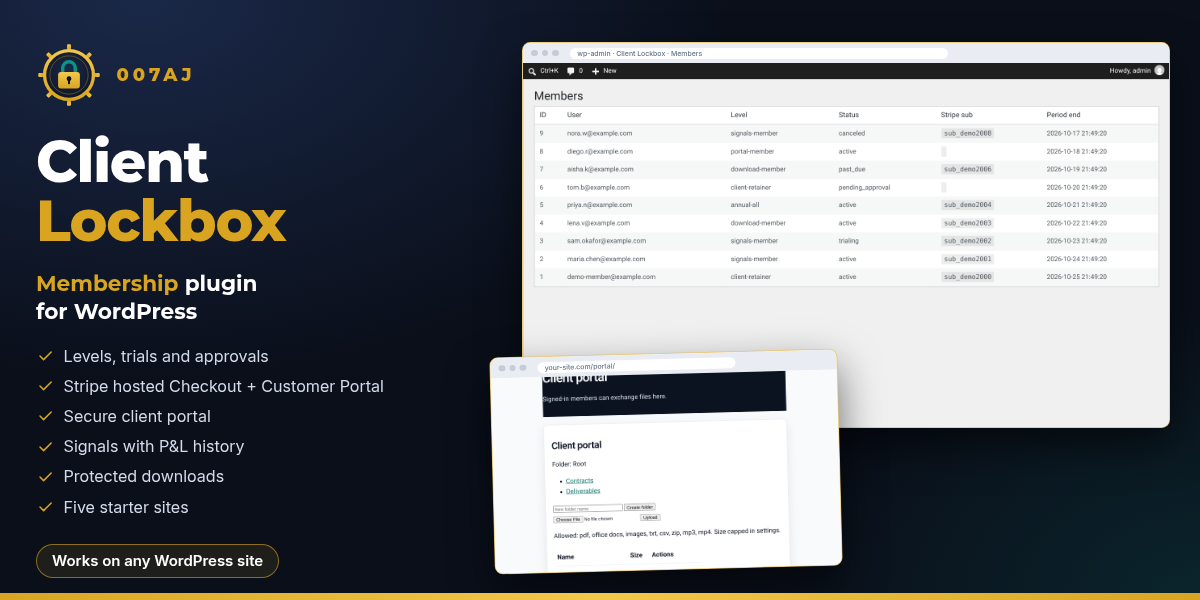
A WordPress membership plugin with a secure client portal, Stripe hosted Checkout, signals and protected downloads
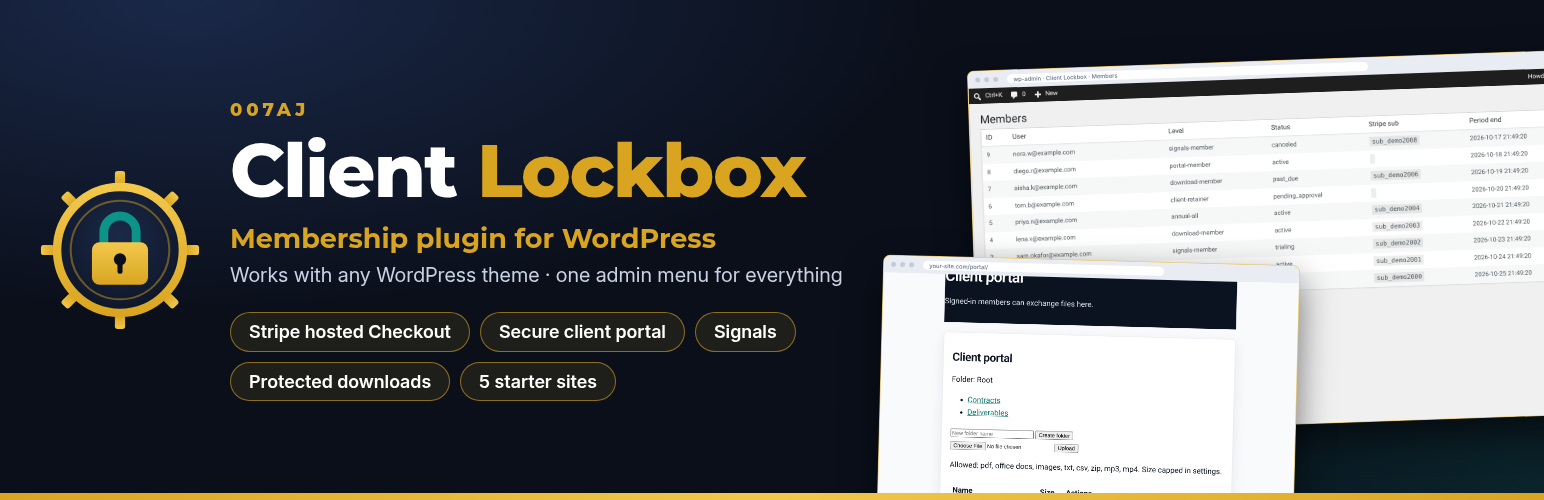
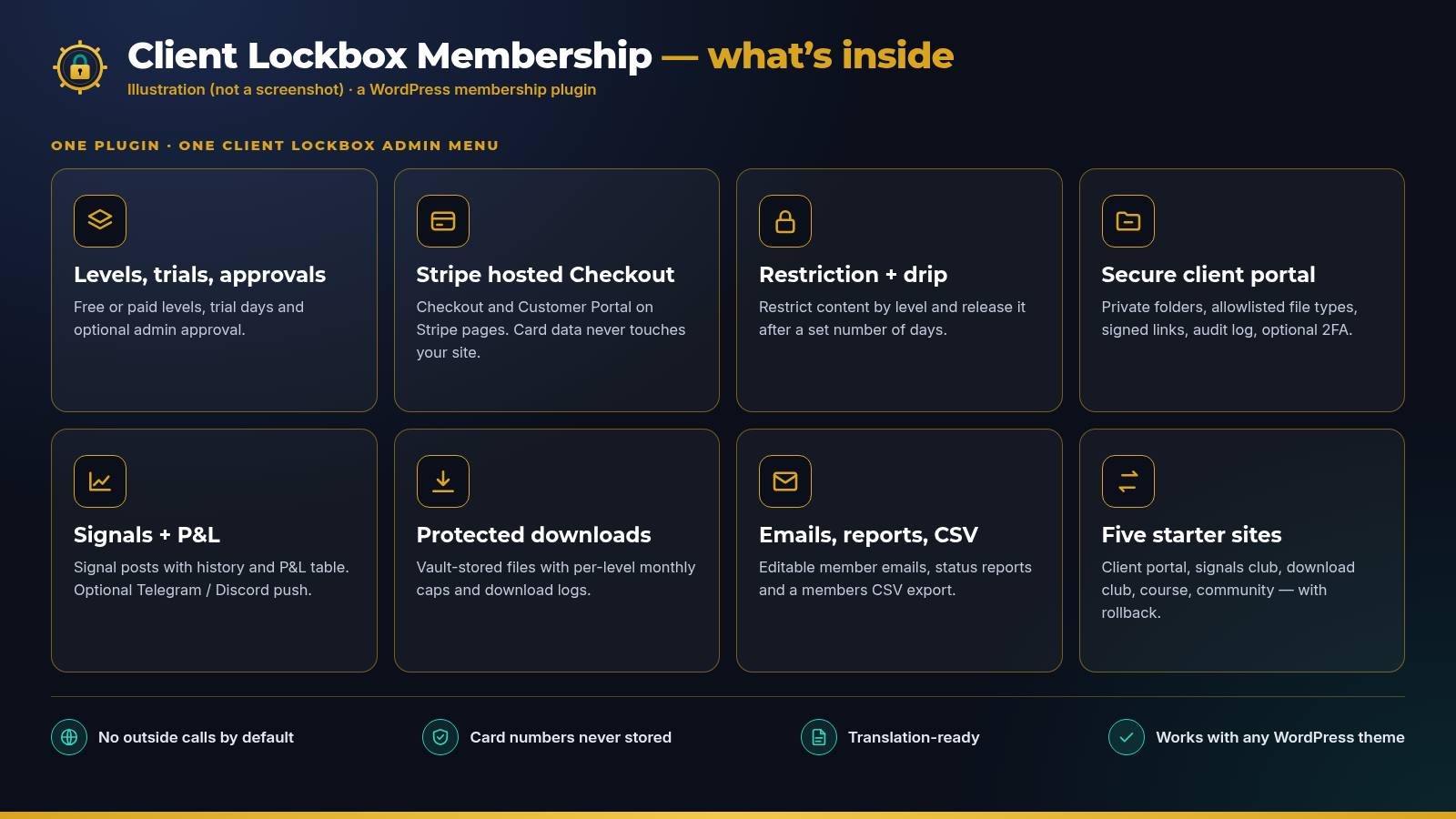
Client Lockbox Membership adds everything a private members area needs to your WordPress site: membership levels and trials, Stripe hosted Checkout, content restriction, a secure client portal, trading signals and protected downloads, with five starter sites to begin from. Everything is managed from one Client Lockbox menu in the admin.
Fully licensed version — use on your own sites
Works on any WordPress site
Fully licensed
use on your own sites
WordPress plugin
one menu for everything
Stripe hosted Checkout
card data stays on Stripe
WordPress 6.3+
PHP 7.4+
ONE PLUGIN, ONE ADMIN MENU
Everything runs inside Client Lockbox Membership
Install the plugin on your WordPress site and a Client Lockbox menu appears in the admin. Levels, members, billing records, portal files, signals and downloads are all managed from there.
Membership levels and trialsStripe hosted CheckoutContent restriction and dripSecure client portalSignals with P&LProtected downloadsMember emails and reportsFive starter sites
A private members area on your own site
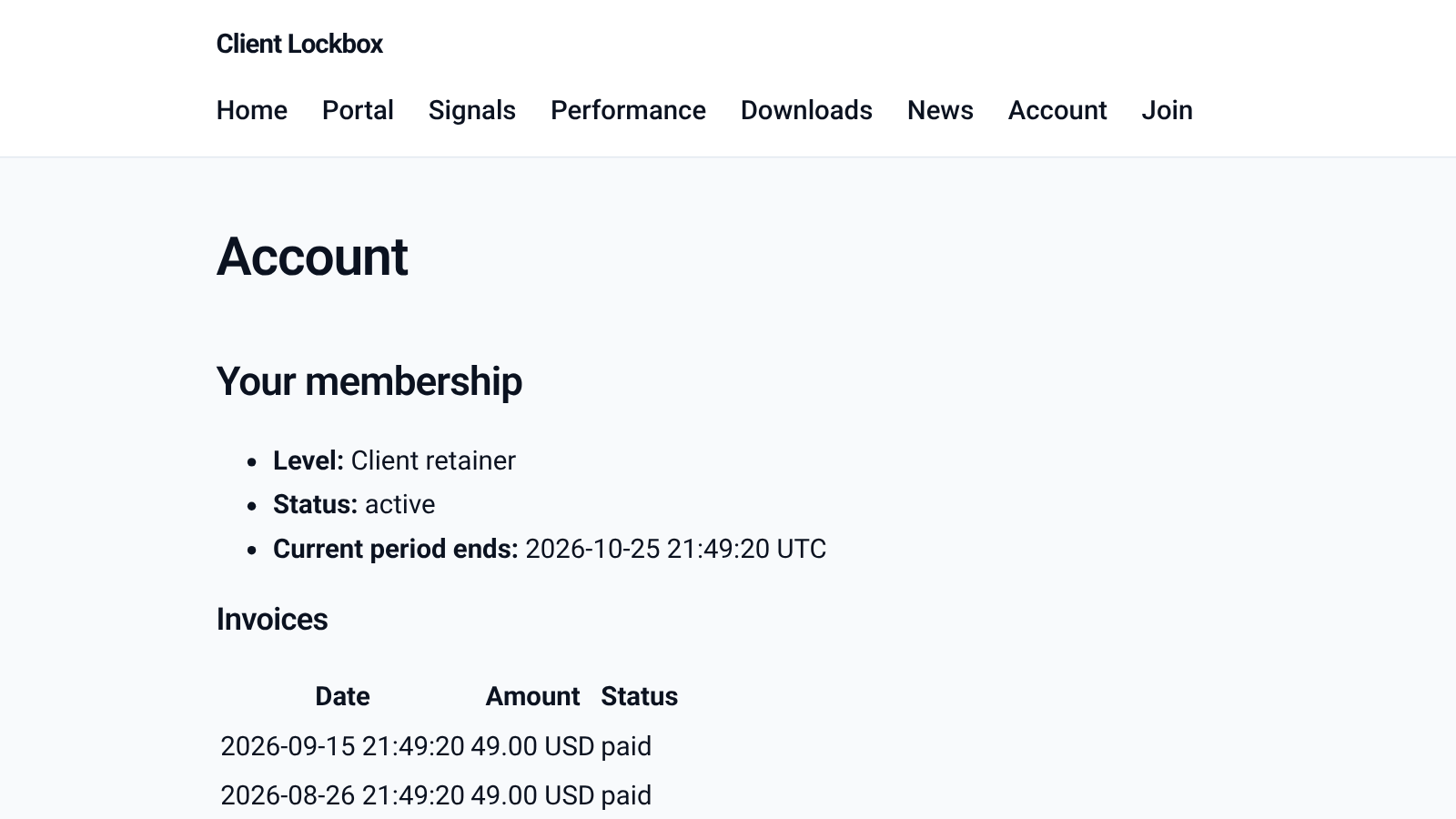
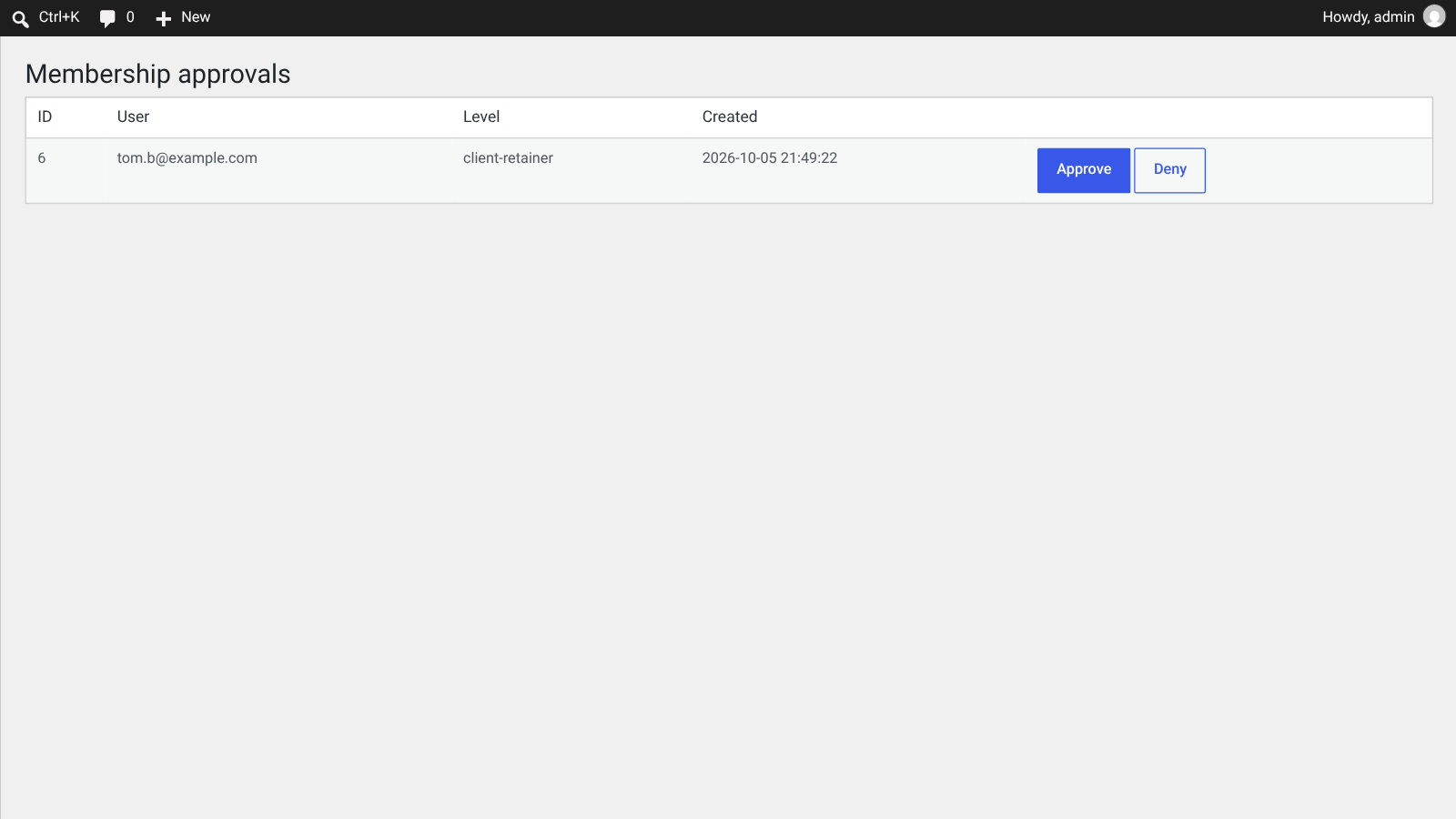
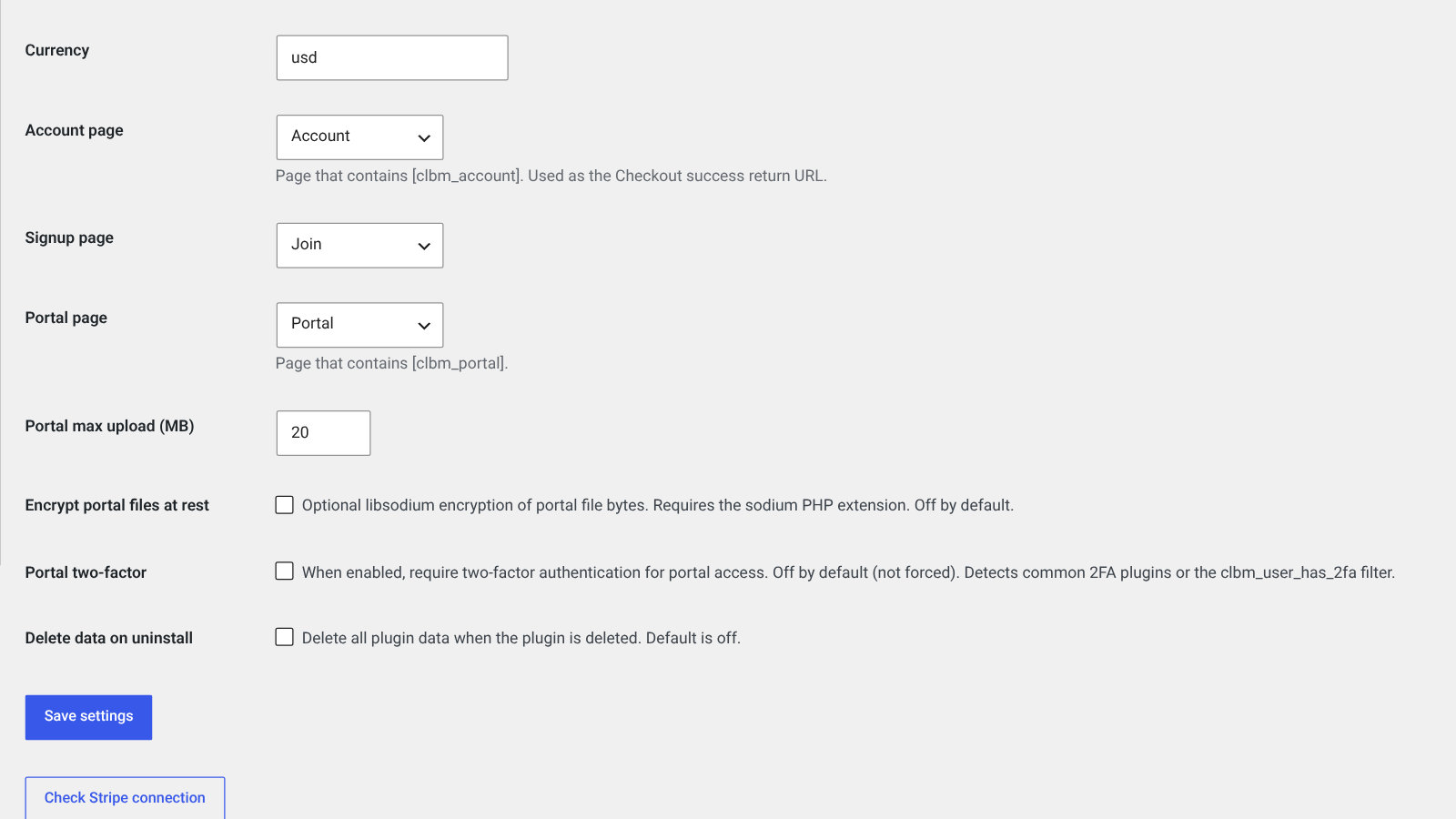
Members see their plan and invoices on the account page. You review new sign-ups and set up the plugin from the admin.
MEMBERSHIP PLUGIN · CORE
Membership and billing, handled
Levels, trials, approvals, Stripe hosted Checkout, restriction, drip, emails and reports.
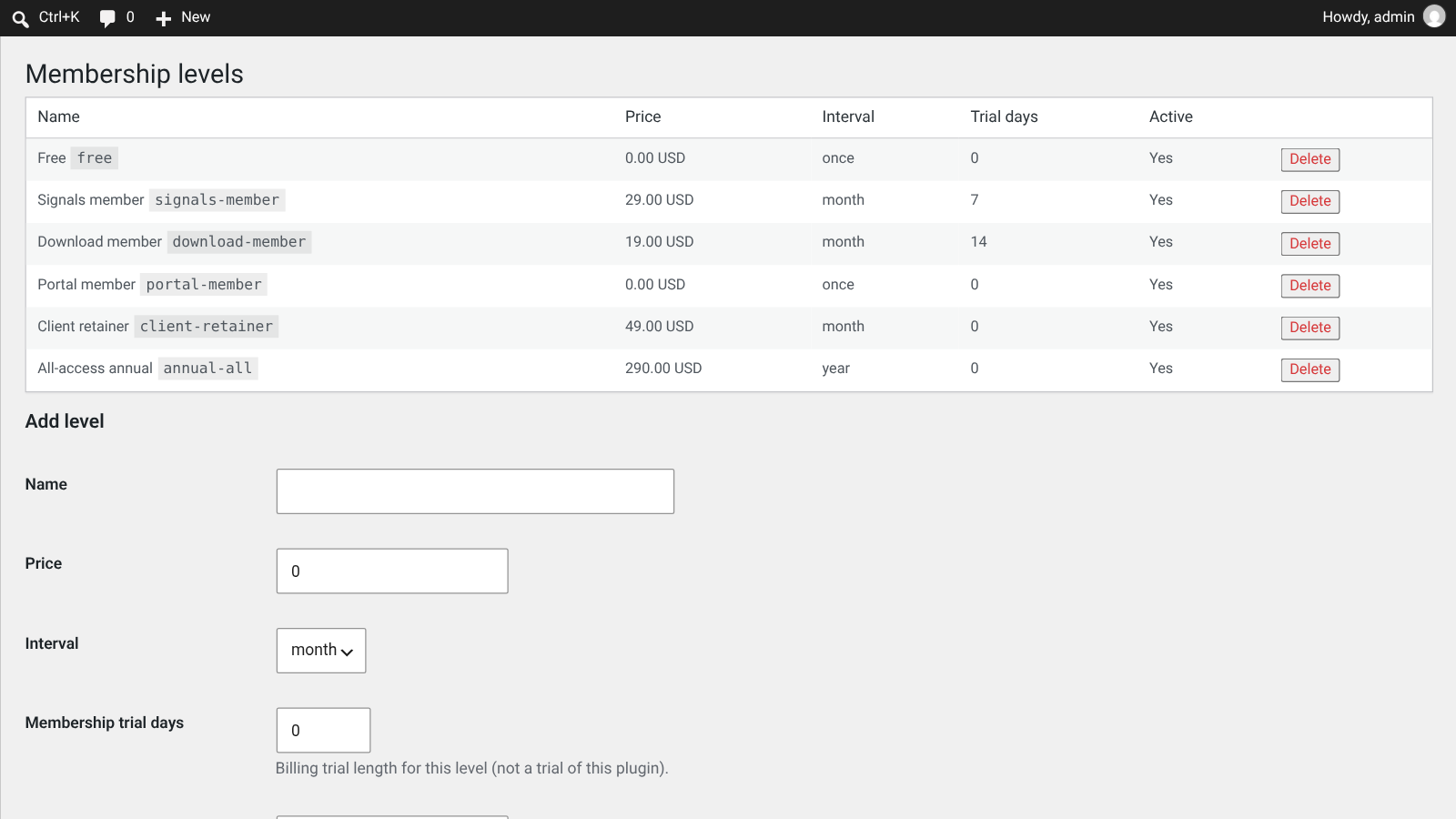
Levels, trials and approvals
Create free or paid levels billed once, daily, weekly, monthly or yearly. Add trial days, and switch on admin approval for levels you want to review first.
Stripe hosted Checkout
Members pay on Stripe’s hosted Checkout page and manage their plan in the Stripe Customer Portal. Card details are entered on Stripe and never reach your site.
Content restriction
Restrict posts, pages and blocks to chosen levels, with a clear message for visitors who are not members yet.
Drip content
Release restricted content a set number of days after someone joins, so members move through it at a steady pace.
Signup and account shortcodes
Drop-in signup, checkout and account shortcodes. Members see their level, status, renewal date and invoices.
Member emails
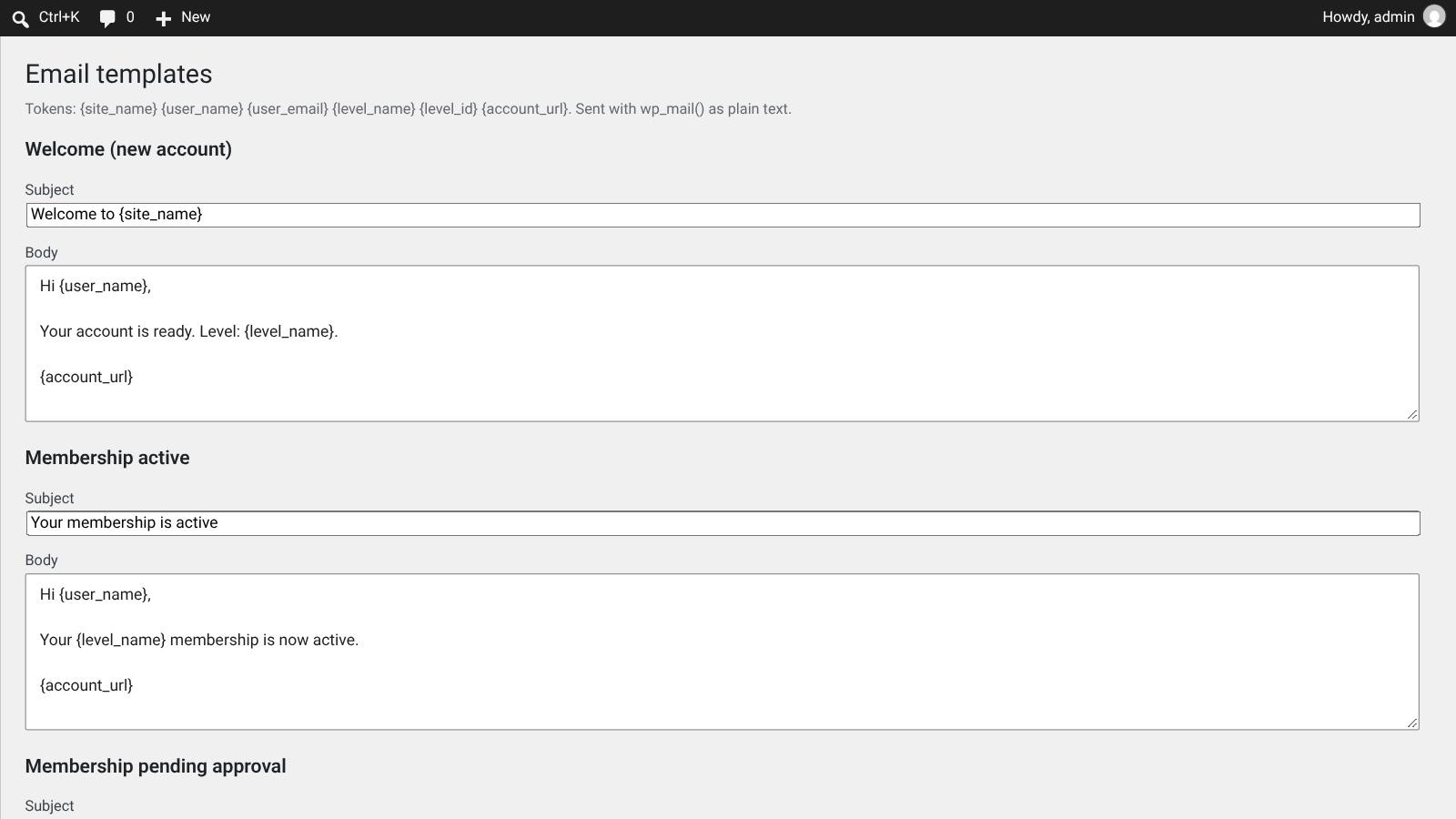
Editable welcome, membership-active and pending-approval emails with placeholders for name, level and account link.
Reports and CSV export
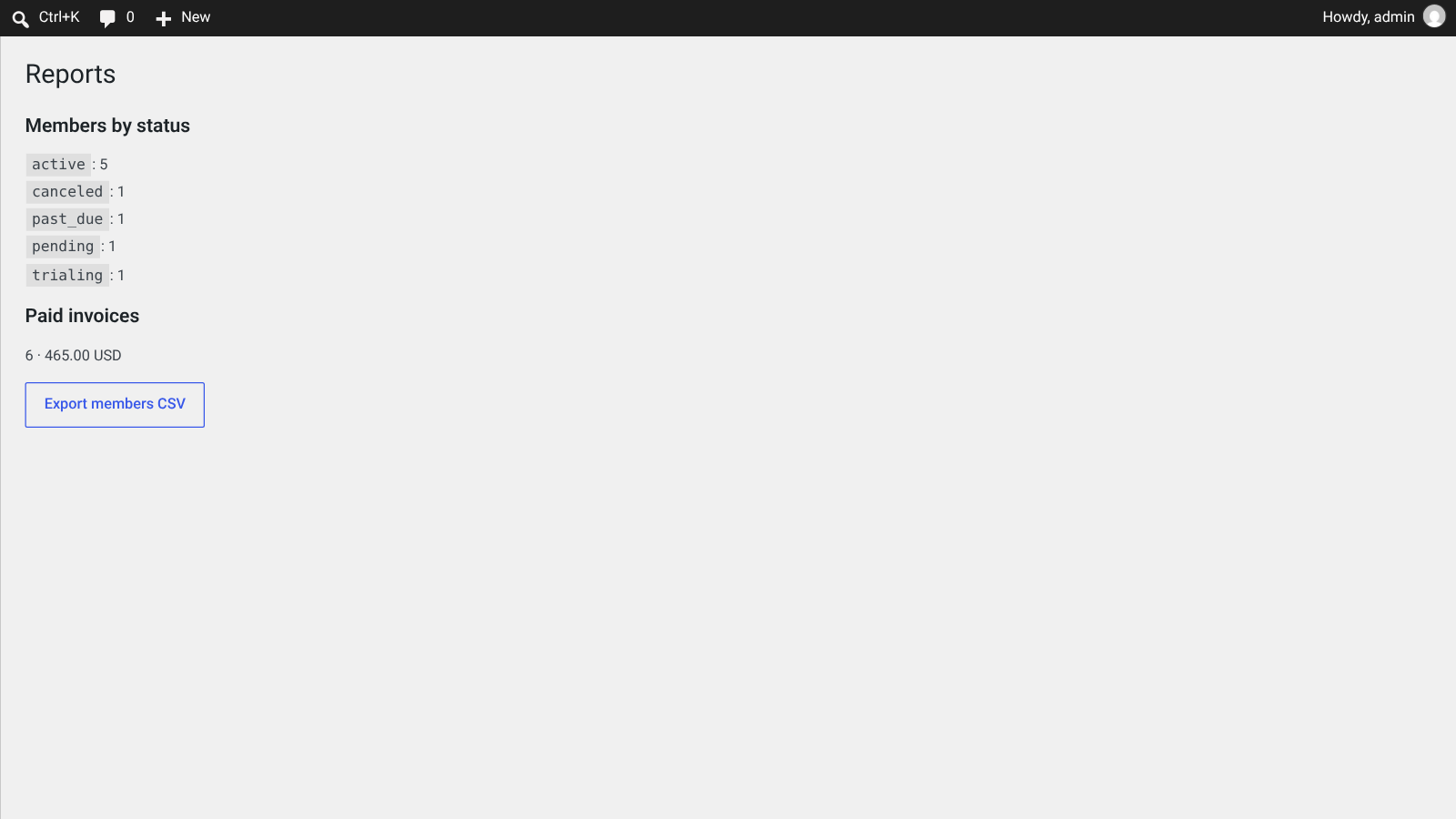
See members by status and paid invoice totals, and export your member list to CSV.
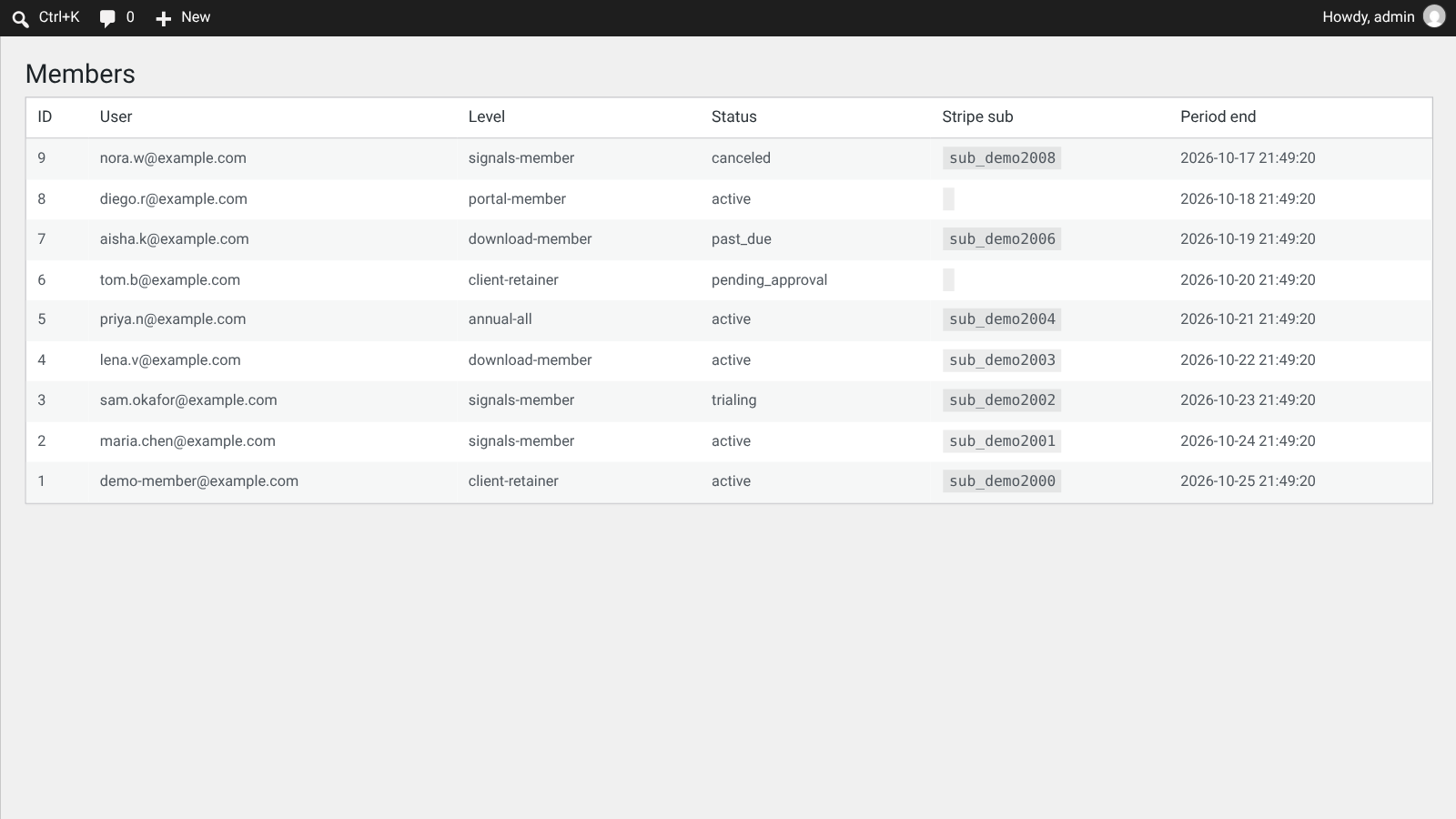
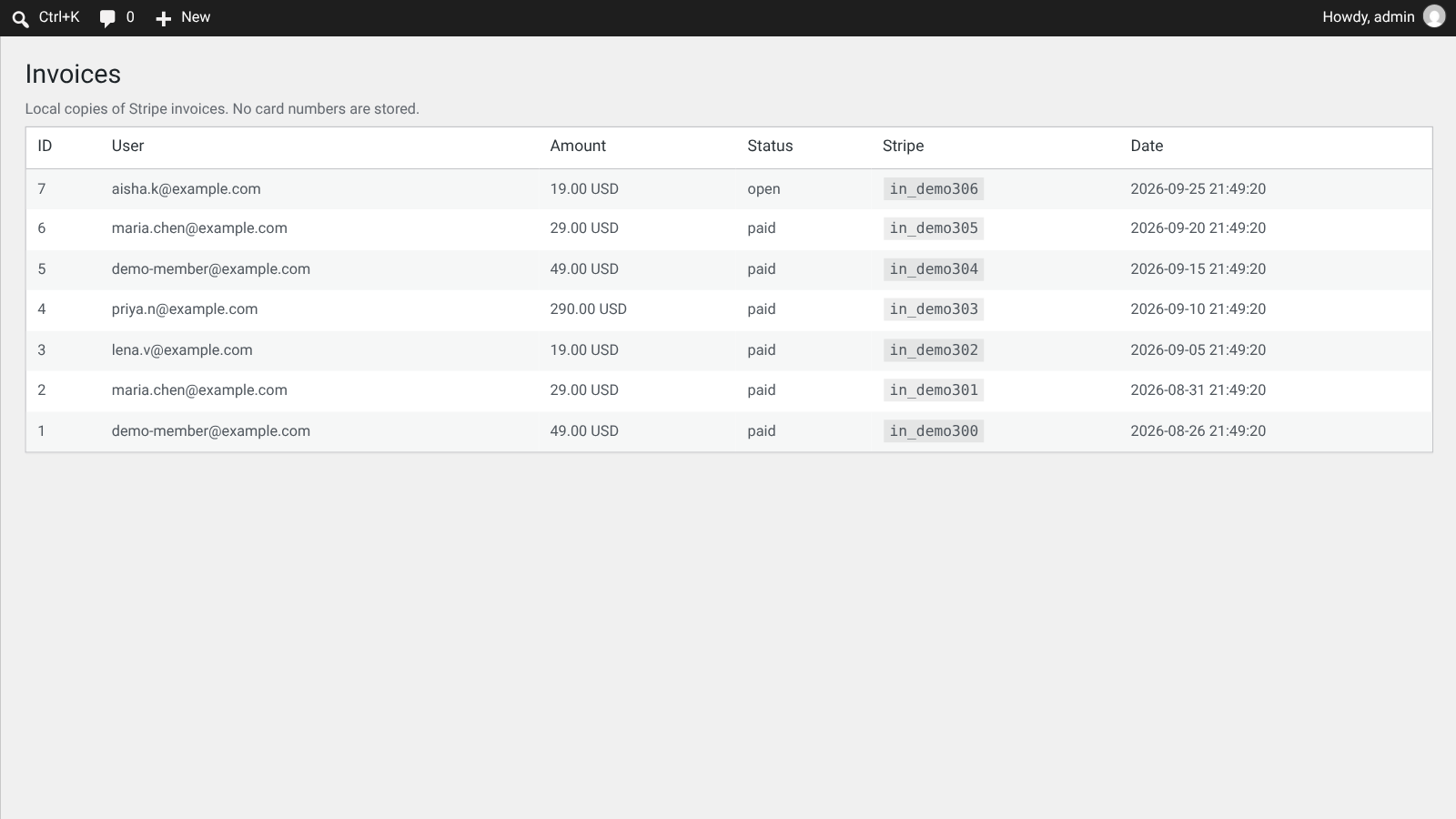
Members and invoices in the admin
Members, invoices and approvals screens show who is active, trialing, pending, past due or canceled.
Levels, members and invoices in one menu
Everything sits under one Client Lockbox menu in the WordPress admin.
MEMBERSHIP PLUGIN · CLIENT PORTAL
A secure client portal for file exchange
Private folders for each client, with files kept out of public media and every action logged.
Private client folders
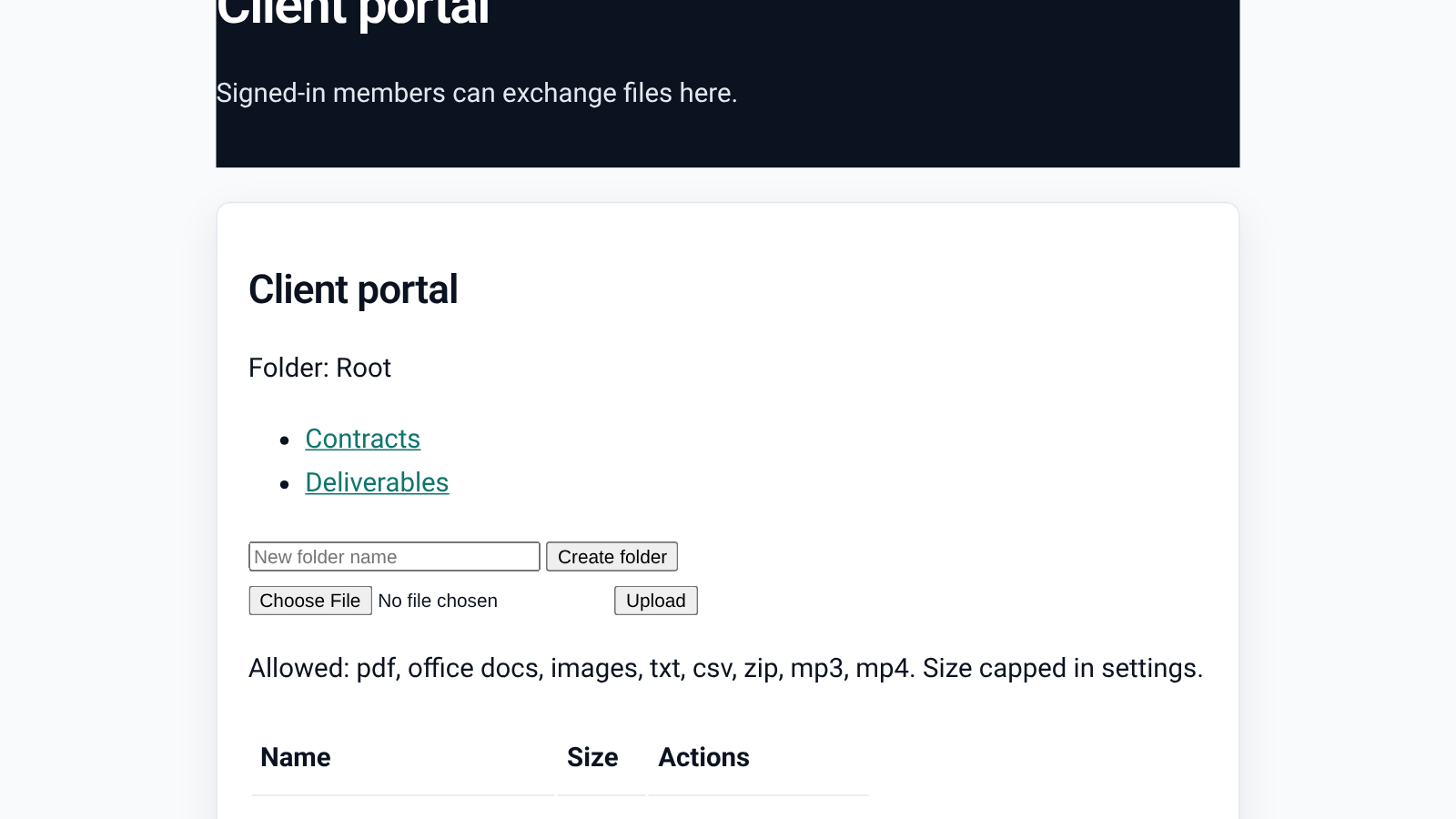
Each client gets their own folders. You and the client can upload and download files in one place.
Vault outside the web root
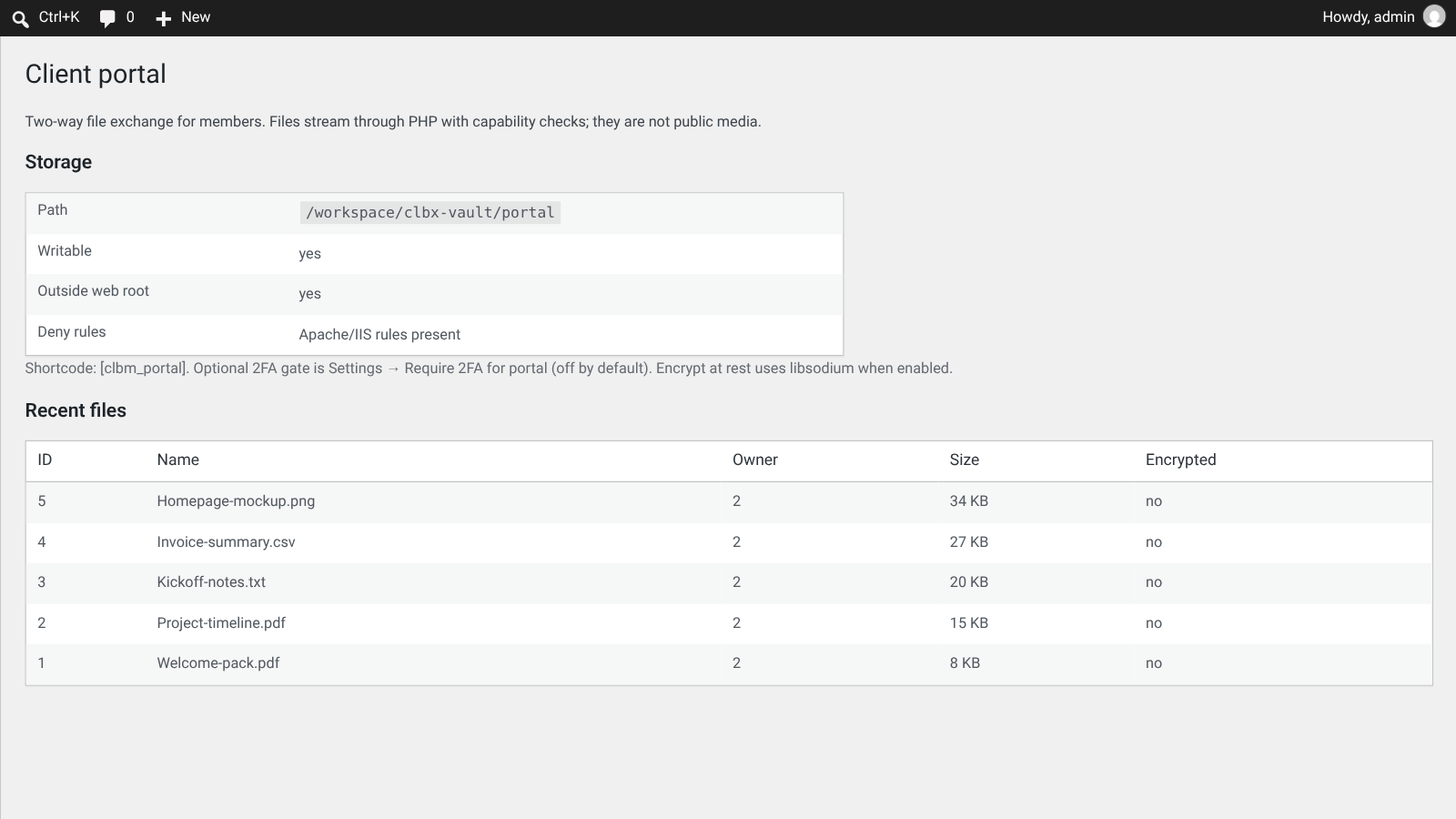
Store files in a folder outside the public web root (recommended), or in a protected uploads folder with deny rules.
File type and size allowlists
Only allowlisted file types are accepted, with a maximum upload size you set in Settings.
Files streamed through PHP
Files are never public media. Each download is streamed only after a capability check.
Signed, expiring links
Share a file with a signed link that expires and has a use limit.
Audit log
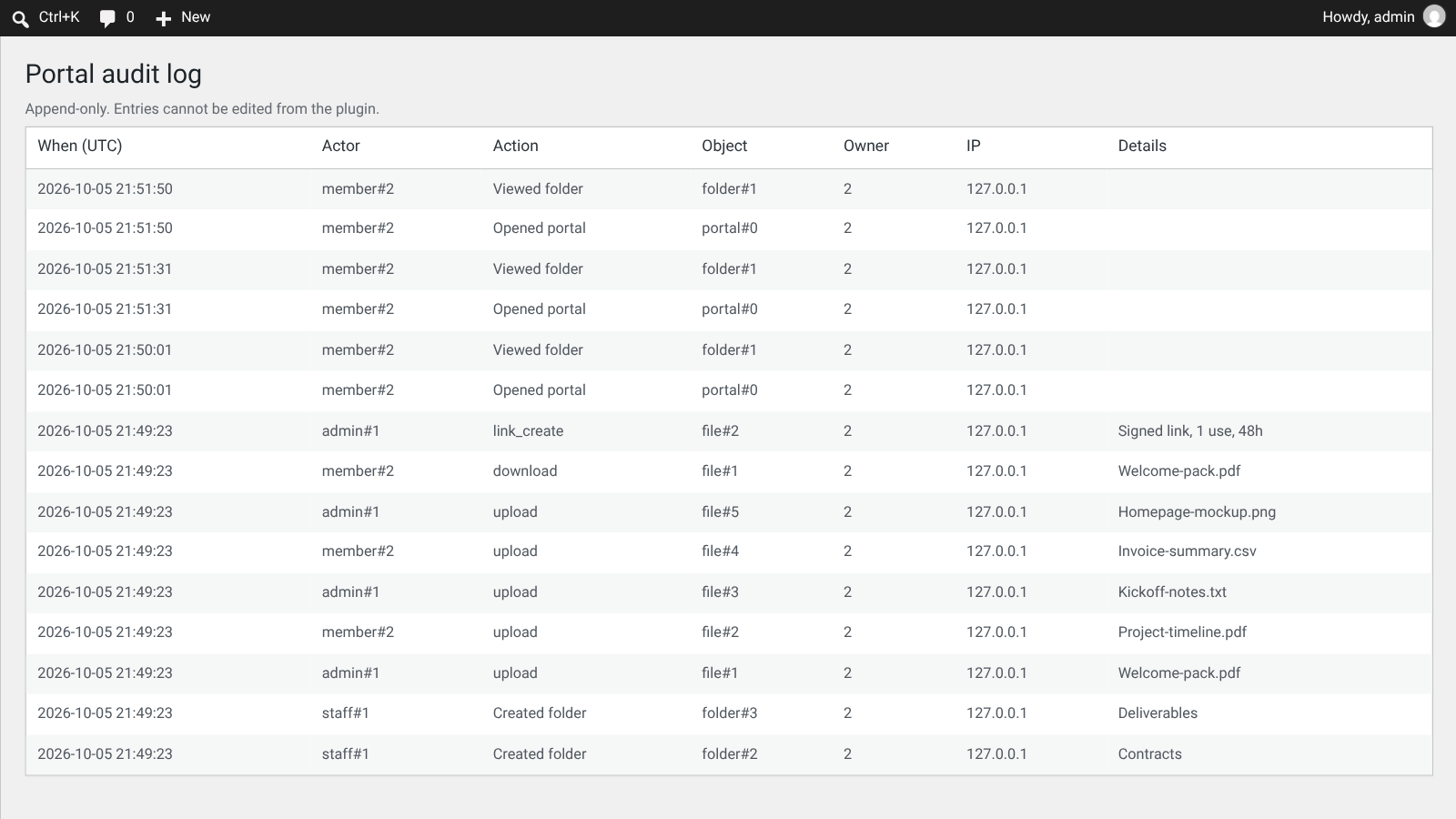
An append-only log records portal opens, uploads, downloads and link creation, with time, user and IP.
Optional two-factor gate
Optionally require two-factor sign-in before the portal opens. It works with common 2FA plugins.
Optional encryption at rest
Optionally encrypt stored portal files with libsodium when the sodium PHP extension is available.
MEMBERSHIP PLUGIN · SIGNALS
Signals with history and P&L
For trading clubs and analysts: publish signals for chosen levels and show a transparent track record.
Signal posts
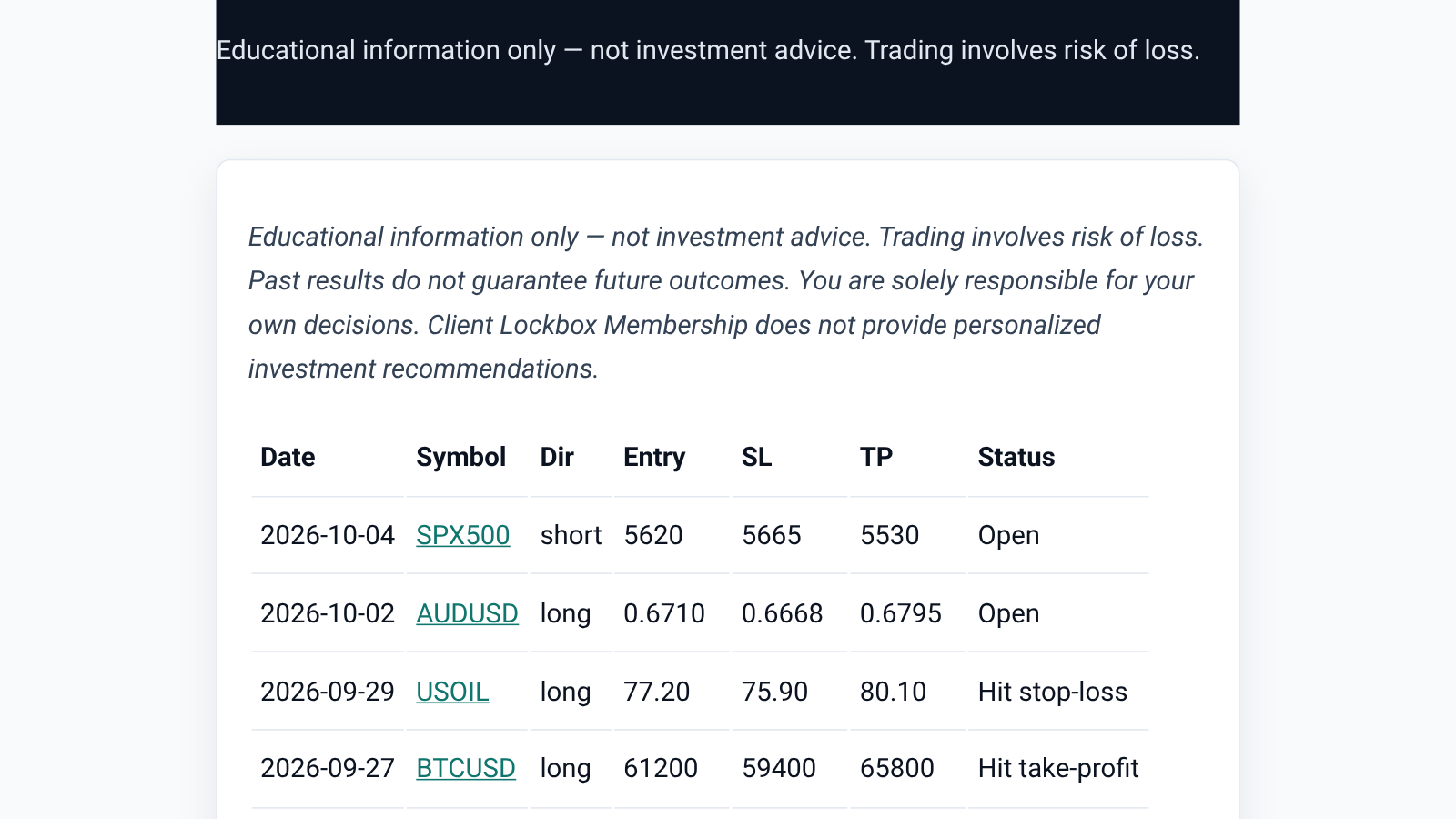
Publish signals with symbol, direction, entry, stop-loss, take-profit and exit, then mark them open, hit take-profit, hit stop-loss, closed or cancelled.
History and P&L table
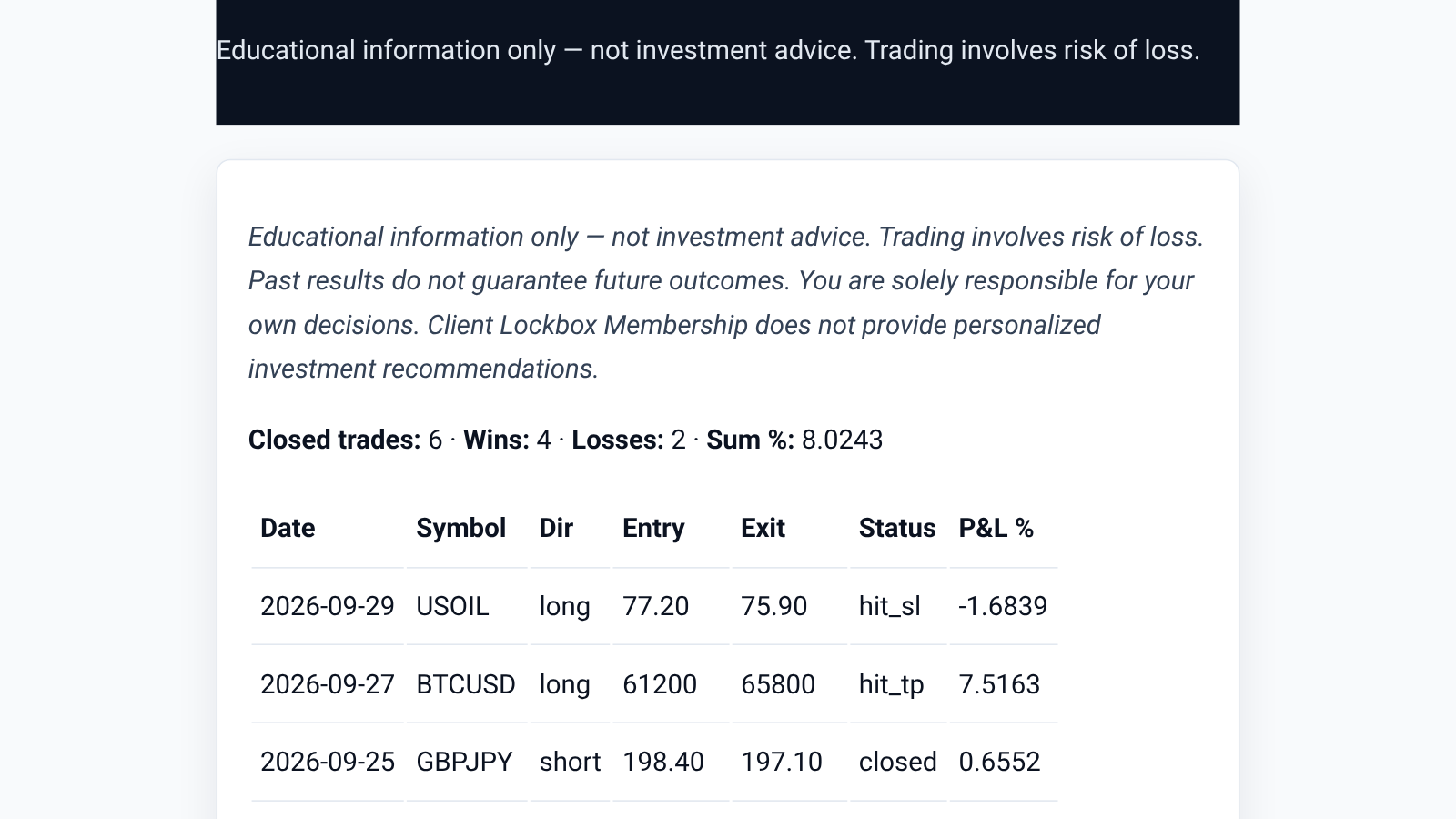
Members see a signal history table and a P&L overview with closed trades, wins, losses and percentage results.
Optional Telegram and Discord push
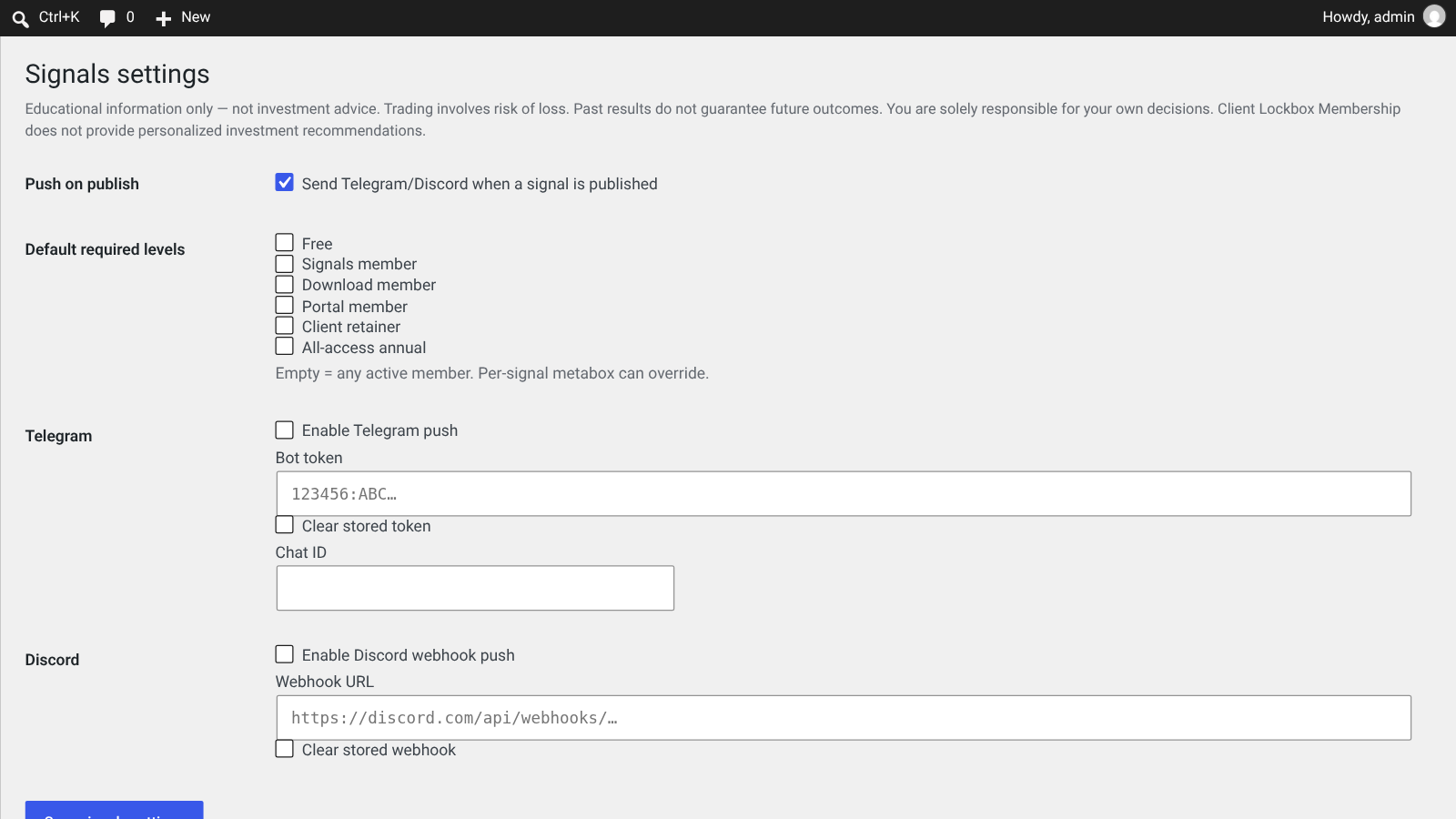
Send new signals to your own Telegram bot or Discord webhook when you publish. Off until you add your own details.
Built-in investment disclaimer
An educational-use disclaimer is shown with signals, so members know it is not personal investment advice.
MEMBERSHIP PLUGIN · DOWNLOADS
Protected downloads with fair-use caps
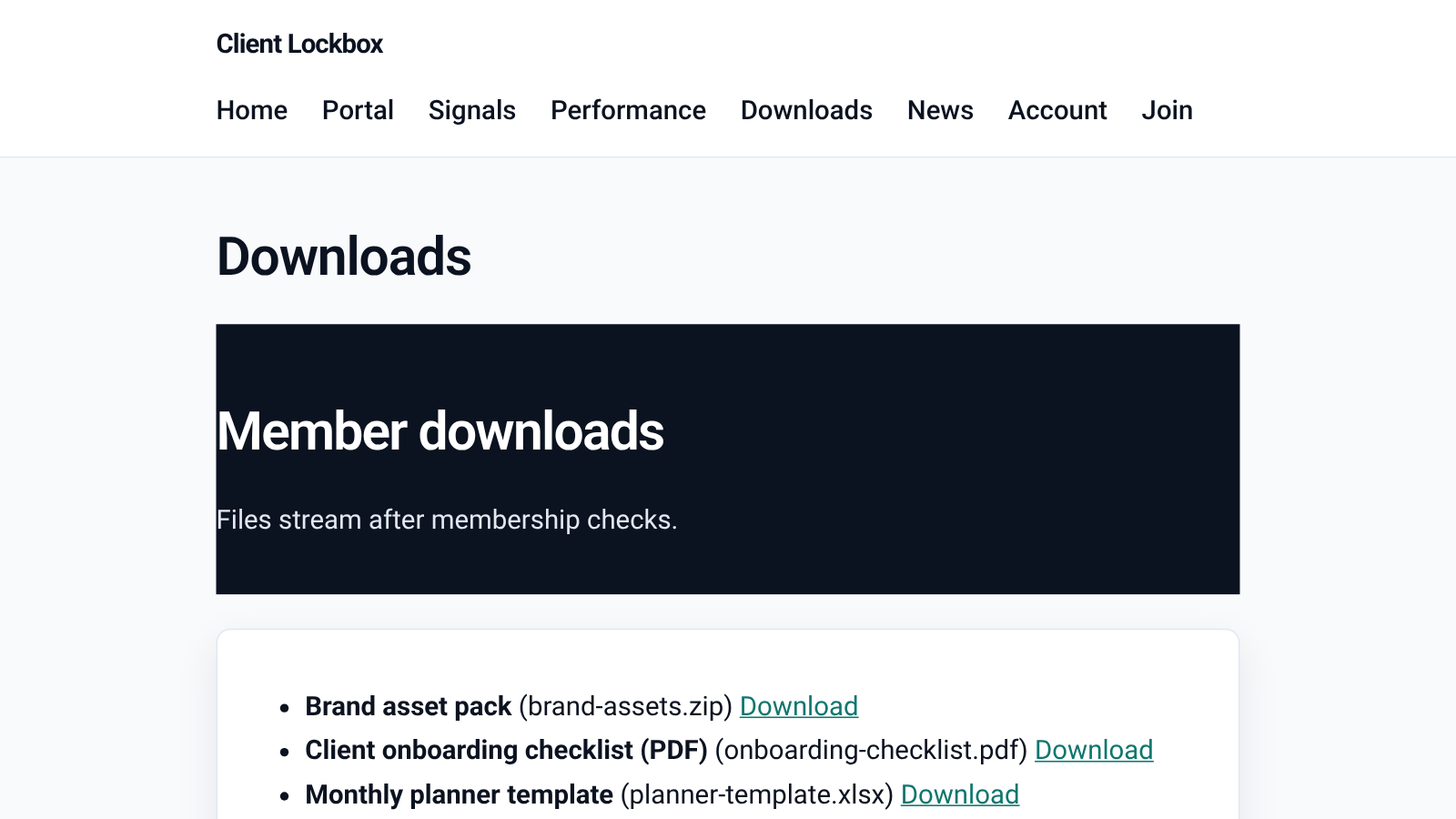
Offer templates, guides or files to members, streamed from a protected vault.
Protected files
Files are stored in a protected vault and streamed only after membership checks.
Per-level monthly caps
Set how many downloads each level gets per month, and an optional limit per file.
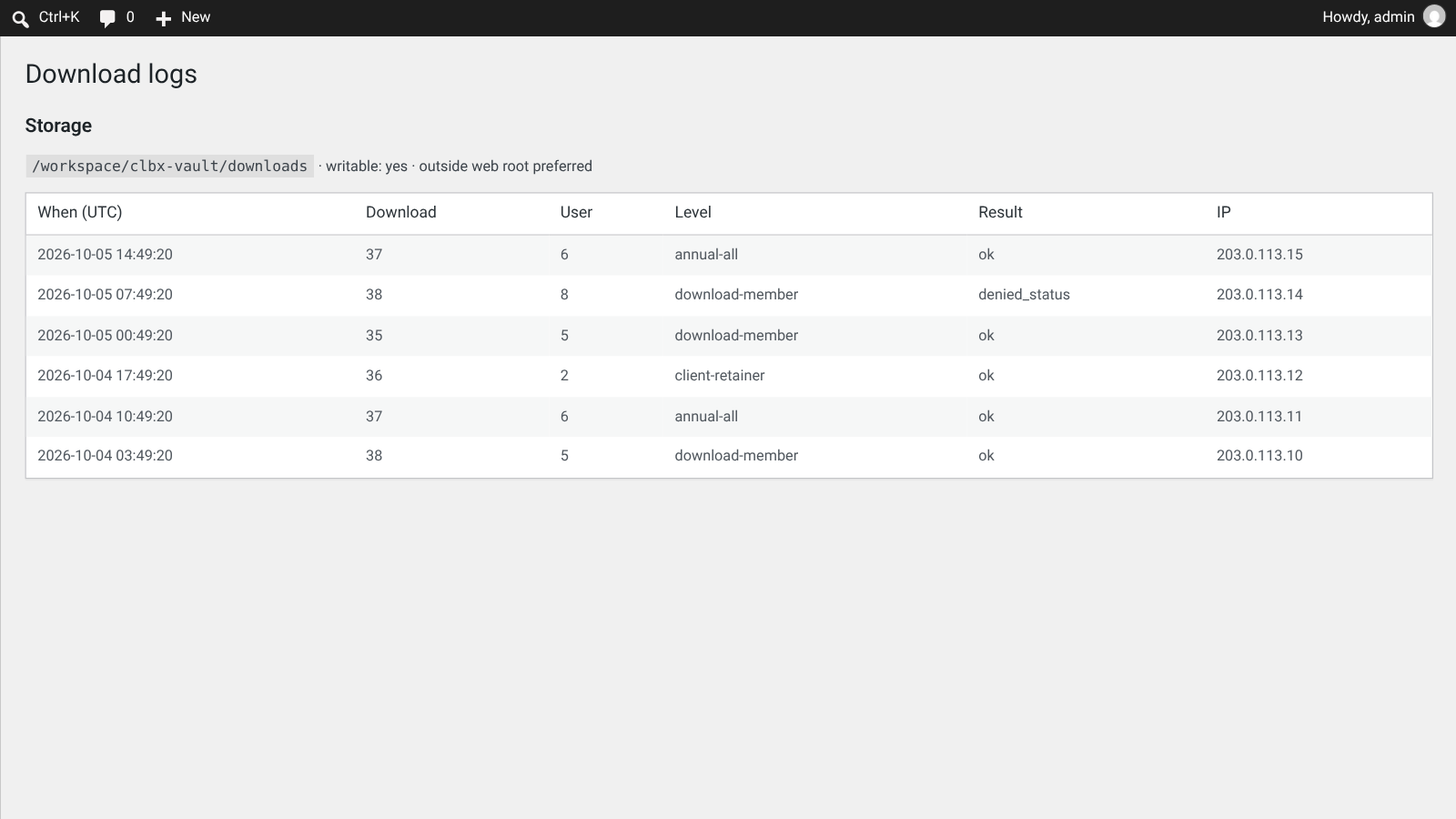
Download logs
Every download attempt is logged with member, level, result and IP.
MEMBERSHIP PLUGIN · STARTER SITES
Five starter sites, with safe rollback
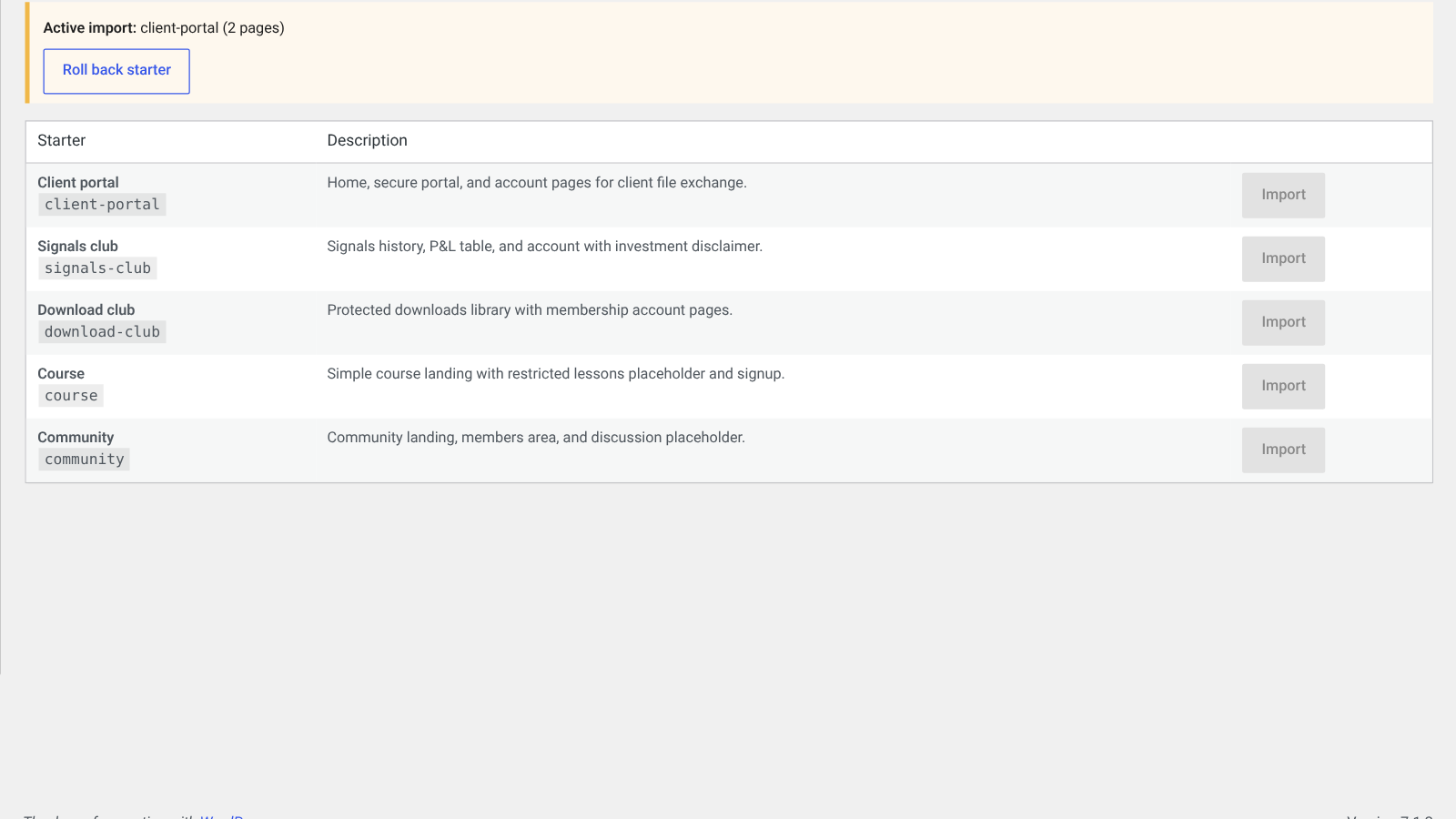
Import a ready-made page set, and roll it back if you change your mind. Your previous front page and settings are restored.
Client portal
Home, secure portal, account and join pages for client file exchange.
Signals club
Signal history, P&L table and account pages with an investment disclaimer.
Download club
A protected member downloads library with account pages.
Course
A simple course landing page with restricted lessons and signup.
Community
A community landing page, members area and discussion page.
Careful by default
Small details that matter when you hold client files and member data.
No outside calls by default
With no payment or chat details saved, the plugin does not contact other websites. Stripe, Telegram and Discord are used only when you set them up.
Privacy notes built in
A privacy paragraph lists what is stored, and card numbers are never stored on your site.
Translation-ready
Text is prepared for translation and comes with a language template.
WordPress 6.3+ · PHP 7.4+
Requires WordPress 6.3 or newer and PHP 7.4 or newer, on a single WordPress site.
How it works
From upload to your first members in four steps.
1
Install the plugin
Upload Client Lockbox Membership under Plugins → Add New and switch it on. A Client Lockbox menu appears in the admin.
2
Import a starter site
Pick client portal, signals club, download club, course or community. You can roll the import back at any time.
3
Add levels and connect Stripe
Create free or paid levels, and add your Stripe details for paid plans.
4
Welcome your first members
Share your join page, open the client portal and start publishing signals or downloads.
Made for private members areas
Use it wherever clients or members need their own space.
Client portals for agenciesAccountants and consultantsCoaching programmesTrading signal clubsTemplate and download clubsOnline coursesPrivate communitiesFreelancer client areas
Good to know
What the plugin does not do:
- PayPal payments (payments use Stripe hosted Checkout only)
- WordPress Multisite network use
- Claims of HIPAA or GDPR compliance — you remain responsible for your own policies and server security
Fully licensed version
Fully licensed version — use on your own sites. You get the complete Client Lockbox Membership plugin, with every feature described on this page.
Requirements
- WordPress 6.3 or newer
- PHP 7.4 or newer
- Works on any WordPress site
- A Stripe account for paid levels (free levels work without one)
- Recommended: a folder outside the web root for portal and download files
- Optional: the sodium PHP extension for portal encryption at rest, and a 2FA plugin for the portal two-factor gate
- Single-site WordPress (Multisite is not supported)
Frequently asked questions
What licence do I get?
A fully licensed copy of the Client Lockbox Membership plugin for use on your own sites.
Are card payments taken on my site?
No. Members pay on Stripe’s hosted Checkout page and manage billing in the Stripe Customer Portal. Card details never reach your site; only references such as amounts, status and Stripe IDs are kept.
Do I need a Stripe account?
Only for paid levels. Free levels, the client portal, signals and downloads can be used without saving Stripe details.
Where are client portal files stored?
In a vault folder you choose, preferably outside the public web root. Files are streamed through PHP after access checks and are never listed as public media.
Can I share a single file with someone?
Yes. Create a signed link that expires and has a use limit. Link creation is recorded in the portal audit log.
Is the Signals module investment advice?
No. Signals is a publishing tool for your own content, and it shows an educational-use disclaimer. You are responsible for what you publish.
Can I limit how much members download?
Yes. Set a monthly cap per level and an optional per-file limit. Each attempt is logged.
Can I undo a starter site import?
Yes. Imports are tracked, and Roll back removes the pages and menu it created and restores your previous front page and settings. Levels it added are kept.
Is PayPal supported?
Not at the moment. Payments use Stripe hosted Checkout.
Does it work on Multisite?
No. Use it on a single WordPress site.
Does it make my site HIPAA or GDPR compliant?
No product can promise that on its own. Client Lockbox Membership comes with privacy notes and careful file handling, but you remain responsible for your own policies, lawful basis and server security.
Is it translation-ready?
Yes. Text is prepared for translation and comes with a language template.
SPECIAL LIMITED-TIME PRICE
Your clients’ own lockbox
Client Lockbox Membership for WordPress: levels, Stripe hosted Checkout, a secure client portal, signals, protected downloads and five starter sites. Fully licensed version — use on your own sites.
007AJ
Client Lockbox Membership by 007AJ. Screenshots are from a test install with sample data (names, files and signals are fictional); the graphic labelled “Illustration” is not a screenshot. Stripe, Telegram and Discord are trademarks of their respective owners; Client Lockbox Membership is not affiliated with them.
Only logged in customers who have purchased this product may leave a review.
Loading...
WPBay support
 Support by 007AJ.com
Support by 007AJ.com
007AJ.com supports this product through WPBay
Questions are handled in WPBay's private ticket system, keeping your purchase details and support conversation together.
Go to My Downloads
After purchase, open this item in My Downloads and choose Get Support.
What support includes
- Answers to product-related questions
- Help with reported bugs and issues
- Guidance for included third-party assets
What support does not include
- Customizations or new features
- Installation or setup services
Plugin
Maintenance snapshot
See recent updates, compatibility, support, and developer activity.
- Updated today
- Developer active recently
- WPBay support available
- WordPress 7.0 tested
Snapshot updated 2 hours ago
View details Hide details
Maintenance details
This is maintenance data. It does not measure product quality or sales.
- Last update Updated today
- Compatibility WordPress 7.0 tested, one version behind · PHP 8.5 not marked as tested
- Releases 11 releases in the 13 days since listing
- Developer activity Developer active recently
- Support No recent support tickets to measure
- Docs and demo Documentation available · Changelog missing · No demo listed
Health remained stable during the last 90 days.
How this snapshot works
Plugin Health
The score is out of 100 and uses data WPBay can check. Ratings, popularity, and sales are not used.
- Last update 30 points
-
Plugins receive full recency points under 30 days, then step down at 90, 180, 365, and 545 days.
- Compatibility 20 points
-
WordPress, PHP, and WooCommerce (when relevant) are scored separately. The latest two PHP lines count as current. Nearby previous versions keep most of the points.
- Current version 100%
- One version behind 75%
- Two versions behind 50%
- Three versions behind 25%
- Older or not listed 0%
- Releases 15 points
-
One release earns 10, two or three earn 13, and four or more earn 15. Each accepted product ZIP counts once; reprocessing the same upload and listing-only edits do not count.
- Developer activity 15 points
-
Based on WPBay login and dashboard activity. Exact last-login dates are never shown.
- Support 15 points
-
There are no recent WPBay tickets to measure.
- Docs and demo 5 points
-
Documentation: 2. Changelog: 1. Working demo or preview: 2.
Score ranges
- 90–100 Excellent
- 75–89 Healthy
- 60–74 Fair
- 40–59 Needs attention
- 0–39 Limited
Long gaps
WPBay also checks for long gaps between updates, developer activity, support replies, and releases. Buyers do not see this score.
- Time since update 35 points
- Last developer activity 25 points
- WordPress compatibility 15 points
- Support replies 15 points
- Fewer releases 10 points
-
Quality verified by WPBay
WPBay review- Reviewed version
- 1.0.8
- Review completed
- Reviewer
- CodeRevolution
- Review type
- Initial
No unresolved approval blocker was identified during WPBay’s proportionate review of this release. This is not a security certification or a guarantee that the product contains no defects.
-
 Future updates
-
WPBay support from 007AJ.com
-
GPL code, proprietary assets
-
Covered by the WPBay refund policy
-
Plugin maintenance snapshot
Relevant picks
You may also like
Similar products selected by category, features, popularity and freshness.

From this seller
View seller store
More by 007AJ.com
Explore more bestselling products from this creator.



Reviews
There are no reviews yet.