


How to Scrape Web Novels into WordPress Automatically
Importing web novels into WordPress manually can become difficult to manage when a story contains hundreds of chapters. Copying each chapter, formatting its content, adding metadata and maintaining the correct reading order takes time.
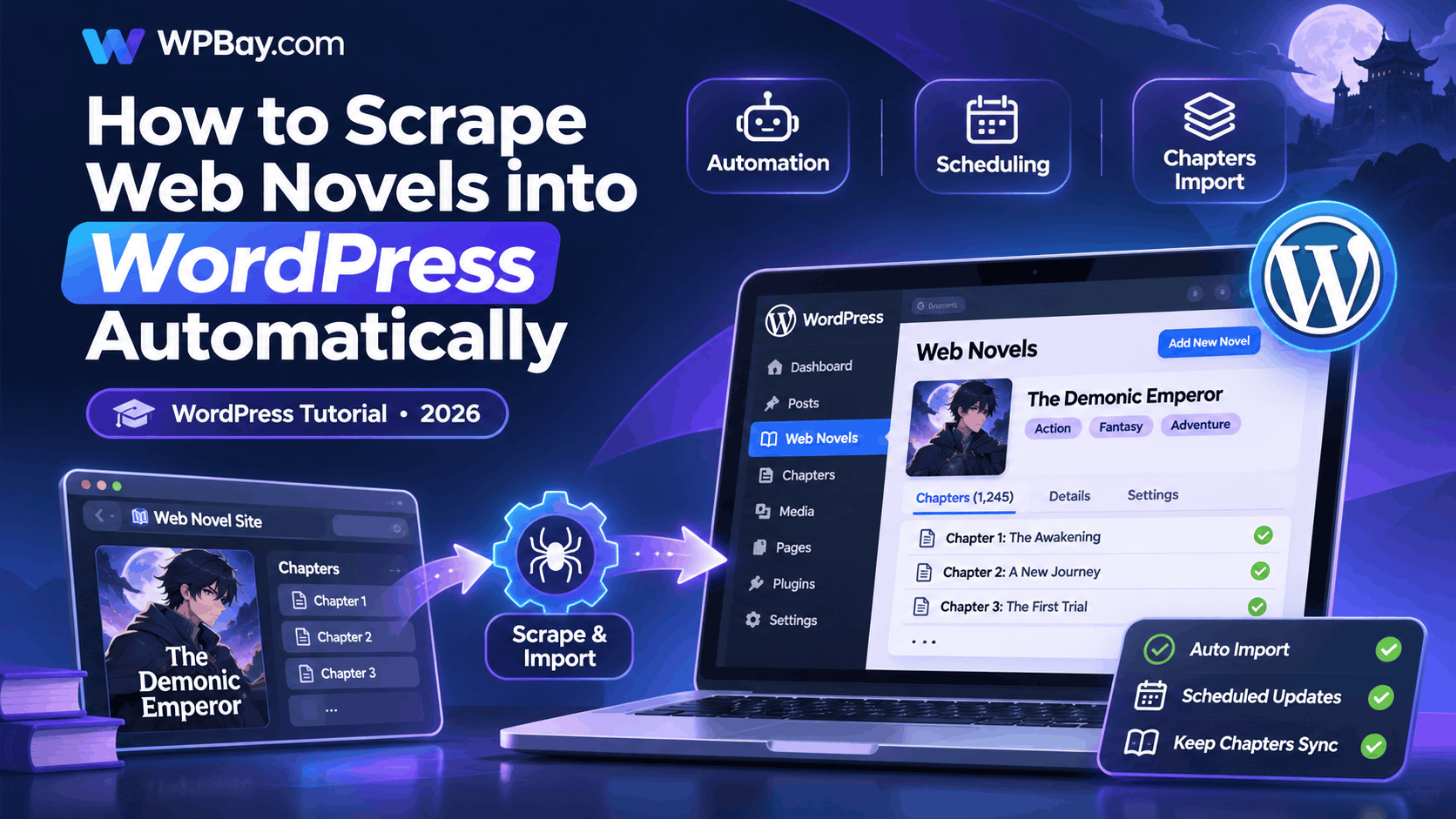
A WordPress web novel scraper can automate much of that work. With the right setup, it can retrieve chapters from an authorized source, extract the text and metadata, create WordPress content and periodically check for new chapters.
But a reliable automated novel website requires more than downloading text. You need a suitable content structure, duplicate prevention, a scheduling system and a way to keep imported content readable.
This tutorial explains how to build that workflow using WordPress, the Madara theme and a compatible web novel scraper. It also covers custom alternatives, scheduling, troubleshooting and the permissions required before republishing fiction from another website.
What is a WordPress web novel scraper?
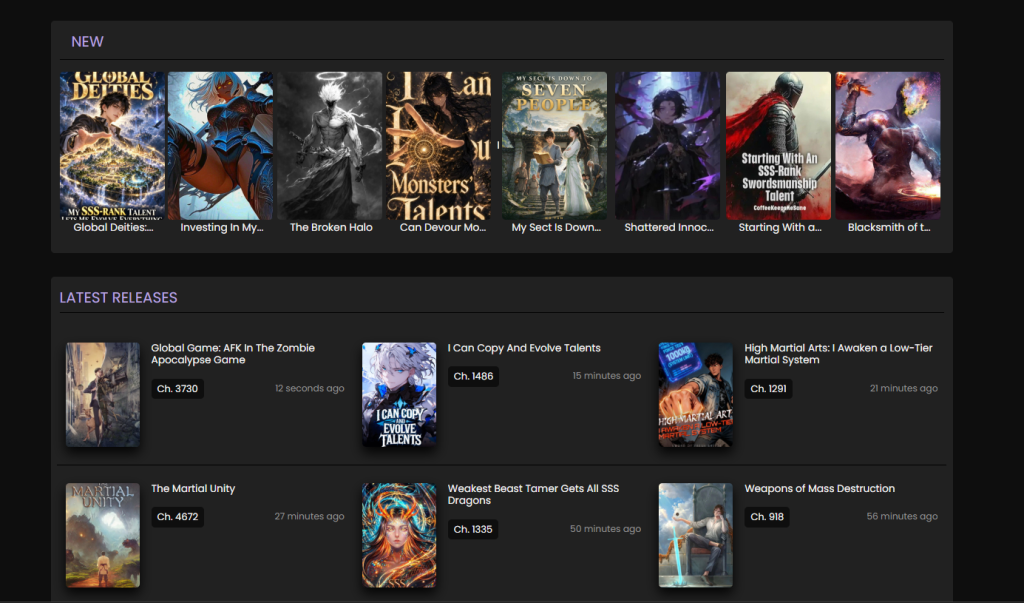
A web novel scraper is a tool that retrieves structured information from novel websites and converts it into content your WordPress installation can use.
Depending on the source and software, it may extract the novel title, author, description, genres, cover image and individual chapter content.
A typical automated workflow looks like this:
Novel source → Content extraction → Chapter processing → WordPress database → Scheduled updates
For example, suppose you own a fiction website containing 50 serialized novels and have permission to republish their chapters on a second WordPress website.
Instead of manually transferring every chapter, you can configure an importer to read the authorized source, recognize individual stories, create the corresponding WordPress entries and check periodically for new releases.
This approach can also be useful when migrating your own novels from an older platform to WordPress.
Scraping is only one import method. If the source offers an official API, RSS feed or structured export, that is usually preferable to parsing HTML pages.
What do you need before importing web novels?
A basic WordPress novel publishing setup requires WordPress hosting, a suitable theme, a compatible import tool and an accessible source of content that you have the right to reuse.
1. A WordPress website
Start with a functioning WordPress installation on hosting that supports your chosen theme and plugins.
Check the software’s published WordPress and PHP requirements rather than assuming every combination will work.
Your hosting should also have sufficient storage, memory and background-processing capacity for the number of chapters you intend to import.
2. A novel-friendly WordPress theme
A normal WordPress blog can display chapters as posts, but a dedicated fiction website usually benefits from a specialized content structure.
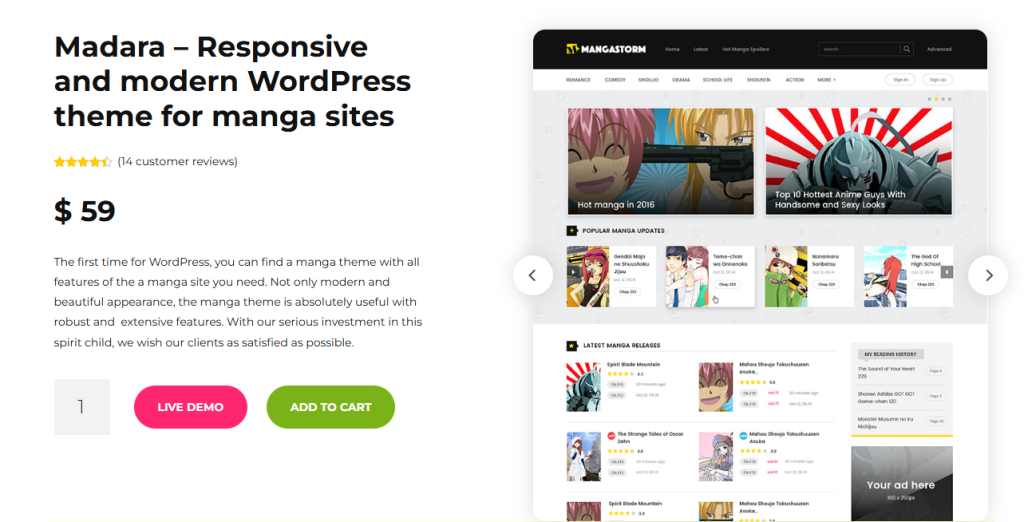
The Madara WordPress theme is designed for manga and novel-style websites.
It supports the types of story and chapter structures used by the Ultimate Web Novel and Manga Scraper plugin.
This matters because a generic post importer may create hundreds of unrelated posts instead of arranging chapters beneath their respective novel titles.
A novel-oriented theme can provide a more suitable browsing and reading experience.
3. A compatible scraper or importer
For this tutorial, we’ll use Ultimate Web Novel and Manga Scraper for WordPress.
According to its product listing, the plugin integrates with Madara and supports importing web novel content, chapter information and related metadata.
It also advertises manual and scheduled imports, URL-based and keyword-based discovery, and translation integrations.
Actual source compatibility may change when third-party websites update their structure, so check the current product documentation before relying on a particular site.
4. Content you are authorized to publish
This is essential.
The fact that a chapter is publicly accessible does not automatically give another website permission to republish it.
Web novels are generally literary works protected by copyright unless their rights have expired, an applicable exception applies, or their owner has granted permission.
Suitable sources include your own stories, authorized syndication partners and works whose licenses permit the intended reuse.
If the source has access restrictions, authentication requirements or terms prohibiting automated extraction, do not attempt to bypass those controls.
Step 1: Install WordPress and configure the Madara theme
Install WordPress using your hosting control panel or another supported deployment method.
Then install and activate Madara according to the theme author’s instructions.
Complete any required theme setup, including supported companion plugins and initial configuration.
Next, check how the theme handles novels and chapters.
A well-organized story website should distinguish the main novel entry from individual chapters.
For example:
Novel: The Forgotten Kingdom
Author: Example Author
Genre: Fantasy
Chapters: Chapter 1, Chapter 2, Chapter 3 and so on.
The main novel page introduces the story, while each chapter provides its own reading page and navigation.
Before attempting an automated import, create a small test novel manually using material you own.
This confirms that your theme and content structure work correctly.
Step 2: Install the web novel scraper plugin
After configuring the theme, install your scraper.
For Ultimate Web Novel and Manga Scraper, download the plugin package from your product account and follow the included documentation.
In the WordPress dashboard, navigate to:
Plugins → Add New Plugin → Upload Plugin
Select the installable plugin ZIP, install it and activate it.
If your download contains documentation and plugin files in a larger archive, extract the package first and upload only the appropriate installable ZIP.
After activation, locate the plugin’s settings interface.
Check that the plugin recognizes the required theme dependencies and that your server meets its technical requirements.
Some extraction methods rely on additional server capabilities. For example, the product documentation identifies headless-browser requirements for certain supported sources.
Do not assume headless-browser support is available on every shared hosting plan.
Step 3: Configure an authorized novel source
The next step is telling the importer where to obtain content. The plugin advertises support for specific novel websites and compatible Madara-powered sources Depending on the supported importer, you may be able to identify a novel by its URL or search for it by keyword.
For a source you control, begin with a single test novel. Before importing, verify that your selected source type is supported by the installed plugin version. You should also confirm that the scraper correctly identifies the chapter title, content container, author and other metadata.
If you’re working with a website you own that provides a feed or API, consider using that structured interface rather than depending on HTML selectors.
Step 4: Import your first novel manually
Do not begin by importing hundreds of chapters.
Start with one novel containing a small number of chapters. This makes it much easier to identify configuration problems.
Use the plugin’s documented manual import workflow and choose the supported source.
Where the importer provides these options, configure the novel URL or keyword, the publication status and the available metadata settings.
For a new installation, import as drafts first if the option is available.
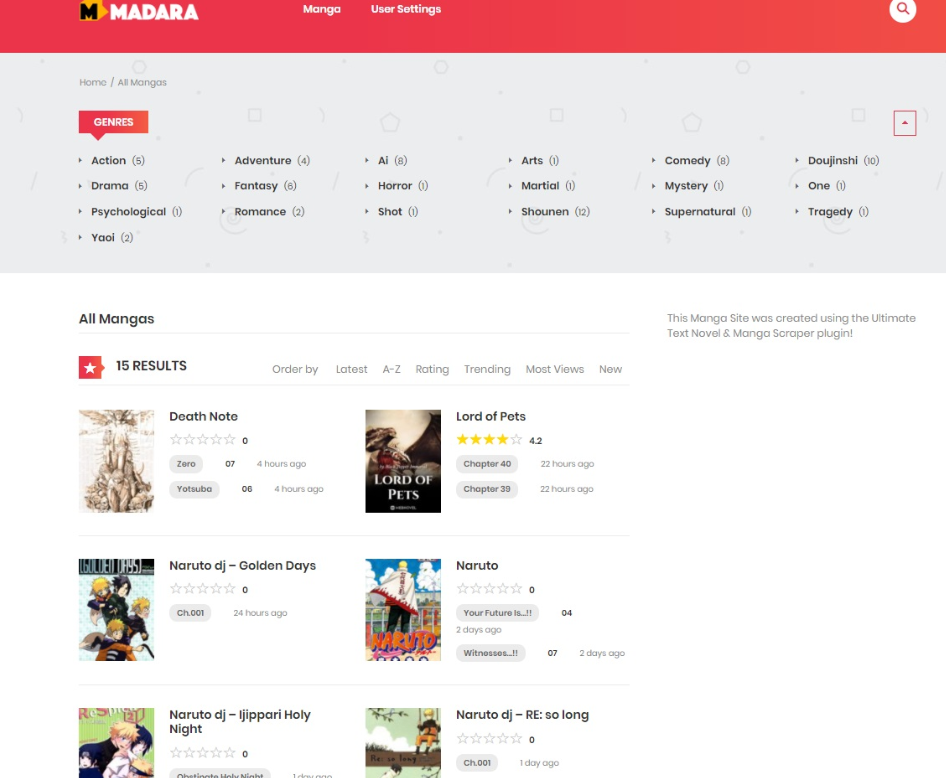
Run the initial import and inspect the results inside WordPress.
Check that the novel’s title and description are correct, the author and genres are assigned properly, and the chapters appear in their expected order.
Open individual chapters on the frontend.
Watch for missing text, duplicated paragraphs, incorrect character encoding, navigation elements accidentally copied from the source and unrelated advertising markup.
If the imported chapter is incomplete, stop and correct the configuration before enabling automatic updates.
Step 5: Configure chapter ordering and metadata
A novel website needs consistent ordering.
A simple alphabetical sort can produce incorrect results.
For example, alphabetical sorting may place Chapter 10 before Chapter 2.
The importer or theme should use a reliable chapter identifier, chapter number or supported ordering system rather than relying entirely on the displayed title.
Pay particular attention to decimal chapter numbers and special chapters.
A series might contain Chapter 10, Chapter 10.5 and Chapter 11.
Bonus chapters, prologues and epilogues may require separate handling.
Metadata also matters.
Useful fields include the novel title, author, language, genre, publication status and the original source identifier.
The source identifier is particularly important when you want to detect previously imported chapters.
If cover images are involved, verify the rights to reuse them before downloading or publishing them.
Step 6: Enable automatic chapter imports
Once the first manual import works, configure scheduled processing.
Ultimate Web Novel and Manga Scraper advertises automatic scheduled importing, allowing the plugin to check supported sources and import new material without running every job manually.
Choose a schedule appropriate for the source’s publishing frequency and your hosting capabilities.
For example, an authorized story source releasing one chapter daily does not necessarily require checks every few minutes.
Start with a conservative interval and observe the results before increasing frequency.
How WordPress scheduling works
WordPress provides WP-Cron, an event scheduling system used by WordPress core and plugins.
It can trigger periodic tasks such as import jobs, but it does not behave exactly like a continuously running system scheduler.
On a low-traffic website, a scheduled task may run later than its nominal time because WP-Cron depends on incoming requests or an external trigger.
For greater predictability, a properly configured server-side scheduler can trigger WordPress cron processing.
The official WordPress scheduling documentation explains how recurring events work.
If your hosting supports WP-CLI, another option is running due WordPress cron events using a scheduled command:
wp cron event run --due-now
This is an example of server-side execution, not a command that configures a particular scraping plugin.
Avoid running overlapping import jobs. A second import starting before the first finishes may increase load or create inconsistent results unless the importer prevents concurrent execution.
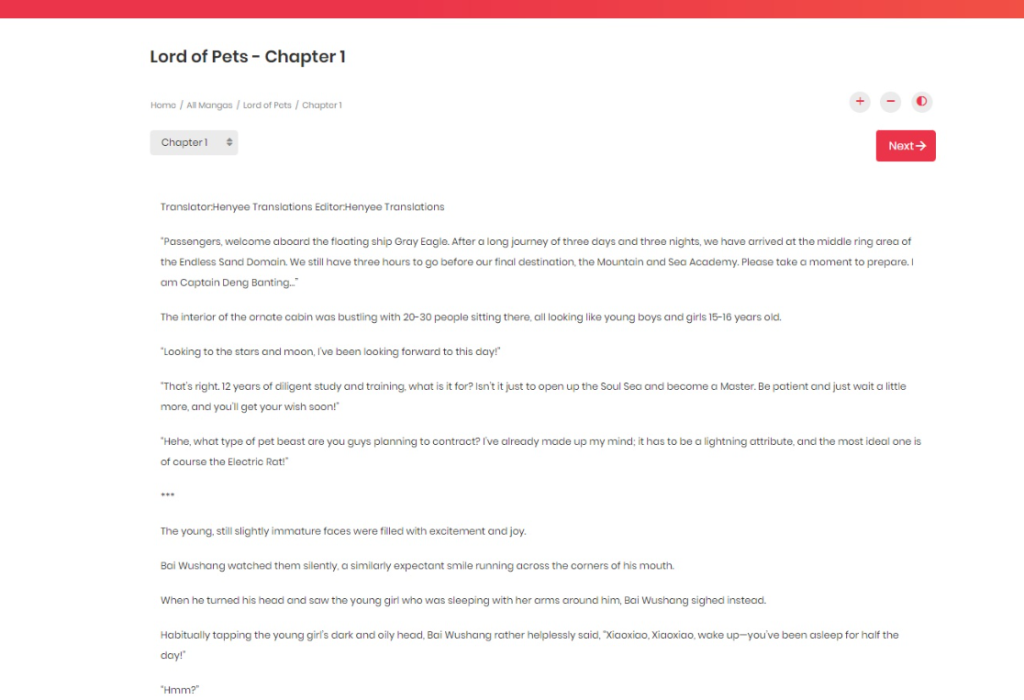
Step 7: Prevent duplicate novel chapters
Duplicate prevention is one of the most important parts of a reliable automated import system.
Without it, an importer may repeatedly create the same chapter whenever it checks a source.
For example, imagine an authorized source with 150 chapters.
The first import creates all 150 chapters successfully.
The following day, the importer checks the source again and finds 151 chapters.
The correct result is usually to import only the new chapter, rather than creating another copy of the existing 150.
A robust importer should use a stable identifier such as the canonical source URL or an externally supplied chapter ID.
It should also distinguish between a newly published chapter and an existing chapter whose content has changed.
When building a custom WordPress importer, you can store a normalized source identifier in post metadata and check for it before creating a new entry.
For larger imports, consider database-level uniqueness guarantees or a dedicated mapping table, because a simple metadata lookup may not prevent duplicates if two jobs run simultaneously.
Also decide what should happen when the original publisher edits a chapter.
You might update an existing draft, preserve a manual revision or send the change for editorial review.
The right behavior depends on your publishing workflow.
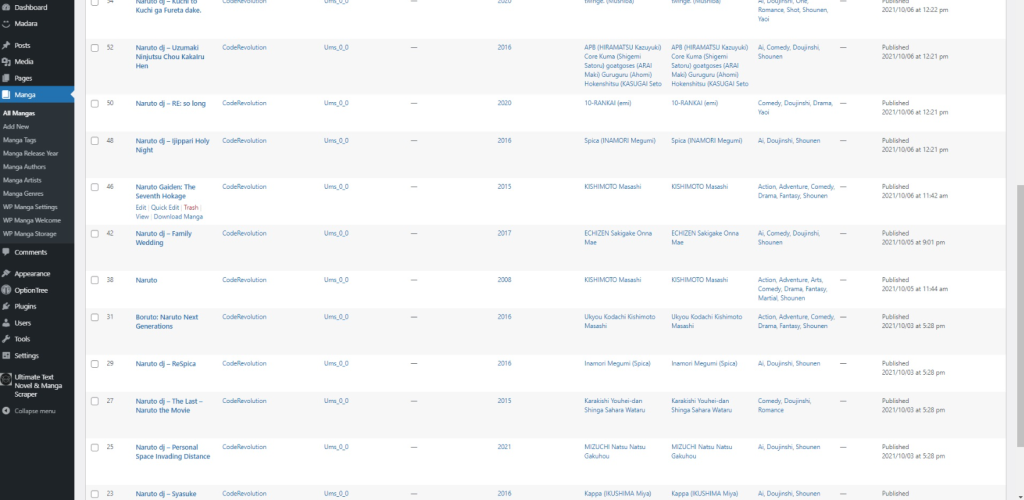
Step 8: Configure automatic publication carefully
Some importers can publish imported content immediately.
Others let you create drafts or pending-review content.
For a new setup, draft mode is preferable until you have verified the extracted output and confirmed the rights to republish it.
When reviewing an imported chapter, check the body content, paragraph formatting, headings, navigation and attribution requirements.
If the imported source contains external links, scripts, advertisements or embedded content, do not blindly reproduce everything.
Only the approved content fields should be retained, and HTML should be filtered using an appropriate allowlist.
For custom WordPress implementations, functions such as wp_kses_post() help filter HTML to markup permitted in ordinary post content.
After your import workflow proves reliable, you can consider automatic publication for appropriately licensed, trusted sources.
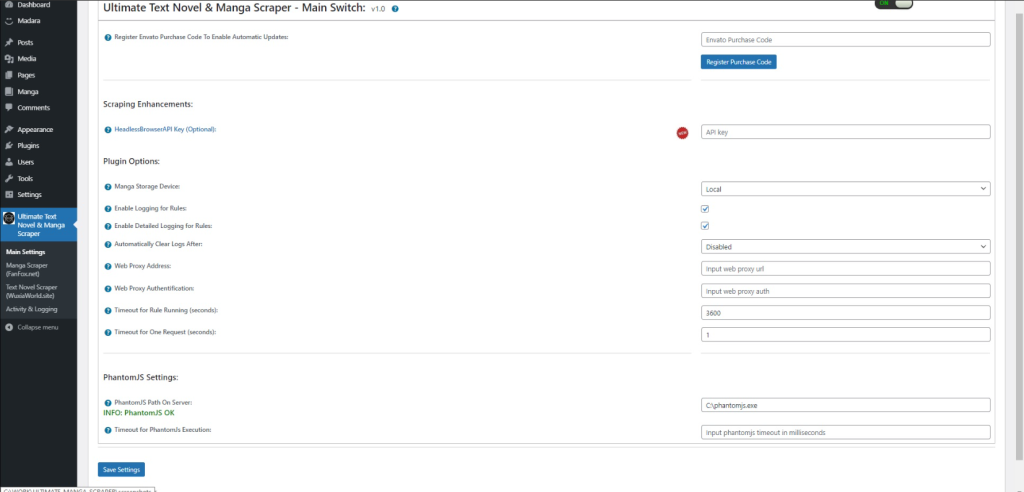
Step 9: Add translation support if you have the rights
Some novel import plugins advertise optional machine-translation integrations.
Ultimate Web Novel and Manga Scraper lists Google Translate, Microsoft and DeepL-related translation capabilities in its published product information.
Availability, pricing and requirements can vary by translation provider and plugin version.
Translation does not eliminate copyright obligations.
If you have permission to reproduce a novel but not to create translations, you may need separate authorization before publishing machine-translated chapters.
Translated material also needs editorial quality control.
Character names, dialogue, idioms and recurring fantasy terminology can become inconsistent across chapters.
For a professional fiction website, use terminology glossaries and review samples before publishing large volumes of translated material.
Step 10: Optimize the web novel website for readers and search engines
Automated import saves editorial time, but it does not guarantee search traffic.
A WordPress novel website should be built primarily for readers.
Create useful novel landing pages
Each novel should have an informative main page containing its title, author, summary, genre, reading status and chapter list.
These pages should help visitors understand the story and navigate the reading experience.
Avoid automatically generating misleading descriptions or inaccurate author information.
Provide logical chapter navigation
Each chapter should link clearly to the previous and next chapters where applicable.
A chapter list on the novel’s main page makes it easier for readers and search engines to discover the content structure.
Avoid unnecessary duplicate pages
Duplicate chapter URLs, inconsistent slugs and multiple archives showing the same full text can create indexing confusion.
Choose canonical URLs, organize your taxonomy archives and remove unnecessary duplicate output.
Prioritize performance
Long chapters should load efficiently on mobile devices.
Avoid excessive advertising scripts, unnecessary JavaScript and very large images.
Caching can improve frontend performance, but importing and publishing still place load on your database and server.
Understand Google’s content policies
Google explicitly identifies large-scale scraping and republishing with little additional value as potential spam.
It also warns against scaled content created primarily to manipulate search rankings.
Using an automated tool is not itself the issue. The quality, originality, purpose and usefulness of the resulting website matter.
A website distributing properly licensed fiction can provide genuine value through a well-designed reading experience, accurate chapter organization, accessibility and useful reader features.
But simply copying large quantities of text from competing novel websites is not a reliable long-term SEO strategy.
See the Google Search spam policies for the official guidance.
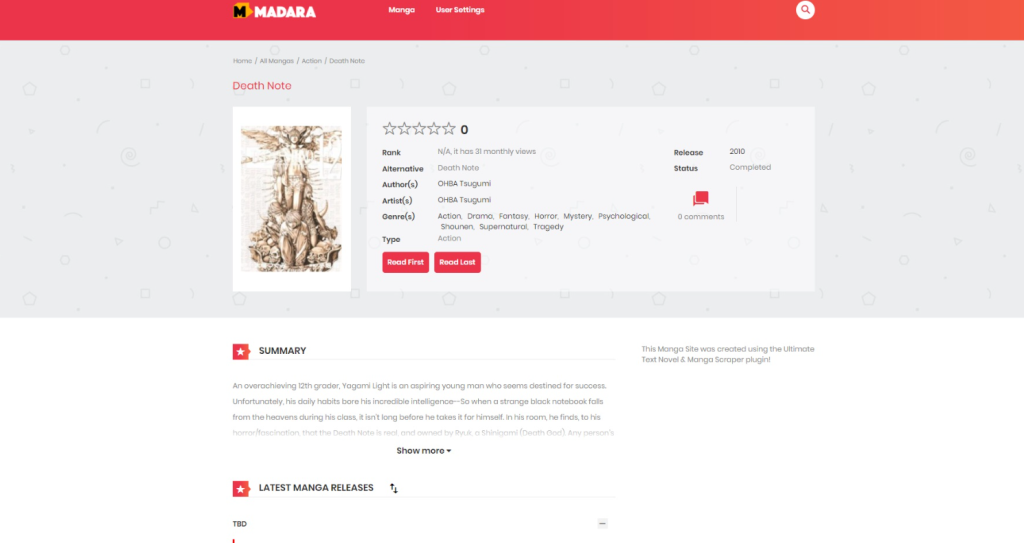
Common web novel scraping problems and how to fix them
The importer finds the novel but not its chapters
The source layout may have changed, or the configured importer may not support that particular site.
Check the current compatibility list, inspect the imported data and review the plugin’s logs if available.
For a source you control, a stable API or export format is generally more reliable than parsing its HTML layout.
Chapters are imported in the wrong order
Check whether the theme or importer uses chapter identifiers and numeric sorting.
Titles alone are not always reliable, especially for decimal chapter numbers and special chapters.
The scraper imports empty pages
The source may render important content with JavaScript, return different HTML to automated requests, or require access that your importer does not have.
For an authorized source, ask its owner for an API, export or other supported access method.
Do not treat access controls as obstacles that should automatically be bypassed.
Imported text has strange characters
Check the source’s character encoding and the conversion process.
Your WordPress database and tables should use an appropriate Unicode character set, typically utf8mb4.
The importer must correctly decode the source before inserting content.
Scheduled imports are not running
Check WP-Cron, the plugin’s scheduled events, server logs and resource limits.
On low-traffic sites, scheduled events may be delayed without a reliable external cron trigger.
WordPress becomes slow during large imports
Importing hundreds of chapters at once can place substantial load on PHP workers and MySQL.
Use smaller batches, avoid concurrent jobs and measure database performance.
For custom systems, asynchronous queues and incremental processing are often preferable to long-running requests initiated from the dashboard.
Duplicate chapters appear after every import
Check whether the importer stores a stable source identifier and recognizes previously processed chapters.
Do not rely on title comparisons alone, since titles can change or repeat.
Can you build a custom WordPress novel importer?
Yes.
For developers who control the source website or have access to an authorized publishing API, a custom importer may offer more predictable results than a generic scraper.
The basic architecture involves retrieving source data, validating it, mapping novels and chapters to WordPress content types, creating or updating records and scheduling subsequent checks.
WordPress provides functions that support these tasks.
Use wp_safe_remote_get() when fetching validated external HTTP or HTTPS URLs, especially when URLs can originate from configuration or user input.
Use wp_insert_post() to create or update WordPress content, and post metadata or a dedicated database table to track stable external identifiers.
Use wp_schedule_event() to schedule recurring import operations.
A production implementation should also include permission checks, source allowlisting, request limits, locking, error logging and secure handling of imported HTML.
If you’re processing thousands of chapters, a queue with smaller jobs will generally be easier to monitor and recover than a single request attempting the entire import.
For a technically proficient WordPress developer, the custom approach offers complete control over the data mapping and publishing process.
For website owners who want a prepared interface and a compatible theme integration, a dedicated plugin may save development time.
Ultimate Web Novel and Manga Scraper vs. a generic WordPress scraper
A specialized novel importer and a general-purpose scraping plugin solve overlapping but different problems.
| Capability | Dedicated novel importer | General-purpose scraper |
|---|---|---|
| Novel and chapter structure | Designed around supported novel workflows | Usually requires content mapping |
| Chapter ordering | Novel-specific handling may be available | Often requires configuration |
| Author, genre and series metadata | Supported fields depend on integration | Requires extraction rules |
| Scheduled extraction | Supported by many dedicated plugins | Common in general-purpose tools |
| Arbitrary HTML extraction | Limited by supported source adapters | Often more flexible |
| Specialized theme integration | Available for supported themes | Usually needs additional configuration |
For Madara-based novel websites, a dedicated plugin can reduce the amount of custom work needed.
For other publishing architectures, a general-purpose importer may be more appropriate.
WPBay also offers Crawlomatic Multisite Scraper Post Generator, which advertises flexible page crawling and content extraction.
However, its generic extraction features should not be confused with ready-made novel chapter management.
Choose based on your actual source format and destination architecture.
Frequently asked questions
Can WordPress automatically import new web novel chapters?
Yes. A compatible importer can periodically check an authorized source and create WordPress content for new chapters. Reliability depends on the source format, supported integrations, scheduling and duplicate detection.
What is the best WordPress theme for a novel website?
Madara is one specialized option for manga and novel-style content. Other solutions may be appropriate if you’re building a custom fiction publishing platform or do not require Madara compatibility.
Can I scrape web novels from any website?
Not necessarily. Technical accessibility does not establish permission to republish content. The source may also impose contractual or technical restrictions. Verify the applicable rights and permitted access methods first.
Can I automatically translate imported web novels?
Translation integrations are available in some tools, but you need appropriate rights to create and publish translations. Machine-translated chapters should also be reviewed for quality.
Do I need coding knowledge to use a novel scraper?
A dedicated plugin can reduce coding requirements for supported sources. Custom or unsupported integrations may require WordPress, PHP, HTML and data-processing knowledge.
Can I import thousands of novel chapters at once?
Potentially, but large imports should use appropriate batching, scheduling, memory limits and database safeguards. Test with small batches before attempting a large migration.
Will automatically imported novels rank on Google?
There is no guarantee. Search visibility depends on content rights, quality, usefulness, site structure, competition and Google’s policies. Reproducing large volumes of unoriginal content primarily for search rankings can violate Google’s spam policies.
Can I use a web novel scraper with the Madara theme?
Yes, provided the selected scraper explicitly supports your Madara version and the relevant source. Ultimate Web Novel and Manga Scraper advertises Madara integration.
Final thoughts
Automatically importing web novels into WordPress can make sense when you manage a substantial library of serialized fiction and have the rights to publish the material.
The most reliable setup starts with a suitable content structure, a supported source, a small test import and a carefully configured schedule.
After that, focus on duplicate prevention, chapter ordering, metadata accuracy and maintaining a good reading experience.
If you use the Madara theme and want a prepared tool for supported sources, explore Ultimate Web Novel and Manga Scraper on WPBay.
If you need to import content from your own custom publishing platform, a purpose-built WordPress importer or an authorized API integration may be a better long-term solution.
Whichever approach you choose, automation should reduce repetitive work without compromising content rights, reliability or reader experience.
Last reviewed: November 11, 2026. Plugin source compatibility and third-party website structures may change.
References
Ultimate Web Novel and Manga Scraper · WordPress WP-Cron documentation · WordPress HTTP API · Google Search spam policies · U.S. Copyright Office – Literary Works