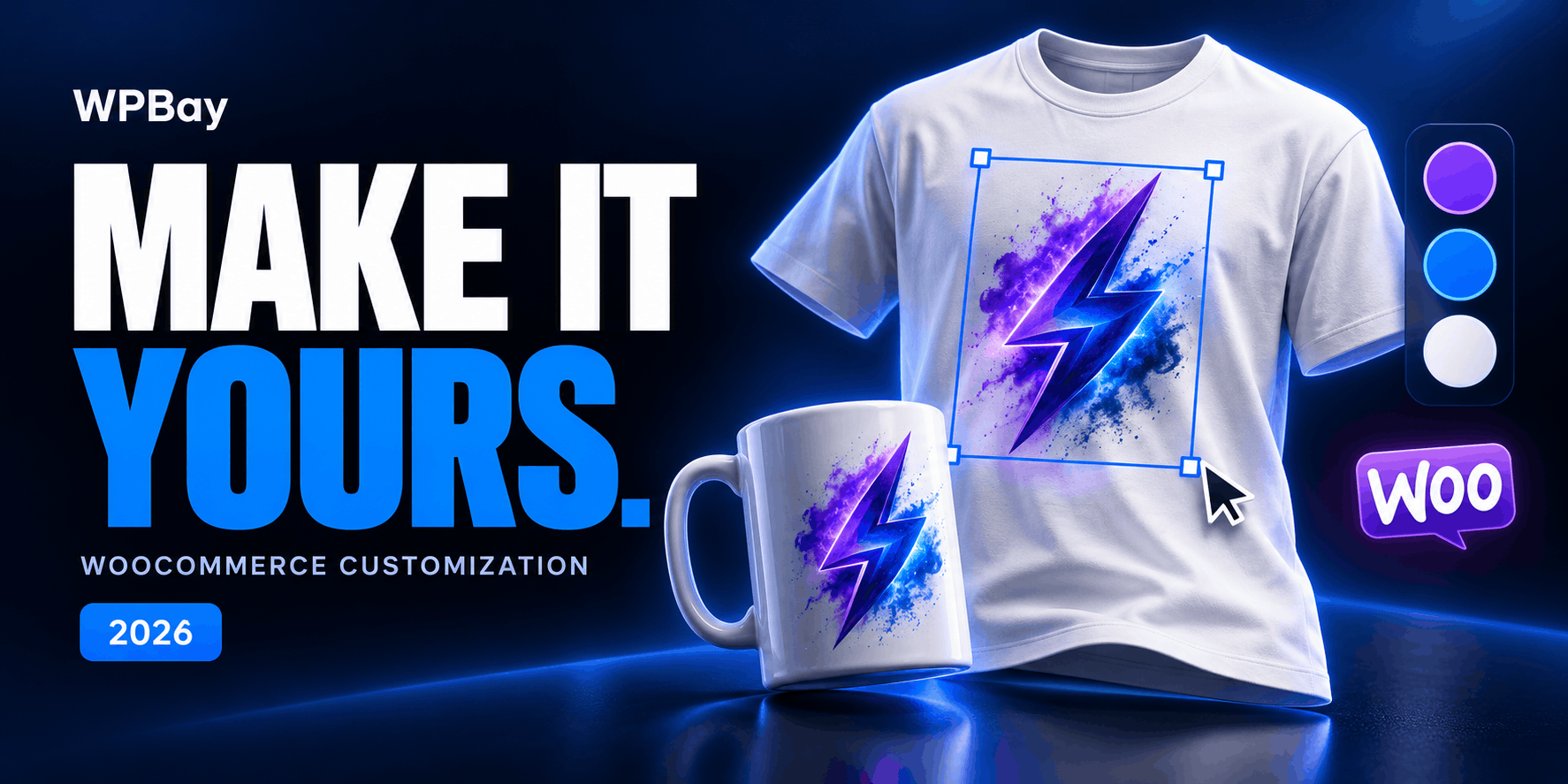
A customer wants a mug with a name on it. You need the spelling, perhaps a font choice, and a clear instruction for whoever prints the order.
Another customer wants to position a logo, resize it, add text on the back and approve the result. That requires a product designer. A text field attached to an order will leave most of the work in your inbox.
Both purchases fall under “product customization,” which makes this category unusually easy to shop badly. The screenshots look similar. The difference appears when a real order reaches production.
For a visual 2D designer, Iza Product Designer is worth a close look. Advanced Product Fields and Barn2 WooCommerce Product Options suit shops that need structured choices and pricing rules. WooCommerce Product Add-Ons covers simpler personalization forms. For actual 3D work, compare Iza 3D with Zakeke. A gift-box shop has a different problem again, which is where Pick and Mix Gift Box Builder fits.
This comparison includes products sold on WPBay alongside tools available directly from other developers. It draws on current product pages, documentation and purchase terms; it is not a claim that every plugin has been tested on the same store.
Which kind of product customization do you need?
Start with the instruction you want to receive after checkout.
“Engrave Amelia in script lettering” is structured order information. A field-based plugin can collect it, enforce a character limit and add a charge. If you always place the engraving in the same position, giving customers a complete drawing canvas may introduce unnecessary decisions.
“Print this design at this position” requires more. The customer needs to see the artwork against the product, and your team needs a usable design record. A visual designer handles placement, scale and multiple printable surfaces.
Configuring the shape, components or materials of a product calls for another level of preparation. A rotating photograph does not let shoppers change a model’s geometry. An actual 3D configurator needs suitable model assets and a definition of which parts customers can change.
Gift boxes customize the contents of a purchase. Their difficult questions concern available products, quantities, capacity and stock. Typography tools will not solve those questions.
Deciding which of these describes your business will eliminate more unsuitable plugins than comparing feature counts.
WooCommerce product customization plugins compared
These are advertised USD prices checked on October 21, 2026. The WordPress plugin prices shown are for one site where a site allowance applies. Promotions and renewal terms can change, so use the linked purchase page to confirm the selected license.
| Plugin | Best fit | Preview or design approach | Price and important buying detail |
|---|---|---|---|
| Iza Product Designer | Printed merchandise and customer-created artwork | Editable 2D designs with multiple product views | $69/year or $89 one-time for one site |
| Advanced Product Fields | Conditional options and calculated prices | Fields and choices; Live Content Preview is an additional add-on | Free edition; paid annual and lifetime plans |
| Barn2 WooCommerce Product Options | Guided personalization forms with an optional visual proof | Options; separate Live Preview plugin in the relevant bundle | $149/year; bundle with Live Preview is $199/year |
| WooCommerce Product Add-Ons | Straightforward paid extras and personalization | Product-page fields and selections | $79 for a one-year plan |
| Iza 3D Product Designer | Model-based customization and interchangeable parts | GLB-based 3D editing with linked flat views | $59/year or $69 one-time for one site |
| Zakeke | Shops seeking a hosted visual commerce platform | Visual personalization, 3D configuration and AR tools | Starter: $69.90/month, or $59/month billed annually, plus applicable sales fees |
| Pick and Mix Gift Box Builder | Customer-selected hampers and gift boxes | Contents, packaging and message selection | Annual offer: $59; listed recurring amount $69. One-time offer: $259 |
The prices need context. A lower license cost can still involve substantial product preparation. Conversely, a more expensive service may make sense if it removes work that your team otherwise performs on every order.
Iza Product Designer: for customers who need to design the artwork
Iza Product Designer for WordPress and WooCommerce provides a browser-based editor for text, uploaded images, SVG artwork, shapes and reusable design assets. Products can have several views, making it relevant to merchandise with separate front and back designs.
The useful part for a print shop is the distinction between the product mockup and the production artwork. According to the Iza documentation, production downloads use the configured printable area, physical dimensions, resolution and bleed. A preview can show the finished item while the production export supplies the artwork used to make it.
The WooCommerce integration carries the customization through the purchase, and the order viewer allows the design to be inspected and exported. That is a stronger fit for customer-created artwork than receiving a text note and an unrelated attachment.
Consider a shop selling personalized tote bags. Customers may need to move a logo away from a seam, choose a different graphic or adjust the balance between text and image. A visual editor gives them those decisions before payment. The shop still needs to define a sensible print area and supply an accurate product base.
Iza currently costs $69 annually or $89 as a one-time purchase for one site. Be sure to choose the WordPress/WooCommerce edition linked here: the standalone script is a separate product.
My main buying test would be the export. Prepare one real product, send the resulting artwork to your production team and ask whether they can use it without rebuilding the design. That answer matters more than how many decorative controls appear in the toolbar.
Advanced Product Fields: for detailed choices and pricing rules
Advanced Product Fields for WooCommerce is a good candidate when the product page needs a form with rules behind it. Its paid editions cover options such as swatches, uploads and pricing calculations, with more advanced formula features in the Extended plan.
The free edition is useful for evaluating the basic approach. It includes common form elements and conditional visibility, with customer selections carried into the order. File uploads and the broader paid feature set need to be evaluated separately.
Think of a sign maker selling different materials and sizes. Selecting acrylic might reveal mounting choices; entering dimensions might affect the price. The customer is specifying a product through a sequence of choices. A freeform graphics editor could make that purchase harder rather than easier.
There is a separate Live Content Preview add-on for showing customer text and images on product imagery. Budget for the relevant plan and add-on if that is central to your offer. Buying an options plugin does not automatically buy every preview feature shown across its website.
APF is particularly worth considering when the calculation is the hard part. Before committing, write your actual pricing rule in plain language and reproduce it in the demo or a trial setup. Include awkward inputs: a very small size, a decimal measurement and a quantity change after the product enters the cart.
A calculator that works for the example size on your product page can still be wrong for the order a customer eventually places.
Barn2 WooCommerce Product Options: for guided personalization with optional live preview
Barn2 WooCommerce Product Options combines additional fields, uploads, conditional choices and several ways of charging for selections. Options can be organized into guided layouts, which is useful when a product has enough decisions to overwhelm a conventional product page.
Its pricing distinction deserves attention. The base plugin is $149 per year for one site. The bundle with the separate Live Preview plugin is $199 per year. Barn2 also offers a larger bundle with Bulk Variations for stores that need a quantity grid across variations.
Live Preview is relevant when a customer should see a name or image on the product before ordering. For a personalized notebook, for example, the buyer might choose a cover finish, enter initials and review their placement. That is a controlled personalization process, and it can be preferable to giving shoppers unrestricted editing tools.
The buying question is how much freedom you intend to allow. If your production process has fixed positions and a limited set of fonts, those restrictions can make the order more reliable. If customers must create complicated layouts, compare the experience with a dedicated designer before choosing.
Also consider the staff reading the order. A beautiful product form is only useful if the selected options make sense when the item reaches fulfillment. Use labels that describe the finished product, and avoid internal names that only the person building the website understands.
WooCommerce Product Add-Ons: for simpler paid personalization
Product Add-Ons from WooCommerce is the straightforward choice to investigate for extra text, selections, uploads and charges attached to a product. Its current one-year plan is $79.
It supports familiar purchasing decisions: an engraving message, an optional service, a selected extra or a supplied file. Options can be applied to individual products or more broadly, and pricing can use approaches such as flat, quantity-based or percentage charges.
This is a sensible starting point for a store whose personalization is deliberately limited. A customer ordering an engraved pen may only need a short inscription and a gift-box choice. A large design interface would add work to a purchase that should take seconds.
The restriction to examine is your intended workflow. A form collecting an uploaded logo is a different purchase experience from an editor showing exactly where that logo will print. If the business needs conditional branching or a visual proof, compare those requirements explicitly with APF, Barn2 or a designer.
Keep the first implementation narrow. One required field with a clear example can be more useful than several loosely defined fields. “Text to engrave” gives the customer a task. “Additional information” invites an email conversation after checkout.
Iza 3D Product Designer: for actual model-based customization
Iza 3D Product Designer & Product Builder Customizer serves a different purpose from Iza’s 2D edition. Its WordPress documentation describes a GLB-based workflow, linked 2D and 3D views, material controls and customer-selectable model parts.
The model preparation requirement is substantial. Editable artwork surfaces need usable UV mapping, which defines how flat artwork fits the model. The importer does not unwrap or repair a poorly prepared asset. Interchangeable parts must also be authored and named correctly.
That makes this an interesting option for a business that already has access to a 3D artist or suitable product models. A sportswear seller, for example, could explore different garment components while letting customers personalize supported surfaces. The demonstration should show the exact type of change you intend to sell.
The current one-site price is $59 per year or $69 as a one-time purchase. Treat model creation as a separate budget item.
A convincing desktop demo is only the beginning. Put the intended model on an ordinary phone and use it over a mobile connection. Change components, add artwork and reopen the order. If the model is heavy or its editable surfaces are badly prepared, a low plugin price will not make that work disappear.
For flat products with fixed print areas, a 2D workflow may be quicker to prepare and easier for customers to understand. Choose 3D when the additional view helps them make an actual buying decision.
Zakeke: for a hosted customization platform
Zakeke’s WooCommerce integration connects the store to a hosted platform offering visual customization, 3D configuration and related presentation tools. It belongs in this comparison because it can serve the same commercial need, although its operating costs differ from a conventional plugin license.
The current pricing page puts Starter at $69.90 per month, or $59 per month when billed annually, for up to ten published products. It also lists a 1.9% fee on each customized item sold through Zakeke, excluding tax and shipping, with a $0.03 minimum. That fee does not apply to its 3D/AR Viewer solution.
Pay attention to the feature matrix. Pricing rules require Grow or higher, while conditional configurator rules and customization across multiple areas of 3D configured products are listed in Scale or higher. The Starter price therefore cannot stand in for the cost of every demonstration.
A hosted platform deserves consideration when the business wants an ongoing service relationship and can justify recurring costs against its order volume. Compare the plan using your own sales mix. A shop selling a few high-value personalized items has different economics from one processing thousands of inexpensive accessories.
Use the trial to complete an order and retrieve its production output. That will tell you more about fit than a general tour of the platform.
Pick and Mix Gift Box Builder: for customizing what goes inside
WooCommerce Pick and Mix Gift Box Builder covers a narrower but important use case. Customers assemble a box from products or variations, with choices for packaging and messages.
The listing documents capacity rules, minimum and maximum selections, category restrictions and inventory connections. Pricing can reflect the chosen contents or a fixed box price, with additional charges where configured.
For a tea, chocolate or cosmetics shop, those are the decisions that determine whether the order can be fulfilled. The customer may need six items, a suitable box and one message. They do not need to position graphics on a canvas.
The current annual offer is $59, with a listed recurring amount of $69. A one-time offer is $259. Check the selected payment option carefully; the monthly, yearly and one-time prices describe different commitments.
The practical test is a box that is almost valid. What happens when a customer chooses too many premium items, leaves a required category empty or selects an item that sells out? A contents builder earns its place by explaining and enforcing those rules before payment.
This is also a useful example of why the best product customization plugin depends on the order. A powerful graphic editor would leave the stock and packing problem largely untouched.
A buying note about Fancy Product Designer
Fancy Product Designer appears in many older WooCommerce product designer comparisons, so its current purchase terms deserve a mention.
The CodeCanyon listing now marks that edition as maintenance-only. It states that further versions and feature updates will not be released there, and author support is not included. The regular license is currently $19.
For a new production store, I would want a clear answer about supported distribution, future compatibility and help with order failures before choosing it. Existing users need a staged compatibility test and a plan for accessing their order artwork if they eventually migrate.
Those concerns are more consequential than the discount. A product designer sits in the path between a customer’s payment and the item your business must manufacture.
What to verify before putting a customizer on a live store
Can the production team use what the customer ordered?
Build one representative product before building the whole catalog. Use your own artwork, actual product dimensions and the manufacturing process you intend to offer.
For print products, ask the printer to inspect the exported file. A downloadable PDF can still contain unsuitable artwork. Resolution, dimensions, bleed, fonts and color handling must match the job.
A ten-inch-wide raster print at 300 pixels per inch needs 3,000 pixels across. Enlarging a small uploaded photograph to that width will not restore missing detail. The customer needs an understandable warning before approving an unusable design.
Also distinguish a product photograph with artwork on top from the artwork itself. Your printer may need the isolated print area. Your customer may want the attractive mockup. Both can be useful, but they serve different people.
Does the final charge match the work?
Write down whether each charge applies per item, per order line or once for a setup task.
Suppose a mug costs $20, a name adds $5 per mug and preparing new artwork costs $10 once. Three mugs should total $85 before tax and shipping: $60 for the mugs, $15 for the names and $10 for setup.
That example is a requirement to test, rather than a promise that every plugin supports each fee model. Change the quantity in the cart, apply a coupon and edit the personalization. Check the final order against the same arithmetic.
Give special attention to two units of the same product with different names. The store must preserve which design belongs to which item. A combined quantity with one ambiguous customization can create an expensive fulfillment mistake.
Is the order complete after the customer leaves?
A paid order should retain enough information to produce the item later. That includes the chosen options, relevant uploads and the design or production files required by your workflow.
Reopen a test order after changing the original product template. Confirm that the order still represents what the customer purchased. Then check the staff view, customer emails and any packing or production system you use.
For stock-controlled components, place an order near the available quantity limit. A label saying “premium blue fabric” does not, by itself, establish that a stock-managed fabric SKU has been reserved or reduced. Verify the intended inventory behavior in the selected plugin.
Can someone finish the purchase on a phone?
Try the product as a customer with a long name, an awkward photograph and no knowledge of the editor.
A design tool can technically fit the screen while remaining difficult to operate. Text handles may be too small. Font controls may cover the artwork. The keyboard may hide the button that confirms the edit.
Test with your normal caching and optimization settings enabled, including script delays. Follow the purchase through your actual cart and checkout. Record the active WooCommerce version and whether you use classic or block-based checkout when asking a developer about compatibility.
The useful result is a completed, correctly priced order with usable files. An attractive editor is one part of that result.
Common questions about WooCommerce product personalization
What is the best free WooCommerce product customization plugin?
Advanced Product Fields has a free edition suited to evaluating basic extra fields and conditional visibility. It is a reasonable place to start when collecting structured choices. Check paid requirements separately if you need uploads, advanced calculations or live content previews.
A free form plugin and a full product designer solve different problems, so compare the required workflow before comparing license costs.
Do I need a product designer for engraving?
A short inscription in a fixed position can be handled with a text field, a character limit and an appropriate charge. A live preview becomes more valuable when font, line breaks or placement materially affect the result.
For more open-ended layouts, evaluate a dedicated designer and its exported output. The amount of customer freedom should match what your production team can reliably make.
Can product add-ons replace WooCommerce variations?
Use variations where the choice represents a distinct stock item or SKU in your catalog. Custom text and one-off artwork often belong in additional order information.
A shop can need both: a stock-controlled shirt size and customer-created artwork for the same purchase. Verify how the selected plugin carries those two parts through the cart and order.
Which option should a small print shop investigate first?
Start with the production requirement. Iza’s 2D edition is a relevant candidate for customer-positioned artwork and production exports. APF or Barn2 is worth investigating when fixed choices and pricing rules define most of the job.
Before committing to a catalog rollout, produce one sample from a paid test order. If that sample can move from checkout to production without a staff member interpreting missing instructions, you have a much stronger basis for the purchase.