



Yeti Demo Maker – Live Demos with Auto Reset for WordPress Plugins & Themes

 Recently Updated
Well Documented
Sold Only On WPBay
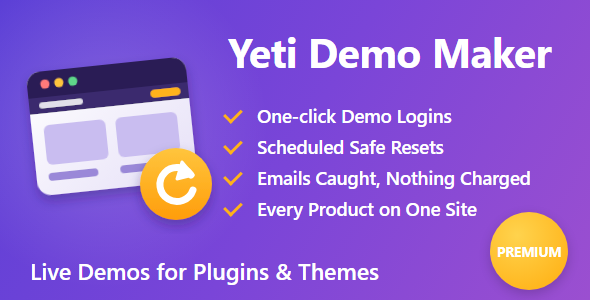
Yeti Demo Maker is for people who sell WordPress plugins and themes. Install it on a demo site, set the site up the way visitors should see it, and press Go live. Visitors get one-click logins with safe permissions, every email lands in an outbox they can read, nothing is charged, and the whole site resets on your schedule so the next visitor always gets a clean demo.
It runs on ordinary shared hosting, with no shell access, and works inside the WPBay, CodeCanyon and Freemius preview frames.
Perfect For
- Plugin and theme sellers on WPBay, CodeCanyon and Freemius
- Developers who want one demo site for every product they sell
- WooCommerce extension authors who need a working checkout in the demo
- Agencies showing clients a product before they buy
Key Features
- Resets That Can’t Break the Site – Fresh tables are built next to the live ones and swapped in with one database statement, so a reset that is cut off leaves the old site or the new one, never a mix. Reset every 30 minutes, hour, 3, 6 or 12 hours, or daily, plus a Reset now button.
- Works on Shared Hosting – Plain PHP and the WordPress database layer. No mysqldump, no shell access. Only the upload files visitors added or changed are touched, so resets stay fast.
- One-click Demo Logins – Up to three buttons such as “Try the admin” and “Log in as a customer”. No passwords to type, so they also work inside marketplace preview frames.
- Safe Permissions – Each login copies a role you pick, minus everything that could change the site: plugins, themes, users, core updates, file editing, unfiltered HTML and site settings. Tick the admin screens each login may open.
- “Try This” Guide Buttons – Up to five shortcuts in the demo bar that take visitors straight to the features worth seeing.
- Every Email Caught – Emails go to an outbox visitors can read, with addresses partly hidden, so your plugin’s emails become part of the demo.
- Nothing Real Happens – Web requests to other sites are blocked apart from an allow-list, WooCommerce checkout only offers “Demo payment”, uploads are limited, and the site address, admin email and any settings you list (such as a licence key) can’t be changed by visitors.
- Marketplace Previews – Tick WPBay, CodeCanyon / Envato or Freemius and only those sites may show the demo in their preview frame. On HTTPS, logins and the cart work inside the frame.
- Demo Bar – Product name and version, a countdown to the next reset, the login buttons, Sent emails and Buy now, in your colours. It pushes the page down so it never covers your content.
- Every Product on One Site – Add a demo for each product you sell, each with its own link, logins, demo bar, Buy link, theme, plugins, shop categories and pages, plus a landing page with a card for each.
- Sale Positive Theme Included – A block theme made to show a product at its best. Visitors see the theme you pick for each demo; your site’s own theme and admin stay as they are.
- Private Sandboxes – Optionally give every visitor their own sandbox. What they create is hidden from everyone else and deleted when they leave, with a limit on sandboxes at the same time to protect a small server.
- Plugin Tables Too – Sandboxes also cover plugins that keep data in their own tables (bookings, bids, tickets), with no changes to those plugins.
- Leads – Optionally ask for an email before a demo login, with an unticked marketing checkbox, a CSV download and a webhook for Zapier, Make or your CRM.
- Health Checks – After each reset your chosen pages are loaded, and you get an email if one shows an error. A server cron address keeps resets on time.
- Version Check – A status endpoint returns the demoed version and a hash of its files, so a release script can check the demo matches the zip you are about to submit.
How It Works
- Build the demo: install your product on a spare WordPress site and add sample content
- Set it up: pick the product, the demo logins and the safety switches, and press Go live
- Share the link: put it on your sales page. Demo Maker resets the site on schedule and emails you if a page breaks
Built to Stay Up
A reset builds fresh tables beside the live ones and swaps them all in with one database statement, so a reset that is cut off can never leave a half-restored site. Your own login is kept through every reset. After each one, the pages you choose are loaded and you get an email if one shows an error. A failed reset waits one interval before it is tried again. Our own demo site runs on Demo Maker, showing eight plugins from one install: demos.theyetidev.co.uk.Requirements
- WordPress 6.5 or higher (tested up to 7.1), single site
- PHP 8.0 or higher (tested on PHP 8.0, 8.3 and 8.5)
- A WordPress install used only for the demo (never a live shop: a reset puts every table back to the snapshot)
- WooCommerce is optional
- HTTPS for logins inside marketplace preview frames
Changelog:
1.1.8
- Fix: a reset checks that every upload added during the demo was really removed. If one can't be deleted (folder permissions, a locked file), the reset is reported as incomplete on the dashboard, in the log and in the alert email, and the next reset tries again.
- Security: uploads waiting to be put back during a reset are staged outside the web root (in the snapshot folder or the server's temp folder) when that folder is on the same disk. Otherwise they go in an uploads folder with a name nobody can guess, refused by Apache, and on Linux each staged file can't be read by anyone until it is moved into place.
1.1.7
- Fix: converting a snapshot made by an older version never deletes it. If its details are missing or damaged, it is left as it was, the problem is logged and a reset stops with the reason.
- Fix: a reset first writes every upload it will put back into a staging folder and checks each one. If any can't be written (a full disk, an unreadable copy), the reset stops before changing the database or any file. Each staged file then replaces the live one with a single rename, so a live file is never left truncated or missing.
- Fix: a reset where an upload still can't be moved into place is reported as an incomplete reset (dashboard, log and email). That file keeps its current version and the next reset tries it again.
1.1.6
- Security: each upload in the snapshot is stored as a guarded copy (photo.jpg as photo.jpg.php, a line of PHP that exits and then the file's bytes), so a server that ignores .htaccess shows an empty page even when the full path is known.
- Fix: a new snapshot is built next to the current one and only replaces it once every table and file has been copied and checked. If a copy fails (a full disk, for example), the previous snapshot is kept and the failure is shown on the dashboard.
- Fix: a reset first checks the snapshot details, the list of upload files and every copy it names. If any of them is missing or damaged, the reset stops before changing anything.
- Fix: converting a snapshot made by an older version checks every copy before the old folder is removed. If a copy fails, the old snapshot is left as it was, the failure is logged and the conversion is tried again an hour later. The conversion lifts the PHP time limit, so large uploads folders finish.
- Fix: each snapshot carries an ID in both its folder and its table copies. A reset stops if they don't match, so a snapshot cut off part way can't mix two snapshots.
- Fix: a reset that can't put every upload back is shown as a problem on the dashboard and emailed, instead of passing as a good reset.
1.1.5
- Security: the snapshot folder (the copy of the uploads folder and the snapshot's details) is now out of reach of web requests on Nginx and other servers that ignore .htaccess. It goes outside the web root when the host allows it, otherwise in wp-content under a random 32-character name, and its details are PHP files that show an empty page. A snapshot made by an older version is moved there on the first request after the update.
- New: the `yetidm_snapshot_dir` filter sets the snapshot folder.
1.1.4
- Security: password resets are refused for the seller's accounts (administrators, staff, demo users and every account in the snapshot) while the demo is on, through wp-login.php and WooCommerce My Account. Only accounts visitors made during the demo can reset.
- Security: emails to the admin email or to the seller's accounts are dropped instead of stored in the visitor outbox, and staff addresses inside other emails are partly hidden. Order emails to visitors still appear.
- The status endpoint caches its files hash for an hour, keyed by product and version, and drops it when plugins or themes are updated or a snapshot is taken, so anonymous requests no longer read every product file.
1.1.3
- Plugin Check clean: the theme's classic header and footer templates refuse direct access.
- Fix: a malformed marketplace list sent to the Setup tab raised a PHP warning. Values that aren't text are now ignored.
1.1.2
- Fix: the Site Editor, Customizer and other admin requests of real staff could read and save the demo theme instead of the site theme. Only your front-end page views show a demo theme now.
- Fix: a reset that fails is tried again after one reset interval, not every 5 minutes with an email each time.
- Fix: a reset records itself before its page check, so the check could not start a second reset.
- Fix: on the Demos tab, picking a theme you sell as the product now also suggests it as the demo theme.
- Fix: a demo theme that was deleted shows as missing in the form, so saving the form no longer switches it to Sale Positive.
- Fix: the Setup tab shows the theme in force once Demo Maker is switched on, instead of a suggestion that a later save would apply.
- Fix: plugins that print their own page templates (get_header) get the Sale Positive header and footer.
- Faster admin pages: the theme copy is only checked once per Demo Maker version, and a themes folder that cannot be written is retried hourly.
1.1.1
- Fix: after saving the Setup tab, a scheduled reset could run up to a whole interval late, with the demo bar showing "Resets in 0:00" meanwhile. The reset job now checks every 5 minutes, and a job left late by an older version is brought forward.
1.1.0
- New: Sale Positive, Demo Maker's own block theme, installed with the plugin.
- New: a theme for each demo and for the Setup tab. Visitors see it; the site's theme and your admin stay as they are. Sale Positive is suggested for plugins, a theme you sell for its own demo.
1.0.1
- New: Pages that belong to a demo. Pages a plugin adds (an Auctions page, a Responsible Gaming page) show only in that plugin's demo.
- Fix: a guest checkout in a demo loaded every plugin, so another demo's plugin could add its own checkout fields (an age or terms checkbox) and stop the order. Checkout's new-account fields no longer count as a login.
1.0.0
- First release.
Only logged in customers who have purchased this product may leave a review.
Loading...
WPBay support
 Support by TheYetiDev
TheYetiDev supports this product through WPBay
Questions are handled in WPBay's private ticket system, keeping your purchase details and support conversation together.
Go to My Downloads
After purchase, open this item in My Downloads and choose Get Support.
What support includes
- Answers to product-related questions
- Help with reported bugs and issues
- Guidance for included third-party assets
What support does not include
- Customizations or new features
- Installation or setup services
Plugin
Maintenance snapshot
See recent updates, compatibility, support, and developer activity.
- Updated today
- Developer active recently
- WPBay support available
- WordPress 7.1 tested
Snapshot updated 4 hours ago
View details Hide details
Maintenance details
This is maintenance data. It does not measure product quality or sales.
- Last update Updated today
- Compatibility WordPress 7.1 tested · PHP 8.5 tested · WooCommerce 11 tested
- Releases 6 releases in the 3 days since listing
- Developer activity Developer active recently
- Support No recent support tickets to measure
- Docs and demo Documentation available · Changelog available · Demo available
How this snapshot works
Plugin Health
The score is out of 100 and uses data WPBay can check. Ratings, popularity, and sales are not used.
- Last update 30 points
-
Plugins receive full recency points under 30 days, then step down at 90, 180, 365, and 545 days.
- Compatibility 20 points
-
WordPress, PHP, and WooCommerce (when relevant) are scored separately. The latest two PHP lines count as current. Nearby previous versions keep most of the points.
- Current version 100%
- One version behind 75%
- Two versions behind 50%
- Three versions behind 25%
- Older or not listed 0%
- Releases 15 points
-
One release earns 10, two or three earn 13, and four or more earn 15. Each accepted product ZIP counts once; reprocessing the same upload and listing-only edits do not count.
- Developer activity 15 points
-
Based on WPBay login and dashboard activity. Exact last-login dates are never shown.
- Support 15 points
-
There are no recent WPBay tickets to measure.
- Docs and demo 5 points
-
Documentation: 2. Changelog: 1. Working demo or preview: 2.
Score ranges
- 90–100 Excellent
- 75–89 Healthy
- 60–74 Fair
- 40–59 Needs attention
- 0–39 Limited
Long gaps
WPBay also checks for long gaps between updates, developer activity, support replies, and releases. Buyers do not see this score.
- Time since update 35 points
- Last developer activity 25 points
- WordPress compatibility 15 points
- Support replies 15 points
- Fewer releases 10 points
-
Quality verified by WPBay
WPBay review- Reviewed version
- 1.1.8
- Review completed
- Reviewer
- CodeRevolution
- Review type
- Initial
No unresolved approval blocker was identified during WPBay’s proportionate review of this release. This is not a security certification or a guarantee that the product contains no defects.
-
 Future updates
-
WPBay support from TheYetiDev
-
Fully GPL licensed
-
Covered by the WPBay refund policy
-
Plugin maintenance snapshot
Relevant picks
You may also like
Similar products selected by category, features, popularity and freshness.

From this seller
View seller store
More by TheYetiDev
Explore more bestselling products from this creator.


Reviews
There are no reviews yet.