


Yeti Delivery Slots – Delivery & Collection Time Slots for WooCommerce

 Recently Updated
Well Documented
Recently Updated
Well Documented
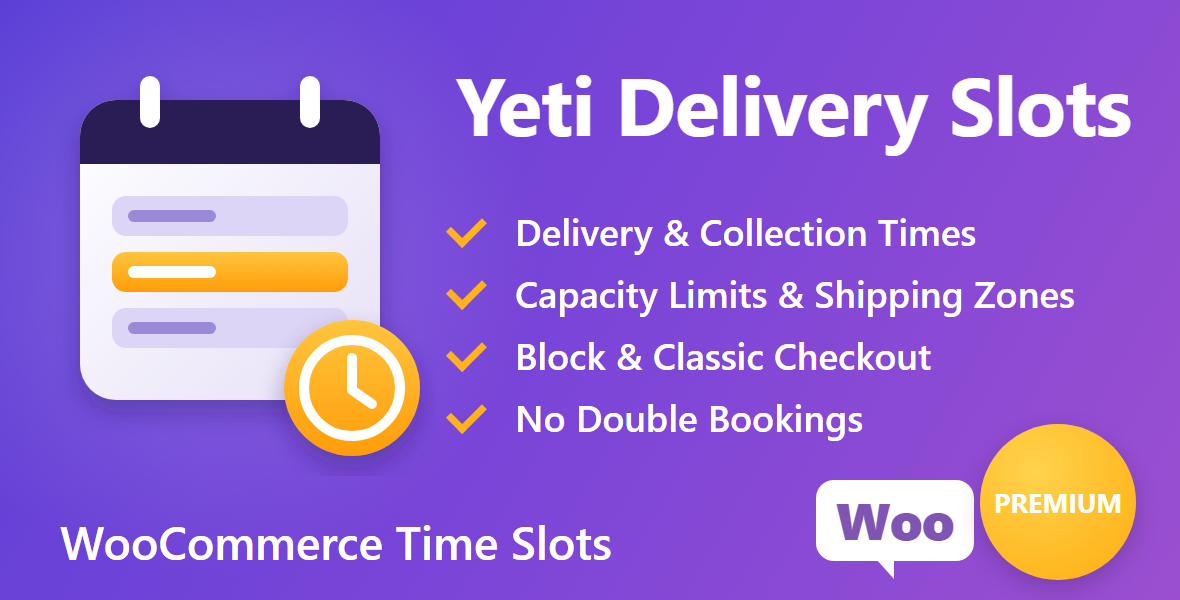
Yeti Delivery Slots adds a day and time picker to your WooCommerce checkout. The shipping method your customer picks decides what they choose: a delivery time, a collection time, or nothing at all. You decide how many orders each slot can take, which areas get which slots, and what busy times cost.
It works on the Checkout block and the classic checkout straight away – there is nothing to add to your checkout page.
Perfect For
- Food, grocery and meal-kit delivery
- Bakeries, cake makers and florists
- Restaurants and takeaways offering click and collect
- Butchers, farm shops and local stores with their own drivers
- Any store that delivers or lets customers collect at set times
Key Features
- Both Checkouts – The day and time picker appears automatically on the Checkout block (under the shipping or pickup options) and on the classic checkout. Nothing to add to your checkout page.
- Delivery & Collection – The customer’s shipping method decides what they choose: a delivery time, a collection time or nothing. Local pickup asks for a collection time by default, and you set every method.
- Limits Per Slot – Set how many orders each slot can take each day, plus an optional daily limit for deliveries and collections. Full slots show as “Full”, and “3 left” appears when places are running out.
- Shipping Zones – Offer delivery slots only to chosen WooCommerce shipping zones, such as evening deliveries for local postcodes.
- Slot Fees – Charge extra for busy times like evenings or Saturdays, added to the cart as a “Delivery time fee”, with tax if you want it.
- Your Rules – Minimum notice before a slot, a same-day cut-off, how many days ahead customers can choose, closed dates for holidays and preparation days per product.
- No Double Bookings – Every time is checked and reserved in one locked step when the order is placed, so two customers can never both take the last place.
- Unpaid Orders Handled – Unpaid orders hold their time for a set number of hours, then release it. Late payments take their time back, or keep it and alert you if it has filled up.
- Pay for Order Page – If a customer’s time has gone by the time they pay, they choose a new one (with the same fee) before paying.
- Schedule – A 14-day overview of every slot, a day list of orders with addresses, phones, items and notes, ready to print as a picking or driver list.
- CSV Export – Download every order and its time for any range up to 93 days.
- Change Times – Set, move or remove an order’s time from the order screen, with an override for full slots. The customer can be emailed their new time.
- Quick Add – Create a run of slots in one go, for example 9am to 5pm in 1 hour slots on weekdays.
- Page Builders – “Next delivery time” and a postcode checker as blocks, Elementor widgets, WPBakery elements and shortcodes.
- Native WooCommerce Integration – Supports HPOS, the Checkout block and block themes. The chosen time shows on the order received page, My Account, order emails and the orders list.
How It Works
- Set your slots – add delivery and collection windows with their days, limits, fees and zones (or use Quick add)
- Customers choose – at checkout they tap a day, then a time. Full times can’t be chosen
- You deliver – open the schedule for the day, print the list, or export it to CSV
Built for Busy Stores
Times are checked and reserved in one locked step when the order is placed, on the Checkout block, the classic checkout and the Pay for order page. We test it by firing several checkouts for the last place at the same moment: exactly one gets it, and the others are asked to choose another time.Requirements
- WordPress 6.2 or higher
- WooCommerce 8.3 or higher (tested up to 11.2)
- PHP 7.4 or higher (tested on PHP 8.0, 8.3 and 8.5)
Changelog:
1.0.2
- Fixed: if a late payment's time can't be saved at all (a database error, the lock is busy, or the slot was deleted), the order is no longer treated as having its time. It is flagged "Not saved - action needed" in the orders list and on the order, listed in a notice on the orders and Delivery slots screens, noted on the order, and the shop is emailed. It is tried again every hour, and staff can save it again or choose a new time from the order screen
- Fixed: an order is only flagged over capacity once its reservation has actually been saved, and only a full or closed time is kept over capacity
- Fixed: changing an order's time is now one database statement on the order's single reservation, and a unique key stops an order ever having two reservations. The upgrade removes any duplicates left by older versions, keeping the one that matches the time saved on the order
- Fixed: releasing unpaid times uses the same lock as taking a time, so a payment that arrives during the cleanup waits for it and then takes the time again. Whether an order's time has been released is now read from the reservation itself, so an order can't be left wrongly shown as released
1.0.1
- Fixed: a late payment for an order whose time had expired no longer takes the place back without checking. It goes through the same locked capacity check as checkout; if the time has filled up, the paid order keeps its time, is flagged over capacity and the shop is emailed
- Fixed: releasing unpaid times can no longer remove a reservation that was paid for or renewed at the same moment - each release re-checks that the reservation is still unpaid and expired
- Fixed: changing an order's time saves the new time before removing the old one, so a database error can never leave an order without its booking
- Fixed: releasing unpaid times works through every expired hold from a saved position, so holds that keep failing can no longer stop newer ones being released
- Fixed: the "time changed" customer email and the over-capacity alert are saved on the order together with the change, then sent; if sending is interrupted or the mail server refuses, they are retried hourly (up to 3 attempts, then an order note)
- Improved: new preview graphic in the TheYetiNet style
1.0.0 - Initial Release
- Delivery and collection date and time picker for the Checkout block and the classic checkout
- Delivery or collection time chosen automatically from the customer's shipping method, set per method
- Time slots with their own days, orders-per-slot limit, optional fee and optional label
- Delivery slots can be limited to chosen WooCommerce shipping zones
- Daily limits for deliveries and collections
- Minimum notice, same-day cut-off, days ahead, closed dates and preparation days per product
- Times checked and reserved in one locked step at checkout, so the last place can't be taken twice
- Unpaid orders hold their time for a set number of hours, then release it
- Late payments take their time back, or keep it and alert the shop if it has filled up
- Pay for order page asks for a new time (same fee) if the original has gone
- Cancelled, refunded, trashed and deleted orders free their place; restored orders take it back
- Schedule: 14-day overview, printable day list and CSV export
- Change, set or remove an order's time from the order screen, with an override and a customer email
- Delivery / collection column in the orders list
- Chosen time on the order received page, My Account and order emails
- Next delivery time and postcode checker as blocks, Elementor widgets, WPBakery elements and shortcodes
- HPOS compatible, works with block and classic themes
Only logged in customers who have purchased this product may leave a review.
Loading...
WPBay support
 Support by TheYetiDev
Support by TheYetiDev
TheYetiDev supports this product through WPBay
Questions are handled in WPBay's private ticket system, keeping your purchase details and support conversation together.
Go to My Downloads
After purchase, open this item in My Downloads and choose Get Support.
What support includes
- Answers to product-related questions
- Help with reported bugs and issues
- Guidance for included third-party assets
What support does not include
- Customizations or new features
- Installation or setup services
Plugin
Maintenance snapshot
See recent updates, compatibility, support, and developer activity.
- Updated today
- Developer active recently
- WPBay support available
- WordPress 7.1 tested
Snapshot updated 3 hours ago
View details Hide details
Maintenance details
This is maintenance data. It does not measure product quality or sales.
- Last update Updated today
- Compatibility WordPress 7.1 tested · PHP 8.5 tested · WooCommerce 11 tested
- Releases 3 releases in the 1 days since listing
- Developer activity Developer active recently
- Support No recent support tickets to measure
- Docs and demo Documentation available · Changelog available · No demo listed
How this snapshot works
Plugin Health
The score is out of 100 and uses data WPBay can check. Ratings, popularity, and sales are not used.
- Last update 30 points
-
Plugins receive full recency points under 30 days, then step down at 90, 180, 365, and 545 days.
- Compatibility 20 points
-
WordPress, PHP, and WooCommerce (when relevant) are scored separately. The latest two PHP lines count as current. Nearby previous versions keep most of the points.
- Current version 100%
- One version behind 75%
- Two versions behind 50%
- Three versions behind 25%
- Older or not listed 0%
- Releases 15 points
-
One release earns 10, two or three earn 13, and four or more earn 15. Each accepted product ZIP counts once; reprocessing the same upload and listing-only edits do not count.
- Developer activity 15 points
-
Based on WPBay login and dashboard activity. Exact last-login dates are never shown.
- Support 15 points
-
There are no recent WPBay tickets to measure.
- Docs and demo 5 points
-
Documentation: 2. Changelog: 1. Working demo or preview: 2.
Score ranges
- 90–100 Excellent
- 75–89 Healthy
- 60–74 Fair
- 40–59 Needs attention
- 0–39 Limited
Long gaps
WPBay also checks for long gaps between updates, developer activity, support replies, and releases. Buyers do not see this score.
- Time since update 35 points
- Last developer activity 25 points
- WordPress compatibility 15 points
- Support replies 15 points
- Fewer releases 10 points
-
Quality verified by WPBay
WPBay review- Reviewed version
- 1.0.2
- Review completed
- Reviewer
- CodeRevolution
- Review type
- Initial
No unresolved approval blocker was identified during WPBay’s proportionate review of this release. This is not a security certification or a guarantee that the product contains no defects.
-
 Future updates
-
WPBay support from TheYetiDev
-
Fully GPL licensed
-
Covered by the WPBay refund policy
-
Plugin maintenance snapshot
Relevant picks
You may also like
Similar products selected by category, features, popularity and freshness.


From this seller
View seller store
More by TheYetiDev
Explore more bestselling products from this creator.



Reviews
There are no reviews yet.