


WP Setup Wizard

 Recently Updated
Well Documented
Recently Updated
Well Documented

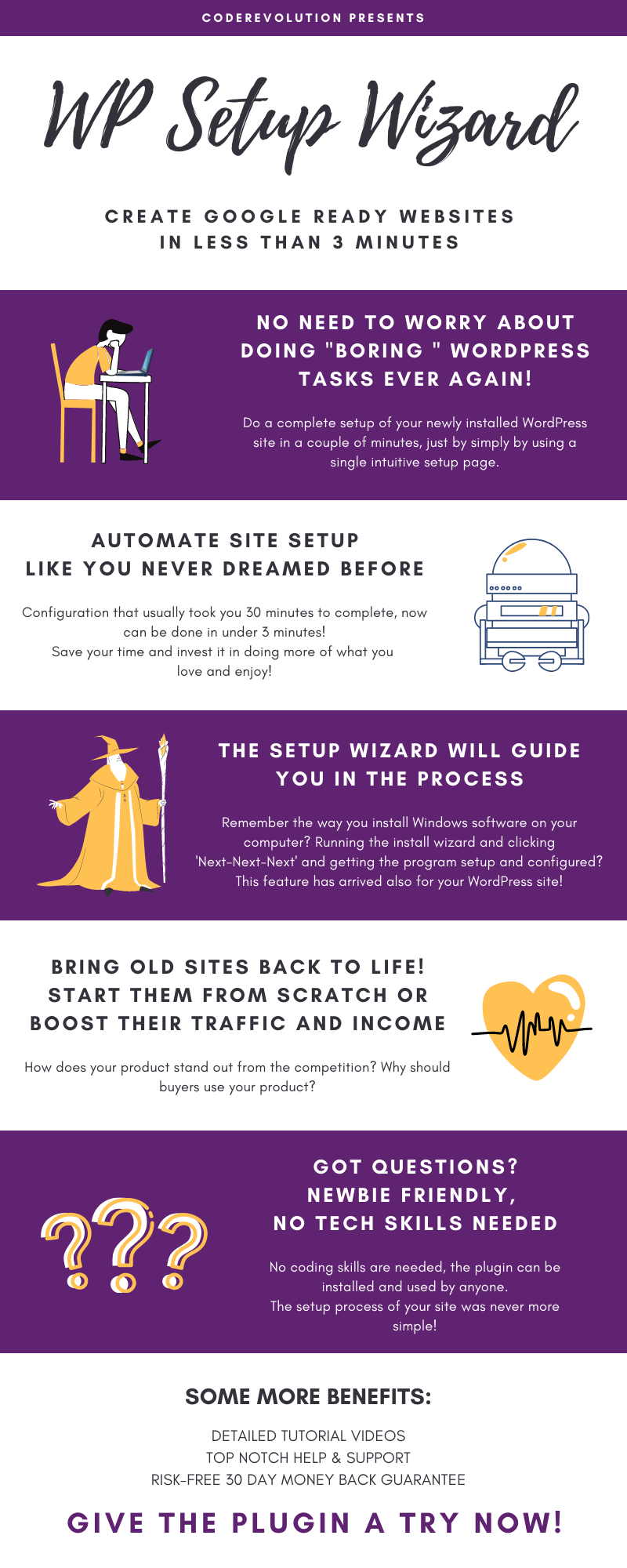
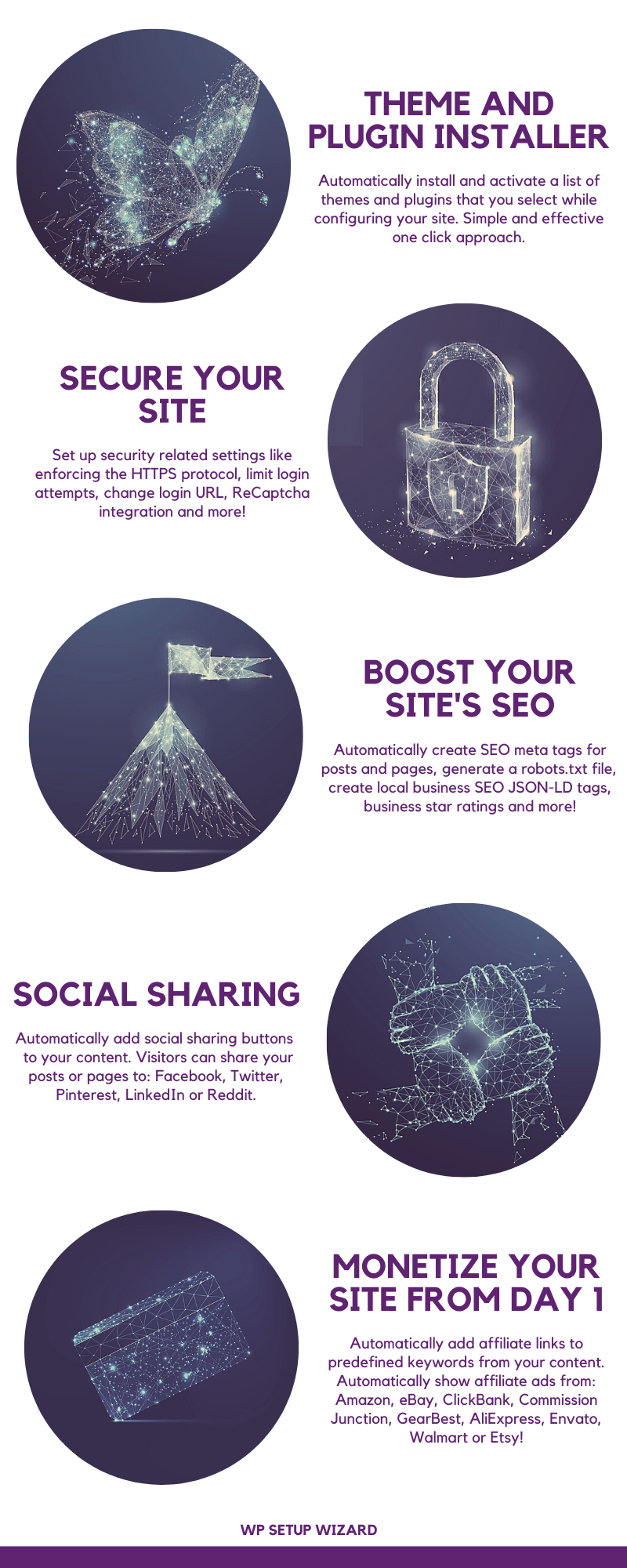



Configure your next Google ready WordPress site in less than 5 minutes!
What if I would tell you that you could skip the most boring part of launching a new WordPress site? Configuring a WordPress installation is a repetitive and boring task you need to do each time you set up a new website Going through the same site configuration process, each time, over and over again. This can be excruciating! Here are some of the repetitive tasks that you do each time you set up a new site:
- Removing all sample posts, pages and comments
- Setting up site name, admin email, timezone, language and other site settings
- Setting up full site SEO settings
- Creating the must have pages of any modern site, like: “Contact Us”, “About Us”, “Privacy Policy”, “Terms of Service”, “Affiliate Disclaimer” and many more
- Making sure your site is GDPR compliant and has a cookie notice
- Installing and setting up plugins and the theme you are going to use on your site
- Setting up site security settings and making sure you are not exposed to hackers
- Setting up social sharing buttons for your content
- Setting up monetization for your site using AdSense or affiliate marketing
- Optimizing page load speed
- And the task list could go on and on…
Suddenly, you realized that 2 tiresome hours have passed and you still have to start creating landing pages and content for your new site. If you would have wished for a solution that could simplify and speed up the setup process of new sites, I would fully understand you! Luckily, you are on the right place! I present to you the WP Setup Wizard plugin! This is an all-in-one plugin which is able to set up your new WordPress site using a “Quick Setup Wizard” interface. Do you remember installing Windows programs with their easy to use setup wizard installers? Start up the installer wizard, click a couple of times “Next-Next-Next” and the program is installed! Now, the same streamlined setup experience is available also while setting up your new WordPress site!
Check This 2-Minute Animated Explainer Video

What Can You Do With This Plugin?
- It will allow you to show an “Under Construction” page to visitors while you set up your site
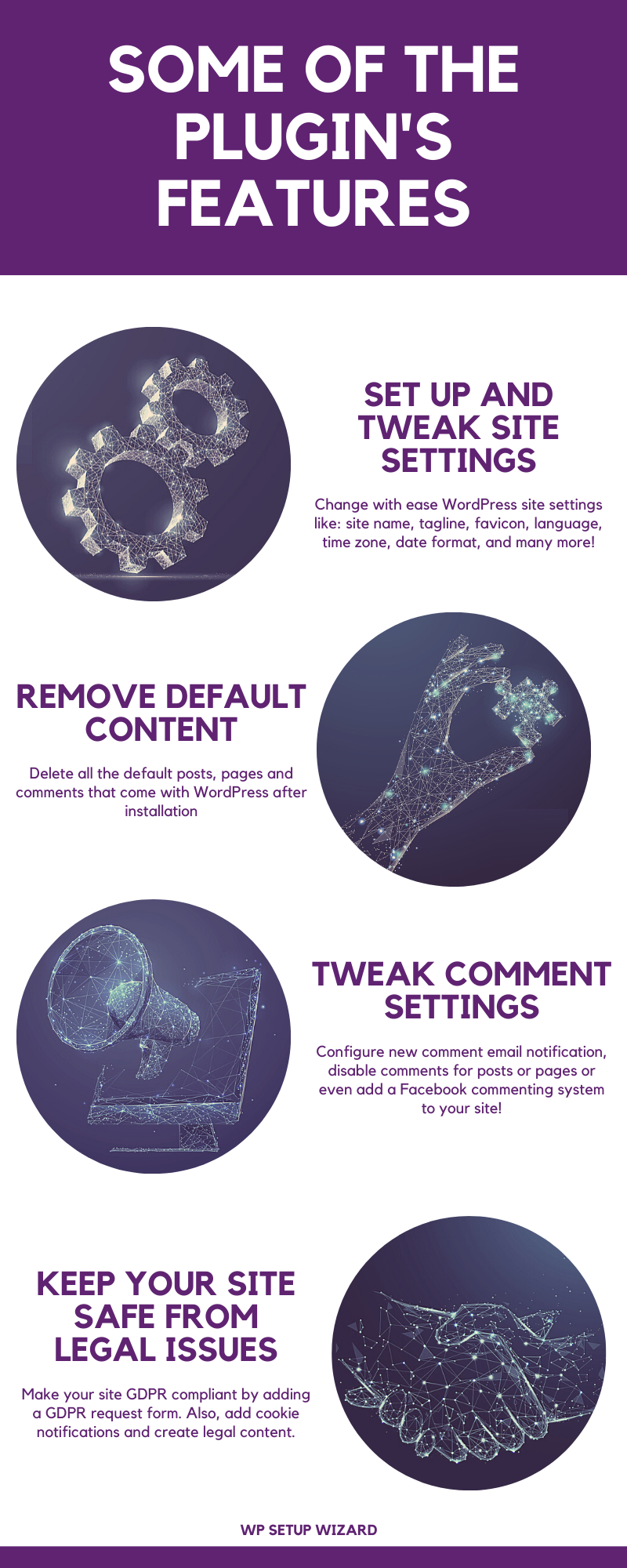
- Automatically remove all posts, pages, comments, tags, categories and attachments from your site
- Set up general site settings with ease
- Create required legal pages like “Contact Us”, “About Us”, “Privacy Policy”, “Terms of Service”, “Affiliate Disclaimer” pages and many more
- Add a contact form to your site
- Make your site GDPR compliant and adding a cookie notice to it
- Automatically install plugins and themes
- Set up SEO settings like site meta data, local SEO JSON-LD tags, product rating SEO meta tags, robots.txt, 404 redirect to home page and more
- Set up security settings like: limit login attempts, change login URL, force HTTPS, ReCaptcha integration and more
- Set up social sharing buttons for your content for: Facebook, Twitter, Pinterest, Reddit, LinkedIn
- Set up AdSense Auto Ads for your site
- Set up monetization for your site, using automatically displayed affiliate products from: Amazon, eBay, ClickBank, Commission Junction, Envato, GearBest, AliExpress, Walmart or Etsy
- Set up page speed optimizations like: minify, compress and combine HTML, JavaScript and CSS, Leverage Browser Caching, Enable GZIP Compression, Remove Query Strings from static resources and more
- Customize and brand your WordPress login page, admin bar and admin dashboard
- Database cleanup and database backup
- Reset any of the databases of your WordPress site to it’s original state (from day 1, when you installed your WordPress site)
- Make all the above settings in a user friendly “Setup Wizard” interface
- And the feature list could go on and on…
Stop wasting your time and energy setting up new sites one by one. Do it efficiently, using the WP Setup Wizard plugin, in under 5 minutes. 
Full list of plugin features:
-
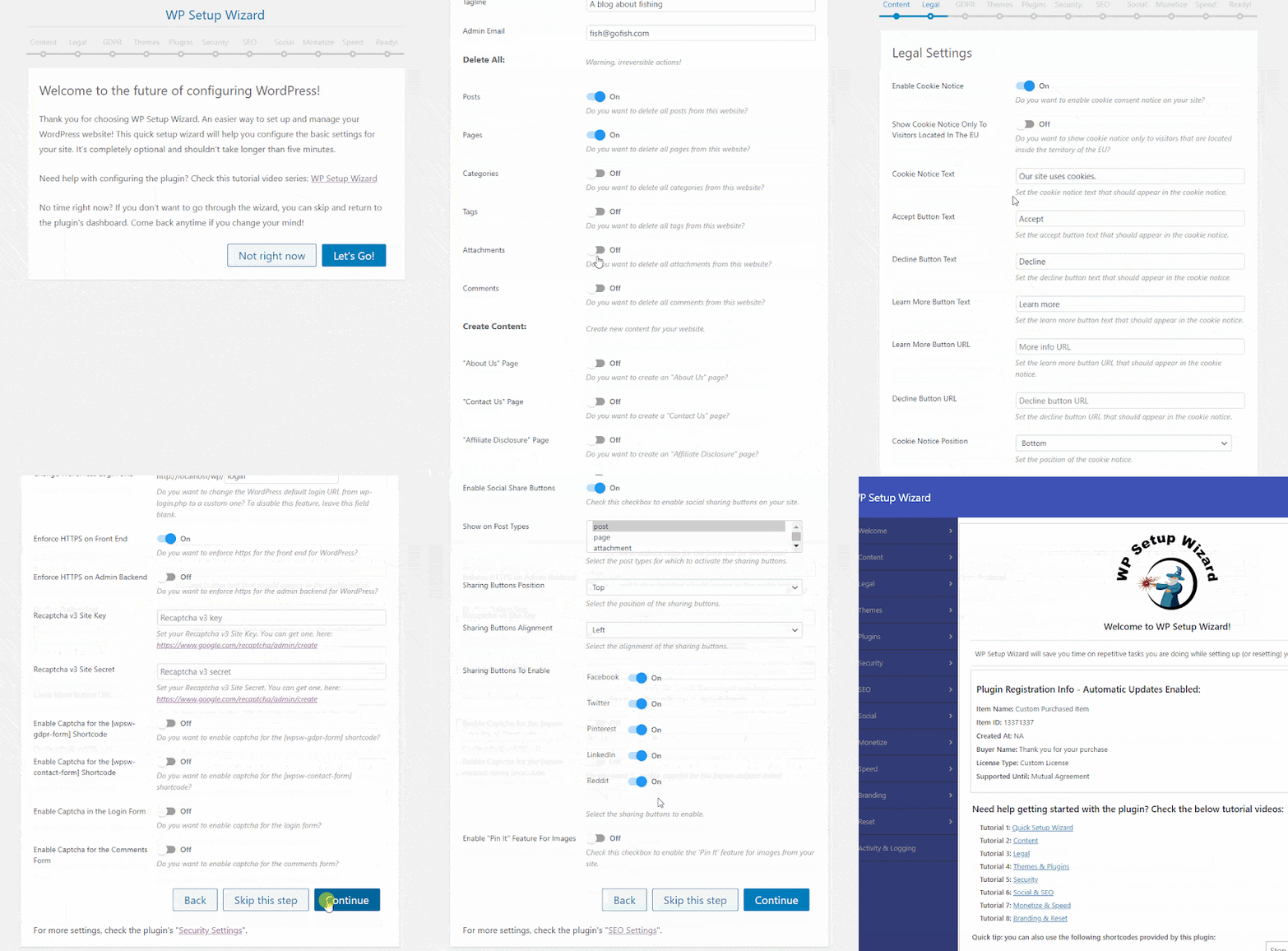
- Run the plugin’s built-in “Quick Setup Wizard” and configure your site in a simple and pleasant interface
- Site Settings: change site title, tagline, favicon, admin email, permalink structure, rename the “Uncategorized” default category, set user registration options, email options, site language, time zone, date format, time format
- Content Cleanup: delete all posts, pages, categories, tags, comments or attachments
- Content Cleanup: cleanup unnecessary database entries
- Content Creation: automatically create the following pages:
- “About Us”
- “Contact Us”
- “Affiliate Disclosure”
- “Amazon Affiliate Disclosure”
- “AntiSpam Policy”
- “Cookie Policy”
- “GDPR Requests”
- “Copyright Policy”
- “Earnings Disclaimer”
- “Medical Disclaimer”
- “Privacy Policy”
- “Terms of Service”
- Content Creation: create blank posts and pages
- Content Creation: create categories and tags
- Content Creation: create dummy website content
- Content Creation: “YouTube Caption Scraper” module will be able to get import any YouTube video’s closed captions and use it as your site’s unique content
- Site Features: add a simple site banner to the top of posts and pages
- Commenting Settings: change new comment moderation and email settings
- Commenting Creation: disable comments for posts or pages
- Commenting Creation: replace default WordPress commenting system with Facebook comments
- Images: set default image upload quality
- Images: remove EXIF data from images
- Images: automatically watermark uploaded images
- Code Customizations: add CSS or header/footer code to your pages
- User Access: allow only logged in users to view your site
- User Access: switch your site to “Under Construction” mode
- GDPR Settings: show a cookie consent notice to visitors
- GDPR Settings: choose to accept or redirect EU traffic
- GDPR Settings: add a “Right to be Forgotten” form to your website
- GDPR Settings: add a “Data Access Request” form to your website
- GDPR Settings: add a “Unsubscribe” form to your website
- GDPR Settings: add a “Data Rectification Request” form to your website
- GDPR Settings: add a GDPR consent checkbox to comment forms
- Theme Setup: automatically install a list of themes you select
- Plugin Setup: automatically install a list of plugins you select
- Website Security: limit login attempts
- Website Security: change default WordPress login URL
- Website Security: enforce SSL/HTTPS
- Website Security: Google ReCaptcha integration to login form, comments form and contact forms generated by this plugin
- Website Security: full database backup
Content Protection:
- disable right click on the front end
- Content Protection: disable text selection on the front end
- SEO: Automatically generate SEO meta tags like Facebook OG tags, Twitter meta tags or generic website meta tags
- SEO: business JSON-LD meta information
- SEO: automatic robots.txt generation
- SEO: business SEO rating meta information
- SEO: redirect 404 page not found errors to home page
- SEO: discourage search engines from indexing your site
- Social: automatically add social share buttons to your posts or pages for: Facebook, Twitter, Pinterest, LinkedIn, Reddit
- Social: automatically add a “Pin It” button to all images from content
- Monetization: automatically add your affiliate links to keywords from content (optionally, replace the keywords with other words)
- Monetization: AdSense Automatic Ads integration
- Monetization: automatically add affiliate products to your products from:
- Amazon
- eBay
- ClickBank
- Commission Junction
- GearBest
- AliExpress
- Envato
- Walmart
- Etsy
- Page Speed: minify, compress and combine HTML, CSS & JavaScript
- Page Speed: remove query strings from static resources
- Page Speed: enable GZIP compression
- Page Speed: leverage browser caching
- Website Branding: customize WordPress login page colors, background image, text, logo, form and buttons
- Website Branding: customize WordPress admin bar logo, menus and hide it on front end
- Website Branding: remove admin dashboard widgets
- Website Branding: change WordPress admin header and footer text
- Website Branding: edit admin menu entry labels and hide them for non-admin users
- Database Wipe: reset any database from your site to it’s original state
- And more to come soon…

Testing this plugin
- You can test the plugin using the ‘Test Site Generator’. Here you can try the plugin’s full functionality. Note that the generated testing blog will be deleted automatically after 24 hours.


Need support?
Please check our knowledge base, it may have the answer to your question or a solution for your issue. If not, just email me at support@coderevolution.ro and I will respond as soon as I can. 


Changelog:
Version 1.0.0 Release Date 2020-11-20
First version released!
Version 1.0.1 Release Date 2020-11-26
Fixed Commission Junction affiliate product ads, updated to work with latest API changes
Version 1.0.2 Release Date 2020-12-12
Added the ability to add a simple site banner to the top of pages
Version 1.0.3 Release Date 2021-01-06
Added the ability to backup and restore plugin/site settings (migrate and clone plugin/site settings from one site to another)
Version 1.0.4 Release Date 2021-01-16
PHP 8 compatibility update
Version 1.0.5 Release Date 2021-01-17
Fixed a bug when the plugin could break on some multisite WordPress install configurations
Version 1.0.6 Release Date 2021-01-21
Fixed an infinite redirect loop issue on some site configs
Version 1.0.7 Release Date 2021-10-17
Fixed some performance related issues - closing session opened by the plugin
Version 1.0.8 Release Date 2021-11-17
Increased plugin performance
Version 1.0.8.1 Release Date 2023-10-18
Fixed PHP 8.2 related errors
Version 1.0.9 Release Date 2024-09-27
Update to rebrand Twitter to X.com
Version 1.1.0 Release Date 2025-06-23
Updated the Facebook commenting system to the latest version
Are you already a customer?
If you already bought this and you have tried it out, please contact me in the item’s comment section and give me feedback, so I can make it a better WordPress plugin! WordPress 6.9 and PHP 8.5 Tested! 




Changelog:
Version 1.0.0 Release Date 2020-11-20
First version released!
Version 1.0.1 Release Date 2020-11-26
Fixed Commission Junction affiliate product ads, updated to work with latest API changes
Version 1.0.2 Release Date 2020-12-12
Added the ability to add a simple site banner to the top of pages
Version 1.0.3 Release Date 2021-01-06
Added the ability to backup and restore plugin/site settings (migrate and clone plugin/site settings from one site to another)
Version 1.0.4 Release Date 2021-01-16
PHP 8 compatibility update
Version 1.0.5 Release Date 2021-01-17
Fixed a bug when the plugin could break on some multisite WordPress install configurations
Version 1.0.6 Release Date 2021-01-21
Fixed an infinite redirect loop issue on some site configs
Version 1.0.7 Release Date 2021-10-17
Fixed some performance related issues - closing session opened by the plugin
Version 1.0.8 Release Date 2021-11-17
Increased plugin performance
Version 1.0.8.1 Release Date 2023-10-18
Fixed PHP 8.2 related errors
Version 1.0.9 Release Date 2024-09-27
Update to rebrand Twitter to X.com
Version 1.1.0 Release Date 2025-06-23
Updated the Facebook commenting system to the latest version
Only logged in customers who have purchased this product may leave a review.
 CodeRevolution supports this product
Supported
CodeRevolution supports this product
Supported

Product support includes:
- ✔ The seller will answer product related questions
- ✔ Assistance with reported bugs and issues
- ✔ Help with included third-party assets
However, product support does not include:
- ✖ Customization services
- ✖ Installation services
-
Quality verified by wpbay.com
-
Future updates
-
Support included from CodeRevolution


More by CodeRevolution
Aimogen Pro – All-in-One AI Content Writer, Editor, ChatBot & Automation Toolkit
From: $59 / year
CodeRevolution Schedule Minute/Hour Switcher
$25 one time payment

Newsomatic – Automatic News Post Generator Plugin for WordPress
From: $39 / year

Reviews
There are no reviews yet.