


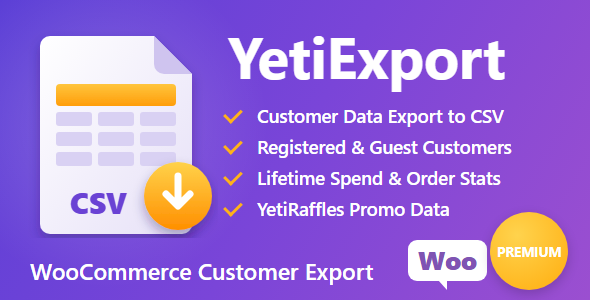
Elegante Quantity Break Bundles

 Recently Updated
Sold Only On WPBay
Recently Updated
Sold Only On WPBay
Plugin Overview
Boost your average order value and incentivize bulk purchases with the WooCommerce Quantity-Based Discount Bundles Plugin. This powerful plugin allows you to create tiered pricing bundles directly on the product page, offering discounts based on quantity – fixed or percentage – with full control over styling, labels, and messages.
Whether you’re running a store-wide promotion or just want to offer bulk discounts on select items, this plugin gives you a seamless, visual way to display your deals and drive conversions.
🚀 Key Features
-
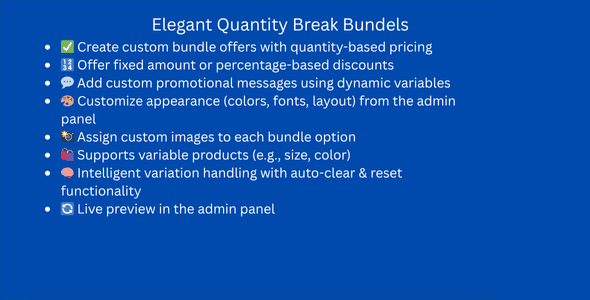
✅ Create custom bundle offers with quantity-based pricing
-
🔢 Offer fixed amount or percentage-based discounts
-
💬 Add custom promotional messages using dynamic variables
-
🎨 Customize appearance (colors, fonts, layout) from the admin panel
-
📸 Assign custom images to each bundle option
-
🛍 Supports variable products (e.g., size, color)
-
🧠 Intelligent variation handling with auto-clear & reset functionality
-
🔄 Live preview in the admin panel
🔧 Installation & Activation
-
Upload the plugin
.zipvia Plugins > Add New in your WordPress dashboard. -
Click Install Now and then Activate.
-
You will see a new section for Bundle Settings on the product edit screen.
⚙️ Admin Configuration
📍 Settings Panel
-
Bundle Status: Toggle to activate/deactivate bundle display for the product.
-
Block Title: Heading shown above the bundle options (e.g., Buy More Save More)
-
Discount Name: Label used on the cart and checkout page
-
Visibility Options:
-
All Products
-
All Products Except Selected
-
Specific Selected Products
-
Products in Selected Collection
-
🧮 Discount Type (per bundle tier)
-
Buy X Get Y at Discount
-
Choose from:
-
Fixed Amount Off (e.g., save 5Rs)
-
Percentage Off (e.g., 10% off)
-
🔤 Custom Label Messages
Add dynamic promotional messages using the following variables:
| Variable | Description |
|---|---|
{save_percentage} |
Shows saved percentage (e.g., “10%”) |
{discount_amount} |
Shows flat discount value (e.g., “Rs5”) |
{saved_total} |
Displays total savings for the bundle |
{saved_per_item} |
Shows how much is saved per unit |
Example:
“You get {discount_amount} off – save {save_percentage}!”
🖼 Bundle Image
-
Upload a custom image for each bundle to be shown in the product options.
🎨 Style Customization
Customize the look and feel of the bundle section to match your store branding.
-
Corner Radius / Border Width / Padding
-
Colors: Cards, Border, Price, Full Price, Label, Badge, etc.
-
Typography: Font size & style for block titles and bundle titles
Changes can be previewed instantly in the right-side panel before saving.
🛒 Frontend Experience
Customers will see the available quantity bundles right on the product page, each showing:
-
Image (optional)
-
Quantity (e.g., “Buy 2”, “Buy 3”)
-
Discount offer
-
Price before & after
-
Custom label (e.g., “Enjoy bundle with 50% off”)
On selecting a bundle, the variation dropdown (if applicable) appears for easy configuration.
🧩 Compatibility
-
Works with simple and variable WooCommerce products
-
Fully responsive and mobile-friendly
-
No theme dependency – works with most themes out of the box
2 reviews
Only logged in customers who have purchased this product may leave a review.
Loading...
WPBay support
 Support by Qamar Sammi
Support by Qamar Sammi
Qamar Sammi supports this product through WPBay
Questions are handled in WPBay's private ticket system, keeping your purchase details and support conversation together.
Go to My Downloads
After purchase, open this item in My Downloads and choose Get Support.
What support includes
- Answers to product-related questions
- Help with reported bugs and issues
- Guidance for included third-party assets
What support does not include
- Customizations or new features
- Installation or setup services
Plugin
Maintenance snapshot
See recent updates, compatibility, support, and developer activity.
- Updated 6 days ago
- Developer active recently
- WPBay support available
- Demo or preview available
Snapshot updated 14 hours ago
View details Hide details
Maintenance details
This is maintenance data. It does not measure product quality or sales.
- Last update Updated 6 days ago
- Compatibility WordPress 6.8 tested, three versions behind · PHP 8.5 not marked as tested · WooCommerce 8 tested, three versions behind
- Releases 1 release in the last 12 months
- Developer activity Developer active recently
- Support No recent support tickets to measure
- Docs and demo Documentation missing · Changelog missing · Demo available
Health reflects increased activity during the last 90 days.
How this snapshot works
Plugin Health
The score is out of 100 and uses data WPBay can check. Ratings, popularity, and sales are not used.
- Last update 30 points
-
Plugins receive full recency points under 30 days, then step down at 90, 180, 365, and 545 days.
- Compatibility 20 points
-
WordPress, PHP, and WooCommerce (when relevant) are scored separately. The latest two PHP lines count as current. Nearby previous versions keep most of the points.
- Current version 100%
- One version behind 75%
- Two versions behind 50%
- Three versions behind 25%
- Older or not listed 0%
- Releases 15 points
-
One release earns 10, two or three earn 13, and four or more earn 15. Each accepted product ZIP counts once; reprocessing the same upload and listing-only edits do not count.
- Developer activity 15 points
-
Based on WPBay login and dashboard activity. Exact last-login dates are never shown.
- Support 15 points
-
There are no recent WPBay tickets to measure.
- Docs and demo 5 points
-
Documentation: 2. Changelog: 1. Working demo or preview: 2.
Score ranges
- 90–100 Excellent
- 75–89 Healthy
- 60–74 Fair
- 40–59 Needs attention
- 0–39 Limited
Long gaps
WPBay also checks for long gaps between updates, developer activity, support replies, and releases. Buyers do not see this score.
- Time since update 35 points
- Last developer activity 25 points
- WordPress compatibility 15 points
- Support replies 15 points
- Fewer releases 10 points
-
Quality verified by WPBay
WPBay review- Reviewed version
- 1.0.0
- Review completed
- Reviewer
- CodeRevolution
- Review type
- Initial
No unresolved approval blocker was identified during WPBay’s proportionate review of this release. This is not a security certification or a guarantee that the product contains no defects.
-
 Future updates
-
WPBay support from Qamar Sammi
-
Fully GPL licensed
-
Covered by the WPBay refund policy
-
Plugin maintenance snapshot
Relevant picks
You may also like
Similar products selected by category, features, popularity and freshness.


From this seller
View seller store
More by Qamar Sammi
Explore more bestselling products from this creator.

noumansajid295 (verified owner) –
i used this plugin on my client’s store, it’s working fine, the interface and the performace is great, not bragging but this is one of hte best in working, love it
devshopifywptsp (verified owner) –
I used this plugin in my ecommerce store, this plugin is awesome and highly recommended.