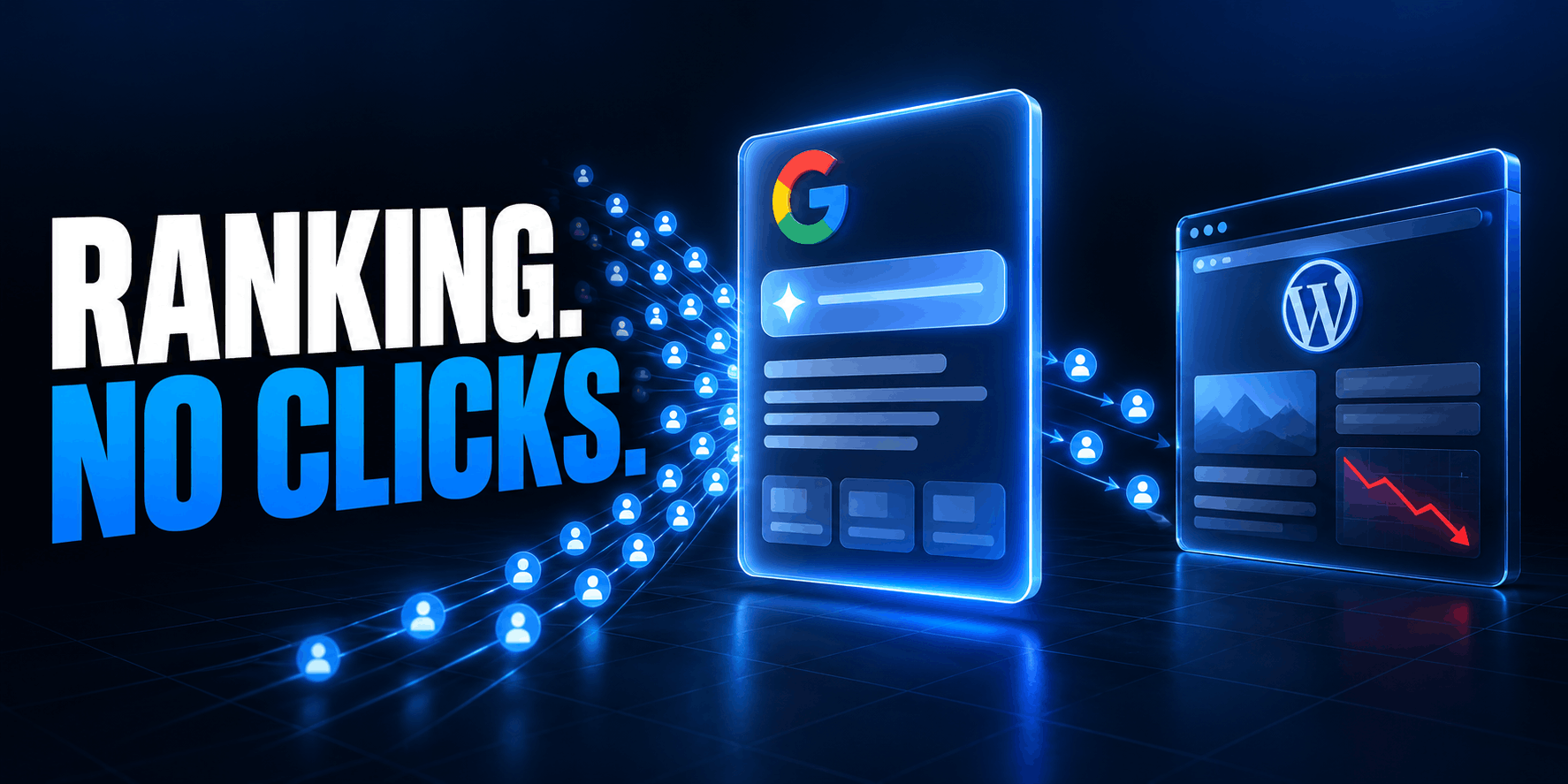
Your rankings can remain steady while your Google traffic falls.
That sentence would have sounded contradictory a few years ago. In 2026, it describes a growing number of WordPress sites. The page still ranks. Impressions may even rise. But Google places an AI-generated answer above the organic results, the searcher gets enough information without leaving Google, and the click never reaches your analytics.
This is not proof that every traffic decline is caused by artificial intelligence. Search demand changes. Rankings move. Tracking breaks. Competitors improve. Technical mistakes quietly remove pages from the index. But there is now credible evidence that AI Overviews suppress clicks on many informational searches, and Google is turning conversational AI into a central part of Search.
The right response is neither panic nor denial.
WordPress owners need to do five things:
- Separate lost rankings from lost click-through rate.
- Measure appearances inside Google’s AI features.
- Decide deliberately whether to participate, limit previews or opt out.
- Publish content that remains valuable after a summary has answered the easy part.
- Convert more of the traffic that still arrives into an audience and revenue you own.
This guide explains how to do each one.
The short answer: what should WordPress owners do now?
If Google traffic is falling, do not begin by rewriting every article or blocking Googlebot. Start with this sequence:
- Compare page-level clicks, impressions, position and CTR in Google Search Console.
- Open the new Search Generative AI reports and identify which URLs appear in AI Overviews, AI Mode and generative Discover experiences.
- Verify that important pages remain indexed, canonical, crawlable and eligible for a snippet.
- Protect high-value sections selectively if necessary, rather than making the whole site invisible.
- Upgrade commodity articles with original research, tests, tools, screenshots, templates, expert analysis or current data.
- Improve titles and page propositions so a citation creates a reason to click.
- Add email, account, product, community or subscription paths to every page that still earns discovery.
- Measure conversions and revenue per landing page, not traffic alone.
As of August 31, 2026, Google has also made a separate generative-AI participation control and dedicated visibility reports available to websites worldwide. That changes the decision. WordPress publishers no longer have to infer every Google AI appearance from ordinary Web performance data, and they no longer need to block all of Google Search simply to opt out of Google’s generative Search experiences.
Is Google AI Search really taking website traffic?
For many informational queries, yes. But there is no responsible site-wide percentage that applies to everyone.
The strongest public evidence measures different things:
| Source | What it measured | Result | Important limitation |
|---|---|---|---|
| Pew Research Center | Browsing behavior from 900 U.S. adults and 68,879 Google searches in March 2025 | Users clicked a traditional result on 8% of visits with an AI summary, versus 15% without one; they clicked a source inside the summary on 1% of visits | Observational U.S. data from a defined period; it does not establish the effect on every query or site |
| Ahrefs | 300,000 keywords and aggregated Search Console CTR data, comparing December 2023 with December 2025 | For keywords that triggered an AI Overview, the estimated position-one CTR was 58% lower than the modeled CTR without the feature | A correlation and comparative model, not a randomized Google experiment; focused on informational keywords |
| Google’s aggregate Search ecosystem data through August 2025 | Google said total organic click volume was relatively stable year over year and that the clicks it sent were, on average, higher quality | Google did not publish a domain-level dataset that lets individual publishers reproduce the aggregate claim |
These findings are not mutually exclusive.
Google can send a similar total number of clicks across the entire web while a particular class of publishers loses traffic. More searches can offset fewer clicks per search. Clicks can move from general reference articles to videos, forums, stores and first-person sources. A user who does click after reading an AI summary may be more qualified even while far fewer users click at all.
The practical conclusion is not “Google traffic is unchanged” or “every site has lost 58%.” It is this:
AI Search changes the relationship between visibility and visits. Every WordPress owner must measure that change at the page and business level.
Why AI Overviews and AI Mode reduce clicks
Classic search offered a set of possible answers. Generative search attempts to deliver the answer itself.
An AI Overview can define a term, combine several recommendations, outline a process and answer follow-up questions before the first organic result receives a visit. AI Mode goes further by letting the user continue a conversation, compare options and refine requirements without returning to a normal results page.
Google says AI Overviews now reach more than 2.5 billion monthly active users and AI Mode has passed one billion monthly users. It has also connected AI Overviews directly to conversational follow-ups and is developing Search agents that can monitor information and perform tasks. Those figures and features make AI Search a primary interface, not a small experiment. See Google’s August 2026 publisher update and its I/O 2026 Search announcement.
Four mechanics matter to publishers.
1. The easy answer no longer requires a visit
Pages targeting “what is,” “when is,” “how many” and other compact informational questions are especially exposed. Pew found that question-shaped and longer searches were more likely to produce an AI summary in its sample.
If the entire value of a page can fit into a short generated paragraph, the result may satisfy the user without a click.
2. Query fan-out redistributes visibility
Google describes a process called query fan-out. AI Overviews and AI Mode can issue several related searches across subtopics and data sources, then synthesize the results.
That creates opportunities for a specialist page to support one part of a complex answer. It also means a page that ranks for the user’s visible query is not guaranteed to be the page Google cites. The system may retrieve another source for a more specific hidden query.
3. A citation is not the same as a click
Your URL may appear as a supporting source while the generated response exposes the useful fact. That appearance has branding and trust value, but it does not automatically produce a session.
The new Search Console report makes this distinction visible: an AI impression proves appearance, not a visit or conversion.
4. Search is beginning to complete the task
For commercial searches, the risk is no longer limited to summaries. Search can compare products, surface local options, connect to shopping data and help users act. If the interface completes more of the decision, publishers need to offer something the interface cannot deliver: proprietary inventory, a transaction, personalized advice, software, service, community or accountable expertise.
First diagnose the loss: ranking problem or click problem?
“Organic traffic is down” is not a diagnosis. Before changing content, compare at least 16 weeks of data and separate the possible failure modes.
In Google Search Console, export page-level data for the current period and a comparable previous period. Use year-over-year comparisons when the business is seasonal. Review clicks, impressions, average position and CTR together.
| Pattern | Likely interpretation | What to investigate next |
|---|---|---|
| Impressions stable or rising; position stable; clicks and CTR falling | The page is still visible but fewer searchers click | AI features, snippets, ads, video results, title relevance and search intent changes |
| Impressions and position both fall | Ranking, demand, indexing or competition problem | Search updates, content quality, internal links, technical issues and query demand |
| Position stable; impressions fall | Lower search demand or fewer eligible queries | Seasonality, terminology changes and query mix |
| Search Console clicks stable; analytics sessions fall | Measurement or landing-page problem | Consent mode, tags, redirects, JavaScript errors and analytics configuration |
| Organic sessions stable; leads or revenue fall | Conversion problem | Intent mix, page speed, offer, forms, checkout and attribution |
| AI impressions rise; Web clicks fall on the same URLs | AI visibility is growing while click capture weakens | Page proposition, title, unique assets and on-page conversion path |
Do this analysis by page type. A documentation site, affiliate review, WooCommerce category, local service page and news article do not experience AI Search in the same way.
Also annotate major changes. Record migrations, redesigns, SEO plugin changes, consent deployments, Google updates and content pruning. Otherwise, it is easy to blame AI for a decline caused by a canonical tag or a broken analytics script.
Use Google’s new generative-AI reports in Search Console
Until mid-2026, AI Overview and AI Mode activity was folded into the ordinary Web performance report. Publishers could see clicks and impressions, but they could not isolate generative Search visibility cleanly.
Google introduced dedicated Search Generative AI performance reports in June 2026 and completed the worldwide rollout on August 31.
The reports currently show:
- impressions in generative AI features;
- the URLs that appeared;
- countries;
- devices for Search;
- dates with hourly, daily, weekly and monthly views;
- separate visibility views for Search and Discover.
Generative-AI data remains included in overall performance reporting, so do not add the two datasets together as though they were separate traffic sources.
At the time of writing, Google’s published dimension list does not include the queries that triggered an AI appearance, nor does the dedicated report claim to provide a complete citation-to-click-to-conversion funnel. Treat it as a visibility report and pair it with the normal performance report and analytics.
Build a simple weekly AI Search scorecard
Track these metrics for the URLs that matter most:
| Metric | Source | What it answers |
|---|---|---|
| Generative AI impressions | Search Console AI report | Is this page appearing in Google’s AI experiences? |
| Web impressions and average position | Search Console Performance | Is classic Search visibility changing? |
| Web clicks and CTR | Search Console Performance | Is visibility converting into visits? |
| Organic sessions | Analytics | Did measured visits reach the site? |
| Engaged sessions and key events | Analytics | Were those visits useful? |
| Leads, sales, subscriptions or revenue | WordPress, WooCommerce or CRM | Did the traffic create business value? |
| Returning and direct visitors | Analytics and email platform | Is search discovery becoming an owned audience? |
Use a 28-day rolling comparison to reduce daily noise. Segment by content template and commercial value. A URL with 100,000 impressions and no meaningful conversion may deserve less investment than a service page with 1,000 impressions and ten qualified leads.
Google now offers a separate generative-AI opt-out
One of the most important 2026 changes is a new Search Console control for generative AI Search features.
According to Google’s current website-owner announcement, the toggle lets a site decide whether its content and links can appear in and ground responses in AI Overviews, AI Mode and AI Overviews in Discover. Google says a site that opts out will not receive impressions or traffic from those generative features, and the decision will not be used as a ranking signal outside them.
The control became available worldwide on August 31, 2026.
This is materially different from blocking Googlebot. It is also different from Google-Extended. The distinctions matter enough to put in one table.
| Control | What it changes | What it does not do |
|---|---|---|
| Search Console generative-AI toggle | Participation in Google’s generative Search features, including grounding, impressions and potential traffic | Google says it does not affect rankings outside those features |
Googlebot in robots.txt | Crawling for Google Search, including Search features, Images, News and Discover as applicable | It is not a surgical AI-only control |
nosnippet | Prevents a text snippet and stops page content being used as a direct input to AI Overviews and AI Mode | It does not preserve a normal rich organic snippet |
max-snippet:N | Limits the text Google can use in snippets and as direct AI input | It does not guarantee a click or prevent every possible mention |
data-nosnippet | Excludes selected text inside supported HTML elements from snippets | It does not remove the page or hide the text from visitors |
noindex | Removes the page from Google Search when Google can crawl and process the rule | It is not a way to keep classic rankings while removing only AI use |
Google-Extended | Controls future Gemini model training and grounding in Gemini Apps and Vertex AI | Google states that it does not affect Google Search inclusion or ranking |
Google’s common-crawler documentation confirms that Googlebot governs Search, while Google-Extended is a separate product token for certain Gemini uses outside Search.
Should you opt out?
Do not treat opting out as a moral or technical default. Treat it as a business decision.
Remaining visible may be the better choice when:
- discovery and brand awareness matter;
- AI appearances lead to qualified visits;
- the page sells a product, service or experience that cannot be consumed in a summary;
- competitors would occupy the citation space if you left;
- the content is already public and designed for wide distribution.
Testing an opt-out may be reasonable when:
- your model depends on monetizing the page view itself;
- AI features reveal the valuable part while sending negligible traffic;
- licensing, contractual or editorial policy requires stricter control;
- the site has enough direct demand to accept lower discovery;
- you can measure a controlled before-and-after period.
An opt-out is not a traffic recovery switch. It removes generative-AI impressions and any clicks those appearances might have produced. It does not force Google to replace the AI result with your blue link, and it cannot restore historical CTR automatically.
If you test it, record the date, compare matched periods, monitor classic Web performance, and set a decision threshold in advance. Avoid changing titles, templates and internal links during the same test.
Audit the WordPress technical foundation
Google says there is no special AI schema, AI text file or extra technical requirement for AI Overviews and AI Mode. A page must be indexed and eligible to appear with a Search snippet. That makes ordinary WordPress SEO hygiene more important, not less.
Google’s official AI feature guidance recommends crawlable pages, clear internal links, text-accessible content, good page experience, useful images and videos, and structured data that matches what users can see.
1. Verify indexability and the canonical URL
Check important pages with Search Console’s URL Inspection tool. Confirm that:
- the URL is indexed;
- Google selected the intended canonical;
- the live test returns the primary content;
- the page is eligible for a snippet;
- no unexpected
noindex,nosnippetor restrictivemax-snippetdirective appears; - the HTTP response is
200, not a soft 404, redirect loop or challenge page.
SEO plugins, staging migrations and membership plugins can all leave behind directives that look harmless in the editor but change the public source.
Use one component to own canonical and robots output. Running two SEO plugins or mixing plugin controls with custom theme code can produce duplicate or conflicting tags.
2. Inspect the public robots.txt, not only the settings page
WordPress can create a virtual /robots.txt, but a physical file in the server root can override it. A CDN, host or security product may apply another policy before the request reaches WordPress.
Check the actual response:
curl -sS -L https://example.com/robots.txt
curl -sS -I -L https://example.com/important-guide/
Do not block Googlebot if you expect the page to appear in normal Google Search or Google’s AI Search features. If your firewall challenges bots, use Google’s documented verification process rather than trusting a spoofable user-agent string.
3. Keep important information in the initial HTML
WordPress usually renders article content on the server, which is helpful. Problems appear when a page builder, custom block or headless frontend hides the essential answer behind client-side requests, tabs that inject content only after interaction, or scripts blocked by consent software.
Google can render JavaScript, but a resilient page should not require a successful application boot merely to expose its title, main text, author, publication date and key links.
View the rendered source through URL Inspection and test with JavaScript disabled. The page does not need to look complete without JavaScript, but its substantive information should still exist.
4. Keep the sitemap and internal graph clean
WordPress Core provides XML sitemap functionality, and SEO plugins can replace or extend it. Submit the correct sitemap index in Search Console and keep it limited to canonical, indexable URLs.
Then make valuable pages reachable through contextual links. Query fan-out may retrieve a narrow supporting page rather than the broad pillar article, so orphaned research, comparisons and documentation lose opportunities.
Useful structures include:
- a main guide linking to focused implementation pages;
- product pages linked from relevant tutorials;
- glossary pages connected to detailed examples;
- versioned documentation with a clear current canonical;
- category hubs curated for users rather than auto-generated tag archives.
5. Control duplicate and thin WordPress URLs
WordPress can expose author archives, date archives, tag pages, attachment URLs, paginated archives, feed URLs, search results and URL parameters. Not all are bad, but low-value variants dilute crawl attention and create ambiguous candidates.
Index the version that deserves to represent the topic. Consolidate duplicates with canonical URLs, redirect obsolete copies, and noindex utility archives that have no independent user value. Do not delete useful historical content merely because it is old; preserve it when it carries links, evidence or version-specific intent.
6. Use structured data accurately
Use Article, BreadcrumbList, Organization, Person, Product, SoftwareApplication, LocalBusiness or other supported types when they describe the visible page accurately.
Schema can clarify relationships and qualify a page for supported Search presentations. It does not force an AI citation. Google explicitly says there is no special schema type required for AI Overviews or AI Mode.
Avoid generating invisible FAQs, fake reviews, invented author credentials or markup that contradicts the page. More JSON-LD is not automatically better.
7. Improve page experience without flattening the page
Slow templates cost the scarce click twice: they can weaken Search performance, and they can cause the visitor who finally arrives to leave.
Pay particular attention to:
- Interaction to Next Paint on filters, menus, comparison tables and interactive blocks;
- Largest Contentful Paint on hero-heavy article templates;
- layout shifts from ads, embeds and late-loading fonts;
- intrusive popups that cover the promised answer;
- excessive third-party scripts;
- broken mobile tables and code blocks.
Performance work should protect the useful experience, not remove the screenshots, demonstrations and tools that make the page worth visiting.
Use snippet controls only when the trade-off is worth it
Google’s nosnippet, max-snippet and data-nosnippet documentation explicitly covers AI Overviews and AI Mode.
These controls can be useful, but they affect classic Search presentation too.
Limit a specific WordPress post type
WordPress exposes robots directives through the wp_robots filter. The following example limits the text preview for a hypothetical premium_analysis post type:
<?php
/**
 * Limit Google's usable text preview for selected premium analysis pages.
 * Install as a small site plugin, and do not duplicate an SEO plugin setting.
 */
add_filter(
	'wp_robots',
	static function ( array $robots ): array {
		if ( is_singular( 'premium_analysis' ) ) {
			$robots['max-snippet']       = '160';
			$robots['max-image-preview'] = 'large';
		}

		return $robots;
	},
	20
);
WordPress will serialize that as part of the robots meta tag. The 160 is an editorial choice, not an SEO recommendation. A shorter limit may make the page less useful in both ordinary snippets and AI features.
Check the final HTML after caches are cleared. More restrictive directives added by another plugin can still win.
Protect a selected passage with data-nosnippet
For a narrow section, add data-nosnippet to a div, span or section. In the block editor, a Custom HTML block can contain:
<section data-nosnippet>
  <h2>Subscriber-only benchmark analysis</h2>
  <p>This section remains visible on the page but should not appear in Google snippets.</p>
</section>
This is not a paywall. Anyone who opens the page can still read public content, and other systems may not honor Google’s attribute. Use authentication when material must actually be private.
Do not attach data-nosnippet through late JavaScript. Google recommends putting it in valid HTML from the beginning so it can be recognized before or after rendering.
Replace commodity content with content that earns the second click
The old SEO playbook rewarded the most complete restatement of public information. AI systems are particularly good at producing that restatement. If a page contributes nothing beyond the facts found on ten other pages, it has little defense against a summary.
This does not mean withholding the answer. A vague introduction is not a moat. Give the direct answer, then create a compelling reason to continue.
Publish information that does not exist elsewhere
Strong examples include:
- original tests with a documented method;
- benchmark data and downloadable raw results;
- interviews with accountable experts;
- screenshots from real WordPress configurations;
- compatibility tables tested against named versions;
- before-and-after performance measurements;
- code that solves a complete production problem;
- templates, checklists and calculators;
- customer or community data with permission;
- a reasoned opinion based on direct experience.
“Original” does not require an expensive national study. A plugin developer can test 20 common themes. An agency can anonymize patterns from 50 migrations. A WooCommerce store can publish size, fit or durability data. A hosting provider can report a reproducible performance experiment.
The method and evidence are part of the value. Explain the sample, dates, environment and limitations so another person can evaluate the result.
Build pages around tasks, not keyword variations
AI Mode encourages complete, situational questions. One user might ask:
Which WordPress form plugin should a European agency use for multilingual lead forms when it needs local data storage, conditional logic and a lifetime license?
A generic “10 best form plugins” list may match two words but resolve none of the decision. A useful page compares privacy model, translation support, conditional logic, storage, licensing and agency management with evidence.
Create one strong decision resource rather than six near-duplicate posts targeting superficial keyword variants. Use headings for meaningful subproblems so query fan-out can retrieve the relevant passage.
Make facts easy to verify
Give specific names, versions, dates, units and conditions. Link to primary sources. Distinguish a measured result from an opinion. Show when the page was substantively reviewed.
Replace:
Plugin X is extremely fast and works with everything.
With:
In our WordPress 7.1 test site, Plugin X added 18 KB of compressed front-end JavaScript to a page containing its form block. We measured the transfer in Chrome DevTools on September 3, 2026; integrations can add more assets.
The second passage is more useful to a buyer, easier for a human to trust and easier for a retrieval system to attribute accurately.
Treat authorship as product information
An author box should do more than display a name. Link it to a page that explains the person’s relevant experience, recent work, editorial role, disclosure policy and ways to verify their identity.
For reviews and commercial comparisons, disclose how products were selected, whether licenses were supplied, whether links are affiliate links, and what was actually tested. Trust is weakened when every product is “best” and the author never explains the test.
Refresh substance, not timestamps
Changing “2025” to “2026” without retesting the products creates fresh-looking decay. Record what changed:
- versions retested;
- discontinued products removed;
- pricing checked on a stated date;
- new screenshots captured;
- conclusions revised;
- broken links replaced.
A short update log can become one of the most credible parts of a page.
Improve the click proposition, not just the citation probability
Being cited is useful only if the user notices the source and has a reason to visit it.
Write titles for the next decision. A generated answer may already explain the definition, so the title should promise evidence, execution or a live resource.
Weak after an AI answer:
What Is WordPress Caching? Complete Guide
Stronger:
We Tested 7 WordPress Caching Setups: TTFB, INP and Failure Cases
Other click-worthy propositions include:
- a current comparison table;
- an interactive calculator;
- a downloadable template;
- step-by-step code;
- original screenshots or video;
- a live demo;
- a complete dataset;
- pricing or inventory that changes;
- professional judgment with accountability.
The page introduction should confirm that promise immediately. Do not force the visitor through a biography, pop-up and 600 words of context before showing the table or tool named in the title.
Use compelling titles without misrepresenting the page. A click won through exaggeration is likely to bounce and will not build trust or revenue.
Ask loyal readers to make you a Preferred Source
Google’s Preferred Sources feature lets users select publications they want to see more prominently. Google says a selected site can receive a “preferred” badge in Top Stories, AI Overviews and AI Mode where those experiences are available.
The feature is available globally, although a site must appear in Google’s source preferences tool and only domains or subdomains are eligible; a /blog subdirectory cannot be selected independently.
Google now documents an embeddable button that adds the publication and returns the reader to the page. The basic markup is:
<script async src="https://news.google.com/swg/js/v1/publisher.js"></script>
<div google-add-preferred-source-btn></div>
See the current Preferred Sources implementation guide before deploying it.
For WordPress 6.3 or newer, a small site plugin can enqueue the script and expose a shortcode:
<?php
/**
 * Plugin Name: Site Preferred Source Button
 * Description: Adds Google's Preferred Sources script and shortcode.
 */

add_action(
	'wp_enqueue_scripts',
	static function (): void {
		if ( ! is_singular( 'post' ) ) {
			return;
		}

		wp_enqueue_script(
			'google-preferred-source',
			'https://news.google.com/swg/js/v1/publisher.js',
			array(),
			null,
			array(
				'strategy'  => 'async',
				'in_footer' => false,
			)
		);
	}
);

add_shortcode(
	'google_preferred_source',
	static function ( array $attributes ): string {
		$attributes = shortcode_atts(
			array( 'theme' => 'light' ),
			$attributes,
			'google_preferred_source'
		);

		$theme = 'dark' === $attributes['theme'] ? 'dark' : 'light';

		return sprintf(
			'<div google-add-preferred-source-btn data-theme="%s"></div>',
			esc_attr( $theme )
		);
	}
);
Editors can then place [google_preferred_source] or [google_preferred_source theme="dark"] in an article or reusable pattern.
Test eligibility before promoting the button. Ask existing readers once in a newsletter or account area; do not turn every page into a wall of acquisition prompts.
Turn remaining search traffic into an audience you own
The safest response to platform volatility is not abandoning discovery. It is ending the visit with a direct relationship.
Choose an owned conversion appropriate to the page:
- a newsletter organized around the same problem;
- a free account with saved comparisons or alerts;
- an RSS feed for readers who prefer open distribution;
- a downloadable template that genuinely extends the article;
- a product trial or interactive demo;
- a community with specialist support;
- a quote, consultation or audit request;
- a WooCommerce wishlist, restock alert or loyalty account.
The offer must continue the user’s task. A generic “subscribe for updates” box under every article usually underperforms because it gives no concrete value.
For example, a page about WordPress 7.1 compatibility could offer a tested plugin checklist that is updated after each maintenance release. A WooCommerce tax guide could offer jurisdiction-specific change alerts. A performance article could offer a reusable audit sheet.
Track the conversion against the landing page. If AI Search sends fewer but more qualified visitors, a page may still create more revenue. If traffic and conversions both fall, the page needs a stronger proposition or a different acquisition mix.
Diversify discovery before the next traffic shock
Owned audience is the foundation, but it still needs sources of new readers.
Use the assets created for the WordPress article across formats:
- turn a benchmark into a YouTube demonstration;
- publish the methodology as a GitHub repository;
- share a concise finding in a relevant professional community;
- expose a useful RSS feed;
- offer a webinar for complex implementation;
- collaborate with another credible publisher;
- build branded searches through products, tools and events;
- create documentation customers link to because it resolves a real problem.
This is not “repurpose everything everywhere.” Choose channels where the audience already solves that problem. A developer tutorial may belong on GitHub and YouTube. A local service needs its Business Profile, reviews and community presence. A product publisher may benefit more from email, affiliates and customer education.
Track the percentage of revenue dependent on Google organic traffic. Traffic diversification is useful; revenue diversification is the actual protection.
Where a WordPress GEO plugin fits
A plugin cannot force Google to cite a page or recover lost CTR. Google says no special AI file, schema or plugin is required for AI Overviews or AI Mode.
A plugin can still make the workflow easier.
The free CiteLure plugin on WordPress.org provides an AI Snapshot block, an llms.txt generator, metadata output and a Markdown discovery feed. CiteLure Pro on WPBay adds bulk content analysis, entity maps, citation briefs, advanced structured data, crawler controls and AI visibility analytics according to its current product listing.
Use those features as editorial and operational tools:
- create a clear summary for a complicated page;
- identify missing facts and evidence;
- standardize entity and author information;
- prioritize pages that need work;
- inspect AI crawler and referral patterns beyond Google;
- maintain crawler policy without editing server files by hand.
Do not interpret a GEO score as a Google score. Do not assume llms.txt affects Google AI Search eligibility. Do not add generated FAQs that say nothing new. The final test remains whether the public page is accurate, original, useful, technically accessible and valuable after the summary.
A 30-day WordPress recovery plan
Week 1: establish the evidence
- Export 16 weeks of Search Console page and query data.
- Open the generative-AI reports and list the URLs with the most impressions.
- Compare CTR and position for those URLs.
- Link Search Console and analytics if they are not already connected.
- Verify conversion tracking for forms, checkout, subscriptions and account creation.
- Record the current Search Console generative-AI participation setting.
Deliverable: a list of pages classified as ranking loss, click suppression, measurement issue or conversion issue.
Week 2: fix access and index quality
- Inspect the top 20 commercial and informational URLs.
- Resolve unintended
noindex, canonical, redirect and sitemap problems. - Check the live robots.txt and CDN/WAF behavior.
- remove or consolidate duplicate low-value URLs.
- Make important content and internal links available in server-rendered HTML.
- Validate structured data against visible content.
Deliverable: a technically clean set of priority pages.
Week 3: create reasons to click
- Select five high-impression pages with falling CTR.
- Add one original asset to each: test, table, tool, template, screenshot set or expert analysis.
- Rewrite titles to promise that asset accurately.
- Strengthen the first screen so visitors see the promised value immediately.
- Add a contextual conversion path.
- Add an author/methodology/update note where relevant.
Deliverable: five upgraded pages with a measurable proposition beyond the generated answer.
Week 4: build direct demand and run one controlled test
- Add the Preferred Sources button if the publication is eligible.
- Promote it once to existing readers.
- Publish one original finding in a second suitable format or channel.
- Create a page-level dashboard for impressions, clicks, conversions and revenue.
- Decide whether one site section justifies a snippet-control or participation test.
- Document the hypothesis, date, guardrails and decision threshold before changing anything.
Deliverable: an operating system for AI Search, not a one-time rewrite campaign.
What not to do
Do not block Googlebot to escape AI Overviews
That sacrifices normal Google Search access too. Use the separate Search Console control or supported snippet controls when those outcomes match the business decision.
Do not block Google-Extended and assume AI Overviews are gone
Google states that Google-Extended does not control Search inclusion or ranking. It governs specified Gemini training and grounding uses outside Search.
Do not install “AI schema” and declare the work finished
Google does not require a special AI schema. Accurate structured data is useful, but it cannot rescue thin, copied or inaccessible content.
Do not publish more commodity articles at higher speed
Generating 100 interchangeable answers increases maintenance cost and index clutter. Fewer resources with evidence, tools and real editorial responsibility are a stronger defense.
Do not manufacture freshness
Changing a date without reviewing facts makes the page less trustworthy. Record substantive updates.
Do not measure AI bot requests as citations
A Googlebot request proves retrieval activity. A generative-AI impression proves an appearance. A click proves a visit. A conversion proves an outcome. Keep those events separate.
Do not optimize away the human experience
Dense “answer blocks,” repetitive questions and robotic entity lists may be easy to extract but unpleasant to read. Clarity helps both systems and people; mechanical writing does not.
Frequently asked questions
Are Google AI Overviews reducing WordPress traffic?
They can reduce click-through rate for informational queries. Pew observed traditional-result clicks on 8% of visits with an AI summary versus 15% without one, while Ahrefs estimated a 58% lower position-one CTR for AI Overview keywords in its December 2025 model. Neither number applies automatically to every WordPress site. Compare your own impressions, position, CTR, AI visibility and conversions.
Can I opt out of Google AI Overviews without leaving normal Search?
Yes. As of August 31, 2026, Google says its Search Console generative-AI control is available worldwide. Opting out removes a site’s impressions and potential traffic from Google’s generative Search features, while Google says the choice does not affect ranking outside those features.
Does blocking Google-Extended remove my site from AI Overviews?
No. Google-Extended controls specified uses for future Gemini model training and grounding in Gemini Apps and Vertex AI. Google says it does not affect inclusion or ranking in Google Search. Google’s separate Search Console control governs participation in generative Search features.
Should I add nosnippet to stop Google from using my article?
Only after weighing the cost. nosnippet prevents a normal text snippet and stops page content from being used as direct input for AI Overviews and AI Mode. It can reduce the appeal of the classic search result too. data-nosnippet or a measured max-snippet value may offer narrower control.
Does WordPress need special schema for Google AI Search?
No. Google says no special schema, AI text file or other AI-specific markup is required. Use ordinary supported structured data only when it matches visible content.
Does llms.txt improve rankings in Google AI Overviews?
Google says an AI text file is not required to appear in AI Overviews or AI Mode. llms.txt is an emerging discovery convention for some AI-agent workflows, not a Google ranking directive or a citation guarantee.
How can I see whether my pages appear in Google AI answers?
Use the dedicated Search Generative AI reports in Search Console. They show impressions, appearing pages, countries, dates and devices for Search. Pair that visibility data with the ordinary Performance report and analytics to measure clicks and business outcomes.
Why are impressions rising while clicks are falling?
The page may be appearing more often while AI Overviews, AI Mode or other Search features satisfy users without a visit. Query mix can also change. Check average position, CTR, the new AI report, device and country segments before deciding on the cause.
Is Generative Engine Optimization replacing SEO?
No. Google AI Search eligibility still depends on the Search foundation: crawling, indexing, snippet eligibility and helpful content. GEO adds attention to extraction, evidence, citations, entities and AI visibility, but it does not replace technical SEO or audience strategy.
What kind of content still earns clicks after an AI summary?
Content that helps the user verify, decide, execute or transact: original data, hands-on tests, current comparison tables, calculators, downloads, code, live demos, expert analysis, services, communities and products. The summary may explain the topic; the page must help complete the task.
Should a publisher leave Google’s generative AI features enabled?
There is no universal answer. Measure AI impressions, clicks, conversion quality, licensing concerns and dependence on page-view revenue. Staying visible protects discovery; opting out protects a stricter distribution policy but forfeits generative-AI impressions and traffic. Run a controlled test where the decision is material.
The new goal is not more page views at any cost
Google AI Search is breaking the old assumption that a ranking creates a visit. That loss is real for many publishers, especially where the page’s value is a concise public answer.
But the response cannot be to make content harder to understand, flood WordPress with synthetic articles or disappear from discovery without measuring the cost.
Build a better system:
- measure appearance, click and conversion as different events;
- choose your Google AI participation policy deliberately;
- make WordPress technically clean and easy to retrieve;
- publish evidence and utility that a summary cannot replace;
- give a cited user a concrete reason to click;
- turn that visit into a direct relationship;
- judge pages by business value, not traffic alone.
The web is moving from a ranking economy toward an answer economy. WordPress remains a strong platform for that transition because you control the page, data, conversion path and audience relationship. The owners who use that control will be far less exposed than those waiting for the old click-through rates to return.