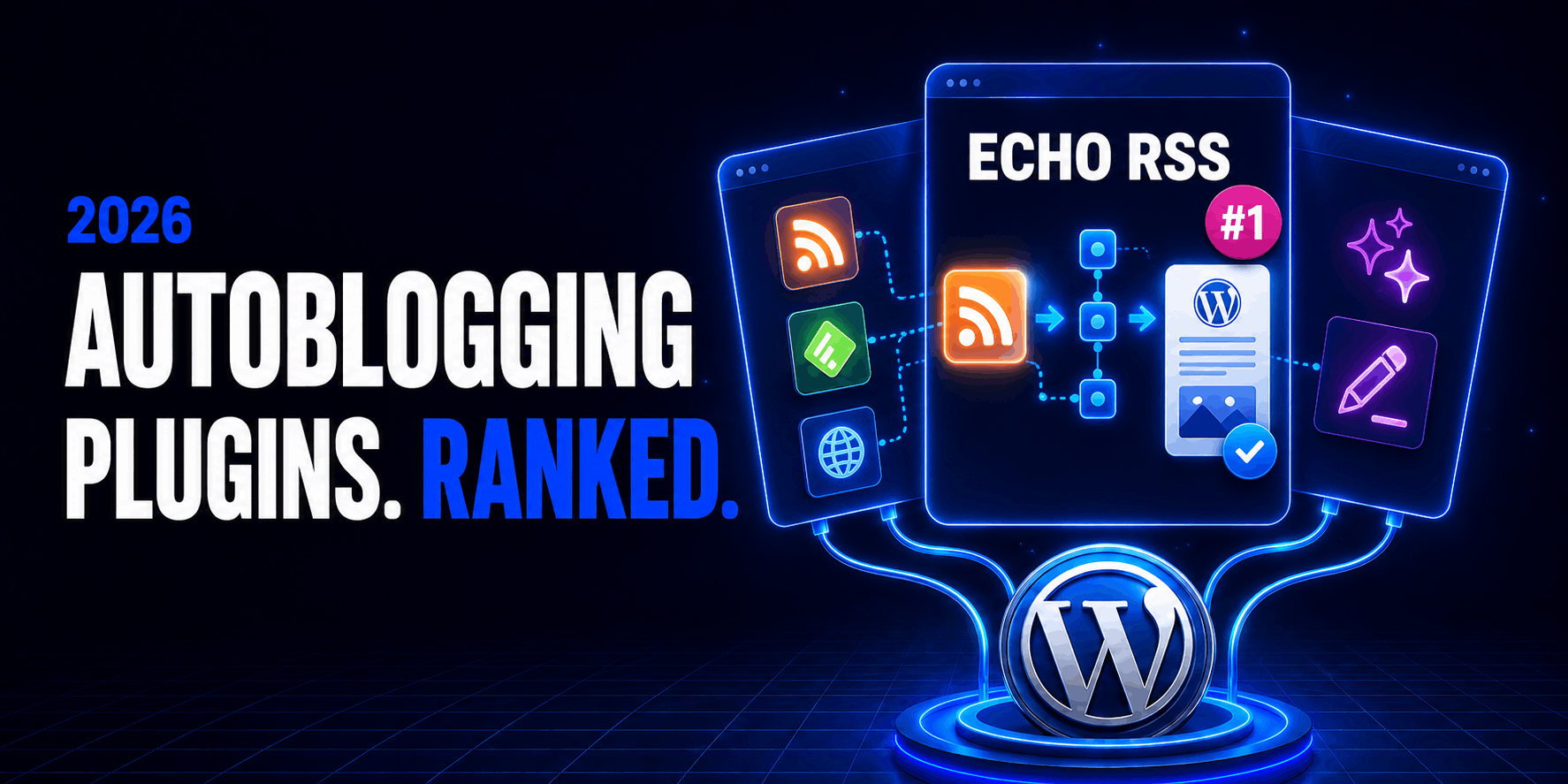
The best WordPress autoblogging plugin for most feed-to-post workflows in 2026 is Echo RSS Feed Post Generator. It combines RSS discovery, full-content extraction, filters, templates, duplicate protection, custom fields, media handling and draft-first publishing without forcing the site owner into a large collection of source-specific modules.
That does not make Echo the right choice for every project. WordPress Automatic covers more third-party platforms. CyberSEO Pro is the stronger programmable content pipeline. WPeMatico offers the best free campaign-based starting point. Aimogen Pro is the better fit when the source is a topic or prompt rather than somebody else’s feed.
Those distinctions matter. In 2026, “autoblogging” can describe at least four different jobs:
- importing authorized RSS content into WordPress;
- curating excerpts that link readers to original publishers;
- turning structured feeds or APIs into directory, product or news records; or
- generating new drafts with an AI model.
A plugin that excels at one of these can be a poor or risky choice for another. This guide compares the tools by the publishing system they actually provide—not by the length of their feature lists.
Disclosure: WPBay sells Echo RSS Feed Post Generator, Aimogen Pro, Newsomatic and Youtubomatic, and those products are developed by CodeRevolution. WPBay also sells products from other vendors. The rankings below use the same stated criteria for every plugin, include material limitations and link to competing vendors directly. Prices and maintenance details were checked on August 24, 2026 and can change.
The short answer
If your sources publish reliable RSS or Atom feeds, start with Echo RSS. If you need Amazon, YouTube, news, social, marketplace and scraper campaigns inside one plugin, examine WordPress Automatic. If your inputs include XML, JSON, CSV or complex AI prompt pipelines, choose CyberSEO Pro. If your budget is zero, WPeMatico has the most capable free campaign engine. If editorial curation and visible attribution matter more than full automation, WP RSS Aggregator deserves a close look.
The most important purchasing rule is simpler: do not buy an AI writer when you need a feed importer, and do not buy a scraper when a stable, permitted feed or API already exists.
Best WordPress autoblogging plugins: comparison table
| Rank | Plugin | Best for | Inputs | Starting price checked | Current maintenance signal |
|---|---|---|---|---|---|
| 1 | Echo RSS Feed Post Generator | Best overall RSS-to-post workflow | RSS/Atom, source pages for permitted full text | $29/year, 1 site | Version 5.5.2; updated Aug. 16, 2026; WordPress 7.1 listed |
| 2 | WordPress Automatic | Broadest source coverage | RSS, webpages, news, video, marketplaces, AI and more | $39 regular license | Version 3.137.1; updated Aug. 15, 2026 |
| 3 | CyberSEO Pro | Advanced ETL and AI publishing pipelines | RSS, Atom, XML, JSON, CSV, XLS, HTML, transcripts and AI | $29.95 one-time sale price, 1 site | Version 12.083; updated Aug. 15, 2026 |
| 4 | WPeMatico | Best free campaign-based autoblogger | RSS, Atom and XML; more through add-ons | Free; Essentials from $82 at time of review | Version 2.8.25; updated Aug. 2026; tested to WordPress 7.1 |
| 5 | Feedzy RSS Feeds | Easiest polished RSS importer | RSS and YouTube feeds | Free; Pro intro price $99/year | Version 5.2.8; 40,000+ installs; tested to WordPress 7.1 |
| 6 | WP RSS Aggregator | Curated content hubs and attribution | RSS and YouTube feeds | Free display plugin; premium from $99/year | Version 5.4.0; 40,000+ installs; tested to WordPress 7.0.4 |
| 7 | Aimogen Pro | AI-first original draft generation | Prompts, RSS, webpages, SERP data, video captions and AI workflows | $9/month, 1 site | Version 2.8.9; updated Aug. 20, 2026; WordPress 7.1 tested |
| 8 | Newsomatic | News-specific importing | NewsomaticAPI and supported source extraction | $39/year, 1 site | Version 3.3.4; updated May 21, 2026 |
| 9 | Youtubomatic | YouTube-to-WordPress video publishing | YouTube searches, channels, playlists and video metadata | $25/year, 1 site | Version 2.7.7; updated May 21, 2026 |
Prices in the table are public prices visible during this review, excluding taxes. Introductory prices, renewals, API usage, external extraction services and AI tokens may be separate. Always inspect the checkout summary before buying.
How we evaluated the plugins
This ranking is based on the current product pages, WordPress.org records, documentation, changelogs, licensing terms and the architecture of each workflow. It is not a fabricated speed benchmark. A meaningful import-speed test would need identical servers, sources, feed sizes, media policies, cron schedules and external API conditions; a single “posts per minute” number would mislead more than it helps.
The evaluation weights practical publishing controls more heavily than the number of integrations:
| Criterion | Weight | What we looked for |
| Ingestion and mapping | 20% | Reliable source discovery, field mapping, media and custom post type support |
| Editorial control | 20% | Draft, pending and review states; previewing; source attribution; safe fallbacks |
| Filtering and duplicate control | 15% | Required/banned terms, stable item IDs, URL matching, update behavior and limits |
| Scheduling and observability | 15% | Per-rule schedules, logs, failed-job visibility and recovery |
| Maintenance | 10% | Recent releases, current WordPress compatibility and active support signals |
| Extensibility | 10% | Templates, custom fields, hooks, AI stages and structured inputs |
| Cost transparency | 5% | Renewal terms and unavoidable external service costs |
| Responsible-use controls | 5% | Attribution, canonical support and the ability to keep automation behind a human gate |
No plugin receives credit merely for offering synonym replacement or promising “unique” content. A machine transformation can be useful inside an editorial process, but it does not establish ownership, factual accuracy or search value.
1. Echo RSS Feed Post Generator: best overall WordPress autoblogging plugin
Echo RSS Feed Post Generator is the most balanced choice for a conventional WordPress autoblog: a site has approved feeds, needs to turn selected items into native WordPress records and wants control over what happens before publication.
Echo accepts public RSS versions from 0.9 through 2.0, can discover feeds from a site URL and can process multiple sources under independent rules. It supports draft, pending, private and published statuses; WordPress posts, pages and custom post types; custom fields; categories and tags; featured images; content templates; required and banned words; title and content limits; regex replacement; duplicate checks by title or URL; detailed activity logs; and configurable schedules.
For feeds that contain only excerpts, Echo can visit the original article and use its readability engine or visual selector to identify the main content. That is technically useful for a feed you own or content you are licensed to syndicate. It should not be treated as permission to copy any page that happens to be reachable.
The plugin also provides two details that become important after the first hundred imports. It can update previously imported posts while they remain in the feed, and it can add a canonical reference to the source. Neither replaces a syndication agreement, but both help maintain a cleaner content lifecycle.
At the time of review, the WPBay listing showed version 5.5.2, an August 16, 2026 update and WordPress 7.1 compatibility. Pricing started at $29 per year for one site, with five- and twenty-site plans also listed. A free edition is available with core RSS-to-post functionality, one item per run and a fixed 24-hour interval, which is enough to validate a feed and template before paying.
Where Echo is strongest
Echo sits in the useful middle between a basic feed widget and a sprawling multi-platform importer. Its rules are deep enough for agencies and niche publishers, but the mental model remains straightforward: feed in, normalize, filter, map and create a WordPress record.
It is especially suitable for:
- a publisher importing content from partner feeds under a syndication agreement;
- a company consolidating posts from several owned brands;
- an association collecting member updates as drafts;
- a directory turning structured feed fields into custom fields; or
- an editorial team monitoring many sources and preparing a review queue.
Where Echo is not the best fit
Choose something else when most inputs have no feed, when marketplace APIs are the primary source, or when the project requires a graphical multi-stage AI pipeline. Echo can extend feed items with extraction and transformations, but WordPress Automatic and CyberSEO Pro cover broader input families.
Verdict
Best for: most RSS-to-WordPress autoblogging projects.
Skip it if: the project is primarily social, marketplace or prompt-to-article automation.
2. WordPress Automatic: best for the broadest source coverage
WordPress Automatic is the Swiss Army knife in this comparison. Its official listing covers RSS, single-page and multi-page scraping, Google and Bing news, Medium, Amazon, eBay, AliExpress, Envato, job listings, social platforms, YouTube and other media sources. It can also generate articles through OpenAI, Gemini, Claude, DeepSeek and compatible model routes.
That breadth is its defining advantage. An affiliate publisher can create an Amazon campaign, a video site can monitor a channel, and a news desk can operate RSS and topic campaigns from the same plugin. Templates, custom fields, taxonomy mapping, media caching, search-and-replace rules, post filters, duplicate-title checks and draft/publish states cover the expected WordPress side of the workflow.
The product is also actively maintained. The CodeCanyon page showed version 3.137.1 dated August 15, 2026, a $39 regular license, more than 42,000 sales and a 4.82 rating from roughly 2,500 reviews when checked.
The tradeoff behind the huge feature list
Every source-specific integration is a maintenance boundary. APIs change, platforms remove endpoints, HTML structures move, authentication expires and quotas tighten. WordPress Automatic’s long changelog demonstrates active maintenance, but it also shows how frequently individual modules need repairs after external services change.
Treat each campaign type as its own dependency. Before basing a business model on one, test the exact source, region, account type, API access and output fields you intend to use. A plugin can be healthy while one third-party module is temporarily unavailable.
Some modules can also involve external services such as AI APIs, translation providers, Apify or transcript services. The $39 plugin price is not the whole operating cost.
Verdict
Best for: a single installation that needs many source families and marketplace integrations.
Skip it if: the site only needs clean RSS-to-draft imports; a narrower tool will be easier to govern.
3. CyberSEO Pro: best for advanced ETL and AI pipelines
CyberSEO Pro is closer to an extract-transform-load platform than a traditional RSS plugin. It can ingest RSS, Atom, XML, JSON, CSV, XLS, HTML, sitemaps, marketplace data, video transcripts and other structured or semi-structured sources. It then maps that material through templates, taxonomies, media rules and AI prompt pipelines before WordPress publication.
This architecture is attractive when a project has several transformation stages. For example, an agency might import a permitted product dataset, normalize its fields, create a comparison table, generate a summary, assign a taxonomy and save the result as a draft. CyberSEO can also generate articles from prompts without an imported source, using commercial, free or self-hosted models.
The product’s public changelog was at version 12.083 on August 15, 2026. The pricing page showed a temporary $29.95 one-site price, $149.95 for ten sites and $299.95 for one hundred sites. The license is a one-time purchase with no automatic renewal; it includes one year of updates, after which another year can be purchased at a discount. AI providers bill their usage separately.
What to understand before buying
CyberSEO Pro’s flexibility creates a steeper learning curve. You are designing a content pipeline, not choosing three options in an import wizard. That is a strength for technical publishers and a liability for a client who only wants to display three feeds.
Its one-site licenses are also tied to a URL, according to the vendor’s licensing explanation. Agencies should understand that restriction before assigning licenses to development, staging and production domains.
Verdict
Best for: technical teams building structured, multi-step content and AI pipelines.
Skip it if: a client needs the shortest route from one RSS feed to a review queue.
4. WPeMatico: best free autoblogging plugin
WPeMatico is the strongest free option for campaign-based RSS and XML importing. Its core plugin supports unlimited feeds, campaign-specific settings and schedules, feed autodiscovery, post templates, categories, post types, media handling, duplicate controls, logs and external cron integration.
It is not an abandoned repository listing kept alive by name recognition. WordPress.org showed version 2.8.25, an update during August 2026, more than 10,000 active installations and testing through WordPress 7.1. The August release sequence also included security, duplicate-control and performance work.
The free core is enough for a legitimate excerpt-and-link aggregator and for many feeds that already contain all fields the site needs. Full-text retrieval, advanced image controls, richer filters, custom fields and GPT transformations are split across paid extensions or bundles. At review time, the Essentials bundle—Professional, Full Content and GPT Spinner—started at a promotional $82 for one site.
The add-on question
WPeMatico can grow with a project, but buyers should price the finished stack, not the free foundation. If you need full content, advanced mapping, AI rewriting and several sites, compare the complete bundle against Echo, CyberSEO Pro and Feedzy Pro before committing.
Update the free core and premium extensions in the order documented by the vendor. Coordinated releases can raise minimum compatible extension versions.
Verdict
Best for: a capable free RSS campaign engine and teams that prefer modular add-ons.
Skip it if: you want one license and one interface containing every advanced feature.
5. Feedzy RSS Feeds: best for an approachable RSS workflow
Feedzy RSS Feeds from Themeisle offers the most approachable path from a feed URL to a WordPress import project. The free plugin can display unlimited feeds and provides one Feed-to-Post project with a single title filter. Imported items can become editable posts, pages or custom post types and can be saved as drafts.
Feedzy Pro raises those limits. It adds unlimited import projects, multiple filter conditions, custom duplicate keys, auto-deletion, fallback images, per-run item controls, scheduled imports, author selection, excerpts and custom-field mapping. Its commercial page also lists full-content import and AI actions in the product family.
The maintenance profile is strong: version 5.2.8 was released August 12, 2026, with 40,000+ active installations and WordPress 7.1 compatibility. The Personal plan was advertised at a $99 first-year price for one site; the page showed a $199 standard renewal price. Higher tiers increase support priority and site count.
The price detail that matters
Feedzy’s introductory price is prominent, but renewals occur at the displayed full rate. Compare two- or three-year cost, not only the first checkout. For a freelancer who values familiar UI, a large user base and responsive commercial support, that recurring cost may be justified. For a simple source list, the free project is a useful proof of concept.
Verdict
Best for: site owners who want a polished, beginner-friendly RSS importer with room to upgrade.
Skip it if: the project needs many sites and minimizing recurring license cost is the priority.
6. WP RSS Aggregator: best for curation and attribution
WP RSS Aggregator is a particularly good fit when the product is a content hub rather than a conventional autoblog. Its Hub interface gives editors a centralized view of imported feed items, sources can be grouped and paused, and built-in attribution supports an excerpt-and-link publishing model.
The free plugin imports and displays feeds. Premium features add Feed to Post, full-text retrieval, manual curation, custom displays, organization folders, video feeds and AI-assisted summaries or rewrites. Public pricing showed Basic at $99 per year, Pro at $199 and Elite at $269, with premium features, support and updates requiring an active license.
The WordPress.org listing showed version 5.4.0, 40,000+ active installations and a recent update. It was marked tested through WordPress 7.0.4 rather than 7.1 at the time of this review, so a WordPress 7.1 production rollout should go through staging even though the plugin remained actively maintained.
Why it ranks below Feedzy for full autoblogging
WP RSS Aggregator is excellent at source management and curation, but importing feeds as native posts is a premium feature. Site owners who simply want automatic draft creation may find Echo, WPeMatico or Feedzy more direct. Editors building a browsable hub of attributed external items may prefer WP RSS Aggregator’s workflow.
Verdict
Best for: editorial content hubs, visible attribution and source-level curation.
Skip it if: native feed-to-post creation must be fully available in a free installation.
7. Aimogen Pro: best AI-first autoblogging plugin
Aimogen Pro is the correct choice when “autoblogging” means generating new drafts from topics, prompts or mixed research inputs rather than reproducing a source article. It supports single and bulk article creation, automatic editing of existing posts, RSS-based content generation and a visual OmniBlocks system that can connect AI stages with RSS, web extraction, search data, product information and video captions.
Its model coverage is broader than a single OpenAI integration. The current product page lists OpenAI and Azure OpenAI, Gemini, Claude, Grok, Nvidia NIM, Perplexity, Groq and other provider paths. That flexibility helps teams route low-risk transformations to cheaper models and reserve stronger models for research-heavy drafts.
The WPBay listing showed version 2.8.9, an August 20, 2026 update and WordPress 7.1 testing. Monthly pricing started at $9 for one site, with yearly and lifetime choices also available through the pricing selector. Provider tokens, search APIs, image generation and any separate AimogenAPI plan are operating expenses beyond the plugin license.
AI does not remove the editorial job
Aimogen can produce original wording, but originality of phrasing is not the same as truth, expertise or value. A production rule should save new material as a draft, retain source URLs used for research, flag uncertain claims and require a named editor before publication. Time-sensitive, medical, legal, financial and product-specification content needs stronger verification.
Aimogen is intentionally ranked below the dedicated feed importers because the most common autoblogging query still describes feed-to-post publishing. Within the AI-first category, it is the most complete option here.
Verdict
Best for: generating or enriching original drafts through multi-model AI workflows.
Skip it if: the only requirement is faithful, deterministic feed syndication.
8. Newsomatic: best news-specific autoblogging plugin
Newsomatic focuses on news discovery and import through NewsomaticAPI. Rules can query topics, languages and countries, exclude countries or domains, assign categories and tags, map output to posts or custom post types, create featured images, apply content constraints and save results in draft, pending, private or published states.
The dedicated API makes setup more predictable than assembling a different news provider for every site. It also creates a dependency: coverage, quotas, availability and source terms are not controlled by WordPress. Test the exact niche and country before buying a long license.
At review time, WPBay showed version 3.3.4, last updated May 21, 2026, with one-site pricing from $39 per year. The plugin supports canonical source references and domain filters, which should be part of every news rule.
Use news automation as a monitoring desk
The safest and most valuable Newsomatic configuration is not “publish every result.” Use it to surface relevant developments, create a structured draft, preserve the original link and let an editor add context, corroboration and local expertise. Breaking-news feeds can repeat the same wire story, change headlines and report claims that are later corrected. A direct-to-publish workflow amplifies those weaknesses.
Verdict
Best for: focused news monitoring and draft generation by topic, language or country.
Skip it if: you already have authorized first-party RSS feeds or need a provider-independent pipeline.
9. Youtubomatic: best YouTube autoblogging plugin
Youtubomatic specializes in two directions: importing YouTube videos into WordPress and uploading eligible video files from WordPress to a YouTube channel. Import rules can work from keywords, channels, playlists, related videos and video IDs, with controls for language, region, duration, captions, resolution, licensing and safe-search settings.
It can turn video metadata into posts, import captions, create featured images, assign taxonomies and save content under different post statuses. The listing showed version 2.7.7, last updated May 21, 2026, and a $25-per-year one-site price.
YouTube API quotas, channel permissions and media rights are the real constraints. An embeddable video is not automatically licensed for downloading, re-uploading or republishing its transcript. Import only the fields and media uses allowed by the platform and the creator.
The product page says generated content is treated as unique for SEO. We would not use that claim as a publishing assumption. A page containing an embed and copied description does not become valuable merely because WordPress assigned it a new URL. Add a transcript you are permitted to use, an original summary, chapter navigation, analysis or another benefit that the source watch page does not provide.
Verdict
Best for: legitimate video directories, owned-channel archives and editorial pages built around YouTube.
Skip it if: video is only one input among many; WordPress Automatic or a normal RSS workflow may be simpler.
What about scraping sites that have no feed?
Scraping is a fallback, not a synonym for autoblogging. If a source has no usable RSS feed or API and you are authorized to reuse its data, a tool such as Crawlomatic can crawl listing pages, extract fields from HTML or JSON and create WordPress posts. It was at version 2.7.3 with a June 2026 update when checked.
Scrapers are more fragile because presentation markup is not a stable contract. A renamed class or changed pagination scheme can silently produce empty, duplicated or malformed posts. They also carry more policy and security risk. Never use an autoblogging or scraping plugin to bypass authentication, paywalls, CAPTCHAs, robots controls or technical access restrictions.
If the data owner can provide a feed, export or API, use that instead.
The SEO reality: automation is allowed; low-value scale is not
An autoblogging plugin does not cause a search penalty by being installed. The purpose and result of the publishing system matter.
Google’s current spam policies define scaled content abuse as generating many pages mainly to manipulate rankings rather than help users. Its examples explicitly include scraping feeds or search results, mass AI generation, synonymizing, translating or stitching content when little value is added. The scraping section separately identifies republishing without original value and reproducing feeds without a unique benefit.
That means none of these operations is an SEO strategy by itself:
- importing a full article;
- changing synonyms;
- translating it out and back;
- asking an AI model to “make it unique”;
- adding a canonical tag; or
- publishing it under a different author name.
A useful automated page should do something distinct for its audience. It might aggregate approved sources into a genuinely selective industry briefing, map public data into a searchable local directory, compare product records, add expert commentary, monitor changes, create accessibility improvements, or connect related items using a taxonomy that saves readers time.
The litmus test is not “Did software write it?” It is “Would this page still deserve to exist if it received no search traffic?”
Copyright, feed permissions and attribution
RSS is a delivery format, not a universal content license. A public feed proves that a server offers machine-readable data; it does not prove that the publisher permits full-text commercial republication.
Before importing a source, document one of the following:
| Basis | Evidence to retain | Suitable default output |
| You own both sites | Internal ownership record | Full content or synchronized records |
| Written syndication agreement | Contract, email or partner terms | Output specified by the agreement |
| Explicit feed/API license | Saved terms and applicable version/date | Fields and uses permitted by the license |
| Open license | License URL, author and attribution requirements | Licensed content with required notices |
| No republication permission | None | Headline/excerpt only if lawful, with link; otherwise do not import |
AI rewriting does not reliably erase copyright obligations. A close paraphrase can still reproduce protected expression, and it can introduce false claims while obscuring the source. A canonical link helps search engines understand URL relationships; it is not a legal permission slip and does not transfer ownership.
For a mixed-source publication, retain the source URL, source item ID or GUID, original publication date, import timestamp, applicable license, automation rule and review status as metadata. If a publisher withdraws permission, those fields make a targeted removal possible.
A production-safe autoblogging architecture
The most reliable WordPress setup treats the plugin as the ingestion engine inside a larger editorial system:
- Discover: poll only approved feeds, APIs or pages.
- Normalize: map stable source fields into a consistent WordPress schema.
- Deduplicate: compare immutable source IDs first, normalized URLs second and titles only as a weak fallback.
- Enrich: add categories, structured fields, summaries, internal links or AI-assisted material.
- Validate: check length, language, image rights, required fields, source availability and unsafe markup.
- Review: save as draft or pending and assign an accountable editor.
- Publish: release only after the page provides a clear reader benefit.
- Monitor: log failures, source changes, API cost, corrections, takedowns and post performance.
Recommended provenance fields
Use plugin-native custom fields where possible, or standardize your own names:
| Field | Purpose |
_source_url | Original item URL |
_source_guid | Stable feed or API identifier |
_source_published_at | Original publication timestamp |
_imported_at | Retrieval timestamp |
_source_license | Permission or license basis |
_automation_rule | Rule or campaign that created the record |
_ai_provider_model | Model used for material transformations |
_human_reviewed_by | Accountable editor |
_human_reviewed_at | Approval timestamp |
Keep these fields private unless they are useful to readers. Their main purpose is operational traceability.
Configure WordPress cron before blaming the plugin
Most autoblogging plugins depend on WP-Cron. WordPress’s developer documentation explains that WP-Cron is triggered by page loads and does not run continuously like a system scheduler. On a quiet site, a job scheduled for 2 p.m. may not execute until the next visit.
For predictable production imports, let the server call WordPress cron on a fixed interval. A common WP-CLI pattern is:
*/5 * * * * cd /var/www/example && wp cron event run --due-now --quiet >/dev/null 2>&1Then, after confirming that the server task works, disable page-load triggering in wp-config.php:
define( 'DISABLE_WP_CRON', true );The path, PHP environment and system user must match the site. Do not disable WP-Cron first and assume the replacement works. Check scheduled hooks and run a controlled test:
wp cron event list --fields=hook,next_run_relative,recurrence
wp cron event run --due-now
On managed hosting, use the provider’s cron interface and documentation. Some hosts already implement a real scheduler.
Avoid the thundering herd
Do not schedule ten image-heavy campaigns at the same minute. Stagger rules, cap items per run and set reasonable HTTP timeouts. Large images, full-text extraction and AI calls are much more expensive than parsing a feed. Monitor memory, execution time, disk growth and outbound request volume.
Secure imported content as untrusted input
Even an approved feed can be compromised. Treat remote HTML, media URLs, filenames, embeds and metadata as untrusted.
A production policy should:
- strip scripts, forms, event-handler attributes and unexpected embeds;
- allow only necessary HTML elements and URL schemes;
- cap media download size, dimensions and file types;
- prevent private-network and local-file fetches;
- assign imported posts to a low-privilege service author;
- never create source authors with publishing or administrative capabilities;
- keep plugin, WordPress and PHP versions current;
- restrict plugin settings and manual-run actions to trusted roles;
- record failures without logging API keys or personal data; and
- test every update in staging with representative feeds.
If a plugin offers proxies, cookies, headless browsers or JavaScript execution, that is an expansion of capability and risk—not evidence that every target is appropriate.
How to test an autoblogging plugin before launch
Create one campaign, point it at a feed you own and import five items as drafts. Do not begin with fifty sources and direct publication.
For each test item, inspect:
| Test | Passing result |
| Duplicate behavior | Re-running the campaign does not create a second copy |
| Update behavior | A changed source item updates or versions the intended post |
| Encoding | Accents, emoji, RTL text and punctuation survive correctly |
| Media | Only permitted images are imported, sized and attributed correctly |
| Markup | No scripts, broken blocks, hidden forms or layout-breaking HTML |
| Taxonomy | Categories and tags are bounded and do not proliferate variants |
| Failure mode | A timeout or AI error leaves a retriable log, not a malformed live page |
| Source removal | The item can be found and removed by its recorded source identifier |
| Scheduling | The real cron job runs at the expected time under low traffic |
| Editorial gate | Nobody can accidentally bypass the required review state |
After that, test ten sources, then a full day of expected volume. Measure how much human review each item needs. If editors spend longer cleaning automation than creating the page manually, the source or transformation is a poor fit.
Which autoblogging plugin should you choose?
Choose Echo RSS if your inputs are mostly RSS or Atom and you need the best balance of extraction, mapping, filters and native WordPress output.
Choose WordPress Automatic if one site needs many third-party source types, including marketplaces and video platforms.
Choose CyberSEO Pro if you are comfortable designing a technical ETL or multi-stage AI workflow from structured and unstructured data.
Choose WPeMatico if you need a capable free campaign engine and are willing to add premium modules later.
Choose Feedzy if ease of setup, a mainstream commercial ecosystem and a polished feed-to-post interface outweigh renewal cost.
Choose WP RSS Aggregator if the site is primarily an attributed content hub with editorial curation.
Choose Aimogen Pro if the objective is generating and enriching original drafts rather than mirroring source content.
Choose Newsomatic for a topic-focused news monitoring desk, and Youtubomatic for an owned or licensed video publishing workflow.
Frequently asked questions
What is a WordPress autoblogging plugin?
A WordPress autoblogging plugin watches a source or instruction set on a schedule and automatically creates or updates WordPress content. The source can be an RSS feed, API, webpage, video channel, product database or AI prompt. Better tools also filter, deduplicate, map fields, preserve provenance and support an editorial review state.
What is the best WordPress autoblogging plugin in 2026?
Echo RSS Feed Post Generator is our best overall choice for RSS-to-post workflows. WordPress Automatic is better for maximum source coverage, CyberSEO Pro for advanced pipelines, WPeMatico for a free starting point and Aimogen Pro for AI-first draft generation.
What is the best free autoblogging plugin for WordPress?
WPeMatico offers the deepest free campaign system. Feedzy is also a strong free choice for one Feed-to-Post project, while Echo RSS has a free edition for testing its core feed workflow. Premium features are usually necessary for full-text extraction, complex filters, many projects or AI stages.
Is WordPress autoblogging legal?
The software is legal; a particular use may not be. You need the right to reproduce content, images and data, and you must follow source terms, API rules, privacy law and applicable copyright law. A public RSS feed or reachable webpage does not automatically grant commercial republication rights. Seek qualified legal advice for a high-risk or commercial syndication project.
Does autoblogging still work for SEO?
Automation can support a useful publication, but copied or lightly transformed pages are not an SEO shortcut. Google’s spam policies identify large-scale, low-value feed scraping, AI generation and automated transformations as abuse. Successful projects add a substantial, audience-specific benefit and maintain real editorial accountability.
Can AI make imported articles unique?
AI can change wording, summarize, translate or add structure. It cannot guarantee factual accuracy, search value, originality in the legal sense or permission to reuse the source. “Rewrite this so it passes duplicate-content checks” is not a responsible editorial workflow.
Should autoblog posts publish automatically or as drafts?
Draft or pending should be the default for a new source, new rule, high-risk topic or AI transformation. Direct publication can be appropriate for owned data with deterministic mapping and strong monitoring—for example, synchronizing an approved product feed across company sites.
Is an RSS importer better than a scraper?
Yes, when a reliable feed contains the data you need. RSS and APIs are machine-readable contracts and are less likely to break when a site’s visual design changes. Use scraping only when authorized and when no stable feed or API exists.
Do autoblogging plugins require external APIs?
RSS-only workflows may not. AI generation, translation, full-text extraction, search results, marketplace data, news and video metadata often use external services with separate credentials, quotas or fees. Add those costs to the license comparison.
What hosting does an autoblog need?
Small excerpt imports can run on ordinary WordPress hosting. Full-content extraction, many remote images, headless browsing and AI requests need more CPU, memory, execution time, storage and reliable cron. Start with low per-run limits and monitor real usage before scaling.
Can I run an autoblogging plugin on WordPress multisite?
Some products support multisite or multi-site licenses, but network activation does not mean one license covers every domain. Check the vendor’s licensing and confirm whether rules, logs and cron queues are isolated per site. For remote distribution across separate installations, use a product designed for that architecture or the WordPress REST API with authenticated, least-privilege accounts.
Final verdict
The best WordPress autoblogging plugins in 2026 are no longer simple “copy feed, publish post” utilities. They are content operations systems with different strengths: Echo RSS for balanced feed-to-post automation, WordPress Automatic for integration breadth, CyberSEO Pro for programmable pipelines, WPeMatico for a serious free foundation, Feedzy for ease of use, WP RSS Aggregator for curation and Aimogen Pro for AI-first creation.
Our overall recommendation is Echo RSS Feed Post Generator, provided the project has legitimate source rights and an editorial reason to import the material. Begin with one owned feed, save to draft, preserve provenance, configure real cron and measure the value added by editors. Scale only after that workflow is reliable.
Autoblogging works best when the machine handles repetition and people remain responsible for judgment.