



WP PowerSuite Pro

 Recently Updated
Well Documented
Build more. Manage less. Get more from WordPress.
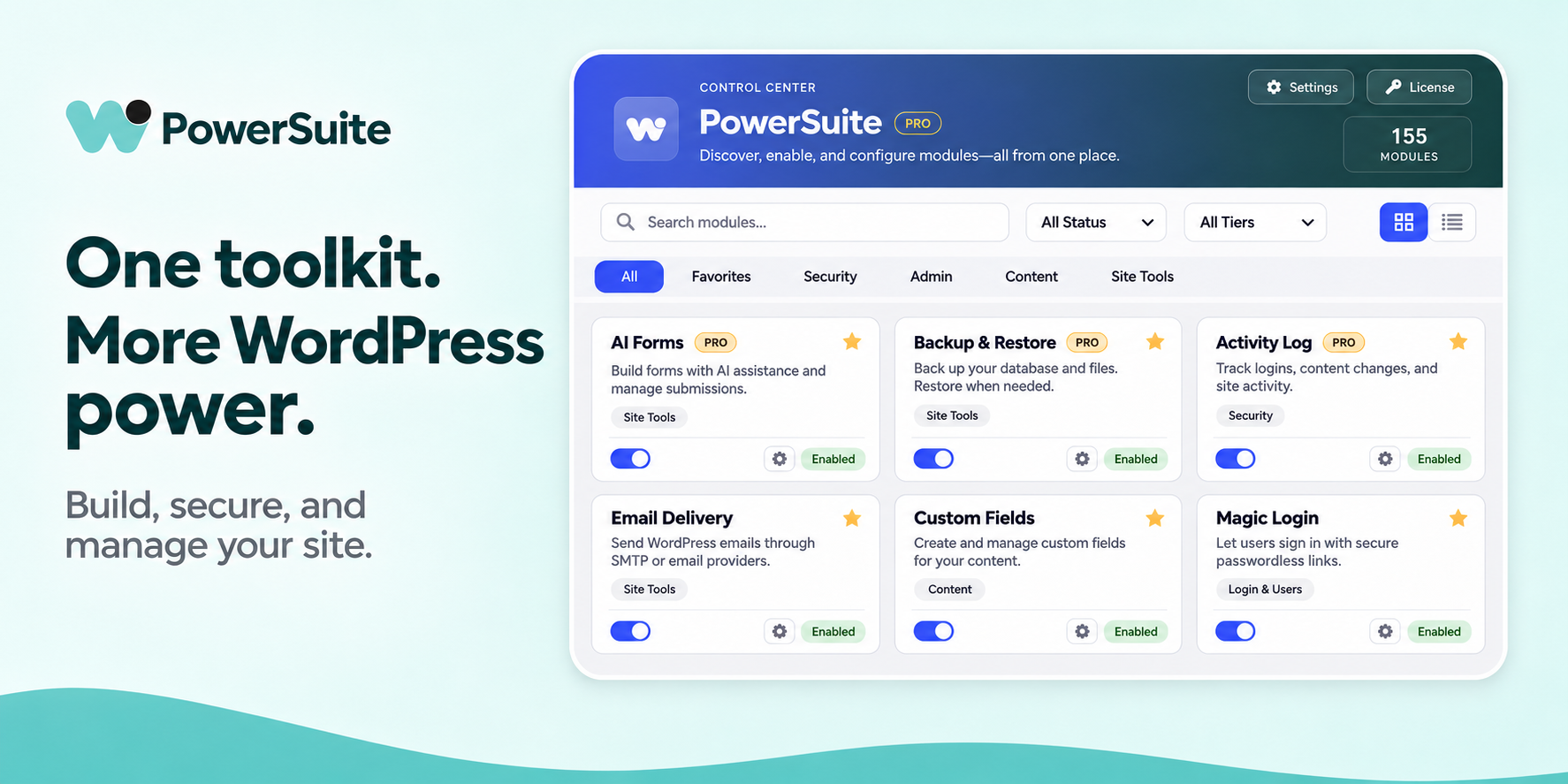
WP PowerSuite Pro brings the tools you reach for every day into one modular WordPress workspace. Build richer websites, streamline client work, organize your content and take control of routine maintenance—with the freedom to enable only the features you need.
From your first client project to an agency portfolio, spend more time improving websites and less time switching between separate tools and settings screens.
Turn ideas into working websites
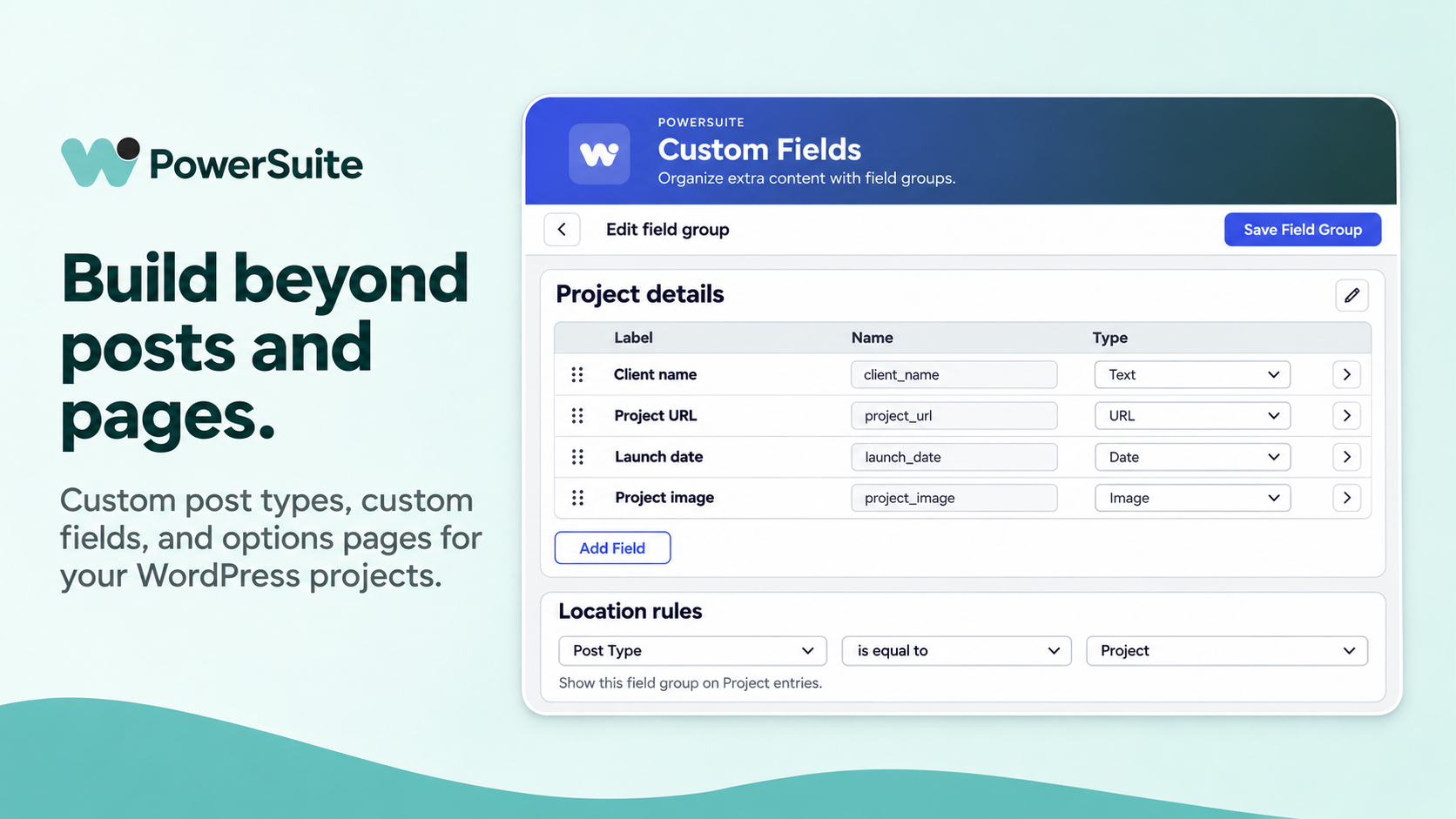
Build custom fields, post types, taxonomies and options pages around the way your project works. Create enquiry forms manually or start with optional AI assistance, then refine the result. Add code snippets, organize content and prepare pages in bulk from the same toolkit.
Make every client handoff feel professional
Shape the admin experience with menu, column, login and dashboard customization. Give collaborators temporary access and keep track of important activity. Freelancer and Agency add white-label branding, so the toolkit can fit your own service. Solo is ideal for a single site without white-label branding.
Keep routine maintenance under control
Schedule backups, restore saved copies, organize media and manage redirects. Review broken links, email logs and site activity when something needs attention. Bring practical maintenance tools into the same place you manage the rest of your website.
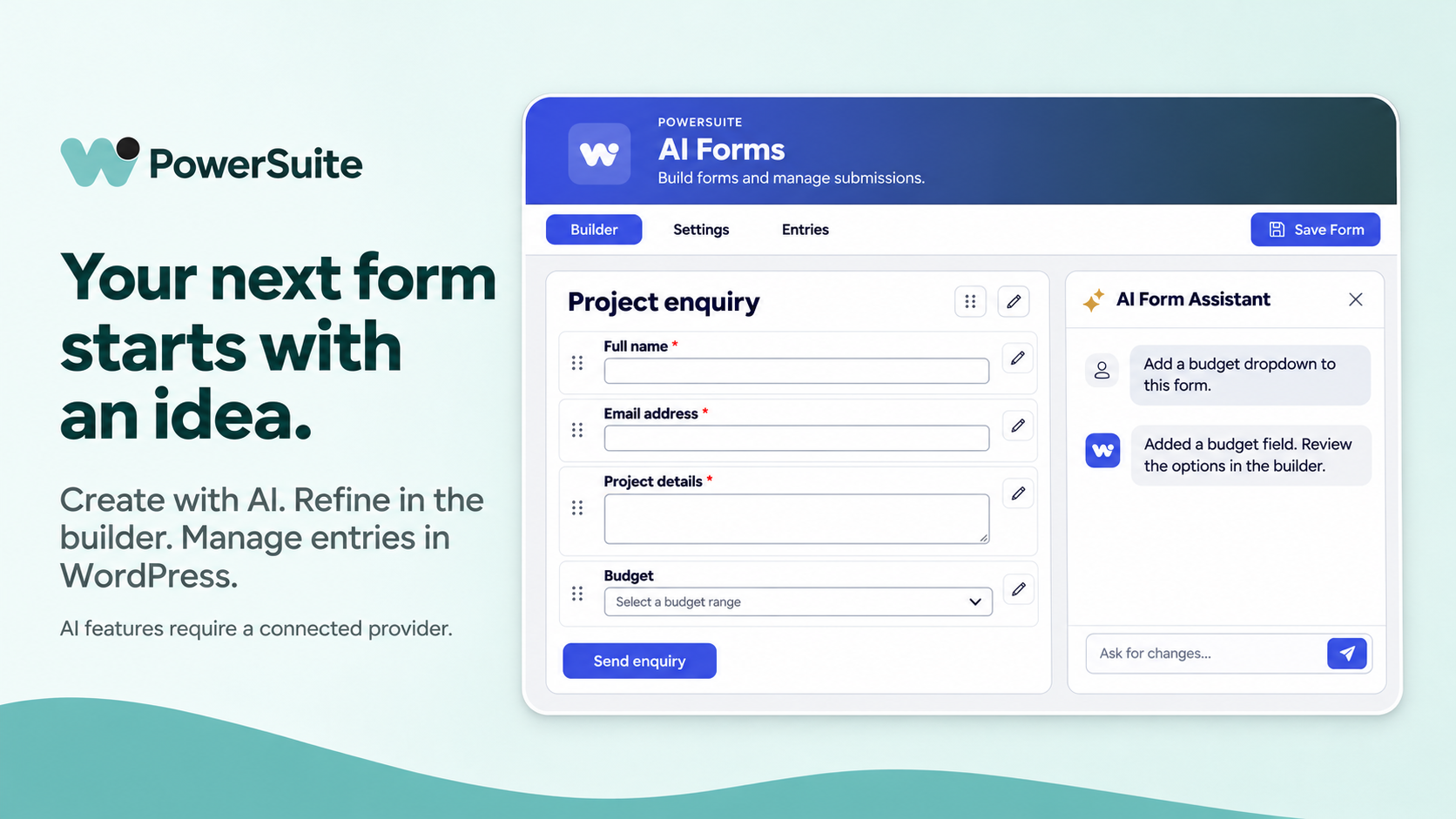
Start with a form. Build a complete workflow.
Create a client enquiry or project request form, capture the details you need and configure your preferred email provider. Optional AI tools help you get started, while manual controls keep you in charge of the finished form.
One toolkit. Three plans. Annual or lifetime.
Solo — 1 website. Annual: US$39.99/year, or choose a lifetime license. A practical choice for your own site or one project. Pro modules included, except white-label branding.
Freelancer — Up to 25 websites. Annual: US$119.99/year, or choose a lifetime license. Build and maintain a growing client portfolio, with white-label branding included.
Agency — Unlimited websites. Annual: US$199.99/year, or choose a lifetime license. Standardize your toolkit across your agency’s projects, with white-label branding included.
Annual plans renew yearly and include updates and support during the active subscription. Lifetime plans are a one-time purchase with updates and unlimited customer support while WP PowerSuite is actively developed. Check the selected offer and checkout for the applicable purchase price and renewal terms. Choose the billing option and website limit that fit your needs.
Explore all 65 Pro modules
The Pro add-on expands your Control Center with the following modules. White-label access is reserved for Freelancer and Agency.
Admin
Admin Color Customizer • Admin Columns Customizer • Admin Menu Organizer • Custom Admin CSS • Gutenberg Block Control • Hide Admin Notices • Show IDs
Content
AI Summarize • Bulk Page Creator • Categorize Media • Custom Fields • Custom Post Order • Custom Post Type Builder • Custom Taxonomy Order • Floating Social Share • Options Page Builder • Share Draft Preview Links
Login & Users
Admin Login Alerts • Alphabet Avatars • Change Login URL • Facebook Sign In • GitHub Sign-in • Login ID Type • Login Page Customizer • Login Session Manager • Login as User • Magic Login • Redirect After Login • Temporary Login • Username Changer
Media
AI Alt Text Generator • AVIF Conversion • Custom Image Sizes • Download Media Library • Media Rename Manager • Media Replacement • Unused Media Finder • WebP Conversion
SEO & Visibility
404 Error Log • Broken Link Checker • Redirect Manager • URL Shortener
Security
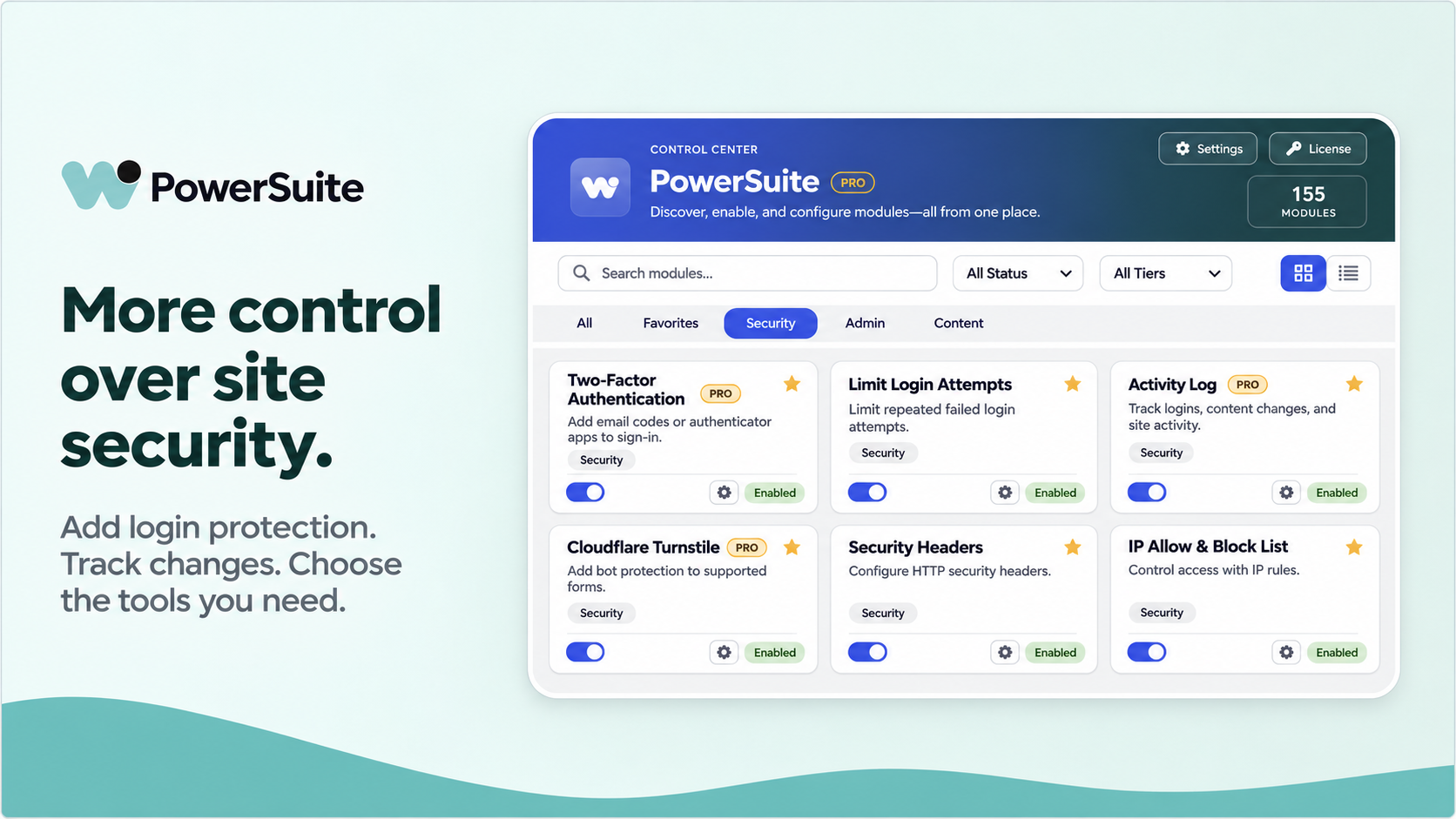
Activity Log • Cloudflare Turnstile • Google reCAPTCHA • IP Allow & Block List • Limit Login Attempts • Password Protection • Security Headers • Simple CAPTCHA • Two-Factor Authentication (2FA)
Site Tools
AI Forms • Accessibility Widget • Backup & Restore • Code Snippet • Coming Soon & Maintenance • Customize WordPress Emails • Database Cleanup • Debug Mode Toggle • Disable All Updates • Email Logs • Email Reports • Header & Footer Code • System Summary • WP Config Editor
Also included with the free companion: 90 Free modules
The free PowerSuite Modular Admin Toolkit supplies the shared Control Center and these everyday tools. They remain part of the Free plugin, which works alongside Pro.
Admin
Admin Logo • Clean User Profile Screen • Compact Tables • Custom Admin Footer Text • Dashboard Columns • Disable Dashboard Widgets • Disable Gutenberg • Display Active Plugins First • Featured Image Column • Footer Timezone Display • Hide Admin Bar • Hide Update Notifications • Remove Admin Bar Items • Wider Admin Menu
Content
Auto Set Featured Image • Change Post Type • Content Expiration • Content Report Widget • Custom Body Class • Custom Excerpt Length • Default Featured Image • Disable Comments • Disable Drag and Drop • Disable Keyboard Keys • Disable Right Click • Disable Text Selection • Duplicate Menu • Duplicate Post Type • External Permalinks • Open All External Links in New Tab • Open Menu Links in New Tab • Publish Missed Scheduled Posts • User Role Body Class • Username Body Class
Login & Users
Custom Login Logo • Custom Login Logo Link • Generic Login Errors • Google Sign-in • Last Login Column • Local User Avatar • Registration Date Column
Media
AVIF Upload • Auto Image Upload Rename • Block Video Uploads • Disable Thumbnail Generation • Image Sizes Panel • Limit Media Upload Size • Media Library Infinite Scroll • Regenerate Thumbnails • SVG Upload • Storage Monitor
SEO & Visibility
404 Redirect • Ads.txt Manager • Analytics Integration • Auto Table of Contents • Breadcrumbs • Disable Author Archives • Disable Core Sitemap • Disable RSS Feeds • Disable Site Search • Hide Author URLs • Post Views Counter • Reading Time Calculator • Search Visibility Warning • Robots.txt Manager
Security
Block Usernames • Disable Application Passwords • Disable File Editing • Disable Password Reset • Disable REST API • Disable Trackbacks/Pingbacks • Disable XML-RPC • Email Obfuscator • Force SSL Admin • Hide WP Version
Site Tools
Alpine.js Enqueue • Customizer Reset • Download Plugin as ZIP • Download Theme as ZIP • Email Delivery • Remove Unused Themes and Plugins
Speed
Disable Auto-Update Emails • Disable Dashicons on Frontend • Disable Heartbeat • Disable Post Auto-Save • Disable WordPress Emojis • Disable oEmbed Auto-Embeds • Remove Query Strings • Remove Shortlink • Remove Version from Scripts
Choose your plan and build your next project with PowerSuite
Select Solo, Freelancer or Agency above to match your website count and branding needs. Review the installation and service requirements below before purchasing.
System and companion requirements
WP PowerSuite Pro is an add-on and cannot run alone. Install and keep the free PowerSuite Modular Admin Toolkit active alongside Pro; no additional purchase is required. WordPress 6.8 or later; PHP 8.1 or later; administrator access to install plugins; the free PowerSuite Modular Admin Toolkit installed and active; and a valid PowerSuite license key. Internet access to the PowerSuite licensing service is required for activation, verification and commercial updates. Download the free companion: https://wordpress.org/plugins/powersuite-modular-admin-toolkit/
WP PowerSuite Pro 1.2.7 requires WP PowerSuite Lite 1.2.5 or later with a compatible integration API. Compatible versions do not need identical version numbers. Unsupported combinations display an administrator notice and pause incompatible Pro features until updated. Individual integrations may require additional server capabilities or sufficient backup storage.
Installation and license activation
1. Install and activate PowerSuite Modular Admin Toolkit from WordPress.org, or upload the separate Lite ZIP.
2. In WordPress, open Plugins → Add New Plugin → Upload Plugin. Upload the Pro installation ZIP and activate it. Do not upload an outer documentation bundle.
3. Keep Free and Pro active. Open PowerSuite → License, enter your PowerSuite license key and purchase email, and select Activate License.
4. Enable the modules you need in the Control Center and configure optional integrations separately.
The free companion updates through WordPress.org. Pro uses PowerSuite’s commercial licensing and update service. A PowerSuite license key is required; a WPBay purchase code is not currently accepted directly by Pro.
Optional external services and costs
Your purchase includes the Pro add-on. It does not include hosting, external accounts, API credits, email-delivery fees or paid cloud storage. Configure only the services needed by the features you enable.
AI generation
Optional AI workflows use your own supported provider account and API key: OpenAI, Google Gemini, Anthropic Claude, OpenRouter, DeepSeek or Grok. Provider usage fees and subscriptions are separate. Generation requests and enabled automatic workflows may send prompts, form definitions, text or images to the selected provider. Manual form creation does not require AI credits. AI Summarize can open an external AI service with configured page context.
Remote backups
Google Drive, Dropbox and OneDrive require provider accounts, authorization, available storage and a configured PowerSuite connection service. FTP/FTPS and SFTP require your own server credentials and storage. Backups can contain website files, database records and configuration credentials. Review provider policies before enabling transfers. Local backups do not require a cloud account.
Email, sign-in, analytics and CAPTCHA
Optional SMTP/email services, Google/Facebook/GitHub sign-in, Google Analytics, reCAPTCHA and Cloudflare Turnstile require the appropriate provider configuration. Account approval, quotas and provider charges apply separately. Optional IP lookups, fonts, remote scans and configured webhook destinations can also contact external services.
Licensing and privacy
Commercial license checks send your license key, license email, site URL/domain and product/version information to wppowersuite.com to verify entitlement and provide authorized updates. Installing Pro alone does not send site content to an AI provider. The Free and Pro readmes describe individual services, transmitted information, request triggers and policy links.
Frequently asked questions
Do I need both Free and Pro? Yes. Free provides the core module hub and free modules; Pro adds premium functionality to the same Control Center. Keep both active.
Is white-label included with Solo? No. White-label branding is included with Freelancer and Agency only.
Do I need AI credits? Only for optional AI workflows that require provider access. You can use other tools and create forms manually without purchasing AI credits.
Can I move my license? Deactivate it on the old site before activating another, as needed to remain within your plan’s website limit.
Documentation and support
Documentation: https://wppowersuite.com/docs/
Support: https://wppowersuite.com/contact/
Privacy policy: https://wppowersuite.com/privacy-policy/
Terms: https://wppowersuite.com/terms-of-service/
Changelog:
1.2.7
* Categorize Media imports FileBird and Wicked Folders organization and opens a bookmarked folder directly.
* Improved private file handling when forms with entries are permanently deleted.
1.2.6
* Added verification of signed commercial packages by edition and version.
* Improved backup chunk retries, cross-prefix restores and account linking.
1.2.5.1
* Deleting a form permanently in WordPress now cleans up its entries and private attachments. If cleanup fails, the form and affected entries stay available so you can retry.
1.2.5
* Sign-in links now respect account restrictions and two-step login.
* Media exports stay private, and sharing buttons respect protected posts.
* Backup cleanup and image restores better protect your files.
* Saving settings keeps your field values, menu layout, colors, and network admin access.
1.2.4
* Update Lite while Pro stays on. Pro shows its update when Lite is ready.
* Retry deleting form files if they couldn’t be removed.
* Link checks use less data and give fewer false alarms.
* The form editor remembers your panel sizes and blocks unsafe content in HTML fields.
* Theme backups are easier to create, restore, and delete.
1.2.3
* Security: Strengthened temporary-login restrictions and ensured expired or revoked temporary logins invalidate their associated sessions.
* Security: Protected form attachments with private storage and authorized downloads. Failed submissions clean up newly uploaded files, and notifications require a successfully saved entry.
* Security: Prevented privileged capability assignments through the Custom Post Type and Taxonomy builders.
* Fixed: Database Cleanup retains records with uncertain ownership and rechecks orphan status before deletion.
* Changed: Unused Media Finder uses reversible quarantine, retaining files and allowing restoration.
* Fixed: WebP and AVIF conversions avoid filename collisions and verify file ownership before restoration.
* Fixed: Customizer backups capture supported theme settings before a reset.
* Fixed: AI Alt Text Generator handles attachments without metadata without breaking the Media Library.
* Fixed: Custom Fields and External Permalinks avoid errors on WooCommerce order-editing screens.
* Improved: Login as User is available from user profiles and WooCommerce order screens, with clearer actions and improved cache handling.
* Improved: Form editor layout, CAPTCHA availability messages, and Cloudflare Turnstile script loading.
* Improved: Pro upgrade prompts and dashboard presentation.
1.2.1
* Unified Google Drive and Dropbox progress, with one backup creation step, separate copy and verification steps for each destination, and one shared local cleanup step.
* Improved automatic destination selection, transfer retries, verification checkpoints, and cleanup coordination. Local copies remain protected until required destination copies are verified.
* Preserved backup logs after local copies are removed, keeping transfer and cleanup history available for troubleshooting.
* Improved cloud backup discovery, transient-error recovery, and separation of this site's backups from backups belonging to another site. Cross-site restores require source confirmation.
* Added indexed portable backup storage and bounded component preparation for downloads and restores, with checksum verification and protection against cleanup during use.
* Improved archive creation, database export connection handling, and JSON-column import compatibility. Added clearer handling of unsupported archive filenames and interrupted operations.
1.2.0
* Expanded Backup & Restore with Google Drive, Dropbox, FTP/FTPS and SFTP destinations, integrity verification and guarded local cleanup.
* Simplified backup settings, exclusions, schedules, transfer progress and the combined local/cloud library.
* Improved database restores, interrupted-job handling and discovery of existing backups after reinstalling.
* Fixed stale backup records after database restores and improved missing-file deletion handling.
* Improved Admin Columns, Menu Organizer, Login Customizer and other module interfaces.
* Hardened file operations, access checks and Lite/Pro compatibility. OneDrive remains coming soon.
1.1.3
* Updated compatibility with the matching Lite 1.1.3 release.
1.1.2
* Improved the AI Forms workspace, proposal review, and explicit apply/undo workflow.
* Preserved existing fields during partial AI edits and improved complete-field reordering.
* Added composite Name and Address support with validated component widths and submitted values.
* Updated compatibility with the matching Lite 1.1.2 release.
1.1.1
* Hardened form file cleanup, session visibility, password-field handling and admin log rendering.
* Corrected database cleanup, privacy erasure, duplicate-alt detection and restore migration scope.
* Adopted the wppsmodule internal prefix with the matched free plugin.
* Fixed accessibility profile preferences being applied before the active state was updated.
* Updated Pro dependency to the renamed free plugin slug.
* Pro-only tooling, CAPTCHA support and CLI implementations now ship in the add-on instead of Lite.
* Added Pro-side plugin-list branding for WP PowerSuite Lite and WP PowerSuite Pro.
* White-label branding now takes priority over the default Pro-side plugin-list names.
1.1.0
* Improved loading for Pro AI settings and module admin screens.
* Improved compatibility while the free plugin is pending WordPress.org updates.
Only logged in customers who have purchased this product may leave a review.
Loading...
WPBay support
 Support by WP PowerSuite
WP PowerSuite supports this product through WPBay
Questions are handled in WPBay's private ticket system, keeping your purchase details and support conversation together.
Go to My Downloads
After purchase, open this item in My Downloads and choose Get Support.
What support includes
- Answers to product-related questions
- Help with reported bugs and issues
- Guidance for included third-party assets
What support does not include
- Customizations or new features
- Installation or setup services
Plugin
Maintenance snapshot
See recent updates, compatibility, support, and developer activity.
- Updated today
- Developer active recently
- WPBay support available
- WordPress 7.1 tested
Snapshot updated 12 seconds ago
View details Hide details
Maintenance details
This is maintenance data. It does not measure product quality or sales.
- Last update Updated today
- Compatibility WordPress 7.1 tested · PHP 8.5 tested · WooCommerce 11 tested
- Releases 10 releases in the 11 days since listing
- Developer activity Developer active recently
- Support No recent support tickets to measure
- Docs and demo Documentation available · Changelog available · No demo listed
Health reflects increased activity during the last 90 days.
How this snapshot works
Plugin Health
The score is out of 100 and uses data WPBay can check. Ratings, popularity, and sales are not used.
- Last update 30 points
-
Plugins receive full recency points under 30 days, then step down at 90, 180, 365, and 545 days.
- Compatibility 20 points
-
WordPress, PHP, and WooCommerce (when relevant) are scored separately. The latest two PHP lines count as current. Nearby previous versions keep most of the points.
- Current version 100%
- One version behind 75%
- Two versions behind 50%
- Three versions behind 25%
- Older or not listed 0%
- Releases 15 points
-
One release earns 10, two or three earn 13, and four or more earn 15. Each accepted product ZIP counts once; reprocessing the same upload and listing-only edits do not count.
- Developer activity 15 points
-
Based on WPBay login and dashboard activity. Exact last-login dates are never shown.
- Support 15 points
-
There are no recent WPBay tickets to measure.
- Docs and demo 5 points
-
Documentation: 2. Changelog: 1. Working demo or preview: 2.
Score ranges
- 90–100 Excellent
- 75–89 Healthy
- 60–74 Fair
- 40–59 Needs attention
- 0–39 Limited
Long gaps
WPBay also checks for long gaps between updates, developer activity, support replies, and releases. Buyers do not see this score.
- Time since update 35 points
- Last developer activity 25 points
- WordPress compatibility 15 points
- Support replies 15 points
- Fewer releases 10 points
-
Quality verified by WPBay
WPBay review- Reviewed version
- 1.2.7
- Review completed
- Reviewer
- CodeRevolution
- Review type
- Initial
No unresolved approval blocker was identified during WPBay’s proportionate review of this release. This is not a security certification or a guarantee that the product contains no defects.
-
 Future updates
-
WPBay support from WP PowerSuite
-
GPL code, proprietary assets
-
Covered by the WPBay refund policy
-
Plugin maintenance snapshot
Relevant picks
You may also like
Similar products selected by category, features, popularity and freshness.

Reviews
There are no reviews yet.