



WordPress to PWA Mobile App

 Well Documented
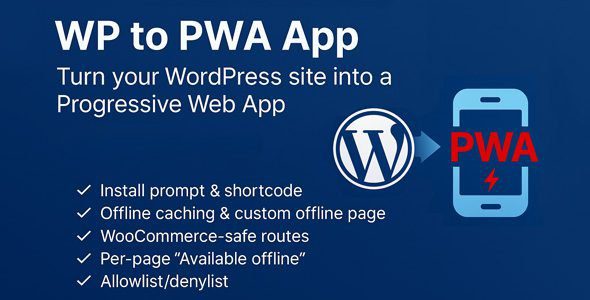
WP to PWA App converts your WordPress site into a Progressive Web App that your visitors can install on their phones and use offline. No theme edits, no fragile hacks, just a clean manifest, a smart service worker, and a builder-friendly settings screen.
What it does
-
Installable app experience. Generates
/manifest.webmanifestand registers a service worker at/wp2pwa-sw.js, so browsers can “Add to Home Screen”. -
Fast and resilient. HTML uses a network-first strategy with an offline fallback page; static assets use cache-first for snappy loads.
-
Control what’s available offline. Per-page meta box (“Available offline”) plus route allowlist/denylist so you decide what’s cached.
-
WooCommerce-safe by default. Cart, checkout, account,
add-to-cart, andwc-ajaxare excluded from caching to keep sessions and orders safe. -
Install UI you can place anywhere. Shortcode
[wp2pwa_install]renders a banner or a compact button—now with alignment, width, and device targeting (devices="mobile|desktop|all"). iOS “Add to Home Screen” helper can be enabled/disabled from settings. -
Update flow that makes sense. A “Clear PWA cache / Force update” button bumps the cache version. Visitors see a small update toast; the app refreshes cleanly.
-
Offline page you control. Provide your own HTML for the offline state—brand it, add links, or keep it minimal.
-
Diagnostics built in. One glance shows HTTPS, permalinks, endpoint reachability, and whether the service worker is active.
Why it’s different
-
Builder-first workflow. Every decision that normally requires theme edits is a checkbox or text field. Drop the install UI via shortcode where design needs it.
-
Safe out of the box. Respects
Cache-Control: no-store, never touches/wp-admin, login, or REST by default, and only caches same-origin requests. -
Woo or no Woo. Works fine without WooCommerce; when Woo is active, the plugin automatically applies the right exclusions.
What you get out of it
-
Faster repeat visits and better Lighthouse PWA scores
-
App-like UX your audience can pin next to their native apps
-
More resilient content that still works when the network doesn’t
Changelog:
# Changelog
All notable changes to this project will be documented in this file.
## [1.0.0] - 2025-08-10
### Added
- PWA master switch (enable/disable).
- Root endpoints: /manifest.webmanifest and /wp2pwa-sw.js.
- Manifest generator: name, short_name, description, start_url, scope, display, orientation, theme/background colors, icons (Site Icon + fallbacks).
- Service Worker: network-first for HTML (offline fallback) + cache-first for static assets.
- Route controls: allowlist & denylist.
- Woo-safe exclusions: auto-detect cart/checkout/account when Woo exists; safe defaults when it doesn’t.
- Per-page “Available Offline” meta box for public post types.
- Custom offline page (HTML) setting.
- Update flow: cache version bump button, “new version available” toast (skipWaiting + auto-reload).
- Install UI shortcode: [wp2pwa_install] (banner/button) with iOS “Add to Home Screen” hint.
- Diagnostics panel (HTTPS, permalinks, endpoint reachability, statuses).
- i18n: text domain, languages folder, localized strings, manifest lang from site locale.
- Admin/Frontend assets (CSS/JS), no theme edits.
- Security: bypass admin/auth, respect no-store, same-origin only, block Woo/query actions.
### Changed
- Default “custom install prompt” (toast) is disabled by default.
### Fixed
- WooCommerce calls guarded (no fatals when Woo isn’t installed; no IDE warnings).
## [1.0.1] - 2025-08-11
### Added
- iOS “Add to Home Screen” helper **toggle** in settings; shortcode respects it.
- Shortcode options: `align` (left|center|right), `width` (auto|full), `hide_later`, `class`.
- Shortcode visibility control: `devices` attribute (`mobile` default | `desktop` | `all`) → mobile/tablet only by default.
- “Install UI Shortcode” help card in settings (usage + attributes).
- “Support & Custom Work” card with contact links.
### Changed
- Admin settings page: all outputs/URLs escaped; replaced custom `wp2pwa_checked()` with core `checked()`.
- Shortcode markup: improved ARIA + disabled-state handling.
### Fixed
- Manifest icons are added only if the files exist (or Site Icon is set) to avoid 404 / “not a valid image”.
- Shortcode iOS helper modal: “Got it” button now closes reliably (event delegation + ARIA toggles).
- Shortcode no longer renders on disallowed devices per `devices` attribute.
## [1.0.2] - 2025-09-16
### Added
- **Separate “Install Prompt (Popup)” card** — fully independent from the shortcode and controlled by the master switch.
- **Popup targeting:** devices (`mobile|desktop|all`) and **page selection** (multi-select of Pages).
- **Popup styling:** theme (`dark|light`), position (`bottom-right|bottom-left|top`), and **delay** (seconds).
- **CSS Hooks & Custom CSS**: admin card listing all classes/IDs + optional sitewide Custom CSS textarea.
- **Base UI styles** for popup/shortcode (`assets/install.css`) and new localized strings (“Install”, “Later”).
### Changed
- **Frontend JS refactor:** popup logic split from shortcode, runs only when `beforeinstallprompt` is available, and respects device/page gates.
- **Sanitization:** page IDs sanitized; options validated; styles enqueued only when needed.
### Fixed
- Popup no longer depends on shortcode rendering or its attributes.
- Prevented duplicate popup renders and ensured reliable open/close behavior.
1 review
Only logged in customers who have purchased this product may leave a review.
Loading...
Email support
 Support by DevAI
Support by DevAI
DevAI provides support by email
Contact the seller directly by email for product questions and issue reports.
Email support
Opens your default email app.
What support includes
- Answers to product-related questions
- Help with reported bugs and issues
- Guidance for included third-party assets
What support does not include
- Customizations or new features
- Installation or setup services
Plugin
Maintenance snapshot
See recent updates, compatibility, support, and developer activity.
- Updated 393 days ago
- Email support available
- Documentation available
Snapshot updated 4 hours ago
View details Hide details
Maintenance details
This is maintenance data. It does not measure product quality or sales.
- Last update Updated 393 days ago
- Compatibility WordPress 6.8 tested, three versions behind · PHP 8.5 not marked as tested · WooCommerce 8 tested, three versions behind
- Releases 0 releases in the last 12 months
- Developer activity Developer less active
- Support Support is offered by email, not through WPBay tickets
- Docs and demo Documentation available · Changelog available · No demo listed
Health reflects recent activity during the last 90 days.
How this snapshot works
Plugin Health
The score is out of 100 and uses data WPBay can check. Ratings, popularity, and sales are not used.
- Last update 30 points
-
Plugins receive full recency points under 30 days, then step down at 90, 180, 365, and 545 days.
- Compatibility 20 points
-
WordPress, PHP, and WooCommerce (when relevant) are scored separately. The latest two PHP lines count as current. Nearby previous versions keep most of the points.
- Current version 100%
- One version behind 75%
- Two versions behind 50%
- Three versions behind 25%
- Older or not listed 0%
- Releases 15 points
-
One release earns 10, two or three earn 13, and four or more earn 15. Each accepted product ZIP counts once; reprocessing the same upload and listing-only edits do not count.
- Developer activity 15 points
-
Based on WPBay login and dashboard activity. Exact last-login dates are never shown.
- Support Not scored
-
WPBay cannot measure response times for email or support on another site, so support is not scored.
- Docs and demo 5 points
-
Documentation: 2. Changelog: 1. Working demo or preview: 2.
Score ranges
- 90–100 Excellent
- 75–89 Healthy
- 60–74 Fair
- 40–59 Needs attention
- 0–39 Limited
Long gaps
WPBay also checks for long gaps between updates, developer activity, support replies, and releases. Buyers do not see this score.
- Time since update 35 points
- Last developer activity 25 points
- WordPress compatibility 15 points
- Support replies Not scored
- Fewer releases 10 points
-
Quality verified by WPBay
WPBay review- Reviewed version
- 1.0.2
- Review completed
- Reviewer
- CodeRevolution
- Review type
- Initial
No unresolved approval blocker was identified during WPBay’s proportionate review of this release. This is not a security certification or a guarantee that the product contains no defects.
-
 Future updates
-
Email support from DevAI
-
GPL code, proprietary assets
-
Covered by the WPBay refund policy
-
Plugin maintenance snapshot
Relevant picks
You may also like
Similar products selected by category, features, popularity and freshness.

 1 month free
From this seller
View seller store
More by DevAI
Explore more bestselling products from this creator.

Sopa Tudor (verified owner) –
#recomand