


WP Optimal State PRO – Ultimate Performance, Optimization & Backup Suite

 Recently Updated
Well Documented
Recently Updated
Well Documented
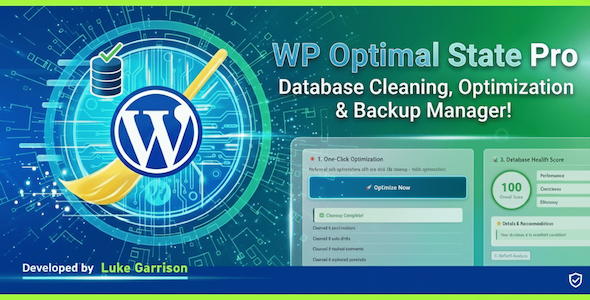
Stop juggling five different plugins to keep your website healthy. WP Optimal State Pro is the definitive solution for database hygiene, high-performance caching, and disaster recovery—engineered for speed, safety, and simplicity.
Your WordPress database is the engine of your website. Over time, it accumulates “digital cholesterol”—thousands of post revisions, spam comments, expired transients, and orphaned metadata. This bloat slows down queries, increases server load, and hurts your Google PageSpeed scores. Standard caching plugins cover up the problem; WP Optimal State fixes it at the source.
WP Optimal State Pro is not just a cleanup tool; it is a full-stack site reliability engineer in plugin form. It combines enterprise-grade database optimization with a state-of-the-art caching engine and a robust backup system, ensuring your site is not only fast but resilient.
Core Features
1. Enterprise-Grade Database Optimization
Most optimization plugins perform a superficial sweep. WP Optimal State dives deep into your SQL structure to reclaim maximum space and efficiency.
-
Comprehensive Cleaning: Automatically sweep away post revisions, auto-drafts, trashed contents, spam comments, and pingbacks.
-
Orphaned Data Removal: Unlike basic cleaners, we identify and remove “ghost data”—orphaned post meta, comment meta, user meta, and term relationships left behind by deleted plugins and posts.
-
Intelligent Transients Management: Clears expired transients that clog your
wp_optionstable while preserving active ones needed for site functionality. -
WooCommerce “Bloat” Buster: Specifically targets and removes expired WooCommerce sessions and logs, a common cause of massive database swelling in e-commerce stores.
-
Table Defragmentation: Runs native MySQL
OPTIMIZE TABLEcommands to reclaim unused disk space (overhead) and defragment data files for faster I/O operations.
2. Next-Gen Caching Engine
Why pay for a separate caching plugin? WP Optimal State includes a high-performance caching suite built for modern web standards.
-
Server-Side Page Caching: Generates static HTML versions of your dynamic PHP pages. This reduces Time to First Byte (TTFB) dramatically, serving pages instantly to your visitors.
-
Smart Cache Preloading: Automatically crawls your sitemap to “warm up” the cache, ensuring that even the first visitor to a page experiences lightning-fast speeds.
-
Mobile-Specific Caching: Detects mobile devices and serves optimized, device-specific cache files—crucial for Mobile-First indexing.
-
Browser Caching & GZIP/Brotli: automatically configures your
.htaccessfile with optimal expiration headers and enables GZIP or Brotli compression, reducing payload size by up to 70%. -
Database Query Caching: Exclusive Feature. If your server supports Redis or Memcached, WP Optimal State can cache complex database query results, drastically reducing the load on your MySQL server during traffic spikes.
3. Safety-First Backups & “Instant Rollback”
We believe optimization should never be scary. Our proprietary Safety-First Architecture ensures you can always undo a change.
-
Pre-Restore Safety Backups: Uniquely, WP Optimal State automatically creates a temporary safety backup before executing any restore operation. If a restore fails, the plugin can self-heal.
-
Instant Rollback Technology: Using advanced table renaming strategies rather than slow deletion, our rollback feature is nearly instant, minimizing downtime if you need to revert changes.
-
Chunked Processing: Our backup engine uses intelligent chunking to handle gigabyte-sized databases without timing out or crashing your server—perfect for shared hosting environments.
-
Automated Schedules: Set it and forget it. Schedule backups to run hourly, daily, or weekly, and automatically delete old files to save server space.
4. Advanced Diagnostics & Tools
For developers and power users, WP Optimal State offers transparency and control that competitors hide.
-
Database Health Score: A visual, weighted score (0-100) analyzing your site’s performance, cleanliness, and efficiency, offering actionable recommendations.
-
Autoloaded Options Analyzer: Identifies exactly which plugins are loading heavy data on every page load (the #1 cause of slow WordPress backends) and allows you to optimize them.
- MySQL Index Manager: Scans your database for missing high-impact indexes that can drastically improve query performance. Adding missing indexes to columns like `autoload` can reduce query time by up to 90%.
-
Search & Replace Tool: A powerful utility to bulk-update URLs or text across your database (e.g., when moving from HTTP to HTTPS). Includes a “Dry Run” mode to preview changes safely.
-
SQL Firewall & Security: Before restoring any file, the plugin scans the SQL for malicious code injections and dangerous queries, acting as a firewall for your database.
- Bad Bot Blocker: Frees up server processing power by blocking resource-intensive SEO crawlers that provide competitive intelligence to other businesses. Fully customizable.
- Brute Force Protection: Secures your login page from brute-force attacks by blocking users and bots after failed login attempts.
WP Optimal State vs. The Competition
Why choose WP Optimal State over popular alternatives like WP-Optimize, WP Rocket, or Autoptimize?
| Feature | WP Optimal State Pro | Typical Caching Plugins | Typical DB Cleaners |
| Philosophy | Full Stack (DB + Cache + Backup) | Speed/Caching Only | Cleaning Only |
|
Safety Mechanisms |
Auto-Safety Backup & Instant Rollback | None | Basic Backups (often paid) |
| Query Caching | Yes (Redis/Memcached integration) | No | No |
| Autoload Analysis | Built-in Analyzer & Fixer | No | Paid Add-on |
| GDPR Compliance | Smart Cookie Detection | Breaks Cookie Banners | N/A |
| Search & Replace | Integrated with Dry Run | No | No |
| WooCommerce Logic | Smart Session Cleaning | General Exclusion Only | Basic Cleaning |
The “Safety Gap”: Most DB cleaners are destructive; once you click “clean,” the data is gone. WP Optimal State is the only solution that integrates a Full Database Backup Feature directly into the automated optimization process, ensuring that an accidental deletion never becomes a business disaster.
WooCommerce & Ecosystem Compatibility
Running an online store? A bloated database is a conversion killer. WP Optimal State is purpose-built to handle the unique demands of WooCommerce.
-
Smart Exclusions: The caching engine automatically detects and excludes Cart, Checkout, and My Account pages from being cached, ensuring customers never see outdated basket data.
-
Session Garbage Collection: WooCommerce creates thousands of temporary session entries in the
wp_optionstable. We detect and prune these expired sessions that other plugins often miss. -
Action Scheduler Cleanup: Modern WooCommerce relies heavily on the “Action Scheduler.” We prevent the logs from growing into the millions, which can freeze your dashboard.
-
GDPR/Cookie Plugin Support: Our “Smart Cookie Detection” recognizes consent cookies from major plugins (CookieYes, Borlabs, Complianz, etc.). It serves cached pages to consenting users while serving fresh pages to those who haven’t consented yet—keeping you legally compliant without sacrificing speed.
Technical Excellence: Under the Hood
WP Optimal State Pro is coded with performance efficiency as the priority.
-
Non-Blocking Operations: We utilize asynchronous AJAX requests and background cron processing. You can trigger a massive optimization or backup and close the tab—the process continues in the background.
-
Resource Adaptive: The plugin detects your server’s memory limits and execution times, dynamically adjusting its “chunk size” to prevent 504 Gateway Timeouts or Memory Exhaustion errors.
-
SQL Integrity Checks: Every backup file generated is checksum-verified. We don’t just tell you the backup is done; we verify the file integrity to ensure it can actually be restored.
-
Developer Friendly:
- User Access Control: Restrict plugin access to specific administrator IDs to prevent clients from accidentally breaking the site.
- Settings Export/Import: Configure your perfect optimization setup once, export the JSON settings file, and import it to all your client sites in seconds.
Why You Need This Plugin Today
A slow site loses visitors. A broken site loses revenue. A bloated database causes both.
WP Optimal State Pro replaces the need for a backup plugin, a database cleaner, a caching plugin, and a technical diagnostic tool. By consolidating these functions, you reduce plugin bloat, save money, and ensure that the tools managing your site’s health are talking to each other.
Take control of your WordPress state.
Key Benefits Summary:
-
Significantly Faster Load Times via Static HTML Caching & GZIP.
-
Reduced Server CPU/RAM Usage by eliminating database drag.
-
Peace of Mind with automated, integrity-verified backups.
-
Higher SEO Rankings via improved Core Web Vitals (LCP/TTFB).
-
100% Risk-Free Optimization thanks to Instant Rollback technology.
Essentially, WP Optimal State Pro is five plugins in one:
- Database Cleanup and Optimization
- Database Backup and Restore
- Database Search & Replace
- Caching and Performance Tuning
- Brute Force Protection
It can easily replace the following plugins, saving you a considerable amount of money:
UpdraftPlus, WP Database Backup, WP Rocket, WP Super Cache, WP-Optimize, Better Search Replace, Heartbeat Control, Perfmatters, WP Revisions Control, Clearfy, Advanced Database Cleaner, Autoptimize, Loginizer.
Get WP Optimal State Pro and experience the peace of mind that comes with a perfectly optimized, secure, and blazing-fast WordPress site.
——————————————————————————————————-
Font Loading Optimization ✗ No ✓ YesLazy Load Images & Iframes ✗ No ✓ Yes
| Feature | Free Version | Pro Version |
|---|---|---|
| Database Backup & Restore | ||
| Create Database Backups | ✓ Yes | ✓ Yes |
| Maximum Backups to Keep | 1 | Up to 10 |
| Download Backups | ✓ Yes | ✓ Yes |
| Restore from Existing Backups | ✓ Yes | ✓ Yes |
| Restore Database from Uploaded File | ✓ Yes (50MB) | ✓ Yes (5GB) |
| Backup Verification (Checksum) | ✓ Yes | ✓ Yes |
| Database Cleanup & Optimization | ||
| One-Click Optimization | ✓ Yes | ✓ Yes |
| Database Health Score | ✓ Yes | ✓ Yes |
| Database Statistics | ✓ Yes | ✓ Yes |
| Detailed Database Cleanup (18 cleanup types) | ✓ Yes | ✓ Yes |
| Optimize All Tables | ✓ Yes | ✓ Yes |
| Analyze & Repair Tables | ✗ No | ✓ Yes |
| Optimize Autoloaded Options | ✗ No | ✓ Yes |
| Database Structure Analysis | ✓ Yes | ✓ Yes |
| MySQL Index Manager | ✗ No | ✓ Yes |
| Referential Integrity Scanner | ✓ Yes | ✓ Yes |
| Database Search & Replace | ✗ No | ✓ Yes |
| Delete Unused Tables | ✗ No | ✓ Yes |
| Legacy Plugin Data Scanner | ✓ Yes | ✓ Yes |
| Automation Features | ||
| Automatic Backup and Cleaning (Scheduled Tasks) | ✗ No | ✓ Yes |
| Email Notifications for Scheduled Tasks | ✗ No | ✓ Yes |
| Customizable Schedule (Every X Days at Specific Time) | ✗ No | ✓ Yes |
| Performance Features | ||
| Server-Side Page Caching | ✓ Yes | ✓ Yes |
| Browser Caching (.htaccess Rules) | ✓ Yes | ✓ Yes |
| Cache Purging | ✓ Yes | ✓ Yes |
| Cache Statistics | ✓ Yes | ✓ Yes |
| Automatic Cache Preload (Sitemap-Based) | ✗ No | ✓ Yes |
| Mobile-Specific Cache | ✗ No | ✓ Yes |
| Custom Consent Cookie Support | ✗ No | ✓ Yes |
| Query String Handling Modes (3 Options) | ✓ Yes | ✓ Yes |
| Smart Cache Invalidation on Content Updates | ✓ Yes | ✓ Yes |
| Database Query Caching | ✗ No | ✓ Yes |
| Bad Bot Blocker | ✓ Yes | ✓ Yes |
| Font Loading Optimization | ✓ Yes | ✓ Yes |
| Lazy Load Images & Iframes | ✓ Yes | ✓ Yes |
| Post Revisions Limit Control | ✓ Yes | ✓ Yes |
| Trash Auto-Empty Control | ✓ Yes | ✓ Yes |
| Heartbeat API Control | ✓ Yes | ✓ Yes |
| Disable XML-RPC | ✓ Yes | ✓ Yes |
| Remove Emoji Scripts | ✓ Yes | ✓ Yes |
| Remove Unused WordPress Headers | ✓ Yes | ✓ Yes |
| Integrated PageSpeed Metrics | ✓ Yes | ✓ Yes |
| Security & Safety | ||
| Automatic Safety Backup Before Restore | ✓ Yes | ✓ Yes |
| Emergency Rollback on Restore Failure | ✓ Yes | ✓ Yes |
| Temporary Table Swap (Zero-Downtime Restore) | ✓ Yes | ✓ Yes |
| Database Validation Before Restore | ✓ Yes | ✓ Yes |
| Maintenance Mode During Restore | ✓ Yes | ✓ Yes |
| Protected Backup Directory (.htaccess) | ✓ Yes | ✓ Yes |
| User Management (Restrict Access) | ✗ No | ✓ Yes |
| Settings Export & Import | ✓ Yes | ✓ Yes |
| Brute Force Protection | ✓ Yes | ✓ Yes |
| Logging & Monitoring | ||
| Optimization History Log (Last 150 Operations) | ✓ Yes | ✓ Yes |
| Detailed Operation Results | ✓ Yes | ✓ Yes |
| Real-Time Progress Tracking | ✓ Yes | ✓ Yes |
| Support & Documentation | ||
| Comprehensive Plugin Manual | ✓ Yes | ✓ Yes |
| Multi-Language Interface Support | ✓ Yes | ✓ Yes |
| In-Dashboard Help & Tooltips | ✓ Yes | ✓ Yes |
| Price | ✓ FREE | $105 Lifetime ✓ |
——————————————————————————————————-
⚠️ Compatibility Notice: This plugin is designed for single-site WordPress installations only. It is not compatible with WordPress Multisite networks.
——————————————————————————————————-
——————————————————————————————————-
Requirements
- WordPress 5.5 or higher
- WordPress Installation Type: Single-site only (Multisite not supported)
- PHP 7.4 or higher
- MySQL 5.6 or higher
- User Permission: Administrator access required
- File System: Writable `wp-content/uploads/` directory for backups, settings, and logs
Installation
- Navigate to your WordPress Admin Dashboard.
- Go to Plugins > Add New.
- Click Upload Plugin.
- Choose the WP_Optimal_State_PRO_X-X-X.zip file from your computer and click Install Now.
- Once installed, click Activate Plugin.
- Upon activation, the plugin will immediately check for and create its required directories and default settings files.
- Look for “Optimal State” in you admin menu.
- Enjoy!
Changelog:
Version 1.3.1 (Current) – March 2026
- Updated the server-side caching feature to improve the performance and reliability of the cache preloading and cache purging functionalities.
- Improved the reliability of the Legacy Plugin Data Scanner to minimize false positives.
- Added two performance features: Removal of 1. Feed Links (RSS & Atom) and 2. Post Relational Links.
- Powered up the Database Query Caching feature by adding two extra settings and optimizing how things work.
- Added validation of security headers via external link to the Browser Caching feature.
- Added several new recommendations to the Health Score Database tool.
- Added several new recommendations to the Performance Metrics (PageSpeed) tool.
- Implemented an additional security check in the database table deletion function within the Database Structure Analysis tool.
- Refined the Login Page Protection tool to increase its efficiency and reduce its impact on website performance.
- Completely redesigned the main plugin class (class-optistate.php), optimizing a dozen areas for greater efficiency and improved compatibility.
Only logged in customers who have purchased this product may leave a review.
 OptiState by Luke Garrison supports this product
Supported
OptiState by Luke Garrison supports this product
Supported

Product support includes:
- ✔ The seller will answer product related questions
- ✔ Assistance with reported bugs and issues
- ✔ Help with included third-party assets
However, product support does not include:
- ✖ Customization services
- ✖ Installation services
-
Quality verified by wpbay.com
-
Future updates
-
Support included from OptiState by Luke Garrison


Reviews
There are no reviews yet.