



AI FAQ Manager – AI-Powered WordPress FAQ Plugin

 Recently Updated
Well Documented
Recently Updated
Well Documented
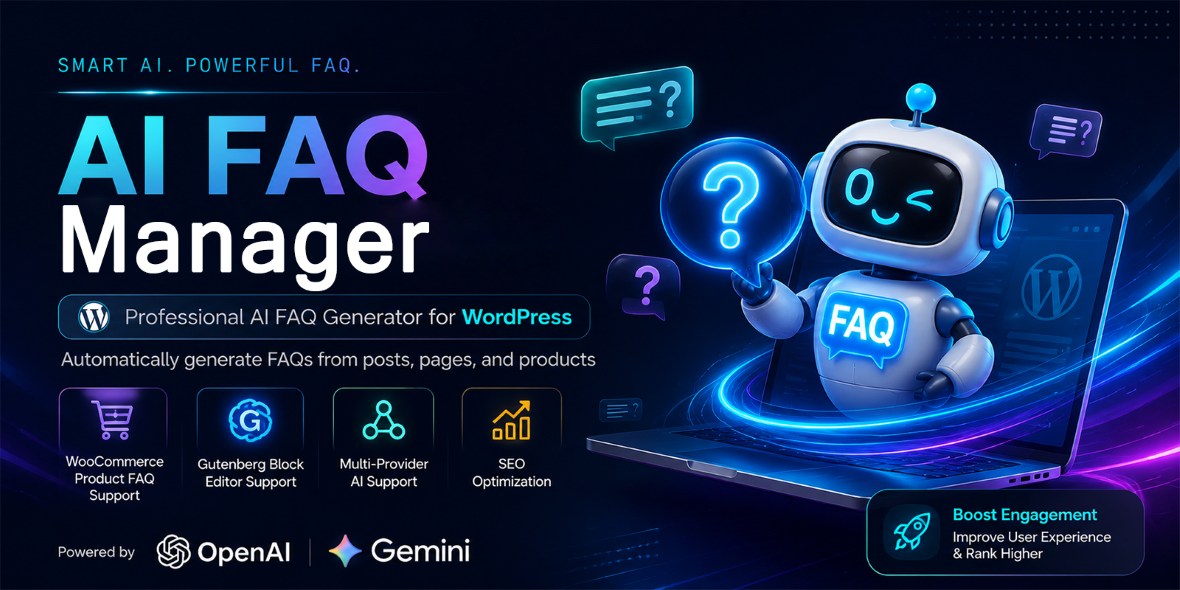
AI FAQ Manager is the complete WordPress FAQ plugin that does the writing for you. Instead of typing questions and answers by hand, generate accurate FAQs automatically with OpenAI (ChatGPT AI models) or Google Gemini from any post, page, or WooCommerce product. Display them in 5 modern styles with 7 color schemes, and ship valid FAQPage JSON-LD structured data that is machine-readable for search engines and other tools. No coding required. Works with any theme. Everything is managed from a clean, app-style admin panel, and the plugin is fully translation-ready and RTL-friendly.
AI FAQ Generator – OpenAI & Google Gemini Built In
- Automatic FAQ generation: point the plugin at any post, page, or WooCommerce product and let AI draft the questions and answers from its real content.
- OpenAI models: GPT-6.1 Sol (default), GPT-6 Astra, GPT-6 Luna, GPT-4.1, GPT-4.1 Mini, GPT-4o, GPT-4o Mini.
- Google Gemini models: Gemini 3.5 Flash, Gemini 3.5 Flash-Lite, Gemini 2.5 Flash, Gemini 2.5 Flash-Lite, Gemini 2.5 Pro — the provider is detected automatically from the model name.
- Bulk generation: queue many posts at once from the FAQ Manager list screen — ideal for refreshing an entire blog or catalog.
- Custom prompt support: control tone, language and question count with
{max},{title}and{content}placeholders. - Test Connection button: verify your API key and model before you generate anything.
- Privacy mode: choose to send only the post title to the AI. Content is never transmitted without your explicit action.
- Reliable by design: automatic retry with backoff, client-side rate limiting, and defensive parsing of model output.
You provide your own API key, so there are no subscriptions or middlemen — you always pay the provider’s direct rates.
5 Display Styles × 7 Color Schemes + Custom Accent
- Accordion – the classic single-open FAQ layout, ideal for long lists.
- Toggle – independent open/close behavior for comparison-style pages.
- Simple List — clean, printer-friendly text list.
- Grid – 1–4 responsive columns for landing pages and product cards.
- Floating Bubble – a chat-style support widget with live question search, perfect for reducing support tickets.
- Color schemes: Default, Blue, Green, Red, Dark, Minimal, plus a full custom accent color picker to match your brand.
- Gutenberg live preview: Accordion, Toggle and Bubble are fully interactive inside the live preview, so what you see in the editor is exactly what visitors get.
Built-In SEO: FAQPage Structured Data & Deep Links
- Automatic FAQPage JSON-LD structured data on singular pages that contain FAQ items – no extra SEO plugin configuration needed.
- Configurable schema item limit; HTML is stripped from schema output so the JSON stays valid.
- Stable anchor IDs for every question: link directly to
#afqm-xxxxxxxxand the item auto-expands – great for support macros, documentation links and email campaigns. - Search-friendly output: all FAQ content is regular server-rendered HTML (not hidden in iframes or JS-only widgets), so crawlers see every question and answer.
Works Everywhere: Gutenberg Block, Shortcodes & Auto-Display
- Native Gutenberg block with live server-rendered preview and per-block style / color / source controls.
- Gutenberg sidebar to generate FAQs with AI without leaving the block editor.
- Shortcodes:
[afqm_faqs group="shipping" style="accordion" color="blue" columns="2"][afqm_faq id="123"][afqm_faq id="123" item="afqm-xxxxxxxx"]
- Click-to-copy shortcodes right in the admin list screen.
- Auto-display: FAQ items can append themselves to the end of posts, pages and products — with duplicate protection when a shortcode or block already renders them.
- FAQ Groups taxonomy: organize questions into hierarchical groups (Shipping, Returns, Pricing…) and display a single group anywhere.
Perfect for WooCommerce Stores
- Generate product FAQs from the product’s own description – sizing, shipping, compatibility, warranty.
- Display them on product pages via auto-display, the block, or a shortcode.
- Product FAQ content is included in the FAQPage schema automatically.
Developer Friendly & Lightweight
- No custom database tables – FAQ data uses standard WordPress custom post types and taxonomies, so it survives migrations, works with your backup plugins and is queryable with
WP_Query. - Documented hooks:
afqm_supported_post_types,afqm_schema_data,afqm_generation_prompt,afqm_generated_faqs,afqm_save_generated_faqs. - Permission-checked REST API endpoints under
afqm/v1. - One CSS custom property (
--afqm-accent) for theming; all classes prefixed withafqm-to avoid collisions. - Loads CSS/JS only where FAQs are rendered — no bloat on the rest of the site.
- Full escaping and sanitization coverage (
wp_kses_post, nonces, capability checks) following WordPress coding standards.
Global-Ready: RTL & Translation Support
- RTL-ready layout built with logical CSS properties — ideal for Persian, Arabic, Hebrew sites. Every FAQ item renders with
dir="auto". - Translation-ready with a full
.pottemplate included.
Import / Export, Groups & Clean Uninstall
- Move FAQ data between staging and production, or between client sites, as JSON in two clicks.
- Opt-in cleanup on uninstall – your data is kept by default; exporting before deletion is one click away.
Full Documentation Included
- A complete offline HTML documentation file ships inside the package — 25 sections covering installation, every setting, all shortcodes and attributes, the Gutenberg block, REST API, developer hooks, privacy notes and troubleshooting.
Who Is This Plugin For?
- WooCommerce store owners – answer buying objections (shipping, returns, sizing) directly on product pages and reduce support tickets.
- Bloggers & niche site publishers – add FAQ content that targets long-tail searches around every article.
- Affiliate & coupon sites – explain offer terms, redemption steps, expiry rules where shoppers actually look.
- Agencies & freelancers – deliver FAQ pages in minutes, not hours, for every client build; bulk-generate then polish.
- SaaS & service businesses – a floating support bubble with live search that deflects repetitive tickets.
- Multi-language / RTL site owners – first-class RTL support and translation-ready strings.
Frequently Asked Questions
Do I need coding skills?
No. Install, activate, add FAQs via the block, a shortcode, or auto-display. AI generation is one click.
Will it work with my theme?
Yes. The front-end output is standard WordPress HTML/CSS with prefixed class names and inherits your theme’s typography. The custom accent color picker lets it match any brand.
Does the plugin slow down my site?
No. Assets are enqueued only on pages that actually render FAQs, there are no custom database tables, and no external calls are made to visitors’ browsers.
Is FAQ schema enough to appear in Google’s rich results?
No. The plugin outputs valid FAQPage JSON-LD that passes Google’s Rich Results Test, but Google ultimately decides which pages earn rich results. FAQ rich results are limited by Google to authoritative government and health sites since 2023. The structured data is still machine-readable and can be useful for search engines and other tools, and it can surface in other Google experiences — but the plugin makes no promise of search-result placement, ranking or visibility. It does not claim that FAQ schema alone will trigger rich results.
Which AI providers are supported, and is my API key safe?
OpenAI (GPT-6.1 Sol, GPT-6 Astra, GPT-6 Luna, GPT-4.1, GPT-4.1 Mini, GPT-4o, GPT-4o Mini) and Google Gemini (Gemini 3.5 Flash, Gemini 3.5 Flash-Lite, Gemini 2.5 Flash, Gemini 2.5 Flash-Lite, Gemini 2.5 Pro). Your key is stored in your own database and is never displayed to visitors or sent anywhere except the provider’s official API endpoint.
Is my post content sent to the AI?
By default, the post title plus up to 300 words of content are sent to generate relevant questions. Enable “Send only title to AI” in Settings → Generation for maximum privacy.
Requirements & Compatibility
- WordPress 5.8+ (tested up to 7.1)
- PHP 7.4+
- WooCommerce 5.0+ – optional, only for product FAQ support
- An OpenAI or Gemini API key – only needed for the AI features; every other feature works without one
Changelog:
= 1.0.0 =
- Initial release.

= 2.0.0 =
- AI FAQ generation (OpenAI & Gemini), single + bulk, custom prompts, privacy mode
- 5 display styles, 7 color schemes + custom accent color, floating bubble with live search
- Stable per-question anchor IDs with deep-link auto-expand, click-to-copy shortcodes
- Native Gutenberg block with live server-rendered preview + AI generation sidebar
- FAQPage JSON-LD structured data with item limit, auto-display with duplicate protection
- FAQ Groups taxonomy, JSON import/export, opt-in uninstall cleanup, app-style admin UI
- RTL-ready, translation-ready, documented hooks and REST API

= 2.0.1 =
- Fixed OpenAI response format mismatch: the API now consistently requests and parses the JSON object format {"faqs":[{"question":"...","answer":"..."}]}
- The response parser now accepts both a top-level JSON array and the {"faqs":[...]} object wrapper, so FAQ generation no longer fails or returns empty results
- Test Connection now validates the test response and fails loudly instead of reporting success when no valid FAQ data was parsed.
= 2.0.2 =
- Replaced retired Gemini models (1.5 Pro/Flash, 2.0 Flash) with currently supported ones: Gemini 3.5 Flash, 3.5 Flash-Lite, 2.5 Flash, 2.5 Flash-Lite, 2.5 Pro
- Modernized the Gemini API request: x-goog-api-key header auth, proper systemInstruction, Gemini 3 sampling defaults, multi-part response extraction, finish-reason details on empty responses
- Saved models retired by their provider are flagged in Settings with a prompt to choose a current one; Gemini key link updated to Google AI Studio
- Added the current GPT-6 family (GPT-6.1 Sol, GPT-6 Astra, GPT-6 Luna) and removed GPT models being shut down on 2026-10-23 (GPT-4 Turbo, GPT-3.5 Turbo); fresh installs now default to GPT-6.1 Sol
- Updated the OpenAI request for reasoning models: max_completion_tokens, low reasoning effort, and no unsupported temperature, so GPT-6 generation works
- Product description clarified: FAQPage schema output does not imply rich-results or People Also Ask placement.

= 2.0.3 =
- Fixed the shortcode copy button on the FAQ list screen: clicking it multiple times no longer copies the "Copied!" label instead of the shortcode
- Fixed the admin toolbar overlapping the WordPress Publish controls on the FAQ edit screen: the toolbar no longer floats above WordPress publishing controls there, and the block editor offset now tracks the toolbar height continuously.
Only logged in customers who have purchased this product may leave a review.
Loading...
WPBay support
 Support by rcm27
Support by rcm27
rcm27 supports this product through WPBay
Questions are handled in WPBay's private ticket system, keeping your purchase details and support conversation together.
Go to My Downloads
After purchase, open this item in My Downloads and choose Get Support.
What support includes
- Answers to product-related questions
- Help with reported bugs and issues
- Guidance for included third-party assets
What support does not include
- Customizations or new features
- Installation or setup services
Plugin
Maintenance snapshot
See recent updates, compatibility, support, and developer activity.
- Updated 1 day ago
- Developer active recently
- WPBay support available
- WordPress 7.1 tested
Snapshot updated 4 minutes ago
View details Hide details
Maintenance details
This is maintenance data. It does not measure product quality or sales.
- Last update Updated 1 day ago
- Compatibility WordPress 7.1 tested · PHP 8.4 tested · WooCommerce 11 tested
- Releases 4 releases in the 3 days since listing
- Developer activity Developer active recently
- Support No recent support tickets to measure
- Docs and demo Documentation available · Changelog available · No demo listed
How this snapshot works
Plugin Health
The score is out of 100 and uses data WPBay can check. Ratings, popularity, and sales are not used.
- Last update 30 points
-
Plugins receive full recency points under 30 days, then step down at 90, 180, 365, and 545 days.
- Compatibility 20 points
-
WordPress, PHP, and WooCommerce (when relevant) are scored separately. The latest two PHP lines count as current. Nearby previous versions keep most of the points.
- Current version 100%
- One version behind 75%
- Two versions behind 50%
- Three versions behind 25%
- Older or not listed 0%
- Releases 15 points
-
One release earns 10, two or three earn 13, and four or more earn 15. Each accepted product ZIP counts once; reprocessing the same upload and listing-only edits do not count.
- Developer activity 15 points
-
Based on WPBay login and dashboard activity. Exact last-login dates are never shown.
- Support 15 points
-
There are no recent WPBay tickets to measure.
- Docs and demo 5 points
-
Documentation: 2. Changelog: 1. Working demo or preview: 2.
Score ranges
- 90–100 Excellent
- 75–89 Healthy
- 60–74 Fair
- 40–59 Needs attention
- 0–39 Limited
Long gaps
WPBay also checks for long gaps between updates, developer activity, support replies, and releases. Buyers do not see this score.
- Time since update 35 points
- Last developer activity 25 points
- WordPress compatibility 15 points
- Support replies 15 points
- Fewer releases 10 points
-
Quality verified by WPBay
WPBay review- Reviewed version
- 2.0.3
- Review completed
- Reviewer
- CodeRevolution
- Review type
- Initial
No unresolved approval blocker was identified during WPBay’s proportionate review of this release. This is not a security certification or a guarantee that the product contains no defects.
-
 Future updates
-
WPBay support from rcm27
-
GPL code, proprietary assets
-
Covered by the WPBay refund policy
-
Plugin maintenance snapshot
Relevant picks
You may also like
Similar products selected by category, features, popularity and freshness.




Reviews
There are no reviews yet.