


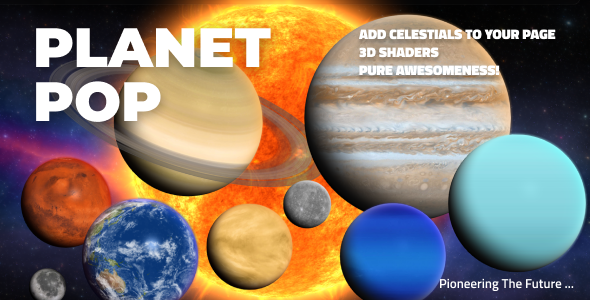
Pop Solar System JavaScript Plugin

 Well Documented
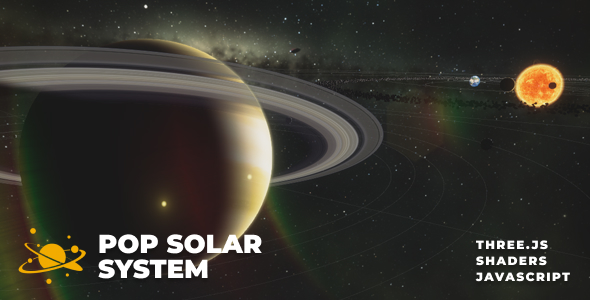
About Pop Solar System – realistic solar system simulation
Dive into Pop Solar System—a fully interactive, scientifically accurate 3D simulation featuring real planetary orbits, axial tilts, moons, rings, and the asteroid belt. Powered by advanced Three.js and WebGL shaders, it offers dynamic controls, responsive design, and deep customization. Explore every celestial body in real time, from the blazing Sun to distant icy moons, all with immersive visuals and seamless integration for any website or device.
Main features
Pop Solar System is a Three.js and WebGL shader toolkit that lets you embed a glowing Sun, ultra-realistic planets, Earth with its Moon, nebula and even a bonus animated rocket directly into your web pages. Available as both a JavaScript component and a WordPress / WooCommerce plugin, it’s fully responsive, mobile-friendly and easy to integrate into any modern layout. Learn more & view the main page.
Main features
Responsive Layout – Fully responsive and adaptable regardless of which device or screen size is used.
Desktop & Mobile Optimized – Pop Solar System will adapt to any screen size and device, whether you’re using a mobile phone (iOS, iPhone, Android), tablet, laptop or desktop browser.
Multiple Display Types – Supports two display modes: responsive (scales to a specific width and height) and afterparent (automatically scales to its parent container’s dimensions).
Intro Teleport Transition – When the scene is displayed first time a teleport post=processing transition is used.
Parallax – Optional vertical parallax adds depth and a subtle 3D motion feeling while scrolling.
Optional Celestials – Show or hide any celestial—Sun, planets, moons, or asteroid belt—to create a tailored solar system. Build focused views, such as just the Sun and Earth, or any combination you need.
Controller – Customize your controller with optional buttons for navigation, zoom, simulation speed, sharing, printing, and fullscreen—each feature can be shown or hidden to fit your workflow.
Table of contents – The Table of Content sidebar lists all celestial bodies for easy navigation and selection—fully customizable and optional for your layout.
Info window – The Info Window displays detailed information about any selected celestial—fully customizable and optional for your interface.
Realistic Simlation – The simulation uses accurate math, so you can configure the solar system to match real astronomical proportions. This demo is more artistic for easier navigation, since true planetary distances are vast and hard to explore interactively. For a realistic setup, simply update each celestial’s values—radius, semi-major axis, eccentricity, semi-minor axis, orbit time, inclination, and more. For example, Earth’s parameters can be set to match reality.
Realistic Geometry – Each celestial body can have its own radius, orbit size, shape, speed, and tilt—these features are set individually for every planet or moon in the simulation.
Detailed Documentation – Detialed Documentation for both WordPress and JavaScript versions, JavaScript Documentation, WordPress Documentation.
Only logged in customers who have purchased this product may leave a review.
Loading...
WPBay support
 Support by FWDesign
Support by FWDesign
FWDesign supports this product through WPBay
Questions are handled in WPBay's private ticket system, keeping your purchase details and support conversation together.
Go to My Downloads
After purchase, open this item in My Downloads and choose Get Support.
What support includes
- Answers to product-related questions
- Help with reported bugs and issues
- Guidance for included third-party assets
What support does not include
- Customizations or new features
- Installation or setup services
Script
Maintenance snapshot
See recent updates, compatibility, support, and developer activity.
- Updated 110 days ago
- Developer active recently
- WPBay support available
- Documentation available
Snapshot updated 4 hours ago
View details Hide details
Maintenance details
This is maintenance data. It does not measure product quality or sales.
- Last update Updated 110 days ago
- Compatibility Not used for scripts
- Releases 1 release in the 110 days since listing
- Developer activity Developer active recently
- Support No recent support tickets to measure
- Docs and demo Documentation available · Changelog missing · Demo available
Health reflects increased activity during the last 90 days.
How this snapshot works
Script Health
The score is out of 100 and uses data WPBay can check. Ratings, popularity, and sales are not used.
- Last update 35 points
-
Scripts receive full recency points under 45 days, then step down at 120, 240, 365, and 545 days.
- Compatibility Not scored
-
Scripts do not use WordPress or PHP, so compatibility is not scored.
- Releases 20 points
-
One release earns 14, two or three earn 18, and four or more earn 20. Each accepted product ZIP counts once; reprocessing the same upload and listing-only edits do not count.
- Developer activity 20 points
-
Based on WPBay login and dashboard activity. Exact last-login dates are never shown.
- Support 15 points
-
There are no recent WPBay tickets to measure.
- Docs and demo 10 points
-
Documentation: 3. Changelog: 1. Working demo or preview: 6.
Score ranges
- 90–100 Excellent
- 75–89 Healthy
- 60–74 Fair
- 40–59 Needs attention
- 0–39 Limited
Long gaps
WPBay also checks for long gaps between updates, developer activity, support replies, and releases. Buyers do not see this score.
- Time since update 45 points
- Last developer activity 30 points
- WordPress compatibility Not scored
- Support replies 15 points
- Fewer releases 10 points
-
Quality verified by WPBay
WPBay review- Reviewed version
- Current release
- Review completed
- Reviewer
- CodeRevolution
- Review type
- Initial
No unresolved approval blocker was identified during WPBay’s proportionate review of this release. This is not a security certification or a guarantee that the product contains no defects.
-
 Future updates
-
WPBay support from FWDesign
-
GPL code, proprietary assets
-
Covered by the WPBay refund policy
-
Script maintenance snapshot
Relevant picks
You may also like
Similar products selected by category, features, popularity and freshness.


Easy Video Player
$59/yr+
From this seller
View seller store
More by FWDesign
Explore more bestselling products from this creator.



Reviews
There are no reviews yet.