


Peekaboo Video Reveal

 Well Documented
About Peekaboo Video Reveal
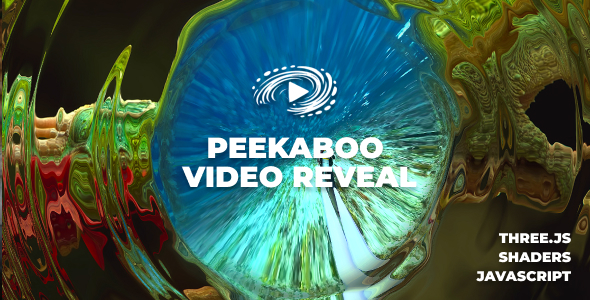
A premium WebGL / Three.js “press-and-hold” video reveal effect. It displays an image first, then smoothly reveals the video underneath while the user holds (mouse or touch). The effect includes a customizable swirl shader, interactive flowmap distortion, optional chromatic aberration (RGB shift) and subtle video grading controls for a cinematic look.
Main features
Press & Hold Reveal – Reveal the video by holding down (mouse or touch) for an intuitive, premium interaction.
GPU-Accelerated WebGL – Runs the effect fully on the GPU for smooth animation and high-quality visuals.
Responsive Layout – Fully responsive sizing with responsive and afterparent display modes.
Custom Aspect Ratios – Easily support portrait/landscape players by sizing the parent element and using displayType: ‘afterparent’.
Desktop & Mobile Optimized – Touch-friendly and optimized for modern mobile/desktop browsers.
Lazy Scrolling/Loading – Optional initializeWhenVisible mode to initialize only when the component is visible, improving page load performance.
Auto Scale – Optional autoScale behavior to keep the player looking great on smaller viewports.
Scroll Parallax – Optional paralax mode for subtle scroll-based motion.
Swirl Shader Controls – Tune swirl intensity, speed and noise for the exact look you want.
Flowmap Distortion – Interactive pointer-driven flowmap distortion (strength, radius, sensitivity, force, falloff).
RGB Shift (Chromatic Aberration) – Optional post-processing RGB shift for a premium “lens” feel.
Video Grading – Built-in video boost, saturation and contrast controls for a more pronounced reveal.
Custom Overlay Text – Optional centerText plus a customizable holdToPlayHTML overlay.
Tutorial Hand Cursor – Optional showHandCursor helper animation to guide the user.
Performance Friendly – Stops rendering when offscreen and handles tab visibility changes to reduce CPU/GPU usage.
Developer friendly
Multiple Instances – Add multiple players on the same page using unique instance and parentId values.
Events – Listen for FWDPVR.ERROR and FWDPVR.ITEM_UPDATE via addEventListener.
Debug Tools – Optional stats overlay and gui controls for development and tuning.
Documentation – Full docs available for all options and API: JavaScript Documentation and WordPress & WooCommerce Documentation.
Awesome Support – Direct support from the developer (Tibi @ FWD).
Only logged in customers who have purchased this product may leave a review.
Loading...
WPBay support
 Support by FWDesign
Support by FWDesign
FWDesign supports this product through WPBay
Questions are handled in WPBay's private ticket system, keeping your purchase details and support conversation together.
Go to My Downloads
After purchase, open this item in My Downloads and choose Get Support.
What support includes
- Answers to product-related questions
- Help with reported bugs and issues
- Guidance for included third-party assets
What support does not include
- Customizations or new features
- Installation or setup services
Script
Maintenance snapshot
See recent updates, compatibility, support, and developer activity.
- Updated 112 days ago
- Developer active recently
- WPBay support available
- Documentation available
Snapshot updated 5 hours ago
View details Hide details
Maintenance details
This is maintenance data. It does not measure product quality or sales.
- Last update Updated 112 days ago
- Compatibility Not used for scripts
- Releases 1 release in the 112 days since listing
- Developer activity Developer active recently
- Support No recent support tickets to measure
- Docs and demo Documentation available · Changelog missing · Demo available
Health reflects increased activity during the last 90 days.
How this snapshot works
Script Health
The score is out of 100 and uses data WPBay can check. Ratings, popularity, and sales are not used.
- Last update 35 points
-
Scripts receive full recency points under 45 days, then step down at 120, 240, 365, and 545 days.
- Compatibility Not scored
-
Scripts do not use WordPress or PHP, so compatibility is not scored.
- Releases 20 points
-
One release earns 14, two or three earn 18, and four or more earn 20. Each accepted product ZIP counts once; reprocessing the same upload and listing-only edits do not count.
- Developer activity 20 points
-
Based on WPBay login and dashboard activity. Exact last-login dates are never shown.
- Support 15 points
-
There are no recent WPBay tickets to measure.
- Docs and demo 10 points
-
Documentation: 3. Changelog: 1. Working demo or preview: 6.
Score ranges
- 90–100 Excellent
- 75–89 Healthy
- 60–74 Fair
- 40–59 Needs attention
- 0–39 Limited
Long gaps
WPBay also checks for long gaps between updates, developer activity, support replies, and releases. Buyers do not see this score.
- Time since update 45 points
- Last developer activity 30 points
- WordPress compatibility Not scored
- Support replies 15 points
- Fewer releases 10 points
-
Quality verified by WPBay
WPBay review- Reviewed version
- Current release
- Review completed
- Reviewer
- CodeRevolution
- Review type
- Initial
No unresolved approval blocker was identified during WPBay’s proportionate review of this release. This is not a security certification or a guarantee that the product contains no defects.
-
 Future updates
-
WPBay support from FWDesign
-
GPL code, proprietary assets
-
Covered by the WPBay refund policy
-
Script maintenance snapshot
Relevant picks
You may also like
Similar products selected by category, features, popularity and freshness.


From this seller
View seller store
More by FWDesign
Explore more bestselling products from this creator.

Reviews
There are no reviews yet.