The most dangerous button on a WordPress staging site is often the most convenient one: Push to Live.
It feels safe because staging started as a copy of production. The agency changed one landing page, added three images and adjusted a reusable block. Surely the simplest solution is to push the database back.
The problem is that production did not stop while staging was being edited.
Customers placed orders. New users registered. Form entries arrived. Editors published articles. Comments were approved. A booking changed status. A payment webhook updated subscription data. Security and analytics plugins wrote new records.
Staging and production now contain two different histories. Replacing the live database with the older staging copy does not “publish the landing page.” It erases everything production learned after the staging snapshot was created.
This is why selective WordPress deployment is not a smaller full-site migration. It is a different engineering problem.
The safe unit of deployment is not the database and usually not the table. It is an approved content object together with the exact dependencies that make it work: metadata, terms, media, parent relationships, reusable blocks and any plugin-specific data that belongs to that object.
The short version: deploy code with version control, deploy content as a dependency graph, migrate configuration explicitly and treat live transactional data as production-owned. Never replace a busy production database just to publish a page.
This guide explains how to move content from staging to live in WordPress without overwriting the database, when table-level synchronization is appropriate, how record mapping and conflict detection should work, and where a purpose-built tool such as DeployPress fits into a professional agency workflow.
What Is a Partial WordPress Deployment?
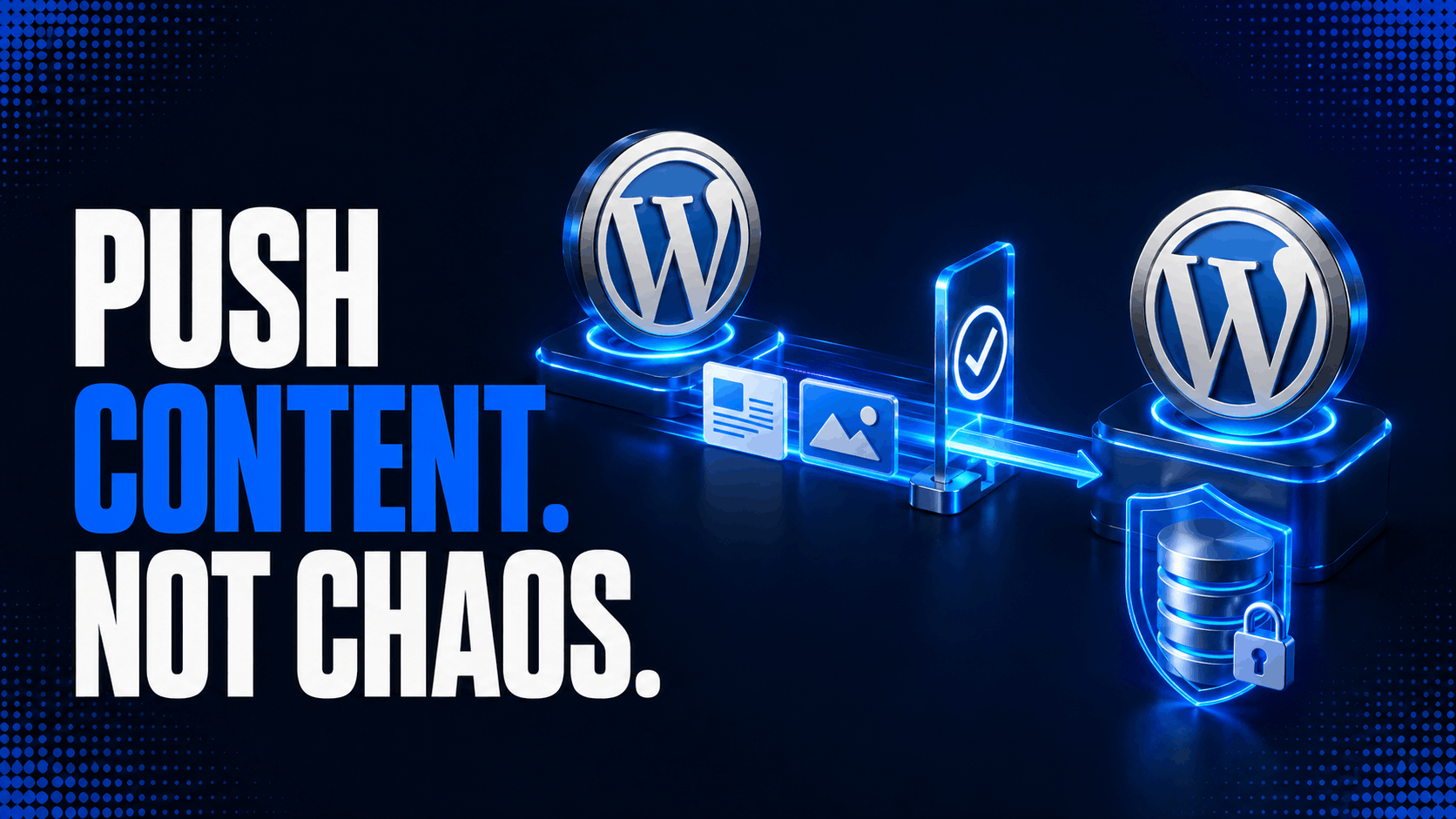
A partial deployment transfers only a defined change set from one WordPress environment to another.
For content, that change set might contain one page, its featured image, two inline media attachments, assigned categories, custom fields and a synced pattern used inside the block markup. Everything else on the destination remains as it was.
A full-site migration has a different goal. It attempts to reproduce the complete source environment on the destination: files, database, configuration and often URLs. That is correct when moving a site to a new host, creating a fresh clone or replacing a production site during a controlled launch window.
It is wrong when production is already authoritative for orders, accounts, submissions or editorial activity.
The distinction can be summarized like this:
| Operation | Source of truth | Destination behavior | Typical use |
|---|---|---|---|
| Full migration or clone | The entire source site | Replace most or all destination state | Hosting move, initial launch, disaster recovery |
| File deployment | Git repository or build artifact | Replace selected code files | Themes, plugins, MU plugins, compiled assets |
| Configuration migration | Versioned migration or approved setting change | Update named configuration values | Plugin settings, feature flags, rewrite rules |
| Selective content deployment | Approved content objects on staging | Create or update only mapped content and dependencies | Landing pages, posts, documentation, custom post types |
| Transactional synchronization | Production application | Preserve or replicate live business events | Orders, payments, bookings, memberships, form entries |
Calling all five operations “staging sync” hides the most important decision: which environment owns each kind of data?
Once the Sites Diverge, the Database Cannot Be Treated as One File
At the moment a staging copy is created, both environments may contain identical rows and IDs. From that point forward, they diverge.
Suppose staging and production both have a page with ID 814. An editor then creates a new page on live, while a developer creates a different page on staging. Both databases may assign the next available ID, 815, to completely unrelated objects.
Copying the staging row with ID 815 into production can overwrite the live page. Preserving the source ID is therefore unsafe. Assigning a new destination ID avoids the collision, but every reference to the old source ID must then be remapped.
That includes obvious relationships such as _thumbnail_id and post_parent, but also less obvious references stored in block attributes, shortcodes, navigation items, page-builder JSON, custom fields and serialized plugin settings.
This is why a reliable system needs an identity map rather than assuming database IDs are portable.
A basic mapping record looks like this conceptually:
source site UUID + object type + source object ID -> destination object IDFor example:
staging-7f14 + attachment + 231 -> production attachment 912
staging-7f14 + page       + 814 -> production page       406
staging-7f14 + wp_block   + 119 -> production wp_block   288
The map makes repeated deployments idempotent. The second deployment updates destination page 406 instead of inserting a duplicate page with another slug.
It also allows references inside the payload to be rewritten only after every required destination object exists.
A WordPress Table Is a Storage Container, Not a Deployment Unit
One of the most searched questions around staging is: “Can I push only selected database tables from staging to live?”
Technically, yes. Operationally, copying a core table is usually much less selective than it sounds.
The wp_posts table does not contain only blog posts. It contains pages, attachments, revisions, classic navigation items and many internal content objects. Modern WordPress also registers reserved post types for synced patterns, global styles, navigation, templates and template parts: wp_block, wp_global_styles, wp_navigation, wp_template and wp_template_part. The official post type reference lists these built-in records.
Replacing wp_posts to move one page can therefore replace unrelated pages, media records, menu items and Site Editor changes at the same time.
Copying only the page row is not enough either. Its metadata is mixed with metadata for every other object in wp_postmeta. Taxonomy assignments span the term and relationship tables. The binary image lives in wp-content/uploads, while its attachment record and metadata live in the database.
WordPress’s storage model is normalized in some places, loosely referenced in others and extended by every active plugin. The correct selection boundary has to follow the object relationships, not the table names.
The risk profile of common WordPress tables
| Table or data family | What it may contain | Safe to replace from staging? | Better approach |
wp_posts | Posts, pages, media records, revisions, menus, templates, patterns and custom post types | No on an active site | Select individual objects and remap dependencies |
wp_postmeta | Mixed metadata for every post-like object | No | Transfer only approved meta keys for selected objects |
wp_terms, wp_term_taxonomy, wp_term_relationships | Categories, tags and custom taxonomies | Rarely | Match terms by taxonomy, slug and hierarchy; then assign destination IDs |
wp_options | Site URLs, plugin settings, transients, cron data, active plugins and theme state | Almost never | Migrate named, reviewed options through an explicit adapter |
wp_users, wp_usermeta | Accounts, capabilities and user preferences | No in a normal staging push | Map authors to existing live users |
wp_comments, wp_commentmeta | Comments and plugin records built on the comment API | No | Keep production authoritative |
| WooCommerce order tables | Orders, addresses, operational and payment-related data | No | Keep production authoritative and use WooCommerce APIs when a real integration is required |
| Form, booking or membership tables | Live submissions and business events | No by default | Exclude unless the product has a specific, tested migration workflow |
| Plugin-owned configuration table | Isolated settings or definitions | Sometimes | Push selected rows only after schema and ownership review |
| Analytics, logs, sessions and queues | Ephemeral or production-generated data | No | Rebuild, expire or leave untouched |
WooCommerce makes table assumptions even more dangerous. High-Performance Order Storage uses dedicated order tables and WooCommerce CRUD APIs rather than treating every order as a normal post. The official HPOS documentation describes that custom storage model. A script written around wp_posts and wp_postmeta can be incomplete even when it appears to work on an older store.
When pushing a selected table can be reasonable
Table-level deployment is not forbidden. It is simply a poor default for shared WordPress tables.
It can be appropriate when a plugin owns an isolated table whose rows are configuration created only on staging, the schema is identical in both environments, production does not write to that table, and every relationship to other objects has a known mapping strategy.
Even then, transferring selected rows is safer than dropping and recreating the table. The deployment should have a natural key or UUID, perform an upsert, validate foreign references and leave unrelated destination rows untouched.
A table named wp_agency_layout_definitions with immutable UUIDs is a possible deployment unit. wp_options is not.
Define Four Deployment Lanes Before Choosing a Tool
The safest agencies decide how a change travels before anyone starts building it.
Code belongs in version control
Theme PHP, plugin code, JavaScript, CSS, block registrations, templates stored in files and build artifacts should move through Git, CI/CD, an archive release or another code-deployment process.
Copying code through the media library or hiding PHP in an option so it can travel with the database makes review and rollback harder. A content deployment plugin should not be expected to replace a release pipeline.
Deploy code before content when the new content depends on a block, shortcode, custom post type or metadata schema introduced by that release. Otherwise the destination may receive valid content that it cannot render.
Content belongs in a selective object deployment
Pages, posts, public custom post types, attachments, terms, reusable blocks and their approved metadata are the normal candidates for partial deployment.
The transfer should operate through WordPress-aware APIs or a content deployment layer, not blind SQL. That allows WordPress and plugins to sanitize values, create the correct destination IDs and run the hooks expected after an object is saved.
Configuration needs explicit migrations
Configuration sits between code and content.
Some settings are editorial, such as a selected homepage or a reusable design preset. Others are environment-specific, such as home, siteurl, payment modes, API credentials, email recipients, object-cache configuration and webhook secrets.
Copying all options cannot distinguish those categories.
Treat a setting migration as named code: read the current live value, validate the precondition, update only the intended option, record the old value and make the operation reversible. Secrets should normally be configured independently on each environment.
Live transactions remain on production
Orders, user accounts, payments, subscriptions, comments, support tickets, form entries, bookings, analytics, queue state and security logs are not staging artifacts. They belong to the running application.
A content deployment should have an explicit exclusion policy for these data families. “We did not select the orders table” is weaker than “this deployment engine has no operation capable of writing orders.”
Selective Content Is a Dependency Graph
A page is rarely one row.
Consider a service page built on staging. It has a parent page, a featured image, six inline images, two categories, an SEO title, an ACF relationship field, a synced pattern, a custom template and a button that links to another staged page.
Deploying the page requires answering several questions:
- Does the destination already contain each dependency?
- If it does, should the existing object be reused or updated?
- If it does not, is the dependency in the approved deployment scope?
- Which source IDs appear inside content, block attributes or metadata?
- Which destination IDs must replace them?
- Does the live site have the code required to understand each field and block?
A good dependency resolver separates outbound dependencies from inbound references.
Outbound dependencies are objects the selected page needs: its images, terms, parent, template and reusable blocks. Those normally belong in the deployment preview.
Inbound references are objects that point to the page: a navigation menu, a related-post list or another page linking to it. Automatically moving all inbound references can make the deployment expand across half the site. They should be reported separately so the operator can decide whether to include them.
This is where simple copy-and-paste fails. The visible text arrives, but the page’s identity and relationships do not.
The Anatomy of a Safe Deployment Manifest
Before the destination changes, the source should build an immutable manifest of what is about to happen.
An abbreviated manifest could look like this:
{
  "deployment_id": "98d9fa23-6461-4efa-94a5-9cfd0bffcdcb",
  "source_site": "staging-7f14",
  "created_gmt": "2026-08-08T09:30:00Z",
  "mode": "update-or-create",
  "objects": [
    {
      "type": "attachment",
      "source_id": 231,
      "checksum": "sha256:4fc0...",
      "operation": "create"
    },
    {
      "type": "page",
      "source_id": 814,
      "destination_id": 406,
      "base_hash": "sha256:0ab1...",
      "source_hash": "sha256:91d2...",
      "operation": "update"
    }
  ],
  "exclusions": [
    "comments",
    "users",
    "orders",
    "form_entries",
    "site_options"
  ]
}
The manifest should record the source, destination, selected objects, resolved dependencies, proposed operations and expected preconditions. It becomes the basis of the preview, authorization check, execution log and rollback plan.
It also prevents the source from changing mid-deployment. If an editor updates page 814 after the preview, its hash no longer matches the manifest and the operation should stop or require a new review.
Stable Identity Is More Important Than Matching IDs
Database IDs are local implementation details. A deployment system needs a stable identity above them.
For content created and repeatedly updated through the same staging workflow, the strongest identity is a deployment-specific UUID stored on both sites. The mapping table can then pair that UUID with the current local ID.
Slugs and URLs are useful secondary signals but weak primary keys. Slugs can change. Two post types can use the same slug. Hierarchical pages can have the same child slug under different parents. Drafts may not have final permalinks.
Terms should normally be matched by taxonomy, slug and parent lineage. Users should be mapped by an approved identity such as a verified email address or an explicit administrator selection. Media can be matched using a deployment UUID or a checksum plus filename and MIME validation.
WordPress does support import_id when inserting a post, but it can be used only when that ID is not already occupied. The wp_insert_post() documentation also makes clear that passing an existing ID updates that local object. A deployment engine should never pass a source ID into the destination and assume it still refers to the same content.
Conflict Detection Prevents Silent Live Overwrites
Selective deployment protects unrelated records. It can still overwrite a live edit to the same page.
Imagine that the staging page and live page were identical when staging was created. A client edits the live phone number while the agency redesigns the staging layout. A blind selective update preserves the rest of the database but replaces the phone number.
A mature workflow needs a conflict policy.
| Policy | Behavior | Appropriate when |
| Create only | Fail if the mapped destination already exists | New campaign pages that must never replace content |
| Force update | Replace the mapped destination with staging | Production editing is prohibited for that object |
| Skip if changed | Compare the live object with the last synchronized base and stop on divergence | Shared editorial ownership |
| Manual review | Show field or payload differences and require a decision | High-value pages and uncertain ownership |
| Merge adapter | Combine defined fields according to plugin-specific rules | Structured data with an explicit schema |
The most dependable check is a three-way comparison:
- the base version recorded at the last successful synchronization;
- the current staging version;
- the current production version.
If only staging changed, deploy. If only production changed, skip. If both changed, report a conflict.
Comparing only post_modified_gmt is better than nothing but not sufficient. A cache rebuild or plugin save can change timestamps without meaningful content changes, while some plugins update related tables without touching the main post timestamp. Canonical hashes of the fields owned by the deployment adapter are more reliable.
Media Files Need Their Own Deployment Path
An attachment is both a database object and a file.
Its attachment post stores identity and relationships. Post meta stores file paths and generated image metadata. The original binary and derived image sizes live under wp-content/uploads. Content may reference the attachment ID, its URL, a generated size URL or a block attribute containing several of those values.
A safe media transfer should:
- validate MIME type, extension and size before accepting the file;
- calculate a checksum to detect corruption and possible duplicates;
- transfer the original file over the authenticated channel;
- create or map the destination attachment through WordPress;
- generate destination metadata and image sizes where appropriate;
- replace source attachment IDs and URLs only inside the selected payload;
- verify that every final URL returns the expected file.
Do not assume the staging and production upload paths are identical. Multisite, offloaded media, object storage and custom upload directories can all change the destination.
WXR export illustrates the same distinction. WordPress’s wp export creates a content file containing authors, terms, posts, comments and attachment records, but the WXR file does not contain the attachment binaries. The importer may fetch those files separately when configured to do so. A successful XML import does not prove every image arrived.
Handle URLs Without Corrupting Serialized Data or GUIDs
Staging URLs appear in block markup, custom fields, widget data, page-builder structures, CSS, attachment metadata and plugin configuration.
A global SQL REPLACE() is unsafe when the value is PHP-serialized because changing string length without updating the serialization metadata corrupts the value. It is also far too broad for a partial deployment.
The preferred approach is to decode a field through the plugin or WordPress API, rewrite the recognized URL properties and encode it again. JSON should be parsed as JSON. PHP-serialized values should be unserialized and reserialized through WordPress functions. Unknown blobs should be left alone or handled by a registered adapter.
For controlled command-line migrations, wp search-replace understands PHP serialized data and provides --dry-run. Restrict it to the exact tables and fields in scope rather than running it across production after every content push.
Do not use a domain replacement to rewrite post GUIDs. WordPress’s migration documentation explicitly warns that GUID values should remain stable. A GUID may resemble a URL, but it is an identifier, not the destination permalink.
Modern WordPress Content Extends Beyond Posts and Pages
The block editor moved more design state into database-backed content objects.
Synced patterns use the wp_block post type. Navigation can use wp_navigation. User-customized block templates, template parts and global styles are also stored as dedicated post types. A landing page may therefore depend on content that looks like theme code in the Site Editor but is actually stored in the database.
That does not mean every page deployment should include the entire set of global styles and templates.
Templates and global styles are theme-specific and can affect the whole site. They should normally travel as separate, explicitly approved changes after the matching theme code exists on production. A reusable pattern directly referenced by a selected page is a more natural dependency, but its own images and block references still need resolution.
The same rule applies to page builders. Elementor, Beaver Builder, Divi and custom frameworks may store layout data in post meta, JSON, serialized arrays or additional tables. Copying visible HTML is not enough, and copying all metadata is not automatically safe.
A deployment tool must either understand the plugin’s storage model or expose a tested adapter. If it does neither, the operator should treat the content type as unsupported until a staging-to-staging trial proves otherwise.
Compare the Available WordPress Deployment Methods
There is no single best method for every change set.
| Method | Selectivity | Dependency handling | Repeatability | Main risk |
| Manual copy and paste | High for visible text | Poor | Poor | Missing metadata, media and relationships |
| WordPress Tools Export/Import | Medium | Handles standard content reasonably | Medium | Limited precision and incomplete plugin-specific data |
| WP-CLI WXR export/import | Medium to high with filters | Similar to WordPress importer | High when scripted | Still format- and plugin-dependent |
| Direct SQL row export | High in appearance | Manual | High for experts | ID collisions, missed dependencies, serialization and hook bypass |
| Hosting full-site push | Low | Complete replacement | High | Overwrites live data |
| Hosting table selection | Table-level only | Usually none across selected tables | Medium | A table is broader or narrower than the real content object |
| Custom REST deployment | Potentially very high | Whatever the implementation supports | High | Significant engineering and security responsibility |
| Purpose-built content deployment plugin | Object-level | Product-specific | High | Must verify support for each content type and plugin |
WordPress Export and Import
Tools → Export is useful for ordinary posts, pages and taxonomies. The underlying WordPress exporter can filter by post type, author, date, category and status. The official export_wp() reference documents those boundaries.
It is not a deployment transaction. It does not provide a persistent source-to-destination map, a conflict policy or an agency approval log. Importing the same package again can also produce different results depending on existing content and importer behavior.
Use it for a controlled one-off transfer of conventional content, then verify media, authors, terms and plugin fields manually.
WP-CLI
WP-CLI makes exports repeatable and easier to automate. wp export can filter content, and wp import can import WXR from a script and rewrite imported URLs with a compatible importer version.
WP-CLI can also export particular SQL rows. The official wp db export examples include a --where clause for selected posts and related meta. That is a building block, not a complete content deployment strategy. The operator still owns ID remapping, taxonomy relationships, attachments, plugin data, sanitization and every post-import hook bypassed by raw SQL.
For agencies with strong deployment engineering, WP-CLI can be part of a custom pipeline. For ordinary client operations, a reviewed object-level interface is usually safer.
The REST API
The WordPress REST API provides JSON interfaces for posts, pages, media, terms and registered custom post types. It is a solid transport layer for a custom deployment service, but it does not automatically discover dependencies or define conflict behavior.
External authenticated requests can use Application Passwords over HTTPS. WordPress has supported them since version 5.6, and the REST API authentication documentation explains the standard flow.
Use a dedicated deployment user with the narrowest capabilities possible. A staging environment should not store the primary production administrator’s password.
The Correct Execution Order
WordPress cannot provide one ACID transaction across two websites and a media filesystem. A network failure can happen after the image transfers but before the page updates.
The deployment must therefore behave like a journaled workflow with resumable and compensating steps.
A dependable order is:
- authenticate both sites and verify the target identity;
- acquire a short deployment lock for the selected objects;
- validate WordPress, plugin, theme and schema compatibility;
- create the immutable manifest and destination backup point;
- resolve authors and existing terms;
- transfer or map media and reusable dependencies;
- create destination skeleton objects to obtain new IDs;
- import approved fields and metadata through WordPress APIs;
- rewrite mapped references and assign taxonomies;
- connect parent, template and related-object relationships;
- verify rendered URLs, files and expected hashes;
- purge only the affected caches and finalize the deployment log.
Every step should be idempotent. Retrying after a timeout must not create a second page or duplicate attachment.
The destination should store the deployment ID and completed step numbers. If the source retries the same request, the target returns the previous outcome or resumes safely.
Preflight Is Where Most Incidents Are Prevented
A deployment preview should answer more than “1 page selected.”
It should show whether the destination object will be created or updated, which dependencies will be added, which existing records will be reused, which fields are excluded and which conflicts block the operation.
The preflight should check at least:
- the exact source and destination URLs and site identifiers;
- WordPress version compatibility;
- active theme and required plugin versions;
- registration of the selected post type and taxonomies;
- availability of required blocks and shortcodes;
- destination write permissions;
- media upload limits and free storage;
- source and target hashes for mapped objects;
- forbidden data families such as orders and users;
- a recent restorable backup of database and uploads.
WordPress’s own backup documentation treats the database and files as separate parts of a complete site backup. A selective content deployment can change both, so the recovery point needs both.
Do not accept “the host runs nightly backups” without checking the timestamp, retention, restore access and whether uploads are included.
Rollback Needs More Than Post Revisions
WordPress revisions are useful, but they are not a complete deployment rollback.
A revision can preserve versions of supported post fields. It may not restore every custom field, taxonomy assignment, plugin table row, newly created media file, generated image size or changed option. Revisions can also be disabled or limited.
A robust rollback plan records:
- the previous canonical payload for every updated object;
- the destination IDs created by the deployment;
- previous term and parent relationships;
- metadata added, updated or deleted;
- files created or replaced;
- cache and index operations performed;
- the exact deployment manifest and software versions.
Rollback should reverse only the failed change set. Restoring the entire production database to undo one page update can erase new live transactions that occurred after deployment.
For high-risk work, take a full backup immediately before the push and also keep an object-level journal. The full backup is disaster recovery. The journal is the practical rollback.
Security for Site-to-Site Content Synchronization
A deployment connection has permission to modify production content. Treat it like a release credential, not a convenience token.
The connection should use HTTPS, revocable credentials and a dedicated production role. The target must check capabilities for every object type, not merely confirm that the request contains a valid key.
If building a custom protocol, sign the method, path, body hash, timestamp and unique request ID with an HMAC secret. Reject stale timestamps and replayed request IDs. Never place credentials in query strings where access logs and analytics can capture them.
The destination should not accept an arbitrary source URL and fetch whatever it is given. That creates a server-side request forgery risk. Connections should be administrator-approved and stored against a stable site identity.
Media uploads need the same controls as normal WordPress uploads: MIME validation, file-size limits, filename handling and capability checks. Imported HTML and metadata still require validation and safe output. “It came from our staging site” is not a security boundary, especially when staging has weaker access controls than production.
Protect staging from public indexing, restrict its administration and remove old production credentials from snapshots. A compromised staging site with a permanent deployment token can become a route into production.
Where DeployPress Fits
DeployPress is built for the gap between manual copying and full database replacement.
Instead of treating staging as a complete database image that must overwrite production, it lets the operator choose the content to transfer, review the planned deployment and send that content directly between connected WordPress installations.
According to the current WPBay product documentation, DeployPress supports normal posts and pages, public custom post types, featured images, media attachments, taxonomies, categories, tags, custom fields, metadata, Gutenberg block content, reusable blocks, shortcodes and related content data.
Its product page also states that the synchronization is self-hosted: the WordPress sites communicate through authenticated connections without a third-party cloud dashboard or external synchronization server. Deployment logs record what was sent and whether the process completed.
The intended safety boundary is exactly what active client sites need. Selected content moves while live comments, WooCommerce orders, customer accounts, form entries, analytics and other production activity remain untouched.
That makes DeployPress a strong fit for:
- client-approved service and landing pages;
- scheduled campaign content prepared on staging;
- documentation and knowledge-base updates;
- blog posts with media and custom fields;
- compatible public custom post types;
- agencies that repeat the staging-to-live workflow across projects.
The word compatible still matters.
A custom post type may store its visible content in wp_posts while a companion plugin stores relationships in a private table. An ACF field may contain an attachment ID, a repeater, a relationship to another post or serialized structured data. A WooCommerce product can include variations, taxonomies, downloadable files and extension-specific records.
DeployPress’s published feature set covers the common WordPress content graph, but an agency should test its exact stack before promising support for every plugin-owned structure. If a workflow requires field-level three-way merges, automatic rollback or a particular custom table, verify that capability in the current version instead of assuming it from the general phrase “content sync.”
The product’s strongest value is operational: it puts selective publishing inside WordPress, where an agency can choose approved content and inspect the deployment instead of assembling SQL exports by hand.
A Safe DeployPress Agency Workflow
The tool should sit inside a wider release process, not replace it.
Step 1: Classify the approved changes
Create a release note that separates code, configuration, content and production-owned data.
If the new page uses a custom block added in the same project, deploy the theme or plugin release first. If the page requires a new environment-specific API key, configure that separately. Only the actual page and its approved dependencies belong in the content deployment.
Step 2: Confirm environment parity
Check the active theme, plugin versions, post type registrations, taxonomies and required shortcodes on production.
The content transfer may complete successfully while the frontend fails because a block is missing. Deployment success and rendering success are different tests.
Step 3: Back up production
Take a restorable database and uploads backup close to deployment time. Record the backup ID or path in the release ticket.
Do not continue if the team cannot restore it.
Step 4: Select the smallest useful change set
Choose the approved page or post and include the dependencies genuinely required to render it. Avoid “select all recent content” unless the release was reviewed as one package.
Smaller deployments are easier to preview, verify and reverse.
Step 5: Review the transfer
Confirm every create and update operation. Check destination slugs, authors, parent pages, terms, media and any existing live object that will be replaced.
If the live object changed after the staging work began, stop and resolve ownership before pushing.
Step 6: Deploy and keep the log
Run the transfer during a normal low-risk window, but do not impose unnecessary maintenance mode on the whole site for an object-level content update.
Keep the deployment record with the client project. It should be possible to answer who deployed what, from which environment and when.
Step 7: Verify the rendered result
Open the final URL as a logged-out visitor. Test desktop and mobile output, images, downloads, forms, buttons, canonical tags, schema, breadcrumbs, internal links and cache behavior.
If the content contains a new conversion path, submit a controlled test rather than assuming that a visually correct page is operationally correct.
Step 8: Purge affected caches and monitor
Purge the page, object and CDN cache for affected URLs. Update external search indexes only where needed. Watch PHP logs, browser console errors, 404s and form events after deployment.
Leave the rollback materials available until the release has passed its agreed observation window.
Special Cases That Need Extra Care
WooCommerce products
A simple product description is not always simple content. Products may have variations, attributes, prices, downloadable files, gallery images, stock data and extension records.
Production should remain authoritative for orders, customers and operational stock. Before deploying products, define which product fields staging owns and verify the complete data model used by the installed WooCommerce extensions.
Do not deploy an old staging stock value over a live inventory count.
ACF and other custom fields
Text, number and URL values are straightforward. Relationship, post object, image, gallery, taxonomy and repeater fields can contain IDs that are valid only on the source.
The importer must understand the field schema, map referenced objects and preserve the difference between field values and field definitions. Copying all post meta can also bring private plugin state that was never meant to move.
Multilingual content
A translated page is normally part of a translation graph. The language plugin may store source relationships, translation group IDs and locale metadata outside ordinary post fields.
Deploy the complete approved language set through a tested integration. Matching translated pages by slug alone is unreliable.
Membership, LMS and booking content
Course definitions, lesson content and booking services may be deployable. Enrollments, progress, appointments and payments are live transactions.
The same plugin can own both categories in nearby tables. An adapter must distinguish definition data from user activity.
Block themes and Site Editor changes
Templates, template parts, navigation and global styles can affect the whole site. Treat them as separate release objects with their own preview and approval.
Deploy the matching theme files first, then the selected database-backed customization. Never include every global style record simply because one page uses the theme.
Multisite
Each site in a WordPress multisite network has its own content tables, while users and some network data are shared. Site IDs, upload paths and table prefixes add another mapping layer.
Confirm explicit multisite support before using any deployment tool. A command that works on a single installation can target the wrong blog tables when network context is missing.
Common Deployment Mistakes
Replacing wp_posts and wp_postmeta together
This sounds selective because two tables were chosen instead of the complete database. It still replaces nearly every content object and its metadata while omitting terms, files and plugin tables.
It combines destructive breadth with incomplete dependencies.
Importing source IDs as destination IDs
IDs collide after the sites diverge. Use a stable identity map and let the destination assign local IDs.
Running a global domain replacement after every push
This touches unrelated production records and can corrupt unknown serialized formats. Rewrite only recognized values in the approved payload, and never rewrite GUIDs as ordinary URLs.
Assuming the database backup contains uploads
It does not. A database export can restore attachment records without restoring the image files they describe.
Using the main administrator password for synchronization
Use a dedicated, revocable credential with restricted capabilities. A staging compromise should not expose the most powerful production account.
Treating “deployment completed” as frontend verification
The API can return success while the page contains a missing block, broken image, stale cache or invalid form configuration. Verify the rendered result.
Forgetting live edits to the same object
Selective deployment does not solve same-record conflicts by itself. Define whether staging or production owns the page and stop when both changed.
Believing a full rollback is harmless
Restoring the entire database can delete transactions created after the backup. Prefer object-level reversal for an object-level deployment, while retaining the full backup for emergencies.
Frequently Asked Questions
How do I move content from staging to live in WordPress without overwriting the database?
Use an object-level deployment workflow. Select the page, post or custom post type, resolve its media, taxonomies, metadata and reusable dependencies, map source IDs to destination IDs, review conflicts and update only those destination objects. A purpose-built plugin such as DeployPress packages this workflow inside WordPress.
Can I copy only wp_posts and wp_postmeta from staging to production?
You can technically export them, but you should not replace those tables on an active site. They contain far more than the selected page and still omit taxonomy relationships, upload files and plugin-specific data. Select records through WordPress-aware APIs instead.
Is it safe to push selective database tables in WordPress?
It can be safe for isolated plugin-owned tables with identical schemas, stable keys, no production writes and fully understood relationships. It is normally unsafe for shared core tables such as wp_posts, wp_postmeta, wp_options, users or comments. Row-level deployment is usually the better model.
Does WordPress Export include images?
WXR can include attachment records and an importer may download referenced files, but the XML export itself does not contain the image binaries. Always verify the uploads and final URLs after import.
Should code and content be deployed together?
They can be part of the same release, but they should use separate mechanisms. Deploy the theme or plugin code first, verify the required post types and blocks exist, then deploy the selected content that depends on them.
Can I deploy Elementor or ACF pages selectively?
Only if the deployment tool understands the metadata and referenced IDs used by the installed versions. Test image, relationship, repeater, template and global-setting dependencies on a disposable destination before using the workflow on production.
Does DeployPress replace a backup plugin?
No. Selective deployment reduces the blast radius, but a software defect, network interruption or incorrect selection can still cause damage. Keep a verified production backup and an object-level deployment log.
Will DeployPress overwrite WooCommerce orders or users?
DeployPress is designed to transfer selected content rather than the complete database, and its WPBay product page states that orders, customer accounts, comments, form entries and other live production data remain untouched. Agencies should still review the selected content type and test complex WooCommerce extensions before deployment.
Can selective deployment work without downtime?
Usually, yes. Creating or updating a small number of content objects does not require replacing the production database or placing the whole site in maintenance mode. The workflow still needs a short lock against concurrent edits to the selected objects and a plan for cache invalidation.
What is the safest staging-to-live WordPress workflow for agencies?
Classify code, configuration, content and live data separately; back up production; deploy required code first; select the smallest content change set; review dependencies and conflicts; run the transfer through authenticated connections; verify the frontend; and keep an auditable rollback record.
Final Verdict: Push the Change Set, Not the Database
The full database push survives because it is easy to understand. Staging looks correct, so replace production with staging.
That model works only while production has nothing worth preserving.
As soon as a site accepts orders, accounts, comments, forms, bookings or editorial updates, production becomes a living data source. Staging is no longer a newer copy of the same database. It is another branch with a different history.
The safe solution is not to choose fewer tables from a destructive migration screen. It is to define a real deployment unit: the approved content object, its dependencies, its identity mapping, its conflict policy and its rollback record.
That is the problem DeployPress is designed to solve. It gives agencies and developers a WordPress-native path for moving selected pages, posts, media, taxonomies, custom fields and related content without replacing the production database.
Use Git for code. Use explicit migrations for configuration. Keep transactions on production. Use selective deployment for content.
The result is not only a safer push. It is a workflow the agency can repeat, audit and defend when the live site actually matters.