


Easy 3D Model Viewer

 Well Documented

What is Easy 3D Model Viewer
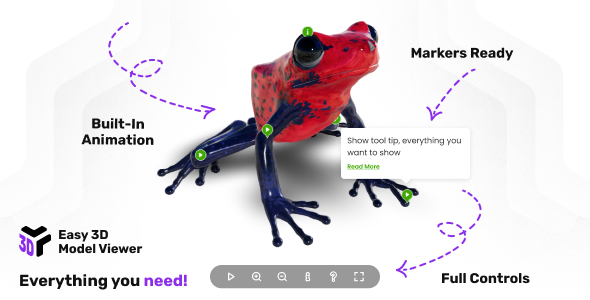
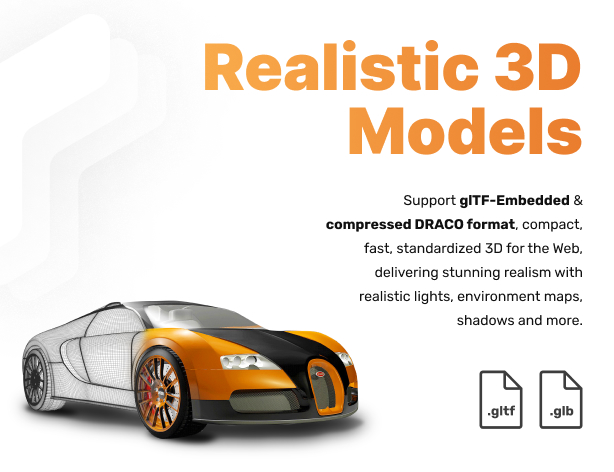
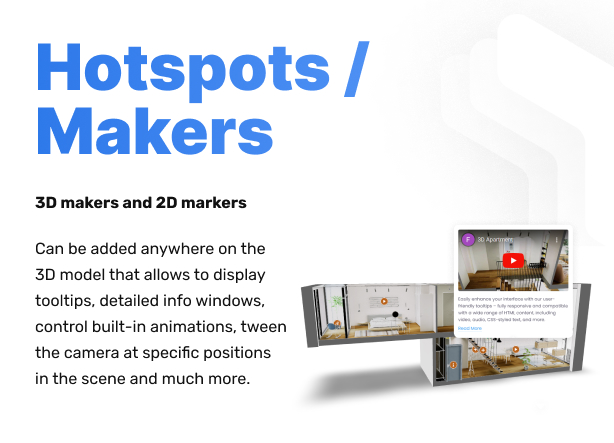
3D responsive model viewer that supports gltf, glb, glTF-Embedded, and compressed DRACO formats, delivering stunning realism with realistic lights, environment maps, shadows and more. Take your models to the next level by adding markers/hotspots that can play/control built-in animation, show tooltips and detailed info windows, animate custom camera postions and much more!
Take your models to the next level by adding markers/hotspots that can play/control built-in animation, show tooltips and detailed info windows, animate custom camera postions and much more
Main features
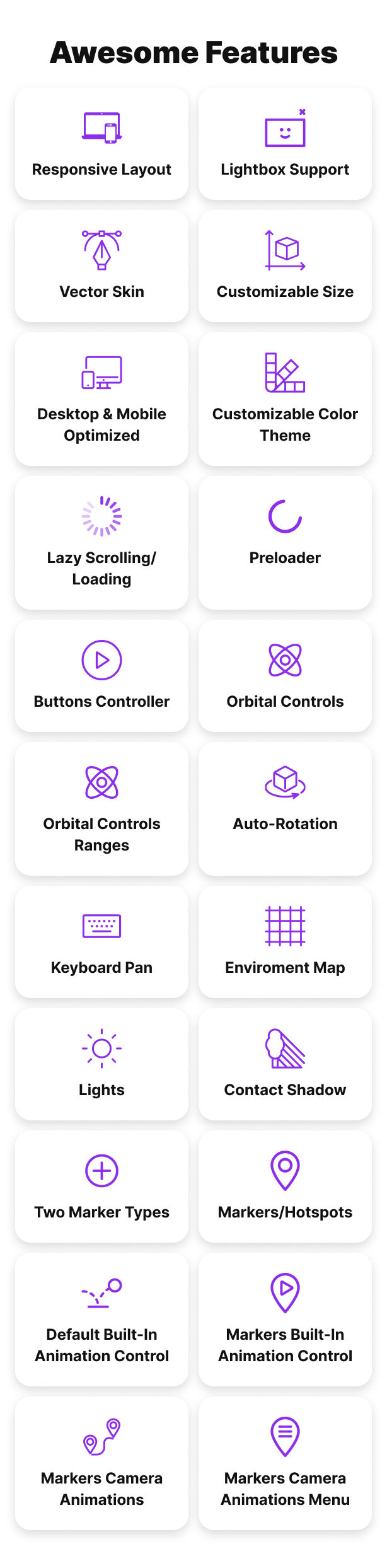
Responsive Layout – Fully responsive and adaptable regardless of which device is used.
Lightbox Support – Easy 3D Model Viewer can be opened in a lightbox when the page is ready or triggered by an external action, such as clicking a button. The lightbox layout is fully responsive, and the viewer size can be customized as needed, example here.
Customizable Size – Easy 3D Model Viewer can be set to any width or height and can be added anywhere in your page or app.
Desktop & Mobile Optimized – Easy 3D Model Viewer will adapt to any screen size and any device, whether you are using a mobile phone (IOS, Iphone, Android) or on your desktop browser.
Vector Skin – Everything is vector based this will make the viewer look sharp on all devices mobile or desktop.
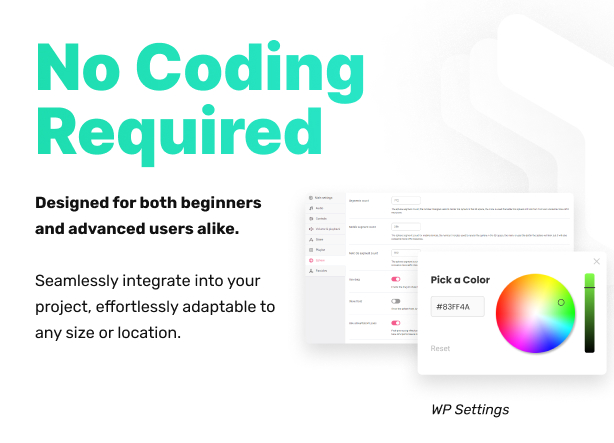
Customizable Color Theme – The color theme of all viewer elements can be easily customized to suit your preferences.
Lazy Scrolling/Loading – Option to initialize Easy 3D Model Viewer on scroll when the viewer is visible in the page, this way for example if the viewer is in a section that is not visible it will not be initialized, instead the viewer will be initialized only when the user will scroll to the section in which the viewer is added.
Preloader – Customizable preloader that not only displays loading progress but also features a poster. You have the flexibility to set the preloader’s size and position according to your preferences, example here.
Buttons Controller – Customizable controller featuring play, zoom in, zoom out, info, help, and fullscreen buttons. The controller automatically hides itself after a designated period of user inactivity.
Orbital Controls – Customizable 3D orbital controls that allows to zoom and move the camera.
Orbital Controls Ranges – The camera rotation can be selectively constrained both horizontally and vertically, alongside customizable minimum and/or maximum zoom settings, adjusting parameters such as zoom factor, damping factor, zoom speed, pan speed, and more, example here.
Auto-rotation – The 3D model can be configured for automatic rotation, with the option to customize the rotation speed to suit individual preferences, example here.
Keyboard Pan – Navigate the model effortlessly with keyboard shortcuts, using the intuitive W A S D keys or your preferred custom key setup, the pan speed can be adjusted as well.
Enviroment Map – Eenhanced environmental mapping support with .exr files, offering nuanced control. Choose to display the environment map as a background, utilize it solely for reflections and lighting in a specific mode, or apply it subtly as a color-toned gradient color.
Lights – Effortlessly customize directional and ambient lighting to suit your model perfectly. Easily set the light intensity and position according to your preferences, with added support for tone mapping to extend the luminance range for a richer visual experience.
Contact Shadow – Achieve authentic contact shadows with a defined contact plane. Tailor the shadow’s blur, darkness, and opacity to your exact specifications for a seamless and customizable visual experience.
Default Built-in Animation Control – Play a 3D model built-in animation at your preferred time once the model is ready for display. Adjust the animation speed to your liking and fine-tune parameters such as clamping at the end and loop count for a tailored and dynamic presentation.
Markers/Hotspots – Enhance your 3D model with customizable markers/hotspots. These versatile feature can open pages/links, enable control over built-in animations or camera positions and can display tooltips and/or detailed info windows, enriched with full HTML and CSS support.
Two Marker Types – Easy 3D Model Viewer introduces support for two marker types. The 2D markers type manifests as an HTML element added over the 3D canvas, it dynamically hides or shows based on the angle value between the camera and the marker’s intersection point face normal. Meanwhile, the 3D markers type seamlessly integrates into the scene, sharing a visual similarity with its 2D counterpart.
Markers Built-in Animation Control – Clicking on a marker empowers you to control a built-in animation with a myriad of options at your fingertips. Define parameters such as animation loop count, speed/time scale, and choose whether to animate the marker along with the model or maintain a fixed position. Customize post-animation actions, including playing the animation in reverse, animation clamping, and toggling the display of tooltips or info windows.
Markers Camera Animations – Establish personalized positions on a model with custom names. Upon clicking a marker, seamlessly transition the camera to the personalized location using smooth tweening, allowing you to set the duration and easing to match your preferences. This versatile feature can be integrated with the built-in animations, akin to the functionality observed in the photo camera demo when clicking the larger play marker.
Markers Camera Animations Menu – Navigate your personalized marker camera animations effortlessly with a dedicated menu. This intuitive interface not only showcases but also grants control over the displayed markers and their corresponding camera animations, example here.
Direct Support From The Developer – Once you buy the Easy 3D Model Viewer you will also receive direct support and attention from the video player developer, Tibi @ FWD.
Only logged in customers who have purchased this product may leave a review.
Loading...
WPBay support
 Support by FWDesign
Support by FWDesign
FWDesign supports this product through WPBay
Questions are handled in WPBay's private ticket system, keeping your purchase details and support conversation together.
Go to My Downloads
After purchase, open this item in My Downloads and choose Get Support.
What support includes
- Answers to product-related questions
- Help with reported bugs and issues
- Guidance for included third-party assets
What support does not include
- Customizations or new features
- Installation or setup services
Script
Maintenance snapshot
See recent updates, compatibility, support, and developer activity.
- Updated 95 days ago
- Developer active recently
- WPBay support available
- Documentation available
Snapshot updated 2 hours ago
View details Hide details
Maintenance details
This is maintenance data. It does not measure product quality or sales.
- Last update Updated 95 days ago
- Compatibility Not used for scripts
- Releases 1 release in the 95 days since listing
- Developer activity Developer active recently
- Support No recent support tickets to measure
- Docs and demo Documentation available · Changelog missing · Demo available
Health reflects increased activity during the last 90 days.
How this snapshot works
Script Health
The score is out of 100 and uses data WPBay can check. Ratings, popularity, and sales are not used.
- Last update 35 points
-
Scripts receive full recency points under 45 days, then step down at 120, 240, 365, and 545 days.
- Compatibility Not scored
-
Scripts do not use WordPress or PHP, so compatibility is not scored.
- Releases 20 points
-
One release earns 14, two or three earn 18, and four or more earn 20. Each accepted product ZIP counts once; reprocessing the same upload and listing-only edits do not count.
- Developer activity 20 points
-
Based on WPBay login and dashboard activity. Exact last-login dates are never shown.
- Support 15 points
-
There are no recent WPBay tickets to measure.
- Docs and demo 10 points
-
Documentation: 3. Changelog: 1. Working demo or preview: 6.
Score ranges
- 90–100 Excellent
- 75–89 Healthy
- 60–74 Fair
- 40–59 Needs attention
- 0–39 Limited
Long gaps
WPBay also checks for long gaps between updates, developer activity, support replies, and releases. Buyers do not see this score.
- Time since update 45 points
- Last developer activity 30 points
- WordPress compatibility Not scored
- Support replies 15 points
- Fewer releases 10 points
-
Quality verified by WPBay
WPBay review- Reviewed version
- Current release
- Review completed
- Reviewer
- CodeRevolution
- Review type
- Initial
No unresolved approval blocker was identified during WPBay’s proportionate review of this release. This is not a security certification or a guarantee that the product contains no defects.
-
 Future updates
-
WPBay support from FWDesign
-
GPL code, proprietary assets
-
Covered by the WPBay refund policy
-
Script maintenance snapshot
Relevant picks
You may also like
Similar products selected by category, features, popularity and freshness.

From this seller
View seller store
More by FWDesign
Explore more bestselling products from this creator.


Reviews
There are no reviews yet.