


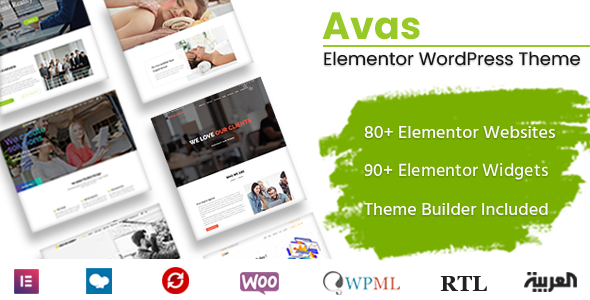
ConsultPro — Consulting & Business WordPress Theme

 Recently Updated
Well Documented

ConsultPro — Consulting & Business WordPress Theme
ConsultPro: professional WordPress theme for consulting firms — services, case studies, team, blog, customizer & demo content.
Live demo: http://01-consultpro-wp.mangoraya.xo.je/
Overview
ConsultPro is a clean, professional WordPress theme for consulting firms, business advisors, accountants and corporate agencies. It is a full WordPress conversion of a premium consulting HTML template, keeping the original design: navy blue, red accent, light grey sections and Poppins/Roboto typography.
The homepage includes a hero, services, about, featured case studies, testimonial, animated statistics, team, call-to-action banner, latest blog posts and partner brands. Everything is editable from the WordPress dashboard — all homepage text, the About image, the hero background image, the testimonial portrait and the five partner-brand logos are Customizer controls (ConsultPro Homepage Sections); no coding needed to run your site.
The theme ships with custom post types for Services, Case Studies and Team Members, a live Customizer for brand colours, contact details, hero text and social links, three footer widget areas, and a ready-to-import demo content file so your site looks like the demo in minutes.
Features
Design & Layout
- Premium consulting design: navy #092c3f, red accent #ff2143, light grey sections
- Fully responsive (desktop, tablet and mobile layouts)
- Custom logo support and clean, semantic markup
- Elementor-friendly: every homepage section has a stable id (#hero, #services, #about, #case-studies, #team, #blog) for anchors and menu links
- Child-theme ready: the parent stylesheet is always enqueued first, and an active child theme’s own style.css loads after it, so child overrides win
- Full Width page template and Contact page template included
Content Types
- Services post type with icon/short-label meta, archive and single pages
- Case Studies post type with client, industry and result meta and a Project Facts box
- Team Members post type with role and social-link meta
- Standard blog posts with categories, tags and threaded comments
Customizer & Widgets
- Customizer settings: primary colour, navy colour, phone, email, hero label/title/text/button, Facebook, Twitter/X, LinkedIn, Instagram, footer text, contact form shortcode, newsletter form shortcode
- Customizer Homepage Sections panel: every built-in homepage text is editable (About, section headings, Testimonial, Stats, CTA) plus image controls for the hero background, the testimonial portrait, the About image and the five partner-brand logos, plus a switch to use your own static front page content with Elementor or the block editor
- Menus: Primary menu and Footer menu, with keyboard-accessible dropdown sub-menus (chevron toggle, Escape to close)
- Widget areas: Blog Sidebar, Footer Column 1, Footer Column 2, Footer Column 3
- Contact page template ships with a working built-in form (emailed with wp_mail) or a plugin shortcode; the footer newsletter form only renders when configured
- Animated statistics counters and mobile menu toggle
Templates Included
- Homepage (front-page), blog index, page, single post, single service, single case study, archive, search, 404, comments, sidebar, search form
- Template parts for service, case study, team, post and “nothing found” cards
Demo Content
- demo-content.xml (WXR): 4 pages, 4 services, 4 case studies, 3 team members, 3 blog posts, categories and a Primary menu that imports populated (Home, About, Services, Blog, Contact); the Services link points to the Services archive on your own domain
- Built-in fallback images, so the homepage looks complete even before you set featured images
- Bundled local images only — no hotlinked images, no third-party copyrighted assets
What is included
- Theme files (style.css and the theme files at the archive root — upload main.zip itself)
- demo-content.xml (WXR demo content: 4 pages, 4 services, 4 case studies, 3 team members, 3 blog posts, categories and a populated Primary menu)
- documentation.txt (installation, Customizer, demo import, troubleshooting and support)
- Bundled images and locally hosted fonts (Poppins/Roboto) — no hotlinked images, no third-party copyrighted assets
Requirements
- WordPress 6.0 or higher (tested up to 6.7)
- PHP 8.1 or higher
- MySQL 5.7+ or MariaDB 10.3+
- Optional: WordPress Importer plugin (free, for demo content) and Elementor (free, for page building)
Instructions
- Upload main.zip itself — its root contains style.css and the theme files (there is no theme folder inside the archive). Do NOT unzip it first to look for a theme file inside; there is none.
- In your WordPress dashboard go to Appearance > Themes > Add New > Upload Theme.
- Choose main.zip and click “Install Now”.
- Click “Activate” to activate ConsultPro.
- Go to Settings > Permalinks and click “Save Changes” once (registers the Services, Case Studies and Team URLs).
- Go to Tools > Import > WordPress, install the WordPress Importer if asked, and import demo-content.xml (inside the theme folder).
- Go to Settings > Reading: set “Your homepage displays” to “A static page”, Homepage = Home, Posts page = Blog.
- Go to Appearance > Menus and assign your menu to the “Primary Menu” location.
- Go to Appearance > Customize > ConsultPro Settings and set your colours, phone, email, hero text and social links. Use ConsultPro Homepage Sections to edit every homepage text.
- Add widgets under Appearance > Widgets (Blog Sidebar and the three footer columns) if you want them.
- Upload featured images for services, case studies, team members and posts (Media > Add New; the theme’s assets/images folder has the demo images). Until you do, built-in fallback images are shown.
Support
For help installing or customising the theme, contact the seller through WPBay: open the ConsultPro product page on WPBay while logged in to your WPBay account and use the “Contact Seller” / message option there, or go to WPBay > My Orders, find your ConsultPro order and message the seller from the order. Please include your WordPress version, PHP version, the theme version (1.1.8) and a screenshot of the issue. Free support covers installation and bug fixes. Custom design changes and new features are available as paid customisation.
Changelog
v1.1.8 — 2026-11-24 — Fixed: the demo import file no longer ships a placeholder email address — demo-content.xml now uses the neutral demo address [email protected] for the demo author, so importing it on a fresh site creates the demo author with a neutral address instead of a placeholder Gmail address; the whole package was re-checked for the placeholder and none remains. Version identifiers unified at 1.1.8. v1.1.7 — 2026-11-23 — Fixed: the saved listing description is now clean buyer-facing copy — the internal TITLE / SHORT DESCRIPTION / FULL DESCRIPTION / TAGS / PRICE / CATEGORY / DEVELOPMENT HOURS / DEMO URL NOTE headings, the development-hours value, the duplicated price and the demo-pending note with its internal publish-steps path are removed. The description now states the live demo (http://01-consultpro-wp.mangoraya.xo.je/), and adds a ‘What is included’ list and a support route. Version identifiers unified at 1.1.7.
v1.1.6 — 2026-11-22 — Fixed: the parent stylesheet is now always loaded — ‘consultpro-style’ is enqueued from CONSULTPRO_URI . ‘/style.css’, and when a child theme is active its own style.css is additionally enqueued as a dependent handle (‘consultpro-child-style’), so the child’s rules still override the parent’s. The old code enqueued get_stylesheet_uri() as ‘consultpro-style’, which is the child’s (near-empty) style.css when a child theme is active, so the parent’s styles never loaded. assets/css/main.css still depends on ‘consultpro-style’. The guide now has a CHILD THEMES section stating that a child theme inherits the parent styles. Version identifiers unified at 1.1.6.
v1.1.5 — 2026-11-22 — Fixed: the Customizer phone and email defaults are now empty (was ‘+564 7885 3222’ / ‘[email protected]’), so on a fresh install no placeholder contact details are displayed anywhere and the contact form’s documented admin-email fallback applies — messages go to Settings > General > Administration Email Address until the owner sets their own address. The header, footer, Contact page and single service templates already render phone/email only when set. Version identifiers unified at 1.1.5.
v1.1.4 — 2026-11-21 — Fixed: the installable archive now matches the documented install — main.zip itself is the installable theme file, with style.css and the theme files at the archive root (no theme folder inside), so Appearance > Themes > Add New > Upload Theme accepts the exact submitted archive; the documentation file-structure tree, installation steps and troubleshooting entry now describe this layout exactly (tested path stated in the documentation). Version identifiers unified at 1.1.4.
v1.1.3 — 2026-11-21 — Fixed: the five partner-brand logos, the hero background image and the testimonial portrait were hardcoded although the listing promised every homepage element is dashboard-editable — all seven now have Customizer image controls (ConsultPro Homepage Sections: Hero Background Image, Testimonial Portrait, Partner Brand Logo 1–5); each replaces the bundled image for its slot, and leaving a control empty keeps the bundled image. A chosen hero image overrides the bundled hero.jpg through the Customizer CSS. Version identifiers unified at 1.1.3.
v1.1.2 — 2026-11-20 — Fixed: the built-in contact form can now send — the nonce field emitted by the Contact page template is now named consultpro_contact_nonce, matching the key the handler verifies (the old form emitted the default _wpnonce field, so every submission was rejected); honeypot, validation and wp_mail logic unchanged. Fixed: installation now matches the delivered package — upload main.zip itself (theme folder at its top level); the documentation, file-structure tree, troubleshooting and listing no longer instruct uploading a consultpro-theme.zip from inside the package. Version identifiers unified at 1.1.2.
v1.1.0 — 2026-11-17
v1.1.1 — 2026-11-18 — Replaced placeholder example.com Plugin/Theme URI and Author URI with the real Digishop store URL (WPBay review fix).
- Homepage fully editable from the dashboard (new Homepage Sections Customizer panel + Elementor/block-editor page-content switch).
- Contact form works out of the box (nonce + honeypot, wp_mail) with Contact Form 7 / WPForms shortcode option; footer newsletter only renders when configured.
- Installable theme file clearly named consultpro-theme.zip inside the main.zip package. (Note: that layout was incorrect — corrected in v1.1.2: upload main.zip itself.)
- Keyboard-accessible sub-menus (toggle buttons, aria-expanded, Escape, focus-within).
- Service icon/short and team LinkedIn/Twitter meta now render on the frontend.
- Demo menu imports populated; Services link points to the Services archive on your own domain.
- Documentation adds a WPBay support route and troubleshooting (installation, permalinks, demo import, homepage setup, form configuration).
v1.0.0 — 2026-11-17
- Initial release: full WordPress conversion of the premium consulting HTML template.
- Custom post types (Services, Case Studies, Team Members), Customizer settings, Full Width and Contact page templates, demo content and documentation.
Changelog:
v1.1.8 — 2026-11-24 — Fixed: the demo import file no longer ships a placeholder email address — demo-content.xml now uses the neutral demo address [email protected] for the demo author, so importing it on a fresh site creates the demo author with a neutral address instead of a placeholder Gmail address; the whole package was re-checked for the placeholder and none remains. Version identifiers unified at 1.1.8.
Only logged in customers who have purchased this product may leave a review.
Loading...
WPBay support
 Support by Digishop
Digishop supports this product through WPBay
Questions are handled in WPBay's private ticket system, keeping your purchase details and support conversation together.
Go to My Downloads
After purchase, open this item in My Downloads and choose Get Support.
What support includes
- Answers to product-related questions
- Help with reported bugs and issues
- Guidance for included third-party assets
What support does not include
- Customizations or new features
- Installation or setup services
Theme
Maintenance snapshot
See recent updates, compatibility, support, and developer activity.
- Updated today
- Developer active recently
- WPBay support available
- Documentation available
Snapshot updated 53 minutes ago
View details Hide details
Maintenance details
This is maintenance data. It does not measure product quality or sales.
- Last update Updated today
- Compatibility WordPress 6.7 tested, several versions behind · PHP 8.1 tested, three versions behind
- Releases 9 releases in the 8 days since listing
- Developer activity Developer active recently
- Support No recent support tickets to measure
- Docs and demo Documentation available · Changelog available · Demo available
Health reflects increased activity during the last 90 days.
How this snapshot works
Theme Health
The score is out of 100 and uses data WPBay can check. Ratings, popularity, and sales are not used.
- Last update 25 points
-
Themes receive full recency points under 60 days, then step down at 120, 240, 365, and 545 days.
- Compatibility 20 points
-
WordPress, PHP, and WooCommerce (when relevant) are scored separately. The latest two PHP lines count as current. Nearby previous versions keep most of the points.
- Current version 100%
- One version behind 75%
- Two versions behind 50%
- Three versions behind 25%
- Older or not listed 0%
- Releases 10 points
-
Themes often update less frequently: one release earns 7, two earn 9, and three or more earn 10. Each accepted product ZIP counts once; reprocessing the same upload and listing-only edits do not count.
- Developer activity 15 points
-
Based on WPBay login and dashboard activity. Exact last-login dates are never shown.
- Support 15 points
-
There are no recent WPBay tickets to measure.
- Docs and demo 15 points
-
Documentation: 4. Changelog: 1. Working demo or preview: 10.
Score ranges
- 90–100 Excellent
- 75–89 Healthy
- 60–74 Fair
- 40–59 Needs attention
- 0–39 Limited
Long gaps
WPBay also checks for long gaps between updates, developer activity, support replies, and releases. Buyers do not see this score.
- Time since update 35 points
- Last developer activity 25 points
- WordPress compatibility 15 points
- Support replies 15 points
- Fewer releases 10 points
-
Quality verified by WPBay
WPBay review- Reviewed version
- 1.1.8
- Review completed
- Reviewer
- CodeRevolution
- Review type
- Initial
No unresolved approval blocker was identified during WPBay’s proportionate review of this release. This is not a security certification or a guarantee that the product contains no defects.
-
 Future updates
-
WPBay support from Digishop
-
GPL code, proprietary assets
-
Covered by the WPBay refund policy
-
Theme maintenance snapshot
Relevant picks
You may also like
Similar products selected by category, features, popularity and freshness.


From this seller
View seller store
More by Digishop
Explore more bestselling products from this creator.

Reviews
There are no reviews yet.