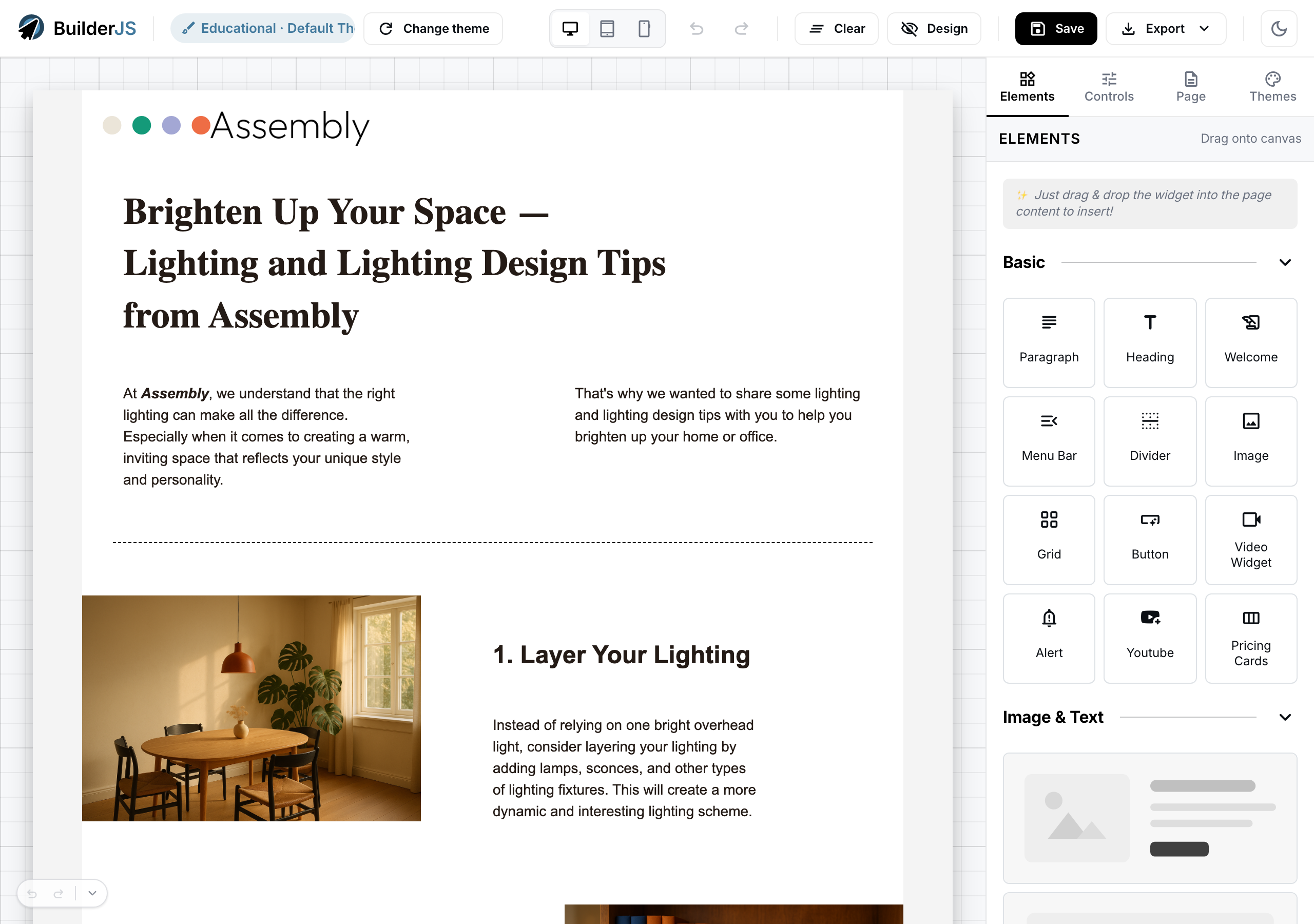
What is BuilderJS?
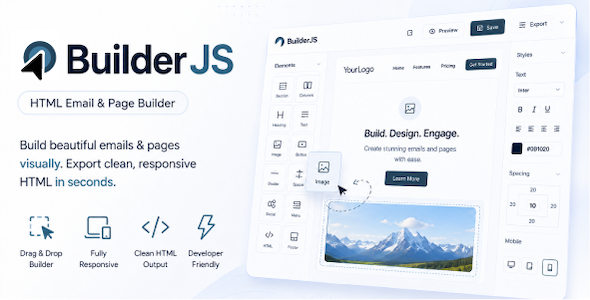
BuilderJS is a drag-and-drop
HTML email builder and page builder written in
pure JavaScript. You embed it in your own web application, whether that is a SaaS, a CRM, a newsletter tool, an email marketing platform, a CMS or an admin panel, and your users get a modern visual editor for emails, landing pages and forms right inside your product.
Give your users a Mailchimp-style editor without paying per-seat SaaS fees, without sending their data to a third party, and without spending a year building an editor from scratch. BuilderJS has been actively developed since 2020 and runs in production as the editor inside commercial email marketing and funnel-building products.
- Drag-and-drop builder for HTML emails, landing pages and forms
- Pure JavaScript that integrates with any web application
- Rich API and event system
- Flexible design, fully customizable
- Open to your own elements, widgets and controls
- 100+ ready-made templates, and growing
- Full source code included, with docs and 30+ examples
- Scalable, self-hosted and white-label
Your editor, your brand, your servers, with the full source code in your hands.
See it live: Live builder |
Feature tour |
Developer docs |
Examples |
Template gallery
Integration with any web application
BuilderJS is plain JavaScript with no framework dependency, so it fits into the stack you already run: React, Vue, Angular, Svelte, Laravel, Rails, Django or plain HTML.
- One script tag and one stylesheet. No build step required.
- Place it anywhere in your UI. The canvas, the widget palette and the settings panel mount into containers you choose. Leave the palette or the settings panel out for a compact or canvas-only editor.
- Your data stays in your app. The builder gives you JSON and HTML; you decide where to store, send or publish them.
- Plugs into your services. Use your own file manager for images, your own server to fetch RSS feeds, and your own product catalog for shop elements.
- Several builders on one page. Each instance is fully independent.
Email and page builder in one
One editor and one JSON format, two kinds of output. Tell the builder whether it is editing an email or a page, and it produces the right HTML for each.
- Emails are exported as client-safe HTML: CSS is inlined, multi-column layouts become tables for Outlook, icons are swapped for images, and mobile stacking rules are added.
- Landing pages and forms are exported as clean, modern HTML and CSS.
- Elements adapt to the context. A YouTube video plays inline on a page and becomes a clickable thumbnail in an email.
- Four export formats in the reference backend: a single HTML file, inline-CSS email HTML, a portable ZIP with assets and a re-importable bundle.
- Preview before you publish in Preview mode, with desktop, tablet and mobile widths in the included builder UI.
Rich API
Everything the editor does, your code can do too:
new Builder(options) – mounts the editor. Options cover containers, email or page output, brand colors, personalization tags, the history panel and more.load() and getData() – load a design and read it back as JSON, with nothing lost in between.getHtml() – returns the final HTML to send, publish or preview.setMode() – switches between design and preview.selectElement(), unselect() and getSelectedElement() – drive the selection from your own UI.undo(), redo(), canUndo() and canRedo() – wire history into your own toolbar or keyboard shortcuts.clear() – empties the canvas, and can be undone.builder.events.on() – subscribe to document:changed, document:saved, element:added, element:removed and mode:changed for autosave, analytics or unsaved-changes warnings.builder.widgetsBox.addWidget() – choose which tiles appear in the palette, and in which groups.Builder.registerElement() – add your own element types.
Flexible design, fully customizable
Your users get designer-grade controls, and you decide how the builder itself looks and behaves.
- Ready-made style presets for buttons, pricing cards, charts, social icons, ratings, sliders and more. Pick one, then fine-tune it.
- Designer-grade controls: a 60-swatch color picker with your brand colors and an eyedropper, per-side borders, a visual padding and margin editor, sizes in px, %, em, rem, vw or vh, and layered image and gradient backgrounds.
- Per-device visibility. Show or hide elements on desktop or mobile.
- Your brand in the builder. Restyle the editor UI with
--bjs-* CSS variables, and pass your customers’ brand colors into every color picker.
- Eight editor layouts in the examples: full three-column, compact, sidebar-only, canvas-only, mobile tabs, a small dashboard card and more.
- Personalization tags. Give users a menu of merge tags such as
{{first_name}} to insert into text, buttons and links.
- Any language. Every UI label comes from one language file, so a new locale is just a JSON file.
- Your own themes. Every element renders through an editable HTML template, so the output can match your design system.
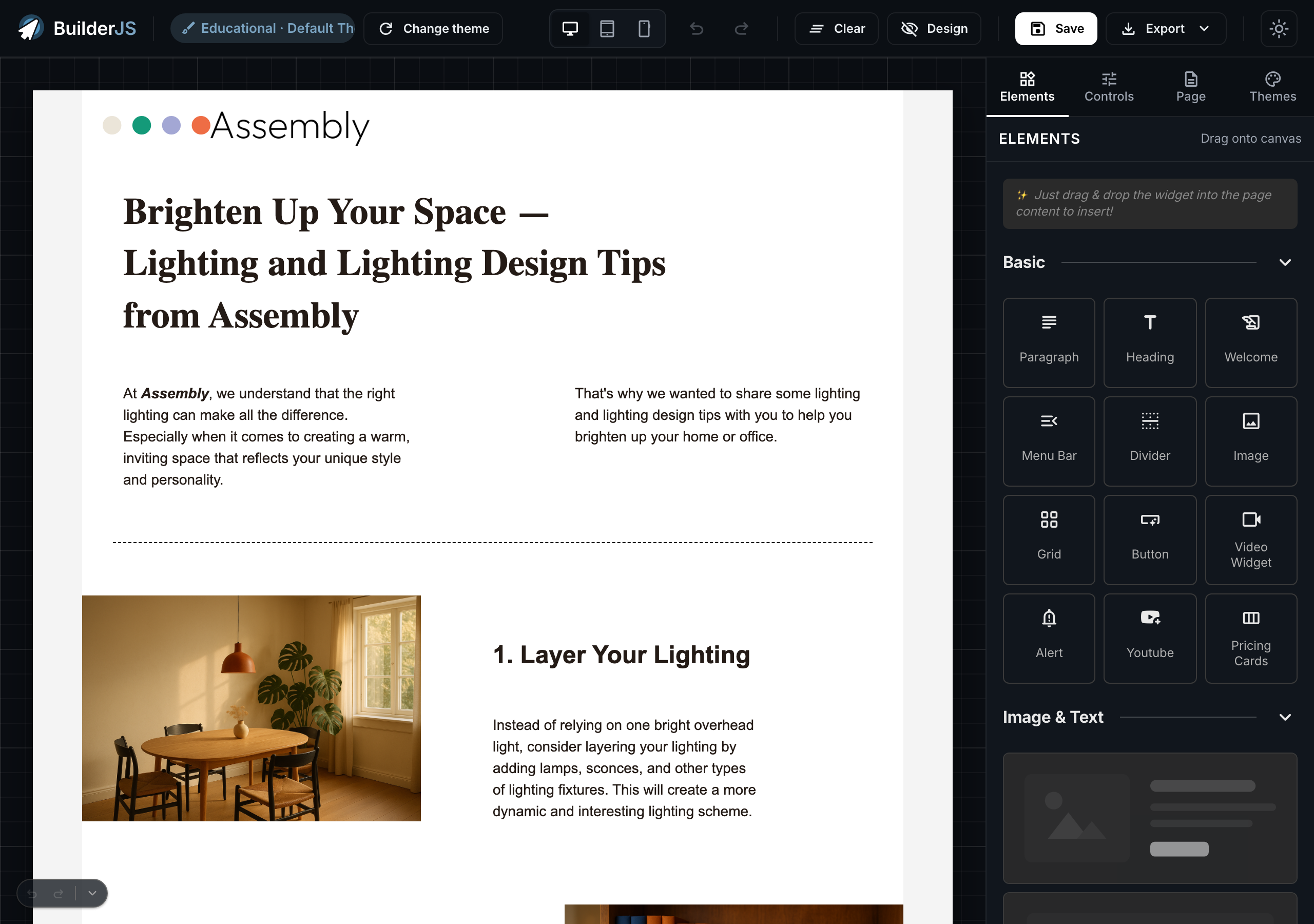
The included builder UI comes with light and dark mode.
Open to custom plugins: elements, widgets and controls
Extend BuilderJS without forking it. Your extensions use the same public classes as the built-in features, and they save into the same JSON.
- Custom elements – subclass
BaseElement, give it a template and its settings, and register it with Builder.registerElement(). It drags, saves and reloads like a built-in element.
- Custom widgets – subclass
BaseWidget and add the tile with builder.widgetsBox.addWidget(). Tiles can show rich content such as badges or status lines.
- Custom controls – extend an existing control, for example the color picker, to give your elements their own settings UI.
- Canvas overlays – add on-canvas handles and tools for your own elements.
- Locale packs – ship the builder in your users’ language.
- Bring your own AI – route inline rewrite, chat and page generation through your own endpoint, with Claude, OpenAI, Ollama or any other model. Nothing AI-related is bundled, and AI stays off until you configure it.
Elements, controls, widgets, overlays and locale packs each have a chapter in the developer guide, and most have a runnable example.
Built-in elements and widgets
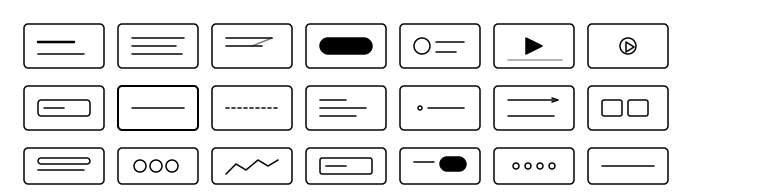
The engine ships with all of these. You choose which ones appear in your palette.
- Grid – multi-column rows; drag to resize columns or insert new ones
- Spacer – adds vertical space between sections
- Divider – a horizontal line between pieces of content
- Heading – titles from H1 to H5
- Paragraph – rich text with bold, italic, underline, links and alignment
- Button – a call-to-action link with ready-made styles
- Image – upload, crop, resize, filter and link images
- Image collage – 2-up, 3-up, grid and hero image layouts, each tile with its own link
- Image & text – ready-made sections with the image on the left, right, top or bottom of the text
- Text sections – centered, left-aligned and two-column text layouts
- Bullet list – bulleted, numbered, roman or checkmark lists, safe for email
- Alert – a highlighted box for notices and tips
- Menu bar – a row of navigation links
- Video – an HTML5 player for your own video files (MP4, WebM, Ogg)
- YouTube – paste a link; pages get the live player, emails get a clickable thumbnail
- Slider – a carousel of slides, each holding its own headings, text, images and buttons
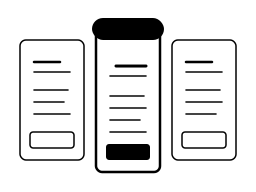
- Pricing cards – plans side by side with a highlighted tier
- Features – a row of icon, title and description tiles
- Testimonials – customer quote cards with stars, photo, name and role
- Rating – star ratings with reviews
- Social proof – a credibility band: stats, logo wall, rating badge and more
- Stat / KPI – a big number with a trend arrow and an optional sparkline
- Progress bar – goal and progress bars for sales targets, fundraisers or loyalty points, safe for email
- Data table – styled tables for reports, invoices and comparisons, built as real HTML tables that work in email
- Chart – bar, line, area, pie, doughnut, radar and scatter charts from your data (uses Apache ECharts, loaded by your page)
- Diagram – flowcharts, sequence, ER, Gantt and mind-map diagrams (uses Mermaid, loaded by your page)
- Product and product list – product cards and “you might also like” grids, filled from your own product catalog
- Checkout – a billing details form (name, email, phone, address) for checkout pages; the payment itself is handled by your app
- Form fields – text inputs, selects, radio buttons and checkboxes
- Terms of service – legal text with an “I agree” checkbox
- Submit button – sends the form to the endpoint you choose
- RSS – pulls the latest posts from any RSS feed, fetched through your server
- Social icons – links to your social profiles, in many icon styles
- QR code – styled QR codes with custom colors and an optional logo, generated in the browser
- Barcode – Code 128, EAN, UPC and other barcodes for tickets, loyalty cards and point of sale
Templates library: 100+ and growing
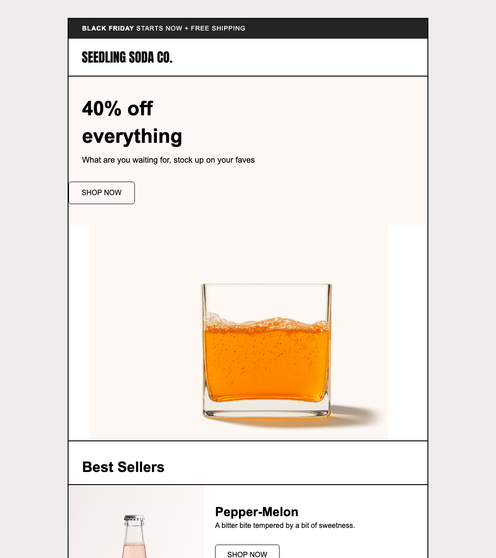
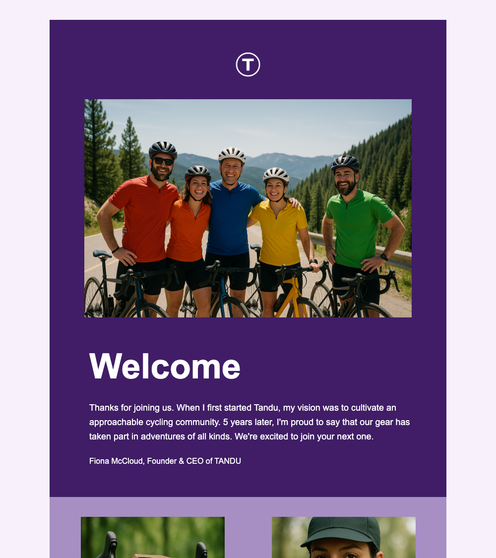

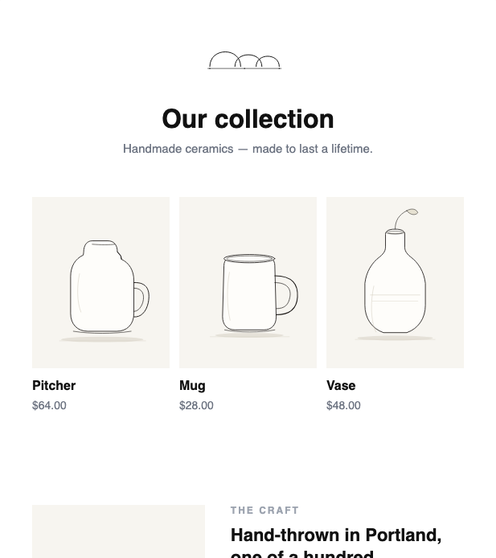
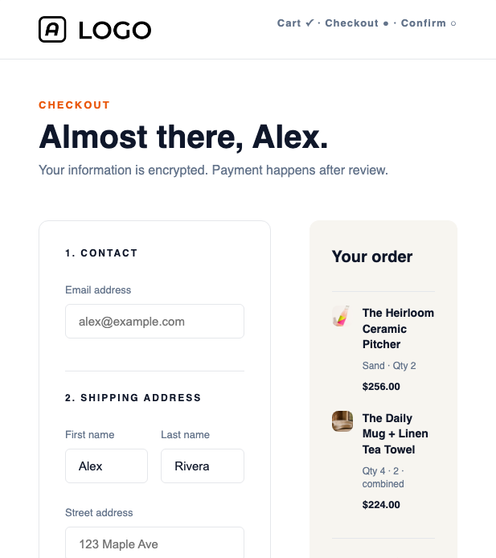
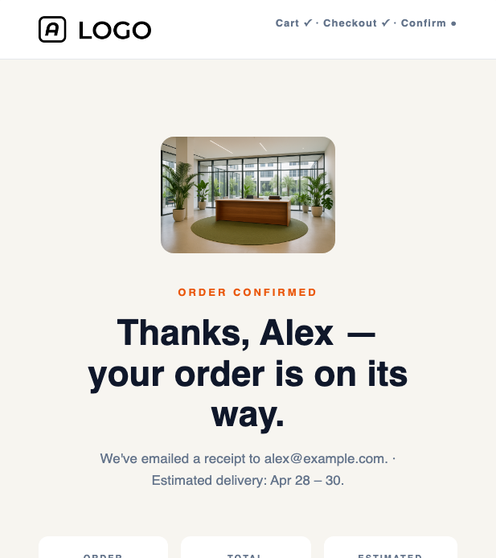
Start from a professionally designed template instead of a blank canvas. The download includes over 100 ready-made designs, all editable in the same builder:
- 55 email templates – newsletters, promotions, product launches, events, holidays, welcome, follow-up and win-back emails
- 19 forms and popups – waitlists, lead magnets, newsletter sign-ups, webinar registrations and popup banners
- 15 shop and funnel pages – product showcases, collections, carts, checkouts, upsells and order confirmations
- 7 ad creatives – Facebook, Instagram, Google, LinkedIn and TikTok formats
- 22 transactional emails and pages – sign-up and confirmation, unsubscribe, invoices, receipts and profile updates
New templates arrive with updates, and you can design your own and add them to the library.
Full source code, docs and examples
- Full source code included. The complete, readable engine source ships with the download. Change anything and rebuild the bundle with npm.
- A 15-chapter developer guide covering the quickstart, architecture, JSON structure, themes and templates, custom elements, controls, widgets and overlays, backend integration, translations and an FAQ.
- 30+ runnable examples, each with a live demo, a step-by-step walkthrough and a copy-paste snippet.
- Reference PHP backends for saving designs, uploading images (local disk or S3-compatible storage), MySQL or SQLite storage, authentication and real-time sync. The contracts are simple to port to Node, Python, Go or any other backend.
Scalable and self-hosted
- Plain JSON storage. Keep designs in any database, version them in git and diff them in code review.
- Multi-tenant ready. An example shows how to keep each customer’s designs isolated in a SaaS.
- White-label. No “Powered by” badge; the editor carries your brand.
- Your servers, your rules. No telemetry, no usage limits, no per-seat or monthly fees.
- Works offline and on-premises. Turn off automatic asset loading and serve every file from your own server.
What’s in the download
- dist/: the ready-to-use builder bundle (
builder.js and builder.css)
- src/: the full engine source, with the build config to rebuild the bundle
- demo/: a complete PHP demo app with the builder UI (theme picker, device preview, light and dark mode, save and export), the examples and the developer docs
- Themes: the default theme with 100+ templates, plus a starter theme for building your own
- Examples: 30+ runnable integration examples covering the basics, backends, editor layouts, events, the API, extensions and complete flows
Requirements
- The builder: any modern browser. It needs no particular server language and works with any backend.
- The demo app: PHP 7.4 or newer. PHP’s built-in web server is enough; no npm, Composer or Docker needed.
- Charts and diagrams (optional): include Apache ECharts or Mermaid on your page to use those two elements.
- Rebuilding from source (optional): Node.js and npm.
Good to know
BuilderJS is the editor you embed, not a hosted platform. It doesn’t send emails, host or publish pages, manage contact lists or process payments. Your application does that with the HTML and JSON that BuilderJS produces.
See it live



 Recently Updated
 Support by Rencontru
 Future updates

Reviews
There are no reviews yet.